Free!
Pigsty OSS
But no Warranty
PG: 16
OS: 3 major distro
- EL 8.9
- Debian 12
- Ubuntu 22.04
Modules: Core Modules
SLA: Not Available
Community Support
Self-sufficient OSS Guru Developers
This is the multi-page printable view of this section. .
“PostgreSQL In Great STYle”: Postgres, Infras, Graphics, Service, Toolbox, it’s all Yours.
—— Battery-Included, Local-First PostgreSQL Distribution as an Open-Source RDS Alternative
Repo | Demo | Blog | CN Blog | Discuss | Discord | GPTs | Roadmap | 中文文档
Get Started with the latest v2.7.0 release:
curl -fsSL https://get.pigsty.cc/i | bash -s v2.7.0
Setup: Install | Offline Install | Preparation | Configuration | Playbook | Provision | Security | FAQ
Modules: PGSQL | INFRA | NODE | ETCD | MINIO | REDIS | MONGO | DOCKER | APP
About: Features | History | Event | Community | Privacy Policy | License | Sponsor | Support & Subscription
Concept: Architecture | Cluster Model |Local CA | IaC | HA | PITR | Service Access | Access Control
Reference: Compatibility | Parameters | Extensions | FHS | Comparison | Cost | Glossary
Install Pigsty with 4 steps: Prepare, Download, Configure and Install.
Also check offline installation if you don’t have the Internet access.
Prepare a fresh Linux x86_64 node that runs compatible OS, then run as a sudo-able user:
It will download Pigsty source to your home, then perform configure and install to finish the installation.
A pigsty singleton node will be ready with Web Interface on port 80/443 and Postgres service on port 5432.
You can add more nodes into Pigsty and deploy modules on them.
Example: Online Singleton Installation on Ubuntu 22.04:


Check Preparation for a complete guide of resource preparation.
Pigsty support the Linux kernel and x86_64/amd64 arch. It can run on any nodes: bare metal, virtual machines, or VM-like containers, but a static IPv4 address is required.
The minimum spec is 1C1G. It is recommended to use bare metals or VMs with at least 2C4G. There’s no upper limit, and node param will be auto-tuned.
We recommend using fresh RockyLinux 8.9 or Ubuntu 22.04.3 as underlying operating systems. For a complete list of supported operating systems, please refer to Compatibility.
Public key ssh access to localhost and NOPASSWD sudo privilege is required to perform the installation, Try not using the root user.
If you wish to manage more nodes, these nodes needs to be ssh / sudo accessible via your current admin node & admin user.
Pigsty relies on Ansible to execute playbooks. you have to install ansible and jmespath packages fist to run the install procedure.
This can be done with the following command, or through the bootstrap procedure, especially when you do not have internet access..
sudo dnf install -y ansible python3.11-jmespath python3-cryptography
sudo yum install -y ansible # EL7 does not need to install jmespath explicitly
sudo apt install -y ansible python3-jmespath
brew install ansible
While it is possible to install Pigsty as the root user, It would be much safer using a dedicate admin user (dba, admin, …). due to security consideration
which has to be different from root and dbsu (postgres). Pigsty will create an optional admin user dba according to the config by default.
You can get & extract pigsty source via the following command:
HINT: To install a specific version, passing the version string as the first parameter:
If you don’t have the Internet access, check offline installation for details. You can download the source tarball with the following links and upload them with scp, ftp, etc…
You can also use git to download the Pigsty source. Please make sure to check out a specific version before using.
The master branch may in an unstable development status.
Always checkout a version when using git, check Release Notes for available versions.
configure will create a pigsty.yml config file according to your env.
This procedure is OPTIONAL if you know how to configure pigsty manually.
-m|--mode: Generate config from templates according to mode: (auto|demo|sec|citus|el|el7|ubuntu|prod...)-i|--ip: Replace IP address placeholder 10.10.10.10 with your primary ipv4 address of current node.-r|--region: Set upstream repo mirror according to region (default|china|europe)-n|--non-interactive: skip interactive wizard and using default/arg values-x|--proxy: write current proxy env to the config proxy_env (http_proxy/HTTP_PROXY, HTTPS_PROXY, ALL_PROXY, NO_PROXY)When -n|--non-interactive is specified, you have to specify a primary IP address with -i|--ip <ipaddr> in case of multiple IP address,
since there’s no default value for primary IP address in this case.
If your machine’s network interface have multiple IP addresses, you’ll need to explicitly specify a primary IP address for the current node using -i|--ip <ipaddr>, or provide it during interactive inquiry. The address should be a static IP address, and you should avoid using any public IP addresses.
You can check and modify the generated config file ~/pigsty/pigsty.yml before installation.
PLEASE CHANGE THE DEFAULT PASSWORDs in the config file before installation, check secure password for details.
Run the install.yml playbook to perform a full installation on current node
It’s a standard ansible playbook, you can have fine-grained control with ansible options:
-l: limit execution targets-t: limit execution tasks-e: passing extra args-i: use another configIt’s very DANGEROUS to re-run install.yml on existing deployment!**
You can use chmod a-x install.yml to avoid accidental execution.
Once installed, you’ll have four core modules PGSQL, INFRA, NODE, and ETCD the current node.
The PGSQL provides a PostgreSQL singleton which can be accessed via:
psql postgres://dbuser_dba:[email protected]/meta # DBA / superuser (via IP)
psql postgres://dbuser_meta:[email protected]/meta # business admin, read / write / ddl
psql postgres://dbuser_view:DBUser.View@pg-meta/meta # read-only user
The INFRA module gives you an entire modern observability stack, exposed by Nginx on (80 / 443):
There are several services are exposed by Nginx (configured by infra_portal):
| Component | Port | Domain | Comment | Public Demo |
|---|---|---|---|---|
| Nginx | 80/443 | h.pigsty |
Web Service Portal, Repo | home.pigsty.cc |
| AlertManager | 9093 | a.pigsty |
Alter Aggregator | a.pigsty.cc |
| Grafana | 3000 | g.pigsty |
Grafana Dashboard Home | demo.pigsty.cc |
| Prometheus | 9090 | p.pigsty |
Prometheus Web UI | p.pigsty.cc |
Grafana Dashboards (g.pigsty, port 3000) credentials, user:
admin/ pass:pigsty
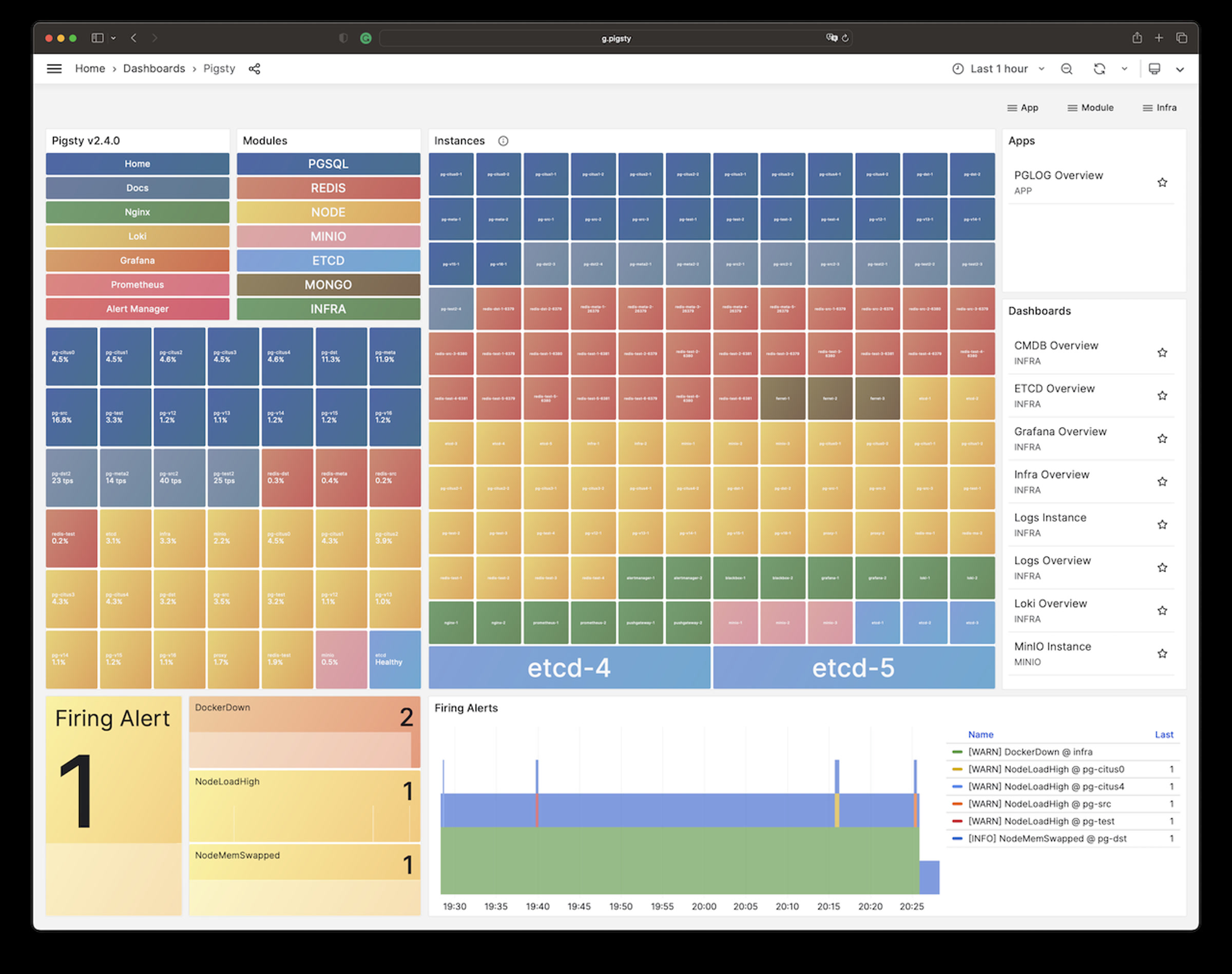
You can access these web UI directly via IP + port. While the common best practice would be access them through Nginx and distinguish via domain names. You’ll need configure DNS records, or use the local static records (/etc/hosts) for that.
There are several options:
/etc/hosts file to add static resolution records. (For Windows, it’s located at:)We recommend the third method for common users. On the machine (which runs the browser), add the following record into /etc/hosts (sudo required) or C:\Windows\System32\drivers\etc\hosts in Windows:
You have to use the external IP address of the node here.
The server-side domain name is configured with Nginx. If you want to replace the default domain name, simply enter the domain you wish to use in the parameter infra_portal. When you access the Grafana monitoring homepage via http://g.pigsty, it is actually accessed through the Nginx proxy to Grafana’s WebUI:
If nginx_sslmode is set to enabled or enforced, you can trust self-signed ca: files/pki/ca/ca.crt to use https in your browser.
Pigsty will generate self-signed certs for Nginx, if you wish to access via HTTPS without “Warning”, here are some options:
thisisunsafe in Chrome will supress the warningYou can deploy & monitor more clusters with pigsty: add more nodes to pigsty.yml and run corresponding playbooks:
Remember that most modules require the [NODE] module installed first. Check modules for detail
PGSQL, INFRA, NODE, ETCD, MINIO, REDIS, MONGO, DOCKER, ……
Pigsty’s Standard Installation process requires Internet access, but production database servers are often isolated from the Internet.
Therefore, Pigsty offers an offline installation feature, allowing you to complete the installation and deployment in an environment without internet access.
If you have internet access, downloading the pre-made Offline Package in advance can help speed up the installation process and enhance the certainty and reliability of the installation.
You have to download the Pigsty source tarball and the Offline Package in addition to the Standard Installation.
| Package | GitHub Release | CDN Mirror |
|---|---|---|
| Pigsty Source Tarball | pigsty-v2.7.0.tgz | pigsty-v2.7.0.tgz |
| EL8 Offline Package | pigsty-pkg-v2.7.0.el8.x86_64.tgz | pigsty-pkg-v2.7.0.el8.x86_64.tgz |
| Debian 12 Offline Package | pigsty-pkg-v2.7.0.debian12.x86_64.tgz | pigsty-pkg-v2.7.0.debian12.x86_64.tgz |
| Ubuntu 22.04 Offline Package | pigsty-pkg-v2.7.0.ubuntu22.x86_64.tgz | pigsty-pkg-v2.7.0.ubuntu22.x86_64.tgz |
You can also download them with curl:
Then upload them to the isolated admin node, put the offline package at /tmp/pkg.tgz, then enable it th through the bootstrap procedure.
Pigsty will download the required rpm/deb packages from the upstream yum/apt repo during the installation procedure and build a local software repo (located at /www/pigsty by default).
The local repo is served by Nginx and serves all nodes in this environment/deployment, including itself.
There are three main benefits to using a local repo:
The principle of offline installation is: first, complete the Standard Installation process on a node with the same operating system and internet access.
Then, take a snapshot of the built local repo (/www/pigsty) and pack it to make the Offline Package, and then deliver it to the isolated environment for use.
When the Pigsty Installation procedure finds that the local repo already exists, It will enter offline install mode, which will install from the built local repo rather than upstream.
Pigsty will skip the process of downloading and building the local software source from the internet and complete the entire installation process using the local software repo without the need for internet access.
This marker file is automatically generated after the download is complete during the standard installation procedure, indicating a usable local software repo is done.
Deleting the repo_complete marker file of the local repo will mark the procedure for re-download missing packages from upstream.
The offline package is a tarball made by gzip and tar, placed under /tmp/pkg.tgz, and extract to /www/pigsty for use.
Pigsty has pre-packed offline packages for primary supported 3 major OS distros.
Which can skip downloading & repo building if you are using the exact same operating system.
https://github.com/Vonng/pigsty/releases/download/v2.7.0/pigsty-pkg-v2.7.0.el8.x86_64.tgz # EL 8.9 (Green Obsidian) https://github.com/Vonng/pigsty/releases/download/v2.7.0/pigsty-pkg-v2.7.0.debian12.x86_64.tgz # Debian 12 (bookworm) https://github.com/Vonng/pigsty/releases/download/v2.7.0/pigsty-pkg-v2.7.0.ubuntu22.x86_64.tgz # Ubuntu 22.04 (jammy)
https://get.pigsty.cc/v2.7.0/pigsty-pkg-v2.7.0.el8.x86_64.tgz # (Green Obsidian) https://get.pigsty.cc/v2.7.0/pigsty-pkg-v2.7.0.debian12.x86_64.tgz # (bookworm, 12.4) https://get.pigsty.cc/v2.7.0/pigsty-pkg-v2.7.0.ubuntu22.x86_64.tgz # (jammy, 22.04.3)
When installing with offline packages, please ensure that the OS major version matches exactly, and try to keep the system minor version as close as possible.
Offline installation can usually succeed even if the OS minor version does not match, but there’s a chance that some packages might have missing or conflicting dependencies.
In such cases, please make your own offline package, or refer to the Frequently Asked Questions for solutions.
Pigsty needs ansible to run the playbooks. You have to install Ansible even without Internet access.
Luckily, ansible and its dependencies are already included in Pigsty’s offline package. The process of extracting and installing ansible from the offline package is known as Bootstrap.
You have to download the offline package and place it under /tmp/pkg.tgz, then run the bootstrap command:
The bootstrap script will extract /tmp/pkg.tgz into /www/pigsty, setup a local file repo, and install ansible from it.
Check preconditions
Check local repo exists ?
/www/pigsty and create repo file to enable itpkg.tgz > downloaded pkg.tgz > upstream > user provideansible createrepo_c unzip wget yum-utils sshpassansible python3.11-jmespath python3-cryptography createrepo_c unzip wget dnf-utils sshpass modulemd-toolsansible python3-jmespath python3.11-jmespath createrepo_c unzip wget dnf-utils sshpass modulemd-toolsansible python3-jmespath dpkg-dev unzip wget sshpass aclansible availability.On a RockyLinux 8.9 node with the internet access, during the ./bootstrap process, if local repo /www/pigsty or offline package /tmp/pkg.tgz nor available,
the system will prompt the user to download the offline package. Simply reply y to proceed, or you can use bootstrap -y to automatically reply “yes” by default.
A Debian 12 node without the Internet access, the user has pre-downloaded offline package and uploaded it to a specified path on the node.
If the offline package exists at /tmp/pkg.tgz, the bootstrap process will use it directly, and the output will be like:
在一台有互联网访问的 Ubuntu 20.04 节点上,因为 Pigsty 官方没有提供离线软件包,因此选择在线安装。在这种情况下,Bootstrap 会使用可用的源,使用 yum/apt 安装 ansible 与依赖:
On an Ubuntu 20.04 node with internet access, since Pigsty does not provide an official offline package for this OS major version,
the online installation is performed. In this case, the bootstrap process will use the available upstream repo to install ansible and its dependencies using yum or apt:
Pigsty has a bin/cache script to make offline packages.
Run this script on installed nodes; it will compress the /www/pigsty repo dir into /tmp/pkg.tgz tarball.
You can upload that /tmp/pkg.tgz to isolated production nodes for using with the same bootstrap procedure.
Example: make an offline package on freshly installed Ubuntu 22.04 with bin/cache:
Pigsty treats Infra & Database as Code. You can describe the infrastructure & database clusters through a declarative interface. All your essential work is to describe your need in the inventory, then materialize it with a simple idempotent playbook.
Each pigsty deployment has a corresponding config inventory. It could be stored in a local git-managed file in YAML format or dynamically generated from CMDB or any ansible compatible format. Pigsty uses a monolith YAML config file as the default config inventory, which is pigsty.yml, located in the pigsty home directory.
The inventory consists of two parts: global vars & multiple group definitions. You can define new clusters with inventory groups: all.children. And describe infra and set global default parameters for clusters with global vars: all.vars. Which may look like this:
There are lots of config examples under files/pigsty
Each group may represent a cluster, which could be a Node cluster, PostgreSQL cluster, Redis cluster, Etcd cluster, or Minio cluster, etc… They all use the same format: group vars & hosts. You can define cluster members with all.children.<cls>.hosts and describe cluster with cluster parameters in all.children.<cls>.vars. Here is an example of 3 nodes PostgreSQL HA cluster named pg-test:
You can also define parameters for a specific host, as known as host vars. It will override group vars and global vars. Which is usually used for assigning identities to nodes & database instances.
Global vars, Group vars, and Host vars are dict objects consisting of a series of K-V pairs. Each pair is a named Parameter consisting of a string name as the key and a value of one of five types: boolean, string, number, array, or object. Check parameter reference for detailed syntax & semantics.
Every parameter has a proper default value except for mandatory IDENTITY PARAMETERS; they are used as identifiers and must be set explicitly, such as pg_cluster, pg_role, and pg_seq.
Parameters can be specified & overridden with the following precedence.
For examples:
-e pg_clean=truepg_role on Host Varspg_cluster on Group Vars.node_ntp_servers on Global Varspg_version is set, it will use the default value from role implementation (16 by default)There are numerous preset config templates for different scenarios under the files/pigsty directory.
During configure process, you can specify a template using the -m parameter.
Otherwise, the single-node installation config template will be automatically selected based on your OS distribution.
el8.yml / el9.ymldebian12.ymlubuntu22.ymlAlthough the Pigsty no longer officially supports these OS distros, you can still use the following templates for older major OS versions to perform online installation:
el7.ymldebian11.ymlubuntu20.ymlTo use a different config inventory, you can copy & paste the content into the pigsty.yml file in the home dir as needed.
You can also explicitly specify the config inventory file to use when executing Ansible playbooks by using the -i command-line parameter, for example:
If you want to modify the default config inventory filename, you can change the inventory parameter in the ansible.cfg file in the home dir to point to your own inventory file path.
This allows you to run the ansible-playbook command without explicitly specifying the -i parameter.
Pigsty allows you to use a database (CMDB) as a dynamic configuration source instead of a static configuration file. Pigsty provides three convenient scripts:
bin/inventory_load: Loads the content of the pigsty.yml into the local PostgreSQL database (meta.pigsty)bin/inventory_cmdb: Switches the configuration source to the local PostgreSQL database (meta.pigsty)bin/inventory_conf: Switches the configuration source to the local static configuration file pigsty.ymlPigsty have 280+ parameters, check Parameter for details.
| Module | Section | Description | Count |
|---|---|---|---|
INFRA |
META |
Pigsty Metadata | 4 |
INFRA |
CA |
Self-Signed CA | 3 |
INFRA |
INFRA_ID |
Infra Portals & Identity | 2 |
INFRA |
REPO |
Local Software Repo | 9 |
INFRA |
INFRA_PACKAGE |
Infra Packages | 2 |
INFRA |
NGINX |
Nginx Web Server | 7 |
INFRA |
DNS |
DNSMASQ Nameserver | 3 |
INFRA |
PROMETHEUS |
Prometheus Stack | 18 |
INFRA |
GRAFANA |
Grafana Stack | 6 |
INFRA |
LOKI |
Loki Logging Service | 4 |
NODE |
NODE_ID |
Node Identity Parameters | 5 |
NODE |
NODE_DNS |
Node domain names & resolver | 6 |
NODE |
NODE_PACKAGE |
Node Repo & Packages | 5 |
NODE |
NODE_TUNE |
Node Tuning & Kernel features | 10 |
NODE |
NODE_ADMIN |
Admin User & Credentials | 7 |
NODE |
NODE_TIME |
Node Timezone, NTP, Crontabs | 5 |
NODE |
NODE_VIP |
Node Keepalived L2 VIP | 8 |
NODE |
HAPROXY |
HAProxy the load balancer | 10 |
NODE |
NODE_EXPORTER |
Node Monitoring Agent | 3 |
NODE |
PROMTAIL |
Promtail logging Agent | 4 |
DOCKER |
DOCKER |
Docker Daemon | 4 |
ETCD |
ETCD |
ETCD DCS Cluster | 10 |
MINIO |
MINIO |
MINIO S3 Object Storage | 15 |
REDIS |
REDIS |
Redis the key-value NoSQL cache | 20 |
PGSQL |
PG_ID |
PG Identity Parameters | 11 |
PGSQL |
PG_BUSINESS |
PG Business Object Definition | 12 |
PGSQL |
PG_INSTALL |
Install PG Packages & Extensions | 10 |
PGSQL |
PG_BOOTSTRAP |
Init HA PG Cluster with Patroni | 39 |
PGSQL |
PG_PROVISION |
Create in-database objects | 9 |
PGSQL |
PG_BACKUP |
Set Backup Repo with pgBackRest | 5 |
PGSQL |
PG_SERVICE |
Exposing service, bind vip, dns | 9 |
PGSQL |
PG_EXPORTER |
PG Monitor agent for Prometheus | 15 |
Pigsty supports the Linux kernel and x86_64/amd64 arch, applicable to any node.
A “node” refers to a resource that is SSH accessible and offers a bare OS environment, such as a physical machine, a virtual machine, or an OS container equipped with systemd and sshd.
Deploying Pigsty requires at least 1 node. The minimum spec requirement is 1C1G, but it is recommended to use at least 2C4G, with no upper limit: parameters will automatically optimize and adapt.
For demos, personal sites, devbox, or standalone monitoring infra, 1-2 nodes are recommended, while at least 3 nodes are suggested for an HA PostgreSQL cluster. For critical scenarios, 4-5 nodes are advisable.
Managing a large-scale prod env could be tedious and error-prone. We recommend using Infrastructure as Code (IaC) tools to address these issues.
You can use the Terraform and Vagrant templates provided by Pigsty, to create the required node environment with just one command through IaC, provisioning network, OS image, admin user, privileges, etc…
Pigsty requires nodes to use static IPv4 addresses, which means you should explicitly assign your nodes a specific fixed IP address rather than using DHCP-assigned addresses.
The IP address used by a node should be the primary IP address for internal network communications and will serve as the node’s unique identifier.
If you wish to use the optional Node VIP and PG VIP features, ensure all nodes are located within an L2 network.
Your firewall policy should ensure the required ports are open between nodes. For a detailed list of ports required by different modules, refer to Node: Ports.
For beginners or those who are just trying it out, you can just open ports 5432 (PostgreSQL database) and 3000 (Grafana visualization interface) to the world.
For a serious prod env, you should only expose the necessary ports to the exterior, such as 80/443 for web services, open to the office network (or the entire Internet).
Exposing database service ports directly to the Internet is not advisable. If you need to do this, consider consulting Security Best Practices and proceed cautiously.
The method for exposing ports depends on your network implementation, such as security group policies, local iptables records, firewall configurations, etc.
Pigsty supports various Linux OS. We recommend using RockyLinux 8.9 or Ubuntu 22.04.3 as the default OS for installing Pigsty.
Pigsty supports RHEL (7,8,9), Debian (11,12), Ubuntu (20,22), and many other compatible OS distros. Check Compatibility For a complete list of compatible OS distros.
When deploying on multiple nodes, we strongly recommend using the same version of the OS distro and the Linux kernel on all nodes.
We strongly recommend using a clean, minimally installed OS environment with en_US set as the primary language.
To ensure the en_US locale is available when using other primary language:
Note: The PostgreSQL cluster deployed by Pigsty defaults to the C.UTF8 locale, but character set definitions use en_US to ensure the pg_trgm extension functions properly.
If you do not need this feature, you can configure the value of pg_lc_ctype to C.UTF8 to avoid this issue when en locale is missing.
You’ll need an “admin user” on all nodes where Pigsty is meant to be deployed — an OS user with nopass ssh login and nopass sudo permissions.
On the nodes where Pigsty is installed, you need an “administrative user” who has nopass ssh login and nopass sudo permissions.
No password sudo is required to execute commands during the installation process, such as installing packages, configuring system settings, etc.
Assuming your admin username is vagrant, you can create a file in /etc/sudoers.d/vagrant and add the following content:
This will allow the vagrant user to execute all commands without a sudo password. If your username is not vagrant, replace vagrant in the above steps with your username.
While it is possible to install Pigsty using the root user, we do not recommend it.
We recommend using a dedicated admin user, such as dba, different from the root user (root) and the database superuser (postgres).
There is a dedicated playbook subtask that can use an existing admin user (e.g., root) with ssh/sudo password input to create a dedicated admin user.
In addition to nopass sudo privilege, Pigsty also requires the admin user to have nopass ssh login privilege (login via ssh key).
For single-host installations setup, this means the admin user on the local node should be able to log in to the host itself via ssh without a password.
If your Pigsty deployment involves multiple nodes, this means the admin user on the admin node should be able to log in to all nodes managed by Pigsty (including the local node) via ssh without a password, and execute sudo commands without a password as well.
During the configure procedure, if your current admin user does not have any SSH key, it will attempt to address this issue by generating a new id_rsa key pair and adding it to the local ~/.ssh/authorized_keys file to ensure local SSH login capability for the local admin user.
By default, Pigsty creates an admin user dba (uid=88) on all managed nodes. If you are already using this user, we recommend that you change the node_admin_username to a new username with a different uid, or disable it using the node_admin_enabled parameter.
Assuming your admin username is vagrant, execute the following command as the vagrant user will generate a public/private key pair for login. If a key pair already exists, there is no need to generate a new one.
The generated public key is by default located at: /home/vagrant/.ssh/id_rsa.pub, and the private key at: /home/vagrant/.ssh/id_rsa. If your OS username is not vagrant, replace vagrant in the above commands with your username.
You should append the public key file (id_rsa.pub) to the authorized_keys file of the user you need to log into: /home/vagrant/.ssh/authorized_keys. If you already have password access to the remote machine, you can use ssh-copy-id to copy the public key:
Pigsty recommends provisioning the admin user during node provisioning and making it viable by default.
If your environment has some restrictions on SSH access, such as a bastion server or ad hoc firewall rules that prevent simple SSH access via ssh <ip>, consider using SSH aliases.
For example, if there’s a node with IP 10.10.10.10 that can not be accessed directly via ssh but can be accessed via an ssh alias meta defined in ~/.ssh/config,
then you can configure the ansible_host parameter for that node in the inventory to specify the SSH Alias on the host level:
If the ssh alias does not meet your requirement, there are a plethora of custom ssh connection parameters that can bring fine-grained control over SSH connection behavior.
If the following cmd can be successfully executed on the admin node by the admin user, it means that the target node’s admin user is properly configured.
On the admin node, Pigsty requires ansible to initiate control.
If you are using the singleton meta installation, Ansible is required on this node. It is not required for common nodes.
The bootstrap procedure will make every effort to do this for you.
But you can always choose to install Ansible manually. The process of manually installing Ansible varies with different OS distros / major versions (usually involving an additional weak dependency jmespath):
sudo dnf install -y ansible python3.11-jmespath
sudo yum install -y ansible # EL7 does not need to install jmespath explicitly
sudo apt install -y ansible python3-jmespath
brew install ansible
To install Pigsty, you also need to prepare the Pigsty source package. You can directly download a specific version from the GitHub Release page or use the following command to obtain the latest stable version:
If your env does not have Internet access, consider using the offline packages, which are pre-packed for different OS distros, and can be downloaded from the GitHub Release page.
Pigsty v2.7 planning starts by selecting a deployment topology and preparing the matching hosts, operating systems, network, and administrator access.
The exact cluster, user, database, service, and backup settings remain in the linked v2.7 pages; this page is only the historical planning entry point.
Playbooks are used in Pigsty to install modules on nodes.
To run playbooks, just treat them as executables. e.g. run with ./install.yml.
Here are default playbooks included in Pigsty.
| Playbook | Function |
|---|---|
install.yml |
Install Pigsty on current node in one-pass |
infra.yml |
Init pigsty infrastructure on infra nodes |
infra-rm.yml |
Remove infrastructure components from infra nodes |
node.yml |
Init node for pigsty, tune node into desired status |
node-rm.yml |
Remove node from pigsty |
pgsql.yml |
Init HA PostgreSQL clusters, or adding new replicas |
pgsql-rm.yml |
Remove PostgreSQL cluster, or remove replicas |
pgsql-user.yml |
Add new business user to existing PostgreSQL cluster |
pgsql-db.yml |
Add new business database to existing PostgreSQL cluster |
pgsql-monitor.yml |
Monitor remote postgres instance with local exporters |
pgsql-migration.yml |
Generate Migration manual & scripts for existing PostgreSQL |
redis.yml |
Init redis cluster/node/instance |
redis-rm.yml |
Remove redis cluster/node/instance |
etcd.yml |
Init etcd cluster (required for patroni HA DCS) |
minio.yml |
Init minio cluster (optional for pgbackrest repo) |
cert.yml |
Issue cert with pigsty self-signed CA (e.g. for pg clients) |
docker.yml |
Install docker on nodes |
mongo.yml |
在节点上安装 Mongo/FerretDB |
One-Pass Install
The special playbook install.yml is actually a composed playbook that install everything on current environment.
Note that there’s a circular dependency between NODE and INFRA:
to register a NODE to INFRA, the INFRA should already exist, while the INFRA module relies on NODE to work.
The solution is that INFRA playbook will also install NODE module in addition to INFRA on infra nodes.
Make sure that infra nodes are init first. If you really want to init all nodes including infra in one-pass, install.yml is the way to go.
Playbooks require ansible-playbook executable to run, playbooks which is included in ansible rpm / deb package.
Pigsty will try it’s best to install ansible on admin node during bootstrap.
You can install it by yourself with yum|apt|brew install ansible, it is included in default OS repo.
Knowledge about ansible is good but not required. Only four parameters needs your attention:
-l|--limit <pattern> : Limit execution target on specific group/host/pattern (Where)-t|--tags <tags>: Only run tasks with specific tags (What)-e|--extra-vars <vars>: Extra command line arguments (How)-i|--inventory <path>: Using another inventory file (Conf)To use a different config inventory, you can copy & paste the content into the pigsty.yml file in the home dir as needed.
The active inventory file can be specified with the -i|--inventory <path> parameter when running Ansible playbooks.
If you wish to permanently modify the default config inventory filename, you can change the inventory parameter in the ansible.cfg
The target of playbook can be limited with -l|-limit <selector>.
Missing this value could be dangerous since most playbooks will execute on all host, DO USE WITH CAUTION.
Here are some examples of host limit:
You can execute a subset of playbook with -t|--tags <tags>.
You can specify multiple tags in comma separated list, e.g. -t tag1,tag2.
If specified, tasks with given tags will be executed instead of entire playbook.
Here are some examples of task limit:
Extra command-line args can be passing via -e|-extra-vars KEY=VALUE.
It has the highest precedence over all other definition.
Here are some examples of extra vars
Most playbooks are idempotent, meaning that some deployment playbooks may erase existing databases and create new ones without the protection option turned on.
Please read the documentation carefully, proofread the commands several times, and operate with caution. The author is not responsible for any loss of databases due to misuse.
Pigsty runs on nodes, which are Bare Metals or Virtual Machines. You can prepare them manually, or using terraform & vagrant for provisioning.
Pigsty has a sandbox, which is a 4-node deployment with fixed IP addresses and other identifiers.
Check demo.yml for details.
The sandbox consists of 4 nodes with fixed IP addresses: 10.10.10.10, 10.10.10.11, 10.10.10.12, 10.10.10.13.
There’s a primary singleton PostgreSQL cluster: pg-meta on the meta node, which can be used alone if you don’t care about PostgreSQL high availability.
meta 10.10.10.10 pg-meta pg-meta-1There are 3 additional nodes in the sandbox, form a 3-instance PostgreSQL HA cluster pg-test.
node-1 10.10.10.11 pg-test.pg-test-1node-2 10.10.10.12 pg-test.pg-test-2node-3 10.10.10.13 pg-test.pg-test-3Two optional L2 VIP are bind on primary instances of cluster pg-meta and pg-test:
10.10.10.2 pg-meta10.10.10.3 pg-testThere’s also a 1-instance etcd cluster, and 1-instance minio cluster on the meta node, too.
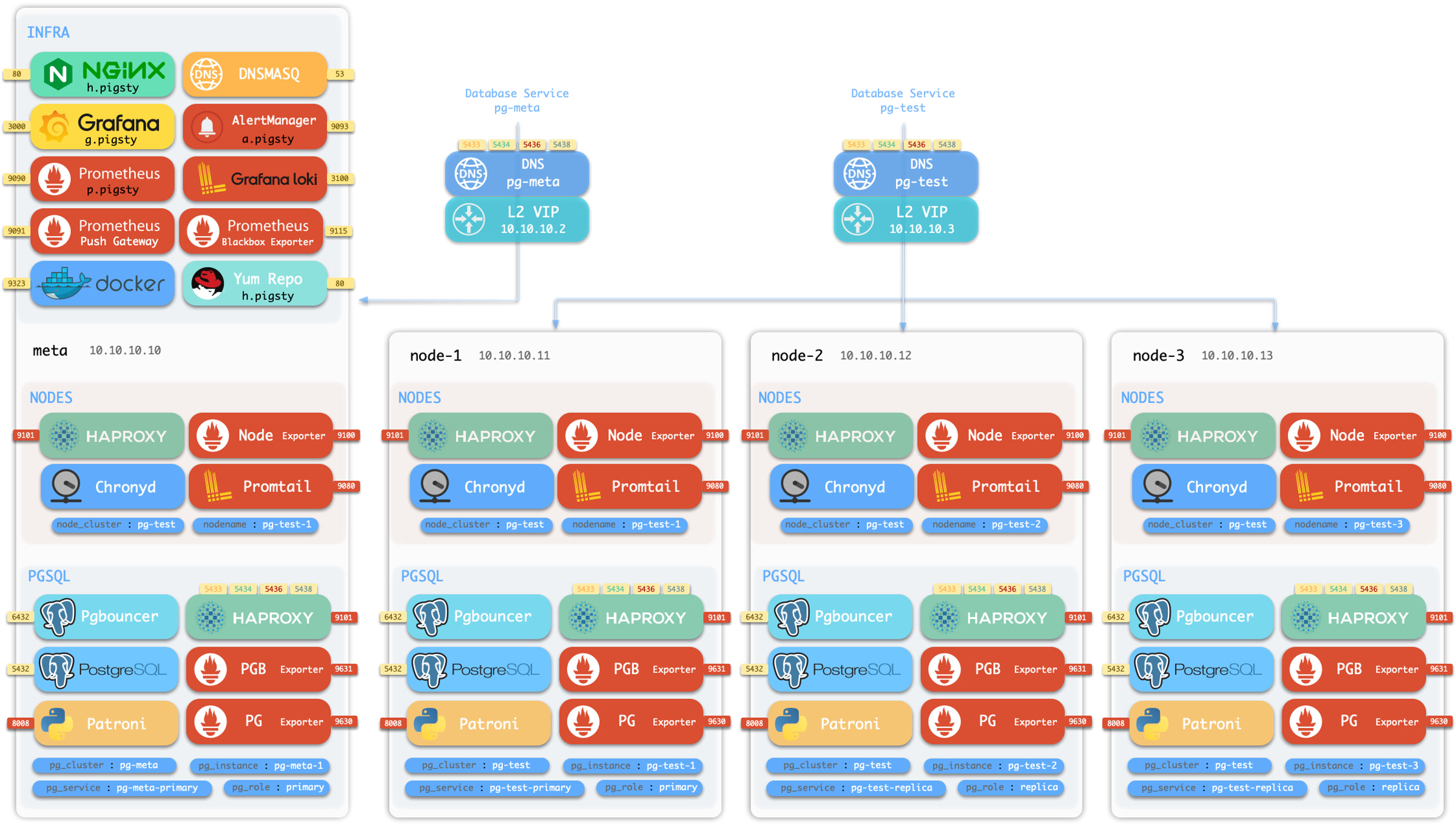
You can run sandbox on local VMs or cloud VMs. Pigsty offers a local sandbox based on Vagrant (pulling up local VMs using Virtualbox or libvirt), and a cloud sandbox based on Terraform (creating VMs using the cloud vendor API).
Local sandbox can be run on your Mac/PC for free. Your Mac/PC should have at least 4C/8G to run the full 4-node sandbox.
Cloud sandbox can be easily created and shared. You will have to create a cloud account for that. VMs are created on-demand and can be destroyed with one command, which is also very cheap for a quick glance.
Vagrant can create local VMs according to specs in a declarative way. Check Vagrant Templates Intro for details
Vagrant will use VirtualBox as the default VM provider. however libvirt, docker, parallel desktop and vmware can also be used. We will use VirtualBox in this guide.
Make sure Vagrant and Virtualbox are installed and available on your OS.
If you are using macOS, You can use homebrew to install both of them with one command (reboot required). You can also use vagrant-libvirt on Linux.
vagarnt/Vagranfile is a ruby script file describing VM nodes. Here are some default specs of Pigsty.
| Templates | Shortcut | Spec | Comment |
|---|---|---|---|
| meta.rb | v1 |
4C8G x 1 | Single Meta Node |
| full.rb | v4 |
2C4G + 1C2G x 3 | Full 4 Nodes Sandbox Demo |
| el7.rb | v7 |
2C4G + 1C2G x 3 | EL7 3-node Testing Env |
| el8.rb | v8 |
2C4G + 1C2G x 3 | EL8 3-node Testing Env |
| el9.rb | v9 |
2C4G + 1C2G x 3 | EL9 3-node Testing Env |
| build.rb | vb |
2C4G x 3 | 3-Node EL7,8,9 Building Environment |
| check.rb | vc |
2C4G x 30 | 30 Node EL7-EL9 PG 12-16 Env |
| minio.rb | vm |
2C4G x 3 + Disk | 3-Node MinIO/etcd Testing Env |
| prod.rb | vp |
45 nodes | Prod simulation with 45 Nodes |
Each spec file contains a Specs variable describe VM nodes. For example, the full.rb contains the 4-node sandbox specs.
You can switch specs with the vagrant/switch script, it will render the final Vagrantfile according to the spec.
After describing the VM nodes with specs and generate the vagrant/Vagrantfile. you can create the VMs with vagrant up command.
Pigsty templates will use your ~/.ssh/id_rsa[.pub] as the default ssh key for vagrant provisioning.
Make sure you have a valid ssh key pair before you start, you can generate one by: ssh-keygen -t rsa -b 2048
There are some makefile shortcuts that wrap the vagrant commands, you can use them to manage the VMs.
You can create VMs with the following shortcuts:
Terraform is an open-source tool to practice ‘Infra as Code’. Describe the cloud resource you want and create them with one command.
Pigsty has terraform templates for AWS, Aliyun, and Tencent Cloud, you can use them to create VMs on the cloud for Pigsty Demo.
Terraform can be easily installed with homebrew, too: brew install terraform. You will have to create a cloud account to obtain AccessKey and AccessSecret credentials to proceed.
The terraform/ dir have two example templates: one for AWS, and one for Aliyun, you can adjust them to fit your need, or modify them if you are using a different cloud vendor.
Take Aliyun as example:
You have to perform terraform init before terraform apply:
After running apply and answering yes to the prompt, Terraform will create the VMs and configure the network for you.
The admin node ip address will be printed out at the end of the execution, you can ssh login and start pigsty installation.
Pigsty already provides a secure-by-default authentication and access control model, which is sufficient for most scenarios.
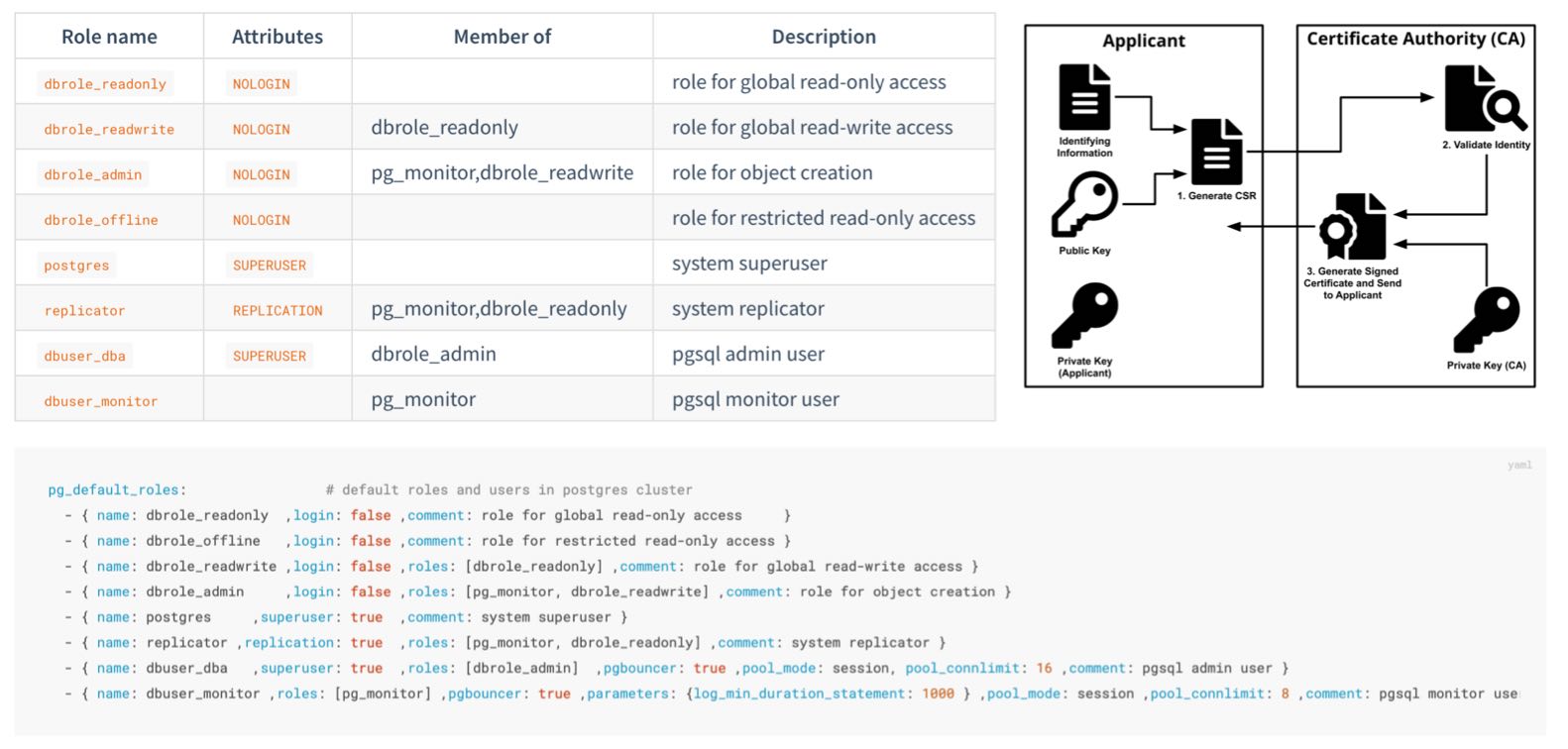
But if you want to further strengthen the security of the system, the following suggestions are for your reference:
Secure your pigsty config inventory
pigsty.yml has highly sensitive information, including passwords, certificates, and keys.Secure your CA private key and other certs
files/pki under pigsty source dir by default.Always change these passwords, DO NOT USE THE DEFAULT VALUES:
grafana_admin_password : pigstypg_admin_password : DBUser.DBApg_monitor_password : DBUser.Monitorpg_replication_password : DBUser.Replicatorpatroni_password : Patroni.APIhaproxy_admin_password : pigstyminio_secret_key : minioadminPlease change MinIO user secret key and pgbackrest_repo references
minio_users.[pgbacrest].secret_keypgbackrest_repo.minio.s3_key_secretIf you are using remote backup method, secure backup with distinct passwords
aes-256-cbc for pgbackrest_repo.*.cipher_type${pg_cluster} placeholder as part of the password to avoid using the same password.Use advanced password encryption method for PostgreSQL
pg_pwd_enc default scram-sha-256 instead of legacy md5Enforce a strong pg password with the passwordcheck extension.
$lib/passwordcheck to pg_libs to enforce password policy.Encrypt remote backup with an encryption algorithm
pgbackrest_repo definition repo_cipher_typeAdd an expiration date to biz user passwords.
You can set an expiry date for each user for compliance purposes.
Don’t forget to refresh these passwords periodically.
Do not log changing password statement into postgres log.
Bind to specific IP addresses rather than all addresses for postgres/pgbouncer/patroni
pg_listen address is 0.0.0.0, which is all IPv4 addresses.pg_listen: '${ip},${vip},${lo}' to bind to specific addresses for better security.Do not expose any port to the Internet; except 80/443, the infra portal
redis_bind_address to listen on intranet IP.Limit postgres client access with HBA
security.ymlLimit patroni admin access from the infra/admin node.
restapi.allowlistAccess Nginx with SSL and domain names
nginx_sslmode, which is enable by default.infra_portal.<value>.domain.Secure Patroni REST API with SSL
patroni_ssl_enabled is disabled by defaultSecure Pgbouncer Client Traffic with SSL
pgbouncer_sslmode is disable by defaultUse consistency-first mode for PostgreSQL.
crit.yml templates for pg_conf will trade some availability for the best consistency.Use node crit tuned template for better consistency
node_tune to crit to reduce dirty page ratio.pg_checksum is disabled by default, and enabled for crit.yml by defaultlog_connections and log_disconnections after the pg cluster bootstrap.
crit.yml by default.Do not access the database directly via a fixed IP address; use VIP, DNS, HAProxy, or their combination.
Use enough nodes for serious production deployment.
Trade off between availability and consistency for PostgreSQL.
Use multiple infra nodes in serious production deployment (e.g., 1~3)
Use enough etcd members and use even numbers (1,3,5,7).
If you have any unlisted questions or suggestions, please create an Issue or ask the community for help.
Use the following command to install Pigsty with one click: bash -c "$(curl -fsSL https://get.pigsty.cc/install)" -- v2.7.0
This command will automatically download the latest stable version pigsty.tgz and extract it to the ~/pigsty directory. You can also manually download a specific version of the Pigsty source code from the following locations.
If you need to install it in an environment without internet access, you can download it in advance in a networked environment and transfer it to the production server via scp/sftp or CDROM/USB.
Consider using a local repository mirror, which can be configured with the repo_upstream parameter. You can choose region to use different mirror sites.
For example, you can set region = china, which will use the URL with the key china in the baseurl instead of default.
If some repositories are blocked by a firewall or the GFW, consider using proxy_env to bypass it.
Beware that Pigsty’s pre-built offline packages are tailored for specific minor versions OS Distors.
Therefore, if the major.minor version of your OS distro does not precisely align, we advise against using the offline installation packages.
Instead, following the default installation procedure and download the package directly from upstream repo through the Internet, which will acquire the versions that exactly match your OS version.
If online installation doesn’t work for you, you can first try modifying the upstream software sources used by Pigsty.
For example, in EL family operating systems, Pigsty’s default upstream sources use a major version placeholder $releasever, which resolves to specific major versions like 7, 8, 9.
However, many operating system distributions offer a Vault, allowing you to use a package mirror for a specific version.
Therefore, you could replace the front part of the repo_upstream parameter’s BaseURL with a specific Vault minor version repository, such as:
https://dl.rockylinux.org/pub/rocky/$releasever (Original BaseURL prefix, without vault)https://vault.centos.org/7.6.1810/ (Using 7.6 instead of the default 7.9)https://dl.rockylinux.org/vault/rocky/8.6/ (Using 8.6 instead of the default 8.9)https://dl.rockylinux.org/vault/rocky/9.2/ (Using 9.2 instead of the default 9.3)Make sure the vault URL path exists & valid before replacing the old values. Beware that some repo like epel do not offer specific minor version subdirs.
Upstream repo that support this approach include: base, updates, extras, centos-sclo, centos-sclo-rh, baseos, appstream, extras, crb, powertools, pgdg-common, pgdg1*
After explicitly defining and overriding the repo_upstream in the Pigsty configuration file, (you may clear the /www/pigsty/repo_complete flag) try the installation again.
If the upstream software source and the mirror source software do not solve the problem, you might consider replacing them with the operating system’s built-in software sources and attempt a direct installation from upstream once more.
Finally, if the above methods do not resolve the issue, consider removing conflicting packages from node_packages, infra_packages, pg_packages, pg_extensions, or remove or upgrade the conflicting packages on the existing system.
bootstrap do?
Check the environment, ask for downloading offline packages, and make sure the essential tool
ansibleis installed.
It will make sure the essential tool ansible is installed by various means.
When you download the Pigsty source code, you can enter the directory and execute the bootstrap script.
It will check if your node environment is ready, and if it does not find offline packages, it will ask if you want to download them from the internet if applicable.
You can choose y to use offline packages, which will make the installation procedure faster.
You can also choose n to skip and download directly from the internet during the installation process,
which will download the latest software versions and reduce the chance of RPM conflicts.
configure do?
Detect the environment, generate the configuration, enable the offline package (optional), and install the essential tool Ansible.
After downloading the Pigsty source package and unpacking it, you may have to execute ./configure to complete the environment configuration. This is optional if you already know how to configure Pigsty properly.
The configure procedure will detect your node environment and generate a pigsty config file: pigsty.yml for you.
pigsty.ymlunder the pigsty home dir is the default config file.
Pigsty uses a single config file pigsty.yml, to describe the entire environment, and you can define everything there. There are many config examples in files/pigsty for your reference.
You can pass the -i <path> to playbooks to use other configuration files. For example, you want to install redis according to another config: redis.yml:
The default config file path is specified in ansible.cfg: inventory = pigsty.yml
You can switch to a dynamic CMDB inventory with bin/inventory_cmdb, and switch back to the local config file with bin/inventory_conf. You must also load the current config file inventory to CMDB with bin/inventory_load.
If CMDB is used, you must edit the inventory config from the database rather than the config file.
Pigsty uses
10.10.10.10as a placeholder for the current node IP, which will be replaced with the primary IP of the current node during the configuration.
When the configure detects multiple NICs with multiple IPs on the current node, the config wizard will prompt for the primary IP to be used, i.e., the IP used by the user to access the node from the internal network. Note that please do not use the public IP.
This IP will be used to replace 10.10.10.10 in the config file template.
Usually, in a singleton installation, there is no need to make any adjustments to the config files.
Pigsty provides 265 config parameters to customize the entire infra/node/etcd/minio/pgsql. However, there are a few parameters that can be adjusted in advance if needed:
infra_portal (some services can only be accessed using the domain name through the Nginx proxy)./data dir exists to hold all data; you can adjust these paths if the data disk mount point differs from this.When running
make install, the ansible-playbookinstall.ymlwill be invoked to install everything on all nodes
Which will:
INFRA module on the current node.NODE module on the current node.ETCD module on the current node.MinIO module is optional, and will not be installed by default.PGSQL module on the current node.There may have a slight chance that rpm conflict occurs during node/infra/pgsql packages installation.
The simplest way to resolve this is to install without offline packages, which will download directly from the upstream repo.
If there are only a few problematic RPM/DEB pakages, you can use a trick to fix the yum/apt repo quickly:
The first time you use Vagrant to pull up a particular OS repo, it will download the corresponding BOX.
Pigsty sandbox uses generic/rocky9 image box by default, and Vagrant will download the rocky/9 box for the first time the VM is started.
Using a proxy may increase the download speed. Box only needs to be downloaded once, and will be reused when recreating the sandbox.
Aliyun CentOS 7.9 server has DNS caching service
nscdinstalled by default. Just remove it.
Aliyun’s CentOS 7.9 repo has nscd installed by default, locking out the glibc version, which can cause RPM dependency errors during installation.
Run yum remove -y nscd on all nodes to resolve this issue, and with Ansible, you can batch.
Tencent Qcloud Rocky 9.1 require extra
annobinpackages
The default ssh timeout for ansible command is 10 seconds, some commands may take longer than that due to network latency or other reasons.
You can increase the timeout parameter in the ansible config file ansible.cfg:
“PostgreSQL In Great STYle”: Postgres, Infras, Graphics, Service, Toolbox, it’s all Yours.
—— Battery-Included, Local-First PostgreSQL Distribution as an Open-Source RDS Alternative
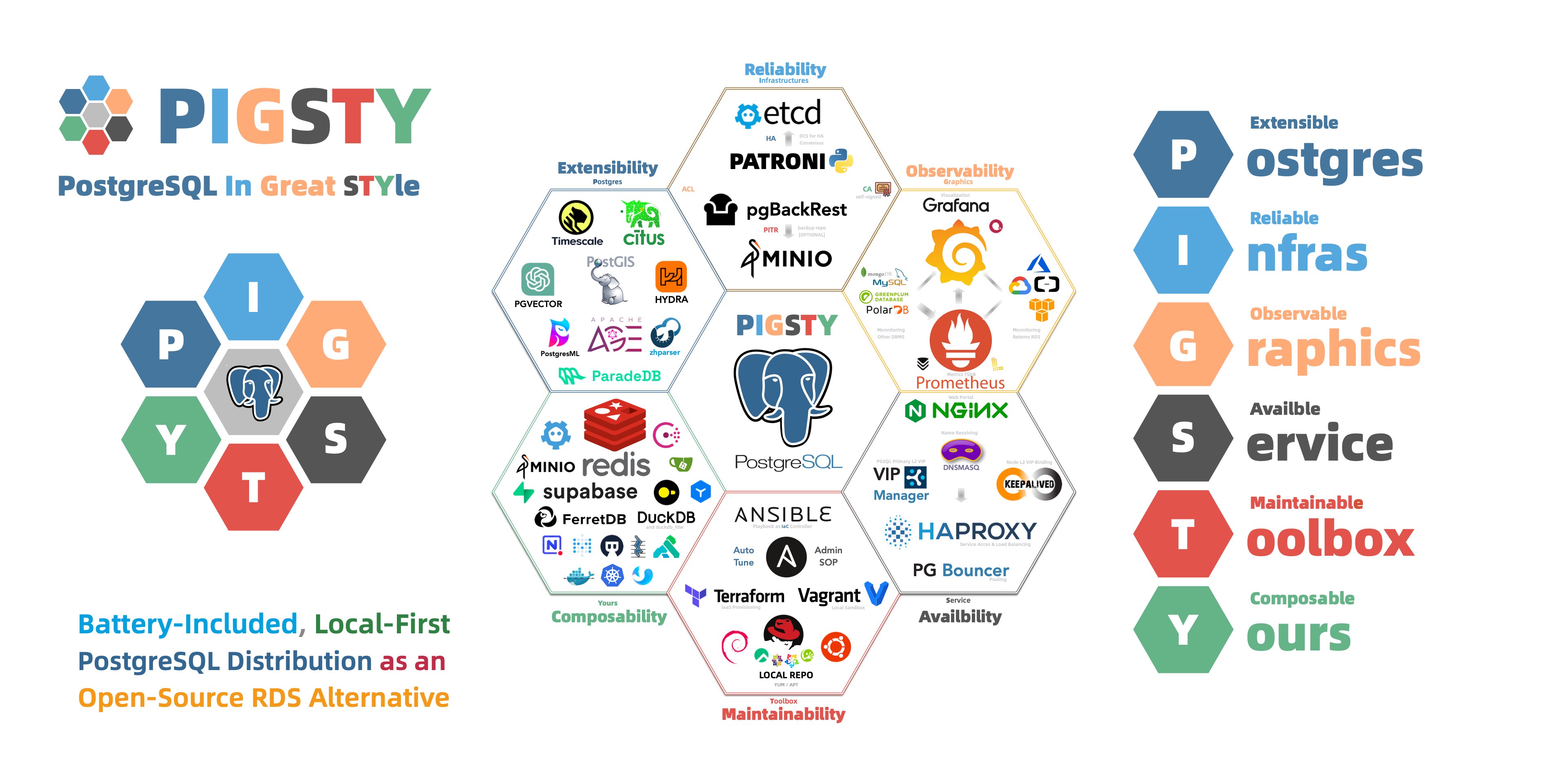
Pigsty is built-upon industry best practices:
Pigsty can be used in different scenarios:
pgvector and PostgresML.
Run production-grade RDS for PostgreSQL on your own machine in 10 minutes!
While PostgreSQL shines as a database kernel, it excels as a Relational Database Service (RDS) with Pigsty’s touch.
Pigsty is compatible with PostgreSQL 12-16 and runs seamlessly on EL 7, 8, 9, Debian 11/12, Ubuntu 20/22 and similar OS distributions. It integrates the kernel with a rich set of extensions, provides all the essentials for a production-ready RDS, an entire set of infrastructure runtime coupled with fully automated deployment playbooks. With everything bundled for offline installation without internet connectivity.
You can transit from a fresh node to a production-ready state effortlessly, deploy a top-tier PostgreSQL RDS service in a mere 10 minutes. Pigsty will tune parameters to your hardware, handling everything from kernel, extensions, pooling, load balancing, high-availability, monitoring & logging, backups & PITR, security and more! All you need to do is run the command and connect with the given URL.
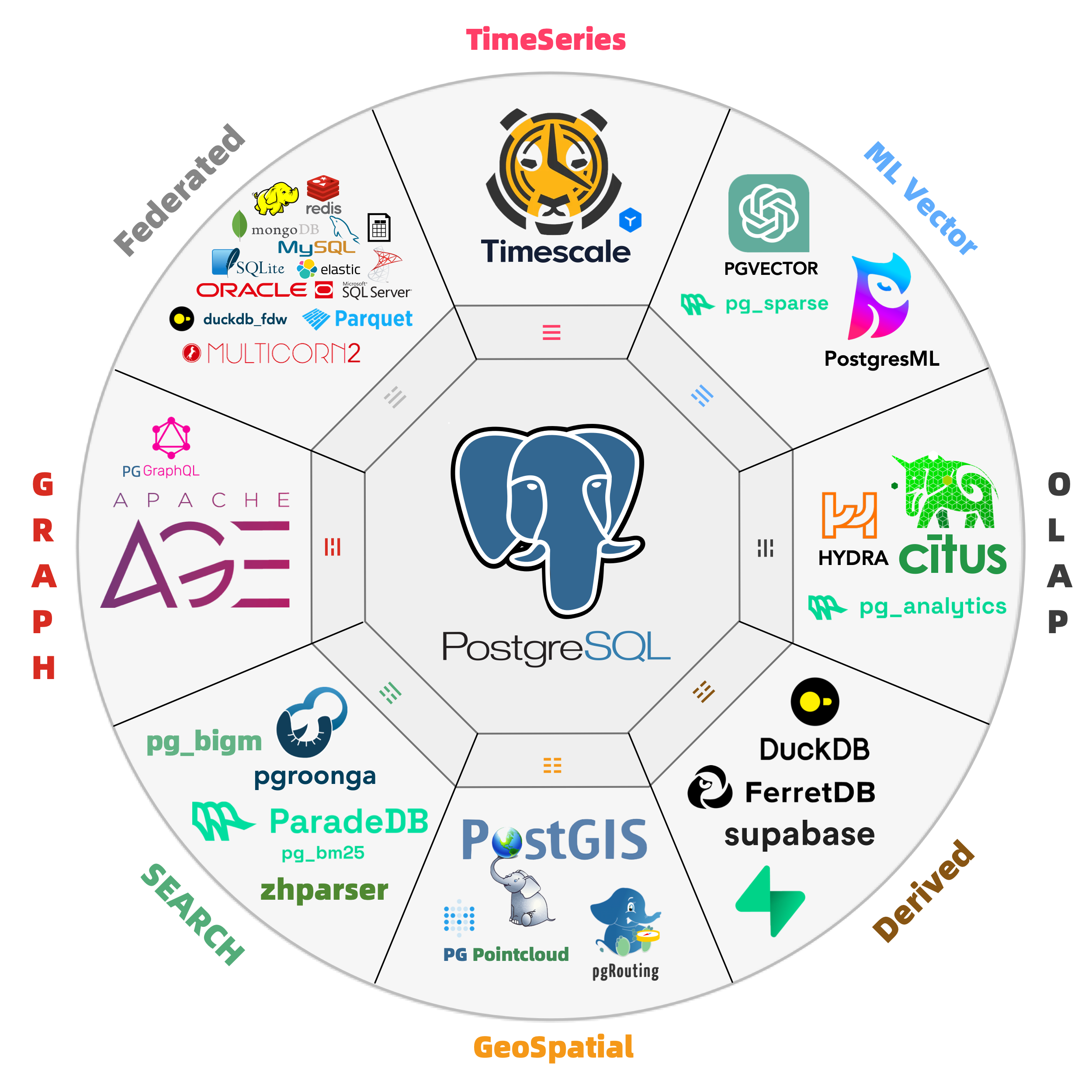
Harness the might of the most advanced Open-Source RDBMS or the world!
PostgreSQL’s has an unique extension ecosystem. Pigsty seamlessly integrates these powerful extensions, delivering turnkey distributed solutions for time-series, geospatial, and vector capabilities.
Pigsty boasts 255 PostgreSQL extensions, and maintaining some not found in official PGDG repositories. Rigorous testing ensures flawless integration for core extensions: Leverage PostGIS for geospatial data, TimescaleDB for time-series analysis, Citus for horizontal scale out, PGVector for AI embeddings, Apache AGE for graph data, ParadeDB for Full-Text Search, and Hydra, DuckdbFDW, pg_analytics for OLAP workloads!
You can also run self-hosted Supabase & PostgresML with Pigsty managed HA PostgreSQL. If you want to add your own extension, feel free to suggest or compile it by yourself.
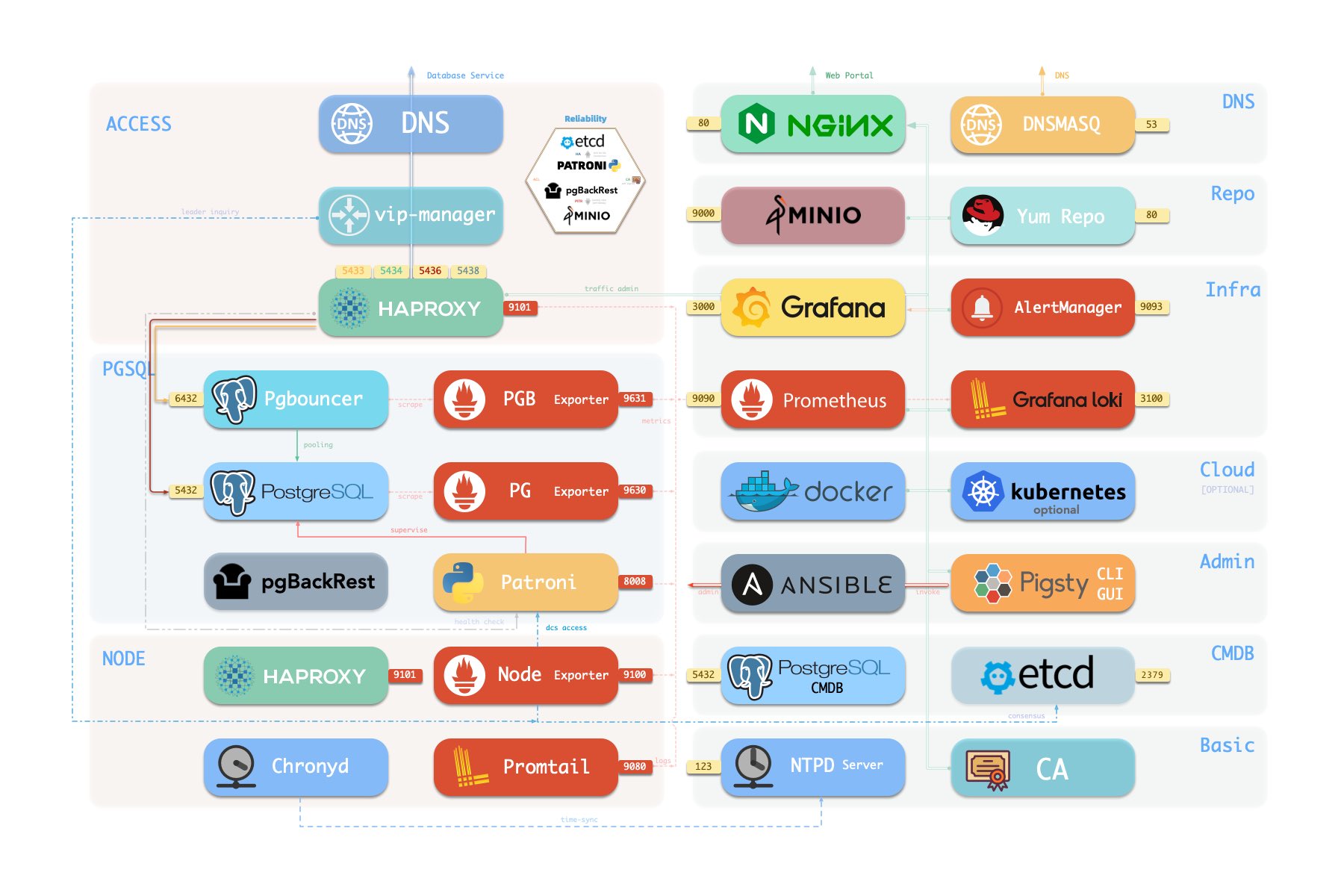
modular design, composable, Redis/MinIO/Etcd/Mongo support, and monitoring existing PG & RDS
All functionality is abstracted as Modules that can be freely composed for different scenarios.
INFRA gives you a modern observability stack, while NODE can be used for host monitoring.
Installing the PGSQL module on multiple nodes will automatically form a HA cluster.
And you can also have dedicated ETCD clusters for distributed consensus & MinIO clusters for backup storage.
REDIS are also supported since they work well with PostgreSQL.
You can reuse Pigsty infra and extend it with your Modules (e.g. GPSQL, KAFKA, MONGO, MYSQL…).
Moreover, Pigsty’s INFRA module can be used alone — ideal for monitoring hosts, databases, or cloud RDS.
Unparalleled monitoring system based on modern observability stack and open-source best-practice!
Pigsty will automatically monitor any newly deployed components such as Node, Docker, HAProxy, Postgres, Patroni, Pgbouncer, Redis, Minio, and itself. There are 30+ default dashboards and pre-configured alerting rules, which will upgrade your system’s observability to a whole new level. Of course, it can be used as your application monitoring infrastructure too.
There are over 3K+ metrics that describe every aspect of your environment, from the topmost overview dashboard to a detailed table/index/func/seq. As a result, you can have complete insight into the past, present, and future.
Check the dashboard gallery and public demo for more details.

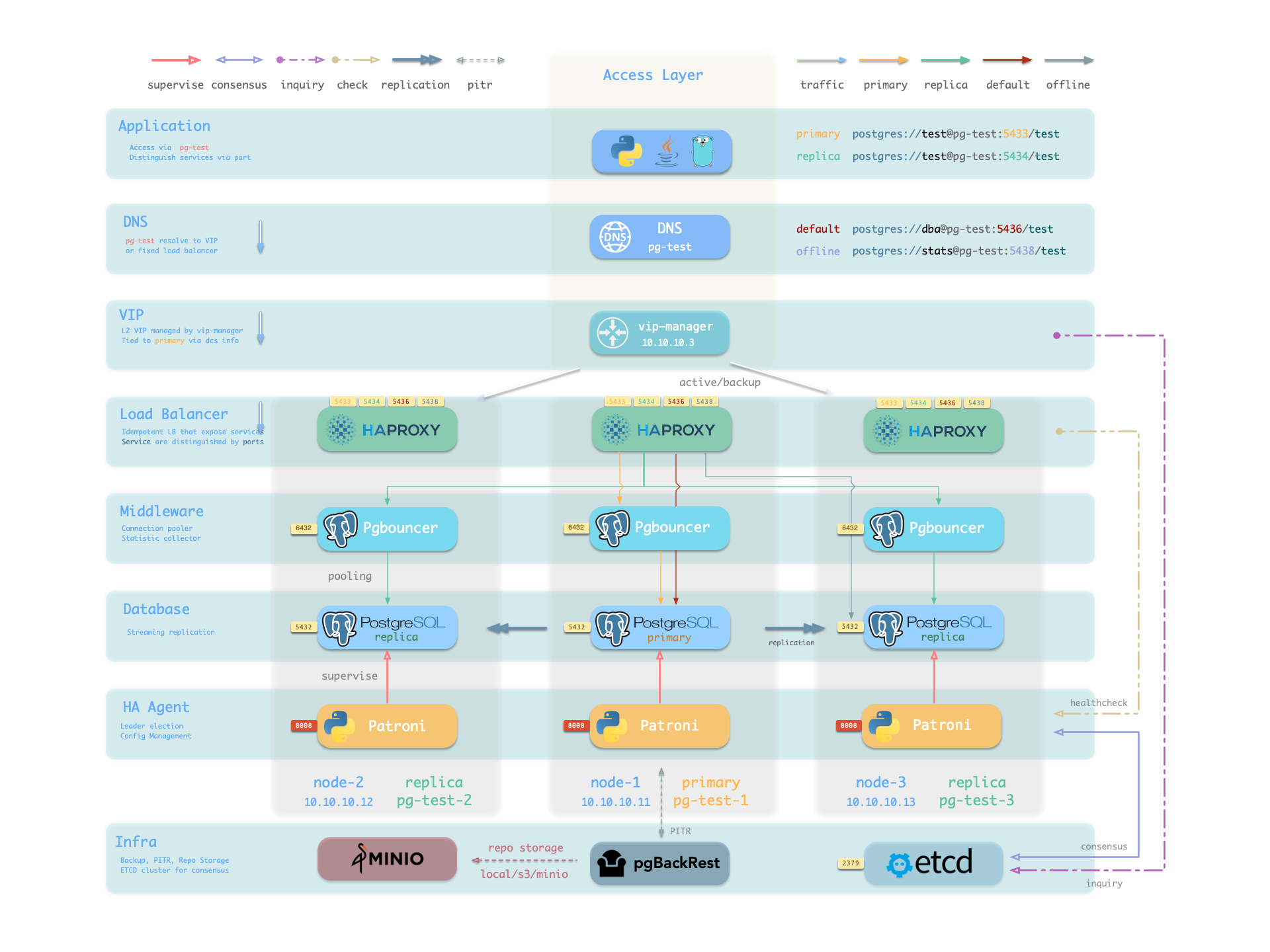
Pigsty has pre-configured HA & PITR for PostgreSQL to ensure your database service is always reliable.
Hardware failures are covered by self-healing HA architecture powered by patroni, etcd, and haproxy, which will perform auto failover in case of leader failure (RTO < 30s), and there will be no data loss (RPO = 0) in sync mode. Moreover, with the self-healing traffic control proxy, the client may not even notice a switchover/replica failure.
Software Failures, human errors, and Data Center Failures are covered with Cold backups & PITR, which are implemented with pgBackRest. It allows you to travel time to any point in your database’s history as long as your storage is capable. You can store them in the local backup disk, built-in MinIO cluster, or S3 service.
Large organizations have used Pigsty for several years. One of the largest deployments has 25K CPU cores and 220+ massive PostgreSQL instances. In the past three years, there have been dozens of hardware failures & incidents, but the overall availability remains several nines (99.999% +).
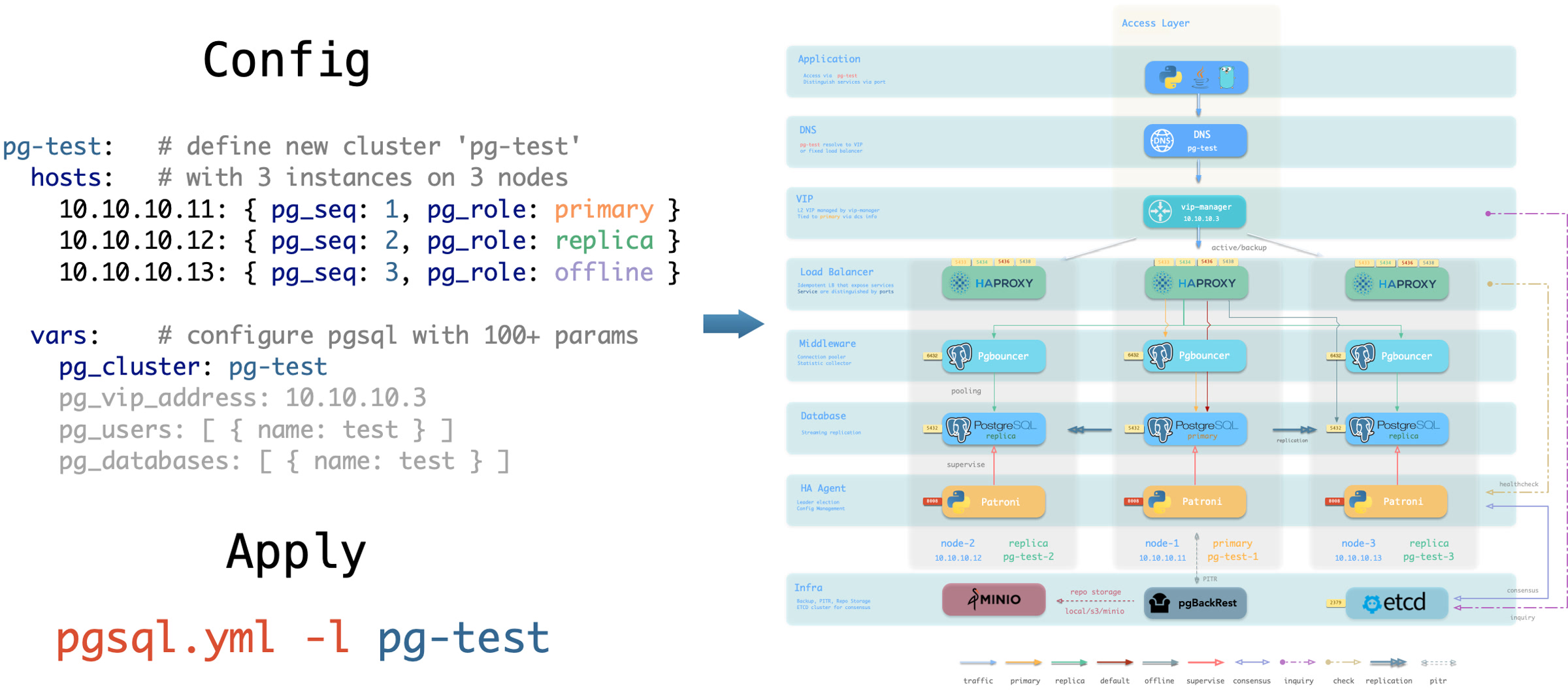
Infra as Code, Database as Code, Declarative API & Idempotent Playbooks, GitOPS works like a charm.
Pigsty provides a declarative interface: Describe everything in a config file, and Pigsty operates it to the desired state. It works like Kubernetes CRDs & Operators but for databases and infrastructures on any nodes: bare metal or virtual machines.
To create cluster/database/user/extension, expose services, or add replicas. All you need to do is to modify the cluster definition and run the idempotent playbook. Databases & Nodes are tuned automatically according to their hardware specs, and monitoring & alerting is pre-configured. As a result, database administration becomes much more manageable.
Pigsty has a full-featured sandbox powered by Vagrant, a pre-configured one or 4-node environment for testing & demonstration purposes. You can also provision required IaaS resources from cloud vendors with Terraform templates.
Nothing needs to be worried about database security, as long as your hardware & credentials are safe.
Pigsty use SSL for API & network traffic, Encryption for password & backups, HBA rules for host & clients, and access control for users & objects.
Pigsty has an easy-to-use, fine-grained, and fully customizable access control framework based on roles, privileges, and HBA rules. It has four default roles: read-only, read-write, admin (DDL), offline (ETL), and four default users: dbsu, replicator, monitor, and admin. Newly created database objects will have proper default privileges for those roles. And client access is restricted by a set of HBA rules that follows the least privilege principle.
Your entire network communication can be secured with SSL. Pigsty will automatically create a self-signed CA and issue certs for that. Database credentials are encrypted with the scram-sha-256 algorithm, and cold backups are encrypted with the AES-256 algorithm when using MinIO/S3. Admin Pages and dangerous APIs are protected with HTTPS, and access is restricted from specific admin/infra nodes.
Lots of applications work well with PostgreSQL. Run them in one command with docker.
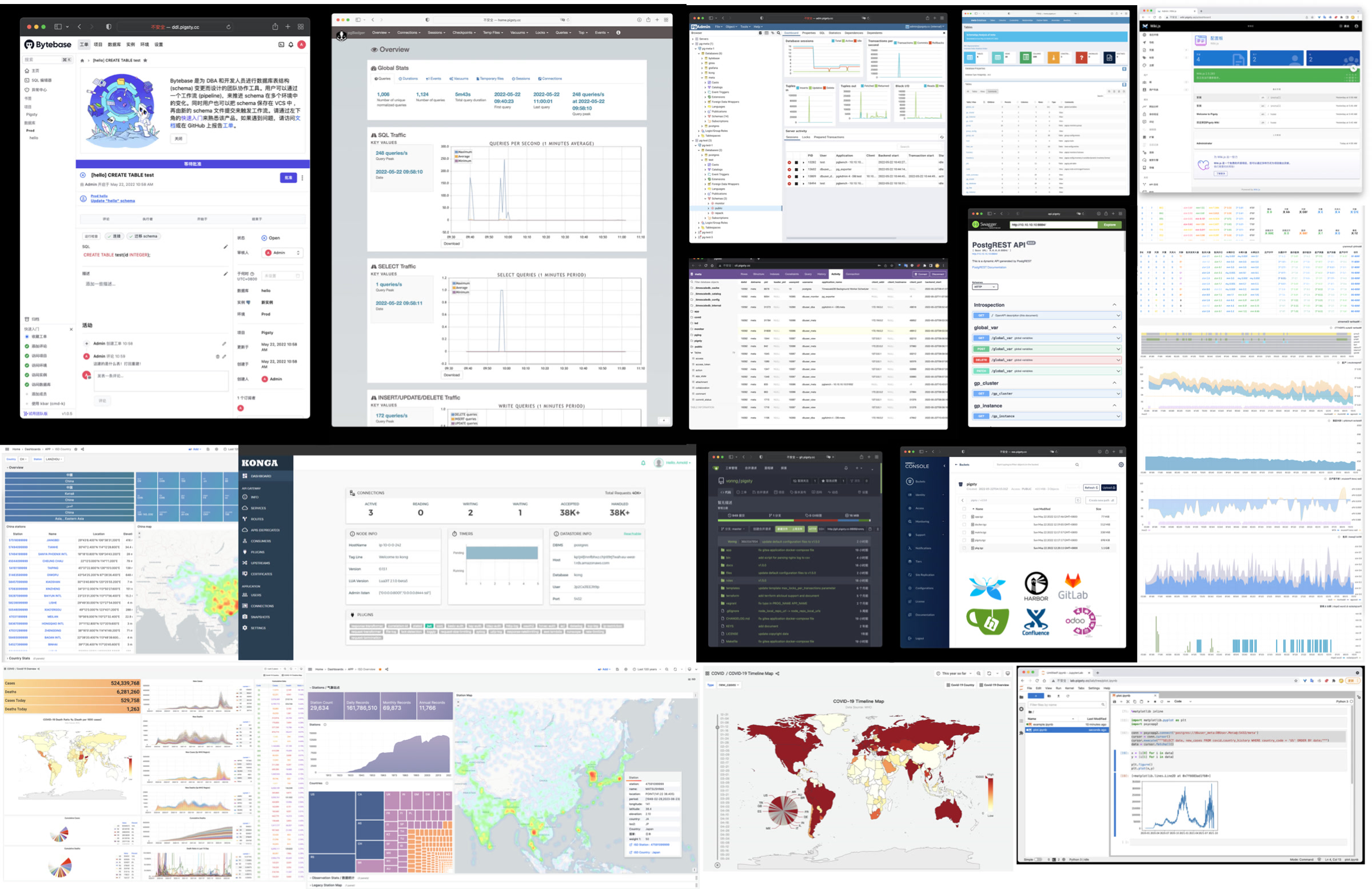
The database is usually the most tricky part of most software. Since Pigsty already provides the RDS. It could be nice to have a series of docker templates to run software in stateless mode and persist their data with Pigsty-managed HA PostgreSQL (or Redis, MinIO), including Gitlab, Gitea, Wiki.js, NocoDB, Odoo, Jira, Confluence, Harbour, Mastodon, Discourse, and KeyCloak.
Pigsty also provides a toolset to help you manage your database and build data applications in a low-code fashion: PGAdmin4, PGWeb, ByteBase, PostgREST, Kong, and higher “Database” that use Postgres as underlying storage, such as EdgeDB, FerretDB, and Supabase. And since you already have Grafana & Postgres, You can quickly make an interactive data application demo with them. In addition, advanced visualization can be achieved with the built-in ECharts panel.
Pigsty is a free & open source software under AGPLv3. It was built for PostgreSQL with love.
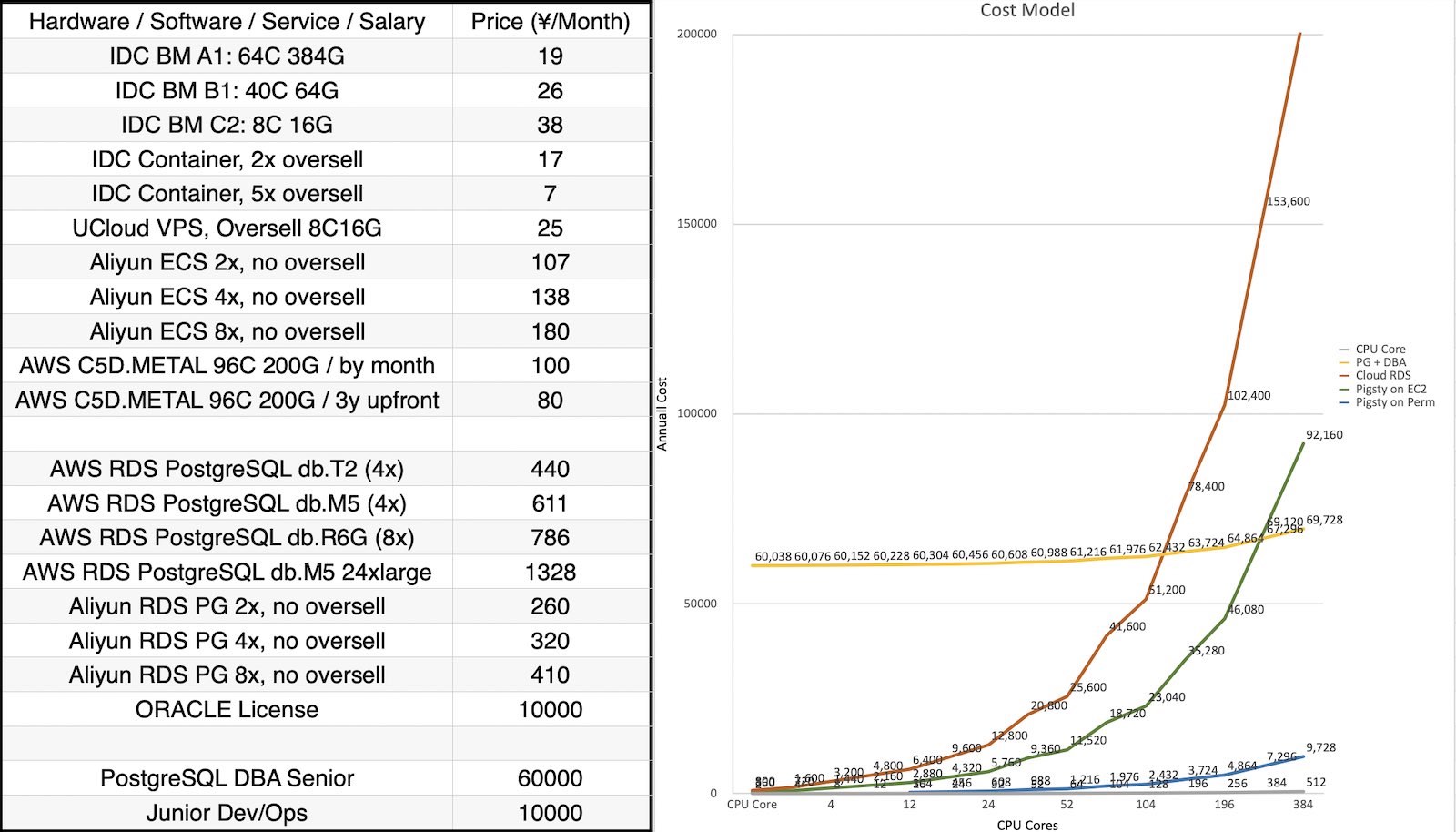
Pigsty allows you to run production-grade RDS on your hardware without suffering from human resources. As a result, you can achieve the same or even better reliability & performance & maintainability with only 5% ~ 40% cost compared to Cloud RDS PG. As a result, you may have an RDS with a lower price even than ECS.
There will be no vendor lock-in, annoying license fee, and node/CPU/core limit. You can have as many RDS as possible and run them as long as possible. All your data belongs to you and is under your control.
Pigsty is free software under AGPLv3. It’s free of charge, but beware that freedom is not free, so use it at your own risk! It’s not very difficult, and we are glad to help. For those enterprise users who seek professional consulting services, we do have a subscription for that.
Pigsty offers four CORE modules, which are essential for providing PostgreSQL service:
PGSQL : An autonomous, highly available PostgreSQL cluster powered by Patroni, Pgbouncer, HAproxy, PgBackrest, and others.INFRA : Local software repository, Prometheus, Grafana, Loki, AlertManager, PushGateway, Blackbox Exporter, etc.NODE : Adjusts the node to the desired state, name, time zone, NTP, ssh, sudo, haproxy, docker, promtail, keepalived.ETCD : Distributed key-value store, serving as the DCS (Distributed Consensus System) for the highly available Postgres cluster: consensus leadership election, configuration management, service discovery.Pigsty offers four OPTIONAL modules,which are not necessary for the core functionality but can enhance the capabilities of PostgreSQL:
MINIO: S3-compatible simple object storage server, serving as an optional PostgreSQL database backup repository with production deployment support and monitoring.REDIS: Redis server, a high-performance data structure server supporting standalone master-slave, sentinel, and cluster mode production deployments, with comprehensive monitoring support.MONGO: Native deployment support for FerertDB — adding MongoDB wire protocol level API compatibility to PostgreSQL!DOCKER: Docker Daemon service, allowing users to easily deploy containerized stateless software tool templates, adding various functionalities.Pigsty includes some pilot and planned functional modules. If you’re interested, you may consider trying them out and providing us with suggestions and feedback:
DUCK: Pigsty by default includes DuckDB in the offline software package, offering powerful standalone embedded analytics capabilities (Beta).CLOUD:Pigsty plans to use SealOS to provide out-of-the-box production-grade Kubernetes deployment and monitoring support (Beta).MYSQL:Pigsty is researching adding high-availability deployment support for MySQL as an optional extension feature (Alpha).GPSQL:Pigsty plans to support production-level deployment of Greenplum (Alpha).KAFKA:Pigsty plans to offer message queue support (Draft).Pigsty also provides some services that can be quickly deployed through the DOCKER module, such as various second-order “databases” that use PostgreSQL as the actual state storage:
Supabase: An open-source alternative to Firebase based on PostgreSQL. Pigsty provides the necessary extensions in EL series operating systems to allow you to quickly set up Supabase.FerretDB: An open-source MongoDB alternative based on PostgreSQL. You can quickly deploy containerized FerretDB using Docker Compose.NocoDB: An open-source AirTable alternative based on PostgreSQL, offering low-code application development capabilities. If you need a Web Excel, consider using NocoDB.Metabase: Enables quick in-database data analysis with a friendly web interface toolbox. When you need to explore data in PostgreSQL, consider using Metabase.Pigsty’s INFRA module can be used independently as a plug-and-play monitoring infrastructure for other nodes or existing PostgreSQL databases:
RDS PG: Cloud vendor-provided PostgreSQL RDS services, treated as standard external Postgres instances for monitoring.PolarDB: Alibaba Cloud’s cloud-native database, treated as an external PostgreSQL 11 / 14 instance for monitoring.KingBase: A trusted domestic database provided by People’s University of China, treated as an external PostgreSQL 12 instance for monitoring.Greenplum / YMatrixDB monitoring, currently treated as horizontally partitioned PostgreSQL clusters for monitoring.Moreover, Pigsty is planning to support monitoring other types of database systems:
MySQL: Pigsty currently offers preliminary support for MySQL monitoring (Alpha).Kafka: Pigsty plans to provide monitoring support for Kafka (planned).MongoDB: Pigsty plans to provide monitoring support for MongoDB (planned).Pigsty employs semantic versioning, denoted as <major version>.<minor version>.<patch>. Alpha/Beta/RC versions are indicated with a suffix, such as -a1, -b1, -rc1.
Major updates signify foundational changes and a plethora of new features; minor updates typically introduce new features, software package version updates, and minor API changes, while patch updates are meant for bug fixes and documentation improvements.
Pigsty plans to release a major update annually, with minor updates usually following the rhythm of PostgreSQL minor releases, aiming to catch up within a month after a new PostgreSQL version is released, typically resulting in 4 - 6 minor updates annually. For a complete release history, refer to Release Notes.
Please always use a version-specific release, do not use the GitHub master branch unless you know what you are doing.
The Pigsty project kicked off between 2018 and 2019, originating from Tantan, a dating app akin to China’s Tinder, now acquired by Momo. Tantan, a startup with a Nordic vibe, was founded by a team of Swedish engineers. Renowned for their tech sophistication, they chose PostgreSQL and Go as their core tech stack. Tantan’s architecture, inspired by Instagram, revolves around PostgreSQL. They managed to scale to millions of daily active users, millions of TPS, and hundreds of TBs of data using PostgreSQL exclusively. Almost all business logic was implemented using PG stored procedures, including recommendation algorithms with 100ms latency!
This unconventional development approach, deeply leveraging PostgreSQL features, demanded exceptional engineering and DBA skills. Pigsty emerged from these real-world, high-standard database cluster scenarios as an open-source project encapsulating our top-tier PostgreSQL expertise and best practices.
Initially, Pigsty didn’t have the vision, objectives, or scope it has today. It was meant to be a PostgreSQL monitoring system for our use. After evaluating every available option—open-source, commercial, cloud-based, datadog, pgwatch,…… none met our observability bar. So, we took matters into our own hands, creating a system based on Grafana and Prometheus, which became the precursor to Pigsty. As a monitoring system, it was remarkably effective, solving countless management issues.
Eventually, developers wanted the same monitoring capabilities on their local dev machines. We used Ansible to write provisioning scripts, transitioning from a one-off setup to a reusable software. New features allowed users to quickly set up local DevBoxes or production servers with Vagrant and Terraform, automating PostgreSQL and monitoring system deployment through Infra as Code.
We then redesigned the production PostgreSQL architecture, introducing Patroni and pgBackRest for high availability and point-in-time recovery. We developed a zero-downtime migration strategy based on logical replication, performing rolling updates across 200 database clusters to the latest major version using blue-green deployments. These capabilities were integrated into Pigsty.
Pigsty, built for our use, reflects our understanding of our needs, avoiding shortcuts. The greatest benefit of “eating our own dog food” is being both developers and users, deeply understanding and not compromising on our requirements.
We tackled one problem after another, incorporating solutions into Pigsty. Its role evolved from a monitoring system to a ready-to-use PostgreSQL distribution. At this stage, we decided to open-source Pigsty, initiating a series of technical talks and promotions, attracting feedback from users across various industries.
In 2022, Pigsty secured seed funding from Dr. Qi’s MiraclePlus S22 (Former YC China), enabling me to work on it full-time. As an open-source project, Pigsty has thrived. In the two years since going full-time, its GitHub stars skyrocketed from a few hundred to 2400, On OSSRank, Pigsty ranks 37th among PostgreSQL ecosystem projects.
Originally only compatible with CentOS7, Pigsty now supports all major Linux Distors and PostgreSQL versions 12 - 16, integrating 255 extensions from the ecosystem. I’ve personally compiled, packaged, and maintained some extensions not found in official PGDG repositories.
Pigsty’s identity has evolved from a PostgreSQL distribution to an open-source cloud database alternative, directly competing with entire cloud database services offered by cloud providers.
Public cloud vendors like AWS, Azure, GCP, and Aliyun offer many conveniences to startups but are proprietary and lock users into high-cost infra rentals.
We believe that top-notch database services should be as accessible same as top-notch database kernel (PostgreSQL), not confined to costly rentals from cyber lords.
Cloud agility and elasticity are great, but it should be open-source, local-first and cheap enough. We envision a cloud computing universe with an open-source solution, returning the control to users without sacrificing the benefits of the cloud.
Thus, we’re leading the “cloud-exit” movement in China, rebelling against public cloud norms to reshape industry values.
We’d like to see a world where everyone has the factual right to use top services freely, not just view the world from the pens provided by a few public cloud providers.
This is what Pigsty aims to achieve —— a superior, open-source, free RDS alternative. Enabling users to deploy a database service better than cloud RDS with just one click, anywhere (including on cloud servers).
Pigsty is a comprehensive enhancement for PostgreSQL and a spicy satire on cloud RDS. We offer “the Simple Data Stack”, which consists of PostgreSQL, Redis, MinIO, and more optional modules.
Pigsty is entirely open-source and free, sustained through consulting and sponsorship. A well-built system might run for years without issues, but when database problems arise, they’re serious. Often, expert advice can turn a dire situation around, and we offer such services to clients in need—a fairer and more rational model.
I’m Feng Ruohang, the creator of Pigsty. I’ve developed most of Pigsty’s code solo, with the community contributing specific features.
Unique individuals create unique works —— I hope Pigsty can be one of those creations.
If you are interested in the author, here’s my personal website: https://vonng.com/en/
Pigsty v2.7 Released!
Pigsty v2.6 Released!
The name of this project always makes me grin: PIGSTY is actually an acronym, standing for Postgres In Great STYle! It’s a Postgres distribution that includes lots of components and tools out of the box in areas like availability, deployment, and observability. The latest release pushes everything up to Postgres 16.2 standards and introduces new ParadeDB and DuckDB FDW extensions.
| Version | Time | Description | Release |
|---|---|---|---|
| v2.7.0 | 2024-05-20 | Extension Overwhelming, new docker apps | v2.7.0 |
| v2.6.0 | 2024-02-28 | PG 16 as default version, ParadeDB & DuckDB | v2.6.0 |
| v2.5.1 | 2023-12-01 | Routine update, pg16 major extensions | v2.5.1 |
| v2.5.0 | 2023-10-24 | Ubuntu/Debian Support: bullseye, bookworm, jammy, focal | v2.5.0 |
| v2.4.1 | 2023-09-24 | Supabase/PostgresML support, graphql, jwt, pg_net, vault | v2.4.1 |
| v2.4.0 | 2023-09-14 | PG16, RDS Monitor, New Extensions | v2.4.0 |
| v2.3.1 | 2023-09-01 | PGVector with HNSW, PG16 RC1, Chinese Docs, Bug Fix | v2.3.1 |
| v2.3.0 | 2023-08-20 | PGSQL/REDIS Update, NODE VIP, Mongo/FerretDB, MYSQL Stub | v2.3.0 |
| v2.2.0 | 2023-08-04 | Dashboard & Provision overhaul, UOS compatibility | v2.2.0 |
| v2.1.0 | 2023-06-10 | PostgreSQL 12 ~ 16beta support | v2.1.0 |
| v2.0.2 | 2023-03-31 | Add pgvector support and fix MinIO CVE | v2.0.2 |
| v2.0.1 | 2023-03-21 | v2 Bug Fix, security enhance and bump grafana version | v2.0.1 |
| v2.0.0 | 2023-02-28 | Compatibility Security Maintainability Enhancement | v2.0.0 |
| v1.5.1 | 2022-06-18 | Grafana Security Hotfix | v1.5.1 |
| v1.5.0 | 2022-05-31 | Docker Applications | v1.5.0 |
| v1.4.1 | 2022-04-20 | Bug fix & Full translation of English documents. | v1.4.1 |
| v1.4.0 | 2022-03-31 | MatrixDB Support, Separated INFRA, NODES, PGSQL, REDIS | v1.4.0 |
| v1.3.0 | 2021-11-30 | PGCAT Overhaul & PGSQL Enhancement & Redis Support Beta | v1.3.0 |
| v1.2.0 | 2021-11-03 | Upgrade default Postgres to 14, monitoring existing pg | v1.2.0 |
| v1.1.0 | 2021-10-12 | HomePage, JupyterLab, PGWEB, Pev2 & Pgbadger | v1.1.0 |
| v1.0.0 | 2021-07-26 | v1 GA, Monitoring System Overhaul | v1.0.0 |
| v0.9.0 | 2021-04-04 | Pigsty GUI, CLI, Logging Integration | v0.9.0 |
| v0.8.0 | 2021-03-28 | Service Provision | v0.8.0 |
| v0.7.0 | 2021-03-01 | Monitor only deployment | v0.7.0 |
| v0.6.0 | 2021-02-19 | Architecture Enhancement | v0.6.0 |
| v0.5.0 | 2021-01-07 | Database Customize Template | v0.5.0 |
| v0.4.0 | 2020-12-14 | PostgreSQL 13 Support, Official Documentation | v0.4.0 |
| v0.3.0 | 2020-10-22 | Provisioning Solution GA | v0.3.0 |
| v0.2.0 | 2020-07-10 | PGSQL Monitoring v6 GA | v0.2.0 |
| v0.1.0 | 2020-06-20 | Validation on Testing Environment | v0.1.0 |
| v0.0.5 | 2020-08-19 | Offline Installation Mode | v0.0.5 |
| v0.0.4 | 2020-07-27 | Refactor playbooks into ansible roles | v0.0.4 |
| v0.0.3 | 2020-06-22 | Interface enhancement | v0.0.3 |
| v0.0.2 | 2020-04-30 | First Commit | v0.0.2 |
| v0.0.1 | 2019-05-15 | POC | v0.0.1 |
| Date | Type | Event | Topic |
|---|---|---|---|
| 2023-12-20 | Live Debate | Open Source Musings, Episode 7 | Cloud Up or Down, Harvesting Users or Reducing Costs? |
| 2023-11-24 | Tech Conference | Vector Databases in the Era of Large Models | Roundtable Discussion: The New Future of Vector Databases in the Era of Large Models |
| 2023-09-08 | Exclusive Interview | Motianlun Notable Figures Interview | Feng Ruohang: A Tech Fanatic Who Doesn’t Want to Be Just a Meme Maker Isn’t a Good Open Source Founder |
| 2023-08-16 | Tech Conference | DTCC 2023 | DBA Night: The Open Source Licensing Issue of PostgreSQL vs MySQL |
| 2023-08-09 | Live Debate | Open Source Musings, Episode 1 | MySQL vs PostgreSQL, Who is the World’s Number One? |
| 2023-07-01 | Tech Conference | SACC 2023 | Workshop 8: FinOps Practices: Cloud Cost Management and Optimization |
| 2023-05-12 | Offline Event | PostgreSQL China Community Wenzhou Offline Salon | PG With DB4AI: Vector Database PGVECTOR & AI4DB: Autonomous Driving Database Pigsty |
| 2023-04-08 | Tech Conference | Database Carnival 2023 | A Better Open Source RDS Alternative: Pigsty |
| 2023-04-01 | Tech Conference | PostgreSQL China Community Xi’an Offline Salon | Best Practices for High Availability and Disaster Recovery in PG |
| 2023-03-23 | Public Livestream | Bytebase x Pigsty | Best Practices for Managing PostgreSQL: Bytebase x Pigsty |
| 2023-03-04 | Tech Conference | PostgreSQL China Tech Conference | Bombarding RDS, Release of Pigsty v2.0 |
| 2023-02-01 | Tech Conference | DTCC 2022 | Open Source RDS Alternatives: Out-of-the-Box, Self-Driving Database Edition Pigsty |
| 2022-07-21 | Live Debate | Can Open Source Fight Back Against Cloud Cannibalization? | Can Open Source Fight Back Against Cloud Cannibalization? |
| 2022-07-04 | Exclusive Interview | Creators Speak | Post-90s, Quitting Job to Entrepreneur, Aiming to Outperform Cloud Databases |
| 2022-06-28 | Public Livestream | Beth’s Roundtable | SQL Review Best Practices |
| 2022-06-12 | Public Roadshow | MiraclePlus S22 Demo Day | Cost-Effective Database Edition Pigsty |
| 2022-06-05 | Video Livestream | PG Chinese Community Livestream Sharing | Quick Start with New Features of Pigstyv1.5 & Building Production Clusters |
The Pigsty community already offers free WeChat/Discord/Telegram Q&A Office Hours, and we are also happy to provide more free value-added services to our supporters.
Our GitHub Repo: https://github.com/Vonng/pigsty , welcome to watch and star us.
Everyone is very welcome to submit new Issue or create Pull Request, propose feature suggestions and participate in Pigsty contribution.
Beware that for Pigsty documentation issues, please submit Issue in the github.com/Vonng/pigsty.cc repository.
Telegram: https://t.me/joinchat/gV9zfZraNPM3YjFh
Discord: https://discord.gg/j5pG8qfKxU
WeChat: Search pigsty-cc and join the User Group.

We have a GPTs for Pigsty documentation QA: https://chat.openai.com/g/g-y0USNfoXJ-pigsty-consul
You can also contact me with email: [email protected]
When having troubles with pigsty. You can ask the community for help, with enough info & context, here’s a template:
What happened? (REQUIRED)
Pigsty Version & OS Version (REQUIRED)
If you are using a cloud provider, please tell us which cloud provider and what operating system image you are using.
If you have customized and modified the environment after installing the bare OS, or have specific security rules and firewall configurations in your WAN, please also tell us when troubleshooting.
Pigsty Config File (REQUIRED)
Don’t forget to remove sensitive information like passwords, etc…
What did you expect to happen?
Please describe what you expected to happen.
How to reproduce it?
Please tell us as much detail as possible about how to reproduce the problem.
Monitoring Screenshots
If you are using pigsty monitoring system, you can paste RELEVANT screenshots here.
Error Log
Please copy and paste any RELEVANT log output. Do not paste something like “Failed to start xxx service”
/var/log/messages (rhel) or /var/log/syslog (debian)/pg/log/postgres/*/pg/log/patroni/*/pg/log/pgbouncer/*/pg/log/pgbackrest/*Have you tried the Issue & FAQ?
Anything else we need to know?
The more information and context you provide, the more likely we are to be able to help you solve the problem.
Pigsty is open sourced under the AGPLv3 license, which is a copyleft license.
Pigsty use the AGPLv3 license, which is a strong copyleft license that requires you to also distribute the source code of your derivative works under the same license. If you distribute Pigsty, you must make the source code available under the same license, and you must make it clear that the source code is available.
Permissions:
Limitations:
Conditions:
Beware that the Pigsty official website is also open sourced under CC by 4.0 license.
While employing the AGPLv3 license for Pigsty, we extend exemptions to common end users under terms akin to the Apache 2.0 license. Common end users are defined as all entities except public cloud and database service vendors.
These users may utilize Pigsty for commercial activities and service provision without licensing concerns. Our subscription include written guarantees of these terms for additional assurance.
We encourage cloud & databases vendors adhering to AGPLv3 to use Pigsty for derivative works and to contribute to the community.
Related software and open source project:
| Module | Software Name | License |
|---|---|---|
| PGSQL | PostgreSQL | PostgreSQL License (BSD-Like) |
| PGSQL | pgbouncer | ISC License |
| PGSQL | patroni | MIT License |
| PGSQL | pgbackrest | MIT License |
| PGSQL | vip-manager | BSD 2-Clause License |
| PGSQL | pg_exporter | Apache License 2.0 |
| NODE | node_exporter | Apache License 2.0 |
| NODE | haproxy | HAPROXY’s License (GPLv2) |
| NODE | keepalived | MIT License |
| INFRA | Grafana, Loki | GNU Affero General Public License v3.0 |
| INFRA | Prometheus | Apache License 2.0 |
| INFRA | DNSMASQ | GPLv2 / GPLv3 |
| INFRA | Ansible | GNU General Public License v3.0 |
| ETCD | etcd | Apache License 2.0 |
| MINIO | MinIO | GNU Affero General Public License v3.0 |
| REDIS | Redis | Redis License (3-clause BSD) |
| REDIS | Redis Exporter | MIT License |
| MONGO | FerretDB | Apache License 2.0 |
| DOCKER | docker-ce | Apache License 2.0 |
| CLOUD | Sealos | Apache License 2.0 |
| DUCKDB | DuckDB | MIT |
| External | Vagrant | Business Source License 1.1 |
| External | Terraform | Business Source License 1.1 |
| External | Virtualbox | GPLv2 |
PostgreSQL Extensions:
Pigsty is funded by MiraclePlus (formal YC China), S22 Batch.
Thanks to MiraclePlus and Dr.Qi’s support.
Pigsty is a free & open-source software nurtured by the passion of PostgreSQL community members.
If our work has helped you, please consider sponsoring or supporting our project. Every penny counts, and advertisements are also a form of support:
When you install the Pigsty software, if you use offline packages in a network-isolated environment, we will not receive any data about you.
If you choose to install online, then when downloading relevant software packages, our server or the servers of our cloud providers will automatically log the visiting machine’s IP address and/or hostname, as well as the name of the software package you downloaded, in the logs.
We will not share this information with other organizations unless legally required to do so.
The domain name used by Pigsty is: pigsty.io
When you visit our website, our servers automatically log your IP address and/or host name.
We store information such as your email address, name and locality only if you decide to send us such information by completing a survey, or registering as a user on one of our sites
We collect this information to help us improve the content of our sites, customize the layout of our web pages and to contact people for technical and support purposes. We will not share your email address with other organisations unless required by law.
This website uses Google Analytics, a web analytics service provided by Google, Inc. (“Google”). Google Analytics uses “cookies”, which are text files placed on your computer, to help the website analyze how users use the site.
The information generated by the cookie about your use of the website (including your IP address) will be transmitted to and stored by Google on servers in the United States. Google will use this information for the purpose of evaluating your use of the website, compiling reports on website activity for website operators and providing other services relating to website activity and internet usage. Google may also transfer this information to third parties where required to do so by law, or where such third parties process the information on Google’s behalf. Google will not associate your IP address with any other data held by Google. You may refuse the use of cookies by selecting the appropriate settings on your browser, however please note that if you do this you may not be able to use the full functionality of this website. By using this website, you consent to the processing of data about you by Google in the manner and for the purposes set out above.
If you have any questions or comments around this policy, or to request the deletion of personal data, you can contact us at [email protected]
Pigsty is a battery-included use PostgreSQL database distribution, a local-first alternative to RDS/cloud database services, allowing users to run a fully-featured local RDS service at a hardware cost of just a few core months. The software itself is completely open-source and free. If it has helped you, please consider sponsoring us.
Although Pigsty is designed to replace manual database operations with database autopilot software, even the best software can only solve some problems. There will always be some infrequent issues and various problems not limited to technology that require expert intervention. Therefore, we also offer professional service subscriptions.
But no Warranty
PG: 16
OS: 3 major distro
Modules: Core Modules
SLA: Not Available
Community Support
Self-sufficient OSS Guru Developers
or 700 $/month
PG: 15, 16
OS: 5 major distro
Modules: All Available
SLA: 5 x 8 (<48h)
Basic Support
Elite tech team who seek assurance
or 2,000 $/month
PG: 14, 15, 16
OS: 5x full minor distros
Modules: All Available
SLA:5 x 8 (<4h)
Professional Consulting
suitable choice for common users
or 5,000 $/month
PG: 12 - 16
OS: Be Spoke
Modules: All Available
SLA:7 x 24 (on-call)
Enterprise Service
critical scenario which require strict SLA
| Plan | Open Source | Standard | Pro | Enterprise |
|---|---|---|---|---|
| Who | Self-sufficient OSS Guru, Developers | Elite tech team who seeks assurance | suitable choice for common users | critical scenario which require strict SLA |
| Price (Year) | Free under AGPLv3 | 7,000 $ / Year | 20,000 $ / Year | 50,000 $ / Year |
| Price (Month) | Free under AGPLv3 | 700 $ / Month | 2,000 $ / Month | 5,000 $ / Month |
| Node Size | Unlimited | <= 5 | <= 15 | <= 40 |
| Consult | Community Support Groups, Issues, Discuz |
Bug Fix & Security Patch Failure Analysis Upgrade Path |
Bug Fix & Security Patch Failure Analysis Upgrade Path DBA Consulting |
Bug Fix & Security Patch Failure Analysis Upgrade Path DBA Consulting Arch Review Outage on-call |
| Service | - | One-time setup (< 1 day) | 2 free expert days / Year | 4 free expert days / Year |
| PG Support | the latest major version PG 16 |
Last 2 version PG 15, 16 |
Last 3 version PG 14, 15, 16 |
Lifecycle Version PG 12 - 16 |
| OS Support | EL 8.9 Ubuntu 22.04 Debian 12 |
EL 7.9 / 8.9 / 9.3 Ubuntu 22.04 / 20.04 Debian 11 / 12 |
EL 7.x / 8.x / 9.x Ubuntu 22.x / 20.x Debian 11.x / 12.x |
EL / Debian / Ubuntu UOS / Anolis / CloudOS And, be spoke… |
| Arch Support | x86_64 | x86_64 | x86_64 | x86_64 arm64 / aarch64 |
| Modules | PGSQL, INFRA, NODE ETCD, MINIO, REDIS |
PGSQL, INFRA, NODE ETCD, MINIO, REDIS All Other Modules |
PGSQL, INFRA, NODE ETCD, MINIO, REDIS All Other Modules |
PGSQL, INFRA, NODE ETCD, MINIO, REDIS All Other Modules |
| SLA | - | 5 x 8 (<48h) | 5 x 8 (<4h) | 7 x 24 (on-call) |
| Cost Like | Compare to RDS & DBA |
12 vCPU RDS Part-Time Operators |
40 vCPU RDS ??% Junior DBA |
100 vCPU RDS ??% DBA |
Pigsty Pro offers an expanded range of features, supporting a wider variety of operating system distributions, PostgreSQL major versions, and a richer set of extension plugins. It also includes offline software packages tailored for each OS minor version to ensure optimal compatibility.
Pigsty subscriptions operate on an annual payment model, providing users with an annual license for the Pigsty commercial version. This includes access to the latest software versions and upgrade paths released within the year, along with comprehensive consulting, Q&A, and service support. A larger scale implies more complex scenarios, more issues, and a higher chance of failure events: thus, each subscription comes with a node scale limit. For example, if you are using the Pro subscription and manage 15 nodes, you will need to pay an additional subscription fee for each node beyond the limit (10,000 RMB per node).
Pigsty’s pricing strategy ensures value for money — you can immediately obtain top-notch DBA database architecture solutions and management best practices, all backed by consulting, Q&A, and service support, at a cost that is highly competitive compared to find-out & hiring rare database Guru or using cloud RDS.
If you have the following needs, please consider our subscription:
Service subscriptions are divided into two different levels, Standard Service Agreement, and Enterprise Service Agreement, as shown in the table below:
Commercial support contact: Email: [email protected], WeChat: pigsty-cc / RuohangFeng
We offer retail expert days that can be used for database architecting, failure analysis, postmortem, troubleshooting, performance analysis, problem-solving, teaching, and training, which can be purchased as needed.
The above prices are exclusive of taxes. The minimum unit is half a day, less than that will be charged as half a day. Price is doubled outside regular working hours (5x8), and it’s tripled on public holidays. Pricing & Discount may vary depending on the industry and the technical level of the client’s team.
Expert days need to be arranged at least one day before. Emergency failure responding is not applicable here and only available to subscribed customers.
We offer teaching and training services on PostgreSQL, priced as follows:
We offer deployment consulting and architecting services, priced as follows:
pigsty.yml file.Modular Architecture and Declarative Interface!
Pigsty uses a modular design, and there are six default modules: PGSQL, INFRA, NODE, ETCD, REDIS, and MINIO.
PGSQL: Autonomous ha Postgres cluster powered by Patroni, Pgbouncer, HAproxy, PgBackrest, etc…INFRA: Local yum/apt repo, Prometheus, Grafana, Loki, AlertManager, PushGateway, Blackbox Exporter…NODE: Tune node to desired state, name, timezone, NTP, ssh, sudo, haproxy, docker, promtail, keepalivedETCD: Distributed key-value store will be used as DCS for high-available Postgres clusters.REDIS: Redis servers in standalone master-replica, sentinel, cluster mode with Redis exporter.MINIO: S3 compatible simple object storage server, can be used as an optional backup center for Postgres.You can compose them freely in a declarative manner. If you want host monitoring, INFRA & NODE will suffice. Add additional ETCD and PGSQL are used for HA PG Clusters. Deploying them on multiple nodes will form a ha cluster. You can reuse pigsty infra and develop your modules, considering optional REDIS and MINIO as examples.
Pigsty will install on a single node (BareMetal / VirtualMachine) by default. The install.yml playbook will install INFRA, ETCD, PGSQL, and optional MINIO modules on the current node, which will give you a full-featured observability infrastructure (Prometheus, Grafana, Loki, AlertManager, PushGateway, BlackboxExporter, etc… ) and a battery-included PostgreSQL Singleton Instance (Named meta).
This node now has a self-monitoring system, visualization toolsets, and a Postgres database with autoconfigured PITR. You can use this node for devbox, testing, running demos, and doing data visualization & analysis. Or, furthermore, adding more nodes to it!
The installed Singleton Meta can be use as an admin node and monitoring center, to take more nodes & Database servers under it’s surveillance & control.
If you want to install the Prometheus / Grafana observability stack, Pigsty just deliver the best practice for you! It has fine-grained dashboards for Nodes & PostgreSQL, no matter these nodes or PostgreSQL servers are managed by Pigsty or not, you can have a production-grade monitoring & alerting immediately with simple configuration.
With Pigsty, you can have your own local production-grade HA PostgreSQL RDS as much as you want.
And to create such a HA PostgreSQL cluster, All you have to do is describe it & run the playbook:
Which will gives you a following cluster with monitoring , replica, backup all set.
Hardware failures are covered by self-healing HA architecture powered by patroni, etcd, and haproxy, which will perform auto failover in case of leader failure under 30 seconds. With the self-healing traffic control powered by haproxy, the client may not even notice there’s a failure at all, in case of a switchover or replica failure.
Software Failures, human errors, and DC Failure are covered by pgbackrest, and optional MinIO clusters. Which gives you the ability to perform point-in-time recovery to anytime (as long as your storage is capable)
Pigsty follows IaC & GitOPS philosophy: Pigsty deployment is described by declarative Config Inventory and materialized with idempotent playbooks.
The user describes the desired status with Parameters in a declarative manner, and the playbooks tune target nodes into that status in an idempotent manner. It’s like Kubernetes CRD & Operator but works on Bare Metals & Virtual Machines.
Take the default config snippet as an example, which describes a node 10.10.10.10 with modules INFRA, NODE, ETCD, and PGSQL installed.
To materialize it, use the following playbooks:
It would be straightforward to perform regular administration tasks. For example, if you wish to add a new replica/database/user to an existing HA PostgreSQL cluster, all you need to do is add a host in config & run that playbook on it, such as:
You can even manage many PostgreSQL Entities using this approach: User/Role, Database, Service, HBA Rules, Extensions, Schemas, etc…
Check PGSQL Conf for details.
PGSQL for production environments is organized in clusters, which clusters are logical entities consisting of a set of database instances associated by primary-replica. Each database cluster is an autonomous serving unit consisting of at least one database instance (primary).
Let’s get started with ER diagram. There are four types of core entities in Pigsty’s PGSQL module:
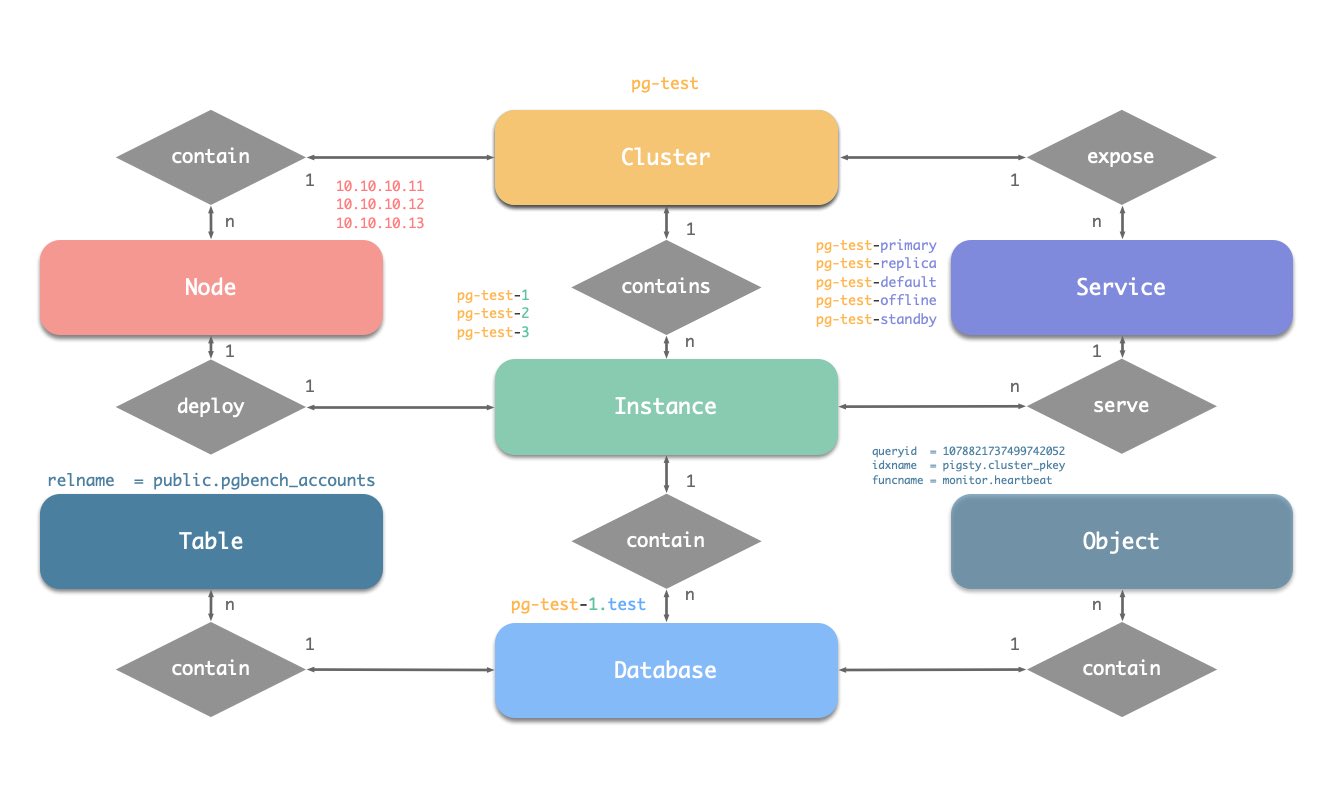
Naming Convention
[a-zA-Z0-9-]+primary, replica, offline, delayed, join by --, e.g., ${cluster}-${seq}.Pigsty uses identity parameters to identify entities: PG_ID.
In addition to the node IP address, three parameters: pg_cluster, pg_role, and pg_seq are the minimum set of parameters necessary to define a postgres cluster.
Take the sandbox testing cluster pg-test as an example:
The three members of the cluster are identified as follows.
| cluster | seq | role | host / ip | instance | service | nodename |
|---|---|---|---|---|---|---|
pg-test |
1 |
primary |
10.10.10.11 |
pg-test-1 |
pg-test-primary |
pg-test-1 |
pg-test |
2 |
replica |
10.10.10.12 |
pg-test-2 |
pg-test-replica |
pg-test-2 |
pg-test |
3 |
replica |
10.10.10.13 |
pg-test-3 |
pg-test-replica |
pg-test-3 |
There are:
pg-test.primary and replica.pg-test-1, pg-test-2, pg-test-3.10.10.10.11, 10.10.10.12, and 10.10.10.13.pg-test-primarypg-test-replicapg-test-defaultpg-test-offlineAnd in the monitoring system (Prometheus/Grafana/Loki), corresponding metrics will be labeled with these identities:
Pigsty has some security best practices: encrypting network traffic with SSL and encrypting the Web interface with HTTPS.
To achieve this, Pigsty comes with a built-in local self-signed Certificate Authority (CA) for issuing SSL certificates to encrypt network communication.
By default, SSL and HTTPS are enabled but not enforced. For environments with higher security requirements, you can enforce the use of SSL and HTTPS.
Pigsty, by default, generates a self-signed CA in the Pigsty source code directory (~/pigsty) on the ADMIN node during initialization. This CA is used when SSL, HTTPS, digital signatures, issuing database client certificates, and advanced security features are needed.
Hence, each Pigsty deployment uses a unique CA, and CAs from different Pigsty deployments do not trust each other.
The local CA consists of two files, typically located in the files/pki/ca directory:
ca.crt: The self-signed root CA certificate, which should be distributed and installed on all managed nodes for certificate verification.ca.key: The CA private key, used to issue certificates and verify CA identity. It should be securely stored to prevent leaks!Please securely store the CA private key file, do not lose it or let it leak. We recommend encrypting and backing up this file after completing the Pigsty installation.
If you already have a CA public and private key infrastructure, Pigsty can also be configured to use an existing CA.
Simply place your CA public and private key files in the files/pki/ca directory.
When Pigsty executes the install.yml and infra.yml playbooks for installation, if the ca.key private key file is found in the files/pki/ca directory, the existing CA will be used. The ca.crt file can be generated from the ca.key private key, so if there is no certificate file, Pigsty will automatically generate a new root certificate file from the CA private key.
You can configure the ca_method parameter as copy to ensure that Pigsty reports an error and halts if it cannot find the local CA, rather than automatically regenerating a new self-signed CA.
During the Pigsty installation, ca.crt is distributed to all nodes under the /etc/pki/ca.crt path during the node_ca task in the node.yml playbook.
The default paths for trusted CA root certificates differ between EL family and Debian family operating systems, hence the distribution path and update methods also vary.
rm -rf /etc/pki/ca-trust/source/anchors/ca.crt ln -s /etc/pki/ca.crt /etc/pki/ca-trust/source/anchors/ca.crt /bin/update-ca-trust
rm -rf /usr/local/share/ca-certificates/ca.crt ln -s /etc/pki/ca.crt /usr/local/share/ca-certificates/ca.crt /usr/sbin/update-ca-certificates
By default, Pigsty will issue HTTPS certificates for domain names used by web systems on infrastructure nodes, allowing you to access Pigsty’s web systems via HTTPS.
If you do not want your browser on the client computer to display “untrusted CA certificate” messages, you can distribute ca.crt to the trusted certificate directory on the client computer.
You can double-click the ca.crt file to add it to the system keychain, for example, on macOS systems, you need to open “Keychain Access,” search for pigsty-ca, and then “trust” this root certificate.
Use the following command to view the contents of the Pigsty CA certificate
If you wish to authenticate via client certificates, you can manually issue PostgreSQL client certificates using the local CA and the cert.yml playbook.
Set the certificate’s CN field to the database username:
The issued certificates will default to being generated in the files/pki/misc/<cn>.{key,crt} path.
Infra as Code, Database as Code, Declarative API & Idempotent Playbooks, GitOPS works like a charm.
Pigsty provides a declarative interface: Describe everything in a config file, and Pigsty operates it to the desired state with idempotent playbooks. It works like Kubernetes CRDs & Operators but for databases and infrastructures on any nodes: bare metal or virtual machines.
Take the default config snippet as an example, which describes a node 10.10.10.10 with modules INFRA, NODE, ETCD, and PGSQL installed.
To materialize it, use the following playbooks:
You can declare the PGSQL module on multiple nodes, and form a cluster.
For example, to create a three-node HA cluster based on streaming replication, just adding the following definition to the all.children section of the config file pigsty.yml:
Then create the cluster with the pgsql.yml Playbook.
You can deploy different kinds of instance roles such as
primary, replica, offline, delayed, sync standby, and different kinds of clusters, such as standby clusters, Citus clusters, and even Redis / MinIO / Etcd clusters.
Not only can you define clusters in a declarative manner, but you can also specify the databases, users, services, and HBA rules within the cluster. For example, the following configuration file deeply customizes the content of the default pg-meta single-node database cluster:
This includes declaring six business databases and seven business users, adding an additional standby service (a synchronous replica providing read capabilities with no replication delay), defining some extra pg_hba rules, an L2 VIP address pointing to the cluster’s primary database, and a customized backup strategy.
You can also deeply customize Pigsty’s access control capabilities through declarative configuration. For example, the following configuration file provides deep security customization for the pg-meta cluster:
crit.yml, to ensure data consistency is prioritized, with zero data loss during failover.$libdir/passwordcheck extension is enabled in pg_libs to enforce a password strength security policy.Lastly, a separate pg-meta-delay cluster is declared as a delayed replica of pg-meta from one hour ago, for use in emergency data deletion recovery.
Primary Failure RTO ≈ 30s, RPO < 1MB, Replica Failure RTO≈0 (reset current conn)
Pigsty’s PostgreSQL cluster has battery-included high-availability powered by Patroni, Etcd, and HAProxy
When your have two or more instances in the PostgreSQL cluster, you have the ability to self-healing from hardware failures without any further configuration — as long as any instance within the cluster survives, the cluster can serve its services. Clients simply need to connect to any node in the cluster to obtain full services without worrying about replication topology changes.
By default, the recovery time objective (RTO) for primary failure is approximately 30s ~ 60s, and the data recovery point objective (RPO) is < 1MB; for standby failure, RPO = 0, RTO ≈ 0 (instantaneous). In consistency-first mode, zero data loss during failover is guaranteed: RPO = 0. These metrics can be configured as needed based on your actual hardware conditions and reliability requirements.
Pigsty incorporates an HAProxy load balancer for automatic traffic switching, offering multiple access methods for clients such as DNS/VIP/LVS. Failovers and switchover are almost imperceptible to the business side except for sporadic interruptions, meaning applications do not need connection string modifications or restarts.
What problems does High-Availability solve?
What are the costs of High Availability?
Limitations of High Availability
Since replication is real-time, all changes are immediately applied to the standby. Thus, high-availability solutions based on streaming replication cannot address human errors and software defects that cause data deletions or modifications. (e.g., DROP TABLE, or DELETE data)
Such failures require the use of Delayed Clusters or Point-In-Time Recovery using previous base backups and WAL archives.
| Strategy | RTO (Time to Recover) | RPO (Max Data Loss) |
|---|---|---|
| Standalone + Do Nothing | Permanent data loss, irrecoverable | Total data loss |
| Standalone + Basic Backup | Depends on backup size and bandwidth (hours) | Loss of data since last backup (hours to days) |
| Standalone + Basic Backup + WAL Archiving |
Depends on backup size and bandwidth (hours) | Loss of last unarchived data (tens of MB) |
| Primary-Replica + Manual Failover | Dozens of minutes | Replication Lag (about 100KB) |
| Primary-Replica + Auto Failover | Within a minute | Replication Lag (about 100KB) |
| Primary-Replica + Auto Failover + Synchronous Commit |
Within a minute | No data loss |
In Pigsty, the high-availability architecture works as follows:
Upon primary database failure, a new round of leader election is triggered. The healthiest standby in the cluster (with the highest LSN and least data loss) wins and is promoted to the new primary. After the promotion of the winning standby, read-write traffic is immediately routed to the new primary. The impact of a primary failure is temporary unavailability of write services: from the primary’s failure to the promotion of a new primary, write requests will be blocked or directly fail, typically lasting 15 to 30 seconds, usually not exceeding 1 minute.
When a standby fails, read-only traffic is routed to other standbys. If all standbys fail, the primary will eventually carry the read-only traffic. The impact of a standby failure is partial read-only query interruption: queries currently running on the failed standby will be aborted due to connection reset and immediately taken over by another available standby.
Failure detection is jointly completed by Patroni and Etcd. The cluster leader holds a lease, if the cluster leader fails to renew the lease in time (10s) due to a failure, the lease will be released, triggering a failover and a new round of cluster elections.
Even without any failures, you can still proactively perform a Switchover to change the primary of the cluster. In this case, write queries on the primary will be interrupted and immediately routed to the new primary for execution. This operation can typically be used for rolling maintenance/upgrades of the database server.
The ttl can be tuned with pg_rto, which is 30s by default, increasing it will cause longer failover wait time, while decreasing it will increase the false-positive failover rate (e.g. network jitter).
Pigsty will use availability first mode by default, which means when primary fails, it will try to failover ASAP, data not replicated to the replica may be lost (usually 100KB), and the max potential data loss is controlled by pg_rpo, which is 1MB by default.
Recovery Time Objective (RTO) and Recovery Point Objective (RPO) are two parameters that need careful consideration when designing a high-availability cluster.
The default values of RTO and RPO used by Pigsty meet the reliability requirements for most scenarios. You can adjust them based on your hardware level, network quality, and business needs.
A smaller RTO increases the likelihood of false positives, and a smaller RPO reduces the probability of successful automatic failovers.
The maximum duration of unavailability during a failover is controlled by the pg_rto parameter, with a default value of 30s. Increasing it will lead to a longer duration of unavailability for write operations during primary failover, while decreasing it will increase the rate of false failovers (e.g., due to brief network jitters).
The upper limit of potential data loss is controlled by the pg_rpo parameter, defaulting to 1MB. Lowering this value can reduce the upper limit of data loss during failovers but also increases the likelihood of refusing automatic failovers due to insufficiently healthy standbys (too far behind).
Pigsty defaults to an availability-first mode, meaning that it will proceed with a failover as quickly as possible when the primary fails, and data not yet replicated to the standby might be lost (under regular ten-gigabit networks, replication delay is usually between a few KB to 100KB).
If you need to ensure no data loss during failovers, you can use the crit.yml template to ensure no data loss during failovers, but this will come at the cost of some performance.
pg_rto
name: pg_rto, type: int, level: C
recovery time objective in seconds, This will be used as Patroni TTL value, 30s by default.
If a primary instance is missing for such a long time, a new leader election will be triggered.
Decrease the value can reduce the unavailable time (unable to write) of the cluster during failover, but it will make the cluster more sensitive to network jitter, thus increase the chance of false-positive failover.
Config this according to your network condition and expectation to trade-off between chance and impact, the default value is 30s, and it will be populated to the following patroni parameters:
pg_rpo
name: pg_rpo, type: int, level: C
recovery point objective in bytes, 1MiB at most by default
default values: 1048576, which will tolerate at most 1MiB data loss during failover.
when the primary is down and all replicas are lagged, you have to make a tough choice to trade off between Availability and Consistency:
You can use crit.yml crit.yml template to ensure no data loss during failover, but it will sacrifice some performance.
You can roll back your cluster to any point in time, avoiding data loss caused by software defects and human errors.
Pigsty’s PostgreSQL clusters come with an automatically configured Point in Time Recovery (PITR) solution, based on the backup component pgBackRest and the optional object storage repository MinIO.
High Availability solutions can address hardware failures, but they are powerless against data deletions/overwrites/deletions caused by software defects and human errors. For such scenarios, Pigsty offers an out-of-the-box Point in Time Recovery (PITR) capability, enabled by default without any additional configuration.
Pigsty provides you with the default configuration for base backups and WAL archiving, allowing you to use local directories and disks, or dedicated MinIO clusters or S3 object storage services to store backups and achieve off-site disaster recovery. When using local disks, by default, you retain the ability to recover to any point in time within the past day. When using MinIO or S3, by default, you retain the ability to recover to any point in time within the past week. As long as storage space permits, you can keep a recoverable time span as long as desired, based on your budget.
What problems does Point in Time Recovery (PITR) solve?
| Singleton Strategy | Event | RTO | RPO |
|---|---|---|---|
| Do nothing | Crash | Permanently lost | All lost |
| Basic backup | Crash | Depends on backup size and bandwidth (a few hours) | Loss of data after the last backup (a few hours to days) |
| Basic backup + WAL Archiving | Crash | Depends on backup size and bandwidth (a few hours) | Loss of data not yet archived (a few dozen MBs) |
What are the costs of Point in Time Recovery?
Limitations of Point in Time Recovery
If PITR is the only method for fault recovery, the RTO and RPO metrics are inferior compared to High Availability solutions, and it’s usually best to use both in combination.
Apart from PITR, you can also use Delayed Clusters in Pigsty to address data deletion or alteration issues caused by human errors or software defects.
Point in Time Recovery allows you to roll back your cluster to any “specific moment” in the past, avoiding data loss caused by software defects and human errors. To achieve this, two key preparations are necessary: Base Backups and WAL Archiving. Having a Base Backup allows users to restore the database to the state at the time of the backup, while having WAL Archiving from a certain base backup enables users to restore the database to any point in time after the base backup.
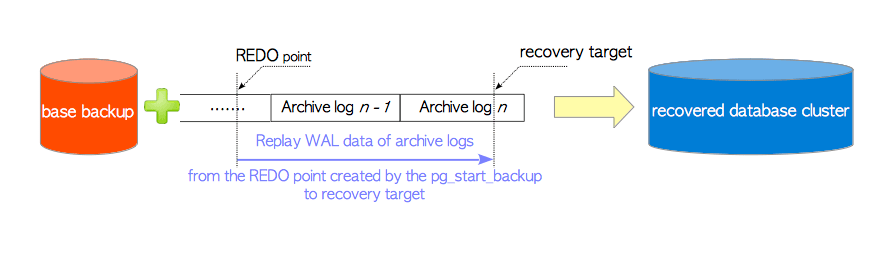
For a detailed principle, refer to: Base Backups and Point in Time Recovery; for specific operations, refer to PGSQL Management: Backup and Restore.
Pigsty uses pgBackRest to manage PostgreSQL backups. pgBackRest will initialize an empty repository on all cluster instances, but it will only use the repository on the primary instance.
pgBackRest supports three backup modes: Full Backup, Incremental Backup, and Differential Backup, with the first two being the most commonly used. A Full Backup takes a complete physical snapshot of the database cluster at a current moment, while an Incremental Backup records the differences between the current database cluster and the last full backup.
Pigsty provides a wrapper command for backups: /pg/bin/pg-backup [full|incr]. You can make base backups periodically as needed through Crontab or any other task scheduling system.
By default, Pigsty enables WAL archiving on the primary instance of the cluster and continuously pushes WAL segment files to the backup repository using the pgbackrest command-line tool.
pgBackRest automatically manages the required WAL files and promptly cleans up expired backups and their corresponding WAL archive files according to the backup retention policy.
If you do not need PITR functionality, you can disable WAL archiving by configuring the cluster: archive_mode: off, and remove node_crontab to stop periodic backup tasks.
By default, Pigsty provides two preset backup strategies: using the local filesystem backup repository by default, where a full backup is taken daily to ensure users can roll back to any point within a day at any time. The alternative strategy uses a dedicated MinIO cluster or S3 storage for backups, with a full backup on Monday and incremental backups daily, keeping two weeks of backups and WAL archives by default.
Pigsty uses pgBackRest to manage backups, receive WAL archives, and perform PITR. The backup repository can be flexibly configured (pgbackrest_repo): by default, it uses the local filesystem (local) of the primary instance, but it can also use other disk paths, or the optional MinIO service (minio) and cloud-based S3 services.
Pigsty has two built-in backup options: local file system repository with daily full backups or dedicated MinIO/S3 storage with weekly full and daily incremental backups, retaining two weeks’ worth by default.
The target repositories in Pigsty parameter pgbackrest_repo are translated into repository definitions in the /etc/pgbackrest/pgbackrest.conf configuration file.
For example, if you define a West US region S3 repository for cold backups, you could use the following reference configuration.
You can use the following encapsulated commands for Point in Time Recovery of the PostgreSQL database cluster.
By default, Pigsty uses incremental, differential, parallel recovery, allowing you to restore to a specified point in time as quickly as possible.
During PITR, you can observe the LSN point status of the cluster using the Pigsty monitoring system to determine if it has successfully restored to the specified time point, transaction point, LSN point, or other points.
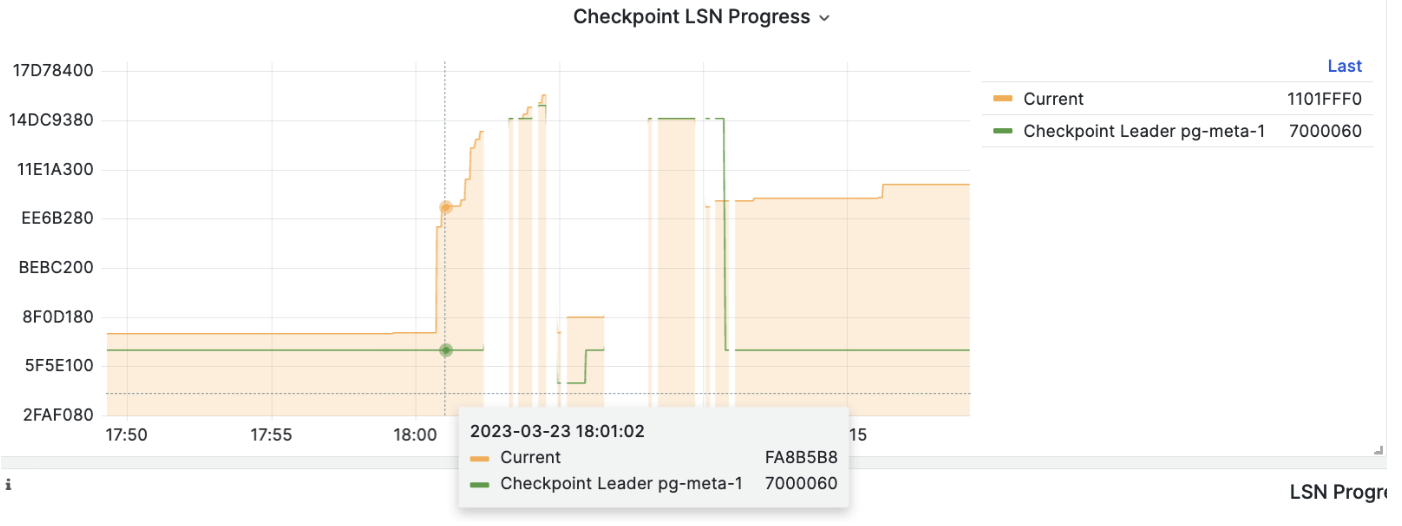
Service is meaningless to personal users. You can access the database with raw IP address or whatever method you like.
We utilize a PostgreSQL database cluster based on replication in real-world production environments. Within the cluster, only one instance is the leader (primary) that can accept writes. Other instances (replicas) continuously fetch WAL from the leader to stay synchronized. Additionally, replicas can handle read-only queries and offload the primary in read-heavy, write-light scenarios. Thus, distinguishing between write and read-only requests is a common practice.
Moreover, we pool requests through a connection pooling middleware (Pgbouncer) for high-frequency, short-lived connections to reduce the overhead of connection and backend process creation. And, for scenarios like ETL and change execution, we need to bypass the connection pool and directly access the database servers. Furthermore, high-availability clusters may undergo failover during failures, causing a change in the cluster leadership. Therefore, the RW requests should be re-routed automatically to the new leader.
These varied requirements (read-write separation, pooling vs. direct connection, and client request failover) have led to the abstraction of the service concept.
Typically, a database cluster must provide this basic service:
For production database clusters, at least these two services should be provided:
Additionally, there might be other services, such as:
Pigsty expose service with haproxy. Which is enabled on all nodes by default.
haproxy load balancers are idempotent among same pg cluster by default, you use ANY / ALL of them by all means.
The typical method is access via cluster domain name, which resolve to cluster L2 VIP, or all instances ip address in a round-robin manner.
Service can be implemented in different ways, You can even implement you own access method such as L4 LVS, F5, etc… instead of haproxy.

You can use different combination of host & port, they are provide PostgreSQL service in different ways.
Host
| type | sample | description |
|---|---|---|
| Cluster Domain Name | pg-test |
via cluster domain name (resolved by dnsmasq @ infra nodes) |
| Cluster VIP Address | 10.10.10.3 |
via a L2 VIP address managed by vip-manager, bind to primary |
| Instance Hostname | pg-test-1 |
Access via any instance hostname (resolved by dnsmasq @ infra nodes) |
| Instance IP Address | 10.10.10.11 |
Access any instance ip address |
Port
Pigsty uses different ports to distinguish between pg services
| port | service | type | description |
|---|---|---|---|
| 5432 | postgres | database | Direct access to postgres server |
| 6432 | pgbouncer | middleware | Go through connection pool middleware before postgres |
| 5433 | primary | service | Access primary pgbouncer (or postgres) |
| 5434 | replica | service | Access replica pgbouncer (or postgres) |
| 5436 | default | service | Access primary postgres |
| 5438 | offline | service | Access offline postgres |
Combinations
Pigsty has a battery-included access control model based on Role System and Privileges.
Pigsty has a default role system consist of four default roles and four default users:
| Role name | Attributes | Member of | Description |
|---|---|---|---|
dbrole_readonly |
NOLOGIN |
role for global read-only access | |
dbrole_readwrite |
NOLOGIN |
dbrole_readonly | role for global read-write access |
dbrole_admin |
NOLOGIN |
pg_monitor,dbrole_readwrite | role for object creation |
dbrole_offline |
NOLOGIN |
role for restricted read-only access | |
postgres |
SUPERUSER |
system superuser | |
replicator |
REPLICATION |
pg_monitor,dbrole_readonly | system replicator |
dbuser_dba |
SUPERUSER |
dbrole_admin | pgsql admin user |
dbuser_monitor |
pg_monitor | pgsql monitor user |
There are four default roles in pigsty:
dbrole_readonly): Role for global read-only accessdbrole_readwrite): Role for global read-write access, inherits dbrole_readonly.dbrole_admin): Role for DDL commands, inherits dbrole_readwrite.dbrole_offline): Role for restricted read-only access (offline instance)Default roles are defined in pg_default_roles, change default roles is not recommended.
There are four default users in pigsty, too.
postgres), the owner and creator of the cluster, same as the OS dbsu.replicator), the system user used for primary-replica.dbuser_monitor), a user used to monitor database and connection pool metrics.dbuser_dba), the admin user who performs daily operations and database changes.Default users’ username/password are defined with dedicate parameters (except for dbsu password):
pg_dbsu : os dbsu name, postgres by default, better not change itpg_replication_username : postgres replication username, replicator by defaultpg_replication_password : postgres replication password, DBUser.Replicator by defaultpg_admin_username : postgres admin username, dbuser_dba by defaultpg_admin_password : postgres admin password in plain text, DBUser.DBA by defaultpg_monitor_username : postgres monitor username, dbuser_monitor by defaultpg_monitor_password : postgres monitor password, DBUser.Monitor by default!> Remember to change these password in production deployment !
To define extra options, specify them in pg_default_roles:
Pigsty has a battery-included privilege model that works with default roles.
pg_role = 'offline' or pg_offline_query = true)CREATE privileges of database & public schema are revoked from PUBLIC by defaultDefault object privileges are defined in pg_default_privileges.
Newly created objects will have corresponding privileges when it is created by admin users
The \ddp+ may looks like:
| Type | Access privileges |
|---|---|
| function | =X |
| dbrole_readonly=X | |
| dbrole_offline=X | |
| dbrole_admin=X | |
| schema | dbrole_readonly=U |
| dbrole_offline=U | |
| dbrole_admin=UC | |
| sequence | dbrole_readonly=r |
| dbrole_offline=r | |
| dbrole_readwrite=wU | |
| dbrole_admin=rwU | |
| table | dbrole_readonly=r |
| dbrole_offline=r | |
| dbrole_readwrite=awd | |
| dbrole_admin=arwdDxt |
ALTER DEFAULT PRIVILEGES allows you to set the privileges that will be applied to objects created in the future.
It does not affect privileges assigned to already-existing objects, and objects created by non-admin users.
Pigsty will use the following default privileges:
Which will be rendered in pg-init-template.sql alone with ALTER DEFAULT PRIVILEGES statement for admin users.
These SQL command will be executed on postgres & template1 during cluster bootstrap, and newly created database will inherit it from tempalte1 by default.
That is to say, to maintain the correct object privilege, you have to run DDL with admin users, which could be:
{{ pg_dbsu }}, postgres by default{{ pg_admin_username }}, dbuser_dba by defaultdbrole_adminIt’s wise to use postgres as global object owner to perform DDL changes.
If you wish to create objects with business admin user, YOU MUST USE SET ROLE dbrole_admin before running that DDL to maintain the correct privileges.
You can also ALTER DEFAULT PRIVILEGE FOR ROLE <some_biz_admin> XXX to grant default privilege to business admin user, too.
Database privilege is covered by database definition.
There are 3 database level privileges: CONNECT, CREATE, TEMP, and a special ‘privilege’: OWNERSHIP.
owner exists, it will be used as database owner instead of default {{ pg_dbsu }}revokeconn is false, all users have the CONNECT privilege of the database, this is the default behavior.revokeconn is set to true explicitly:
CONNECT privilege of the database will be revoked from PUBLICCONNECT privilege will be granted to {{ pg_replication_username }}, {{ pg_monitor_username }} and {{ pg_admin_username }}CONNECT privilege will be granted to database owner with GRANT OPTIONrevokeconn flag can be used for database access isolation, you can create different business users as the owners for each database and set the revokeconn option for all of them.
Pigsty revokes the CREATE privilege on database from PUBLIC by default, for security consideration.
And this is the default behavior since PostgreSQL 15.
The database owner have the full capability to adjust these privileges as they see fit.
Pigsty recommends using Linux kernel, amd64 arch, and RockyLinux 8.9, Debian 12 or Ubuntu 22.04 as base OS.
Kernel Architecture Compatibility: Linux kernel, amd64 architecture (x86_64)
EL Distribution Support: EL7, EL8, EL9; (RHEL, Rocky, CentOS, Alma, Oracle, Anolis,…)
Debian Distribution Support: Ubuntu 22.04 jammy, 20.04 focal; Debian 12 bookworm and 11 bullseye.
Pigsty does not use any virtualization or containerization technologies, running directly on the bare OS. Supported operating systems include EL 7/8/9 (RHEL, Rocky, CentOS, Alma, Oracle, Anolis,…), Ubuntu 20.04 / 22.04 & Debian 11/12. EL is our long-term supported OS, while support for Ubuntu/Debian systems was introduced in the recent v2.5 version. The main difference between EL and Debian distributions is the significant variation in package names, as well as the default availability of PostgreSQL extensions.
We strongly recommend using RockyLinux 8.9 or Ubuntu 22.04.3 LTS as the OS for Pigsty. We have prepared offline packages for these specific minor versions of OS distros. This ensures a stable, reliable, and smooth installation even without internet access. Using other operating system distributions for the standard installation requires Internet access to download and build a local repo.
If you have advanced compatibility requirements, such as using specific operating system distributions, major versions, or minor versions, we offer advance compatibility support options.
Currently, Pigsty only supports the Linux kernel and the x86_64 / amd64 chip architecture.
MacOS and Windows operating systems can install Pigsty via Linux virtual machines/containers. We provide Vagrant local sandbox support, allowing you to use virtualization software like Vagrant and Virtualbox to effortlessly bring up the deployment environment required by Pigsty on other operating systems.
We are piloting partial support for arm64 architecture with our subscription service,
The EL series operating systems are Pigsty’s primary support target, including compatible distributions such as Red Hat Enterprise Linux, RockyLinux, CentOS, AlmaLinux, OracleLinux, Anolis, etc. Pigsty supports the latest three major versions: 7, 8, 9
| Code | EL Distros | Minor | PG16 | PG15 | PG14 | PG13 | PG12 | Limitation |
|---|---|---|---|---|---|---|---|---|
| EL8 | RHEL 8 / Rocky8 / Alma8 / Anolis8 | 8.9 | Standard Feature Set | |||||
| EL9 | RHEL 9 / Rocky9 / Alma9 | 9.3 | Missing pgxnclient, perf deps broken |
|||||
| EL7 | RHEL7 / CentOS7 | 7.9 | PG16, supabase, pgml, duckdb_fdw,… unavailable |
Rocky 8.9 achieves a good balance between system reliability/stability and the novelty/comprehensiveness of software versions. It’s recommended for EL series users to default to this system version.
Red Hat Enterprise Linux 7 will end maintenance in June 2024 end of maintenance, and PGDG will no longer provide binary package support for PostgreSQL 16 on EL7.
Pigsty supports Ubuntu / Debian series operating systems and their compatible distributions, currently supporting the two most recent LTS major versions, namely:
| Code | Debian Distros | Minor | PG16 | PG15 | PG14 | PG13 | PG12 | Limitations |
|---|---|---|---|---|---|---|---|---|
| U22 | Ubuntu 22.04 (jammy) | 22.04.3 | Standard Debian series feature set | |||||
| U20 | Ubuntu 20.04 (focal) | 20.04.6 | Some extensions require online installation | |||||
| D12 | Debian 12 (bookworm) | 12.4 | ||||||
| D11 | Debian 11 (bullseye) | 11.8 |
Ubuntu 22.04 comes with unique extension support, such as pg_graphql, pg_net, pg_bm25, pg_analytics, pg_sparse.
PostgresML has official support for the AL/ML extension pgml for Ubuntu 22.04, so users with related needs are advised to use Ubuntu 22.04.3.
Ubuntu 20.04 has missing dependencies for the postgresql-16-postgis and postgresql-server-dev-16 packages, requiring online installation in a connected environment.
If your environment does not have internet access, and you need to use the PostGIS extension, please use this operating system with caution.
When deploying Pigsty on cloud servers, you might consider using the following operating system images in Vagrant, which are also the images used for Pigsty’s development, testing, and building.
generic/centos7: CentOS 7.9generic/rocky8: Rocky 8.9generic/rocky9: Rocky 9.3generic/debian11: Debian 11.8generic/debian12: Debian 12.4generic/ubuntu2004: Ubuntu 20.04.6generic/ubuntu2204: Ubuntu 22.04.3When deploying Pigsty on cloud servers, you might consider using the following operating system base images in Terraform, using Alibaba Cloud as an example:
centos_7_9_x64_20G_alibase_20231220.vhdrockylinux_8_9_x64_20G_alibase_20231221.vhdrockylinux_9_3_x64_20G_alibase_20231221.vhdubuntu_20_04_x64_20G_alibase_20231221.vhdubuntu_22_04_x64_20G_alibase_20231221.vhddebian_11_7_x64_20G_alibase_20230907.vhddebian_12_4_x64_20G_alibase_20231220.vhdanolisos_8_8_x64_20G_rhck_alibase_20230804.vhdThere are 280+ parameters in Pigsty describing all aspect of the deployment.
| ID | Name | Module | Section | Type | Level | Comment |
|---|---|---|---|---|---|---|
| 101 | version |
INFRA |
META |
string | G | pigsty version string |
| 102 | admin_ip |
INFRA |
META |
ip | G | admin node ip address |
| 103 | region |
INFRA |
META |
enum | G | upstream mirror region: default,china,europe |
| 104 | proxy_env |
INFRA |
META |
dict | G | global proxy env when downloading packages |
| 105 | ca_method |
INFRA |
CA |
enum | G | create,recreate,copy, create by default |
| 106 | ca_cn |
INFRA |
CA |
string | G | ca common name, fixed as pigsty-ca |
| 107 | cert_validity |
INFRA |
CA |
interval | G | cert validity, 20 years by default |
| 108 | infra_seq |
INFRA |
INFRA_ID |
int | I | infra node identity, REQUIRED |
| 109 | infra_portal |
INFRA |
INFRA_ID |
dict | G | infra services exposed via portal |
| 110 | repo_enabled |
INFRA |
REPO |
bool | G/I | create a yum repo on this infra node? |
| 111 | repo_home |
INFRA |
REPO |
path | G | repo home dir, /www by default |
| 112 | repo_name |
INFRA |
REPO |
string | G | repo name, pigsty by default |
| 113 | repo_endpoint |
INFRA |
REPO |
url | G | access point to this repo by domain or ip:port |
| 114 | repo_remove |
INFRA |
REPO |
bool | G/A | remove existing upstream repo |
| 115 | repo_modules |
INFRA |
REPO |
string | G/A | which repo modules are installed in repo_upstream |
| 116 | repo_upstream |
INFRA |
REPO |
upstream[] | G | where to download upstream packages |
| 117 | repo_packages |
INFRA |
REPO |
string[] | G | which packages to be included |
| 118 | repo_url_packages |
INFRA |
REPO |
string[] | G | extra packages from url |
| 120 | infra_packages |
INFRA |
INFRA_PACKAGE |
string[] | G | packages to be installed on infra nodes |
| 121 | infra_packages_pip |
INFRA |
INFRA_PACKAGE |
string | G | pip installed packages for infra nodes |
| 130 | nginx_enabled |
INFRA |
NGINX |
bool | G/I | enable nginx on this infra node? |
| 131 | nginx_exporter_enabled |
INFRA |
NGINX |
bool | G/I | enable nginx_exporter on this infra node? |
| 132 | nginx_sslmode |
INFRA |
NGINX |
enum | G | nginx ssl mode? disable,enable,enforce |
| 133 | nginx_home |
INFRA |
NGINX |
path | G | nginx content dir, /www by default |
| 134 | nginx_port |
INFRA |
NGINX |
port | G | nginx listen port, 80 by default |
| 135 | nginx_ssl_port |
INFRA |
NGINX |
port | G | nginx ssl listen port, 443 by default |
| 136 | nginx_navbar |
INFRA |
NGINX |
index[] | G | nginx index page navigation links |
| 140 | dns_enabled |
INFRA |
DNS |
bool | G/I | setup dnsmasq on this infra node? |
| 141 | dns_port |
INFRA |
DNS |
port | G | dns server listen port, 53 by default |
| 142 | dns_records |
INFRA |
DNS |
string[] | G | dynamic dns records resolved by dnsmasq |
| 150 | prometheus_enabled |
INFRA |
PROMETHEUS |
bool | G/I | enable prometheus on this infra node? |
| 151 | prometheus_clean |
INFRA |
PROMETHEUS |
bool | G/A | clean prometheus data during init? |
| 152 | prometheus_data |
INFRA |
PROMETHEUS |
path | G | prometheus data dir, /data/prometheus by default |
| 153 | prometheus_sd_dir |
INFRA |
PROMETHEUS |
path | G | prometheus file service discovery directory |
| 154 | prometheus_sd_interval |
INFRA |
PROMETHEUS |
interval | G | prometheus target refresh interval, 5s by default |
| 155 | prometheus_scrape_interval |
INFRA |
PROMETHEUS |
interval | G | prometheus scrape & eval interval, 10s by default |
| 156 | prometheus_scrape_timeout |
INFRA |
PROMETHEUS |
interval | G | prometheus global scrape timeout, 8s by default |
| 157 | prometheus_options |
INFRA |
PROMETHEUS |
arg | G | prometheus extra server options |
| 158 | pushgateway_enabled |
INFRA |
PROMETHEUS |
bool | G/I | setup pushgateway on this infra node? |
| 159 | pushgateway_options |
INFRA |
PROMETHEUS |
arg | G | pushgateway extra server options |
| 160 | blackbox_enabled |
INFRA |
PROMETHEUS |
bool | G/I | setup blackbox_exporter on this infra node? |
| 161 | blackbox_options |
INFRA |
PROMETHEUS |
arg | G | blackbox_exporter extra server options |
| 162 | alertmanager_enabled |
INFRA |
PROMETHEUS |
bool | G/I | setup alertmanager on this infra node? |
| 163 | alertmanager_options |
INFRA |
PROMETHEUS |
arg | G | alertmanager extra server options |
| 164 | exporter_metrics_path |
INFRA |
PROMETHEUS |
path | G | exporter metric path, /metrics by default |
| 165 | exporter_install |
INFRA |
PROMETHEUS |
enum | G | how to install exporter? none,yum,binary |
| 166 | exporter_repo_url |
INFRA |
PROMETHEUS |
url | G | exporter repo file url if install exporter via yum |
| 170 | grafana_enabled |
INFRA |
GRAFANA |
bool | G/I | enable grafana on this infra node? |
| 171 | grafana_clean |
INFRA |
GRAFANA |
bool | G/A | clean grafana data during init? |
| 172 | grafana_admin_username |
INFRA |
GRAFANA |
username | G | grafana admin username, admin by default |
| 173 | grafana_admin_password |
INFRA |
GRAFANA |
password | G | grafana admin password, pigsty by default |
| 174 | grafana_plugin_cache |
INFRA |
GRAFANA |
path | G | path to grafana plugins cache tarball |
| 175 | grafana_plugin_list |
INFRA |
GRAFANA |
string[] | G | grafana plugins to be downloaded with grafana-cli |
| 176 | loki_enabled |
INFRA |
LOKI |
bool | G/I | enable loki on this infra node? |
| 177 | loki_clean |
INFRA |
LOKI |
bool | G/A | whether remove existing loki data? |
| 178 | loki_data |
INFRA |
LOKI |
path | G | loki data dir, /data/loki by default |
| 179 | loki_retention |
INFRA |
LOKI |
interval | G | loki log retention period, 15d by default |
| 201 | nodename |
NODE |
NODE_ID |
string | I | node instance identity, use hostname if missing, optional |
| 202 | node_cluster |
NODE |
NODE_ID |
string | C | node cluster identity, use ’nodes’ if missing, optional |
| 203 | nodename_overwrite |
NODE |
NODE_ID |
bool | C | overwrite node’s hostname with nodename? |
| 204 | nodename_exchange |
NODE |
NODE_ID |
bool | C | exchange nodename among play hosts? |
| 205 | node_id_from_pg |
NODE |
NODE_ID |
bool | C | use postgres identity as node identity if applicable? |
| 210 | node_write_etc_hosts |
NODE |
NODE_DNS |
bool | G/C/I | modify /etc/hosts on target node? |
| 211 | node_default_etc_hosts |
NODE |
NODE_DNS |
string[] | G | static dns records in /etc/hosts |
| 212 | node_etc_hosts |
NODE |
NODE_DNS |
string[] | C | extra static dns records in /etc/hosts |
| 213 | node_dns_method |
NODE |
NODE_DNS |
enum | C | how to handle dns servers: add,none,overwrite |
| 214 | node_dns_servers |
NODE |
NODE_DNS |
string[] | C | dynamic nameserver in /etc/resolv.conf |
| 215 | node_dns_options |
NODE |
NODE_DNS |
string[] | C | dns resolv options in /etc/resolv.conf |
| 220 | node_repo_modules |
NODE |
NODE_PACKAGE |
string | C | upstream repo to be added on node, local by default |
| 221 | node_repo_remove |
NODE |
NODE_PACKAGE |
bool | C | remove existing repo on node? |
| 223 | node_packages |
NODE |
NODE_PACKAGE |
string[] | C | packages to be installed current nodes |
| 224 | node_default_packages |
NODE |
NODE_PACKAGE |
string[] | G | default packages to be installed on all nodes |
| 230 | node_disable_firewall |
NODE |
NODE_TUNE |
bool | C | disable node firewall? true by default |
| 231 | node_disable_selinux |
NODE |
NODE_TUNE |
bool | C | disable node selinux? true by default |
| 232 | node_disable_numa |
NODE |
NODE_TUNE |
bool | C | disable node numa, reboot required |
| 233 | node_disable_swap |
NODE |
NODE_TUNE |
bool | C | disable node swap, use with caution |
| 234 | node_static_network |
NODE |
NODE_TUNE |
bool | C | preserve dns resolver settings after reboot |
| 235 | node_disk_prefetch |
NODE |
NODE_TUNE |
bool | C | setup disk prefetch on HDD to increase performance |
| 236 | node_kernel_modules |
NODE |
NODE_TUNE |
string[] | C | kernel modules to be enabled on this node |
| 237 | node_hugepage_count |
NODE |
NODE_TUNE |
int | C | number of 2MB hugepage, take precedence over ratio |
| 238 | node_hugepage_ratio |
NODE |
NODE_TUNE |
float | C | node mem hugepage ratio, 0 disable it by default |
| 239 | node_overcommit_ratio |
NODE |
NODE_TUNE |
float | C | node mem overcommit ratio, 0 disable it by default |
| 240 | node_tune |
NODE |
NODE_TUNE |
enum | C | node tuned profile: none,oltp,olap,crit,tiny |
| 241 | node_sysctl_params |
NODE |
NODE_TUNE |
dict | C | sysctl parameters in k:v format in addition to tuned |
| 250 | node_data |
NODE |
NODE_ADMIN |
path | C | node main data directory, /data by default |
| 251 | node_admin_enabled |
NODE |
NODE_ADMIN |
bool | C | create a admin user on target node? |
| 252 | node_admin_uid |
NODE |
NODE_ADMIN |
int | C | uid and gid for node admin user |
| 253 | node_admin_username |
NODE |
NODE_ADMIN |
username | C | name of node admin user, dba by default |
| 254 | node_admin_ssh_exchange |
NODE |
NODE_ADMIN |
bool | C | exchange admin ssh key among node cluster |
| 255 | node_admin_pk_current |
NODE |
NODE_ADMIN |
bool | C | add current user’s ssh pk to admin authorized_keys |
| 256 | node_admin_pk_list |
NODE |
NODE_ADMIN |
string[] | C | ssh public keys to be added to admin user |
| 260 | node_timezone |
NODE |
NODE_TIME |
string | C | setup node timezone, empty string to skip |
| 261 | node_ntp_enabled |
NODE |
NODE_TIME |
bool | C | enable chronyd time sync service? |
| 262 | node_ntp_servers |
NODE |
NODE_TIME |
string[] | C | ntp servers in /etc/chrony.conf |
| 263 | node_crontab_overwrite |
NODE |
NODE_TIME |
bool | C | overwrite or append to /etc/crontab? |
| 264 | node_crontab |
NODE |
NODE_TIME |
string[] | C | crontab entries in /etc/crontab |
| 270 | vip_enabled |
NODE |
NODE_VIP |
bool | C | enable vip on this node cluster? |
| 271 | vip_address |
NODE |
NODE_VIP |
ip | C | node vip address in ipv4 format, required if vip is enabled |
| 272 | vip_vrid |
NODE |
NODE_VIP |
int | C | required, integer, 1-254, should be unique among same VLAN |
| 273 | vip_role |
NODE |
NODE_VIP |
enum | I | optional, master/backup, backup by default, use as init role |
| 274 | vip_preempt |
NODE |
NODE_VIP |
bool | C/I | optional, true/false, false by default, enable vip preemption |
| 275 | vip_interface |
NODE |
NODE_VIP |
string | C/I | node vip network interface to listen, eth0 by default |
| 276 | vip_dns_suffix |
NODE |
NODE_VIP |
string | C | node vip dns name suffix, empty string by default |
| 277 | vip_exporter_port |
NODE |
NODE_VIP |
port | C | keepalived exporter listen port, 9650 by default |
| 280 | haproxy_enabled |
NODE |
HAPROXY |
bool | C | enable haproxy on this node? |
| 281 | haproxy_clean |
NODE |
HAPROXY |
bool | G/C/A | cleanup all existing haproxy config? |
| 282 | haproxy_reload |
NODE |
HAPROXY |
bool | A | reload haproxy after config? |
| 283 | haproxy_auth_enabled |
NODE |
HAPROXY |
bool | G | enable authentication for haproxy admin page |
| 284 | haproxy_admin_username |
NODE |
HAPROXY |
username | G | haproxy admin username, admin by default |
| 285 | haproxy_admin_password |
NODE |
HAPROXY |
password | G | haproxy admin password, pigsty by default |
| 286 | haproxy_exporter_port |
NODE |
HAPROXY |
port | C | haproxy admin/exporter port, 9101 by default |
| 287 | haproxy_client_timeout |
NODE |
HAPROXY |
interval | C | client side connection timeout, 24h by default |
| 288 | haproxy_server_timeout |
NODE |
HAPROXY |
interval | C | server side connection timeout, 24h by default |
| 289 | haproxy_services |
NODE |
HAPROXY |
service[] | C | list of haproxy service to be exposed on node |
| 290 | node_exporter_enabled |
NODE |
NODE_EXPORTER |
bool | C | setup node_exporter on this node? |
| 291 | node_exporter_port |
NODE |
NODE_EXPORTER |
port | C | node exporter listen port, 9100 by default |
| 292 | node_exporter_options |
NODE |
NODE_EXPORTER |
arg | C | extra server options for node_exporter |
| 293 | promtail_enabled |
NODE |
PROMTAIL |
bool | C | enable promtail logging collector? |
| 294 | promtail_clean |
NODE |
PROMTAIL |
bool | G/A | purge existing promtail status file during init? |
| 295 | promtail_port |
NODE |
PROMTAIL |
port | C | promtail listen port, 9080 by default |
| 296 | promtail_positions |
NODE |
PROMTAIL |
path | C | promtail position status file path |
| 401 | docker_enabled |
NODE |
DOCKER |
bool | C | enable docker on this node? |
| 402 | docker_cgroups_driver |
NODE |
DOCKER |
enum | C | docker cgroup fs driver: cgroupfs,systemd |
| 403 | docker_registry_mirrors |
NODE |
DOCKER |
string[] | C | docker registry mirror list |
| 404 | docker_image_cache |
NODE |
DOCKER |
path | C | docker image cache dir, /tmp/docker by default |
| 501 | etcd_seq |
ETCD |
ETCD |
int | I | etcd instance identifier, REQUIRED |
| 502 | etcd_cluster |
ETCD |
ETCD |
string | C | etcd cluster & group name, etcd by default |
| 503 | etcd_safeguard |
ETCD |
ETCD |
bool | G/C/A | prevent purging running etcd instance? |
| 504 | etcd_clean |
ETCD |
ETCD |
bool | G/C/A | purging existing etcd during initialization? |
| 505 | etcd_data |
ETCD |
ETCD |
path | C | etcd data directory, /data/etcd by default |
| 506 | etcd_port |
ETCD |
ETCD |
port | C | etcd client port, 2379 by default |
| 507 | etcd_peer_port |
ETCD |
ETCD |
port | C | etcd peer port, 2380 by default |
| 508 | etcd_init |
ETCD |
ETCD |
enum | C | etcd initial cluster state, new or existing |
| 509 | etcd_election_timeout |
ETCD |
ETCD |
int | C | etcd election timeout, 1000ms by default |
| 510 | etcd_heartbeat_interval |
ETCD |
ETCD |
int | C | etcd heartbeat interval, 100ms by default |
| 601 | minio_seq |
MINIO |
MINIO |
int | I | minio instance identifier, REQUIRED |
| 602 | minio_cluster |
MINIO |
MINIO |
string | C | minio cluster name, minio by default |
| 603 | minio_clean |
MINIO |
MINIO |
bool | G/C/A | cleanup minio during init?, false by default |
| 604 | minio_user |
MINIO |
MINIO |
username | C | minio os user, minio by default |
| 605 | minio_node |
MINIO |
MINIO |
string | C | minio node name pattern |
| 606 | minio_data |
MINIO |
MINIO |
path | C | minio data dir(s), use {x…y} to specify multi drivers |
| 607 | minio_domain |
MINIO |
MINIO |
string | G | minio service domain name, sss.pigsty by default |
| 608 | minio_port |
MINIO |
MINIO |
port | C | minio service port, 9000 by default |
| 609 | minio_admin_port |
MINIO |
MINIO |
port | C | minio console port, 9001 by default |
| 610 | minio_access_key |
MINIO |
MINIO |
username | C | root access key, minioadmin by default |
| 611 | minio_secret_key |
MINIO |
MINIO |
password | C | root secret key, minioadmin by default |
| 612 | minio_extra_vars |
MINIO |
MINIO |
string | C | extra environment variables for minio server |
| 613 | minio_alias |
MINIO |
MINIO |
string | G | alias name for local minio deployment |
| 614 | minio_buckets |
MINIO |
MINIO |
bucket[] | C | list of minio bucket to be created |
| 615 | minio_users |
MINIO |
MINIO |
user[] | C | list of minio user to be created |
| 701 | redis_cluster |
REDIS |
REDIS |
string | C | redis cluster name, required identity parameter |
| 702 | redis_instances |
REDIS |
REDIS |
dict | I | redis instances definition on this redis node |
| 703 | redis_node |
REDIS |
REDIS |
int | I | redis node sequence number, node int id required |
| 710 | redis_fs_main |
REDIS |
REDIS |
path | C | redis main data mountpoint, /data by default |
| 711 | redis_exporter_enabled |
REDIS |
REDIS |
bool | C | install redis exporter on redis nodes? |
| 712 | redis_exporter_port |
REDIS |
REDIS |
port | C | redis exporter listen port, 9121 by default |
| 713 | redis_exporter_options |
REDIS |
REDIS |
string | C/I | cli args and extra options for redis exporter |
| 720 | redis_safeguard |
REDIS |
REDIS |
bool | G/C/A | prevent purging running redis instance? |
| 721 | redis_clean |
REDIS |
REDIS |
bool | G/C/A | purging existing redis during init? |
| 722 | redis_rmdata |
REDIS |
REDIS |
bool | G/C/A | remove redis data when purging redis server? |
| 723 | redis_mode |
REDIS |
REDIS |
enum | C | redis mode: standalone,cluster,sentinel |
| 724 | redis_conf |
REDIS |
REDIS |
string | C | redis config template path, except sentinel |
| 725 | redis_bind_address |
REDIS |
REDIS |
ip | C | redis bind address, empty string will use host ip |
| 726 | redis_max_memory |
REDIS |
REDIS |
size | C/I | max memory used by each redis instance |
| 727 | redis_mem_policy |
REDIS |
REDIS |
enum | C | redis memory eviction policy |
| 728 | redis_password |
REDIS |
REDIS |
password | C | redis password, empty string will disable password |
| 729 | redis_rdb_save |
REDIS |
REDIS |
string[] | C | redis rdb save directives, disable with empty list |
| 730 | redis_aof_enabled |
REDIS |
REDIS |
bool | C | enable redis append only file? |
| 731 | redis_rename_commands |
REDIS |
REDIS |
dict | C | rename redis dangerous commands |
| 732 | redis_cluster_replicas |
REDIS |
REDIS |
int | C | replica number for one master in redis cluster |
| 733 | redis_sentinel_monitor |
REDIS |
REDIS |
master[] | C | sentinel master list, works on sentinel cluster only |
| 801 | pg_mode |
PGSQL |
PG_ID |
enum | C | pgsql cluster mode: pgsql,citus,gpsql |
| 802 | pg_cluster |
PGSQL |
PG_ID |
string | C | pgsql cluster name, REQUIRED identity parameter |
| 803 | pg_seq |
PGSQL |
PG_ID |
int | I | pgsql instance seq number, REQUIRED identity parameter |
| 804 | pg_role |
PGSQL |
PG_ID |
enum | I | pgsql role, REQUIRED, could be primary,replica,offline |
| 805 | pg_instances |
PGSQL |
PG_ID |
dict | I | define multiple pg instances on node in {port:ins_vars} format |
| 806 | pg_upstream |
PGSQL |
PG_ID |
ip | I | repl upstream ip addr for standby cluster or cascade replica |
| 807 | pg_shard |
PGSQL |
PG_ID |
string | C | pgsql shard name, optional identity for sharding clusters |
| 808 | pg_group |
PGSQL |
PG_ID |
int | C | pgsql shard index number, optional identity for sharding clusters |
| 809 | gp_role |
PGSQL |
PG_ID |
enum | C | greenplum role of this cluster, could be master or segment |
| 810 | pg_exporters |
PGSQL |
PG_ID |
dict | C | additional pg_exporters to monitor remote postgres instances |
| 811 | pg_offline_query |
PGSQL |
PG_ID |
bool | I | set to true to enable offline query on this instance |
| 820 | pg_users |
PGSQL |
PG_BUSINESS |
user[] | C | postgres business users |
| 821 | pg_databases |
PGSQL |
PG_BUSINESS |
database[] | C | postgres business databases |
| 822 | pg_services |
PGSQL |
PG_BUSINESS |
service[] | C | postgres business services |
| 823 | pg_hba_rules |
PGSQL |
PG_BUSINESS |
hba[] | C | business hba rules for postgres |
| 824 | pgb_hba_rules |
PGSQL |
PG_BUSINESS |
hba[] | C | business hba rules for pgbouncer |
| 831 | pg_replication_username |
PGSQL |
PG_BUSINESS |
username | G | postgres replication username, replicator by default |
| 832 | pg_replication_password |
PGSQL |
PG_BUSINESS |
password | G | postgres replication password, DBUser.Replicator by default |
| 833 | pg_admin_username |
PGSQL |
PG_BUSINESS |
username | G | postgres admin username, dbuser_dba by default |
| 834 | pg_admin_password |
PGSQL |
PG_BUSINESS |
password | G | postgres admin password in plain text, DBUser.DBA by default |
| 835 | pg_monitor_username |
PGSQL |
PG_BUSINESS |
username | G | postgres monitor username, dbuser_monitor by default |
| 836 | pg_monitor_password |
PGSQL |
PG_BUSINESS |
password | G | postgres monitor password, DBUser.Monitor by default |
| 837 | pg_dbsu_password |
PGSQL |
PG_BUSINESS |
password | G/C | postgres dbsu password, empty string disable it by default |
| 840 | pg_dbsu |
PGSQL |
PG_INSTALL |
username | C | os dbsu name, postgres by default, better not change it |
| 841 | pg_dbsu_uid |
PGSQL |
PG_INSTALL |
int | C | os dbsu uid and gid, 26 for default postgres users and groups |
| 842 | pg_dbsu_sudo |
PGSQL |
PG_INSTALL |
enum | C | dbsu sudo privilege, none,limit,all,nopass. limit by default |
| 843 | pg_dbsu_home |
PGSQL |
PG_INSTALL |
path | C | postgresql home directory, /var/lib/pgsql by default |
| 844 | pg_dbsu_ssh_exchange |
PGSQL |
PG_INSTALL |
bool | C | exchange postgres dbsu ssh key among same pgsql cluster |
| 845 | pg_version |
PGSQL |
PG_INSTALL |
enum | C | postgres major version to be installed, 16 by default |
| 846 | pg_bin_dir |
PGSQL |
PG_INSTALL |
path | C | postgres binary dir, /usr/pgsql/bin by default |
| 847 | pg_log_dir |
PGSQL |
PG_INSTALL |
path | C | postgres log dir, /pg/log/postgres by default |
| 848 | pg_packages |
PGSQL |
PG_INSTALL |
string[] | C | pg packages to be installed, ${pg_version} will be replaced |
| 849 | pg_extensions |
PGSQL |
PG_INSTALL |
string[] | C | pg extensions to be installed, ${pg_version} will be replaced |
| 850 | pg_safeguard |
PGSQL |
PG_BOOTSTRAP |
bool | G/C/A | prevent purging running postgres instance? false by default |
| 851 | pg_clean |
PGSQL |
PG_BOOTSTRAP |
bool | G/C/A | purging existing postgres during pgsql init? true by default |
| 852 | pg_data |
PGSQL |
PG_BOOTSTRAP |
path | C | postgres data directory, /pg/data by default |
| 853 | pg_fs_main |
PGSQL |
PG_BOOTSTRAP |
path | C | mountpoint/path for postgres main data, /data by default |
| 854 | pg_fs_bkup |
PGSQL |
PG_BOOTSTRAP |
path | C | mountpoint/path for pg backup data, /data/backup by default |
| 855 | pg_storage_type |
PGSQL |
PG_BOOTSTRAP |
enum | C | storage type for pg main data, SSD,HDD, SSD by default |
| 856 | pg_dummy_filesize |
PGSQL |
PG_BOOTSTRAP |
size | C | size of /pg/dummy, hold 64MB disk space for emergency use |
| 857 | pg_listen |
PGSQL |
PG_BOOTSTRAP |
ip(s) | C/I | postgres/pgbouncer listen addresses, comma separated list |
| 858 | pg_port |
PGSQL |
PG_BOOTSTRAP |
port | C | postgres listen port, 5432 by default |
| 859 | pg_localhost |
PGSQL |
PG_BOOTSTRAP |
path | C | postgres unix socket dir for localhost connection |
| 860 | pg_namespace |
PGSQL |
PG_BOOTSTRAP |
path | C | top level key namespace in etcd, used by patroni & vip |
| 861 | patroni_enabled |
PGSQL |
PG_BOOTSTRAP |
bool | C | if disabled, no postgres cluster will be created during init |
| 862 | patroni_mode |
PGSQL |
PG_BOOTSTRAP |
enum | C | patroni working mode: default,pause,remove |
| 863 | patroni_port |
PGSQL |
PG_BOOTSTRAP |
port | C | patroni listen port, 8008 by default |
| 864 | patroni_log_dir |
PGSQL |
PG_BOOTSTRAP |
path | C | patroni log dir, /pg/log/patroni by default |
| 865 | patroni_ssl_enabled |
PGSQL |
PG_BOOTSTRAP |
bool | G | secure patroni RestAPI communications with SSL? |
| 866 | patroni_watchdog_mode |
PGSQL |
PG_BOOTSTRAP |
enum | C | patroni watchdog mode: automatic,required,off. off by default |
| 867 | patroni_username |
PGSQL |
PG_BOOTSTRAP |
username | C | patroni restapi username, postgres by default |
| 868 | patroni_password |
PGSQL |
PG_BOOTSTRAP |
password | C | patroni restapi password, Patroni.API by default |
| 869 | patroni_citus_db |
PGSQL |
PG_BOOTSTRAP |
string | C | citus database managed by patroni, postgres by default |
| 870 | pg_conf |
PGSQL |
PG_BOOTSTRAP |
enum | C | config template: oltp,olap,crit,tiny. oltp.yml by default |
| 871 | pg_max_conn |
PGSQL |
PG_BOOTSTRAP |
int | C | postgres max connections, auto will use recommended value |
| 872 | pg_shared_buffer_ratio |
PGSQL |
PG_BOOTSTRAP |
float | C | postgres shared buffer memory ratio, 0.25 by default, 0.1~0.4 |
| 873 | pg_rto |
PGSQL |
PG_BOOTSTRAP |
int | C | recovery time objective in seconds, 30s by default |
| 874 | pg_rpo |
PGSQL |
PG_BOOTSTRAP |
int | C | recovery point objective in bytes, 1MiB at most by default |
| 875 | pg_libs |
PGSQL |
PG_BOOTSTRAP |
string | C | preloaded libraries, pg_stat_statements,auto_explain by default |
| 876 | pg_delay |
PGSQL |
PG_BOOTSTRAP |
interval | I | replication apply delay for standby cluster leader |
| 877 | pg_checksum |
PGSQL |
PG_BOOTSTRAP |
bool | C | enable data checksum for postgres cluster? |
| 878 | pg_pwd_enc |
PGSQL |
PG_BOOTSTRAP |
enum | C | passwords encryption algorithm: md5,scram-sha-256 |
| 879 | pg_encoding |
PGSQL |
PG_BOOTSTRAP |
enum | C | database cluster encoding, UTF8 by default |
| 880 | pg_locale |
PGSQL |
PG_BOOTSTRAP |
enum | C | database cluster local, C by default |
| 881 | pg_lc_collate |
PGSQL |
PG_BOOTSTRAP |
enum | C | database cluster collate, C by default |
| 882 | pg_lc_ctype |
PGSQL |
PG_BOOTSTRAP |
enum | C | database character type, en_US.UTF8 by default |
| 890 | pgbouncer_enabled |
PGSQL |
PG_BOOTSTRAP |
bool | C | if disabled, pgbouncer will not be launched on pgsql host |
| 891 | pgbouncer_port |
PGSQL |
PG_BOOTSTRAP |
port | C | pgbouncer listen port, 6432 by default |
| 892 | pgbouncer_log_dir |
PGSQL |
PG_BOOTSTRAP |
path | C | pgbouncer log dir, /pg/log/pgbouncer by default |
| 893 | pgbouncer_auth_query |
PGSQL |
PG_BOOTSTRAP |
bool | C | query postgres to retrieve unlisted business users? |
| 894 | pgbouncer_poolmode |
PGSQL |
PG_BOOTSTRAP |
enum | C | pooling mode: transaction,session,statement, transaction by default |
| 895 | pgbouncer_sslmode |
PGSQL |
PG_BOOTSTRAP |
enum | C | pgbouncer client ssl mode, disable by default |
| 900 | pg_provision |
PGSQL |
PG_PROVISION |
bool | C | provision postgres cluster after bootstrap |
| 901 | pg_init |
PGSQL |
PG_PROVISION |
string | G/C | provision init script for cluster template, pg-init by default |
| 902 | pg_default_roles |
PGSQL |
PG_PROVISION |
role[] | G/C | default roles and users in postgres cluster |
| 903 | pg_default_privileges |
PGSQL |
PG_PROVISION |
string[] | G/C | default privileges when created by admin user |
| 904 | pg_default_schemas |
PGSQL |
PG_PROVISION |
string[] | G/C | default schemas to be created |
| 905 | pg_default_extensions |
PGSQL |
PG_PROVISION |
extension[] | G/C | default extensions to be created |
| 906 | pg_reload |
PGSQL |
PG_PROVISION |
bool | A | reload postgres after hba changes |
| 907 | pg_default_hba_rules |
PGSQL |
PG_PROVISION |
hba[] | G/C | postgres default host-based authentication rules |
| 908 | pgb_default_hba_rules |
PGSQL |
PG_PROVISION |
hba[] | G/C | pgbouncer default host-based authentication rules |
| 910 | pgbackrest_enabled |
PGSQL |
PG_BACKUP |
bool | C | enable pgbackrest on pgsql host? |
| 911 | pgbackrest_clean |
PGSQL |
PG_BACKUP |
bool | C | remove pg backup data during init? |
| 912 | pgbackrest_log_dir |
PGSQL |
PG_BACKUP |
path | C | pgbackrest log dir, /pg/log/pgbackrest by default |
| 913 | pgbackrest_method |
PGSQL |
PG_BACKUP |
enum | C | pgbackrest repo method: local,minio,etc… |
| 914 | pgbackrest_repo |
PGSQL |
PG_BACKUP |
dict | G/C | pgbackrest repo: https://pgbackrest.org/configuration.html#section-repository |
| 921 | pg_weight |
PGSQL |
PG_SERVICE |
int | I | relative load balance weight in service, 100 by default, 0-255 |
| 922 | pg_service_provider |
PGSQL |
PG_SERVICE |
string | G/C | dedicate haproxy node group name, or empty string for local nodes by default |
| 923 | pg_default_service_dest |
PGSQL |
PG_SERVICE |
enum | G/C | default service destination if svc.dest=‘default’ |
| 924 | pg_default_services |
PGSQL |
PG_SERVICE |
service[] | G/C | postgres default service definitions |
| 931 | pg_vip_enabled |
PGSQL |
PG_SERVICE |
bool | C | enable a l2 vip for pgsql primary? false by default |
| 932 | pg_vip_address |
PGSQL |
PG_SERVICE |
cidr4 | C | vip address in <ipv4>/<mask> format, require if vip is enabled |
| 933 | pg_vip_interface |
PGSQL |
PG_SERVICE |
string | C/I | vip network interface to listen, eth0 by default |
| 934 | pg_dns_suffix |
PGSQL |
PG_SERVICE |
string | C | pgsql dns suffix, ’’ by default |
| 935 | pg_dns_target |
PGSQL |
PG_SERVICE |
enum | C | auto, primary, vip, none, or ad hoc ip |
| 940 | pg_exporter_enabled |
PGSQL |
PG_EXPORTER |
bool | C | enable pg_exporter on pgsql hosts? |
| 941 | pg_exporter_config |
PGSQL |
PG_EXPORTER |
string | C | pg_exporter configuration file name |
| 942 | pg_exporter_cache_ttls |
PGSQL |
PG_EXPORTER |
string | C | pg_exporter collector ttl stage in seconds, ‘1,10,60,300’ by default |
| 943 | pg_exporter_port |
PGSQL |
PG_EXPORTER |
port | C | pg_exporter listen port, 9630 by default |
| 944 | pg_exporter_params |
PGSQL |
PG_EXPORTER |
string | C | extra url parameters for pg_exporter dsn |
| 945 | pg_exporter_url |
PGSQL |
PG_EXPORTER |
pgurl | C | overwrite auto-generate pg dsn if specified |
| 946 | pg_exporter_auto_discovery |
PGSQL |
PG_EXPORTER |
bool | C | enable auto database discovery? enabled by default |
| 947 | pg_exporter_exclude_database |
PGSQL |
PG_EXPORTER |
string | C | csv of database that WILL NOT be monitored during auto-discovery |
| 948 | pg_exporter_include_database |
PGSQL |
PG_EXPORTER |
string | C | csv of database that WILL BE monitored during auto-discovery |
| 949 | pg_exporter_connect_timeout |
PGSQL |
PG_EXPORTER |
int | C | pg_exporter connect timeout in ms, 200 by default |
| 950 | pg_exporter_options |
PGSQL |
PG_EXPORTER |
arg | C | overwrite extra options for pg_exporter |
| 951 | pgbouncer_exporter_enabled |
PGSQL |
PG_EXPORTER |
bool | C | enable pgbouncer_exporter on pgsql hosts? |
| 952 | pgbouncer_exporter_port |
PGSQL |
PG_EXPORTER |
port | C | pgbouncer_exporter listen port, 9631 by default |
| 953 | pgbouncer_exporter_url |
PGSQL |
PG_EXPORTER |
pgurl | C | overwrite auto-generate pgbouncer dsn if specified |
| 954 | pgbouncer_exporter_options |
PGSQL |
PG_EXPORTER |
arg | C | overwrite extra options for pgbouncer_exporter |
INFRA
Parameters about pigsty infrastructure components: local yum repo, nginx, dnsmasq, prometheus, grafana, loki, alertmanager, pushgateway, blackbox_exporter, etc…
META
This section contains some metadata of current pigsty deployments, such as version string, admin node IP address, repo mirror region and http(s) proxy when downloading pacakges.
version
name: version, type: string, level: G
pigsty version string
default value:v2.7.0
It will be used for pigsty introspection & content rendering.
admin_ip
name: admin_ip, type: ip, level: G
admin node ip address
default value:10.10.10.10
Node with this ip address will be treated as admin node, usually point to the first node that install Pigsty.
The default value 10.10.10.10 is a placeholder which will be replaced during configure
This parameter is referenced by many other parameters, such as:
The exact string ${admin_ip} will be replaced with the actual admin_ip for above parameters.
region
name: region, type: enum, level: G
upstream mirror region: default,china,europe
default value: default
If a region other than default is set, and there’s a corresponding entry in repo_upstream.[repo].baseurl, it will be used instead of default.
For example, if china is used, pigsty will use China mirrors designated in repo_upstream if applicable.
proxy_env
name: proxy_env, type: dict, level: G
global proxy env when downloading packages
default value:
It’s quite important to use http proxy in restricted production environment, or your Internet access is blocked (e.g. Mainland China)
CA
Self-Signed CA used by pigsty. It is required to support advanced security features.
ca_method
name: ca_method, type: enum, level: G
available options: create,recreate,copy
default value: create
create: Create a new CA public-private key pair if not exists, use if existsrecreate: Always re-create a new CA public-private key paircopy: Copy the existing CA public and private keys from local files/pki/ca, abort if missingIf you already have a pair of ca.crt and ca.key, put them under files/pki/ca and set ca_method to copy.
ca_cn
name: ca_cn, type: string, level: G
ca common name, not recommending to change it.
default value: pigsty-ca
you can check that with openssl x509 -text -in /etc/pki/ca.crt
cert_validity
name: cert_validity, type: interval, level: G
cert validity, 20 years by default, which is enough for most scenarios
default value: 7300d
INFRA_ID
Infrastructure identity and portal definition.
infra_seq
name: infra_seq, type: int, level: I
infra node identity, REQUIRED, no default value, you have to assign it explicitly.
infra_portal
name: infra_portal, type: dict, level: G
infra services exposed via portal.
default value will expose home, grafana, prometheus, alertmanager via nginx with corresponding domain names.
Each record contains three subsections: key as name, representing the component name, the external access domain, and the internal TCP port, respectively.
and the value contains domain, and endpoint, and other options.
name definition of the default record is fixed and referenced by other modules, so do not modify the default entry names.domain is the domain name that should be used for external access to this upstream server. domain names will be added to Nginx SSL cert SAN.endpoint is an internally reachable TCP port. and ${admin_ip} will be replaced with actual admin_ip in runtime.websocket is set to true, http protocol will be auto upgraded for ws connections.scheme is given (http or https), it will be used as part of proxy_pass URL.REPO
This section is about local software repo. Pigsty will create a local software repo (APT/YUM) when init an infra node.
In the initialization process, Pigsty will download all packages and their dependencies (specified by repo_packages) from the Internet upstream repo (specified by repo_upstream) to {{ nginx_home }} / {{ repo_name }} (default is /www/pigsty), and the total size of all dependent software is about 1GB or so.
When creating a local repo, Pigsty will skip the software download phase if the directory already exists and if there is a marker file named repo_complete in the dir.
If the download speed of some packages is too slow, you can set the download proxy to complete the first download by using the proxy_env config entry or directly download the pre-packaged offline package, which is essentially a local software source built on the same operating system.
repo_enabled
name: repo_enabled, type: bool, level: G/I
create a yum repo on this infra node? default value: true
If you have multiple infra nodes, you can disable yum repo on other standby nodes to reduce Internet traffic.
repo_home
name: repo_home, type: path, level: G
repo home dir, /www by default
repo_name
name: repo_name, type: string, level: G
repo name, pigsty by default, it is not wise to change this value
repo_endpoint
name: repo_endpoint, type: url, level: G
access point to this repo by domain or ip:port, default value: http://${admin_ip}:80
If you have changed the nginx_port or nginx_ssl_port, or use a different infra node from admin node, please adjust this parameter accordingly.
The ${admin_ip} will be replaced with actual admin_ip during runtime.
repo_remove
name: repo_remove, type: bool, level: G/A
remove existing upstream repo, default value: true
If you want to keep existing upstream repo, set this value to false.
repo_modules
name: repo_modules, type: string, level: G/A
which repo modules are installed in repo_upstream, default value: infra,node,pgsql
This is a comma separated value string, it is used to filter entries in repo_upstream with corresponding module field.
For Ubuntu / Debian users, you can add redis to the list: infra,node,pgsql,redis
repo_upstream
name: repo_upstream, type: upstream[], level: G
where to download upstream packages; the v2.7 role defaults below target EL 8/9. EL7 uses its explicit files/pigsty/el7.yml override:
For Debian (11,12) / Ubuntu (20.04,22.04) the proper value needs to be explicitly specified in global/cluster/host vars:
Pigsty build.yml will have the default value for each OS.
repo_packages
name: repo_packages, type: string[], level: G
which packages to be included, default values:
Each line is a set of package names separated by spaces, where the specified software will be downloaded via repotrack.
EL7 packages is slightly different, here are some ad hoc packages:
python36-requests python36-idna yum-utils yum-utils, and postgis33python3.11-jmespath dnf-utils modulemd-tools, and postgis34pgxnclient yet, add python3-jmespathFor debian/ubuntu, the proper value needs to be explicitly specified in global/cluster/host vars:
Ubuntu and Debian package sets differ. Use the exact immutable files/pigsty/ubuntu20.yml, ubuntu22.yml, debian11.yml, or debian12.yml template for the target OS rather than copying a package list across distributions.
Pigsty build.yml will have the default value for each OS.
repo_url_packages
name: repo_url_packages, type: string[], level: G
extra packages from url, default values:
These are optional add-ons, which will be downloaded via URL from the Internet directly.
For example, if you don’t download the plugins.tgz, Pigsty will download it later during grafana setup.
INFRA_PACKAGE
These packages are installed on infra nodes only, including common rpm/deb/pip packages.
infra_packages
name: infra_packages, type: string[], level: G
packages to be installed on infra nodes, default value:
Default value for Debian/Ubuntu should be explicitly overwrite:
infra_packages_pip
name: infra_packages_pip, type: string, level: G
pip installed packages for infra nodes, default value is empty string
NGINX
Pigsty exposes all Web services through Nginx: Home Page, Grafana, Prometheus, AlertManager, etc…,
and other optional tools such as PGWe, Jupyter Lab, Pgadmin, Bytebase ,and other static resource & report such as pev, schemaspy & pgbadger
This nginx also serves as a local yum/apt repo.
nginx_enabled
name: nginx_enabled, type: bool, level: G/I
enable nginx on this infra node? default value: true
nginx_exporter_enabled
name: nginx_exporter_enabled, type: bool, level: G/I
enable nginx_exporter on this infra node? default value: true.
set to false will disable /nginx health check stub too: If your nginx does not support /nginx stub, you can set this value to false to disable it.
nginx_sslmode
name: nginx_sslmode, type: enum, level: G
nginx ssl mode? which could be: disable, enable, enforce, the default value: enable
disable: listen on nginx_port and serve plain HTTP onlyenable: also listen on nginx_ssl_port and serve HTTPSenforce: all links will be rendered as https:// by defaultnginx_home
name: nginx_home, type: path, level: G
nginx web server static content dir, /www by default
Nginx root directory which contains static resource and repo resource. It’s wise to set this value same as repo_home so that local repo content is automatically served.
nginx_port
name: nginx_port, type: port, level: G
nginx listen port which serves the HTTP requests, 80 by default.
If your default 80 port is occupied or unavailable, you can consider using another port, and change repo_endpoint and repo_upstream (the local entry) accordingly.
nginx_ssl_port
name: nginx_ssl_port, type: port, level: G
nginx ssl listen port, 443 by default
nginx_navbar
name: nginx_navbar, type: index[], level: G
nginx index page navigation links
default value:
Each record is rendered as a navigation link to the Pigsty home page App drop-down menu, and the apps are all optional, mounted by default on the Pigsty default server under http://pigsty/.
The url parameter specifies the URL PATH for the app, with the exception that if the ${grafana} string is present in the URL, it will be automatically replaced with the Grafana domain name defined in infra_portal.
DNS
Pigsty will launch a default DNSMASQ server on infra nodes to serve DNS inquiry. such as h.pigsty a.pigsty p.pigsty g.pigsty and sss.pigsty for optional MinIO service.
All records will be added to infra node’s /etc/hosts.d/*.
You have to add nameserver {{ admin_ip }} to your /etc/resolv to use this dns server, and node_dns_servers will do the trick.
dns_enabled
name: dns_enabled, type: bool, level: G/I
setup dnsmasq on this infra node? default value: true
If you don’t want to use the default DNS server, you can set this value to false to disable it.
And use node_default_etc_hosts and node_etc_hosts instead.
dns_port
name: dns_port, type: port, level: G
dns server listen port, 53 by default
dns_records
name: dns_records, type: string[], level: G
dynamic dns records resolved by dnsmasq, Some auxiliary domain names will be written to /etc/hosts.d/default on infra nodes by default
PROMETHEUS
Prometheus is used as time-series database for metrics scrape, storage & analysis.
prometheus_enabled
name: prometheus_enabled, type: bool, level: G/I
enable prometheus on this infra node?
default value: true
prometheus_clean
name: prometheus_clean, type: bool, level: G/A
clean prometheus data during init? default value: true
prometheus_data
name: prometheus_data, type: path, level: G
prometheus data dir, /data/prometheus by default
prometheus_sd_dir
name: prometheus_sd_dir, type: path, level: G, default value: /etc/prometheus/targets
prometheus static file service discovery target dir, prometheus will find dynamic monitoring targets from this directory.
prometheus_sd_interval
name: prometheus_sd_interval, type: interval, level: G, default value: 5s
Prometheus will check prometheus_sd_interval dir per 5s by default to find out new monitoring targets.
prometheus_scrape_interval
name: prometheus_scrape_interval, type: interval, level: G
prometheus scrape & eval interval, 10s by default
prometheus_scrape_timeout
name: prometheus_scrape_timeout, type: interval, level: G
prometheus global scrape timeout, 8s by default
DO NOT set this larger than prometheus_scrape_interval
prometheus_options
name: prometheus_options, type: arg, level: G
prometheus extra server options
default value: --storage.tsdb.retention.time=15d
Extra cli args for prometheus server, the default value will set up a 15-day data retention to limit disk usage.
pushgateway_enabled
name: pushgateway_enabled, type: bool, level: G/I
setup pushgateway on this infra node? default value: true
pushgateway_options
name: pushgateway_options, type: arg, level: G
pushgateway extra server options, default value: --persistence.interval=1m
blackbox_enabled
name: blackbox_enabled, type: bool, level: G/I
setup blackbox_exporter on this infra node? default value: true
blackbox_options
name: blackbox_options, type: arg, level: G
blackbox_exporter extra server options, default value is empty string
alertmanager_enabled
name: alertmanager_enabled, type: bool, level: G/I
setup alertmanager on this infra node? default value: true
alertmanager_options
name: alertmanager_options, type: arg, level: G
alertmanager extra server options, default value is empty string
exporter_metrics_path
name: exporter_metrics_path, type: path, level: G
exporter metric path, /metrics by default
exporter_install
name: exporter_install, type: enum, level: G
(OBSOLETE) how to install exporter? none,yum,binary
default value: none
Specify how to install Exporter:
none: No installation, (by default, the Exporter has been previously installed by the node_pkg task)yum: Install using yum (if yum installation is enabled, run yum to install node_exporter and pg_exporter before deploying Exporter)binary: Install using a copy binary (copy node_exporter and pg_exporter binary directly from the meta node, not recommended)When installing with yum, if exporter_repo_url is specified (not empty), the installation will first install the REPO file under that URL into /etc/yum.repos.d. This feature allows you to install Exporter directly without initializing the node infrastructure.
It is not recommended for regular users to use binary installation. This mode is usually used for emergency troubleshooting and temporary problem fixes.
exporter_repo_url
name: exporter_repo_url, type: url, level: G
(OBSOLETE) exporter repo file url if install exporter via yum
default value is empty string
Default is empty; when exporter_install is yum, the repo specified by this parameter will be added to the node source list.
GRAFANA
Grafana is the visualization platform for Pigsty’s monitoring system.
It can also be used as a low code data visualization environment
grafana_enabled
name: grafana_enabled, type: bool, level: G/I
enable grafana on this infra node? default value: true
grafana_clean
name: grafana_clean, type: bool, level: G/A
clean grafana data during init? default value: true
grafana_admin_username
name: grafana_admin_username, type: username, level: G
grafana admin username, admin by default
grafana_admin_password
name: grafana_admin_password, type: password, level: G
grafana admin password, pigsty by default
default value: pigsty
WARNING: Change this to a strong password before deploying to production environment
grafana_plugin_cache
name: grafana_plugin_cache, type: path, level: G
path to grafana plugins cache tarball
default value: /www/pigsty/plugins.tgz
If that cache exists, pigsty use that instead of downloading plugins from the Internet
grafana_plugin_list
name: grafana_plugin_list, type: string[], level: G
grafana plugins to be downloaded with grafana-cli
default value:
LOKI
loki_enabled
name: loki_enabled, type: bool, level: G/I
enable loki on this infra node? default value: true
loki_clean
name: loki_clean, type: bool, level: G/A
whether remove existing loki data? default value: false
loki_data
name: loki_data, type: path, level: G
loki data dir, default value: /data/loki
loki_retention
name: loki_retention, type: interval, level: G
loki log retention period, 15d by default
NODE
Node module are tuning target nodes into desired state and take it into the Pigsty monitor system.
NODE_ID
Each node has identity parameters that are configured through the parameters in <cluster>.hosts and <cluster>.vars. Check NODE Identity for details.
nodename
name: nodename, type: string, level: I
node instance identity, use hostname if missing, optional
no default value, Null or empty string means nodename will be set to node’s current hostname.
If node_id_from_pg is true (by default) and nodename is not explicitly defined, nodename will try to use ${pg_cluster}-${pg_seq} first, if PGSQL is not defined on this node, it will fall back to default HOSTNAME.
If nodename_overwrite is true, the node name will also be used as the HOSTNAME.
node_cluster
name: node_cluster, type: string, level: C
node cluster identity, use ’nodes’ if missing, optional
default values: nodes
If node_id_from_pg is true (by default) and node_cluster is not explicitly defined, node_cluster will try to use ${pg_cluster} first, if PGSQL is not defined on this node, it will fall back to default HOSTNAME.
nodename_overwrite
name: nodename_overwrite, type: bool, level: C
overwrite node’s hostname with nodename?
default value is true, a non-empty node name nodename will override the hostname of the current node.
When the nodename parameter is undefined or an empty string, but node_id_from_pg is true,
the node name will try to use {{ pg_cluster }}-{{ pg_seq }}, borrow identity from the 1:1 PostgreSQL Instance’s ins name.
No changes are made to the hostname if the nodename is undefined, empty, or an empty string and node_id_from_pg is false.
nodename_exchange
name: nodename_exchange, type: bool, level: C
exchange nodename among play hosts?
default value is false
When this parameter is enabled, node names are exchanged between the same group of nodes executing the node.yml playbook, written to /etc/hosts.
node_id_from_pg
name: node_id_from_pg, type: bool, level: C
use postgres identity as node identity if applicable?
default value is true
Boworrow PostgreSQL cluster & instance identity if application.
It’s useful to use same identity for postgres & node if there’s a 1:1 relationship
NODE_DNS
Pigsty configs static DNS records and dynamic DNS resolver for nodes.
If you already have a DNS server, set node_dns_method to none to disable dynamic DNS setup.
name: node_write_etc_hosts, type: ‘bool’, level: G|C|I
modify /etc/hosts on target node?
For example, the docker VM can not modify /etc/hosts by default, so you can set this value to false to disable the modification.
node_default_etc_hosts
name: node_default_etc_hosts, type: string[], level: G
static dns records in /etc/hosts
default value:
node_default_etc_hosts is an array. Each element is a DNS record with format <ip> <name>.
It is used for global static DNS records. You can use node_etc_hosts for ad hoc records for each cluster.
Make sure to write a DNS record like 10.10.10.10 h.pigsty a.pigsty p.pigsty g.pigsty to /etc/hosts to ensure that the local yum repo can be accessed using the domain name before the DNS Nameserver starts.
node_etc_hosts
name: node_etc_hosts, type: string[], level: C
extra static dns records in /etc/hosts
default values: []
Same as node_default_etc_hosts, but in addition to it.
node_dns_method
name: node_dns_method, type: enum, level: C
how to handle dns servers: add,none,overwrite
default values: add
add: Append the records in node_dns_servers to /etc/resolv.conf and keep the existing DNS servers. (default)overwrite: Overwrite /etc/resolv.conf with the record in node_dns_serversnone: If a DNS server is provided in the production env, the DNS server config can be skipped.node_dns_servers
name: node_dns_servers, type: string[], level: C
dynamic nameserver in /etc/resolv.conf
default values: ["${admin_ip}"] , the default nameserver on admin node will be added to /etc/resolv.conf as the first nameserver.
node_dns_options
name: node_dns_options, type: string[], level: C
dns resolv options in /etc/resolv.conf, default value:
NODE_PACKAGE
This section is about upstream yum repos & packages to be installed.
For Ubuntu nodes, use this default value explicitly:
For debian nodes, use this default value explicitly:
node_repo_modules
name: node_repo_modules, type: string, level: C/A
upstream repo to be added on node, default value: local
This parameter specifies the upstream repo to be added to the node. It is used to filter the repo_upstream entries
and only the entries with the same module value will be added to the node’s software source. Which is similar to the repo_modules parameter.
node_repo_remove
name: node_repo_remove, type: bool, level: C/A
remove existing repo on node?
default value is true, and thus Pigsty will move existing repo file in /etc/yum.repos.d to a backup dir: /etc/yum.repos.d/backup before adding upstream repos
On Debian/Ubuntu, Pigsty will backup & move /etc/apt/sources.list(.d) to /etc/apt/backup.
node_packages
name: node_packages, type: string[], level: C
packages to be installed current nodes, default values: []
Each element is a comma-separated list of package names, which will be installed on the current node in addition to node_default_packages
Like node_default_packages, but in addition to it. designed for overwriting in cluster/instance level.
node_default_packages
name: node_default_packages, type: string[], level: G
default packages to be installed on all nodes, the default value is for EL 7/8/9:
For Ubuntu, the appropriate default value would be:
For Debian, the appropriate default value would be:
NODE_TUNE
Configure tuned templates, features, kernel modules, sysctl params on node.
node_disable_firewall
name: node_disable_firewall, type: bool, level: C
disable node firewall? true by default
default value is true
node_disable_selinux
name: node_disable_selinux, type: bool, level: C
disable node selinux? true by default
default value is true
node_disable_numa
name: node_disable_numa, type: bool, level: C
disable node numa, reboot required
default value is false
Boolean flag, default is not off. Note that turning off NUMA requires a reboot of the machine before it can take effect!
If you don’t know how to set the CPU affinity, it is recommended to turn off NUMA.
node_disable_swap
name: node_disable_swap, type: bool, level: C
disable node swap, use with caution
default value is false
But turning off SWAP is not recommended. But SWAP should be disabled when your node is used for a Kubernetes deployment.
If there is enough memory and the database is deployed exclusively. it may slightly improve performance
node_static_network
name: node_static_network, type: bool, level: C
preserve dns resolver settings after reboot, default value is true
Enabling static networking means that machine reboots will not overwrite your DNS Resolv config with NIC changes. It is recommended to enable it in production environment.
node_disk_prefetch
name: node_disk_prefetch, type: bool, level: C
setup disk prefetch on HDD to increase performance
default value is false, Consider enable this when using HDD.
node_kernel_modules
name: node_kernel_modules, type: string[], level: C
kernel modules to be enabled on this node
default value:
An array consisting of kernel module names declaring the kernel modules that need to be installed on the node.
node_hugepage_count
name: node_hugepage_count, type: int, level: C
number of 2MB hugepage, take precedence over ratio, 0 by default
Take precedence over node_hugepage_ratio. If a non-zero value is given, it will be written to /etc/sysctl.d/hugepage.conf
If node_hugepage_count and node_hugepage_ratio are both 0 (default), hugepage will be disabled at all.
Negative value will not work, and number higher than 90% node mem will be ceil to 90% of node mem.
It should slightly larger than pg_shared_buffer_ratio, if not zero.
node_hugepage_ratio
name: node_hugepage_ratio, type: float, level: C
node mem hugepage ratio, 0 disable it by default, valid range: 0 ~ 0.40
default values: 0, which will set vm.nr_hugepages=0 and not use HugePage at all.
Percent of this memory will be allocated as HugePage, and reserved for PostgreSQL.
It should be equal or slightly larger than pg_shared_buffer_ratio, if not zero.
For example, if you have default 25% mem for postgres shard buffers, you can set this value to 0.27 ~ 0.30, Wasted hugepage can be reclaimed later with /pg/bin/pg-tune-hugepage
node_overcommit_ratio
name: node_overcommit_ratio, type: int, level: C
node mem overcommit ratio, 0 disable it by default. this is an integer from 0 to 100+ .
default values: 0, which will set vm.overcommit_memory=0, otherwise vm.overcommit_memory=2 will be used,
and this value will be used as vm.overcommit_ratio.
It is recommended to set use a vm.overcommit_ratio on dedicated pgsql nodes. e.g. 50 ~ 100.
node_tune
name: node_tune, type: enum, level: C
node tuned profile: none,oltp,olap,crit,tiny
default values: oltp
tiny: Micro Virtual Machine (1 ~ 3 Core, 1 ~ 8 GB Mem)oltp: Regular OLTP templates with optimized latencyolap : Regular OLAP templates to optimize throughputcrit: Core financial business templates, optimizing the number of dirty pagesUsually, the database tuning template pg_conf should be paired with the node tuning template: node_tune
node_sysctl_params
name: node_sysctl_params, type: dict, level: C
sysctl parameters in k:v format in addition to tuned
default values: {}
Dictionary K-V structure, Key is kernel sysctl parameter name, Value is the parameter value.
You can also define sysctl parameters with tuned profile
NODE_ADMIN
This section is about admin users and it’s credentials.
node_data
name: node_data, type: path, level: C
node main data directory, /data by default
default values: /data
If specified, this path will be used as major data disk mountpoint. And a dir will be created and throwing a warning if path not exists.
The data dir is owned by root with mode 0777.
node_admin_enabled
name: node_admin_enabled, type: bool, level: C
create a admin user on target node?
default value is true
Create an admin user on each node (password-free sudo and ssh), an admin user named dba (uid=88) will be created by default,
which can access other nodes in the env and perform sudo from the meta node via SSH password-free.
node_admin_uid
name: node_admin_uid, type: int, level: C
uid and gid for node admin user
default values: 88
node_admin_username
name: node_admin_username, type: username, level: C
name of node admin user, dba by default
default values: dba
node_admin_ssh_exchange
name: node_admin_ssh_exchange, type: bool, level: C
exchange admin ssh key among node cluster
default value is true
When enabled, Pigsty will exchange SSH public keys between members during playbook execution, allowing admins node_admin_username to access each other from different nodes.
node_admin_pk_current
name: node_admin_pk_current, type: bool, level: C
add current user’s ssh pk to admin authorized_keys
default value is true
When enabled, on the current node, the SSH public key (~/.ssh/id_rsa.pub) of the current user is copied to the authorized_keys of the target node admin user.
When deploying in a production env, be sure to pay attention to this parameter, which installs the default public key of the user currently executing the command to the admin user of all machines.
node_admin_pk_list
name: node_admin_pk_list, type: string[], level: C
ssh public keys to be added to admin user
default values: []
Each element of the array is a string containing the key written to the admin user ~/.ssh/authorized_keys, and the user with the corresponding private key can log in as an admin user.
When deploying in production envs, be sure to note this parameter and add only trusted keys to this list.
NODE_TIME
node_timezone
name: node_timezone, type: string, level: C
setup node timezone, empty string to skip
default value is empty string, which will not change the default timezone (usually UTC)
node_ntp_enabled
name: node_ntp_enabled, type: bool, level: C
enable chronyd time sync service?
default value is true, and thus Pigsty will override the node’s /etc/chrony.conf by with node_ntp_servers.
If you already a NTP server configured, just set to false to leave it be.
node_ntp_servers
name: node_ntp_servers, type: string[], level: C
ntp servers in /etc/chrony.conf, default value: ["pool pool.ntp.org iburst"]
It only takes effect if node_ntp_enabled is true.
You can use ${admin_ip} to sync time with ntp server on admin node rather than public ntp server.
node_crontab_overwrite
name: node_crontab_overwrite, type: bool, level: C
overwrite or append to /etc/crontab?
default value is true, and pigsty will render records in node_crontab in overwrite mode rather than appending to it.
node_crontab
name: node_crontab, type: string[], level: C
crontab entries in /etc/crontab
default values: []
NODE_VIP
You can bind an optional L2 VIP among one node cluster, which is disabled by default.
L2 VIP can only be used in same L2 LAN, which may incurs extra restrictions on your network topology.
If enabled, You have to manually assign the vip_address and vip_vrid for each node cluster.
It is user’s responsibility to ensure that the address / vrid is unique among the same LAN.
vip_enabled
name: vip_enabled, type: bool, level: C
enable vip on this node cluster? default value is false, means no L2 VIP is created for this node cluster.
L2 VIP can only be used in same L2 LAN, which may incurs extra restrictions on your network topology.
vip_address
name: vip_address, type: ip, level: C
node vip address in IPv4 format, required if node vip_enabled.
no default value. This parameter must be explicitly assigned and unique in your LAN.
vip_vrid
name: vip_address, type: ip, level: C
integer, 1-254, should be unique in same VLAN, required if node vip_enabled.
no default value. This parameter must be explicitly assigned and unique in your LAN.
vip_role
name: vip_role, type: enum, level: I
node vip role, could be master or backup, will be used as initial keepalived state.
vip_preempt
name: vip_preempt, type: bool, level: C/I
optional, true/false, false by default, enable vip preemption
default value is false, means no preempt is happening when a backup have higher priority than living master.
vip_interface
name: vip_interface, type: string, level: C/I
node vip network interface to listen, eth0 by default.
It should be the same primary intranet interface of your node, which is the IP address you used in the inventory file.
If your node have different interface, you can override it on instance vars
vip_dns_suffix
name: vip_dns_suffix, type: string, level: C/I
node vip dns name suffix, empty string by default. It will be used as the DNS name of the node VIP.
vip_exporter_port
name: vip_exporter_port, type: port, level: C/I
keepalived exporter listen port, 9650 by default.
HAPROXY
HAProxy is installed on every node by default, exposing services in a NodePort manner.
haproxy_enabled
name: haproxy_enabled, type: bool, level: C
enable haproxy on this node?
default value is true
haproxy_clean
name: haproxy_clean, type: bool, level: G/C/A
cleanup all existing haproxy config?
default value is false
haproxy_reload
name: haproxy_reload, type: bool, level: A
reload haproxy after config?
default value is true, it will reload haproxy after config change.
If you wish to check before apply, you can turn off this with cli args and check it.
haproxy_auth_enabled
name: haproxy_auth_enabled, type: bool, level: G
enable authentication for haproxy admin page
default value is true, which will require a http basic auth for admin page.
disable it is not recommended, since your traffic control will be exposed
haproxy_admin_username
name: haproxy_admin_username, type: username, level: G
haproxy admin username, admin by default
haproxy_admin_password
name: haproxy_admin_password, type: password, level: G
haproxy admin password, pigsty by default
PLEASE CHANGE IT IN YOUR PRODUCTION ENVIRONMENT!
haproxy_exporter_port
name: haproxy_exporter_port, type: port, level: C
haproxy admin/exporter port, 9101 by default
haproxy_client_timeout
name: haproxy_client_timeout, type: interval, level: C
client side connection timeout, 24h by default
haproxy_server_timeout
name: haproxy_server_timeout, type: interval, level: C
server side connection timeout, 24h by default
haproxy_services
name: haproxy_services, type: service[], level: C
list of haproxy service to be exposed on node, default values: []
Each element is a service definition, here is an ad hoc haproxy service example:
It will be rendered to /etc/haproxy/<service.name>.cfg and take effect after reload.
NODE_EXPORTER
node_exporter_enabled
name: node_exporter_enabled, type: bool, level: C
setup node_exporter on this node? default value is true
node_exporter_port
name: node_exporter_port, type: port, level: C
node exporter listen port, 9100 by default
node_exporter_options
name: node_exporter_options, type: arg, level: C
extra server options for node_exporter, default value: --no-collector.softnet --no-collector.nvme --collector.tcpstat --collector.processes
Pigsty enables tcpstat, processes collectors and and disable nvme, softnet metrics collectors by default.
PROMTAIL
Promtail will collect logs from other modules, and send them to LOKI
INFRA: Infra logs, collected only on infra nodes.
nginx-access: /var/log/nginx/access.lognginx-error: /var/log/nginx/error.loggrafana: /var/log/grafana/grafana.logNODES: Host node logs, collected on all nodes.
syslog: /var/log/messagesdmesg: /var/log/dmesgcron: /var/log/cronPGSQL: PostgreSQL logs, collected when a node is defined with pg_cluster.
postgres: /pg/log/postgres/*.csvpatroni: /pg/log/patroni.logpgbouncer: /pg/log/pgbouncer/pgbouncer.logpgbackrest: /pg/log/pgbackrest/*.logREDIS: Redis logs, collected when a node is defined with redis_cluster.
redis: /var/log/redis/*.logLog directory are customizable according to
pg_log_dir,patroni_log_dir,pgbouncer_log_dir,pgbackrest_log_dir
promtail_enabled
name: promtail_enabled, type: bool, level: C
enable promtail logging collector?
default value is true
promtail_clean
name: promtail_clean, type: bool, level: G/A
purge existing promtail status file during init?
default value is false, if you choose to clean, Pigsty will remove the existing state file defined by promtail_positions
which means that Promtail will recollect all logs on the current node and send them to Loki again.
promtail_port
name: promtail_port, type: port, level: C
promtail listen port, 9080 by default
default values: 9080
promtail_positions
name: promtail_positions, type: path, level: C
promtail position status file path
default values: /var/log/positions.yaml
Promtail records the consumption offsets of all logs, which are periodically written to the file specified by promtail_positions.
DOCKER
You can install docker on nodes with docker.yml
docker_enabled
name: docker_enabled, type: bool, level: C
enable docker on this node? default value is false
docker_cgroups_driver
name: docker_cgroups_driver, type: enum, level: C
docker cgroup fs driver, could be cgroupfs or systemd, default values: systemd
docker_registry_mirrors
name: docker_registry_mirrors, type: string[], level: C
docker registry mirror list, default values: [], Example:
docker_image_cache
name: docker_image_cache, type: path, level: C
docker image cache dir, /tmp/docker by default.
The local docker image cache with .tgz suffix under this directory will be loaded into docker one by one:
ETCD
ETCD is a distributed, reliable key-value store for the most critical data of a distributed system, and pigsty use etcd as DCS, Which is critical to PostgreSQL High-Availability.
Pigsty has a hard coded group name etcd for etcd cluster, it can be an existing & external etcd cluster, or a new etcd cluster created by Pigsty with etcd.yml.
etcd_seq
name: etcd_seq, type: int, level: I
etcd instance identifier, REQUIRED
no default value, you have to specify it explicitly. Here is a 3-node etcd cluster example:
etcd_cluster
name: etcd_cluster, type: string, level: C
etcd cluster & group name, etcd by default
default values: etcd, which is a fixed group name, can be useful when you want to use deployed some extra etcd clusters
etcd_safeguard
name: etcd_safeguard, type: bool, level: G/C/A
prevent purging running etcd instance? default value is false
If enabled, running etcd instance will not be purged by etcd.yml playbook.
etcd_clean
name: etcd_clean, type: bool, level: G/C/A
purging existing etcd during initialization? default value is true
If enabled, running etcd instance will be purged by etcd.yml playbook, which makes the playbook fully idempotent.
But if etcd_safeguard is enabled, it will still abort on any running etcd instance.
etcd_data
name: etcd_data, type: path, level: C
etcd data directory, /data/etcd by default
etcd_port
name: etcd_port, type: port, level: C
etcd client port, 2379 by default
etcd_peer_port
name: etcd_peer_port, type: port, level: C
etcd peer port, 2380 by default
etcd_init
name: etcd_init, type: enum, level: C
etcd initial cluster state, new or existing
default values: new, which will create a standalone new etcd cluster.
The value existing is used when trying to add new member to existing etcd cluster.
etcd_election_timeout
name: etcd_election_timeout, type: int, level: C
etcd election timeout, 1000 (ms) by default
etcd_heartbeat_interval
name: etcd_heartbeat_interval, type: int, level: C
etcd heartbeat interval, 100 (ms) by default
MINIO
Minio is a S3 compatible object storage service. Which is used as an optional central backup storage repo for PostgreSQL.
But you can use it for other purpose, such as storing large files, document, pictures & videos.
minio_seq
name: minio_seq, type: int, level: I
minio instance identifier, REQUIRED identity parameters. no default value, you have to assign it manually
minio_cluster
name: minio_cluster, type: string, level: C
minio cluster name, minio by default. This is useful when deploying multiple MinIO clusters
minio_clean
name: minio_clean, type: bool, level: G/C/A
cleanup minio during init?, false by default
minio_user
name: minio_user, type: username, level: C
minio os user name, minio by default
minio_node
name: minio_node, type: string, level: C
minio node name pattern, this is used for multi-node deployment
default values: ${minio_cluster}-${minio_seq}.pigsty
minio_data
name: minio_data, type: path, level: C
minio data dir(s)
default values: /data/minio, which is a common dir for single-node deployment.
For a multi-drive deployment, you can use {x...y} notion to specify multi drivers.
minio_domain
name: minio_domain, type: string, level: G
minio service domain name, sss.pigsty by default.
The client can access minio S3 service via this domain name. This name will be registered to local DNSMASQ and included in SSL certs.
minio_port
name: minio_port, type: port, level: C
minio service port, 9000 by default
minio_admin_port
name: minio_admin_port, type: port, level: C
minio console port, 9001 by default
minio_access_key
name: minio_access_key, type: username, level: C
root access key, minioadmin by default
minio_secret_key
name: minio_secret_key, type: password, level: C
root secret key, minioadmin by default
default values: minioadmin
PLEASE CHANGE THIS IN YOUR DEPLOYMENT
minio_extra_vars
name: minio_extra_vars, type: string, level: C
extra environment variables for minio server. Check Minio Server for the complete list.
default value is empty string, you can use multiline string to passing multiple environment variables.
minio_alias
name: minio_alias, type: string, level: G
MinIO alias name for the local MinIO cluster
default values: sss, which will be written to infra nodes’ / admin users’ client alias profile.
minio_buckets
name: minio_buckets, type: bucket[], level: C
list of minio bucket to be created by default:
Three default buckets are created for module PGSQL, INFRA, and REDIS
minio_users
name: minio_users, type: user[], level: C
list of minio user to be created, default value:
Two default users are created for PostgreSQL DBA and pgBackREST.
PLEASE ADJUST THESE USERS & CREDENTIALS IN YOUR DEPLOYMENT!
REDIS
redis_cluster
name: redis_cluster, type: string, level: C
redis cluster name, required identity parameter.
no default value, you have to define it explicitly.
Comply with regexp [a-z][a-z0-9-]*, it is recommended to use the same name as the group name and start with redis-
redis_node
name: redis_node, type: int, level: I
redis node sequence number, unique integer among redis cluster is required
You have to explicitly define the node id for each redis node. integer start from 0 or 1.
redis_instances
name: redis_instances, type: dict, level: I
redis instances definition on this redis node
no default value, you have to define redis instances on each redis node using this parameter explicitly.
Here is an example for a native redis cluster definition
The port number should be unique among the node, and the replica_of in value should be instance member of the same redis cluster.
redis_fs_main
name: redis_fs_main, type: path, level: C
redis main data mountpoint, /data by default
default values: /data, and /data/redis will be used as the redis data directory.
redis_exporter_enabled
name: redis_exporter_enabled, type: bool, level: C
install redis exporter on redis nodes?
default value is true, which will launch a redis_exporter on this redis_node
redis_exporter_port
name: redis_exporter_port, type: port, level: C
redis exporter listen port, 9121 by default
default values: 9121
redis_exporter_options
name: redis_exporter_options, type: string, level: C/I
cli args and extra options for redis exporter, will be added to /etc/defaut/redis_exporter.
default value is empty string
redis_safeguard
name: redis_safeguard, type: bool, level: G/C/A
prevent purging running redis instance?
default value is false, if set to true, and redis instance is running, init / remove playbook will abort immediately.
redis_clean
name: redis_clean, type: bool, level: G/C/A
purging existing redis during init?
default value is true, which will remove redis server during redis init or remove.
redis_rmdata
name: redis_rmdata, type: bool, level: G/C/A
remove redis data when purging redis server?
default value is true, which will remove redis rdb / aof along with redis instance.
redis_mode
name: redis_mode, type: enum, level: C
redis mode: standalone,cluster,sentinel
default values: standalone
standalone: setup redis as standalone (master-slave) modecluster: setup this redis cluster as a redis native clustersentinel: setup redis as sentinel for standalone redis HAredis_conf
name: redis_conf, type: string, level: C
redis config template path, except sentinel
default values: redis.conf, which is a template file in roles/redis/templates/redis.conf.
If you want to use your own redis config template, you can put it in templates/ directory and set this parameter to the template file name.
Note that redis sentinel are using a different template file, which is roles/redis/templates/redis-sentinel.conf
redis_bind_address
name: redis_bind_address, type: ip, level: C
redis bind address, empty string will use inventory hostname
default values: 0.0.0.0, which will bind to all available IPv4 address on this host
PLEASE bind to intranet IP only in production environment, i.e. set this value to
''
redis_max_memory
name: redis_max_memory, type: size, level: C/I
max memory used by each redis instance, default values: 1GB
redis_mem_policy
name: redis_mem_policy, type: enum, level: C
redis memory eviction policy
default values: allkeys-lru, check redis eviction policy for more details
noeviction: New values aren’t saved when memory limit is reached. When a database uses replication, this applies to the primary databaseallkeys-lru: Keeps most recently used keys; removes least recently used (LRU) keysallkeys-lfu: Keeps frequently used keys; removes least frequently used (LFU) keysvolatile-lru: Removes least recently used keys with the expire field set to true.volatile-lfu: Removes least frequently used keys with the expire field set to true.allkeys-random: Randomly removes keys to make space for the new data added.volatile-random: Randomly removes keys with expire field set to true.volatile-ttl: Removes keys with expire field set to true and the shortest remaining time-to-live (TTL) value.redis_password
name: redis_password, type: password, level: C/N
redis password, empty string will disable password, which is the default behavior
Note that due to the implementation limitation of redis_exporter, you can only set one redis_password per node.
This is usually not a problem, because pigsty does not allow deploying two different redis cluster on the same node.
PLEASE use a strong password in production environment
redis_rdb_save
name: redis_rdb_save, type: string[], level: C
redis rdb save directives, disable with empty list, check redis persist for details.
the default value is ["1200 1"]: dump the dataset to disk every 20 minutes if at least 1 key changed:
redis_aof_enabled
name: redis_aof_enabled, type: bool, level: C
enable redis append only file? default value is false.
redis_rename_commands
name: redis_rename_commands, type: dict, level: C
rename redis dangerous commands, which is a dict of k:v old: new
default values: {}, you can hide dangerous commands like FLUSHDB and FLUSHALL by setting this value, here’s an example:
redis_cluster_replicas
name: redis_cluster_replicas, type: int, level: C
replica number for one master/primary in redis cluster, default values: 1
redis_sentinel_monitor
name: redis_sentinel_monitor, type: master[], level: C
This can only be used when redis_mode is set to sentinel.
List of redis master to be monitored by this sentinel cluster. each master is defined as a dict with name, host, port, password, quorum keys.
The name and host are mandatory, port, password, quorum are optional, quorum is used to set the quorum for this master, usually large than half of the sentinel instances.
PGSQL
PGSQL module requires NODE module to be installed, and you also need a viable ETCD cluster to store cluster meta data.
Install PGSQL module on a single node will create a primary instance which a standalone PGSQL server/instance.
Install it on additional nodes will create replicas, which can be used for serving read-only traffics, or use as standby backup.
You can also create offline instance of ETL/OLAP/Interactive queries,
use Sync Standby and Quorum Commit to increase data consistency,
or even form a standby cluster and delayed standby cluster for disaster recovery.
You can define multiple PGSQL clusters and form a horizontal sharding cluster, which is a group of PGSQL clusters running on different nodes. Pigsty has native citus cluster group support, which can extend your PGSQL cluster to a distributed database sharding cluster.
PG_ID
Here are some common parameters used to identify PGSQL entities: instance, service, etc…
You have to assign these identity parameters explicitly, there’s no default value for them.
| Name | Type | Level | Description |
|---|---|---|---|
pg_cluster |
string |
C | PG database cluster name |
pg_seq |
number |
I | PG database instance id |
pg_role |
enum |
I | PG database instance role |
pg_shard |
string |
C | PG database shard name of cluster |
pg_group |
number |
C | PG database shard index of cluster |
pg_cluster: It identifies the name of the cluster, which is configured at the cluster level.pg_role: Configured at the instance level, identifies the role of the ins. Only the primary role will be handled specially. If not filled in, the default is the replica role and the special delayed and offline roles.pg_seq: Used to identify the ins within the cluster, usually with an integer number incremented from 0 or 1, which is not changed once it is assigned.{{ pg_cluster }}-{{ pg_seq }} is used to uniquely identify the ins, i.e. pg_instance.{{ pg_cluster }}-{{ pg_role }} is used to identify the services within the cluster, i.e. pg_service.pg_shard and pg_group are used for horizontally sharding clusters, for citus, greenplum, and matrixdb only.pg_cluster, pg_role, pg_seq are core identity params, which are required for any Postgres cluster, and must be explicitly specified. Here’s an example:
All other params can be inherited from the global config or the default config, but the identity params must be explicitly specified and manually assigned.
pg_mode
name: pg_mode, type: enum, level: C
pgsql cluster mode, cloud be pgsql, citus, or gpsql, pgsql by default.
If pg_mode is set to citus or gpsql, pg_shard and pg_group will be required for horizontal sharding clusters.
pg_cluster
name: pg_cluster, type: string, level: C
pgsql cluster name, REQUIRED identity parameter
The cluster name will be used as the namespace for PGSQL related resources within that cluster.
The naming needs to follow the specific naming pattern: [a-z][a-z0-9-]* to be compatible with the requirements of different constraints on the identity.
pg_seq
name: pg_seq, type: int, level: I
pgsql instance seq number, REQUIRED identity parameter
A serial number of this instance, unique within its cluster, starting from 0 or 1.
pg_role
name: pg_role, type: enum, level: I
pgsql role, REQUIRED, could be primary,replica,offline
Roles for PGSQL instance, can be: primary, replica, standby or offline.
primary: Primary, there is one and only one primary in a cluster.replica: Replica for carrying online read-only traffic, there may be a slight replication delay through (10ms~100ms, 100KB).standby: Special replica that is always synced with primary, there’s no replication delay & data loss on this replica. (currently same as replica)offline: Offline replica for taking on offline read-only traffic, such as statistical analysis/ETL/personal queries, etc.Identity params, required params, and instance-level params.
pg_instances
name: pg_instances, type: dict, level: I
define multiple pg instances on node in {port:ins_vars} format.
This parameter is reserved for multi-instance deployment on a single node which is not implemented in Pigsty yet.
pg_upstream
name: pg_upstream, type: ip, level: I
Upstream ip address for standby cluster or cascade replica
Setting pg_upstream is set on primary instance indicate that this cluster is a Standby Cluster, and will receiving changes from upstream instance, thus the primary is actually a standby leader.
Setting pg_upstream for a non-primary instance will explicitly set a replication upstream instance, if it is different from the primary ip addr, this instance will become a cascade replica. And it’s user’s responsibility to ensure that the upstream IP addr is another instance in the same cluster.
pg_shard
name: pg_shard, type: string, level: C
pgsql shard name, required identity parameter for sharding clusters (e.g. citus cluster), optional for common pgsql clusters.
When multiple pgsql clusters serve the same business together in a horizontally sharding style, Pigsty will mark this group of clusters as a Sharding Group.
pg_shard is the name of the shard group name. It’s usually the prefix of pg_cluster.
For example, if we have a sharding group pg-citus, and 4 clusters in it, there identity params will be:
pg_group
name: pg_group, type: int, level: C
pgsql shard index number, required identity for sharding clusters, optional for common pgsql clusters.
Sharding cluster index of sharding group, used in pair with pg_shard. You can use any non-negative integer as the index number.
gp_role
name: gp_role, type: enum, level: C
greenplum/matrixdb role of this cluster, could be master or segment
master: mark the postgres cluster as greenplum master, which is the default valuesegment mark the postgres cluster as greenplum segmentThis parameter is only used for greenplum/matrixdb database, and is ignored for common pgsql cluster.
pg_exporters
name: pg_exporters, type: dict, level: C
additional pg_exporters to monitor remote postgres instances, default values: {}
If you wish to monitoring remote postgres instances, define them in pg_exporters and load them with pgsql-monitor.yml playbook.
Check PGSQL Monitoring for details.
pg_offline_query
name: pg_offline_query, type: bool, level: I
set to true to enable offline query on this instance
default value is false
When set to true, the user group dbrole_offline can connect to the ins and perform offline queries, regardless of the role of the current instance, just like a offline instance.
If you just have one replica or even one primary in your postgres cluster, adding this could mark it for accepting ETL, slow queries with interactive access.
PG_BUSINESS
Database credentials, In-Database Objects that need to be taken care of by Users.
pg_userspg_databasespg_services (全局定义:pg_default_services)pg_default_servicespgb_hba_rulespg_admin_username / pg_admin_passwordpg_replication_username / pg_replication_passwordpg_monitor_username / pg_monitor_passwordWARNING: YOU HAVE TO CHANGE THESE DEFAULT PASSWORDs in production environment.
pg_users
name: pg_users, type: user[], level: C
postgres business users, has to be defined at cluster level.
default values: [], each object in the array defines a User/Role. Examples:
The only mandatory field of a user definition is name, and the rest are optional.
pg_databases
name: pg_databases, type: database[], level: C
postgres business databases, has to be defined at cluster level.
default values: [], each object in the array defines a Database. Examples:
In each database definition, the DB name is mandatory and the rest are optional.
pg_services
name: pg_services, type: service[], level: C
postgres business services exposed via haproxy, has to be defined at cluster level.
You can define ad hoc services with pg_services in additional to default pg_default_services
default values: [], each object in the array defines a Service. Examples:
pg_hba_rules
name: pg_hba_rules, type: hba[], level: C
business hba rules for postgres
default values: [], each object in array is an HBA Rule definition:
Which are array of hba object, each hba object may look like
title: Rule Title, transform into comment in hba filerules: Array of strings, each string is a raw hba rule recordrole: Applied roles, where to install these hba rules
common: apply for all instancesprimary, replica,standby, offline: apply on corresponding instances with that pg_role.role == 'offline' will be installed on instance with pg_offline_query flagor you can use another alias form
pg_default_hba_rules is similar to this, but is used for global HBA rule settings
pgb_hba_rules
name: pgb_hba_rules, type: hba[], level: C
business hba rules for pgbouncer, default values: []
Similar to pg_hba_rules, array of hba rule object, except this is for pgbouncer.
pg_replication_username
name: pg_replication_username, type: username, level: G
postgres replication username, replicator by default
This parameter is globally used, it not wise to change it.
pg_replication_password
name: pg_replication_password, type: password, level: G
postgres replication password, DBUser.Replicator by default
WARNING: CHANGE THIS IN PRODUCTION ENVIRONMENT!!!!
pg_admin_username
name: pg_admin_username, type: username, level: G
postgres admin username, dbuser_dba by default, which is a global postgres superuser.
default values: dbuser_dba
pg_admin_password
name: pg_admin_password, type: password, level: G
postgres admin password in plain text, DBUser.DBA by default
WARNING: CHANGE THIS IN PRODUCTION ENVIRONMENT!!!!
pg_monitor_username
name: pg_monitor_username, type: username, level: G
postgres monitor username, dbuser_monitor by default, which is a global monitoring user.
pg_monitor_password
name: pg_monitor_password, type: password, level: G
postgres monitor password, DBUser.Monitor by default.
Try not using the @:/ character in the password to avoid problems with PGURL string.
WARNING: CHANGE THIS IN PRODUCTION ENVIRONMENT!!!!
pg_dbsu_password
name: pg_dbsu_password, type: password, level: G/C
PostgreSQL dbsu password for pg_dbsu, empty string means no dbsu password, which is the default behavior.
WARNING: It’s not recommend to set a dbsu password for common PGSQL clusters, except for
pg_mode=citus.
PG_INSTALL
This section is responsible for installing PostgreSQL & Extensions.
If you wish to install a different major version, just make sure repo packages exists and overwrite pg_version on cluster level.
To install extra extensions, overwrite pg_extensions on cluster level. Beware that not all extensions are available with other major versions.
pg_dbsu
name: pg_dbsu, type: username, level: C
os dbsu name, postgres by default, it’s not wise to change it.
When installing Greenplum / MatrixDB, set this parameter to the corresponding default value: gpadmin|mxadmin.
pg_dbsu_uid
name: pg_dbsu_uid, type: int, level: C
os dbsu uid and gid, 26 for default postgres users and groups, which is consistent with the official pgdg RPM.
For Ubuntu/Debian, there’s no default postgres UID/GID, consider using another ad hoc value, such as 543 instead.
pg_dbsu_sudo
name: pg_dbsu_sudo, type: enum, level: C
dbsu sudo privilege, coud be none, limit ,all ,nopass. limit by default
none: No Sudo privilegelimit: Limited sudo privilege to execute systemctl commands for database-related components, default.all: Full sudo privilege, password required.nopass: Full sudo privileges without a password (not recommended).default values: limit, which only allow sudo systemctl <start|stop|reload> <postgres|patroni|pgbouncer|...>
pg_dbsu_home
name: pg_dbsu_home, type: path, level: C
postgresql home directory, /var/lib/pgsql by default, which is consistent with the official pgdg RPM.
pg_dbsu_ssh_exchange
name: pg_dbsu_ssh_exchange, type: bool, level: C
exchange postgres dbsu ssh key among same pgsql cluster?
default value is true, means the dbsu can ssh to each other among the same cluster.
pg_version
name: pg_version, type: enum, level: C
postgres major version to be installed, 16 by default
Note that PostgreSQL physical stream replication cannot cross major versions, so do not configure this on instance level.
You can use the parameters in pg_packages and pg_extensions to install rpms for the specific pg major version.
pg_bin_dir
name: pg_bin_dir, type: path, level: C
postgres binary dir, /usr/pgsql/bin by default
The default value is a soft link created manually during the installation process, pointing to the specific Postgres version dir installed.
For example /usr/pgsql -> /usr/pgsql-16. For more details, check PGSQL File Structure for details.
pg_log_dir
name: pg_log_dir, type: path, level: C
postgres log dir, /pg/log/postgres by default.
caveat: if
pg_log_diris prefixed withpg_datait will not be created explicit (it will be created by postgres itself then).
pg_packages
name: pg_packages, type: string[], level: C
pg packages to be installed, ${pg_version} will be replaced to the actual value of pg_version
PostgreSQL, pgbouncer, pg_exporter, pgbadger, vip-manager, patroni, pgbackrest are install by default.
For Ubuntu/Debian, the proper value has to be replaced explicitly:
pg_extensions
name: pg_extensions, type: string[], level: C
pg extensions to be installed, ${pg_version} will be replaced with actual pg_version
Pigsty will install the following extensions for all database instances by default: postgis, timescaledb, pgvector, pg_repack, wal2json and passwordcheck_cracklib.
For Ubuntu/Debian, the proper value has to be replaced explicitly:
Beware that not all extensions are available with other PG major versions, but Pigsty guarantees that important extensions wal2json, pg_repack and passwordcheck_cracklib (EL only) are available on all PG major versions.
PG_BOOTSTRAP
Bootstrap a postgres cluster with patroni, and setup pgbouncer connection pool along with it.
It also init cluster template databases with default roles, schemas & extensions & default privileges specified in PG_PROVISION
pg_safeguard
name: pg_safeguard, type: bool, level: G/C/A
prevent purging running postgres instance? false by default
If enabled, pgsql.yml & pgsql-rm.yml will abort immediately if any postgres instance is running.
pg_clean
name: pg_clean, type: bool, level: G/C/A
purging existing postgres during pgsql init? true by default
default value is true, it will purge existing postgres instance during pgsql.yml init. which makes the playbook idempotent.
if set to false, pgsql.yml will abort if there’s already a running postgres instance. and pgsql-rm.yml will NOT remove postgres data (only stop the server).
pg_data
name: pg_data, type: path, level: C
postgres data directory, /pg/data by default
default values: /pg/data, DO NOT CHANGE IT.
It’s a soft link that point to underlying data directory.
Check PGSQL File Structure for details.
pg_fs_main
name: pg_fs_main, type: path, level: C
mountpoint/path for postgres main data, /data by default
default values: /data, which will be used as parent dir of postgres main data directory: /data/postgres.
It’s recommended to use NVME SSD for postgres main data storage, Pigsty is optimized for SSD storage by default.
But HDD is also supported, you can change pg_storage_type to HDD to optimize for HDD storage.
pg_fs_bkup
name: pg_fs_bkup, type: path, level: C
mountpoint/path for pg backup data, /data/backup by default
If you are using the default pgbackrest_method = local, it is recommended to have a separate disk for backup storage.
The backup disk should be large enough to hold all your backups, at least enough for 3 basebackups + 2 days WAL archive. This is usually not a problem since you can use cheap & large HDD for that.
It’s recommended to use a separate disk for backup storage, otherwise pigsty will fall back to the main data disk.
pg_storage_type
name: pg_storage_type, type: enum, level: C
storage type for pg main data, SSD,HDD, SSD by default
default values: SSD, it will affect some tuning parameters, such as random_page_cost & effective_io_concurrency
pg_dummy_filesize
name: pg_dummy_filesize, type: size, level: C
size of /pg/dummy, default values: 64MiB, which hold 64MB disk space for emergency use
When the disk is full, removing the placeholder file can free up some space for emergency use, it is recommended to use at least 8GiB for production use.
pg_listen
name: pg_listen, type: ip, level: C
postgres/pgbouncer listen address, 0.0.0.0 (all ipv4 addr) by default
You can use placeholder in this variable:
${ip}: translate to inventory_hostname, which is primary private IP address in the inventory${vip}: if pg_vip_enabled, this will translate to host part of pg_vip_address${lo}: will translate to 127.0.0.1For example: '${ip},${lo}' or '${ip},${vip},${lo}'.
pg_port
name: pg_port, type: port, level: C
postgres listen port, 5432 by default.
pg_localhost
name: pg_localhost, type: path, level: C
postgres unix socket dir for localhost connection, default values: /var/run/postgresql
The Unix socket dir for PostgreSQL and Pgbouncer local connection, which is used by pg_exporter and patroni.
pg_namespace
name: pg_namespace, type: path, level: C
top level key namespace in etcd, used by patroni & vip, default values is: /pg , and it’s not recommended to change it.
patroni_enabled
name: patroni_enabled, type: bool, level: C
if disabled, no postgres cluster will be created during init
default value is true, If disabled, Pigsty will skip pulling up patroni (thus postgres).
This option is useful when trying to add some components to an existing postgres instance.
patroni_mode
name: patroni_mode, type: enum, level: C
patroni working mode: default, pause, remove
default values: default
default: Bootstrap PostgreSQL cluster with Patronipause: Just like default, but entering maintenance mode after bootstrapremove: Init the cluster with Patroni, them remove Patroni and use raw PostgreSQL instead.patroni_port
name: patroni_port, type: port, level: C
patroni listen port, 8008 by default, changing it is not recommended.
The Patroni API server listens on this port for health checking & API requests.
patroni_log_dir
name: patroni_log_dir, type: path, level: C
patroni log dir, /pg/log/patroni by default, which will be collected by promtail.
patroni_ssl_enabled
name: patroni_ssl_enabled, type: bool, level: G
Secure patroni RestAPI communications with SSL? default value is false
This parameter is a global flag that can only be set before deployment.
Since if SSL is enabled for patroni, you’ll have to perform healthcheck, metrics scrape and API call with HTTPS instead of HTTP.
patroni_watchdog_mode
name: patroni_watchdog_mode, type: string, level: C
In case of primary failure, patroni can use watchdog to fencing the old primary node to avoid split-brain.
patroni watchdog mode: automatic, required, off:
off: not using watchdog. avoid fencing at all. This is the default value.automatic: Enable watchdog if the kernel has softdog module enabled and watchdog is owned by dbsurequired: Force watchdog, refuse to start if softdog is not availabledefault value is off, you should not enable watchdog on infra nodes to avoid fencing.
For those critical systems where data consistency prevails over availability, it is recommended to enable watchdog.
Beware that if all your traffic is accessed via haproxy, there is no risk of brain split at all.
patroni_username
name: patroni_username, type: username, level: C
patroni restapi username, postgres by default, used in pair with patroni_password
Patroni unsafe RESTAPI is protected by username/password by default, check Config Cluster and Patroni RESTAPI for details.
patroni_password
name: patroni_password, type: password, level: C
patroni restapi password, Patroni.API by default
WARNING: CHANGE THIS IN PRODUCTION ENVIRONMENT!!!!
patroni_citus_db
name: patroni_citus_db, type: string, level: C
citus database managed by patroni, postgres by default.
Patroni 3.0’s native citus will specify a managed database for citus. which is created by patroni itself.
pg_conf
name: pg_conf, type: enum, level: C
config template: {oltp,olap,crit,tiny}.yml, oltp.yml by default
tiny.yml: optimize for tiny nodes, virtual machines, small demo, (1oltp.yml: optimize for OLTP workloads and latency sensitive applications, (4C8GB+), which is the default templateolap.yml: optimize for OLAP workloads and throughput (4C8G+)crit.yml: optimize for data consistency and critical applications (4C8G+)default values: oltp.yml, but configure procedure will set this value to tiny.yml if current node is a tiny node.
You can have your own template, just put it under templates/<mode>.yml and set this value to the template name.
pg_max_conn
name: pg_max_conn, type: int, level: C
postgres max connections, You can specify a value between 50 and 5000, or use auto to use recommended value.
default value is auto, which will set max connections according to the pg_conf and pg_default_service_dest.
It’s not recommended to set this value greater than 5000, otherwise you have to increase the haproxy service connection limit manually as well.
Pgbouncer’s transaction pooling can alleviate the problem of too many OLTP connections, but it’s not recommended to use it in OLAP scenarios.
pg_shared_buffer_ratio
name: pg_shared_buffer_ratio, type: float, level: C
postgres shared buffer memory ratio, 0.25 by default, 0.1~0.4
default values: 0.25, means 25% of node memory will be used as PostgreSQL shard buffers.
Setting this value greater than 0.4 (40%) is usually not a good idea.
Note that shared buffer is only part of shared memory in PostgreSQL, to calculate the total shared memory, use show shared_memory_size_in_huge_pages;.
pg_rto
name: pg_rto, type: int, level: C
recovery time objective in seconds, This will be used as Patroni TTL value, 30s by default.
If a primary instance is missing for such a long time, a new leader election will be triggered.
Decrease the value can reduce the unavailable time (unable to write) of the cluster during failover, but it will make the cluster more sensitive to network jitter, thus increase the chance of false-positive failover.
Config this according to your network condition and expectation to trade-off between chance and impact, the default value is 30s, and it will be populated to the following patroni parameters:
pg_rpo
name: pg_rpo, type: int, level: C
recovery point objective in bytes, 1MiB at most by default
default values: 1048576, which will tolerate at most 1MiB data loss during failover.
when the primary is down and all replicas are lagged, you have to make a tough choice to trade off between Availability and Consistency:
You can use crit.yml conf template to ensure no data loss during failover, but it will sacrifice some performance.
pg_libs
name: pg_libs, type: string, level: C
shared preloaded libraries, pg_stat_statements,auto_explain by default.
They are two extensions that come with PostgreSQL, and it is strongly recommended to enable them.
For existing clusters, you can configure the shared_preload_libraries parameter of the cluster and apply it.
If you want to use TimescaleDB or Citus extensions, you need to add timescaledb or citus to this list. timescaledb and citus should be placed at the top of this list, for example:
Other extensions that need to be loaded can also be added to this list, such as pg_cron, pgml, etc.
Generally, citus and timescaledb have the highest priority and should be added to the top of the list.
pg_delay
name: pg_delay, type: interval, level: I
replication apply delay for standby cluster leader , default values: 0.
if this value is set to a positive value, the standby cluster leader will be delayed for this time before apply WAL changes.
Check delayed standby cluster for details.
pg_checksum
name: pg_checksum, type: bool, level: C
enable data checksum for postgres cluster?, default value is false.
This parameter can only be set before PGSQL deployment. (but you can enable it manually later)
If pg_conf crit.yml template is used, data checksum is always enabled regardless of this parameter to ensure data integrity.
pg_pwd_enc
name: pg_pwd_enc, type: enum, level: C
passwords encryption algorithm: md5,scram-sha-256
default values: scram-sha-256, if you have compatibility issues with old clients, you can set it to md5 instead.
pg_encoding
name: pg_encoding, type: enum, level: C
database cluster encoding, UTF8 by default
pg_locale
name: pg_locale, type: enum, level: C
database cluster local, C by default
pg_lc_collate
name: pg_lc_collate, type: enum, level: C
database cluster collate, C by default, It’s not recommended to change this value unless you know what you are doing.
pg_lc_ctype
name: pg_lc_ctype, type: enum, level: C
database character type, en_US.UTF8 by default
pgbouncer_enabled
name: pgbouncer_enabled, type: bool, level: C
default value is true, if disabled, pgbouncer will not be launched on pgsql host
pgbouncer_port
name: pgbouncer_port, type: port, level: C
pgbouncer listen port, 6432 by default
pgbouncer_log_dir
name: pgbouncer_log_dir, type: path, level: C
pgbouncer log dir, /pg/log/pgbouncer by default, referenced by promtail the logging agent.
pgbouncer_auth_query
name: pgbouncer_auth_query, type: bool, level: C
query postgres to retrieve unlisted business users? default value is false
If enabled, pgbouncer user will be authenticated against postgres database with SELECT username, password FROM monitor.pgbouncer_auth($1), otherwise, only the users with pgbouncer: true will be allowed to connect to pgbouncer.
pgbouncer_poolmode
name: pgbouncer_poolmode, type: enum, level: C
Pgbouncer pooling mode: transaction, session, statement, transaction by default
session: Session-level pooling with the best compatibility.transaction: Transaction-level pooling with better performance (lots of small conns), could break some session level features such as notify/listen, etc…statements: Statement-level pooling which is used for simple read-only queries.If you application has some compatibility issues with pgbouncer, you can try to change this value to session instead.
pgbouncer_sslmode
name: pgbouncer_sslmode, type: enum, level: C
pgbouncer client ssl mode, disable by default
default values: disable, beware that this may have a huge performance impact on your pgbouncer.
disable: Plain TCP. If client requests TLS, it’s ignored. Default.allow: If client requests TLS, it is used. If not, plain TCP is used. If the client presents a client certificate, it is not validated.prefer: Same as allow.require: Client must use TLS. If not, the client connection is rejected. If the client presents a client certificate, it is not validated.verify-ca: Client must use TLS with valid client certificate.verify-full: Same as verify-ca.PG_PROVISION
PG_BOOTSTRAP will bootstrap a new postgres cluster with patroni, while PG_PROVISION will create default objects in the cluster, including:
pg_provision
name: pg_provision, type: bool, level: C
provision postgres cluster after bootstrap, default value is true.
If disabled, postgres cluster will not be provisioned after bootstrap.
pg_init
name: pg_init, type: string, level: G/C
Provision init script for cluster template, pg-init by default, which is located in roles/pgsql/templates/pg-init
You can add your own logic in the init script, or provide a new one in templates/ and set pg_init to the new script name.
pg_default_roles
name: pg_default_roles, type: role[], level: G/C
default roles and users in postgres cluster.
Pigsty has a built-in role system, check PGSQL Access Control for details.
pg_default_privileges
name: pg_default_privileges, type: string[], level: G/C
default privileges for each databases:
Pigsty has a built-in privileges base on default role system, check PGSQL Privileges for details.
pg_default_schemas
name: pg_default_schemas, type: string[], level: G/C
default schemas to be created, default values is: [ monitor ], which will create a monitor schema on all databases.
pg_default_extensions
name: pg_default_extensions, type: extension[], level: G/C
default extensions to be created, default value:
The only 3rd party extension is pg_repack, which is important for database maintenance, all other extensions are built-in postgres contrib extensions.
Monitor related extensions are installed in monitor schema, which is created by pg_default_schemas.
pg_reload
name: pg_reload, type: bool, level: A
reload postgres after hba changes, default value is true
This is useful when you want to check before applying HBA changes, set it to false to disable reload.
pg_default_hba_rules
name: pg_default_hba_rules, type: hba[], level: G/C
postgres default host-based authentication rules, array of hba rule object.
default value provides a fair enough security level for common scenarios, check PGSQL Authentication for details.
pgb_default_hba_rules
name: pgb_default_hba_rules, type: hba[], level: G/C
pgbouncer default host-based authentication rules, array or hba rule object.
default value provides a fair enough security level for common scenarios, check PGSQL Authentication for details.
PG_BACKUP
This section defines variables for pgBackRest, which is used for PGSQL PITR (Point-In-Time-Recovery).
Check PGSQL Backup & PITR for details.
pgbackrest_enabled
name: pgbackrest_enabled, type: bool, level: C
enable pgBackRest on pgsql host? default value is true
pgbackrest_clean
name: pgbackrest_clean, type: bool, level: C
remove pg backup data during init? default value is true
pgbackrest_log_dir
name: pgbackrest_log_dir, type: path, level: C
pgBackRest log dir, /pg/log/pgbackrest by default, which is referenced by promtail the logging agent.
pgbackrest_method
name: pgbackrest_method, type: enum, level: C
pgBackRest repo method: local, minio, or other user-defined methods, local by default
This parameter is used to determine which repo to use for pgBackRest, all available repo methods are defined in pgbackrest_repo.
Pigsty will use local backup repo by default, which will create a backup repo on primary instance’s /pg/backup directory. The underlying storage is specified by pg_fs_bkup.
pgbackrest_repo
name: pgbackrest_repo, type: dict, level: G/C
pgBackRest repo document: https://pgbackrest.org/configuration.html#section-repository
default value includes two repo methods: local and minio, which are defined as follows:
PG_SERVICE
This section is about exposing PostgreSQL service to outside world: including:
haproxyvip-managerdnsmasq on infra nodespg_weight
name: pg_weight, type: int, level: G
relative load balance weight in service, 100 by default, 0-255
default values: 100. you have to define it at instance vars, and reload-service to take effect.
pg_service_provider
name: pg_service_provider, type: string, level: G/C
dedicate haproxy node group name, or empty string for local nodes by default.
If specified, PostgreSQL Services will be registered to the dedicated haproxy node group instead of this pgsql cluster nodes.
Do remember to allocate unique ports on dedicate haproxy nodes for each service!
For example, if we define following parameters on 3-node pg-test cluster:
pg_default_service_dest
name: pg_default_service_dest, type: enum, level: G/C
When defining a service, if svc.dest=‘default’, this parameter will be used as the default value.
default values: pgbouncer, means 5433 primary service and 5434 replica service will route traffic to pgbouncer by default.
If you don’t want to use pgbouncer, set it to postgres instead. traffic will be route to postgres directly.
pg_default_services
name: pg_default_services, type: service[], level: G/C
postgres default service definitions
default value is four default services definition, which is explained in PGSQL Service
pg_vip_enabled
name: pg_vip_enabled, type: bool, level: C
enable a l2 vip for pgsql primary?
default value is false, means no L2 VIP is created for this cluster.
L2 VIP can only be used in same L2 network, which may incurs extra restrictions on your network topology.
pg_vip_address
name: pg_vip_address, type: cidr4, level: C
vip address in <ipv4>/<mask> format, if vip is enabled, this parameter is required.
default values: 127.0.0.1/24. This value is consist of two parts: ipv4 and mask, separated by /.
pg_vip_interface
name: pg_vip_interface, type: string, level: C/I
vip network interface to listen, eth0 by default.
It should be the same primary intranet interface of your node, which is the IP address you used in the inventory file.
If your node have different interface, you can override it on instance vars:
pg_dns_suffix
name: pg_dns_suffix, type: string, level: C
pgsql dns suffix, ’’ by default, cluster DNS name is defined as {{ pg_cluster }}{{ pg_dns_suffix }}
For example, if you set pg_dns_suffix to .db.vip.company.tld for cluster pg-test, then the cluster DNS name will be pg-test.db.vip.company.tld
pg_dns_target
name: pg_dns_target, type: enum, level: C
Could be: auto, primary, vip, none, or an ad hoc ip address, which will be the target IP address of cluster DNS record.
default values: auto , which will bind to pg_vip_address if pg_vip_enabled, or fallback to cluster primary instance ip address.
vip: bind to pg_vip_addressprimary: resolve to cluster primary instance ip addressauto: resolve to pg_vip_address if pg_vip_enabled, or fallback to cluster primary instance ip address.none: do not bind to any ip address<ipv4>: bind to the given IP addressPG_EXPORTER
pg_exporter_enabled
name: pg_exporter_enabled, type: bool, level: C
enable pg_exporter on pgsql hosts?
default value is true, if you don’t want to install pg_exporter, set it to false.
pg_exporter_config
name: pg_exporter_config, type: string, level: C
pg_exporter configuration file name, used by pg_exporter & pgbouncer_exporter
default values: pg_exporter.yml, if you want to use a custom configuration file, you can specify its relative path here.
Your config file should be placed in files/<filename>.yml. For example, if you want to monitor a remote PolarDB instance, you can use the sample config: files/polar_exporter.yml.
pg_exporter_cache_ttls
name: pg_exporter_cache_ttls, type: string, level: C
pg_exporter collector ttl stage in seconds, ‘1,10,60,300’ by default
default values: 1,10,60,300, which will use 1s, 10s, 60s, 300s for different metric collectors.
pg_exporter_port
name: pg_exporter_port, type: port, level: C
pg_exporter listen port, 9630 by default
pg_exporter_params
name: pg_exporter_params, type: string, level: C
extra url parameters for pg_exporter dsn
default values: sslmode=disable, which will disable SSL for monitoring connection (since it’s local unix socket by default)
pg_exporter_url
name: pg_exporter_url, type: pgurl, level: C
overwrite auto-generate pg dsn if specified
default value is empty string, If specified, it will be used as the pg_exporter dsn instead of constructing from other parameters:
This could be useful if you want to monitor a remote pgsql instance, or you want to use a different user/password for monitoring.
pg_exporter_auto_discovery
name: pg_exporter_auto_discovery, type: bool, level: C
enable auto database discovery? enabled by default
default value is true, which will auto-discover all databases on the postgres server and spawn a new pg_exporter connection for each database.
pg_exporter_exclude_database
name: pg_exporter_exclude_database, type: string, level: C
csv of database that WILL NOT be monitored during auto-discovery
default values: template0,template1,postgres, which will be excluded for database auto discovery.
pg_exporter_include_database
name: pg_exporter_include_database, type: string, level: C
csv of database that WILL BE monitored during auto-discovery
default value is empty string. If this value is set, only the databases in this list will be monitored during auto discovery.
pg_exporter_connect_timeout
name: pg_exporter_connect_timeout, type: int, level: C
pg_exporter connect timeout in ms, 200 by default
default values: 200ms , which is enough for most cases.
If your remote pgsql server is in another continent, you may want to increase this value to avoid connection timeout.
pg_exporter_options
name: pg_exporter_options, type: arg, level: C
overwrite extra options for pg_exporter
default value is empty string, which will fall back the following default options:
If you want to customize logging options or other pg_exporter options, you can set it here.
pgbouncer_exporter_enabled
name: pgbouncer_exporter_enabled, type: bool, level: C
enable pgbouncer_exporter on pgsql hosts?
default value is true, which will enable pg_exporter for pgbouncer connection pooler.
pgbouncer_exporter_port
name: pgbouncer_exporter_port, type: port, level: C
pgbouncer_exporter listen port, 9631 by default
default values: 9631
pgbouncer_exporter_url
name: pgbouncer_exporter_url, type: pgurl, level: C
overwrite auto-generate pgbouncer dsn if specified
default value is empty string, If specified, it will be used as the pgbouncer_exporter dsn instead of constructing from other parameters:
This could be useful if you want to monitor a remote pgbouncer instance, or you want to use a different user/password for monitoring.
pgbouncer_exporter_options
name: pgbouncer_exporter_options, type: arg, level: C
overwrite extra options for pgbouncer_exporter, default value is empty string.
--log.level=info
default value is empty string, which will fall back the following default options:
If you want to customize logging options or other pgbouncer_exporter options, you can set it here.
Pigsty has rich support for PostgreSQL extensions, including 230 RPM extensions and 189 DEB extensions.
There are 255 unique extensions in total (rpm + deb + contrib), including 73 common contrib extensions and 91 extensions both available to rpm/deb 。
Pigsty also maintains 34 RPM Extensions and 10 DEB extensions in its own repo.
Pigsty has 230 extensions available on EL compatible distros. Including 73 contrib extensions and 157 extra RPM extensions, 34 of which are maintained by Pigsty.
Based on el8, there are 6 extensions not yet ready for PG 16 (marked with
❋), so the available count is 224, actually.
| name | version | category | repo | pkg | description | comment |
|---|---|---|---|---|---|---|
| pg_cron | 1.6 | ADMIN | pgdg16 | pg_cron_16 | Job scheduler for PostgreSQL | |
| pg_repack | 1.5.0 | ADMIN | pgdg16 | pg_repack_16 | Reorganize tables in PostgreSQL databases with minimal locks | |
| ddlx | 0.27 | ADMIN | pgdg16 | ddlx_16 | DDL eXtractor functions | |
| pg_dirtyread | 2 | ADMIN | pigsty-pgsql | pg_dirtyread_16 | Read dead but unvacuumed rows from table | |
| pg_readonly | 1.0.0 | ADMIN | pgdg16 | pg_readonly_16 | cluster database read only | |
| pg_squeeze | 1.6 | ADMIN | pgdg16 | pg_squeeze_16 | A tool to remove unused space from a relation. | |
| pgagent | 4.2 | ADMIN | pgdg16 | pgagent_16 | A PostgreSQL job scheduler | |
| pgautofailover | 2.1 | ADMIN | pgdg16 | pg_auto_failover_16 | pg_auto_failover | |
| pgdd | 0.5.2 | ADMIN | pigsty-pgsql | pgdd_16 | An in-database data dictionary providing database introspection via standard SQL query syntax. Developed using pgx (https://github.com/zombodb/pgx). | |
| pgfincore | 1.3.1 | ADMIN | pgdg16 | pgfincore_16 | examine and manage the os buffer cache | |
| pgl_ddl_deploy | 2.2 | ADMIN | pgdg16 | pgl_ddl_deploy_16 | automated ddl deployment using pglogical | |
| pgpool_adm | 1.5 | ADMIN | pgdg16 | pgpool-II-pg16-extensions | Administrative functions for pgPool | |
| pgpool_recovery | 1.4 | ADMIN | pgdg16 | pgpool-II-pg16-extensions | recovery functions for pgpool-II for V4.3 | |
| pgpool_regclass | 1.0 | ADMIN | pgdg16 | pgpool-II-pg16-extensions | replacement for regclass | |
| prioritize | 1.0 | ADMIN | pgdg16 | prioritize_16 | get and set the priority of PostgreSQL backends | |
| safeupdate | 1.4 | ADMIN | pgdg16 | safeupdate_16 | Require criteria for UPDATE and DELETE | |
| pgml | 2.8.1 | AI | pigsty-pgsql | pgml_16 | PostgresML: Run AL/ML workloads with SQL interface | |
| vector | 0.7.0 | AI | pgdg16 | pgvector_16 | vector data type and ivfflat and hnsw access methods | |
| pg_tiktoken | 0.0.1 | AI | pigsty-pgsql | pg_tiktoken_16 | pg_tictoken: tiktoken tokenizer for use with OpenAI models in postgres | |
| svector | 0.6.1 | AI | pigsty-pgsql | pg_sparse_16 | pg_sparse: Sparse vector data type and sparse HNSW access methods | obsolete |
| vectorize | 0.15.0 | AI | pigsty-pgsql | pg_vectorize_16 | The simplest way to do vector search on Postgres | deps: pgmq, pg_cron |
| wal2json | 2.5.3 | ETL | pgdg16 | wal2json_16 | Changing data capture in JSON format | |
| decoderbufs | 0.1.0 | ETL | pgdg16 | postgres-decoderbufs_16 | Logical decoding plugin that delivers WAL stream changes using a Protocol Buffer format | |
| pg_bulkload | 3.1.21 | ETL | pgdg16 | pg_bulkload_16 | pg_bulkload is a high speed data loading utility for PostgreSQL | |
| pg_fact_loader | 2.0 | ETL | pgdg16 | pg_fact_loader_16 | build fact tables with Postgres | |
| wrappers | 0.3.1 | FDW | pigsty-pgsql | wrappers_16 | Foreign data wrappers developed by Supabase | |
| db2_fdw | 6.0.1 | FDW | pgdg16-non-free | db2_fdw_16 | foreign data wrapper for DB2 access | extra db2 deps |
| hdfs_fdw | 2.0.5 | FDW | pgdg16 | hdfs_fdw_16 | foreign-data wrapper for remote hdfs servers | |
| mongo_fdw | 1.1 | FDW | pgdg16 | mongo_fdw_16 | foreign data wrapper for MongoDB access | |
| mysql_fdw | 1.2 | FDW | pgdg16 | mysql_fdw_16 | Foreign data wrapper for querying a MySQL server | |
| ogr_fdw | 1.1 | FDW | pgdg16 | ogr_fdw_16 | foreign-data wrapper for GIS data access | |
| oracle_fdw | 1.2 | FDW | pgdg16-non-free | oracle_fdw_16 | foreign data wrapper for Oracle access | extra oracle deps |
| pgbouncer_fdw | 1.1.0 | FDW | pgdg16 | pgbouncer_fdw_16 | Extension for querying PgBouncer stats from normal SQL views & running pgbouncer commands from normal SQL functions | |
| sqlite_fdw | 1.1 | FDW | pgdg16 | sqlite_fdw_16 | SQLite Foreign Data Wrapper | |
| tds_fdw | 2.0.3 | FDW | pgdg16 | tds_fdw_16 | Foreign data wrapper for querying a TDS database (Sybase or Microsoft SQL Server) | |
| age | 1.5.0 | FEAT | pigsty-pgsql | age_16 | AGE graph database extension | |
| pg_graphql | 1.5.4 | FEAT | pigsty-pgsql | pg_graphql_16 | pg_graphql: GraphQL support | |
| pg_jsonschema | 0.3.1 | FEAT | pigsty-pgsql | pg_jsonschema_16 | PostgreSQL extension providing JSON Schema validation | |
| pg_strom | 5.1 | FEAT | pgdg16-non-free | pg_strom_16 | PG-Strom - big-data processing acceleration using GPU and NVME | extra cuda deps |
| pgmq | 1.1.1 | FEAT | pigsty-pgsql | pgmq_16 | A lightweight message queue. Like AWS SQS and RSMQ but on Postgres. | |
| pgq | 3.5.1 | FEAT | pgdg16 | pgq_16 | Generic queue for PostgreSQL | |
| emaj | 4.4.0 | FEAT | pgdg16 | e-maj_16 | E-Maj extension enables fine-grained write logging and time travel on subsets of the database. | |
| hll | 2.18 | FEAT | pgdg16 | hll_16 | type for storing hyperloglog data | |
| hypopg | 1.4.1 | FEAT | pgdg16 | hypopg_16 | Hypothetical indexes for PostgreSQL | |
| jsquery | 1.1 | FEAT | pgdg16 | jsquery_16 | data type for jsonb inspection | |
| periods | 1.2 | FEAT | pgdg16 | periods_16 | Provide Standard SQL functionality for PERIODs and SYSTEM VERSIONING | |
| pg_hint_plan | 1.6.0 | FEAT | pgdg16 | pg_hint_plan_16 | Give PostgreSQL ability to manually force some decisions in execution plans. | |
| pg_ivm | 1.8 | FEAT | pgdg16 | pg_ivm_16 | incremental view maintenance on PostgreSQL | |
| pgtt | 3.1.0 | FEAT | pgdg16 | pgtt_16 | Extension to add Global Temporary Tables feature to PostgreSQL | |
| rum | 1.3 | FEAT | pgdg16 | rum_16 | RUM index access method | |
| table_version | 1.10.3 | FEAT | pgdg16 | table_version_16 | PostgreSQL table versioning extension | |
| temporal_tables | 1.2.2 | FEAT | pgdg16 | temporal_tables_16 | temporal tables | |
| pg_net | 0.9.1 | FUNC | pgdg16 | pg_net_16 | Async HTTP | |
| count_distinct | 3.0.1 | FUNC | pgdg16 | count_distinct_16 | An alternative to COUNT(DISTINCT …) aggregate, usable with HashAggregate | |
| extra_window_functions | 1.0 | FUNC | pgdg16 | extra_window_functions_16 | Extra Window Functions for PostgreSQL | |
| gzip | 1.0 | FUNC | pgdg16 | pgsql_gzip_16 | gzip and gunzip functions. | new in pgdg |
| http | 1.6 | FUNC | pgdg16 | pgsql_http_16 | HTTP client for PostgreSQL, allows web page retrieval inside the database. | new in pgdg |
| pg_background | 1.0 | FUNC | pgdg16 | pg_background_16 | Run SQL queries in the background | |
| pg_idkit | 0.2.3 | FUNC | pigsty-pgsql | pg_idkit_16 | multi-tool for generating new/niche universally unique identifiers (ex. UUIDv6, ULID, KSUID) | |
| pg_later | 0.1.0 | FUNC | pigsty-pgsql | pg_later_16 | pg_later: Run queries now and get results later | dep: pgmq |
| pgjwt | 0.2.0 | FUNC | pigsty-pgsql | pgjwt_16 | JSON Web Token API for Postgresql | |
| pgsql_tweaks | 0.10.2 | FUNC | pgdg16 | pgsql_tweaks_16 | Some functions and views for daily usage | |
| tdigest | 1.4.1 | FUNC | pgdg16 | tdigest_16 | Provides tdigest aggregate function. | |
| topn | 2.6.0 | FUNC | pgdg16 | topn_16 | type for top-n JSONB | |
| postgis | 3.4.2 | GIS | pgdg16 | postgis34_16 | PostGIS geometry and geography spatial types and functions | |
| address_standardizer | 3.4.2 | GIS | pgdg16 | postgis34_16 | Used to parse an address into constituent elements. Generally used to support geocoding address normalization step. | |
| address_standardizer_data_us | 3.4.2 | GIS | pgdg16 | postgis34_16 | Address Standardizer US dataset example | |
| h3 | 4.1.3 | GIS | pgdg16 | h3-pg_16 | H3 bindings for PostgreSQL | |
| h3_postgis | 4.1.3 | GIS | pgdg16 | h3-pg_16 | H3 PostGIS integration | |
| pgrouting | 3.6.0 | GIS | pgdg16 | pgrouting_16 | pgRouting Extension | |
| pointcloud | 1.2.5 | GIS | pigsty-pgsql | pointcloud_16 | data type for lidar point clouds | |
| pointcloud_postgis | 1.2.5 | GIS | pgdg16 | pointcloud_16 | integration for pointcloud LIDAR data and PostGIS geometry data | |
| postgis_raster | 3.4.2 | GIS | pgdg16 | postgis34_16 | PostGIS raster types and functions | |
| postgis_sfcgal | 3.4.2 | GIS | pgdg16 | postgis34_16 | PostGIS SFCGAL functions | |
| postgis_tiger_geocoder | 3.4.2 | GIS | pgdg16 | postgis34_16 | PostGIS tiger geocoder and reverse geocoder | |
| postgis_topology | 3.4.2 | GIS | pgdg16 | postgis34_16 | PostGIS topology spatial types and functions | |
| plv8 | 3.2.2 | LANG | pigsty-pgsql | plv8_16 | PL/JavaScript (v8) trusted procedural language | |
| pg_tle | 1.4.0 | LANG | pigsty-pgsql | pg_tle_16 | Trusted Language Extensions for PostgreSQL | |
| pldbgapi | 1.1 | LANG | pgdg16 | pldebugger_16 | server-side support for debugging PL/pgSQL functions | |
| pllua | 2.0 | LANG | pgdg16 | pllua_16 | Lua as a procedural language | |
| plluau | 2.0 | LANG | pgdg16 | pllua_16 | Lua as an untrusted procedural language | |
| plpgsql_check | 2.7 | LANG | pgdg16 | plpgsql_check_16 | extended check for plpgsql functions | |
| plprql | 0.1.0 | LANG | pigsty-pgsql | plprql_16 | Use PRQL in PostgreSQL - Pipelined Relational Query Language | |
| plr | 8.4.6 | LANG | pgdg16 | plr_16 | load R interpreter and execute R script from within a database | |
| plsh | 2 | LANG | pgdg16 | plsh_16 | PL/sh procedural language | |
| columnar | 11.1-11 | OLAP | pigsty-pgsql | hydra_16 | Hydra Columnar extension | hydra 1.1.2 |
| duckdb_fdw | 1.1 | OLAP | pigsty-pgsql | duckdb_fdw_16 | DuckDB Foreign Data Wrapper | libduckdb 0.10.2 |
| parquet_s3_fdw | 0.3 | OLAP | pigsty-pgsql | parquet_s3_fdw_16 | foreign-data wrapper for parquet on S3/MinIO | deps: libarrow-s3 |
| pg_analytics | 0.6.1 | OLAP | pigsty-pgsql | pg_analytics_16 | Real-time analytics for PostgreSQL using columnar storage and vectorized execution | |
| pg_lakehouse | 0.7.0 | OLAP | pigsty-pgsql | pg_lakehouse_16 | pg_lakehouse: An analytical query engine for Postgres | rust |
| timescaledb | 2.15.0 | OLAP | timescaledb | timescaledb-2-postgresql-16 | Enables scalable inserts and complex queries for time-series data (Apache 2 Edition) | |
| citus_columnar | 11.3-1 | OLAP | pgdg16 | citus_16 | Citus columnar storage engine | citus |
| pg_tier | 0.0.3 | OLAP | pigsty-pgsql | pg_tier_16 | pg_tier: tiered storage developed by tembo.io | 依赖parquet_s3_fdw |
| pglogical | 2.4.4 | REPL | pgdg16 | pglogical_16 | PostgreSQL Logical Replication | |
| pglogical_origin | 1.0.0 | REPL | pgdg16 | pglogical_16 | Dummy extension for compatibility when upgrading from Postgres 9.4 | |
| repmgr | 5.4 | REPL | pgdg16 | repmgr_16 | Replication manager for PostgreSQL | |
| pg_search | 0.7.0 | SEARCH | pigsty-pgsql | pg_search_16 | pg_search: Full text search for PostgreSQL using BM25 | old name: pg_bm25 |
| zhparser | 2.2 | SEARCH | pigsty-pgsql | zhparser_16 | a parser for full-text search of Chinese | deps: scws |
| pg_bigm | 1.2 | SEARCH | pgdg16 | pg_bigm_16 | create 2-gram (bigram) index for faster full text search. | |
| pg_tde | 1.0 | SEC | pigsty-pgsql | pg_tde_16 | pg_tde access method | alpha |
| pgsmcrypto | 0.1.0 | SEC | pigsty-pgsql | pgsmcrypto_16 | PostgreSQL SM Algorithm Extension | |
| anon | 1.3.2 | SEC | pgdg16 | postgresql_anonymizer_16 | Data anonymization tools | |
| credcheck | 2.7.0 | SEC | pgdg16 | credcheck_16 | credcheck - postgresql plain text credential checker | |
| logerrors | 2.1 | SEC | pgdg16 | logerrors_16 | Function for collecting statistics about messages in logfile | |
| login_hook | 1.5 | SEC | pgdg16 | login_hook_16 | login_hook - hook to execute login_hook.login() at login time | |
| passwordcracklib | 3.0.0 | SEC | pgdg16 | passwordcracklib_16 | Strengthen PostgreSQL user password checks with cracklib | |
| pg_auth_mon | 1.1 | SEC | pgdg16 | pg_auth_mon_16 | monitor connection attempts per user | |
| pg_jobmon | 1.4.1 | SEC | pgdg16 | pg_jobmon_16 | Extension for logging and monitoring functions in PostgreSQL | |
| pgaudit | 16.0 | SEC | pgdg16 | pgaudit_16 | provides auditing functionality | |
| pgauditlogtofile | 1.5 | SEC | pgdg16 | pgauditlogtofile_16 | pgAudit addon to redirect audit log to an independent file | |
| pgcryptokey | 1.0 | SEC | pgdg16 | pgcryptokey_16 | cryptographic key management | |
| pgsodium | 3.1.9 | SEC | pgdg16 | pgsodium_16 | Postgres extension for libsodium functions | |
| set_user | 4.0.1 | SEC | pgdg16 | set_user_16 | similar to SET ROLE but with added logging | |
| supabase_vault | 0.2.8 | SEC | pigsty-pgsql | vault_16 | Supabase Vault Extension | |
| citus | 12.1-1 | SHARD | pgdg16 | citus_16 | Distributed PostgreSQL as an extension | |
| pg_fkpart | 1.7 | SHARD | pgdg16 | pg_fkpart_16 | Table partitioning by foreign key utility | |
| pg_partman | 5.1.0 | SHARD | pgdg16 | pg_partman_16 | Extension to manage partitioned tables by time or ID | |
| orafce | 4.10 | SIM | pgdg16 | orafce_16 | Functions and operators that emulate a subset of functions and packages from the Oracle RDBMS | |
| pg_dbms_job | 1.5.0 | SIM | pgdg16 | pg_dbms_job_16 | Extension to add Oracle DBMS_JOB full compatibility to PostgreSQL | |
| pg_dbms_lock | 1.0.0 | SIM | pgdg16 | pg_dbms_lock_16 | Extension to add Oracle DBMS_LOCK full compatibility to PostgreSQL | |
| pg_dbms_metadata | 1.0.0 | SIM | pgdg16 | pg_dbms_metadata_16 | Extension to add Oracle DBMS_METADATA compatibility to PostgreSQL | |
| pg_extra_time | 1.1.2 | SIM | pgdg16 | pg_extra_time_16 | Some date time functions and operators that, | |
| pgmemcache | 2.3.0 | SIM | pgdg16 | pgmemcache_16 | memcached interface | |
| pg_permissions | 1.1 | STAT | pgdg16 | pg_permissions_16 | view object permissions and compare them with the desired state | |
| pg_profile | 4.6 | STAT | pgdg16 | pg_profile_16 | PostgreSQL load profile repository and report builder | |
| pg_qualstats | 2.1.0 | STAT | pgdg16 | pg_qualstats_16 | An extension collecting statistics about quals | |
| pg_show_plans | 2.1 | STAT | pgdg16 | pg_show_plans_16 | show query plans of all currently running SQL statements | |
| pg_stat_kcache | 2.2.3 | STAT | pgdg16 | pg_stat_kcache_16 | Kernel statistics gathering | |
| pg_stat_monitor | 2.0 | STAT | pgdg16 | pg_stat_monitor_16 | The pg_stat_monitor is a PostgreSQL Query Performance Monitoring tool, based on PostgreSQL contrib module pg_stat_statements. pg_stat_monitor provides aggregated statistics, client information, plan details including plan, and histogram information. | |
| pg_statviz | 0.6 | STAT | pgdg16 | pg_statviz_extension_16 | stats visualization and time series analysis | |
| pg_store_plans | 1.8 | STAT | pgdg16 | pg_store_plans_16 | track plan statistics of all SQL statements executed | |
| pg_track_settings | 2.1.2 | STAT | pgdg16 | pg_track_settings_16 | Track settings changes | |
| pg_wait_sampling | 1.1 | STAT | pgdg16 | pg_wait_sampling_16 | sampling based statistics of wait events | |
| pgexporter_ext | 0.2.3 | STAT | pgdg16 | pgexporter_ext_16 | pgexporter extension for extra metrics | |
| pgmeminfo | 1.0 | STAT | pgdg16 | pgmeminfo_16 | show memory usage | |
| plprofiler | 4.2 | STAT | pgdg16 | plprofiler_16 | server-side support for profiling PL/pgSQL functions | |
| powa | 4.2.2 | STAT | pgdg16 | powa_16 | PostgreSQL Workload Analyser-core | |
| system_stats | 2.0 | STAT | pgdg16 | system_stats_16 | EnterpriseDB system statistics for PostgreSQL | |
| dbt2 | 0.45.0 | TEST | pgdg16 | dbt2-pg16-extensions | OSDL-DBT-2 test kit | |
| faker | 0.5.3 | TEST | pgdg16 | postgresql_faker_16 | Wrapper for the Faker Python library | postgresql_faker |
| pgtap | 1.3.3 | TEST | pgdg16 | pgtap_16 | Unit testing for PostgreSQL | |
| ip4r | 2.4 | TYPE | pgdg16 | ip4r_16 | IPv4/v6 and IPv4/v6 range index type for PostgreSQL | |
| md5hash | 1.0.1 | TYPE | pigsty-pgsql | md5hash_16 | type for storing 128-bit binary data inline | |
| pg_uuidv7 | 1.5 | TYPE | pgdg16 | pg_uuidv7_16 | pg_uuidv7: create UUIDv7 values in postgres | |
| pgmp | 1.1 | TYPE | pgdg16 | pgmp_16 | Multiple Precision Arithmetic extension | |
| prefix | 1.2.0 | TYPE | pgdg16 | prefix_16 | Prefix Range module for PostgreSQL | |
| roaringbitmap | 0.5 | TYPE | pigsty-pgsql | pg_roaringbitmap_16 | support for Roaring Bitmaps | |
| semver | 0.32.1 | TYPE | pgdg16 | semver_16 | Semantic version data type | |
| timestamp9 | 1.4.0 | TYPE | pgdg16 | timestamp9_16 | timestamp nanosecond resolution | |
| uint | 0 | TYPE | pgdg16 | uint_16 | unsigned integer types | |
| unit | 7 | TYPE | pgdg16 | postgresql-unit_16 | SI units extension | |
| imgsmlr ❋ | 1.0.0 | AI | pigsty-pgsql | imgsmlr_16 | Image similarity with haar | |
| pg_similarity ❋ | 1.0.0 | AI | pigsty-pgsql | pg_similarity_16 | support similarity queries | |
| multicorn ❋ | 2.4 | FDW | pgdg16 | multicorn2_16 | Fetch foreign data in Python in your PostgreSQL server. | |
| geoip ❋ | 0.2.4 | GIS | pgdg16 | geoip_16 | IP-based geolocation query | |
| plproxy ❋ | 2.10.0 | SHARD | pgdg16 | plproxy_16 | Database partitioning implemented as procedural language | |
| mysqlcompat ❋ | 0.0.7 | SIM | pgdg16 | mysqlcompat_16 | A reimplemenation of as many MySQL functions as possible in PostgreSQL |
Pigsty has 189 available extensions on Debian systems, including 73 PostgreSQL contrib extensions and 116 extra deb extensions, 10 of which are maintained by Pigsty.
Based on Debian 12 & Ubuntu 22.04, which may have very slight differences in available extensions:
| name | version | category | repo | pkg | description | comment |
|---|---|---|---|---|---|---|
| pg_cron | 1.6 | ADMIN | pgdg16 | postgresql-16-cron | Job scheduler for PostgreSQL | |
| pg_repack | 1.5.0 | ADMIN | pgdg16 | postgresql-16-repack | Reorganize tables in PostgreSQL databases with minimal locks | |
| pg_dirtyread | 2 | ADMIN | pgdg16 | postgresql-16-dirtyread | Read dead but unvacuumed rows from table | |
| pg_squeeze | 1.6 | ADMIN | pgdg16 | postgresql-16-pgsphere | A tool to remove unused space from a relation. | |
| pgagent | 4.2 | ADMIN | pgdg16 | postgresql-16-pgagent | A PostgreSQL job scheduler | |
| pgautofailover | 2.1 | ADMIN | pgdg16 | postgresql-16-auto-failover | pg_auto_failover | |
| pgdd | 0.5.2 | ADMIN | pigsty-pgsql | pgdd | An in-database data dictionary providing database introspection via standard SQL query syntax | ubuntu22 only |
| pgfincore | 1.3.1 | ADMIN | pgdg16 | postgresql-16-pgfincore | examine and manage the os buffer cache | |
| pgl_ddl_deploy | 2.2 | ADMIN | pgdg16 | postgresql-16-pgl-ddl-deploy | automated ddl deployment using pglogical | |
| pgpool_adm | 1.4 | ADMIN | pgdg16 | postgresql-16-pgpool2 | Administrative functions for pgPool | |
| pgpool_recovery | 1.4 | ADMIN | pgdg16 | postgresql-16-pgpool2 | recovery functions for pgpool-II for V4.3 | |
| pgpool_regclass | 1.0 | ADMIN | pgdg16 | postgresql-16-pgpool2 | replacement for regclass | |
| prioritize | 1.0 | ADMIN | pgdg16 | postgresql-16-prioritize | get and set the priority of PostgreSQL backends | |
| toastinfo | 1 | ADMIN | pgdg16 | postgresql-16-toastinfo | show details on toasted datums | |
| pgml | 2.8.1 | AI | pgml | postgresql-16-pgml | PostgresML: Run AL/ML workloads with SQL interface | |
| vector | 0.7.0 | AI | pgdg16 | postgresql-16-pgvector | vector data type and ivfflat and hnsw access methods | |
| pg_similarity | 1.0 | AI | pgdg16 | postgresql-16-similarity | support similarity queries | |
| svector | 0.6.1 | AI | pigsty-pgsql | pg-sparse | pg_sparse: Sparse vector data type and sparse HNSW access methods | depreciated |
| wal2json | 2.5.3 | ETL | pgdg16 | postgresql-16-wal2json | Changing data capture in JSON format | |
| decoderbufs | 0.1.0 | ETL | pgdg16 | postgresql-16-decoderbufs | Logical decoding plugin that delivers WAL stream changes using a Protocol Buffer format | |
| pg_fact_loader | 2.0 | ETL | pgdg16 | postgresql-16-pg-fact-loader | build fact tables with Postgres | |
| wrappers | 0.3.1 | FDW | pigsty-pgsql | wrappers | Postgres Foreign Data Wrappers by Supabase | rust |
| mysql_fdw | 1.2 | FDW | pgdg16 | postgresql-16-mysql-fdw | Foreign data wrapper for querying a MySQL server | |
| ogr_fdw | 1.1 | FDW | pgdg16 | postgresql-16-ogr-fdw | foreign-data wrapper for GIS data access | |
| oracle_fdw | 1.2 | FDW | pgdg16 | postgresql-16-oracle-fdw | foreign data wrapper for Oracle access | |
| tds_fdw | 2.0.3 | FDW | pgdg16 | postgresql-16-tds-fdw | Foreign data wrapper for querying a TDS database (Sybase or Microsoft SQL Server) | |
| age | 1.5.0 | FEAT | pgdg16 | postgresql-16-age | AGE graph database extension | |
| pg_graphql | 1.5.4 | FEAT | pigsty-pgsql | pg-graphql | pg_graphql: GraphQL support | |
| pg_jsonschema | 0.3.1 | FEAT | pigsty-pgsql | pg-jsonschema | PostgreSQL extension providing JSON Schema validation | rust |
| rdkit | 4.3.0 | FEAT | pgdg16 | postgresql-16-rdkit | Cheminformatics functionality for PostgreSQL. | |
| hll | 2.18 | FEAT | pgdg16 | postgresql-16-hll | type for storing hyperloglog data | |
| hypopg | 1.4.1 | FEAT | pgdg16 | postgresql-16-hypopg | Hypothetical indexes for PostgreSQL | |
| jsquery | 1.1 | FEAT | pgdg16 | postgresql-16-jsquery | data type for jsonb inspection | |
| periods | 1.2 | FEAT | pgdg16 | postgresql-16-periods | Provide Standard SQL functionality for PERIODs and SYSTEM VERSIONING | |
| pg_hint_plan | 1.6.0 | FEAT | pgdg16 | postgresql-16-pg-hint-plan | Give PostgreSQL ability to manually force some decisions in execution plans. | |
| pgq | 3.5 | FEAT | pgdg16 | postgresql-16-pgq | Generic queue for PostgreSQL | |
| pgq_node | 3.5 | FEAT | pgdg16 | postgresql-16-pgq | Generic queue for PostgreSQL, node extension | |
| pre_prepare | 0.4 | FEAT | pgdg16 | postgresql-16-preprepare | Prepare your prepare statement on server-side | |
| rum | 1.3 | FEAT | pgdg16 | postgresql-16-rum | RUM index access method | |
| pg_net | 0.9.1 | FUNC | pigsty-pgsql | pg-net | Enables asynchronous (non-blocking) HTTP/HTTPS requests with SQL | rust |
| extra_window_functions | 1.0 | FUNC | pgdg16 | postgresql-16-extra-window-functions | Extra Window Functions for PostgreSQL | |
| first_last_agg | 0.1.4 | FUNC | pgdg16 | postgresql-16-first-last-agg | first() and last() aggregate functions | |
| http | 1.6 | FUNC | pgdg16 | postgresql-16-http | HTTP client for PostgreSQL, allows web page retrieval inside the database. | |
| icu_ext | 1.8 | FUNC | pgdg16 | postgresql-16-icu-ext | PostgreSQL extension (in C) to expose functionality from the ICU library | |
| pg_sphere | 1.5.1 | FUNC | pgdg16 | postgresql-16-pg_sphere | spherical objects with useful functions, operators and index support | |
| pgpcre | 1 | FUNC | pgdg16 | postgresql-16-pgpcre | Perl Compatible Regular Expression functions | |
| q3c | 2.0.1 | FUNC | pgdg16 | postgresql-16-q3c | q3c sky indexing plugin | |
| tdigest | 1.4.1 | FUNC | pgdg16 | postgresql-16-tdigest | Provides tdigest aggregate function. | |
| topn | 2.6.0 | FUNC | pgdg16 | postgresql-16-topn | type for top-n JSONB | |
| postgis-3 | 3.4.2 | GIS | pgdg16 | postgresql-16-postgis-3 | PostGIS geometry and geography spatial types and functions | |
| address_standardizer-3 | 3.4.2 | GIS | pgdg16 | postgresql-16-postgis-3 | Used to parse an address into constituent elements. Generally used to support geocoding address normalization step. | |
| address_standardizer_data_us-3 | 3.4.2 | GIS | pgdg16 | postgresql-16-postgis-3 | Address Standardizer US dataset example | |
| h3 | 4.1.3 | GIS | pgdg16 | postgresql-16-h3 | H3 bindings for PostgreSQL | |
| h3_postgis | 4.1.3 | GIS | pgdg16 | postgresql-16-h3 | H3 PostGIS integration | |
| ip4r | 2.4 | GIS | pgdg16 | postgresql-16-ip4r | IPv4/v6 and IPv4/v6 range index type for PostgreSQL | |
| mobilitydb | 1.1.1 | GIS | pgdg16 | postgresql-16-mobilitydb | MobilityDB geospatial trajectory data management & analysis platform | |
| pgrouting | 3.6.2 | GIS | pgdg16 | postgresql-16-pgrouting | pgRouting Extension | |
| pointcloud | 1.2.5 | GIS | pgdg16 | postgresql-16-pointcloud | data type for lidar point clouds | |
| pointcloud_postgis | 1.2.5 | GIS | pgdg16 | postgresql-16-pointcloud | integration for pointcloud LIDAR data and PostGIS geometry data | |
| postgis_raster-3 | 3.4.2 | GIS | pgdg16 | postgresql-16-postgis-3 | PostGIS raster types and functions | |
| postgis_sfcgal-3 | 3.4.2 | GIS | pgdg16 | postgresql-16-postgis-3 | PostGIS SFCGAL functions | |
| postgis_tiger_geocoder-3 | 3.4.2 | GIS | pgdg16 | postgresql-16-postgis-3 | PostGIS tiger geocoder and reverse geocoder | |
| postgis_topology-3 | 3.4.2 | GIS | pgdg16 | postgresql-16-postgis-3 | PostGIS topology spatial types and functions | |
| hstore_pllua | 1.0 | LANG | pgdg16 | postgresql-16-pllua | Hstore transform for Lua | |
| hstore_plluau | 1.0 | LANG | pgdg16 | postgresql-16-pllua | transform between hstore and plluau | |
| omnidb_plpgsql_debugger | 1.0.0 | LANG | pgdg16 | postgresql-16-omnidb | Enable PL/PgSQL Debugger on OmniDB | |
| pldbgapi | 1.1 | LANG | pgdg16 | postgresql-16-pldbgapi | server-side support for debugging PL/pgSQL functions | |
| pljava | 1.6.7 | LANG | pgdg16 | postgresql-16-pljava | PL/Java procedural language | |
| pllua | 2.0 | LANG | pgdg16 | postgresql-16-pllua | Lua as a procedural language | |
| plluau | 2.0 | LANG | pgdg16 | postgresql-16-pllua | Lua as an untrusted procedural language | |
| plpgsql_check | 2.7 | LANG | pgdg16 | postgresql-16-plpgsql-check | extended check for plpgsql functions | |
| plprql | 0.1.0 | LANG | pigsty-pgsql | plprql | Use PRQL in PostgreSQL - Pipelined Relational Query Language | debian only |
| plr | 8.4.6 | LANG | pgdg16 | postgresql-16-plr | load R interpreter and execute R script from within a database | |
| plsh | 2 | LANG | pgdg16 | postgresql-16-plsh | PL/sh procedural language | |
| pg_analytics | 0.6.1 | OLAP | pigsty-pgsql | pg-analytics | Real-time analytics for PostgreSQL using columnar storage and vectorized execution | ubuntu22 only |
| pg_lakehouse | 0.7.0 | OLAP | pigsty-pgsql | pg-lakehouse | An analytical query engine for Postgres | ubuntu22 only |
| timescaledb | 2.15.0 | OLAP | timescaledb | timescaledb-2-postgresql-16 | Enables scalable inserts and complex queries for time-series data (Apache 2 Edition) | |
| citus_columnar | 11.3-1 | OLAP | pgdg16 | postgresql-16-citus-12.1 | Citus columnar storage engine | citus |
| pglogical | 2.4.4 | REPL | pgdg16 | postgresql-16-pglogical | PostgreSQL Logical Replication | |
| londiste | 3.8 | REPL | pgdg16 | postgresql-16-londiste-sql | Londiste replication support code | |
| mimeo | 1.5.1 | REPL | pgdg16 | postgresql-16-mimeo | Extension for specialized, per-table replication between PostgreSQL instances | |
| pglogical_origin | 1.0.0 | REPL | pgdg16 | postgresql-16-pglogical | Dummy extension for compatibility when upgrading from Postgres 9.4 | |
| pglogical_ticker | 1.4 | REPL | pgdg16 | postgresql-16-pglogical | Have an accurate view on pglogical replication delay | |
| repmgr | 5.4 | REPL | pgdg16 | postgresql-16-repmgr | Replication manager for PostgreSQL | |
| pg_search | 0.7.0 | SEARCH | pigsty-pgsql | pg-search | Full text search for PostgreSQL using BM25 | ubuntu22 only |
| credcheck | 2.7.0 | SEC | pgdg16 | postgresql-16-credcheck | credcheck - postgresql plain text credential checker | |
| pg_snakeoil | 1 | SEC | pgdg16 | postgresql-16-snakeoil | PostgreSQL Anti-Virus | |
| pgaudit | 16.0 | SEC | pgdg16 | postgresql-16-pgaudit | provides auditing functionality | |
| pgauditlogtofile | 1.5 | SEC | pgdg16 | postgresql-16-pgauditlogtofile | pgAudit addon to redirect audit log to an independent file | |
| set_user | 4.0.1 | SEC | pgdg16 | postgresql-16-set-user | similar to SET ROLE but with added logging | |
| table_log | 0.6.1 | SEC | pgdg16 | postgresql-16-tablelog | Module to log changes on tables | |
| citus | 12.1-1 | SHARD | pgdg16 | postgresql-16-citus-12.1 | Distributed PostgreSQL as an extension | |
| pg_partman | 5.1.0 | SHARD | pgdg16 | postgresql-16-partman | Extension to manage partitioned tables by time or ID | |
| plproxy | 2.11.0 | SHARD | pgdg16 | postgresql-16-plproxy | Database partitioning implemented as procedural language | |
| orafce | 4.10 | SIM | pgdg16 | postgresql-16-orafce | Functions and operators that emulate a subset of functions and packages from the Oracle RDBMS | |
| pgmemcache | 2.3.0 | SIM | pgdg16 | postgresql-16-pgmemcache | memcached interface | |
| pg_qualstats | 2.1.0 | STAT | pgdg16 | postgresql-16-pg-qualstats | An extension collecting statistics about quals | |
| pg_show_plans | 2.1 | STAT | pgdg16 | postgresql-16-show-plans | show query plans of all currently running SQL statements | |
| pg_stat_kcache | 2.2.3 | STAT | pgdg16 | postgresql-16-squeeze | Kernel statistics gathering | |
| pg_statviz | 0.6 | STAT | pgdg16 | postgresql-16-statviz | stats visualization and time series analysis | broke on debian12 |
| pg_track_settings | 2.1.2 | STAT | pgdg16 | postgresql-16-pg-stat-kcache | Track settings changes | |
| pg_wait_sampling | 1.1 | STAT | pgdg16 | postgresql-16-pg-wait-sampling | sampling based statistics of wait events | |
| plprofiler | 4.2 | STAT | pgdg16 | postgresql-16-plprofiler | server-side support for profiling PL/pgSQL functions | |
| powa | 4.2.2 | STAT | pgdg16 | postgresql-16-powa | PostgreSQL Workload Analyser-core | |
| pgtap | 1.3.3 | TEST | pgdg16 | postgresql-16-pgtap | Unit testing for PostgreSQL | |
| asn1oid | 1 | TYPE | pgdg16 | postgresql-16-asn1oid | asn1oid extension | |
| debversion | 1.1 | TYPE | pgdg16 | postgresql-16-debversion | Debian version number data type | |
| numeral | 1 | TYPE | pgdg16 | postgresql-16-numeral | numeral datatypes extension | |
| pg_rational | 0.0.1 | TYPE | pgdg16 | postgresql-16-rational | bigint fractions | |
| pg_rrule | 0.2.0 | TYPE | pgdg16 | postgresql-16-pg-rrule | RRULE field type for PostgreSQL | |
| pgfaceting | 0.2.0 | TYPE | pgdg16 | postgresql-16-pgfaceting | fast faceting queries using an inverted index | depend pg_roaringbitmap |
| pgmp | 1.1 | TYPE | pgdg16 | postgresql-16-pgmp | Multiple Precision Arithmetic extension | |
| prefix | 1.2.0 | TYPE | pgdg16 | postgresql-16-prefix | Prefix Range module for PostgreSQL | |
| roaringbitmap | 0.5 | TYPE | pgdg16 | postgresql-16-roaringbitmap | support for Roaring Bitmaps | |
| semver | 0.32.1 | TYPE | pgdg16 | postgresql-16-semver | Semantic version data type | |
| unit | 7 | TYPE | pgdg16 | postgresql-16-unit | SI units extension |
PostgreSQL has 73 built-in contrib extensions available on all distros.
| name | version | category | description |
|---|---|---|---|
| adminpack | 2.1 | ADMIN | administrative functions for PostgreSQL |
| autoinc | 1.0 | FUNC | functions for autoincrementing fields |
| bool_plperl | 1.0 | LANG | transform between bool and plperl |
| bool_plperlu | 1.0 | LANG | transform between bool and plperlu |
| btree_gin | 1.3 | FUNC | support for indexing common datatypes in GIN |
| btree_gist | 1.7 | FUNC | support for indexing common datatypes in GiST |
| citext | 1.6 | TYPE | data type for case-insensitive character strings |
| cube | 1.5 | TYPE | data type for multidimensional cubes |
| dblink | 1.2 | FDW | connect to other PostgreSQL databases from within a database |
| dict_int | 1.0 | FUNC | text search dictionary template for integers |
| dict_xsyn | 1.0 | FUNC | text search dictionary template for extended synonym processing |
| file_fdw | 1.0 | FDW | foreign-data wrapper for flat file access |
| hstore | 1.8 | TYPE | data type for storing sets of (key, value) pairs |
| hstore_plperl | 1.0 | LANG | transform between hstore and plperl |
| hstore_plperlu | 1.0 | LANG | transform between hstore and plperlu |
| hstore_plpython3u | 1.0 | LANG | transform between hstore and plpython3u |
| insert_username | 1.0 | FUNC | functions for tracking who changed a table |
| intagg | 1.1 | FUNC | integer aggregator and enumerator (obsolete) |
| intarray | 1.5 | FUNC | functions, operators, and index support for 1-D arrays of integers |
| isn | 1.2 | TYPE | data types for international product numbering standards |
| jsonb_plperl | 1.0 | LANG | transform between jsonb and plperl |
| jsonb_plperlu | 1.0 | LANG | transform between jsonb and plperlu |
| jsonb_plpython3u | 1.0 | LANG | transform between jsonb and plpython3u |
| lo | 1.1 | ADMIN | Large Object maintenance |
| ltree | 1.2 | TYPE | data type for hierarchical tree-like structures |
| ltree_plpython3u | 1.0 | LANG | transform between ltree and plpython3u |
| moddatetime | 1.0 | FUNC | functions for tracking last modification time |
| old_snapshot | 1.0 | ADMIN | utilities in support of old_snapshot_threshold |
| pageinspect | 1.12 | STAT | inspect the contents of database pages at a low level |
| pg_buffercache | 1.4 | STAT | examine the shared buffer cache |
| pg_freespacemap | 1.2 | STAT | examine the free space map (FSM) |
| pg_prewarm | 1.2 | ADMIN | prewarm relation data |
| pg_stat_statements | 1.10 | STAT | track planning and execution statistics of all SQL statements executed |
| pg_surgery | 1.0 | ADMIN | extension to perform surgery on a damaged relation |
| pg_visibility | 1.2 | STAT | examine the visibility map (VM) and page-level visibility info |
| pg_walinspect | 1.1 | STAT | functions to inspect contents of PostgreSQL Write-Ahead Log |
| pgrowlocks | 1.2 | STAT | show row-level locking information |
| pgstattuple | 1.5 | STAT | show tuple-level statistics |
| plperl | 1.0 | LANG | PL/Perl procedural language |
| plperlu | 1.0 | LANG | PL/PerlU untrusted procedural language |
| plpgsql | 1.0 | LANG | PL/pgSQL procedural language |
| plpython3u | 1.0 | LANG | PL/Python3U untrusted procedural language |
| pltcl | 1.0 | LANG | PL/Tcl procedural language |
| pltclu | 1.0 | LANG | PL/TclU untrusted procedural language |
| postgres_fdw | 1.1 | FDW | foreign-data wrapper for remote PostgreSQL servers |
| refint | 1.0 | FUNC | functions for implementing referential integrity (obsolete) |
| seg | 1.4 | TYPE | data type for representing line segments or floating-point intervals |
| sslinfo | 1.2 | STAT | information about SSL certificates |
| tcn | 1.0 | FUNC | Triggered change notifications |
| tsm_system_rows | 1.0 | FUNC | TABLESAMPLE method which accepts number of rows as a limit |
| tsm_system_time | 1.0 | FUNC | TABLESAMPLE method which accepts time in milliseconds as a limit |
| unaccent | 1.1 | FUNC | text search dictionary that removes accents |
| uuid-ossp | 1.1 | FUNC | generate universally unique identifiers (UUIDs) |
| xml2 | 1.1 | TYPE | XPath querying and XSLT |
| ltree_plpython | LANG | transform between ltree and plpython | |
| hstore_plpython | LANG | transform between hstore and plpython | |
| auto_explain | STAT | Provides a means for logging execution plans of slow statements automatically | |
| vacuumlo | ADMIN | utility program that will remove any orphaned large objects from a PostgreSQL database | |
| basic_archive | ADMIN | an example of an archive module | |
| basebackup_to_shell | ADMIN | adds a custom basebackup target called shell | |
| jsonb_plpython | LANG | transform between jsonb and plpython | |
| passwordcheck | SEC | checks user passwords and reject weak password | |
| sepgsql | SEC | label-based mandatory access control (MAC) based on SELinux security policy. | |
| earthdistance | 1.1 | GIS | calculate great-circle distances on the surface of the Earth |
| fuzzystrmatch | 1.2 | SEARCH | determine similarities and distance between strings |
| oid2name | ADMIN | utility program that helps administrators to examine the file structure used by PostgreSQL | |
| bloom | 1.0 | FEAT | bloom access method - signature file based index |
| auth_delay | SEC | pause briefly before reporting authentication failure | |
| pg_trgm | 1.6 | SEARCH | text similarity measurement and index searching based on trigrams |
| tablefunc | 1.0 | OLAP | functions that manipulate whole tables, including crosstab |
| pgcrypto | 1.3 | SEC | cryptographic functions |
| amcheck | 1.3 | ADMIN | functions for verifying relation integrity |
| test_decoding | REPL | SQL-based test/example module for WAL logical decoding |
Pigsty has maintained and packaged 37 RPM extensions for PostgreSQL 16 on EL systems (el8, el9), check Pigsty RPMs for details.
| name | version | comment |
|---|---|---|
| pgml | 2.8.1 | PostgresML: access most advanced machine learning algorithms and pretrained models with SQL |
| age | 1.5.0 | Apache AGE graph database extension |
| pointcloud | 1.2.5 | A PostgreSQL extension for storing point cloud (LIDAR) data. |
| pg_bigm | 1.2.0 | full text search capability with create 2-gram (bigram) index. (pg 16 not supported) |
| pg_tle | 1.4.0 | Trusted Language Extensions for PostgreSQL |
| roaringbitmap | 0.5 | Support for Roaring Bitmaps |
| zhparser | 2.2 | Parser for full-text search of Chinese |
| pgjwt | 0.2.0 | JSON Web Token API for Postgresql |
| pg_graphql | 1.5.4 | GraphQL support to your PostgreSQL database. |
| pg_jsonschema | 0.3.1 | PostgreSQL extension providing JSON Schema validation |
| vault | 0.2.9 | Extension for storing encrypted secrets in the Vault |
| hydra | 1.1.2 | Hydra is open source, column-oriented Postgres extension |
| wrappers | 0.3.1 | Postgres Foreign Data Wrappers Collections by Supabase |
| duckdb_fdw | 1.1 | DuckDB Foreign Data Wrapper, build against libduckdb 0.10.2 |
| pg_search | 0.7.0 | Full text search over SQL tables using the BM25 algorithm |
| pg_lakehouse | 0.7.0 | Query engine over object stores like S3 and table formats like Delta Lake |
| pg_analytics | 0.6.1 | Accelerates analytical query processing inside Postgres |
| pgmq | 1.5.2 | A lightweight message queue. Like AWS SQS and RSMQ but on Postgres. |
| pg_tier | 0.0.3 | Postgres Extension written in Rust, to enable data tiering to AWS S3 |
| pg_vectorize | 0.15.0 | The simplest way to orchestrate vector search on Postgres |
| pg_later | 0.1.0 | Execute SQL now and get the results later. |
| pg_idkit | 0.2.3 | Generating many popular types of identifiers |
| plprql | 0.1.0 | Use PRQL in PostgreSQL |
| pgsmcrypto | 0.1.0 | PostgreSQL SM Algorithm Extension |
| pg_tiktoken | 0.0.1 | OpenAI tiktoken tokenizer for postgres |
| pgdd | 0.5.2 | Access Data Dictionary metadata with pure SQL |
| parquet_s3_fdw | 1.1.0 | ParquetS3 Foreign Data Wrapper for PostgresSQL |
| plv8 | 3.2.2 | V8 Engine Javascript Procedural Language add-on for PostgreSQL |
| md5hash | 1.0.1 | Custom data type for storing MD5 hashes rather than text |
| pg_tde | 1.0-alpha | Experimental encrypted access method for PostgreSQL |
| pg_dirtyread | 2.6 | Read dead but unvacuumed tuples from a PostgreSQL relation |
| pg_sparse ❋ | 0.6.1 | pg_sparse: Sparse vector data type and sparse HNSW access methods (depreciated) |
| imgsmlr ❋ | 1.0.0 | ImgSmlr method is based on Haar wavelet transform (pg 16 not supported) |
| pg_similarity ❋ | 1.0.0 | set of functions and operators for executing similarity queries(covered by pgvector) |
| pgsql-http ※ | 1.6 | HTTP client for PostgreSQL, allows web page retrieval inside the database. |
| pgsql-gzip ※ | 1.0 | Gzip and unzip with SQL |
| pg_net ※ | 0.9.1 | Enables asynchronous (non-blocking) HTTP/HTTPS requests with SQL |
Caveat: Extension marked with ❋ are no longer supported due to various reasons.
Caveat: Extension marked with ※ are now supported by PGDG
Pigsty’s self-signed CA is located on files/pki/ directory under pigsty home.
YOU HAVE TO SECURE THE CA KEY PROPERLY: files/pki/ca/ca.key,
which is generated by the ca role during install.yml or infra.yml.
The managed nodes will have the following files installed:
All infra nodes will have the following certs:
In case of admin node failure, you have to keep files/pki and pigsty.yml safe.
You can rsync them to another admin node to make a backup admin node.
Node main data dir is specified by node_data parameter, which is /data by default.
The data dir is owned by root with mode 0777. All modules’ local data will be stored under this directory by default.
The prometheus bin / rules are located on files/prometheus/ directory under pigsty home.
While the main config file is located on roles/infra/templates/prometheus/prometheus.yml.j2 and rendered to /etc/prometheus/prometheus.yml on infra nodes.
The following parameters are related to the PostgreSQL database dir:
/var/lib/pgsql./usr/pgsql/bin/./pg/data./data./data/backups (used when using local backup repo).Data FHS
Binary FHS
On EL releases, the default path for PostgreSQL binaries is:
Pigsty will create a softlink /usr/pgsql to the currently installed version specified by pg_version.
Therefore, the default pg_bin_dir will be /usr/pgsql/bin/, and this path is added to the PATH environment via /etc/profile.d/pgsql.sh.
For Ubuntu / Debian, the default path for PostgreSQL binaries is:
Pgbouncer is run using the Postgres user, and the config file is located in /etc/pgbouncer. The config file includes.
pgbouncer.ini: pgbouncer main configdatabase.txt: pgbouncer database listuserlist.txt: pgbouncer user listuseropts.txt: pgbouncer user options (user-level parameter overrides)pgb_hba.conf: lists the access privileges of the connection pool usersPigsty provides essential support for Redis deployment and monitoring.
Redis binaries are installed in /bin/ using RPM-packages or copied binaries, including:
For a Redis instance named redis-test-1-6379, the resources associated with it are shown below:
For Ubuntu / Debian, the default systemd service dir is /lib/systemd/system/ instead of /usr/lib/systemd/system/.
Pigsty is an AGPLv3-licensed, local-first RDS alternative that can be deployed on your own physical machines/virtual machines, or on cloud servers.
Therefore, we chose the world’s leading Amazon Cloud AWS RDS for PostgreSQL and China’s market leader Alibaba Cloud RDS for PostgreSQL as benchmarks.
Both Alibaba Cloud RDS and AWS RDS are proprietary cloud database services, offered only on the public cloud through a leasing model. The following comparison is based on the latest PostgreSQL 16 main branch version, with the comparison cut-off date being February 2024.
| Item | Pigsty | Aliyun RDS | AWS RDS |
|---|---|---|---|
| Major Version | 12 - 16 | 12 - 16 | 12 - 16 |
| Read on Standby | Of course | Not Readable | Not Readable |
| Separate R & W | By Port | Paid Proxy | Paid Proxy |
| Offline Instance | Yes | Not Available | Not Available |
| Standby Cluster | Yes | Multi-AZ | Multi-AZ |
| Delayed Instance | Yes | Not Available | Not Available |
| Load Balancer | HAProxy / LVS | Paid ELB | Paid ELB |
| Connection Pooling | Pgbouncer | Paid Proxy | Paid RDS Proxy |
| High Availability | Patroni / etcd | HA Version Only | HA Version Only |
| Point-in-Time Recovery | pgBackRest / MinIO | Yes | Yes |
| Monitoring Metrics | Prometheus / Exporter | About 9 Metrics | About 99 Metrics |
| Logging Collector | Loki / Promtail | Yes | Yes |
| Dashboards | Grafana / Echarts | Basic Support | Basic Support |
| Alerts | AlterManager | Basic Support | Basic Support |
Here are some important extensions in the PostgreSQL ecosystem. The comparison is base on PostgreSQL 16 and complete on 2024-02-29:
| Category | Pigsty | Aliyun RDS PG | AWS RDS PG |
|---|---|---|---|
| Add Extension | Free to Install | Not Allowed | Not Allowed |
| Geo Spatial | PostGIS 3.4.2 | PostGIS 3.3.4 | PostGIS 3.4.1 |
| Time Series | TimescaleDB 2.14.2 | ||
| Distributive | Citus 12.1 | ||
| AI / ML | PostgresML 2.8.1 | ||
| Columnar | Hydra 1.1.1 | ||
| Vector | PGVector 0.6 | pase 0.0.1 | PGVector 0.6 |
| Sparse Vector | PG Sparse 0.5.6 | ||
| Full-Text Search | pg_bm25 0.5.6 |
||
| Graph | Apache AGE 1.5.0 | ||
| GraphQL | PG GraphQL 1.5.0 | ||
| Message Queue | pgq 3.5.0 | ||
| OLAP | pg_analytics 0.5.6 | ||
| DuckDB | duckdb_fdw 1.1 | ||
| CDC | wal2json 2.5.3 | wal2json 2.5 | |
| Bloat Control | pg_repack 1.5.0 | pg_repack 1.4.8 | pg_repack 1.5.0 |
| Point Cloud | PG PointCloud 1.2.5 | Ganos PointCloud 6.1 |
AWS RDS for PostgreSQL 16 可用扩展(已刨除PG自带扩展)
| name | pg16 | pg15 | pg14 | pg13 | pg12 | pg11 | pg10 |
|---|---|---|---|---|---|---|---|
| amcheck | 1.3 | 1.3 | 1.3 | 1.2 | 1.2 | yes | 1 |
| auto_explain | yes | yes | yes | yes | yes | yes | yes |
| autoinc | 1 | 1 | 1 | 1 | null | null | null |
| bloom | 1 | 1 | 1 | 1 | 1 | 1 | 1 |
| bool_plperl | 1 | 1 | 1 | 1 | null | null | null |
| btree_gin | 1.3 | 1.3 | 1.3 | 1.3 | 1.3 | 1.3 | 1.2 |
| btree_gist | 1.7 | 1.7 | 1.6 | 1.5 | 1.5 | 1.5 | 1.5 |
| citext | 1.6 | 1.6 | 1.6 | 1.6 | 1.6 | 1.5 | 1.4 |
| cube | 1.5 | 1.5 | 1.5 | 1.4 | 1.4 | 1.4 | 1.2 |
| dblink | 1.2 | 1.2 | 1.2 | 1.2 | 1.2 | 1.2 | 1.2 |
| dict_int | 1 | 1 | 1 | 1 | 1 | 1 | 1 |
| dict_xsyn | 1 | 1 | 1 | 1 | 1 | 1 | 1 |
| earthdistance | 1.1 | 1.1 | 1.1 | 1.1 | 1.1 | 1.1 | 1.1 |
| fuzzystrmatch | 1.2 | 1.1 | 1.1 | 1.1 | 1.1 | 1.1 | 1.1 |
| hstore | 1.8 | 1.8 | 1.8 | 1.7 | 1.6 | 1.5 | 1.4 |
| hstore_plperl | 1 | 1 | 1 | 1 | 1 | 1 | 1 |
| insert_username | 1 | 1 | 1 | 1 | null | null | null |
| intagg | 1.1 | 1.1 | 1.1 | 1.1 | 1.1 | 1.1 | 1.1 |
| intarray | 1.5 | 1.5 | 1.5 | 1.3 | 1.2 | 1.2 | 1.2 |
| isn | 1.2 | 1.2 | 1.2 | 1.2 | 1.2 | 1.2 | 1.1 |
| jsonb_plperl | 1 | 1 | 1 | 1 | 1 | null | null |
| lo | 1.1 | 1.1 | 1.1 | 1.1 | 1.1 | 1.1 | 1.1 |
| ltree | 1.2 | 1.2 | 1.2 | 1.2 | 1.1 | 1.1 | 1.1 |
| moddatetime | 1 | 1 | 1 | 1 | null | null | null |
| old_snapshot | 1 | 1 | 1 | null | null | null | null |
| pageinspect | 1.12 | 1.11 | 1.9 | 1.8 | 1.7 | 1.7 | 1.6 |
| pg_buffercache | 1.4 | 1.3 | 1.3 | 1.3 | 1.3 | 1.3 | 1.3 |
| pg_freespacemap | 1.2 | 1.2 | 1.2 | 1.2 | 1.2 | 1.2 | 1.2 |
| pg_prewarm | 1.2 | 1.2 | 1.2 | 1.2 | 1.2 | 1.2 | 1.1 |
| pg_stat_statements | 1.1 | 1.1 | 1.9 | 1.8 | 1.7 | 1.6 | 1.6 |
| pg_trgm | 1.6 | 1.6 | 1.6 | 1.5 | 1.4 | 1.4 | 1.3 |
| pg_visibility | 1.2 | 1.2 | 1.2 | 1.2 | 1.2 | 1.2 | 1.2 |
| pg_walinspect | 1.1 | 1 | null | null | null | null | null |
| pgcrypto | 1.3 | 1.3 | 1.3 | 1.3 | 1.3 | 1.3 | 1.3 |
| pgrowlocks | 1.2 | 1.2 | 1.2 | 1.2 | 1.2 | 1.2 | 1.2 |
| pgstattuple | 1.5 | 1.5 | 1.5 | 1.5 | 1.5 | 1.5 | 1.5 |
| plperl | 1 | 1 | 1 | 1 | 1 | 1 | 1 |
| plpgsql | 1 | 1 | 1 | 1 | 1 | 1 | 1 |
| pltcl | 1 | 1 | 1 | 1 | 1 | 1 | 1 |
| postgres_fdw | 1.1 | 1.1 | 1.1 | 1 | 1 | 1 | 1 |
| refint | 1 | 1 | 1 | 1 | null | null | null |
| seg | 1.4 | 1.4 | 1.4 | 1.3 | 1.3 | 1.3 | 1.1 |
| sslinfo | 1.2 | 1.2 | 1.2 | 1.2 | 1.2 | 1.2 | 1.2 |
| tablefunc | 1 | 1 | 1 | 1 | 1 | 1 | 1 |
| tcn | 1 | 1 | 1 | 1 | 1 | 1 | 1 |
| tsm_system_rows | 1 | 1 | 1 | 1 | 1 | 1 | 1.1 |
| tsm_system_time | 1 | 1 | 1 | 1 | 1 | 1 | 1.1 |
| unaccent | 1.1 | 1.1 | 1.1 | 1.1 | 1.1 | 1.1 | 1.1 |
| uuid-ossp | 1.1 | 1.1 | 1.1 | 1.1 | 1.1 | 1.1 | 1.1 |
阿里云 RDS for PostgreSQL 16 可用扩展(已刨除PG自带扩展)
| name | pg16 | pg15 | pg14 | pg13 | pg12 | pg11 | pg10 |
|---|---|---|---|---|---|---|---|
| bloom | 1 | 1 | 1 | 1 | 1 | 1 | 1 |
| btree_gin | 1.3 | 1.3 | 1.3 | 1.3 | 1.3 | 1.3 | 1.2 |
| btree_gist | 1.7 | 1.7 | 1.6 | 1.5 | 1.5 | 1.5 | 1.5 |
| citext | 1.6 | 1.6 | 1.6 | 1.6 | 1.6 | 1.5 | 1.4 |
| cube | 1.5 | 1.5 | 1.5 | 1.4 | 1.4 | 1.4 | 1.2 |
| dblink | 1.2 | 1.2 | 1.2 | 1.2 | 1.2 | 1.2 | 1.2 |
| dict_int | 1 | 1 | 1 | 1 | 1 | 1 | 1 |
| earthdistance | 1.1 | 1.1 | 1.1 | 1.1 | 1.1 | 1.1 | 1.1 |
| fuzzystrmatch | 1.2 | 1.1 | 1.1 | 1.1 | 1.1 | 1.1 | 1.1 |
| hstore | 1.8 | 1.8 | 1.8 | 1.7 | 1.6 | 1.5 | 1.4 |
| intagg | 1.1 | 1.1 | 1.1 | 1.1 | 1.1 | 1.1 | 1.1 |
| intarray | 1.5 | 1.5 | 1.5 | 1.3 | 1.2 | 1.2 | 1.2 |
| isn | 1.2 | 1.2 | 1.2 | 1.2 | 1.2 | 1.2 | 1.1 |
| ltree | 1.2 | 1.2 | 1.2 | 1.2 | 1.1 | 1.1 | 1.1 |
| pg_buffercache | 1.4 | 1.3 | 1.3 | 1.3 | 1.3 | 1.3 | 1.3 |
| pg_freespacemap | 1.2 | 1.2 | 1.2 | 1.2 | 1.2 | 1.2 | 1.2 |
| pg_prewarm | 1.2 | 1.2 | 1.2 | 1.2 | 1.2 | 1.2 | 1.1 |
| pg_stat_statements | 1.1 | 1.1 | 1.9 | 1.8 | 1.7 | 1.6 | 1.6 |
| pg_trgm | 1.6 | 1.6 | 1.6 | 1.5 | 1.4 | 1.4 | 1.3 |
| pgcrypto | 1.3 | 1.3 | 1.3 | 1.3 | 1.3 | 1.3 | 1.3 |
| pgrowlocks | 1.2 | 1.2 | 1.2 | 1.2 | 1.2 | 1.2 | 1.2 |
| pgstattuple | 1.5 | 1.5 | 1.5 | 1.5 | 1.5 | 1.5 | 1.5 |
| plperl | 1 | 1 | 1 | 1 | 1 | 1 | 1 |
| plpgsql | 1 | 1 | 1 | 1 | 1 | 1 | 1 |
| pltcl | 1 | 1 | 1 | 1 | 1 | 1 | 1 |
| postgres_fdw | 1.1 | 1.1 | 1.1 | 1 | 1 | 1 | 1 |
| sslinfo | 1.2 | 1.2 | 1.2 | 1.2 | 1.2 | 1.2 | 1.2 |
| tablefunc | 1 | 1 | 1 | 1 | 1 | 1 | 1 |
| tsm_system_rows | 1 | 1 | 1 | 1 | 1 | 1 | 1 |
| tsm_system_time | 1 | 1 | 1 | 1 | 1 | 1 | 1 |
| unaccent | 1.1 | 1.1 | 1.1 | 1.1 | 1.1 | 1.1 | 1.1 |
| uuid-ossp | 1.1 | 1.1 | 1.1 | 1.1 | 1.1 | 1.1 | 1.1 |
| xml2 | 1.1 | 1.1 | 1.1 | 1.1 | 1.1 | 1.1 | 1.1 |
| Metric | Pigsty | Aliyun RDS | AWS RDS |
|---|---|---|---|
| Best Performance | PGTPC on NVME SSD evaluation sysbench oltp_rw | RDS PG Performance Whitepaper sysbench oltp scenario per-core QPS 4000 ~ 8000 | |
| Storage Specs: Maximum Capacity | 32TB / NVME SSD | 32 TB / ESSD PL3 | 64 TB / io2 EBS Block Express |
| Storage Specs: Maximum IOPS | 4K random read: up to 3M, random write 2000~350K | 4K random read: up to 1M | 16K random IOPS: 256K |
| Storage Specs: Maximum Latency | 4K random read: 75µs, random write 15µs | 4K random read: 200µs | 500µs / inferred for 16K random IO |
| Storage Specs: Maximum Reliability | UBER < 1e-18, equivalent to 18 nines MTBF: 2 million hours 5DWPD, for three years | Reliability 9 nines, equivalent to UBER 1e-9 Storage and Data Reliability | Durability: 99.999%, five nines (0.001% annual failure rate) io2 details |
| Storage Specs: Maximum Cost | 31.5 ¥/TB·month ( 5-year warranty amortized / 3.2T / enterprise-grade / MLC ) | 3200¥/TB·month (List price 6400¥, monthly package 4000¥) 3-year prepay total 50% off for this price | 1900 ¥/TB·month for using the maximum specs 65536GB / 256K IOPS maximum discount |
Pigsty offers nearly 3000 monitoring metrics, providing over 50 monitoring dashboards, covering database monitoring, host monitoring, connection pool monitoring, load balancing monitoring, etc., offering users an unparalleled observability experience.
Pigsty offers 638 PostgreSQL-related monitoring metrics, while AWS RDS only has 99, and Aliyun RDS has merely single-digit metrics:
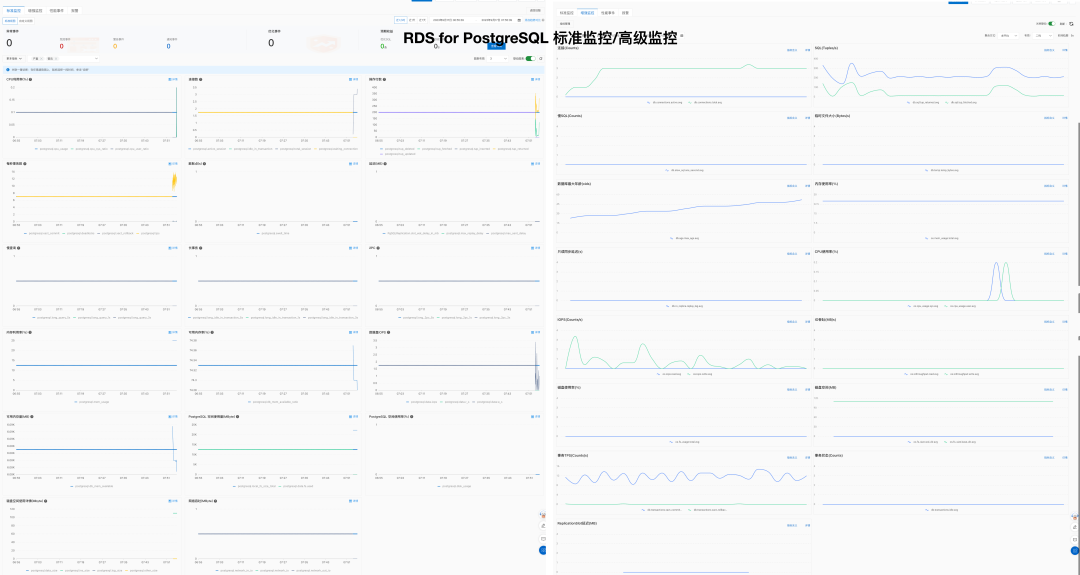
Additionally, there are some projects that offer the capability to monitor PostgreSQL, but they are relatively basic and simplistic:
| ** Metric** | Pigsty | Aliyun RDS | AWS RDS |
|---|---|---|---|
| System Usability | Simple | Simple | Simple |
| Configuration Management | Configuration file / CMDB based on Ansible Inventory | Can use Terraform | Can use Terraform |
| Change Method | Idempotent playbooks based on Ansible Playbook | Operations via console | Operations via console |
| Parameter Tuning | Automatically adapts based on node with four preset templates: OLTP, OLAP, TINY, CRIT | ||
| Infra as Code | Native support | Can use Terraform | Can use Terraform |
| Customizable Parameters | Pigsty Parameters 283 items | ||
| Service and Support | Commercial subscription support available | After-sales ticket support provided | After-sales ticket support provided |
| No Internet Deployment | Possible offline installation and deployment | N/A | N/A |
| Database Migration | playbooks for zero-downtime migration from existing Postgres into Pigsty | Provides cloud migration assistance Aliyun RDS Data Synchronization |
Experience shows that the per-unit cost of hardware and software resources for RDS is 5 to 15 times that of self-built solutions, with the rent-to-own ratio typically being one month. For more details, please refer to Cost Analysis.
| Factor | Metric | Pigsty | Aliyun RDS | AWS RDS |
|---|---|---|---|---|
| Cost | Software License/Service Fees | Free, hardware about 20 - 40 ¥/core·month | 200 ~ 400 ¥/core·month | 400 ~ 1300 ¥/core·month |
| Service Support Fees | Service about 100 ¥/ core·month | Included in RDS costs |
Pigsty refuse to run database inside kubernetes, but if you wish to do so, there are other options:
Reference:
| EC2 | vCPU-Month | RDS | vCPU-Month |
|---|---|---|---|
| DHH’s self-hosted core-month price (192C 384G) | 25.32 | Junior open-source DBA reference salary | 15K/person-month |
| IDC self-hosted data center (exclusive physical machine: 64C384G) | 19.53 | Intermediate open-source DBA reference salary | 30K/person-month |
| IDC self-hosted data center (container, oversold 500%) | 7 | Senior open-source DBA reference salary | 60K/person-month |
| UCloud Elastic Virtual Machine (8C16G, oversold) | 25 | ORACLE database license | 10000 |
| Alibaba Cloud Elastic Server 2x memory (exclusive without overselling) | 107 | Alibaba Cloud RDS PG 2x memory (exclusive) | 260 |
| Alibaba Cloud Elastic Server 4x memory (exclusive without overselling) | 138 | Alibaba Cloud RDS PG 4x memory (exclusive) | 320 |
| Alibaba Cloud Elastic Server 8x memory (exclusive without overselling) | 180 | Alibaba Cloud RDS PG 8x memory (exclusive) | 410 |
| AWS C5D.METAL 96C 200G (monthly without upfront) | 100 | AWS RDS PostgreSQL db.T2 (2x) | 440 |
For instance, using RDS for PostgreSQL on AWS, the price for a 64C / 256GB db.m5.16xlarge RDS for one month is $25,817, which is equivalent to about 180,000 yuan per month. The monthly rent is enough for you to buy two servers with even better performance and set them up on your own. The rent-to-buy ratio doesn’t even last a month; renting for just over ten days is enough to buy the whole server for yourself.
| Payment Model | Price | Cost Per Year (¥10k) |
|---|---|---|
| Self-hosted IDC (Single Physical Server) | ¥75k / 5 years | 1.5 |
| Self-hosted IDC (2-3 Server HA Cluster) | ¥150k / 5 years | 3.0 ~ 4.5 |
| Alibaba Cloud RDS (On-demand) | ¥87.36/hour | 76.5 |
| Alibaba Cloud RDS (Monthly) | ¥42k / month | 50 |
| Alibaba Cloud RDS (Yearly, 15% off) | ¥425,095 / year | 42.5 |
| Alibaba Cloud RDS (3-year, 50% off) | ¥750,168 / 3 years | 25 |
| AWS (On-demand) | $25,817 / month | 217 |
| AWS (1-year, no upfront) | $22,827 / month | 191.7 |
| AWS (3-year, full upfront) | $120k + $17.5k/month | 175 |
| AWS China/Ningxia (On-demand) | ¥197,489 / month | 237 |
| AWS China/Ningxia (1-year, no upfront) | ¥143,176 / month | 171 |
| AWS China/Ningxia (3-year, full upfront) | ¥647k + ¥116k/month | 160.6 |
Comparing the costs of self-hosting versus using a cloud database:
| Method | Cost Per Year (¥10k) |
|---|---|
| Self-hosted Servers 64C / 384G / 3.2TB NVME SSD 660K IOPS (2-3 servers) | 3.0 ~ 4.5 |
| Alibaba Cloud RDS PG High-Availability pg.x4m.8xlarge.2c, 64C / 256GB / 3.2TB ESSD PL3 | 25 ~ 50 |
| AWS RDS PG High-Availability db.m5.16xlarge, 64C / 256GB / 3.2TB io1 x 80k IOPS | 160 ~ 217 |
The most advanced open-source relational database in the world!
With battery-included observability, reliability, and maintainability powered by Pigsty
Overview of PostgreSQL in Pigsty
Describe the cluster you want
Admin your existing clusters
Admin CheatsheetCreate ClusterCreate UserCreate DatabaseReload ServiceReload HBARuleConfig ClusterAppend ReplicaRemove ReplicaRemove ClusterSwitchover ClusterBackup ClusterRestore ClusterMaterialize the cluster with idempotent playbooks
pgsql.yml : Init HA PostgreSQL clusters or add new replicas.pgsql-rm.yml : Remove PostgreSQL cluster, or remove replicaspgsql-user.yml : Add new business user to existing PostgreSQL clusterpgsql-db.yml : Add new business database to existing PostgreSQL clusterpgsql-monitor.yml : Monitor remote PostgreSQL instance with local exporterspgsql-migration.yml : Generate Migration manual & scripts for existing PostgreSQL

There are 26 default grafana dashboards about PostgreSQL and categorized into 4 levels. Check Dashboards for details.
API Reference for PGSQL module:
PG_ID : Calculate & Check Postgres IdentityPG_BUSINESS : Postgres Business Object DefinitionPG_INSTALL : Install PGSQL Packages & ExtensionsPG_BOOTSTRAP : Init a HA Postgres Cluster with PatroniPG_PROVISION : Create users, databases, and in-database objectsPG_BACKUP : Setup backup repo with pgbackrestPG_SERVICE : Exposing pg service, bind vip and register DNSPG_EXPORTER : Add Monitor for PGSQL Instance| Parameter | Section | Type | Level | Comment |
|---|---|---|---|---|
pg_mode |
PG_ID |
enum | C | pgsql cluster mode: pgsql,citus,gpsql |
pg_cluster |
PG_ID |
string | C | pgsql cluster name, REQUIRED identity parameter |
pg_seq |
PG_ID |
int | I | pgsql instance seq number, REQUIRED identity parameter |
pg_role |
PG_ID |
enum | I | pgsql role, REQUIRED, could be primary,replica,offline |
pg_instances |
PG_ID |
dict | I | define multiple pg instances on node in {port:ins_vars} format |
pg_upstream |
PG_ID |
ip | I | repl upstream ip addr for standby cluster or cascade replica |
pg_shard |
PG_ID |
string | C | pgsql shard name, optional identity for sharding clusters |
pg_group |
PG_ID |
int | C | pgsql shard index number, optional identity for sharding clusters |
gp_role |
PG_ID |
enum | C | greenplum role of this cluster, could be master or segment |
pg_exporters |
PG_ID |
dict | C | additional pg_exporters to monitor remote postgres instances |
pg_offline_query |
PG_ID |
bool | I | set to true to enable offline query on this instance |
pg_users |
PG_BUSINESS |
user[] | C | postgres business users |
pg_databases |
PG_BUSINESS |
database[] | C | postgres business databases |
pg_services |
PG_BUSINESS |
service[] | C | postgres business services |
pg_hba_rules |
PG_BUSINESS |
hba[] | C | business hba rules for postgres |
pgb_hba_rules |
PG_BUSINESS |
hba[] | C | business hba rules for pgbouncer |
pg_replication_username |
PG_BUSINESS |
username | G | postgres replication username, replicator by default |
pg_replication_password |
PG_BUSINESS |
password | G | postgres replication password, DBUser.Replicator by default |
pg_admin_username |
PG_BUSINESS |
username | G | postgres admin username, dbuser_dba by default |
pg_admin_password |
PG_BUSINESS |
password | G | postgres admin password in plain text, DBUser.DBA by default |
pg_monitor_username |
PG_BUSINESS |
username | G | postgres monitor username, dbuser_monitor by default |
pg_monitor_password |
PG_BUSINESS |
password | G | postgres monitor password, DBUser.Monitor by default |
pg_dbsu_password |
PG_BUSINESS |
password | G/C | dbsu password, empty string means no dbsu password by default |
pg_dbsu |
PG_INSTALL |
username | C | os dbsu name, postgres by default, better not change it |
pg_dbsu_uid |
PG_INSTALL |
int | C | os dbsu uid and gid, 26 for default postgres users and groups |
pg_dbsu_sudo |
PG_INSTALL |
enum | C | dbsu sudo privilege, none,limit,all,nopass. limit by default |
pg_dbsu_home |
PG_INSTALL |
path | C | postgresql home directory, /var/lib/pgsql by default |
pg_dbsu_ssh_exchange |
PG_INSTALL |
bool | C | exchange postgres dbsu ssh key among same pgsql cluster |
pg_version |
PG_INSTALL |
enum | C | postgres major version to be installed, 16 by default |
pg_bin_dir |
PG_INSTALL |
path | C | postgres binary dir, /usr/pgsql/bin by default |
pg_log_dir |
PG_INSTALL |
path | C | postgres log dir, /pg/log/postgres by default |
pg_packages |
PG_INSTALL |
string[] | C | pg packages to be installed, ${pg_version} will be replaced |
pg_extensions |
PG_INSTALL |
string[] | C | pg extensions to be installed, ${pg_version} will be replaced |
pg_safeguard |
PG_BOOTSTRAP |
bool | G/C/A | prevent purging running postgres instance? false by default |
pg_clean |
PG_BOOTSTRAP |
bool | G/C/A | purging existing postgres during pgsql init? true by default |
pg_data |
PG_BOOTSTRAP |
path | C | postgres data directory, /pg/data by default |
pg_fs_main |
PG_BOOTSTRAP |
path | C | mountpoint/path for postgres main data, /data by default |
pg_fs_bkup |
PG_BOOTSTRAP |
path | C | mountpoint/path for pg backup data, /data/backup by default |
pg_storage_type |
PG_BOOTSTRAP |
enum | C | storage type for pg main data, SSD,HDD, SSD by default |
pg_dummy_filesize |
PG_BOOTSTRAP |
size | C | size of /pg/dummy, hold 64MB disk space for emergency use |
pg_listen |
PG_BOOTSTRAP |
ip(s) | C/I | postgres/pgbouncer listen addresses, comma separated list |
pg_port |
PG_BOOTSTRAP |
port | C | postgres listen port, 5432 by default |
pg_localhost |
PG_BOOTSTRAP |
path | C | postgres unix socket dir for localhost connection |
pg_namespace |
PG_BOOTSTRAP |
path | C | top level key namespace in etcd, used by patroni & vip |
patroni_enabled |
PG_BOOTSTRAP |
bool | C | if disabled, no postgres cluster will be created during init |
patroni_mode |
PG_BOOTSTRAP |
enum | C | patroni working mode: default,pause,remove |
patroni_port |
PG_BOOTSTRAP |
port | C | patroni listen port, 8008 by default |
patroni_log_dir |
PG_BOOTSTRAP |
path | C | patroni log dir, /pg/log/patroni by default |
patroni_ssl_enabled |
PG_BOOTSTRAP |
bool | G | secure patroni RestAPI communications with SSL? |
patroni_watchdog_mode |
PG_BOOTSTRAP |
enum | C | patroni watchdog mode: automatic,required,off. off by default |
patroni_username |
PG_BOOTSTRAP |
username | C | patroni restapi username, postgres by default |
patroni_password |
PG_BOOTSTRAP |
password | C | patroni restapi password, Patroni.API by default |
patroni_citus_db |
PG_BOOTSTRAP |
string | C | citus database managed by patroni, postgres by default |
pg_conf |
PG_BOOTSTRAP |
enum | C | config template: oltp,olap,crit,tiny. oltp.yml by default |
pg_max_conn |
PG_BOOTSTRAP |
int | C | postgres max connections, auto will use recommended value |
pg_shared_buffer_ratio |
PG_BOOTSTRAP |
float | C | postgres shared buffer memory ratio, 0.25 by default, 0.1~0.4 |
pg_rto |
PG_BOOTSTRAP |
int | C | recovery time objective in seconds, 30s by default |
pg_rpo |
PG_BOOTSTRAP |
int | C | recovery point objective in bytes, 1MiB at most by default |
pg_libs |
PG_BOOTSTRAP |
string | C | preloaded libraries, pg_stat_statements,auto_explain by default |
pg_delay |
PG_BOOTSTRAP |
interval | I | replication apply delay for standby cluster leader |
pg_checksum |
PG_BOOTSTRAP |
bool | C | enable data checksum for postgres cluster? |
pg_pwd_enc |
PG_BOOTSTRAP |
enum | C | passwords encryption algorithm: md5,scram-sha-256 |
pg_encoding |
PG_BOOTSTRAP |
enum | C | database cluster encoding, UTF8 by default |
pg_locale |
PG_BOOTSTRAP |
enum | C | database cluster local, C by default |
pg_lc_collate |
PG_BOOTSTRAP |
enum | C | database cluster collate, C by default |
pg_lc_ctype |
PG_BOOTSTRAP |
enum | C | database character type, en_US.UTF8 by default |
pgbouncer_enabled |
PG_BOOTSTRAP |
bool | C | if disabled, pgbouncer will not be launched on pgsql host |
pgbouncer_port |
PG_BOOTSTRAP |
port | C | pgbouncer listen port, 6432 by default |
pgbouncer_log_dir |
PG_BOOTSTRAP |
path | C | pgbouncer log dir, /pg/log/pgbouncer by default |
pgbouncer_auth_query |
PG_BOOTSTRAP |
bool | C | query postgres to retrieve unlisted business users? |
pgbouncer_poolmode |
PG_BOOTSTRAP |
enum | C | pooling mode: transaction,session,statement, transaction by default |
pgbouncer_sslmode |
PG_BOOTSTRAP |
enum | C | pgbouncer client ssl mode, disable by default |
pg_provision |
PG_PROVISION |
bool | C | provision postgres cluster after bootstrap |
pg_init |
PG_PROVISION |
string | G/C | provision init script for cluster template, pg-init by default |
pg_default_roles |
PG_PROVISION |
role[] | G/C | default roles and users in postgres cluster |
pg_default_privileges |
PG_PROVISION |
string[] | G/C | default privileges when created by admin user |
pg_default_schemas |
PG_PROVISION |
string[] | G/C | default schemas to be created |
pg_default_extensions |
PG_PROVISION |
extension[] | G/C | default extensions to be created |
pg_reload |
PG_PROVISION |
bool | A | reload postgres after hba changes |
pg_default_hba_rules |
PG_PROVISION |
hba[] | G/C | postgres default host-based authentication rules |
pgb_default_hba_rules |
PG_PROVISION |
hba[] | G/C | pgbouncer default host-based authentication rules |
pgbackrest_enabled |
PG_BACKUP |
bool | C | enable pgbackrest on pgsql host? |
pgbackrest_clean |
PG_BACKUP |
bool | C | remove pg backup data during init? |
pgbackrest_log_dir |
PG_BACKUP |
path | C | pgbackrest log dir, /pg/log/pgbackrest by default |
pgbackrest_method |
PG_BACKUP |
enum | C | pgbackrest repo method: local,minio,etc… |
pgbackrest_repo |
PG_BACKUP |
dict | G/C | pgbackrest repo: https://pgbackrest.org/configuration.html#section-repository |
pg_weight |
PG_SERVICE |
int | I | relative load balance weight in service, 100 by default, 0-255 |
pg_service_provider |
PG_SERVICE |
enum | G/C | dedicate haproxy node group name, or empty string for local nodes by default |
pg_default_service_dest |
PG_SERVICE |
enum | G/C | default service destination if svc.dest=‘default’ |
pg_default_services |
PG_SERVICE |
service[] | G/C | postgres default service definitions |
pg_vip_enabled |
PG_SERVICE |
bool | C | enable a l2 vip for pgsql primary? false by default |
pg_vip_address |
PG_SERVICE |
cidr4 | C | vip address in <ipv4>/<mask> format, require if vip is enabled |
pg_vip_interface |
PG_SERVICE |
string | C/I | vip network interface to listen, eth0 by default |
pg_dns_suffix |
PG_SERVICE |
string | C | pgsql dns suffix, ’’ by default |
pg_dns_target |
PG_SERVICE |
enum | C | auto, primary, vip, none, or ad hoc ip |
pg_exporter_enabled |
PG_EXPORTER |
bool | C | enable pg_exporter on pgsql hosts? |
pg_exporter_config |
PG_EXPORTER |
string | C | pg_exporter configuration file name |
pg_exporter_cache_ttls |
PG_EXPORTER |
string | C | pg_exporter collector ttl stage in seconds, ‘1,10,60,300’ by default |
pg_exporter_port |
PG_EXPORTER |
port | C | pg_exporter listen port, 9630 by default |
pg_exporter_params |
PG_EXPORTER |
string | C | extra url parameters for pg_exporter dsn |
pg_exporter_url |
PG_EXPORTER |
pgurl | C | overwrite auto-generate pg dsn if specified |
pg_exporter_auto_discovery |
PG_EXPORTER |
bool | C | enable auto database discovery? enabled by default |
pg_exporter_exclude_database |
PG_EXPORTER |
string | C | csv of database that WILL NOT be monitored during auto-discovery |
pg_exporter_include_database |
PG_EXPORTER |
string | C | csv of database that WILL BE monitored during auto-discovery |
pg_exporter_connect_timeout |
PG_EXPORTER |
int | C | pg_exporter connect timeout in ms, 200 by default |
pg_exporter_options |
PG_EXPORTER |
arg | C | overwrite extra options for pg_exporter |
pgbouncer_exporter_enabled |
PG_EXPORTER |
bool | C | enable pgbouncer_exporter on pgsql hosts? |
pgbouncer_exporter_port |
PG_EXPORTER |
port | C | pgbouncer_exporter listen port, 9631 by default |
pgbouncer_exporter_url |
PG_EXPORTER |
pgurl | C | overwrite auto-generate pgbouncer dsn if specified |
pgbouncer_exporter_options |
PG_EXPORTER |
arg | C | overwrite extra options for pgbouncer_exporter |
Here is how PostgreSQL module components and their interactions. From top to bottom:
vip-manager, which will bind to cluster primary.
vip-manager will acquire cluster leader info written by patroni from etcd cluster directlypatroni.pg_default_service_dest )patroni by default.etcd as DCS: config storage, failure detection, and leader election.pgbackrest_method)
local (default) is used as the backup repo, pgBackRest will create local repo under the primary’s pg_fs_bkupminio is used as the backup repo, pgBackRest will create the repo on the dedicated MinIO cluster in pgbackrest_repo.minio
Primary Failure RTO ≈ 30s, RPO < 1MB, Replica Failure RTO≈0 (reset current conn)
Pigsty’s PostgreSQL cluster has battery-included high-availability powered by patroni, etcd, and haproxy
When the primary fails, one of the replicas will be promoted to primary automatically, and read-write traffic will be routed to the new primary immediately. The impact is: write queries will be blocked for 15 ~ 40s until the new leader is elected.
When a replica fails, read-only traffic will be routed to the other replicas, if all replicas fail, read-only traffic will fall back to the primary. The impact would be very small: a few running queries on that replica will abort due to a connection reset.
Failure detection is done by patroni and etcd, the leader will hold a lease, and if it fails, the lease will be released due to timeout, and the other instance will elect a new leader to take over.
The ttl can be tuned with pg_rto, which is 30s by default, increasing it will cause longer failover wait time, while decreasing it will increase the false-positive failover rate (e.g. network jitter).
Pigsty will use availability first mode by default, which means when primary fails, it will try to failover ASAP, data not replicated to the replica may be lost (usually 100KB), and the max potential data loss is controlled by pg_rpo, which is 1MB by default.
Rollback clusters to a past state to mitigate data loss from software bugs or human errors.
Pigsty’s PostgreSQL cluster features auto-configured PITR, leveraging pgBackRest and, optionally, MinIO.
While high availability counters hardware failures, it’s not effective against unintentional data deletions or overwrites: changes sync and apply to replicas instantly. PITR fill this gap. If operating a single instance, PITR can serve as a high availability substitute, providing a safety net.
For cluster rollback to a specific backup, users should maintain regular base backups. For rollbacks to arbitrary points, WAL archives since the last backup are required. Pigsty automates these with pgBackRest for backup management, WAL archiving, and PITR execution.
Backup repositories are configurable (pgbackrest_repo): defaulting to the primary’s local file system (local), but alternatives include other disk paths, bundled MinIO (minio), or cloud S3 services.
Out-of-the-box, Pigsty has two backup strategies: local file system repository with daily full backups or dedicated MinIO/S3 storage with weekly full and daily incremental backups, retaining two weeks’ worth by default.
CREATE USER/ROLEIn this context, the User refers to objects created by SQL
CREATE USER/ROLE.
There are two parameters related to users:
pg_users : Define business users & roles at cluster levelpg_default_roles : Define system-wide roles & global users at global levelThey are both arrays of user/role definition. You can define multiple users/roles in one cluster.
And each user definition may look like:
name, which should be a valid & unique username in PostgreSQL.password, while it could be necessary for a login-able user.password can be plain text or a scram-sha-256 / md5 hash string.login, superuser, createdb, createrole, inherit, replication, bypassrls are boolean flagspgbouncer is disabled by default. To add a business user to the pgbouncer user-list, you should set it to true explicitly.ACL System
Pigsty has a battery-included ACL system, which can be easily used by assigning roles to users:
dbrole_readonly : The role for global read-only accessdbrole_readwrite : The role for global read-write accessdbrole_admin : The role for object creationdbrole_offline : The role for restricted read-only access (offline instance)If you wish to re-design your ACL system, check the following parameters & templates.
pg_default_roles : System-wide roles & global userspg_default_privileges : Default privileges for newly created objectsroles/pgsql/templates/pg-init-roles.sql: Role creation SQL templateroles/pgsql/templates/pg-init-template.sql: Privilege SQL templateUsers & Roles defined in pg_default_roles and pg_users will be automatically created one by one during cluster bootstrap.
If you wish to create user on an existing cluster, the bin/pgsql-user util can be used.
Add new user definition to all.children.<cls>.pg_users, and create that database with:
The playbook is idempotent, so it’s ok to run this multiple times on the existing cluster.
If you are using the default pgbouncer, You MUST create new users with bin/pgsql-user util, or pgsql-user.yml playbook,
The playbook will add and configure database user to the pgbouncer userlist for your.
Pgbouncer is enabled by default and serves as a connection pool middleware, and its user is managed by default.
Pigsty will add all users in pg_users with pgbouncer: true flag to the pgbouncer userlist by default.
The user is listed in /etc/pgbouncer/userlist.txt:
And user level parameters are listed in /etc/pgbouncer/useropts.txt:
The userlist & useropts file will be updated automatically when you add a new user with pgsql-user util, or pgsql-user.yml playbook.
You can use pgbouncer_auth_query to simplify pgbouncer user management (with the cost of reliability & security).
CREATE DATABASEIn this context, Database refers to the object created by SQL
CREATE DATABASE.
A PostgreSQL server can serve multiple databases simultaneously. And you can customize each database with Pigsty API.
Business databases are defined by pg_databases, which is a cluster-level parameter.
For example, the default meta database is defined in the pg-meta cluster:
Each database definition is a dict with the following fields:
The only required field is name, which should be a valid and unique database name in PostgreSQL.
Newly created databases are forked from template1 database by default. which is customized by PG_PROVISION during cluster bootstrap.
Check ACL: Database Privilege for details about database-level privilege.
Databases defined in pg_databases will be automatically created during cluster bootstrap.
If you wish to create database on an existing cluster, the bin/pgsql-db util can be used.
Add new database definition to all.children.<cls>.pg_databases, and create that database with:
It’s usually not a good idea to execute this on the existing database again when a baseline script is used.
If you are using the default pgbouncer as the proxy middleware, YOU MUST create the new database with pgsql-db util or pgsql-db.yml playbook. Otherwise, the new database will not be added to the pgbouncer database list.
Remember, if your database definition has a non-trivial owner (dbsu postgres by default ), make sure the owner user exists.
That is to say, always create the user before the database.
Pgbouncer is enabled by default and serves as a connection pool middleware.
Pigsty will add all databases in pg_databases to the pgbouncer database list by default.
You can disable the pgbouncer proxy for a specific database by setting pgbouncer: false in the database definition.
The database is listed in /etc/pgbouncer/database.txt, with extra database-level parameters such as:
The Pgbouncer database list will be updated when create database with Pigsty util & playbook.
To access pgbouncer administration functionality, you can use the pgb alias as dbsu.
There’s a util function defined in /etc/profile.d/pg-alias.sh, allowing you to reroute pgbouncer database traffic to a new host quickly, which can be used during zero-downtime migration.
Split read & write, route traffic to the right place, and achieve stable & reliable access to the PostgreSQL cluster.
Service is an abstraction to seal the details of the underlying cluster, especially during cluster failover/switchover.
Service is meaningless to personal users. You can access the database with raw IP address or whatever method you like.
We utilize a PostgreSQL database cluster based on replication in real-world production environments. Within the cluster, only one instance is the leader (primary) that can accept writes. Other instances (replicas) continuously fetch WAL from the leader to stay synchronized. Additionally, replicas can handle read-only queries and offload the primary in read-heavy, write-light scenarios. Thus, distinguishing between write and read-only requests is a common practice.
Moreover, we pool requests through a connection pooling middleware (Pgbouncer) for high-frequency, short-lived connections to reduce the overhead of connection and backend process creation. And, for scenarios like ETL and change execution, we need to bypass the connection pool and directly access the database servers. Furthermore, high-availability clusters may undergo failover during failures, causing a change in the cluster leadership. Therefore, the RW requests should be re-routed automatically to the new leader.
These varied requirements (read-write separation, pooling vs. direct connection, and client request failover) have led to the abstraction of the service concept.
Typically, a database cluster must provide this basic service:
For production database clusters, at least these two services should be provided:
Additionally, there might be other services, such as:
Pigsty will enable four default services for each PostgreSQL cluster:
| service | port | description |
|---|---|---|
| primary | 5433 | pgbouncer read/write, connect to primary 5432 or 6432 |
| replica | 5434 | pgbouncer read-only, connect to replicas 5432/6432 |
| default | 5436 | admin or direct access to primary |
| offline | 5438 | OLAP, ETL, personal user, interactive queries |
Take the default pg-meta cluster as an example, you can access these services in the following ways:
Here the pg-meta domain name point to the cluster’s L2 VIP, which in turn points to the haproxy load balancer on the primary instance. It is responsible for routing traffic to different instances, check Access Services for details.
In Pigsty, services are implemented using haproxy on nodes, differentiated by different ports on the host node.
Every node has Haproxy enabled to expose services. From the database perspective, nodes in the cluster may be primary or replicas, but from the service perspective, all nodes are the same. This means even if you access a replica node, as long as you use the correct service port, you can still use the primary’s read-write service. This design seals the complexity: as long as you can access any instance on the PostgreSQL cluster, you can fully access all services.
This design is akin to the NodePort service in Kubernetes. Similarly, in Pigsty, every service includes these two core elements:
The boundary of Pigsty’s service delivery stops at the cluster’s HAProxy. Users can access these load balancers in various ways. Please refer to Access Service.
All services are declared through configuration files. For instance, the default PostgreSQL service is defined by the pg_default_services parameter:
You can also define new service in pg_services. And pg_default_services 与 pg_services are both array of Service Definition.
The default services are defined in pg_default_services.
While you can define your extra PostgreSQL services with pg_services @ the global or cluster level.
These two parameters are both arrays of service objects. Each service definition will be rendered as a haproxy config in /etc/haproxy/<svcname>.cfg, check service.j2 for details.
Here is an example of an extra service definition: standby
And it will be translated to a haproxy config file /etc/haproxy/pg-test-standby.conf:
The primary service may be the most critical service for production usage.
It will route traffic to the primary instance, depending on pg_default_service_dest:
pgbouncer: route traffic to primary pgbouncer port (6432), which is the default behaviorpostgres: route traffic to primary postgres port (5432) directly if you don’t want to use pgbouncerIt means all cluster members will be included in the primary service (selector: "[]"), but the one and only one instance that past health check (check: /primary) will be used as the primary instance.
Patroni will guarantee that only one instance is primary at any time, so the primary service will always route traffic to THE primary instance.
The replica service is used for production read-only traffic.
There may be many more read-only queries than read-write queries in real-world scenarios. You may have many replicas.
The replica service will route traffic to Pgbouncer or postgres depending on pg_default_service_dest, just like the primary service.
The replica service traffic will try to use common pg instances with pg_role = replica to alleviate the load on the primary instance as much as possible. It will try NOT to use instances with pg_role = offline to avoid mixing OLAP & OLTP queries as much as possible.
All cluster members will be included in the replica service (selector: "[]") when it passes the read-only health check (check: /read-only).
primary and offline instances are used as backup servers, which will take over in case of all replica instances are down.
The default service will route to primary postgres (5432) by default.
It is quite like the primary service, except it will always bypass pgbouncer, regardless of pg_default_service_dest.
Which is useful for administration connection, ETL writes, CDC changing data capture, etc…
The Offline service will route traffic to dedicate postgres instance directly.
Which could be a pg_role = offline instance, or a pg_offline_query flagged instance.
If no such instance is found, it will fall back to any replica instances. the bottom line is: it will never route traffic to the primary instance.
When cluster membership has changed, such as append / remove replicas, switchover/failover, or adjust relative weight, You have to reload service to make the changes take effect.
Pigsty expose service with haproxy. Which is enabled on all nodes by default.
haproxy load balancers are idempotent among same pg cluster by default, you use ANY / ALL of them by all means.
The typical method is access via cluster domain name, which resolve to cluster L2 VIP, or all instances ip address in a round-robin manner.
Service can be implemented in different ways, You can even implement you own access method such as L4 LVS, F5, etc… instead of haproxy.
You can use different combination of host & port, they are provide PostgreSQL service in different ways.
Host
| type | sample | description |
|---|---|---|
| Cluster Domain Name | pg-test |
via cluster domain name (resolved by dnsmasq @ infra nodes) |
| Cluster VIP Address | 10.10.10.3 |
via a L2 VIP address managed by vip-manager, bind to primary |
| Instance Hostname | pg-test-1 |
Access via any instance hostname (resolved by dnsmasq @ infra nodes) |
| Instance IP Address | 10.10.10.11 |
Access any instance ip address |
Port
Pigsty uses different ports to distinguish between pg services
| port | service | type | description |
|---|---|---|---|
| 5432 | postgres | database | Direct access to postgres server |
| 6432 | pgbouncer | middleware | Go through connection pool middleware before postgres |
| 5433 | primary | service | Access primary pgbouncer (or postgres) |
| 5434 | replica | service | Access replica pgbouncer (or postgres) |
| 5436 | default | service | Access primary postgres |
| 5438 | offline | service | Access offline postgres |
Combinations
You can override default service configuration with several ways:
Bypass Pgbouncer
When defining a service, if svc.dest='default', this parameter pg_default_service_dest will be used as the default value.
pgbouncer is used by default, you can use postgres instead, so the default primary & replica service will bypass pgbouncer and route traffic to postgres directly
If you don’t need connection pooling at all, you can change pg_default_service_dest to postgres, and remove default and offline services.
If you don’t need read-only replicas for online traffic, you can remove replica from pg_default_services too.
Pigsty expose PostgreSQL services with haproxy on node. All haproxy instances among the cluster are configured with the same service definition.
However, you can delegate pg service to a specific node group (e.g. dedicate haproxy lb cluster) rather than cluster members.
To do so, you will have to override the default service definition with pg_default_services and set pg_service_provider to the proxy group name.
For example, this configuration will expose pg cluster primary service on haproxy node group proxy with port 10013.
It’s user’s responsibility to make sure each delegate service port is unique among the proxy cluster.
Extensions are the soul of PostgreSQL, and Pigsty deeply integrates the core extension plugins of the PostgreSQL ecosystem, providing you with battery-included distributed temporal, geospatial text, graph, and vector database capabilities! Check extension list for details.
Pigsty includes 255 PostgreSQL extension plugins and has compiled, packaged, integrated, and maintained many extensions not included in the official PGDG source. It also ensures through thorough testing that all these plugins can work together seamlessly. Including some potent extensions:
Plugins are already included and placed in the yum repo of the infra nodes, which can be directly enabled through PGSQL Cluster Config. Pigsty also introduces a complete compilation environment and infrastructure, allowing you to compile extensions not included in Pigsty & PGDG.
Some “database” are not actual PostgreSQL extensions, but also supported by pigsty, such as:
When you init a PostgreSQL cluster, the extensions listed in pg_packages & pg_extensions will be installed.
For default EL systems, the default values of pg_packages and pg_extensions are defined as follows:
For ubuntu / debian, package names are different, and passwordcheck_cracklib is not available.
Here, ${pg_version} is a placeholder that will be replaced with the actual major version number pg_version of that PostgreSQL cluster
Therefore, the default configuration will install these extensions:
pg_repack: Extension for online table bloat processing.wal2json: Extracts changes in JSON format through logical decoding.passwordcheck_cracklib: Enforce password policy. (EL only)postgis: Geospatial database extension (postgis34, EL7: postgis33)timescaledb: Time-series database extensionpgvector: Vector datatype and ivfflat/hnsw indexcitus: Distributed/columnar storage extension, (citus is conflict with hydra, choose one of them on EL systems)If you want to enable certain extensions in a target cluster that has not yet been created, you can directly declare them with the parameters:
You can run the pg_extension sub-task in pgsql.yml to add extensions to clusters that have already been created.
To install all available extensions in one pass, you can just specify pg_extensions: ['*${pg_version}*'], which is really a bold move.
After the PostgreSQL cluster is inited, you can manually install plugins via Ansible or Shell commands. For example, if you want to enable a specific extension on a cluster that has already been initialized:
Most plugins are already included in the yum repository on the infrastructure node and can be installed directly using the yum command. If not included, you can consider downloading from the PGDG upstream source using the repotrack / apt download command or compiling source code into RPMs for distribution.
After the extension installation, you should be able to see them in the pg_available_extensions view of the target database cluster. Next, execute in the database where you want to install the extension:
Host-Based Authentication in Pigsty
PostgreSQL has various authentication methods. You can use all of them, while pigsty’s battery-include ACL system focuses on HBA, password, and SSL authentication.
To connect to a PostgreSQL database, the user has to be authenticated (with a password by default).
You can provide the password in the connection string (not secure) or use the PGPASSWORD env or .pgpass file. Check psql docs and PostgreSQL connection string for more details.
The default connection string for the meta database:
To connect with the SSL certificate, you can use the PGSSLCERT and PGSSLKEY env or sslkey & sslcert parameters.
While the client certificate (CN = username) can be issued with local CA & cert.yml.
There are four parameters for HBA Rules in Pigsty:
pg_hba_rules: postgres ad-hoc hba rulespg_default_hba_rules: postgres default hba rulespgb_hba_rules: pgbouncer ad-hoc hba rulespgb_default_hba_rules: pgbouncer default hba rulesWhich are array of hba rule objects, and each hba rule is one of the following forms:
In the form, the title will be rendered as a comment line, followed by the rules as hba string one by one.
An HBA Rule is installed when the instance’s pg_role is the same as the role.
HBA Rule with role: common will be installed on all instances.
HBA Rule with role: offline will be installed on instances with pg_role = offline or pg_offline_query = true.
The alias form, which replace rules with addr, auth, user, and db fields.
addr: where
world: all IP addressesintra: all intranet cidr: '10.0.0.0/8', '172.16.0.0/12', '192.168.0.0/16'infra: IP addresses of infra nodesadmin: admin_ip addresslocal: local unix socketlocalhost: local unix socket + tcp 127.0.0.1/32cluster: all IP addresses of pg cluster members<cidr>: any standard CIDR blocks or IP addressesauth: how
deny: reject accesstrust: trust authenticationpwd: use md5 or scram-sha-256 password auth according to pg_pwd_encsha/scram-sha-256: enforce scram-sha-256 password authenticationmd5: md5 password authenticationssl: enforce host ssl in addition to pwd authssl-md5: enforce host ssl in addition to md5 password authssl-sha: enforce host ssl in addition to scram-sha-256 password authos/ident: use ident os user authenticationpeer: use peer authenticationcert: use certificate-based client authenticationuser: who
all: all users${dbsu}: database superuser specified by pg_dbsu${repl}: replication user specified by pg_replication_username${admin}: admin user specified by pg_admin_username${monitor}: monitor user specified by pg_monitor_usernamedb: which
all: all databasesreplication: replication databaseTypically, global HBA is defined in all.vars. If you want to modify the global default HBA rules, you can copy from the full.yml template to all.vars for modification.
pg_default_hba_rules: postgres global default HBA rulespgb_default_hba_rules: pgbouncer global default HBA rulesCluster-specific HBA rules are defined in the cluster-level configuration of the database:
pg_hba_rules: postgres HBA rules for the clusterpgb_hba_rules:pgbouncer HBA rules for the clusterHere are some examples of cluster HBA rule definitions.
To reload postgres/pgbouncer hba rules:
The underlying command: are:
Pigsty has a default set of HBA rules, which is pretty secure for most cases.
The rules are self-explained in alias form.
For those critical cases, we have a security.yml template with the following hba rule set as a reference:
You can define different types of instances & clusters.
Let’s start with the simplest case, singleton meta:
Use the following command to create a primary database instance on the 10.10.10.11 node.
To add a physical replica, you can assign a new instance to pg-test with pg_role set to replica
You can create an entire cluster or append a replica to the existing cluster:
The offline instance is a dedicated replica to serve slow queries, ETL, OLAP traffic and interactive queries, etc…
To add an offline instance, assign a new instance with pg_role set to offline.
Offline instance works like common replica instances, but it is used as a backup server in pg-test-replica service.
That is to say, offline and primary instance serves only when all replica instances are down.
You can have ad hoc access control offline with pg_default_hba_rules and pg_hba_rules.
It will apply to the offline instance and any instances with pg_offline_query flag.
Pigsty uses asynchronous stream replication by default. Which may have a small replication lag. (10KB / 10ms).
A small window of data loss may occur when the primary fails (can be controlled with pg_rpo.), but it is acceptable for most scenarios.
But in some critical scenarios (e.g. financial transactions), data loss is totally unacceptable or read-your-write consistency is required. In this case, you can enable synchronous commit to ensure that.
To enable sync standby mode, you can simply use crit.yml template in pg_conf
To enable sync standby on existing clusters, config the cluster and enable synchronous_mode:
If synchronous_mode: true, the synchronous_standby_names parameter will be managed by patroni.
It will choose a sync standby from all available replicas and write its name to the primary’s configuration file.
When sync standby is enabled, PostgreSQL will pick one replica as the standby instance, and all other replicas as candidates. Primary will wait until the standby instance flushes to disk before a commit is confirmed, and the standby instance will always have the latest data without any lags.
However, you can achieve an even higher/lower consistency level with the quorum commit (trade-off with availability).
For example, to have all 2 replicas to confirm a commit:
If you have more replicas and wish to have more sync standby, increase synchronous_node_count accordingly.
Beware of adjust synchronous_node_count accordingly when you append or remove replicas.
The postgres synchronous_standby_names parameter will be managed by patroni:
And we can see that the two replicas are selected as sync standby now.
The classic quorum commit is to use majority of replicas to confirm a commit.
After applying the configuration, we can see that all replicas are no longer sync standby, but just normal replicas.
After that, when we can check pg_stat_replication.sync_state, it becomes quorum instead of sync or async.
You can clone an existing cluster and create a standby cluster, which can be used for migration, horizontal split, multi-az deployment, or disaster recovery.
A standby cluster’s definition is just the same as any other normal cluster, except there’s a pg_upstream defined on the primary instance.
For example, you have a pg-test cluster, to create a standby cluster pg-test2, the inventory may look like this:
And pg-test2-1, the primary of pg-test2 will be a replica of pg-test and serve as a Standby Leader in pg-test2.
Just make sure that the pg_upstream parameter is configured on the primary of the backup cluster to pull backups from the original upstream automatically.
You can change the replication upstream of the standby cluster when necessary (e.g. upstream failover).
To do so, just change the standby_cluster.host to the new upstream IP address and apply.
You can promote the standby cluster to a standalone cluster at any time.
To do so, you have to config the cluster and wipe the entire standby_cluster section then apply.
If the pg_upstream is specified for replica rather than primary, the replica will be configured as a cascade replica with the given upstream ip instead of the cluster primary
A delayed cluster is a special type of standby cluster, which is used to recover “drop-by-accident” ASAP.
For example, if you wish to have a cluster pg-testdelay which has the same data as 1-day ago pg-test cluster:
You can also configure a replication delay on the existing standby cluster.
When some tuples & tables are dropped by accident, you can advance this delayed cluster to a proper time point and select data from it.
It takes more resources, but can be much faster and have less impact than PITR
Pigsty has native citus support. Check files/pigsty/citus.yml & prod.yml for example.
To define a citus cluster, you have to specify the following parameters:
pg_mode has to be set to citus instead of default pgsqlpg_shard & pg_group has to be defined on each sharding clusterpatroni_citus_db has to be defined to specify the database to be managedpg_dbsu_password has to be set to a non-empty string plain password if you want to use the pg_dbsu postgres rather than default pg_admin_username to perform admin commandsBesides, extra hba rules that allow ssl access from local & other data nodes are required. Which may looks like this
And you can create distributed table & reference table on the coordinator node. Any data node can be used as the coordinator node since citus 11.2.
Pigsty works on PostgreSQL 10+. While the pre-packaged packages only includes 12 - 16 for now.
| version | Comment | Packages |
|---|---|---|
| 16 | Default stable major version with the full v2.7 extension set | Core, L1,L2,L3 |
| 15 | Previous stable major version; adjust repository packages | Core, L1,L2 |
| 14 | The old stable major version, ith L1 extension support only | Core, L1 |
| 13 | Older major version, with L1 extension support only | Core, L1 |
| 12 | Older major version, with L1 extension support only | Core, L1 |
postgresql*, available on PG 12 - 16wal2json, pg_repack, passwordcheck_cracklib (PG 12 - 16)postgis, citus, timescaledb, pgvector (PG15, PG16)Since the default v2.7 repository focuses on PG16, you may have to change pg_extensions and pg_libs to fit your needs.
Here are some example cluster definition with different major versions.
Beware that these extensions are just not included in Pigsty’s default repo. You can have these extensions on older pg version with proper configuration.
Pigsty has a series of playbooks for PostgreSQL:
pgsql.yml : Init HA PostgreSQL clusters or add new replicas.pgsql-rm.yml : Remove PostgreSQL cluster, or remove replicaspgsql-user.yml : Add new business user to existing PostgreSQL clusterpgsql-db.yml : Add new business database to existing PostgreSQL clusterpgsql-monitor.yml : Monitor remote PostgreSQL instance with local exporterspgsql-migration.yml : Generate Migration manual & scripts for existing PostgreSQLBeware, when using the pgsql.yml and pgsql-rm.yml playbooks, it can pose a risk of accidentally deleting databases if misused!
pgsql.yml, please check the --tags|-t and --limit|-l parameters.To prevent accidental deletions, the PGSQL module offers a safeguard option controlled by the following two parameters:
pg_safeguard is set to false by default: do not prevent purging by default.pg_clean is set to true by default, meaning it will clean existing instances.Effects on the init playbook
When meeting a running instance with the same config during the execution of the pgsql.yml playbook:
pg_safeguard / pg_clean |
pg_clean=true |
pg_clean=false |
|---|---|---|
pg_safeguard=false |
Purge | Abort |
pg_safeguard=true |
Abort | Abort |
pg_safeguard is enabled, the playbook will abort to avoid purging the running instance.pg_clean.
pg_clean is true, the playbook will directly clean up the existing instance to make room for the new instance. This is the default behavior.pg_clean is false, the playbook will abort, which requires explicit configuration.Effects on the remove playbook
When meeting a running instance with the same config during the execution of the pgsql-rm.yml playbook:
pg_safeguard / pg_clean |
pg_clean=true |
pg_clean=false |
|---|---|---|
pg_safeguard=false |
Purge & rm data | Purge |
pg_safeguard=true |
Abort | Abort |
pg_safeguard is enabled, the playbook will abort to avoid purging the running instance.pg_clean.
pg_clean is true, the playbook will directly clean up the PostgreSQL data cluster.pg_clean is false, the playbook will skip data purging, which requires explicit configuration.pgsql.yml
The pgsql.yml is used for init HA PostgreSQL clusters or adding new replicas.
This playbook contains following subtasks:
Administration Tasks that use this playbook
Some notes about this playbook
When running this playbook on a single replica, You should make sure the cluster primary is already initialized.
Reload HBARule and Append Replica after replica init.pgsql-add will do this, check SOP: Add Instance for details.pgsql-rm.yml
The playbook pgsql-rm.yml can remove PostgreSQL cluster, or specific replicas from cluster.
This playbook contains following subtasks:
Some arguments can affect the behavior of this playbook:
Administration Tasks that use this playbook
Some notes about this playbook
Do not run this playbook on single cluster primary directly when there are still replicas.
Reload service after removing replicas from cluster
pgsql-user.yml
The playbook pgsql-user.yml can add new business user to existing PostgreSQL cluster.
Check admin SOP: Create User
pgsql-db.yml
The playbook pgsql-db.yml can add new business database to existing PostgreSQL cluster.
Check admin SOP: Create Database
pgsql-monitor.yml
The playbook pgsql-monitor.yml can monitor remote postgres instance with local exporters.
Check admin SOP: Monitor Postgres
pgsql-migration.yml
The playbook pgsql-migration.yml can generate migration manual & scripts for existing PostgreSQL cluster.
Check admin SOP: Migration
How to maintain an existing PostgreSQL cluster with Pigsty?
Here are some SOP for common pgsql admin tasks
PGSQL playbooks and shortcuts:
Patroni admin command and shortcuts:
pgBackRest backup & restore command and shortcuts:
Systemd components quick reference
To create a new Postgres cluster, define it in the inventory first, then init with:
Beware, perform
bin/node-addfirst, thenbin/pgsql-add, PGSQL works on managed nodes only.

To create a new business user on the existing Postgres cluster, add user definition to all.children.<cls>.pg_users, then create the user as follows:

To create a new database user on the existing Postgres cluster, add database definition to all.children.<cls>.pg_databases, then create the database as follows:
Note: If the database has specified an owner, the user should already exist, or you’ll have to Create User first.

Services are exposed access point served by HAProxy.
This task is used when cluster membership has changed, e.g., append/remove replicas, switchover/failover / exposing new service or updating existing service’s config (e.g., LB Weight)
To create new services or reload existing services on entire proxy cluster or specific instances:

This task is used when your Postgres/Pgbouncer HBA rules have changed, you may have to reload hba to apply changes.
If you have any role-specific HBA rules, you may have to reload hba after a switchover/failover, too.
To reload postgres & pgbouncer HBA rules on entire cluster or specific instances:

To change the config of a existing Postgres cluster, you have to initiate control command on admin node with admin user:
Change patroni parameters & postgresql.parameters, save & apply changes with the wizard.
You can skip interactive mode and use -p option to override postgres parameters, for example:
You can also use Patroni REST API to change the config in a non-interactive mode, for example:
Note: patroni unsafe RestAPI access is limit from infra/admin nodes and protected with an HTTP basic auth username/password and an optional HTTPS mode.

To add a new replica to the existing Postgres cluster, you have to add its definition to the inventory: all.children.<cls>.hosts, then:
It will add node <ip> to pigsty and init it as a replica of the cluster <cls>.
Cluster services will be reloaded to adopt the new member

For example, if you want to add a pg-test-3 / 10.10.10.13 to the existing cluster pg-test, you’ll have to update the inventory first:
then apply the change as follows:
which is similar to cluster init but only works on single instance。
To remove a replica from the existing PostgreSQL cluster:
It will remove instance <ip> from cluster <cls>.
Cluster services will be reloaded to kick the removed instance from load balancer.

For example, if you want to remove pg-test-3 / 10.10.10.13 from the existing cluster pg-test:
And remove instance definition from the inventory:
Finally, you can update pg service and kick the removed instance from load balancer:
To remove the entire Postgres cluster, just run:
Note: if pg_safeguard is configured for this cluster (or globally configured to true), pgsql-rm.yml will abort to avoid removing a cluster by accident.
You can use playbook command line args to explicitly overwrite it to force the purge:
You can perform a PostgreSQL cluster switchover with patroni cmd.

To do so with Patroni API (schedule a switchover from 2 to 1 at a specific time):
To create a backup with pgBackRest, run as local dbsu:
Check Backup & PITR for details.

You can add crontab to node_crontab to specify your backup policy.
To restore a cluster to a previous time point (PITR), run as local dbsu:
And follow the instructions wizard, Check Backup & PITR for details.
To add newer version of RPM packages, you have to add them to repo_packages and repo_url_packages
Then rebuild repo on infra nodes with ./infra.yml -t repo_build subtask, Then you can install these packages with ansible module package:
For example, you can then install or upgrade packages with:
If you want to install extension on pg clusters, Add them to pg_extensions and make sure them installed with:
Some extension needs to be loaded in shared_preload_libraries, You can add them to pg_libs, or Config an existing cluster.
Finally, CREATE EXTENSION <extname>; on the cluster primary instance to install it.
Check PGSQL Extensions: Install for details.
To perform a minor server version upgrade/downgrade, you have to add packages to yum/apt repo first.
Then perform a rolling upgrade/downgrade from all replicas, then switchover the cluster to upgrade the leader.
Add 15.1 packages to yum/apt repo and refresh node package manager cache:
Perform a downgrade and restart the cluster:
This time we upgrade in a rolling fashion:
The simplest way to achieve a major version upgrade is to create a new cluster with the new version, then migration with logical replication & green/blue deployment.
You can also perform an in-place major upgrade, which is not recommended especially when certain extensions are installed. But it is possible.
Assume you want to upgrade PostgreSQL 14 to 15, you have to add packages to yum/apt repo, and guarantee the extensions has exact same version too.
Pigsty has a battery-included access control model based on Role System and Privileges.
Pigsty has a default role system consist of four default roles and four default users:
| Role name | Attributes | Member of | Description |
|---|---|---|---|
dbrole_readonly |
NOLOGIN |
role for global read-only access | |
dbrole_readwrite |
NOLOGIN |
dbrole_readonly | role for global read-write access |
dbrole_admin |
NOLOGIN |
pg_monitor,dbrole_readwrite | role for object creation |
dbrole_offline |
NOLOGIN |
role for restricted read-only access | |
postgres |
SUPERUSER |
system superuser | |
replicator |
REPLICATION |
pg_monitor,dbrole_readonly | system replicator |
dbuser_dba |
SUPERUSER |
dbrole_admin | pgsql admin user |
dbuser_monitor |
pg_monitor | pgsql monitor user |
There are four default roles in pigsty:
dbrole_readonly): Role for global read-only accessdbrole_readwrite): Role for global read-write access, inherits dbrole_readonly.dbrole_admin): Role for DDL commands, inherits dbrole_readwrite.dbrole_offline): Role for restricted read-only access (offline instance)Default roles are defined in pg_default_roles, change default roles is not recommended.
There are four default users in pigsty, too.
postgres), the owner and creator of the cluster, same as the OS dbsu.replicator), the system user used for primary-replica.dbuser_monitor), a user used to monitor database and connection pool metrics.dbuser_dba), the admin user who performs daily operations and database changes.Default users’ username/password are defined with dedicate parameters (except for dbsu password):
pg_dbsu : os dbsu name, postgres by default, better not change itpg_replication_username : postgres replication username, replicator by defaultpg_replication_password : postgres replication password, DBUser.Replicator by defaultpg_admin_username : postgres admin username, dbuser_dba by defaultpg_admin_password : postgres admin password in plain text, DBUser.DBA by defaultpg_monitor_username : postgres monitor username, dbuser_monitor by defaultpg_monitor_password : postgres monitor password, DBUser.Monitor by default!> Remember to change these password in production deployment !
To define extra options, specify them in pg_default_roles:
Pigsty has a battery-included privilege model that works with default roles.
pg_role = 'offline' or pg_offline_query = true)CREATE privileges of database & public schema are revoked from PUBLIC by defaultDefault object privileges are defined in pg_default_privileges.
Newly created objects will have corresponding privileges when it is created by admin users
The \ddp+ may looks like:
| Type | Access privileges |
|---|---|
| function | =X |
| dbrole_readonly=X | |
| dbrole_offline=X | |
| dbrole_admin=X | |
| schema | dbrole_readonly=U |
| dbrole_offline=U | |
| dbrole_admin=UC | |
| sequence | dbrole_readonly=r |
| dbrole_offline=r | |
| dbrole_readwrite=wU | |
| dbrole_admin=rwU | |
| table | dbrole_readonly=r |
| dbrole_offline=r | |
| dbrole_readwrite=awd | |
| dbrole_admin=arwdDxt |
ALTER DEFAULT PRIVILEGES allows you to set the privileges that will be applied to objects created in the future.
It does not affect privileges assigned to already-existing objects, and objects created by non-admin users.
Pigsty will use the following default privileges:
Which will be rendered in pg-init-template.sql alone with ALTER DEFAULT PRIVILEGES statement for admin users.
These SQL command will be executed on postgres & template1 during cluster bootstrap, and newly created database will inherit it from tempalte1 by default.
That is to say, to maintain the correct object privilege, you have to run DDL with admin users, which could be:
{{ pg_dbsu }}, postgres by default{{ pg_admin_username }}, dbuser_dba by defaultdbrole_adminIt’s wise to use postgres as global object owner to perform DDL changes.
If you wish to create objects with business admin user, YOU MUST USE SET ROLE dbrole_admin before running that DDL to maintain the correct privileges.
You can also ALTER DEFAULT PRIVILEGE FOR ROLE <some_biz_admin> XXX to grant default privilege to business admin user, too.
Database privilege is covered by database definition.
There are 3 database level privileges: CONNECT, CREATE, TEMP, and a special ‘privilege’: OWNERSHIP.
owner exists, it will be used as database owner instead of default {{ pg_dbsu }}revokeconn is false, all users have the CONNECT privilege of the database, this is the default behavior.revokeconn is set to true explicitly:
CONNECT privilege of the database will be revoked from PUBLICCONNECT privilege will be granted to {{ pg_replication_username }}, {{ pg_monitor_username }} and {{ pg_admin_username }}CONNECT privilege will be granted to database owner with GRANT OPTIONrevokeconn flag can be used for database access isolation, you can create different business users as the owners for each database and set the revokeconn option for all of them.
Pigsty revokes the CREATE privilege on database from PUBLIC by default, for security consideration.
And this is the default behavior since PostgreSQL 15.
The database owner have the full capability to adjust these privileges as they see fit.
Pigsty uses pgBackRest for PITR backup & restore.
In the case of a hardware failure, a physical replica failover could be the best choice. Whereas for data corruption scenarios (whether machine or human errors), Point-in-Time Recovery (PITR) is often more appropriate.
Use the following command to perform the backup:
Use the following command to print backup info:
You can also acquire backup info from the monitoring system: PGCAT Instance - Backup
Use the following command to perform restore
The pg-pitr script will generate instructions for you to perform PITR.
For example, if you wish to rollback current cluster status back to "2023-02-07 12:38:00+08":
You can customize your backup policy with node_crontab and pgbackrest_repo
node_crontabpgbackrest_repolocal repo
For example, the default pg-meta will take a full backup every day at 1 am.
With the default local repo retention policy, it will keep at most two full backups and temporarily allow three during backup.
Your backup disk storage should be at least three x database file size + WAL archive in 3 days.
MinIO repo
When using MinIO, storage capacity is usually not a problem. You can keep backups as long as you want.
For example, the default pg-test will take a full backup on Monday and incr backup on other weekdays.
And with a 14-day time retention policy, backup in the last two weeks will be kept. But beware, this guarantees a week’s PITR period only.
Pigsty has a built-in playbook pgsql-migration.yml to perform online database migration based on logical replication.
With proper automation, the downtime could be minimized to several seconds. But beware that logical replication requires PostgreSQL 10+ to work. You can still use the facility here and use a pg_dump | psql instead of logical replication.
You have to create a migration task definition file to use this playbook.
Check files/migration/pg-meta.yml for example.
It will try to migrate the pg-meta.meta to pg-test.test.
You have to tell pigsty where is the source cluster and destination cluster. The database to be migrated, and the primary IP address.
You should have superuser privileges on both sides to proceed
You can overwrite the superuser connection to the source cluster with src_pg, and logical replication connection string with sub_conn, Otherwise, pigsty default admin & replicator credentials will be used.
The playbook does not migrate src to dst, but it will generate everything your need to do so.
After the execution, you will find migration context dir under ~/migration/pg-meta.meta by default
Following the README.md and executing these scripts one by one, you will do the trick!
Caveats
You can use ./copy-seq 1000 to advance all sequences by a number (e.g. 1000) after syncing sequences.
Which may prevent potential serial primary key conflict in new clusters.
You have to implement your own ./re-routing script to route your application traffic from src to dst.
Since we don’t know how your traffic is routed (e.g dns, VIP, haproxy, or pgbouncer).
Of course, you can always do that by hand…
You have to implement your own ./disable-src script to restrict the src cluster.
You can do that by changing HBA rules & reload (recommended), or just shutting down postgres, pgbouncer, or haproxy…
Pigsty uses the modern observability stack for PostgreSQL monitoring:
Metrics
PostgreSQL’s metrics are defined by collector files: pg_exporter.yml. Prometheus record rules and alert evaluation will further process it: files/prometheus/rules/pgsql.yml
There are three identity labels: cls, ins, ip, which will be attached to all metrics & logs. node & haproxy will try to reuse the same identity to provide consistent metrics & logs.
Logs
PostgreSQL-related logs are collected by promtail and sent to Loki on infra nodes by default.
pg_log_dir : postgres log dir, /pg/log/postgres by defaultpgbouncer_log_dir : pgbouncer log dir, /pg/log/pgbouncer by defaultpatroni_log_dir : patroni log dir, /pg/log/patroni by defaultpgbackrest_log_dir : pgbackrest log dir, /pg/log/pgbackrest by defaultTargets
Prometheus monitoring targets are defined in static files under /etc/prometheus/targets/pgsql/. Each instance will have a corresponding file. Take pg-meta-1 as an example:
When the global flag patroni_ssl_enabled is set, the patroni target will be managed as /etc/prometheus/targets/patroni/<ins>.yml because it requires a different scrape endpoint (https).
Prometheus monitoring target will be removed when a cluster is removed by bin/pgsql-rm or pgsql-rm.yml. You can use playbook subtasks, or remove them manually:
Remote RDS targets are managed as /etc/prometheus/targets/pgrds/<cls>.yml. It will be created by the pgsql-monitor.yml playbook or bin/pgmon-add script.
There are three ways to monitor PostgreSQL instances in Pigsty:
| Item \ Level | L1 | L2 | L3 |
|---|---|---|---|
| Name | Remote Database Service | Existing Deployment | Fully Managed Deployment |
| Abbr | RDS | MANAGED | FULL |
| Scenes | connect string URL only | ssh-sudo-able | Instances created by Pigsty |
| PGCAT Functionality | ✅ Full Availability | ✅ Full Availability | ✅ Full Availability |
| PGSQL Functionality | ✅ PG metrics only | ✅ PG and node metrics | ✅ Full Support |
| Connection Pool Metrics | ❌ Not available | ⚠️ Optional | ✅ Pre-Configured |
| Load Balancer Metrics | ❌ Not available | ⚠️ Optional | ✅ Pre-Configured |
| PGLOG Functionality | ❌ Not Available | ⚠️ Optional | ⚠️ Optional |
| PG Exporter | ⚠️ On infra nodes | ✅ On DB nodes | ✅ On DB nodes |
| Node Exporter | ❌ Not Deployed | ✅ On DB nodes | ✅ On DB nodes |
| Intrusion into DB nodes | ✅ Non-Intrusive | ⚠️ Installing Exporter | ⚠️ Fully Managed by Pigsty |
| Instance Already Exists | ✅ Yes | ✅ Yes | ⚠️ Created by Pigsty |
| Monitoring users and views | ⚠️Manually Setup | ⚠️Manually Setup | ✅ Auto configured |
| Deployment Usage Playbook | bin/pgmon-add <cls> |
subtasks of pgsql.ym/node.yml |
pgsql.yml |
| Required Privileges | connectable PGURL from infra nodes | DB node ssh and sudo privileges | DB node ssh and sudo privileges |
| Function Overview | PGCAT + PGRDS | Most Functionality | Full Functionality |
Suppose the target DB node can be managed by Pigsty (accessible via ssh and sudo is available). In that case, you can use the pg_exporter task in the pgsql.yml playbook to deploy the monitoring component PG Exporter on the target node in the same manner as a standard deployment.
You can also deploy the connection pool and its monitoring on existing instance nodes using the pgbouncer and pgbouncer_exporter tasks from the same playbook. Additionally, you can deploy host monitoring, load balancing, and log collection components using the node_exporter, haproxy, and promtail tasks from the node.yml playbook, achieving a similar user experience with the native Pigsty cluster.
The definition method for existing clusters is very similar to the normal clusters managed by Pigsty. Selectively run certain tasks from the pgsql.yml playbook instead of running the entire playbook.
Since the target database cluster already exists, you must manually setup monitoring users, schemas, and extensions on the target database cluster.
If you can only access the target database via PGURL (database connection string), you can refer to the instructions here for configuration. In this mode, Pigsty deploys the corresponding PG Exporter on the INFRA node to fetch metrics from the remote database, as shown below:
The monitoring system will no longer have host/pooler/load balancer metrics. But the PostgreSQL metrics & catalog info are still available. Pigsty has two dedicated dashboards for that: PGRDS Cluster and PGRDS Instance. Overview and Database level dashboards are reused. Since Pigsty cannot manage your RDS, you have to setup monitor on the target database in advance.
Below, we use a sandbox environment as an example: now we assume that the pg-meta cluster is an RDS instance pg-foo-1 to be monitored, and the pg-test cluster is an RDS cluster pg-bar to be monitored:
Create monitoring schemas, users, and permissions on the target. Refer to Monitoring Object Configuration for details.
Declare the cluster in the configuration list. For example, suppose we want to monitor the “remote” pg-meta & pg-test clusters:
The databases listed in the pg_databases field will be registered in Grafana as a PostgreSQL data source, providing data support for the PGCAT monitoring panel. If you don’t want to use PGCAT and register the database in Grafana, set pg_databases to an empty array or leave it blank.
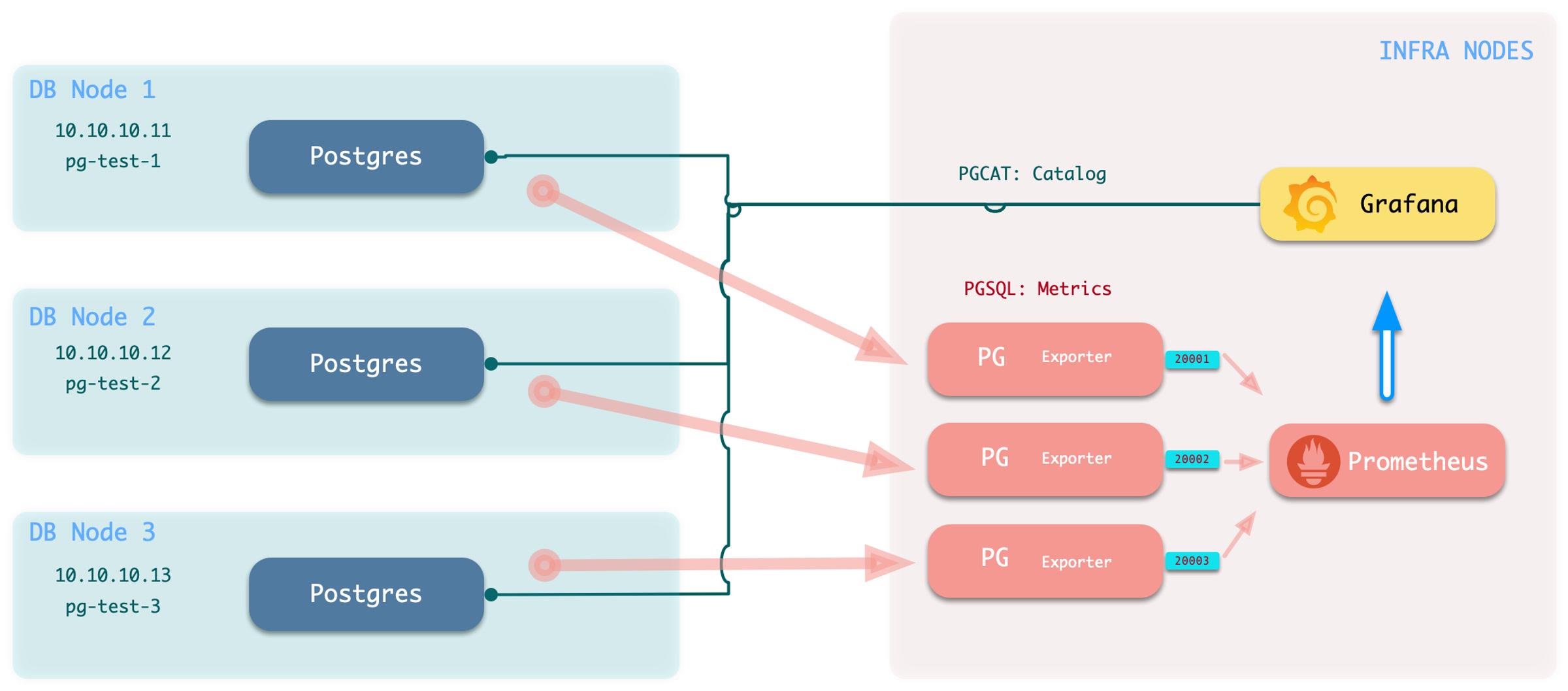
Execute the command to add monitoring: bin/pgmon-add <clsname>
To remove a remote cluster from monitoring, use bin/pgmon-rm <clsname>
You can use more parameters to override the default pg_exporter options. Here is an example for monitoring Aliyun RDS and PolarDB with Pigsty:
When you want to monitor existing instances, whether it’s RDS or a self-built PostgreSQL instance, you need to make some configurations on the target database so that Pigsty can access them.
To bring an external existing PostgreSQL instance into monitoring, you need a connection string that can access that instance/cluster. Any accessible connection string (business user, superuser) can be used, but we recommend using a dedicated monitoring user to avoid permission leaks.
dbuser_monitor. This user belongs to the pg_monitor group, or ensure it has the necessary view permissions.DBUser.Monitor. You need to ensure that the HBA policy allows the monitoring user to access the database from the infra nodes.monitor for monitoring views and extensions.pg_stat_statements.Create a monitor user on the target database cluster. For example, dbuser_monitor is used by default in Pigsty.
The monitor user here should have consistent pg_monitor_username and pg_monitor_password with Pigsty config inventory.
You also need to configure pg_hba.conf to allow monitoring user access from infra/admin nodes.
If your RDS does not support the RAW HBA format, add admin/infra node IP to the whitelist.
Monitor schema is optional, but we strongly recommend creating one.
Monitor extension is optional, but we strongly recommend enabling pg_stat_statements extension.
Note that this extension must be listed in shared_preload_libraries to take effect, and changing this parameter requires a database restart.
You should create this extension inside the admin database: postgres. If your RDS does not grant CREATE on the database postgres. You can create that extension in the default public schema:
As long as your monitor user can access pg_stat_statements view without schema qualification, it should be fine.
It’s recommended to create the monitor views in all databases that need to be monitored.
There are 26 default grafana dashboards about PostgreSQL and categorized into 4 levels. and categorized into PGSQL, PGCAT & PGLOG by datasource.
Overview
Cluster
Instance
Database
PGSQL Overview : The main dashboard for PGSQL module
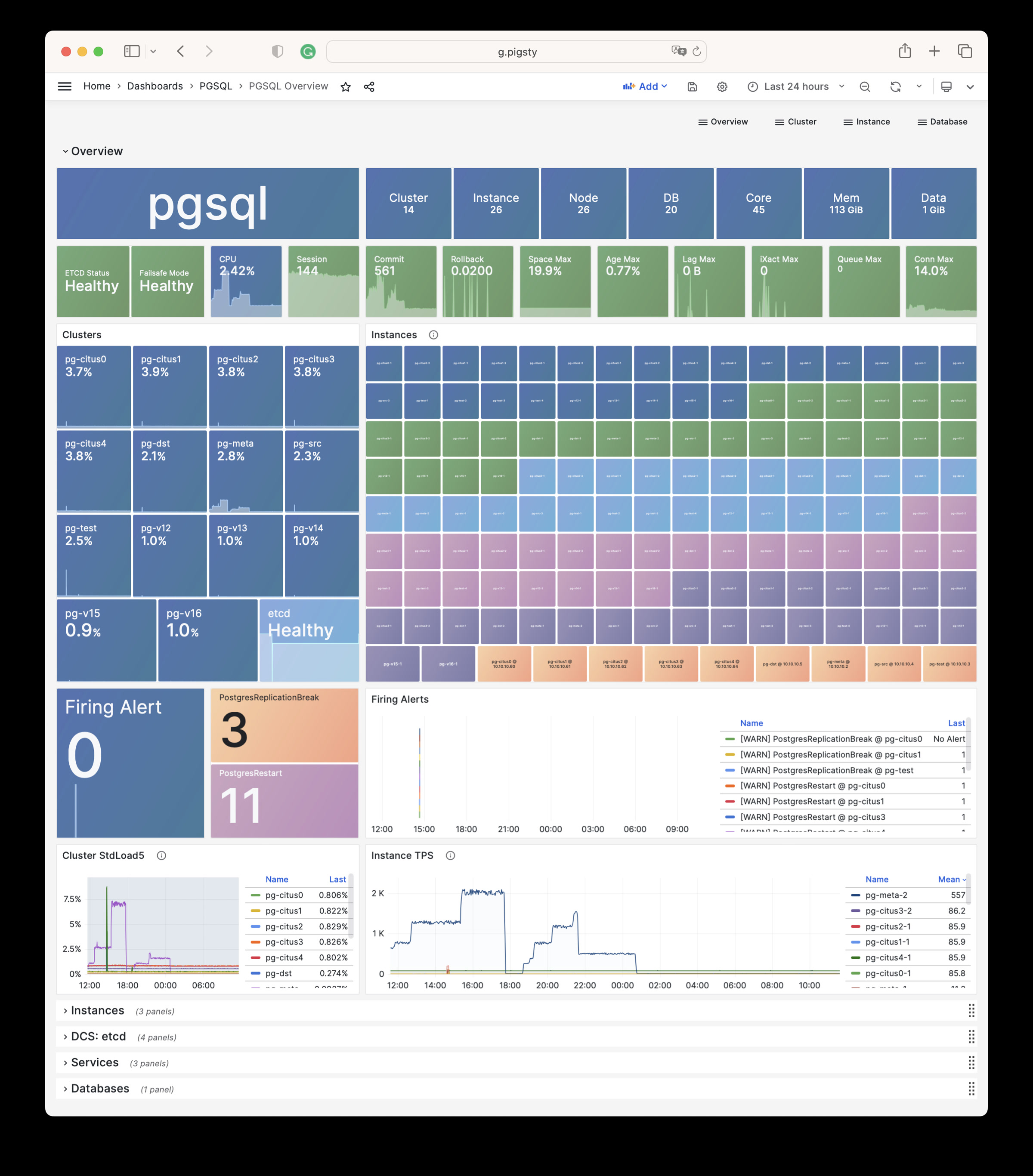
PGSQL Alert : Global PGSQL key metrics and alerting events
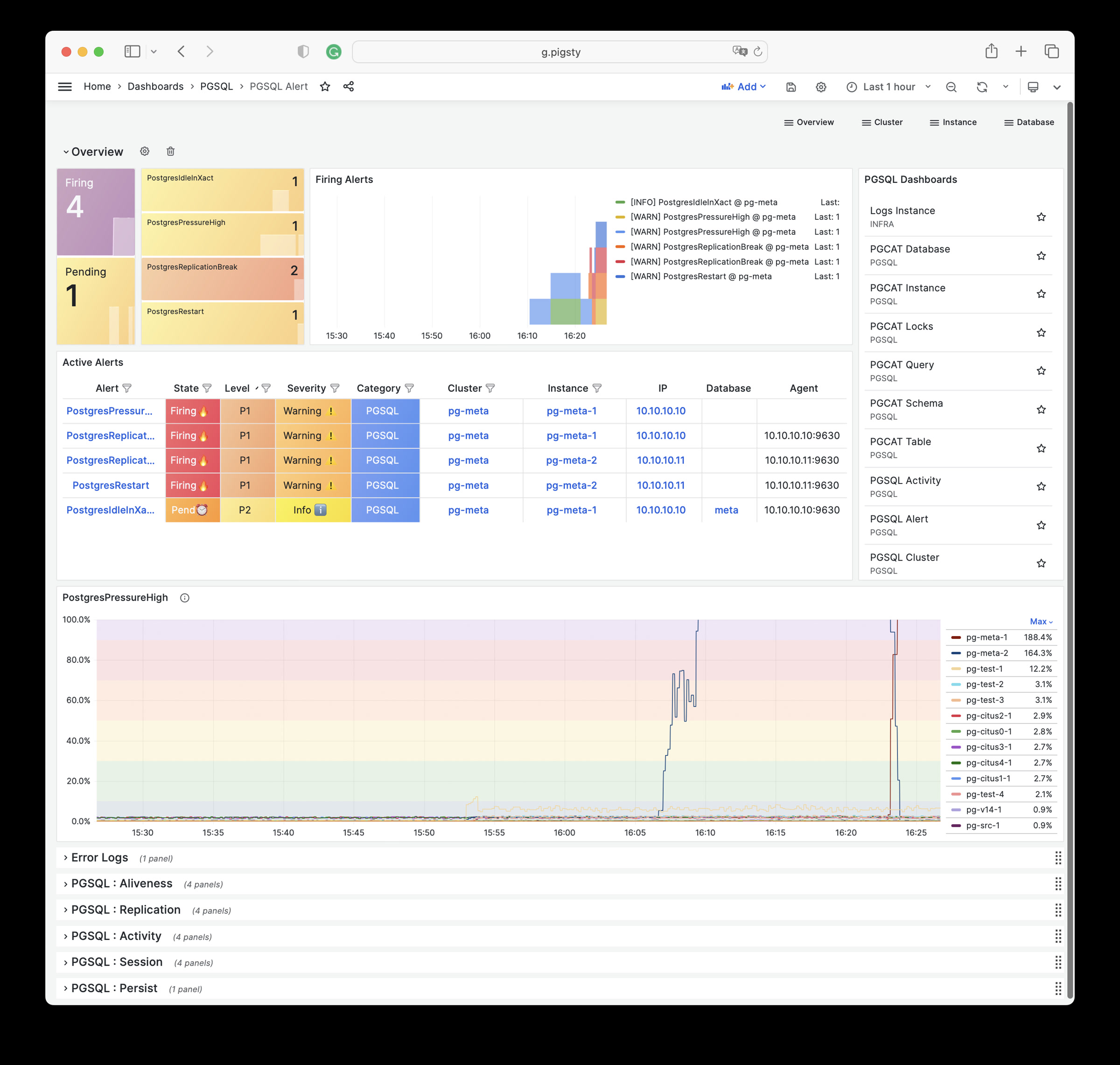
PGSQL Shard : Overview of a horizontal sharded PGSQL cluster, e.g. CITUS / GPSQL cluster
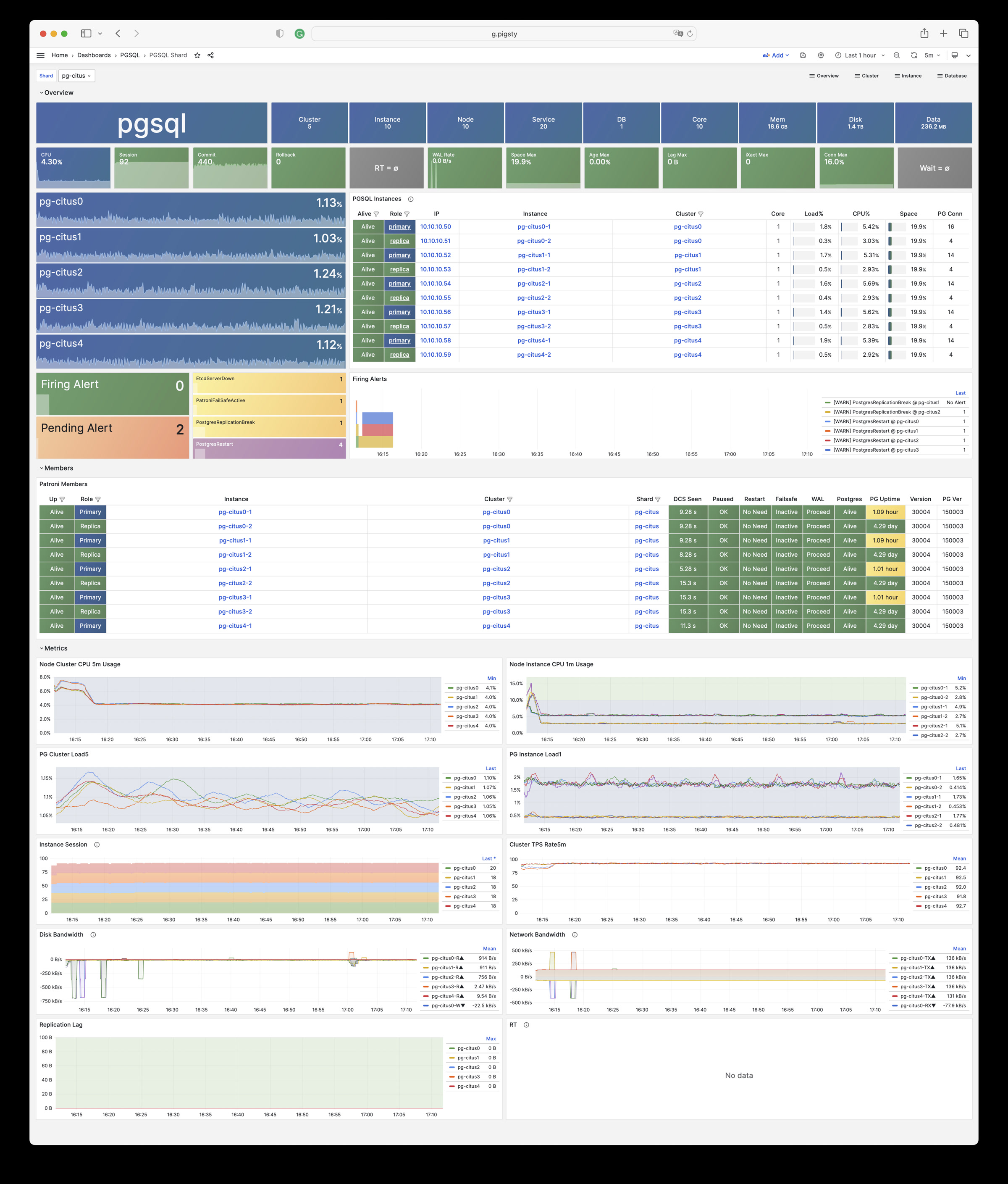
PGSQL Cluster: The main dashboard for a PGSQL cluster
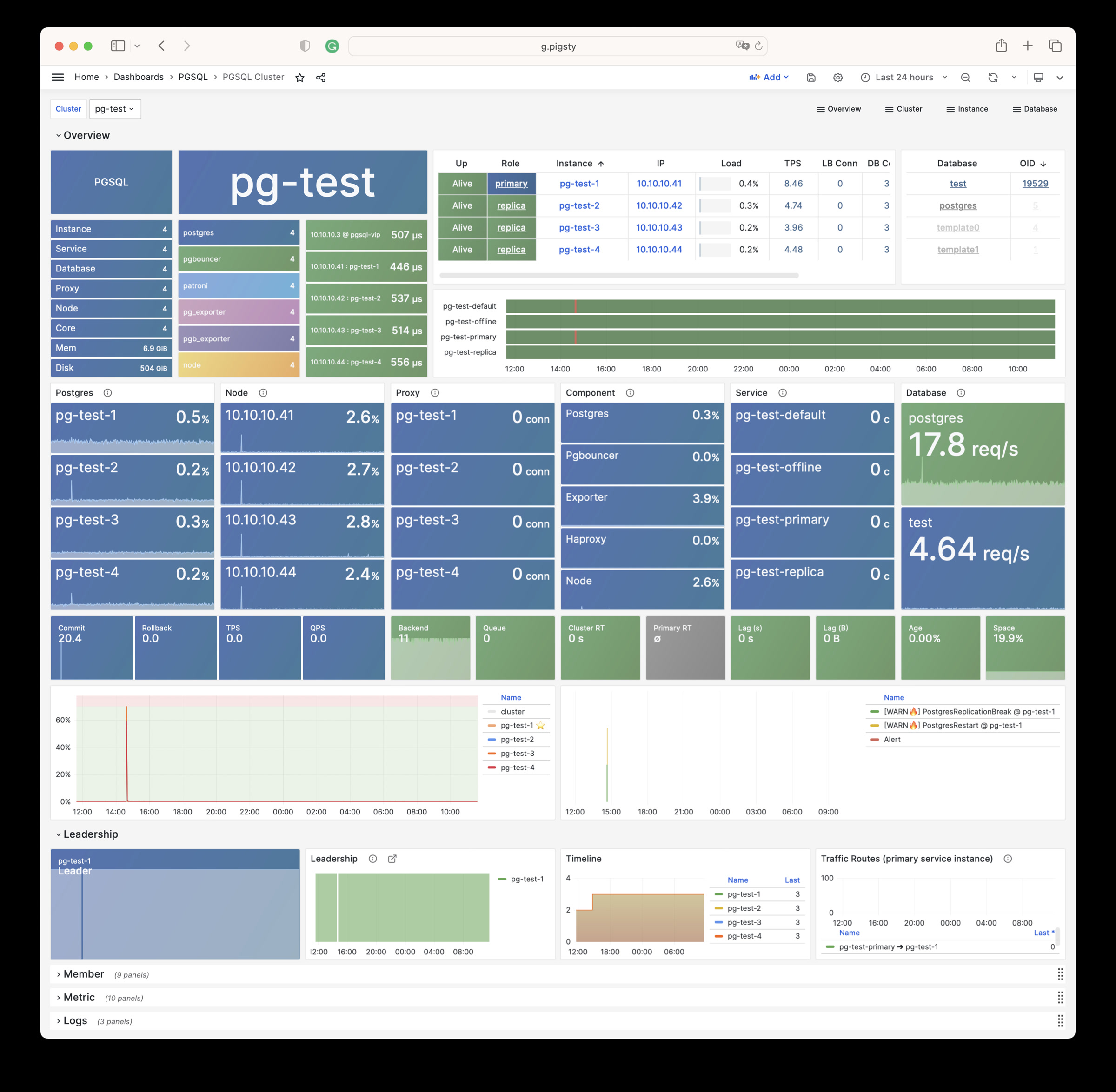
PGRDS Cluster: The PGSQL Cluster dashboard for RDS, focus on all postgres metrics only.
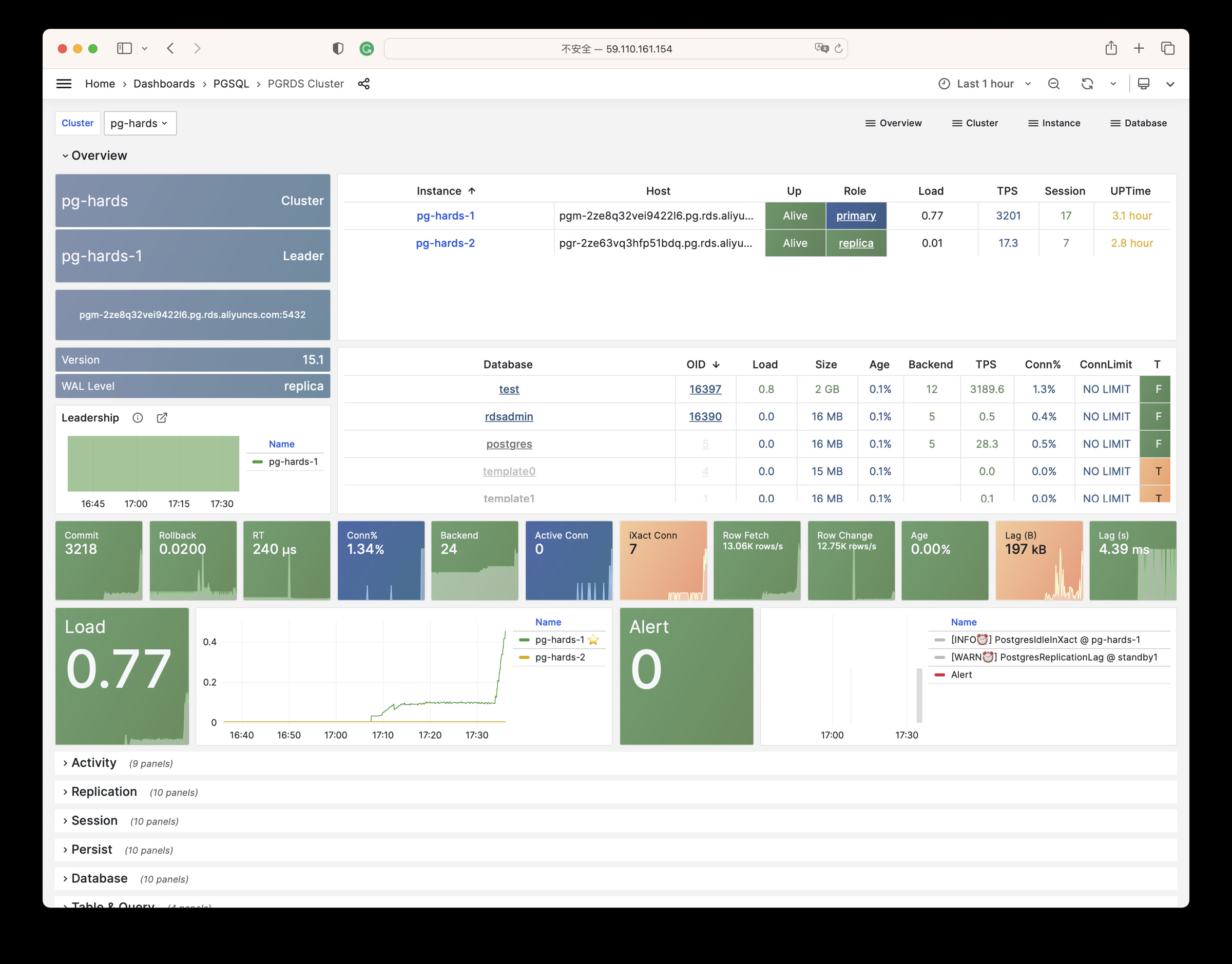
PGSQL Service: Cares about PGSQL cluster services, proxies, routes, and load balancers.
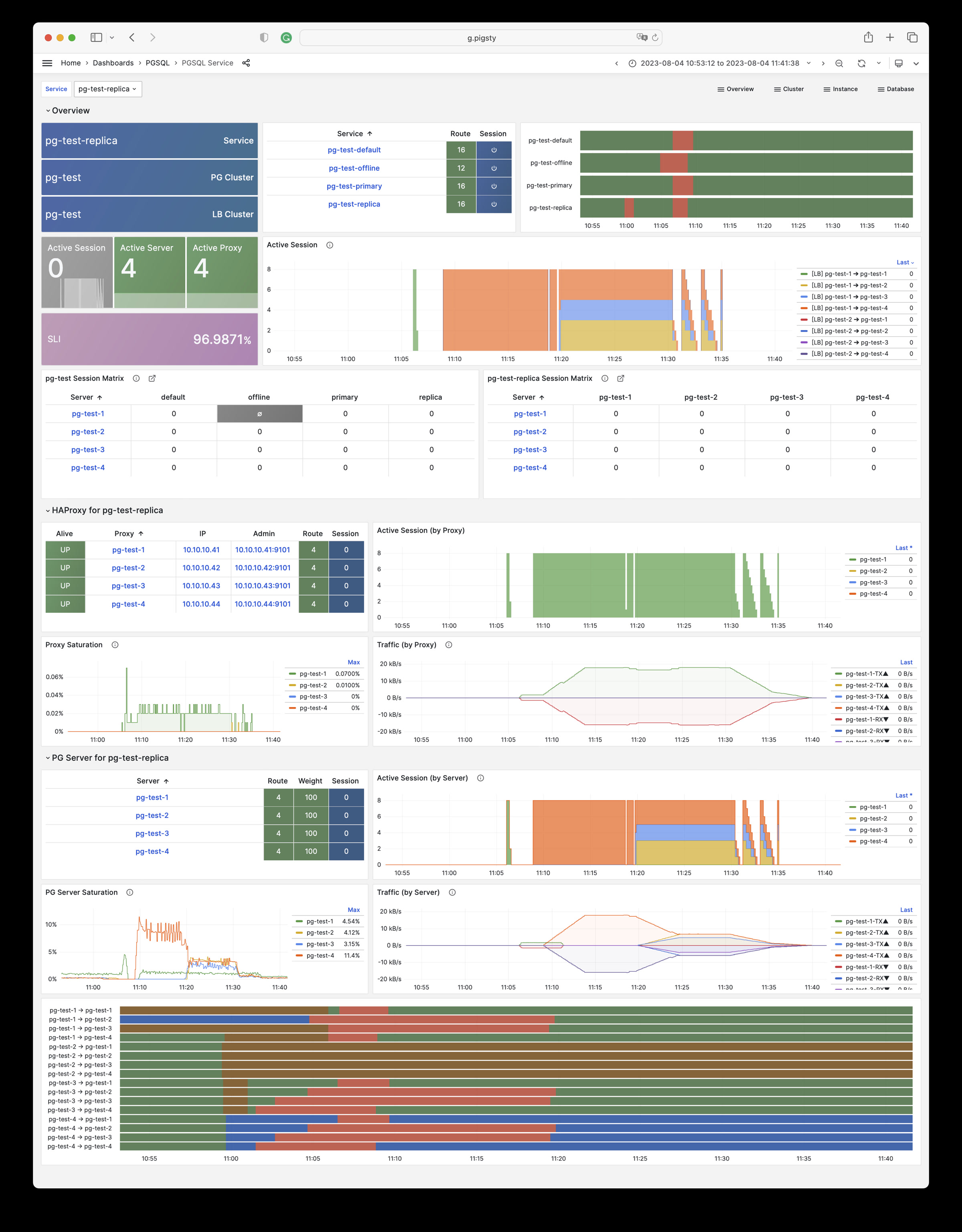
PGSQL Activity: Cares about the Session/Load/QPS/TPS/Locks of a PGSQL cluster
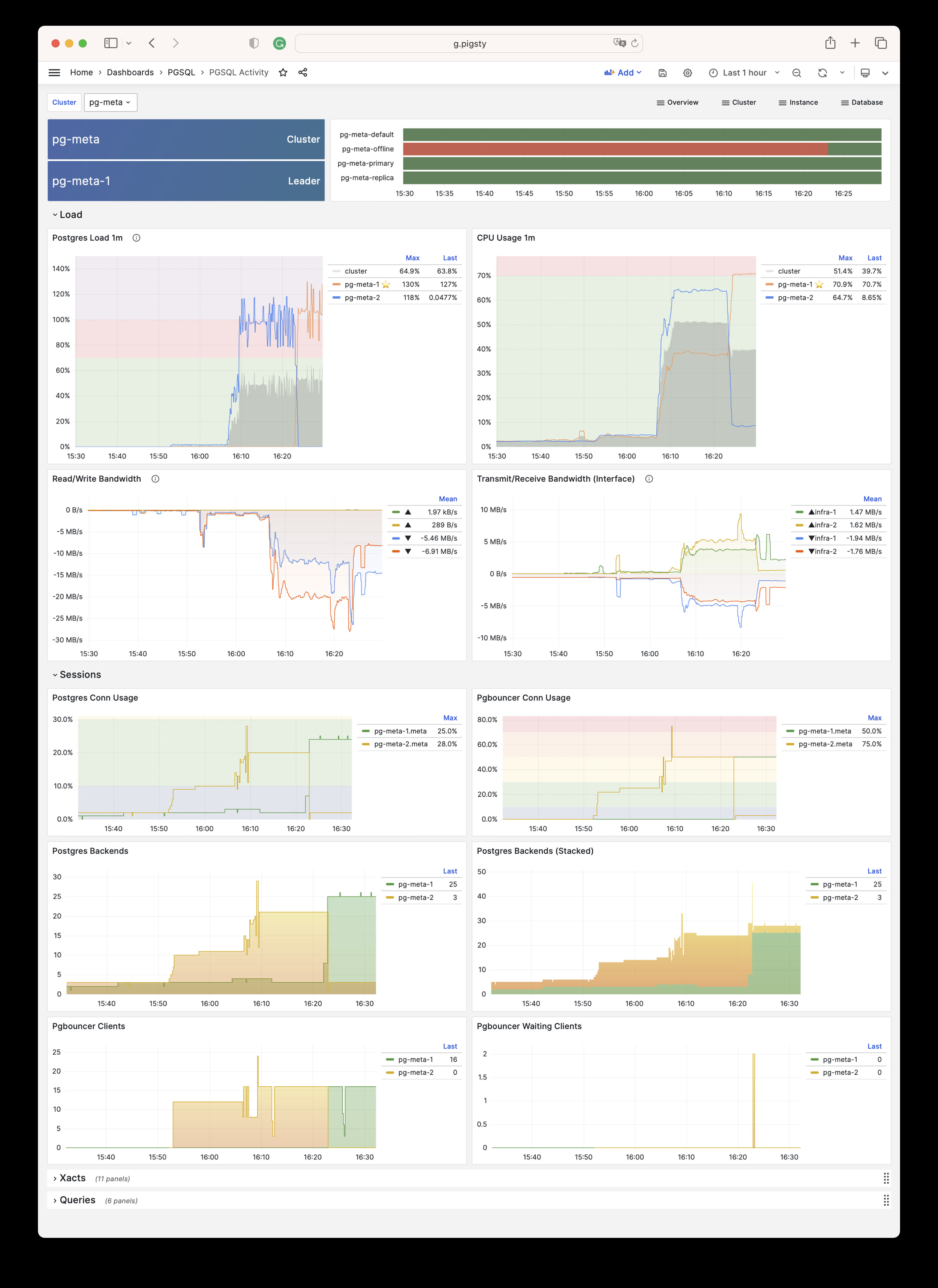
PGSQL Replication: Cares about PGSQL cluster replication, slots, and pub/sub.
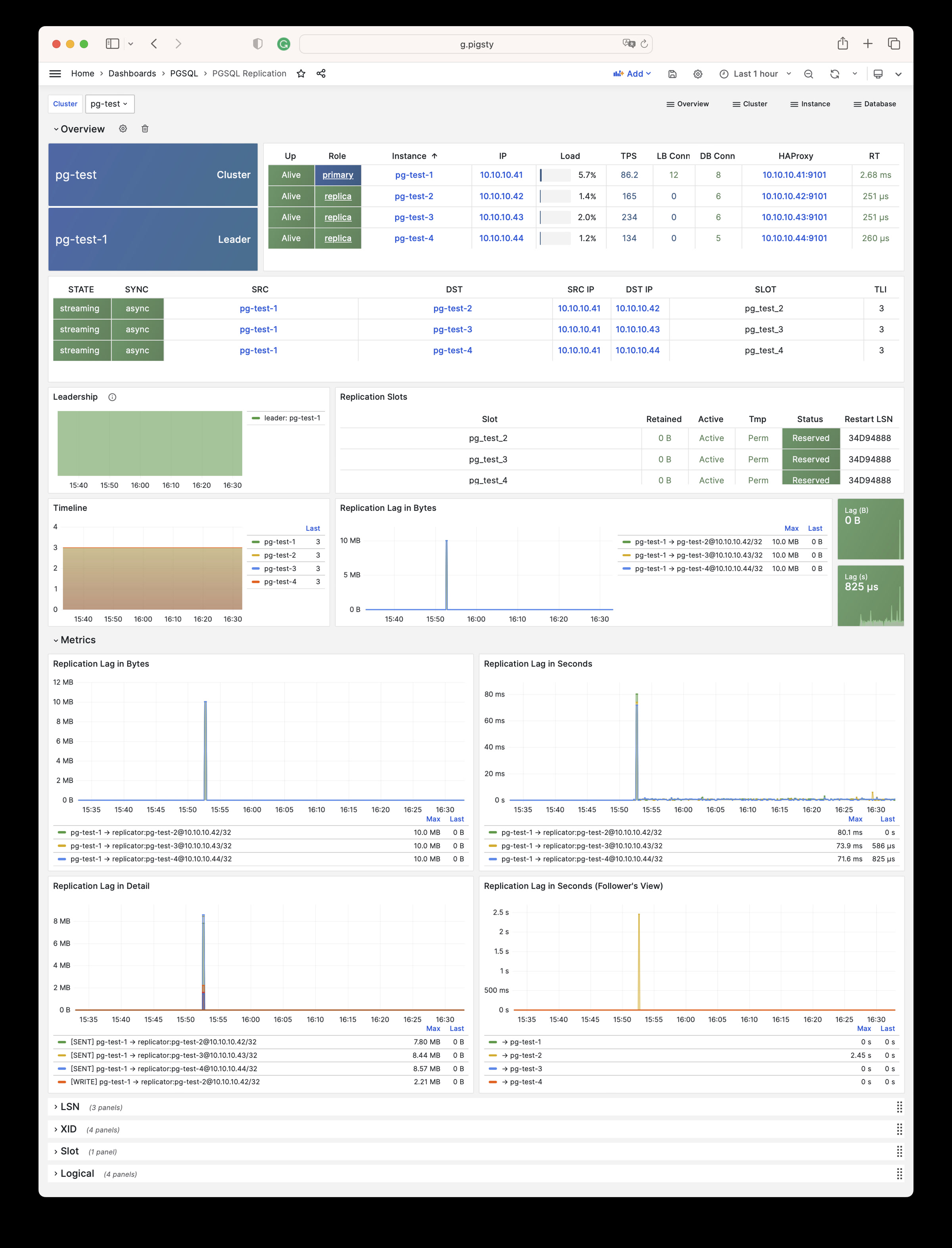
PGSQL Databases: Cares about database CRUD, slow queries, and table statistics cross all instances.
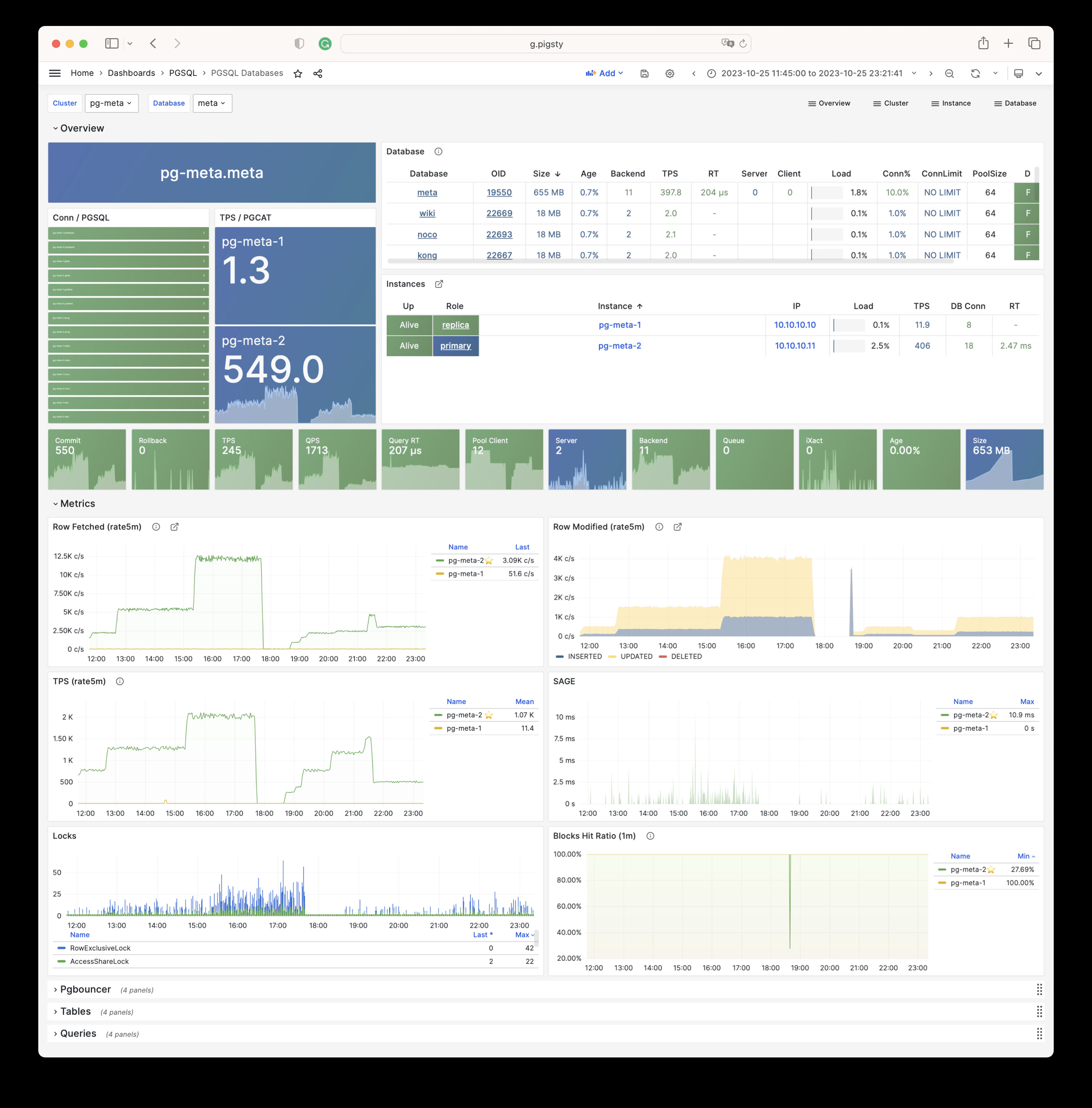
PGSQL Patroni: Cares about cluster HA agent: patroni status.
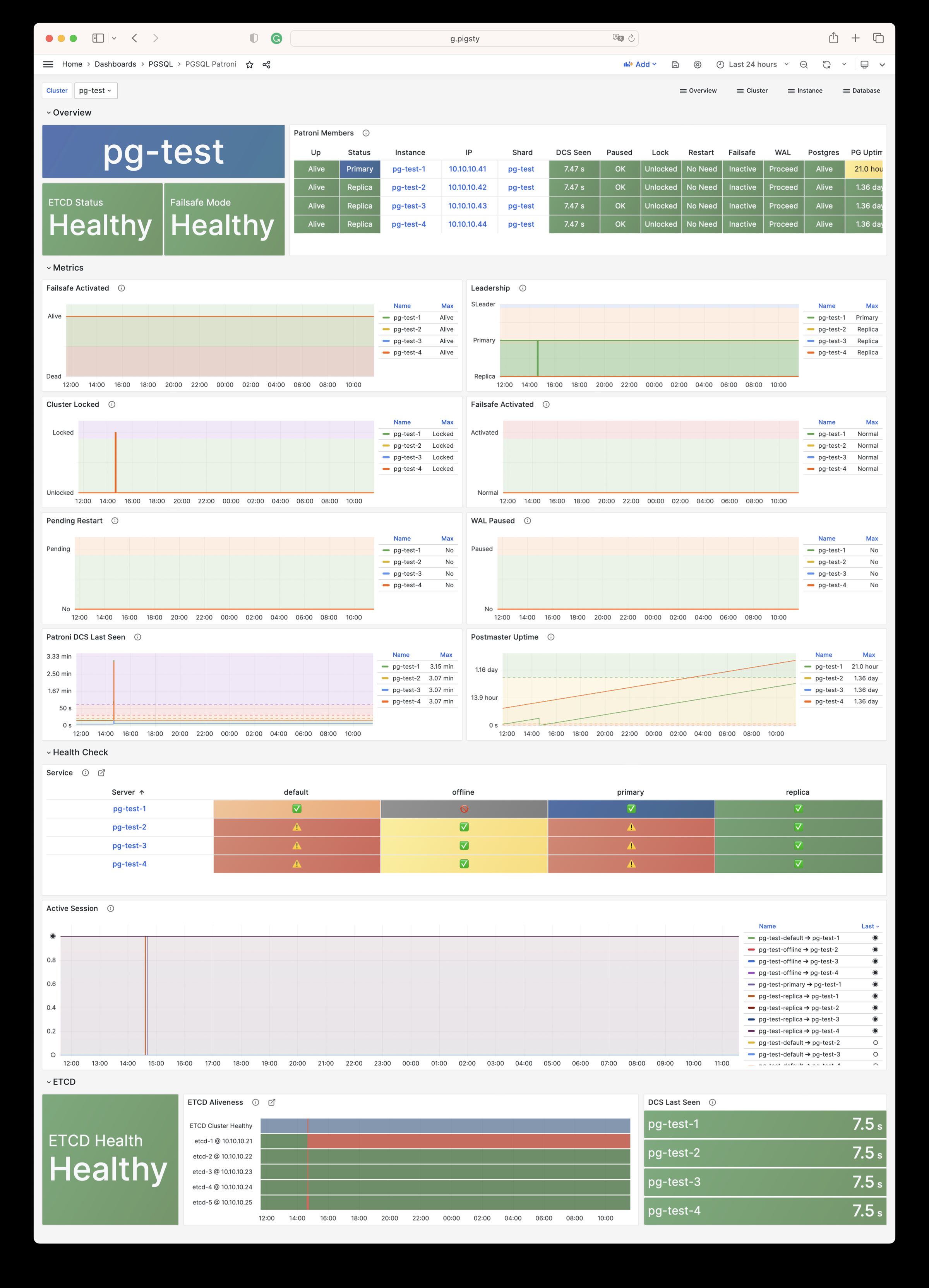
PGSQL PITR: Cares about context of cluster status during PITR procedure
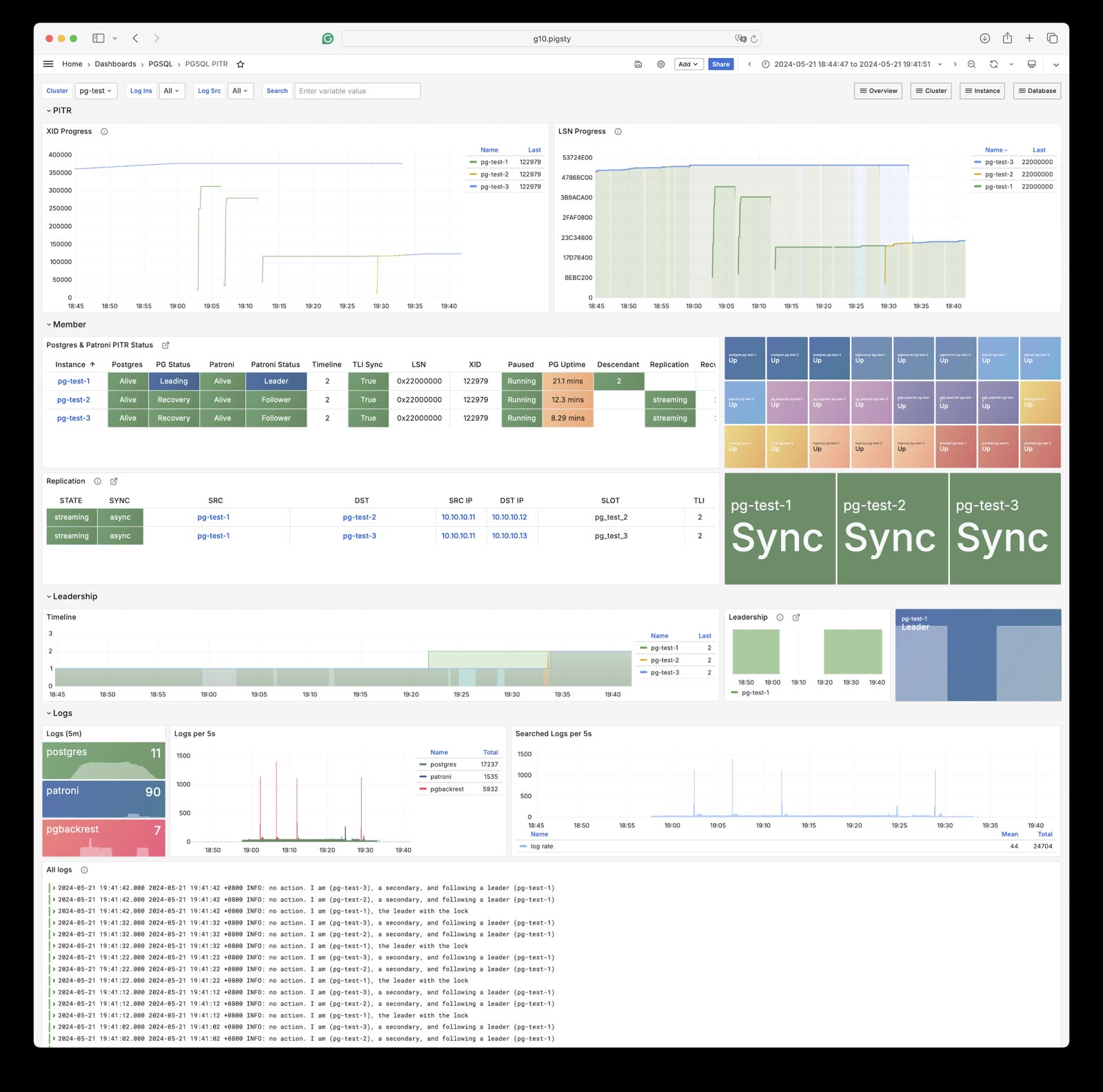
PGSQL Instance: The main dashboard for a single PGSQL instance
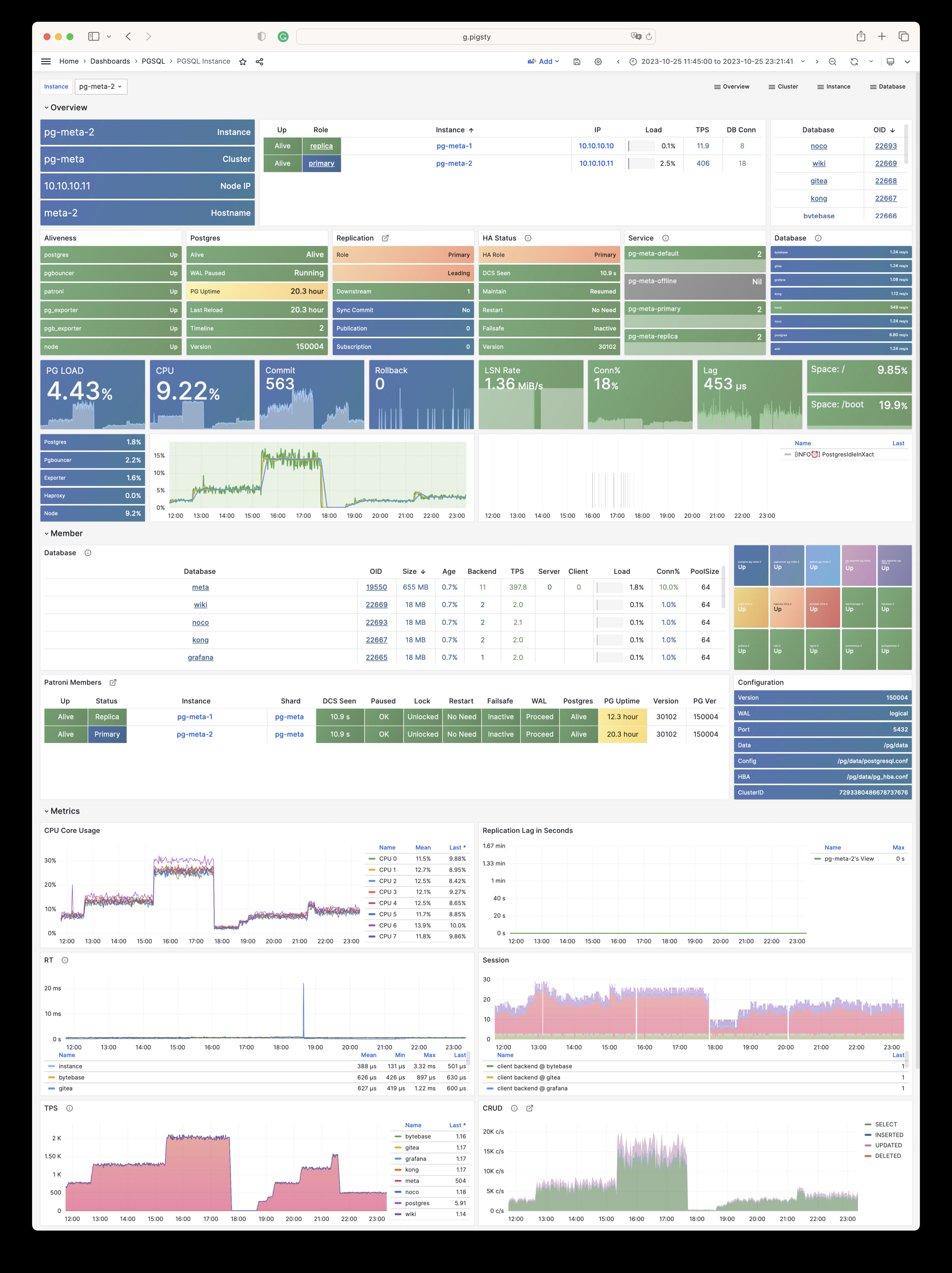
PGRDS Instance: The PGSQL Instance dashboard for RDS, focus on all postgres metrics only.
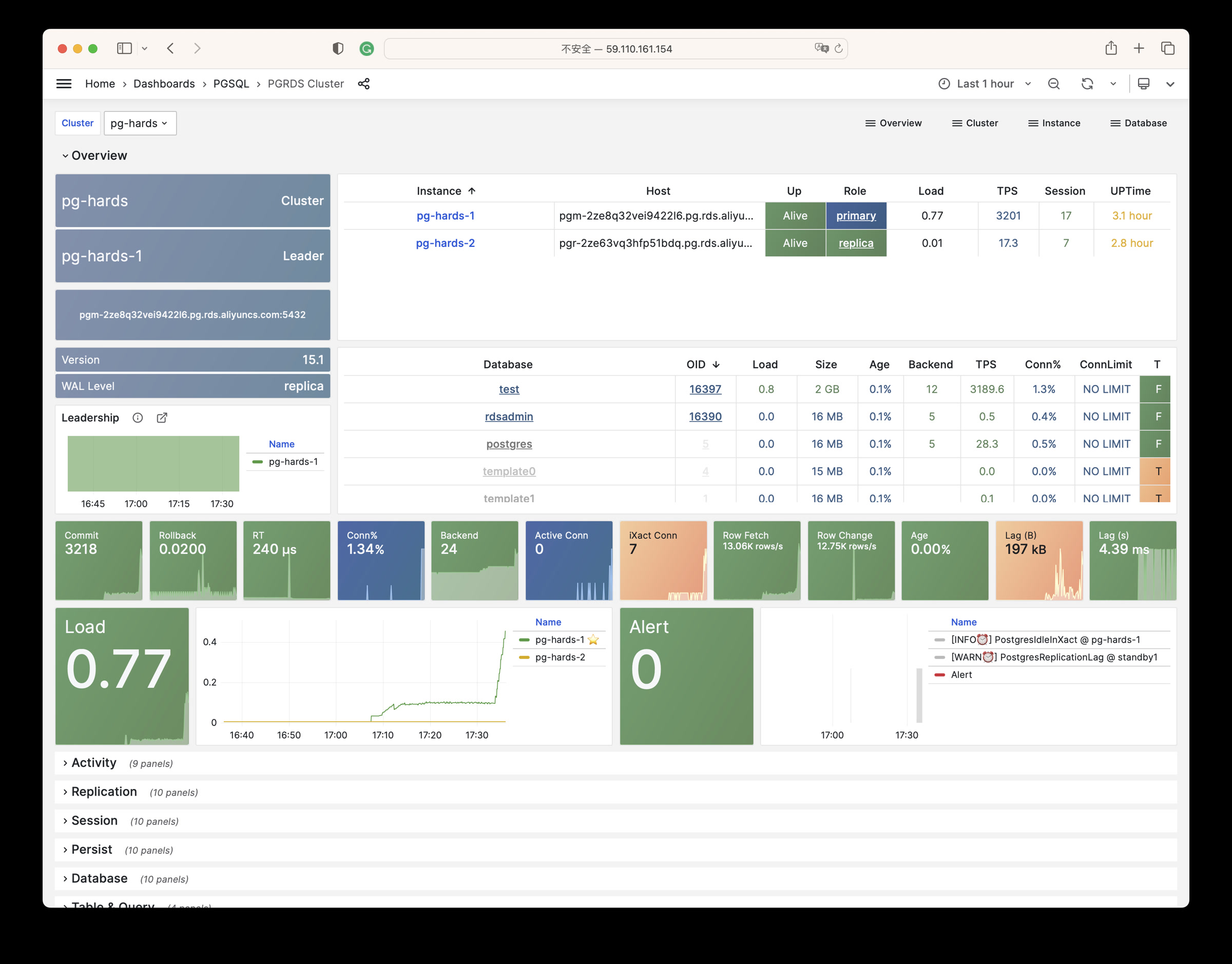
PGSQL Proxy: Metrics about haproxy the service provider
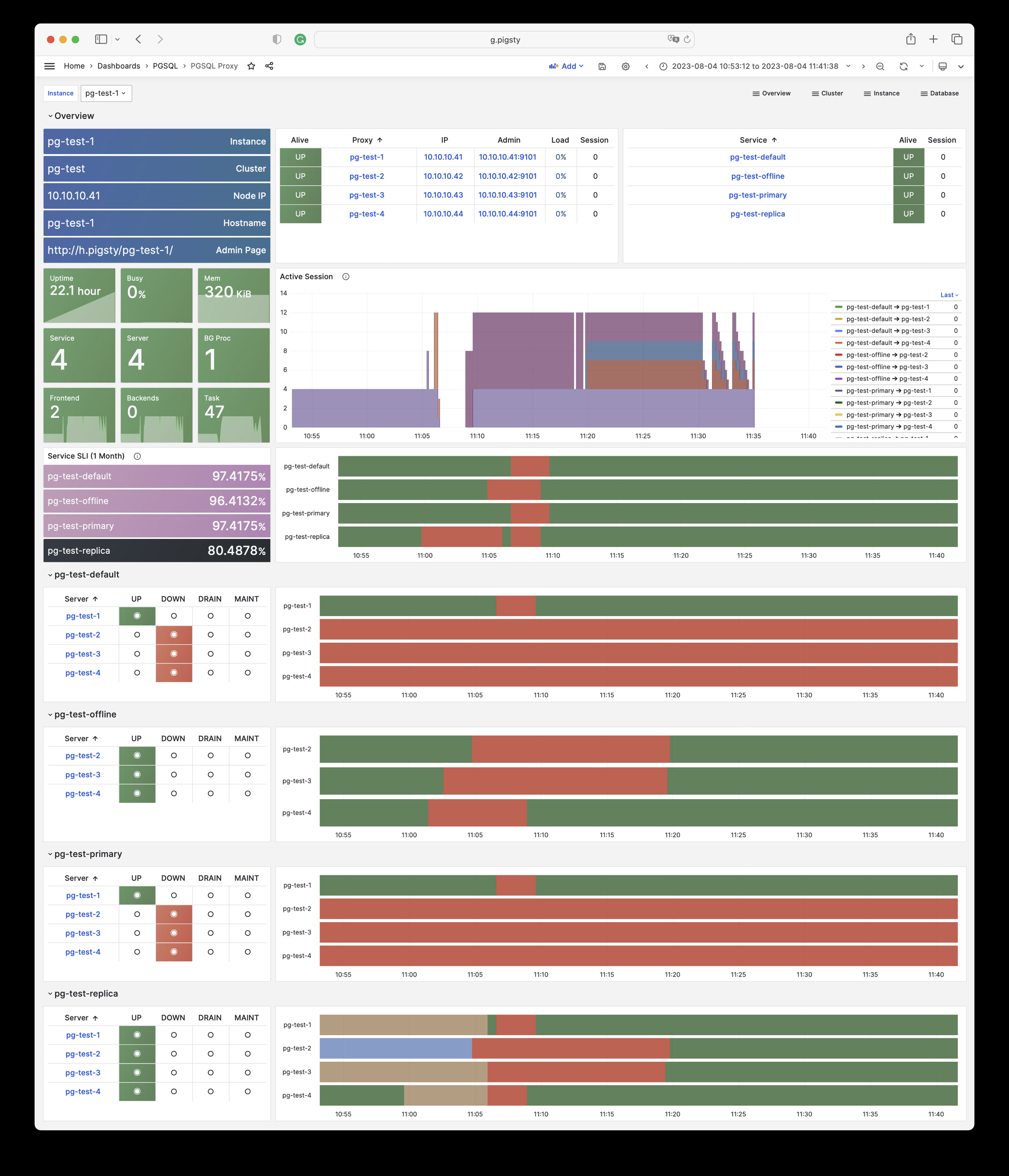
PGSQL Pgbouncer: Metrics about one single pgbouncer connection pool instance
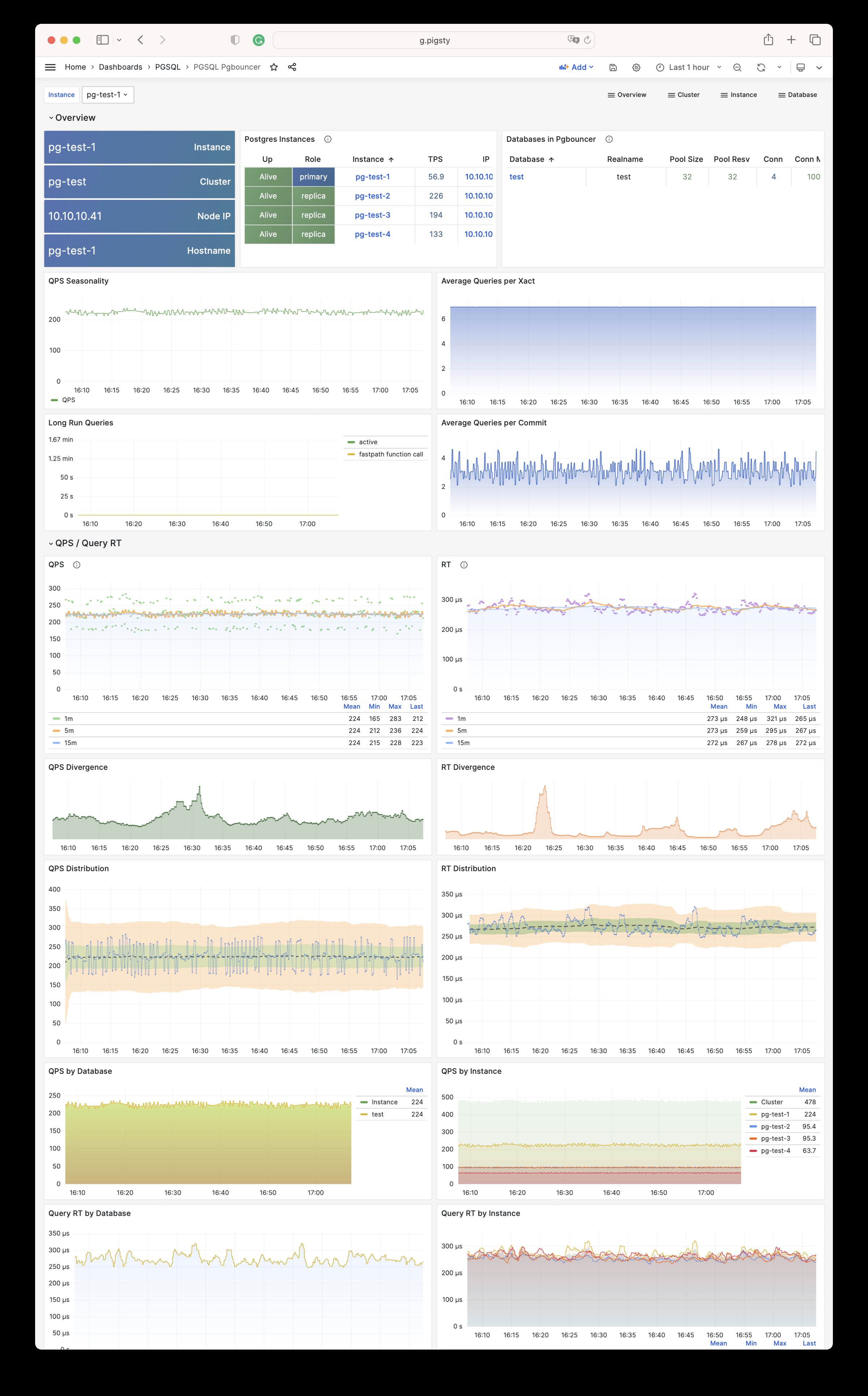
PGSQL Persist: Metrics about persistence: WAL, XID, Checkpoint, Archive, IO
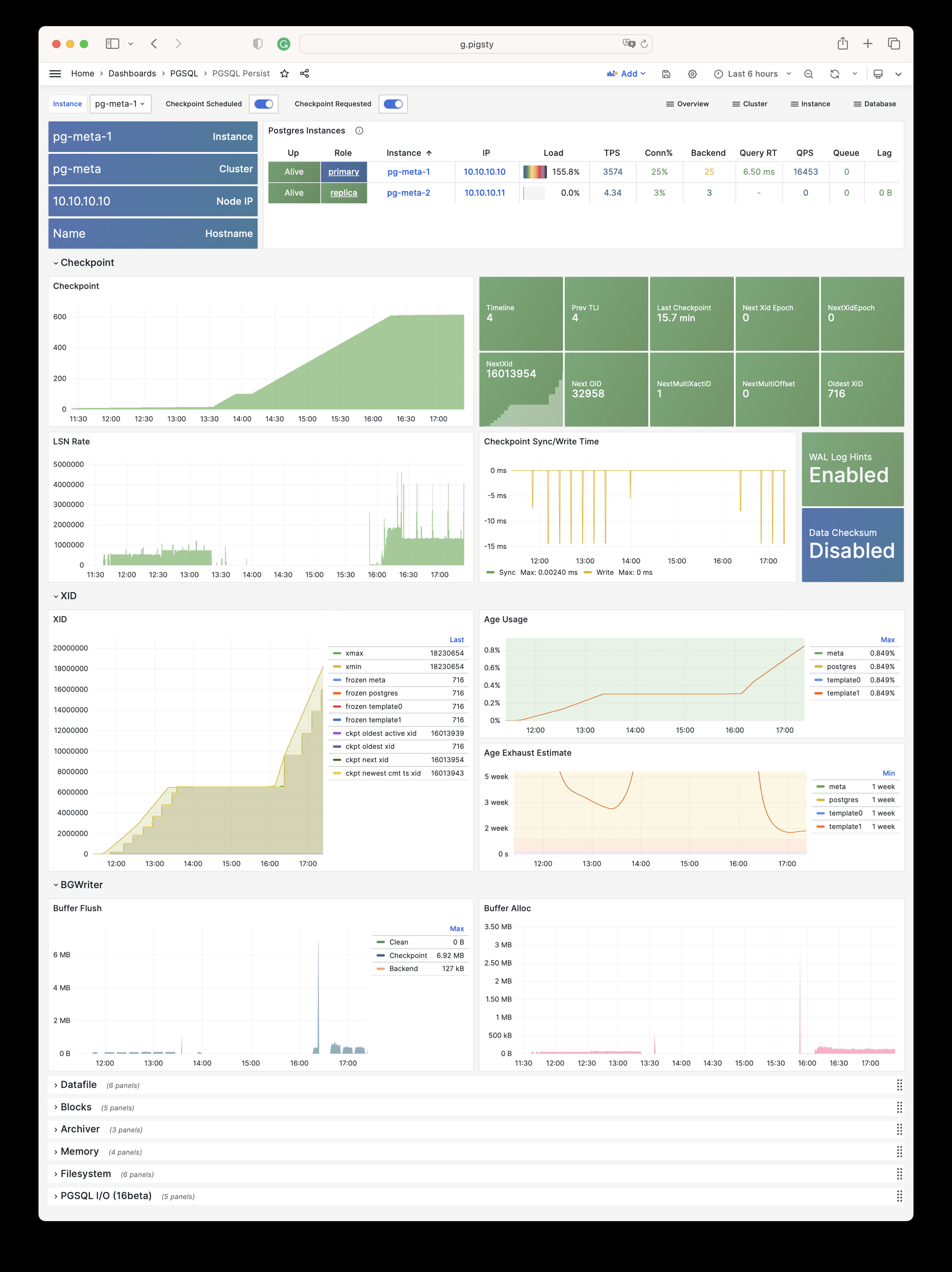
PGSQL Xacts: Metrics about transactions, locks, queries, etc…
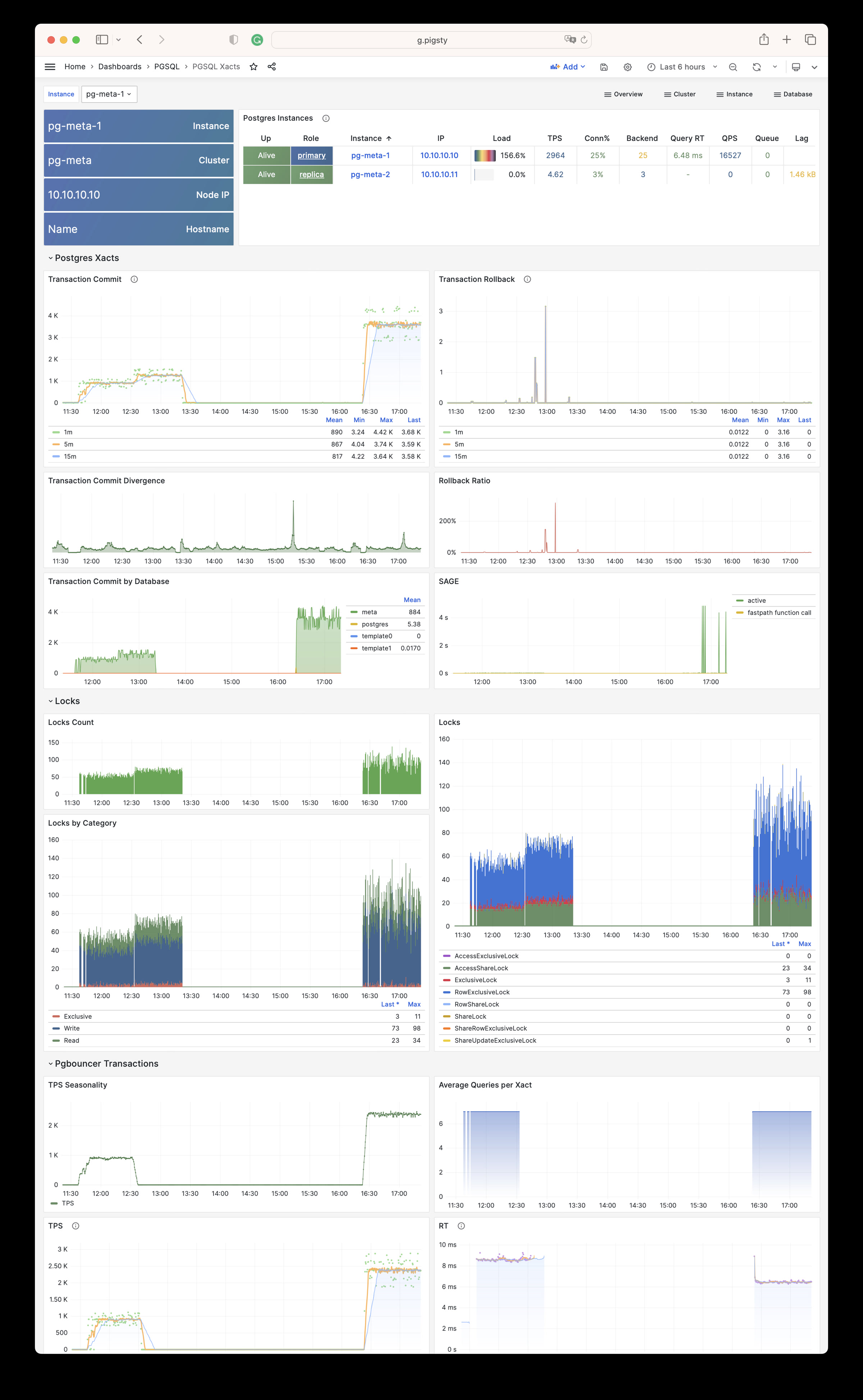
PGSQL Session: Metrics about sessions and active/idle time in a single instance
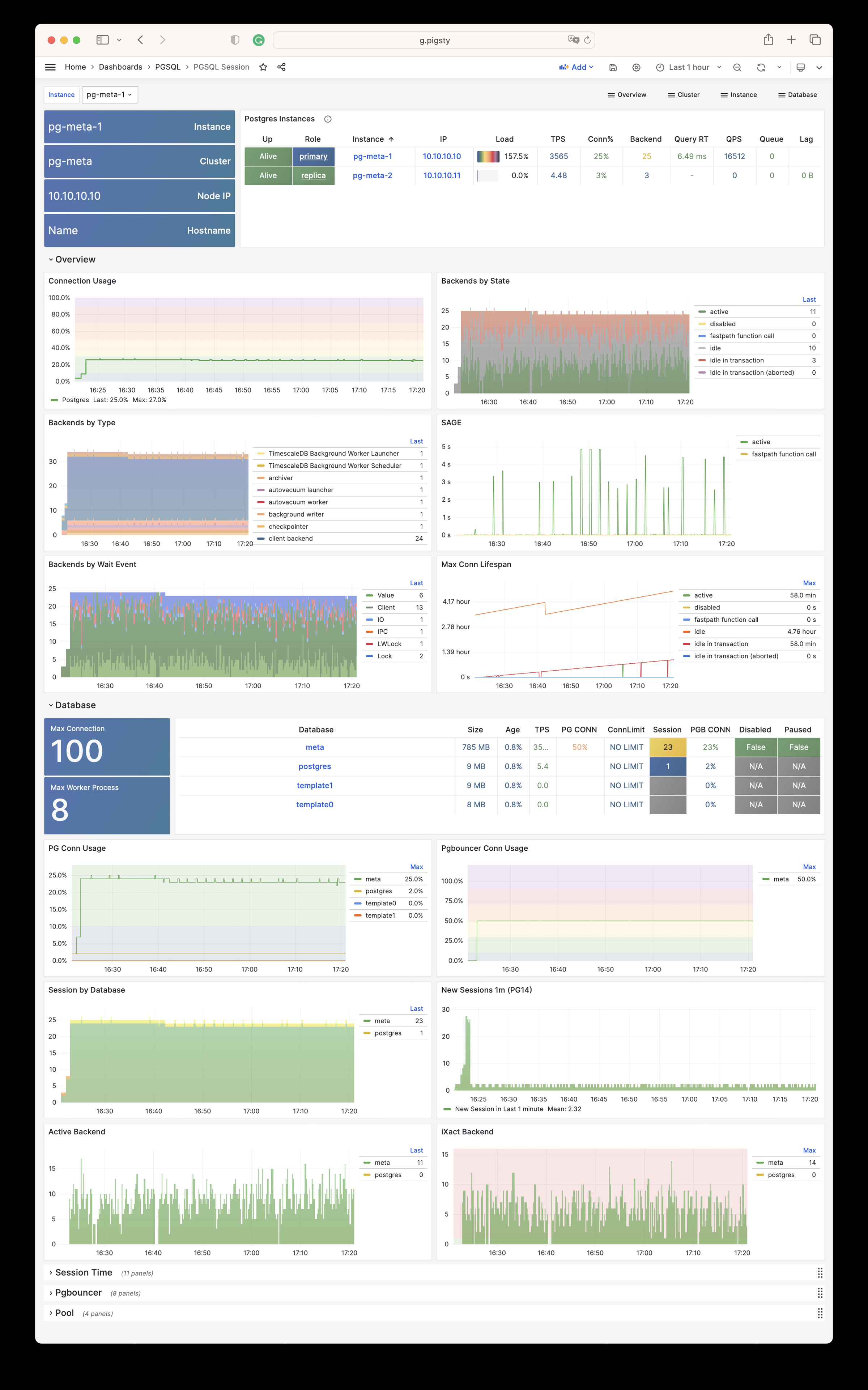
PGSQL Exporter: Postgres & Pgbouncer exporter self monitoring metrics
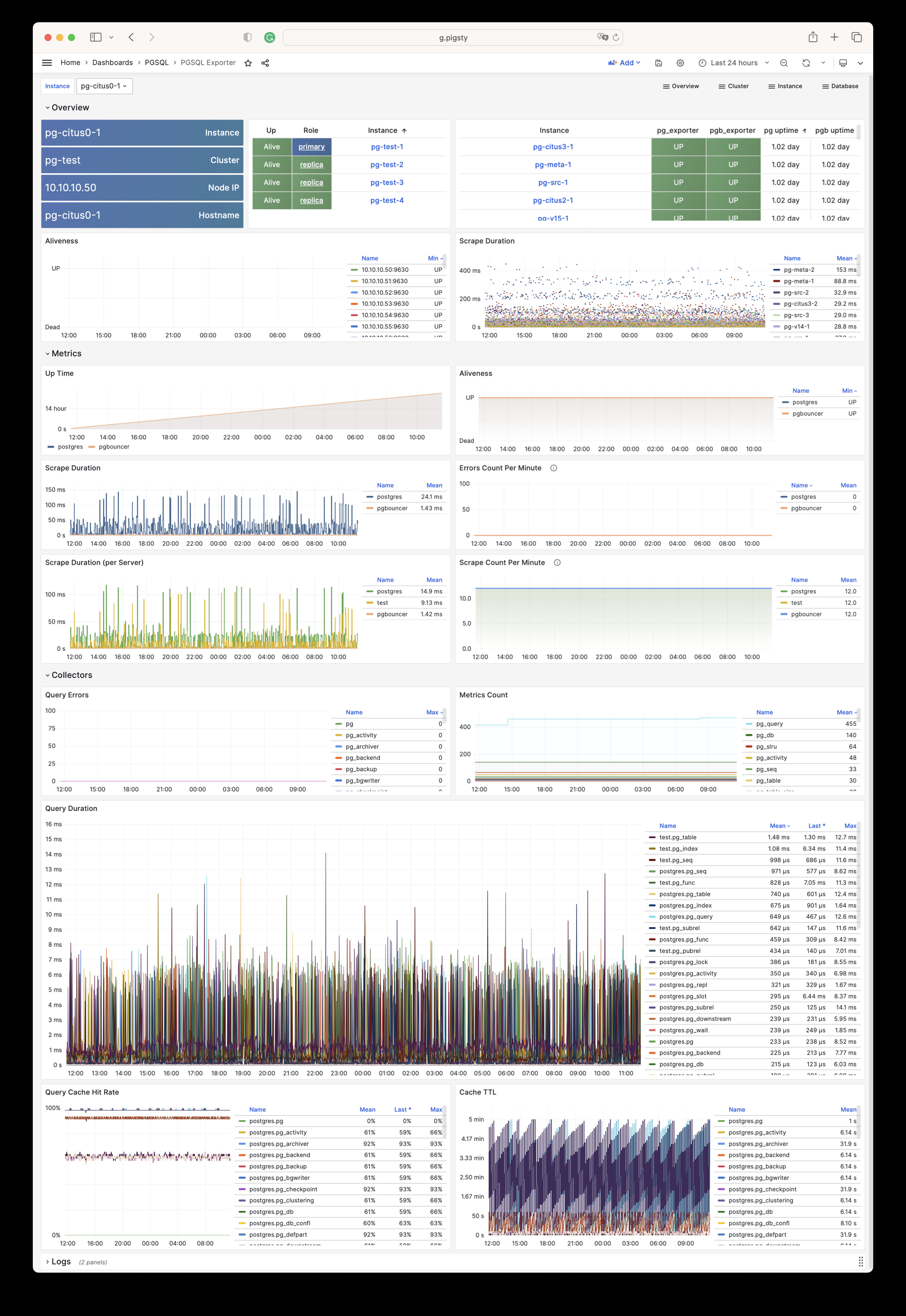
PGSQL Database: The main dashboard for a single PGSQL database
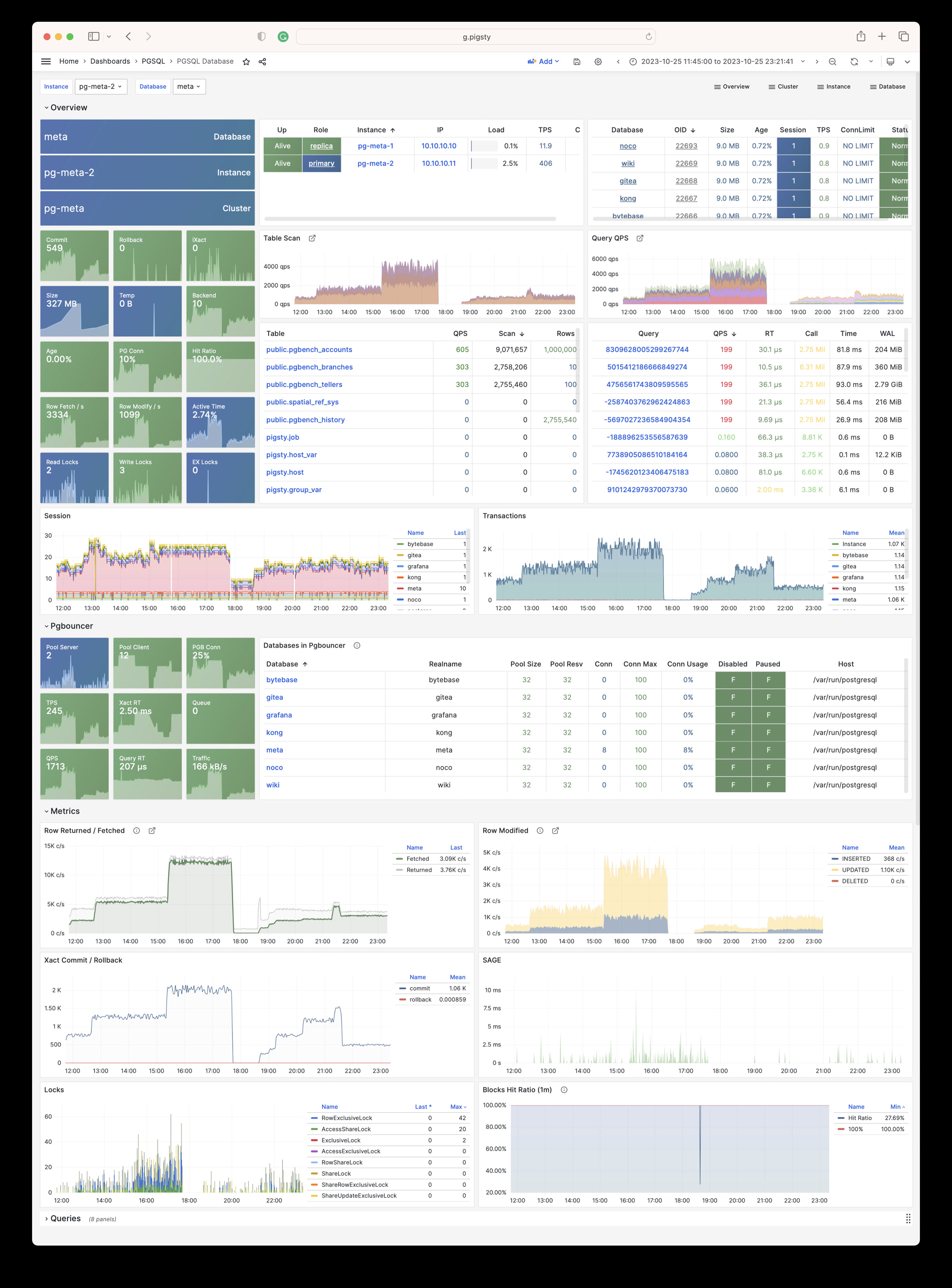
PGSQL Tables : Table/Index access metrics inside a single database
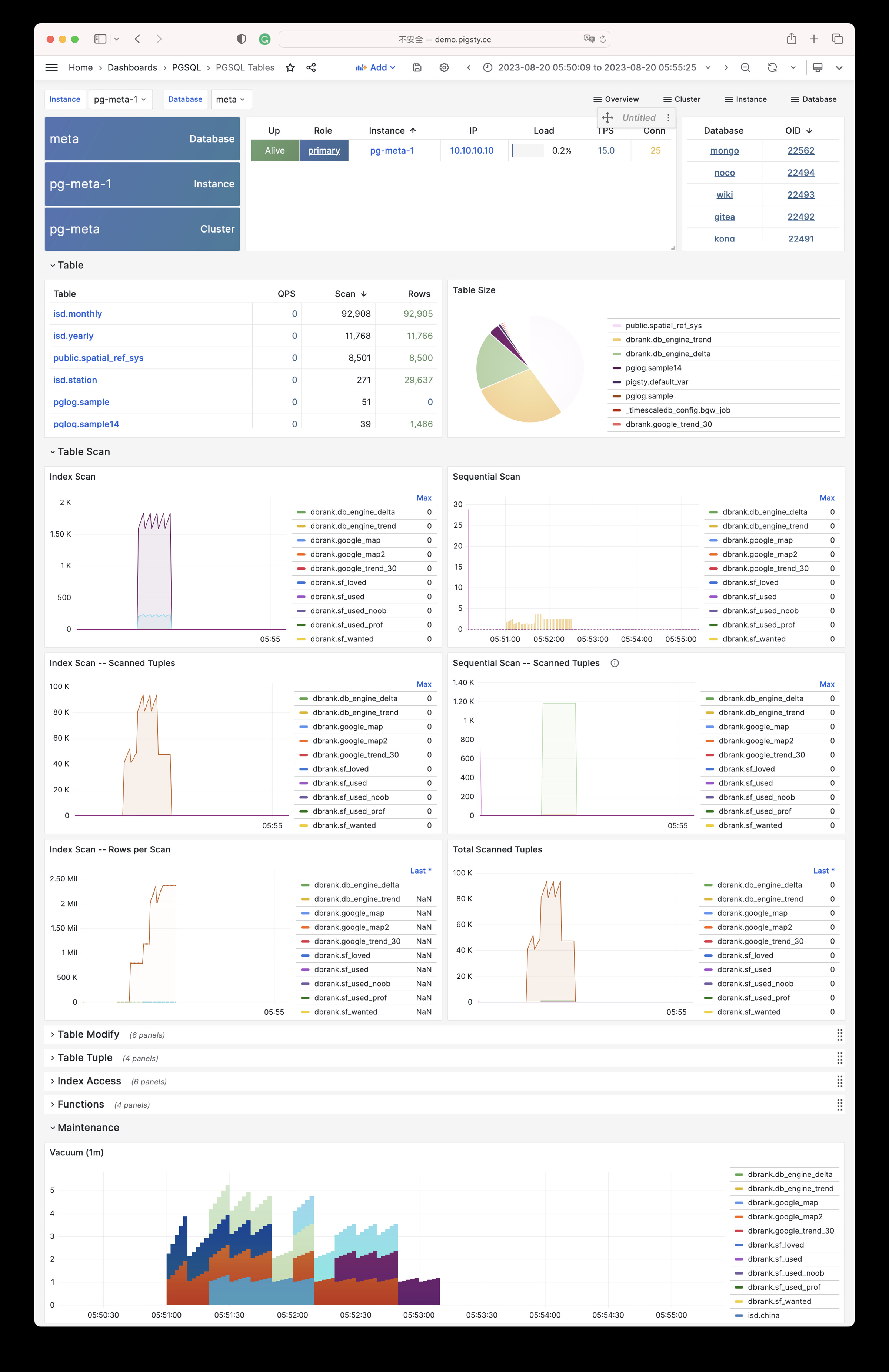
PGSQL Table: Detailed information (QPS/RT/Index/Seq…) about a single table
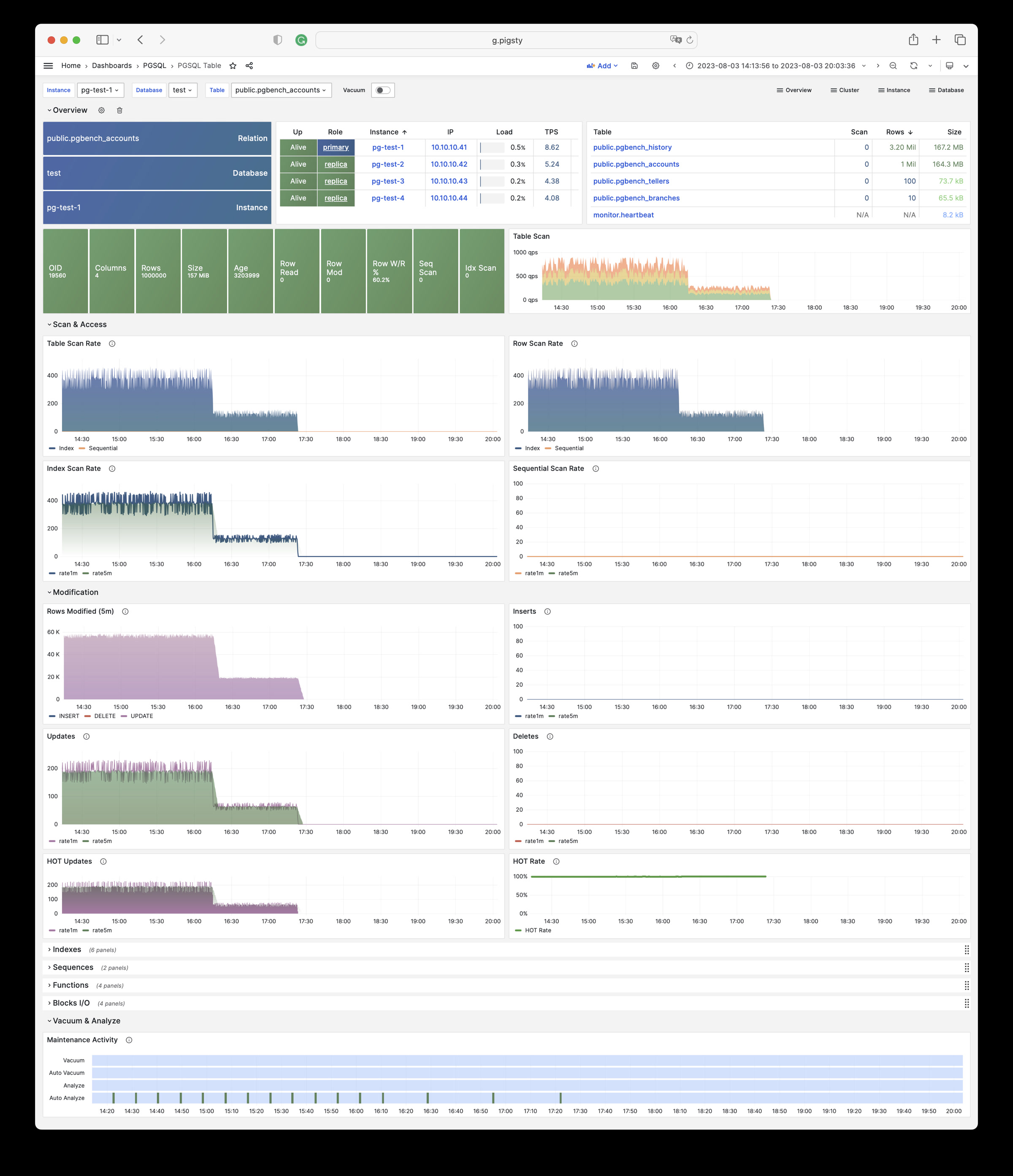
PGSQL Query: Detailed information (QPS/RT) about a single query
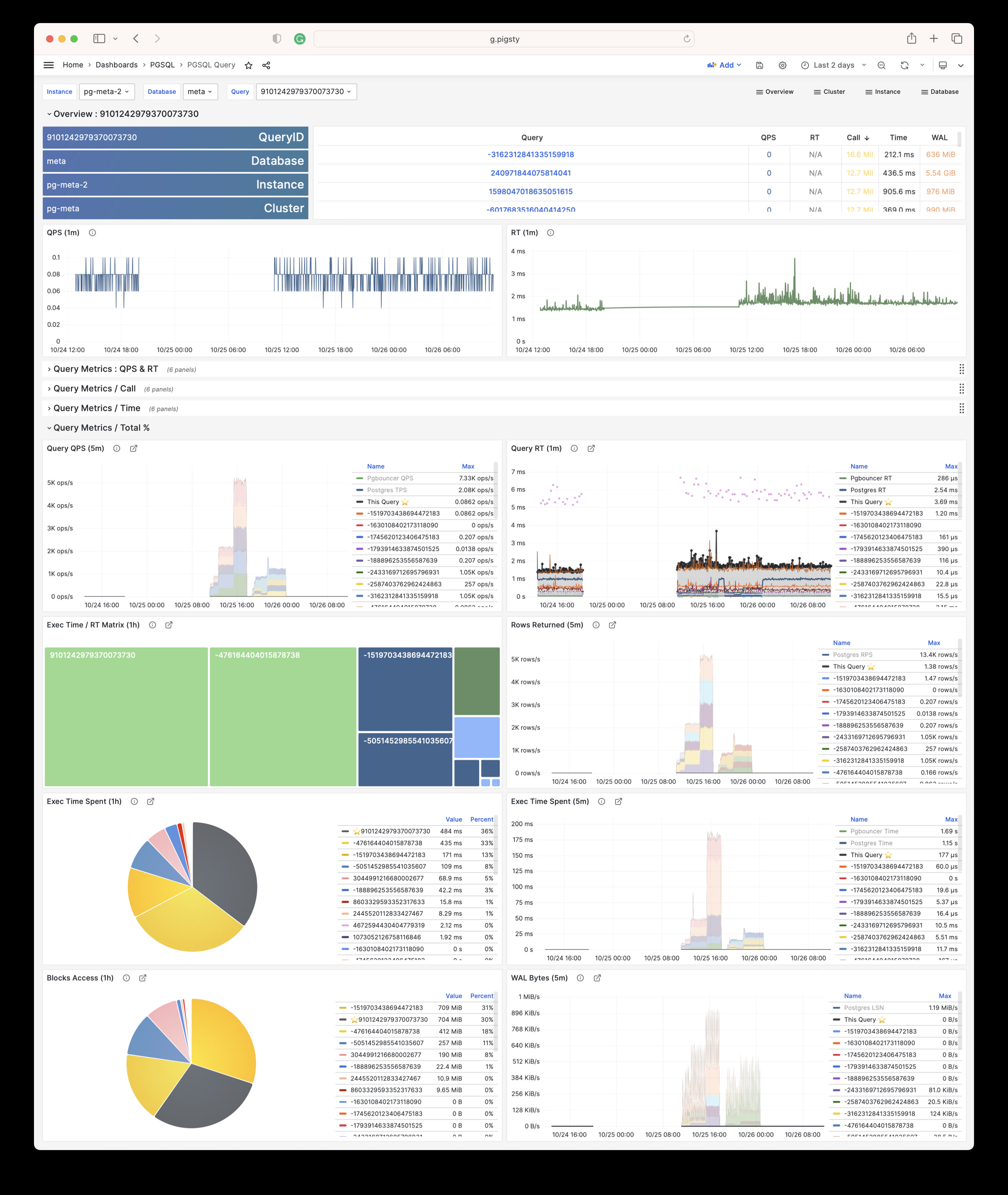
PGCAT Instance: Instance information from database catalog directly
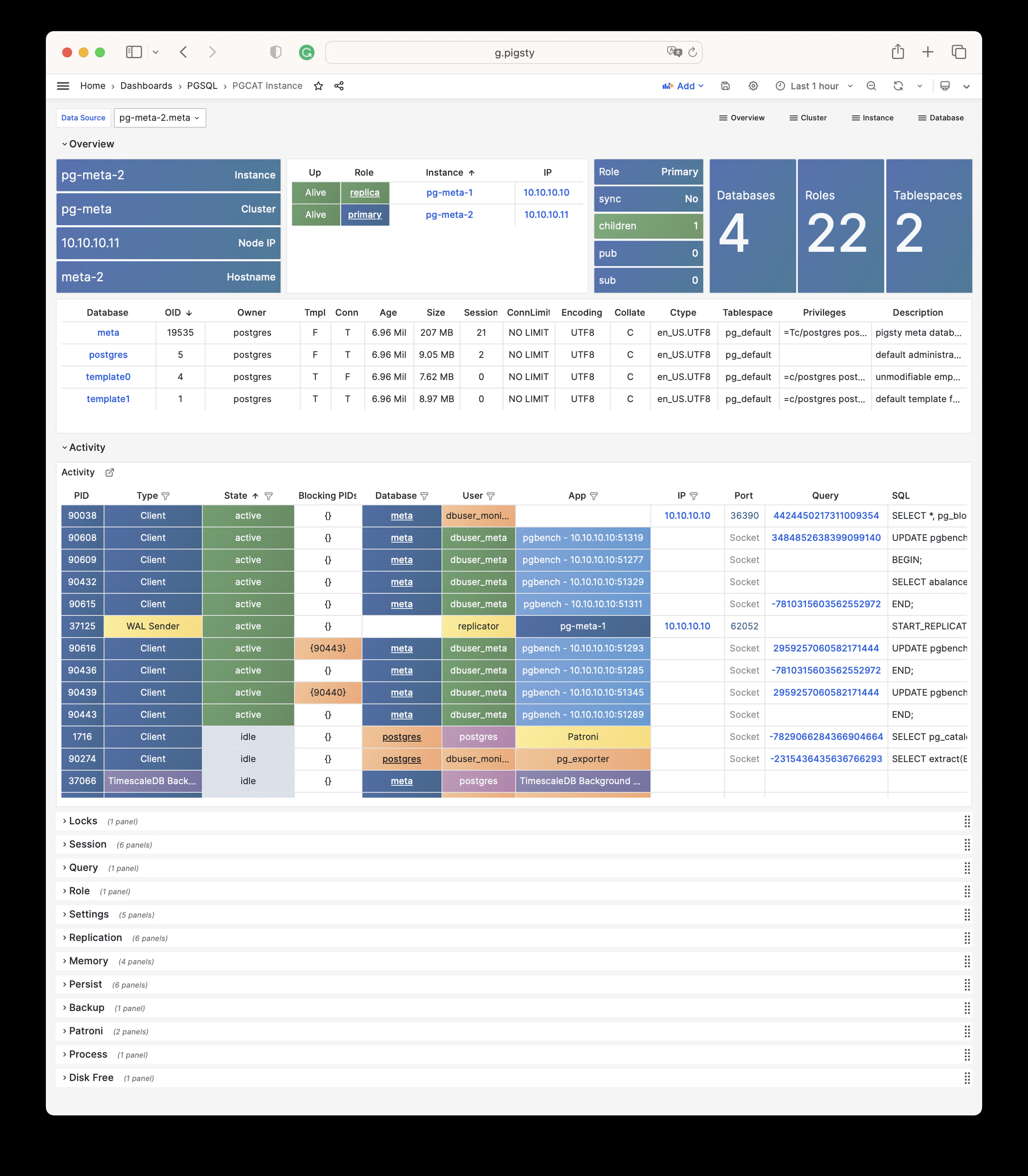
PGCAT Database: Database information from database catalog directly
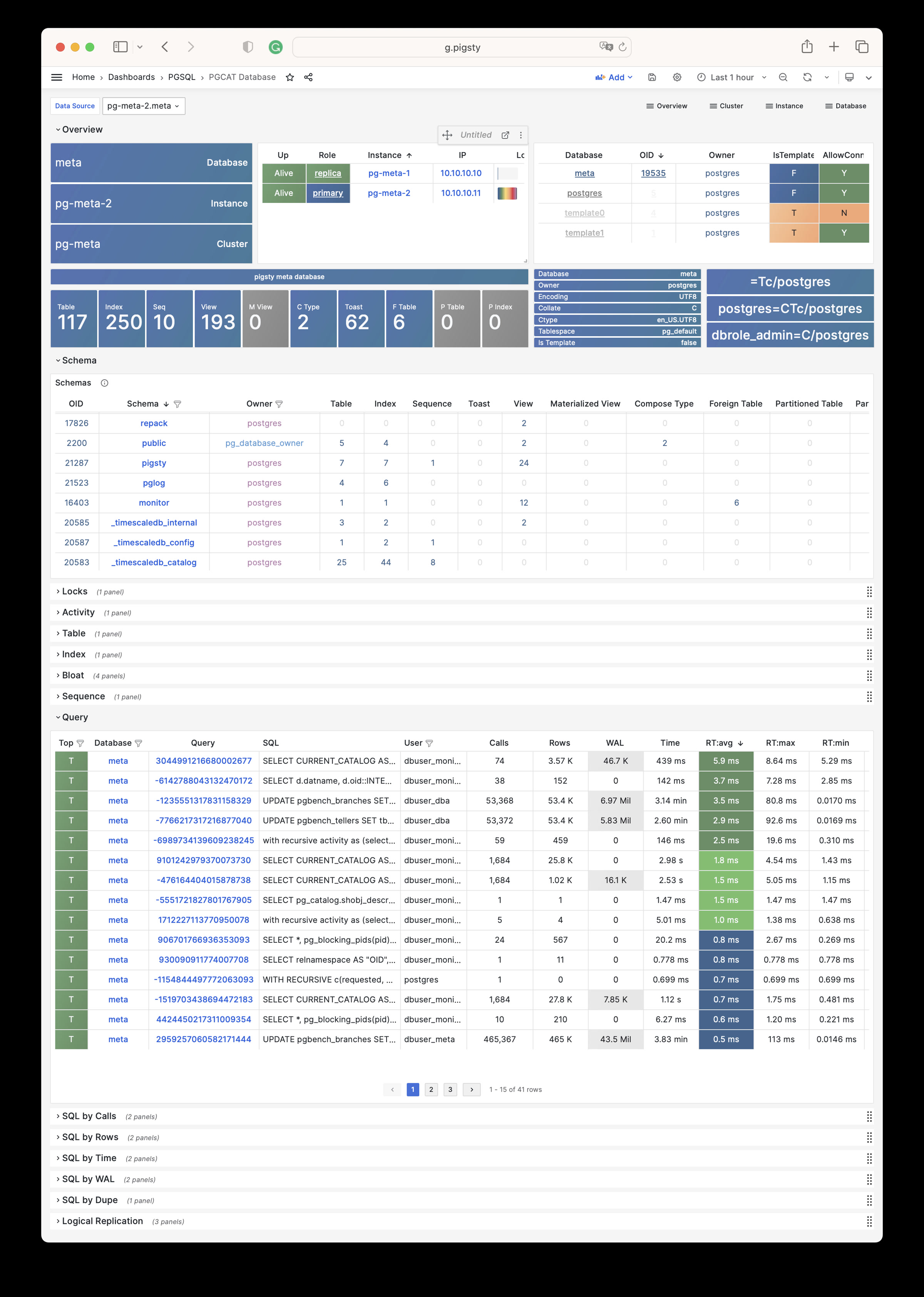
PGCAT Schema: Detailed information about one single schema from database catalog directly
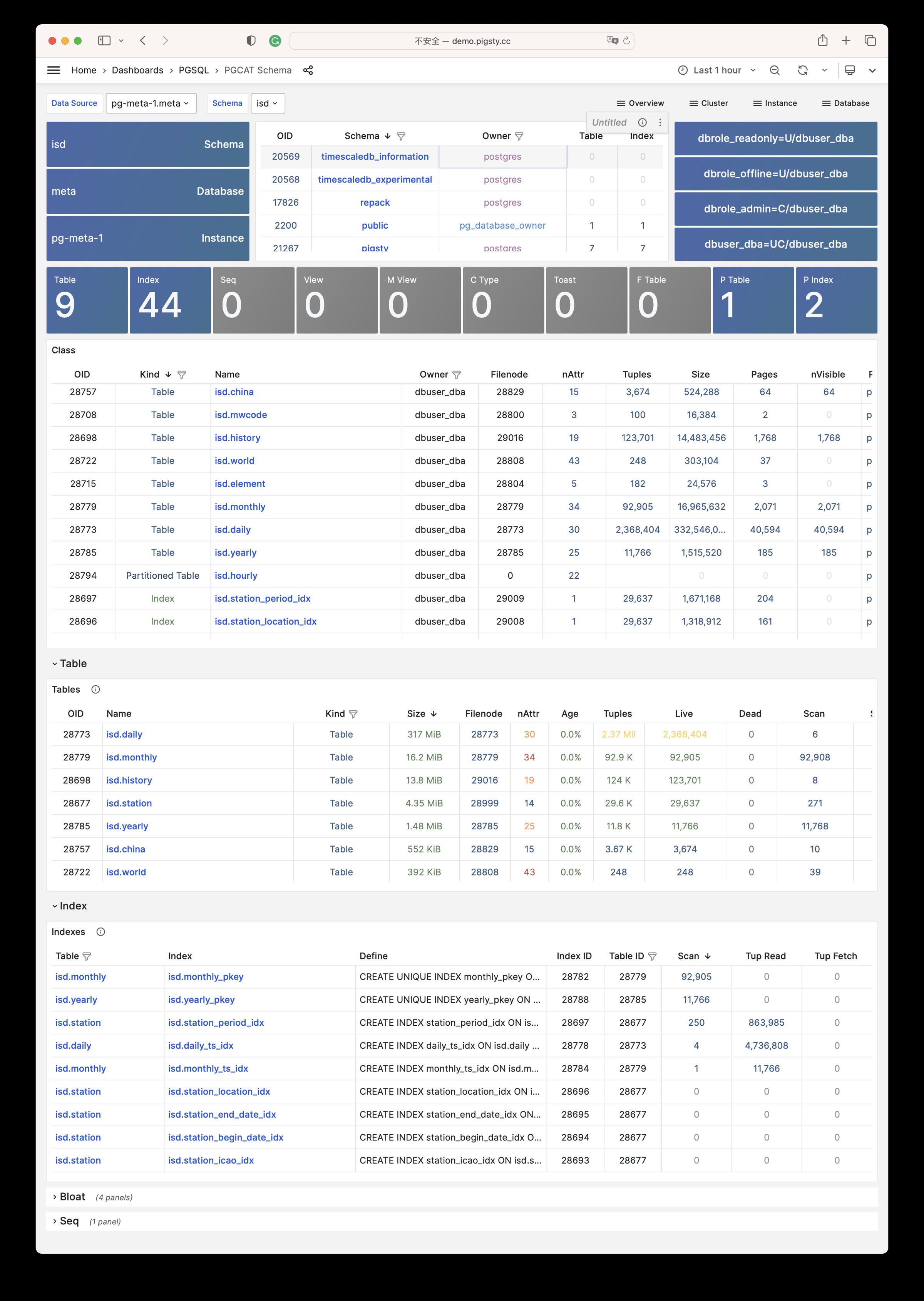
PGCAT Table: Detailed information about one single table from database catalog directly
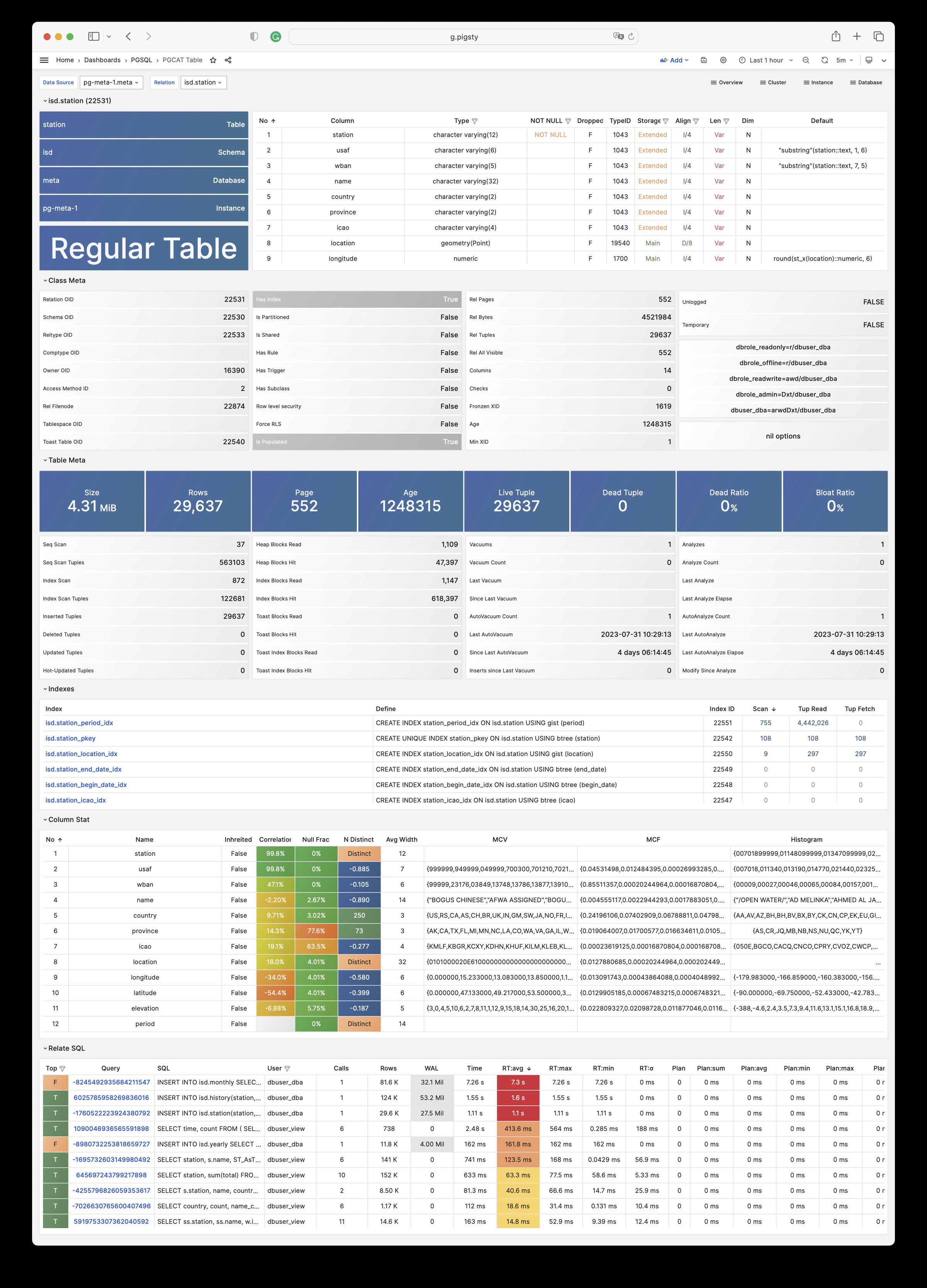
PGCAT Query: Detailed information about one single type of query from database catalog directly
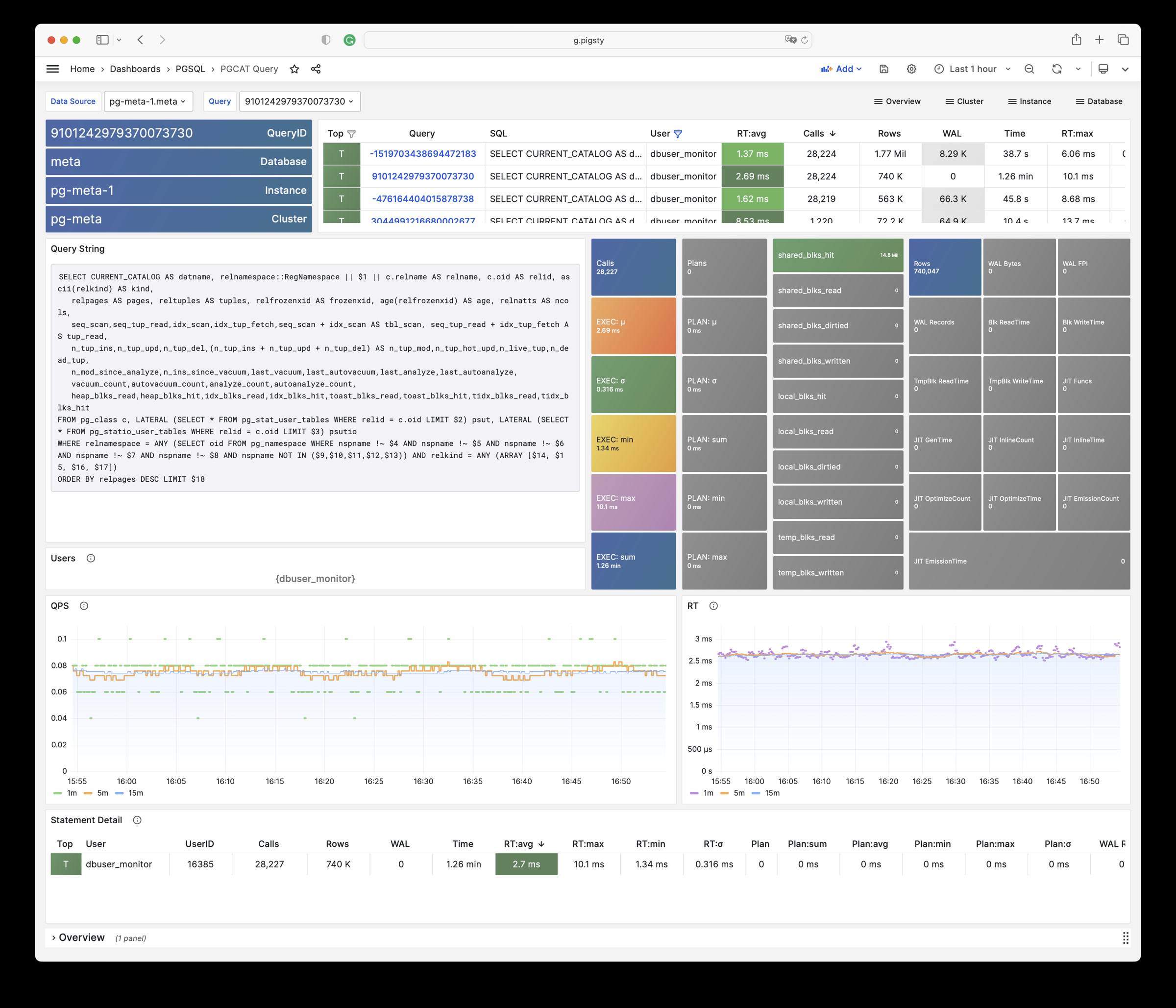
PGCAT Locks: Detailed information about live locks & activity from database catalog directly
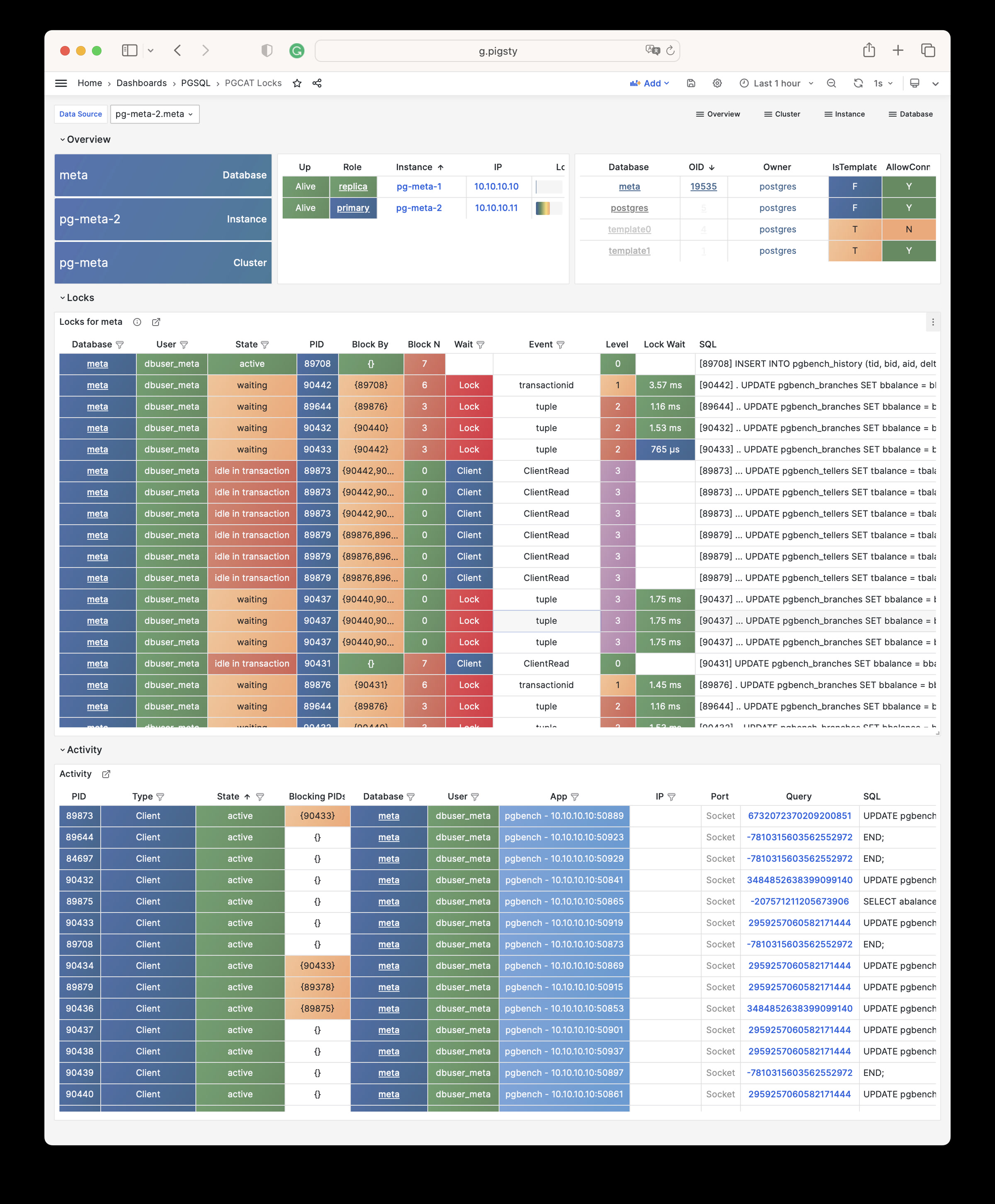
PGLOG Overview: Overview of csv log sample in pigsty meta database
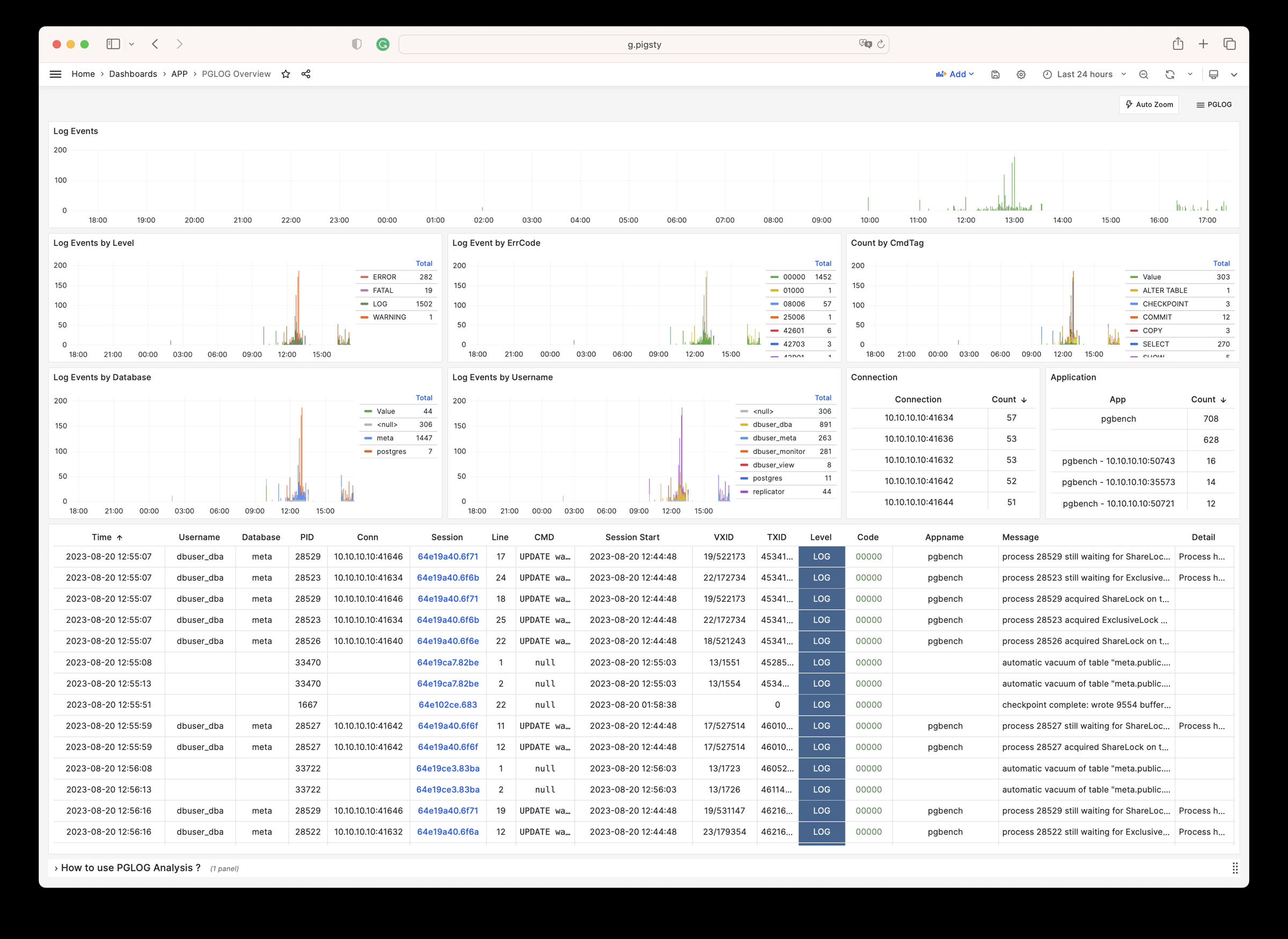
PGLOG Overview: Detail of one single session of csv log sample in pigsty meta database
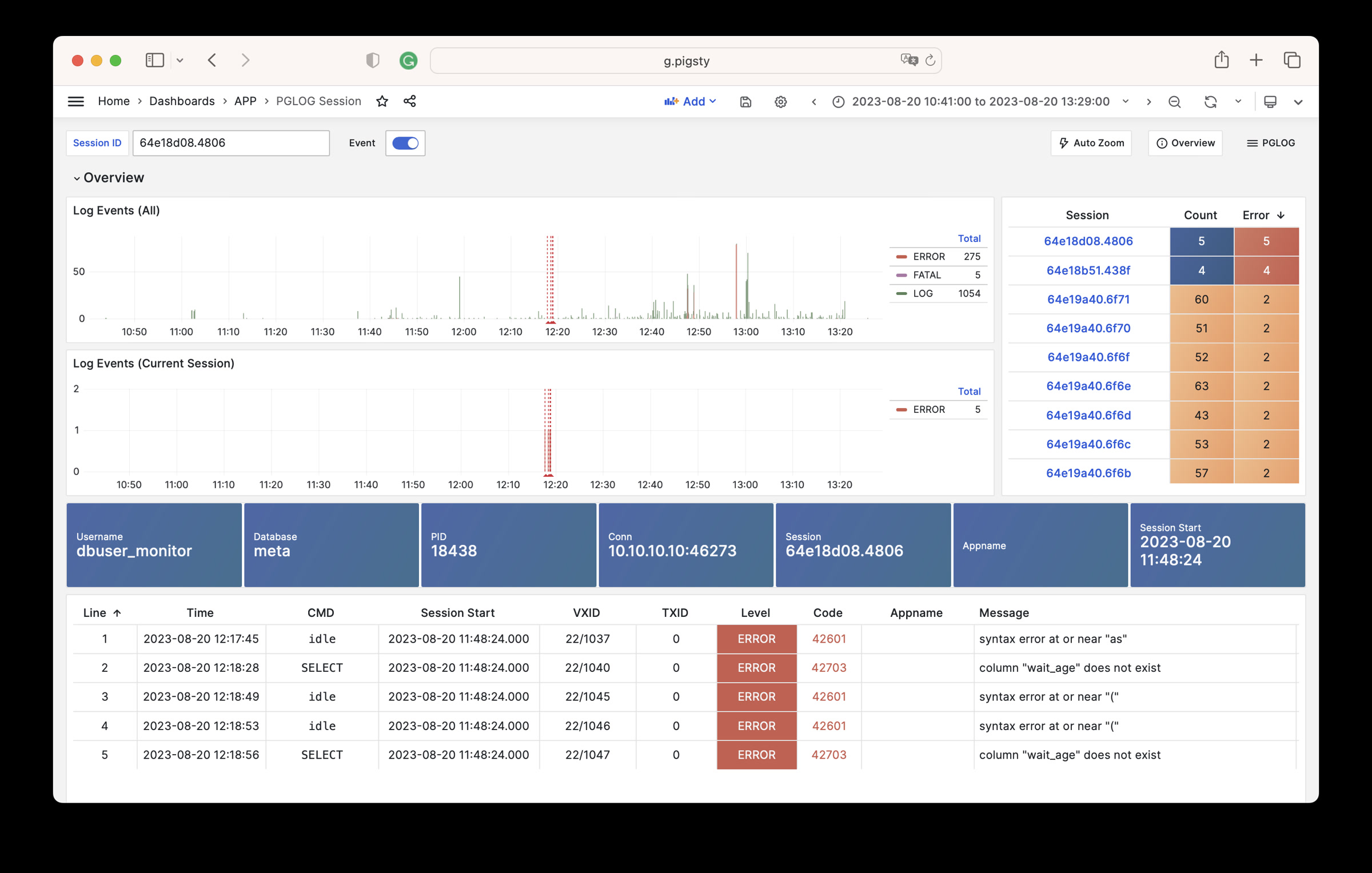
PGSQL module has 638 available metrics
| Metric Name | Type | Labels | Description |
|---|---|---|---|
| ALERTS | Unknown | category, job, level, ins, severity, ip, alertname, alertstate, instance, cls |
N/A |
| ALERTS_FOR_STATE | Unknown | category, job, level, ins, severity, ip, alertname, instance, cls |
N/A |
| cls:pressure1 | Unknown | job, cls |
N/A |
| cls:pressure15 | Unknown | job, cls |
N/A |
| cls:pressure5 | Unknown | job, cls |
N/A |
| go_gc_duration_seconds | summary | job, ins, ip, instance, quantile, cls |
A summary of the pause duration of garbage collection cycles. |
| go_gc_duration_seconds_count | Unknown | job, ins, ip, instance, cls |
N/A |
| go_gc_duration_seconds_sum | Unknown | job, ins, ip, instance, cls |
N/A |
| go_goroutines | gauge | job, ins, ip, instance, cls |
Number of goroutines that currently exist. |
| go_info | gauge | version, job, ins, ip, instance, cls |
Information about the Go environment. |
| go_memstats_alloc_bytes | gauge | job, ins, ip, instance, cls |
Number of bytes allocated and still in use. |
| go_memstats_alloc_bytes_total | counter | job, ins, ip, instance, cls |
Total number of bytes allocated, even if freed. |
| go_memstats_buck_hash_sys_bytes | gauge | job, ins, ip, instance, cls |
Number of bytes used by the profiling bucket hash table. |
| go_memstats_frees_total | counter | job, ins, ip, instance, cls |
Total number of frees. |
| go_memstats_gc_sys_bytes | gauge | job, ins, ip, instance, cls |
Number of bytes used for garbage collection system metadata. |
| go_memstats_heap_alloc_bytes | gauge | job, ins, ip, instance, cls |
Number of heap bytes allocated and still in use. |
| go_memstats_heap_idle_bytes | gauge | job, ins, ip, instance, cls |
Number of heap bytes waiting to be used. |
| go_memstats_heap_inuse_bytes | gauge | job, ins, ip, instance, cls |
Number of heap bytes that are in use. |
| go_memstats_heap_objects | gauge | job, ins, ip, instance, cls |
Number of allocated objects. |
| go_memstats_heap_released_bytes | gauge | job, ins, ip, instance, cls |
Number of heap bytes released to OS. |
| go_memstats_heap_sys_bytes | gauge | job, ins, ip, instance, cls |
Number of heap bytes obtained from system. |
| go_memstats_last_gc_time_seconds | gauge | job, ins, ip, instance, cls |
Number of seconds since 1970 of last garbage collection. |
| go_memstats_lookups_total | counter | job, ins, ip, instance, cls |
Total number of pointer lookups. |
| go_memstats_mallocs_total | counter | job, ins, ip, instance, cls |
Total number of mallocs. |
| go_memstats_mcache_inuse_bytes | gauge | job, ins, ip, instance, cls |
Number of bytes in use by mcache structures. |
| go_memstats_mcache_sys_bytes | gauge | job, ins, ip, instance, cls |
Number of bytes used for mcache structures obtained from system. |
| go_memstats_mspan_inuse_bytes | gauge | job, ins, ip, instance, cls |
Number of bytes in use by mspan structures. |
| go_memstats_mspan_sys_bytes | gauge | job, ins, ip, instance, cls |
Number of bytes used for mspan structures obtained from system. |
| go_memstats_next_gc_bytes | gauge | job, ins, ip, instance, cls |
Number of heap bytes when next garbage collection will take place. |
| go_memstats_other_sys_bytes | gauge | job, ins, ip, instance, cls |
Number of bytes used for other system allocations. |
| go_memstats_stack_inuse_bytes | gauge | job, ins, ip, instance, cls |
Number of bytes in use by the stack allocator. |
| go_memstats_stack_sys_bytes | gauge | job, ins, ip, instance, cls |
Number of bytes obtained from system for stack allocator. |
| go_memstats_sys_bytes | gauge | job, ins, ip, instance, cls |
Number of bytes obtained from system. |
| go_threads | gauge | job, ins, ip, instance, cls |
Number of OS threads created. |
| ins:pressure1 | Unknown | job, ins, ip, cls |
N/A |
| ins:pressure15 | Unknown | job, ins, ip, cls |
N/A |
| ins:pressure5 | Unknown | job, ins, ip, cls |
N/A |
| patroni_cluster_unlocked | gauge | job, ins, ip, instance, cls, scope |
Value is 1 if the cluster is unlocked, 0 if locked. |
| patroni_dcs_last_seen | gauge | job, ins, ip, instance, cls, scope |
Epoch timestamp when DCS was last contacted successfully by Patroni. |
| patroni_failsafe_mode_is_active | gauge | job, ins, ip, instance, cls, scope |
Value is 1 if failsafe mode is active, 0 if inactive. |
| patroni_is_paused | gauge | job, ins, ip, instance, cls, scope |
Value is 1 if auto failover is disabled, 0 otherwise. |
| patroni_master | gauge | job, ins, ip, instance, cls, scope |
Value is 1 if this node is the leader, 0 otherwise. |
| patroni_pending_restart | gauge | job, ins, ip, instance, cls, scope |
Value is 1 if the node needs a restart, 0 otherwise. |
| patroni_postgres_in_archive_recovery | gauge | job, ins, ip, instance, cls, scope |
Value is 1 if Postgres is replicating from archive, 0 otherwise. |
| patroni_postgres_running | gauge | job, ins, ip, instance, cls, scope |
Value is 1 if Postgres is running, 0 otherwise. |
| patroni_postgres_server_version | gauge | job, ins, ip, instance, cls, scope |
Version of Postgres (if running), 0 otherwise. |
| patroni_postgres_streaming | gauge | job, ins, ip, instance, cls, scope |
Value is 1 if Postgres is streaming, 0 otherwise. |
| patroni_postgres_timeline | counter | job, ins, ip, instance, cls, scope |
Postgres timeline of this node (if running), 0 otherwise. |
| patroni_postmaster_start_time | gauge | job, ins, ip, instance, cls, scope |
Epoch seconds since Postgres started. |
| patroni_primary | gauge | job, ins, ip, instance, cls, scope |
Value is 1 if this node is the leader, 0 otherwise. |
| patroni_replica | gauge | job, ins, ip, instance, cls, scope |
Value is 1 if this node is a replica, 0 otherwise. |
| patroni_standby_leader | gauge | job, ins, ip, instance, cls, scope |
Value is 1 if this node is the standby_leader, 0 otherwise. |
| patroni_sync_standby | gauge | job, ins, ip, instance, cls, scope |
Value is 1 if this node is a sync standby replica, 0 otherwise. |
| patroni_up | Unknown | job, ins, ip, instance, cls |
N/A |
| patroni_version | gauge | job, ins, ip, instance, cls, scope |
Patroni semver without periods. |
| patroni_xlog_location | counter | job, ins, ip, instance, cls, scope |
Current location of the Postgres transaction log, 0 if this node is not the leader. |
| patroni_xlog_paused | gauge | job, ins, ip, instance, cls, scope |
Value is 1 if the Postgres xlog is paused, 0 otherwise. |
| patroni_xlog_received_location | counter | job, ins, ip, instance, cls, scope |
Current location of the received Postgres transaction log, 0 if this node is not a replica. |
| patroni_xlog_replayed_location | counter | job, ins, ip, instance, cls, scope |
Current location of the replayed Postgres transaction log, 0 if this node is not a replica. |
| patroni_xlog_replayed_timestamp | gauge | job, ins, ip, instance, cls, scope |
Current timestamp of the replayed Postgres transaction log, 0 if null. |
| pg:cls:active_backends | Unknown | job, cls |
N/A |
| pg:cls:active_time_rate15m | Unknown | job, cls |
N/A |
| pg:cls:active_time_rate1m | Unknown | job, cls |
N/A |
| pg:cls:active_time_rate5m | Unknown | job, cls |
N/A |
| pg:cls:age | Unknown | job, cls |
N/A |
| pg:cls:buf_alloc_rate1m | Unknown | job, cls |
N/A |
| pg:cls:buf_clean_rate1m | Unknown | job, cls |
N/A |
| pg:cls:buf_flush_backend_rate1m | Unknown | job, cls |
N/A |
| pg:cls:buf_flush_checkpoint_rate1m | Unknown | job, cls |
N/A |
| pg:cls:cpu_count | Unknown | job, cls |
N/A |
| pg:cls:cpu_usage | Unknown | job, cls |
N/A |
| pg:cls:cpu_usage_15m | Unknown | job, cls |
N/A |
| pg:cls:cpu_usage_1m | Unknown | job, cls |
N/A |
| pg:cls:cpu_usage_5m | Unknown | job, cls |
N/A |
| pg:cls:db_size | Unknown | job, cls |
N/A |
| pg:cls:file_size | Unknown | job, cls |
N/A |
| pg:cls:ixact_backends | Unknown | job, cls |
N/A |
| pg:cls:ixact_time_rate1m | Unknown | job, cls |
N/A |
| pg:cls:lag_bytes | Unknown | job, cls |
N/A |
| pg:cls:lag_seconds | Unknown | job, cls |
N/A |
| pg:cls:leader | Unknown | job, ins, ip, instance, cls |
N/A |
| pg:cls:load1 | Unknown | job, cls |
N/A |
| pg:cls:load15 | Unknown | job, cls |
N/A |
| pg:cls:load5 | Unknown | job, cls |
N/A |
| pg:cls:lock_count | Unknown | job, cls |
N/A |
| pg:cls:locks | Unknown | job, cls, mode |
N/A |
| pg:cls:log_size | Unknown | job, cls |
N/A |
| pg:cls:lsn_rate1m | Unknown | job, cls |
N/A |
| pg:cls:members | Unknown | job, ins, ip, cls |
N/A |
| pg:cls:num_backends | Unknown | job, cls |
N/A |
| pg:cls:partition | Unknown | job, cls |
N/A |
| pg:cls:receiver | Unknown | state, slot_name, job, appname, ip, cls, sender_host, sender_port |
N/A |
| pg:cls:rlock_count | Unknown | job, cls |
N/A |
| pg:cls:saturation1 | Unknown | job, cls |
N/A |
| pg:cls:saturation15 | Unknown | job, cls |
N/A |
| pg:cls:saturation5 | Unknown | job, cls |
N/A |
| pg:cls:sender | Unknown | pid, usename, address, job, ins, appname, ip, cls |
N/A |
| pg:cls:session_time_rate1m | Unknown | job, cls |
N/A |
| pg:cls:size | Unknown | job, cls |
N/A |
| pg:cls:slot_count | Unknown | job, cls |
N/A |
| pg:cls:slot_retained_bytes | Unknown | job, cls |
N/A |
| pg:cls:standby_count | Unknown | job, cls |
N/A |
| pg:cls:sync_state | Unknown | job, cls |
N/A |
| pg:cls:timeline | Unknown | job, cls |
N/A |
| pg:cls:tup_deleted_rate1m | Unknown | job, cls |
N/A |
| pg:cls:tup_fetched_rate1m | Unknown | job, cls |
N/A |
| pg:cls:tup_inserted_rate1m | Unknown | job, cls |
N/A |
| pg:cls:tup_modified_rate1m | Unknown | job, cls |
N/A |
| pg:cls:tup_returned_rate1m | Unknown | job, cls |
N/A |
| pg:cls:wal_size | Unknown | job, cls |
N/A |
| pg:cls:xact_commit_rate15m | Unknown | job, cls |
N/A |
| pg:cls:xact_commit_rate1m | Unknown | job, cls |
N/A |
| pg:cls:xact_commit_rate5m | Unknown | job, cls |
N/A |
| pg:cls:xact_rollback_rate15m | Unknown | job, cls |
N/A |
| pg:cls:xact_rollback_rate1m | Unknown | job, cls |
N/A |
| pg:cls:xact_rollback_rate5m | Unknown | job, cls |
N/A |
| pg:cls:xact_total_rate15m | Unknown | job, cls |
N/A |
| pg:cls:xact_total_rate1m | Unknown | job, cls |
N/A |
| pg:cls:xact_total_sigma15m | Unknown | job, cls |
N/A |
| pg:cls:xlock_count | Unknown | job, cls |
N/A |
| pg:db:active_backends | Unknown | datname, job, ins, ip, instance, cls |
N/A |
| pg:db:active_time_rate15m | Unknown | datname, job, ins, ip, instance, cls |
N/A |
| pg:db:active_time_rate1m | Unknown | datname, job, ins, ip, instance, cls |
N/A |
| pg:db:active_time_rate5m | Unknown | datname, job, ins, ip, instance, cls |
N/A |
| pg:db:age | Unknown | datname, job, ins, ip, instance, cls |
N/A |
| pg:db:age_deriv1h | Unknown | datname, job, ins, ip, instance, cls |
N/A |
| pg:db:age_exhaust | Unknown | datname, job, ins, ip, instance, cls |
N/A |
| pg:db:blk_io_time_seconds_rate1m | Unknown | datname, job, ins, ip, instance, cls |
N/A |
| pg:db:blk_read_time_seconds_rate1m | Unknown | datname, job, ins, ip, instance, cls |
N/A |
| pg:db:blk_write_time_seconds_rate1m | Unknown | datname, job, ins, ip, instance, cls |
N/A |
| pg:db:blks_access_1m | Unknown | datname, job, ins, ip, instance, cls |
N/A |
| pg:db:blks_hit_1m | Unknown | datname, job, ins, ip, instance, cls |
N/A |
| pg:db:blks_hit_ratio1m | Unknown | datname, job, ins, ip, instance, cls |
N/A |
| pg:db:blks_read_1m | Unknown | datname, job, ins, ip, instance, cls |
N/A |
| pg:db:conn_limit | Unknown | datname, job, ins, ip, instance, cls |
N/A |
| pg:db:conn_usage | Unknown | datname, job, ins, ip, instance, cls |
N/A |
| pg:db:db_size | Unknown | datname, job, ins, ip, instance, cls |
N/A |
| pg:db:ixact_backends | Unknown | datname, job, ins, ip, instance, cls |
N/A |
| pg:db:ixact_time_rate1m | Unknown | datname, job, ins, ip, instance, cls |
N/A |
| pg:db:lock_count | Unknown | datname, job, ins, ip, instance, cls |
N/A |
| pg:db:num_backends | Unknown | datname, job, ins, ip, instance, cls |
N/A |
| pg:db:rlock_count | Unknown | datname, job, ins, ip, instance, cls |
N/A |
| pg:db:session_time_rate1m | Unknown | datname, job, ins, ip, instance, cls |
N/A |
| pg:db:temp_bytes_rate1m | Unknown | datname, job, ins, ip, instance, cls |
N/A |
| pg:db:temp_files_1m | Unknown | datname, job, ins, ip, instance, cls |
N/A |
| pg:db:tup_deleted_rate1m | Unknown | datname, job, ins, ip, instance, cls |
N/A |
| pg:db:tup_fetched_rate1m | Unknown | datname, job, ins, ip, instance, cls |
N/A |
| pg:db:tup_inserted_rate1m | Unknown | datname, job, ins, ip, instance, cls |
N/A |
| pg:db:tup_modified_rate1m | Unknown | datname, job, ins, ip, instance, cls |
N/A |
| pg:db:tup_returned_rate1m | Unknown | datname, job, ins, ip, instance, cls |
N/A |
| pg:db:wlock_count | Unknown | datname, job, ins, ip, instance, cls |
N/A |
| pg:db:xact_commit_rate15m | Unknown | datname, job, ins, ip, instance, cls |
N/A |
| pg:db:xact_commit_rate1m | Unknown | datname, job, ins, ip, instance, cls |
N/A |
| pg:db:xact_commit_rate5m | Unknown | datname, job, ins, ip, instance, cls |
N/A |
| pg:db:xact_rollback_rate15m | Unknown | datname, job, ins, ip, instance, cls |
N/A |
| pg:db:xact_rollback_rate1m | Unknown | datname, job, ins, ip, instance, cls |
N/A |
| pg:db:xact_rollback_rate5m | Unknown | datname, job, ins, ip, instance, cls |
N/A |
| pg:db:xact_total_rate15m | Unknown | datname, job, ins, ip, instance, cls |
N/A |
| pg:db:xact_total_rate1m | Unknown | datname, job, ins, ip, instance, cls |
N/A |
| pg:db:xact_total_rate5m | Unknown | datname, job, ins, ip, instance, cls |
N/A |
| pg:db:xact_total_sigma15m | Unknown | datname, job, ins, ip, instance, cls |
N/A |
| pg:db:xlock_count | Unknown | datname, job, ins, ip, instance, cls |
N/A |
| pg:env:active_backends | Unknown | job |
N/A |
| pg:env:active_time_rate15m | Unknown | job |
N/A |
| pg:env:active_time_rate1m | Unknown | job |
N/A |
| pg:env:active_time_rate5m | Unknown | job |
N/A |
| pg:env:age | Unknown | job |
N/A |
| pg:env:cpu_count | Unknown | job |
N/A |
| pg:env:cpu_usage | Unknown | job |
N/A |
| pg:env:cpu_usage_15m | Unknown | job |
N/A |
| pg:env:cpu_usage_1m | Unknown | job |
N/A |
| pg:env:cpu_usage_5m | Unknown | job |
N/A |
| pg:env:ixact_backends | Unknown | job |
N/A |
| pg:env:ixact_time_rate1m | Unknown | job |
N/A |
| pg:env:lag_bytes | Unknown | job |
N/A |
| pg:env:lag_seconds | Unknown | job |
N/A |
| pg:env:lsn_rate1m | Unknown | job |
N/A |
| pg:env:session_time_rate1m | Unknown | job |
N/A |
| pg:env:tup_deleted_rate1m | Unknown | job |
N/A |
| pg:env:tup_fetched_rate1m | Unknown | job |
N/A |
| pg:env:tup_inserted_rate1m | Unknown | job |
N/A |
| pg:env:tup_modified_rate1m | Unknown | job |
N/A |
| pg:env:tup_returned_rate1m | Unknown | job |
N/A |
| pg:env:xact_commit_rate15m | Unknown | job |
N/A |
| pg:env:xact_commit_rate1m | Unknown | job |
N/A |
| pg:env:xact_commit_rate5m | Unknown | job |
N/A |
| pg:env:xact_rollback_rate15m | Unknown | job |
N/A |
| pg:env:xact_rollback_rate1m | Unknown | job |
N/A |
| pg:env:xact_rollback_rate5m | Unknown | job |
N/A |
| pg:env:xact_total_rate15m | Unknown | job |
N/A |
| pg:env:xact_total_rate1m | Unknown | job |
N/A |
| pg:env:xact_total_sigma15m | Unknown | job |
N/A |
| pg:ins:active_backends | Unknown | job, ins, ip, instance, cls |
N/A |
| pg:ins:active_time_rate15m | Unknown | job, ins, ip, instance, cls |
N/A |
| pg:ins:active_time_rate1m | Unknown | job, ins, ip, instance, cls |
N/A |
| pg:ins:active_time_rate5m | Unknown | job, ins, ip, instance, cls |
N/A |
| pg:ins:age | Unknown | job, ins, ip, instance, cls |
N/A |
| pg:ins:blks_hit_ratio1m | Unknown | job, ins, ip, instance, cls |
N/A |
| pg:ins:buf_alloc_rate1m | Unknown | job, ins, ip, instance, cls |
N/A |
| pg:ins:buf_clean_rate1m | Unknown | job, ins, ip, instance, cls |
N/A |
| pg:ins:buf_flush_backend_rate1m | Unknown | job, ins, ip, instance, cls |
N/A |
| pg:ins:buf_flush_checkpoint_rate1m | Unknown | job, ins, ip, instance, cls |
N/A |
| pg:ins:ckpt_1h | Unknown | job, ins, ip, instance, cls |
N/A |
| pg:ins:ckpt_req_1m | Unknown | job, ins, ip, instance, cls |
N/A |
| pg:ins:ckpt_timed_1m | Unknown | job, ins, ip, instance, cls |
N/A |
| pg:ins:conn_limit | Unknown | job, ins, ip, instance, cls |
N/A |
| pg:ins:conn_usage | Unknown | job, ins, ip, instance, cls |
N/A |
| pg:ins:cpu_count | Unknown | job, ins, ip, instance, cls |
N/A |
| pg:ins:cpu_usage | Unknown | job, ins, ip, instance, cls |
N/A |
| pg:ins:cpu_usage_15m | Unknown | job, ins, ip, instance, cls |
N/A |
| pg:ins:cpu_usage_1m | Unknown | job, ins, ip, instance, cls |
N/A |
| pg:ins:cpu_usage_5m | Unknown | job, ins, ip, instance, cls |
N/A |
| pg:ins:db_size | Unknown | job, ins, ip, instance, cls |
N/A |
| pg:ins:file_size | Unknown | job, ins, ip, instance, cls |
N/A |
| pg:ins:fs_size | Unknown | job, ins, ip, instance, cls |
N/A |
| pg:ins:is_leader | Unknown | job, ins, ip, instance, cls |
N/A |
| pg:ins:ixact_backends | Unknown | job, ins, ip, instance, cls |
N/A |
| pg:ins:ixact_time_rate1m | Unknown | job, ins, ip, instance, cls |
N/A |
| pg:ins:lag_bytes | Unknown | job, ins, ip, instance, cls |
N/A |
| pg:ins:lag_seconds | Unknown | job, ins, ip, instance, cls |
N/A |
| pg:ins:load1 | Unknown | job, ins, ip, instance, cls |
N/A |
| pg:ins:load15 | Unknown | job, ins, ip, instance, cls |
N/A |
| pg:ins:load5 | Unknown | job, ins, ip, instance, cls |
N/A |
| pg:ins:lock_count | Unknown | job, ins, ip, instance, cls |
N/A |
| pg:ins:locks | Unknown | job, ins, ip, mode, instance, cls |
N/A |
| pg:ins:log_size | Unknown | job, ins, ip, instance, cls |
N/A |
| pg:ins:lsn_rate1m | Unknown | job, ins, ip, instance, cls |
N/A |
| pg:ins:mem_size | Unknown | job, ins, ip, instance, cls |
N/A |
| pg:ins:num_backends | Unknown | job, ins, ip, instance, cls |
N/A |
| pg:ins:rlock_count | Unknown | job, ins, ip, instance, cls |
N/A |
| pg:ins:saturation1 | Unknown | job, ins, ip, cls |
N/A |
| pg:ins:saturation15 | Unknown | job, ins, ip, cls |
N/A |
| pg:ins:saturation5 | Unknown | job, ins, ip, cls |
N/A |
| pg:ins:session_time_rate1m | Unknown | job, ins, ip, instance, cls |
N/A |
| pg:ins:slot_retained_bytes | Unknown | job, ins, ip, instance, cls |
N/A |
| pg:ins:space_usage | Unknown | job, ins, ip, instance, cls |
N/A |
| pg:ins:status | Unknown | job, ins, ip, instance, cls |
N/A |
| pg:ins:sync_state | Unknown | job, ins, instance, cls |
N/A |
| pg:ins:target_count | Unknown | job, cls, ins |
N/A |
| pg:ins:timeline | Unknown | job, ins, ip, instance, cls |
N/A |
| pg:ins:tup_deleted_rate1m | Unknown | job, ins, ip, instance, cls |
N/A |
| pg:ins:tup_fetched_rate1m | Unknown | job, ins, ip, instance, cls |
N/A |
| pg:ins:tup_inserted_rate1m | Unknown | job, ins, ip, instance, cls |
N/A |
| pg:ins:tup_modified_rate1m | Unknown | job, ins, ip, instance, cls |
N/A |
| pg:ins:tup_returned_rate1m | Unknown | job, ins, ip, instance, cls |
N/A |
| pg:ins:wal_size | Unknown | job, ins, ip, instance, cls |
N/A |
| pg:ins:wlock_count | Unknown | job, ins, ip, instance, cls |
N/A |
| pg:ins:xact_commit_rate15m | Unknown | job, ins, ip, instance, cls |
N/A |
| pg:ins:xact_commit_rate1m | Unknown | job, ins, ip, instance, cls |
N/A |
| pg:ins:xact_commit_rate5m | Unknown | job, ins, ip, instance, cls |
N/A |
| pg:ins:xact_rollback_rate15m | Unknown | job, ins, ip, instance, cls |
N/A |
| pg:ins:xact_rollback_rate1m | Unknown | job, ins, ip, instance, cls |
N/A |
| pg:ins:xact_rollback_rate5m | Unknown | job, ins, ip, instance, cls |
N/A |
| pg:ins:xact_total_rate15m | Unknown | job, ins, ip, instance, cls |
N/A |
| pg:ins:xact_total_rate1m | Unknown | job, ins, ip, instance, cls |
N/A |
| pg:ins:xact_total_rate5m | Unknown | job, ins, ip, instance, cls |
N/A |
| pg:ins:xact_total_sigma15m | Unknown | job, ins, ip, instance, cls |
N/A |
| pg:ins:xlock_count | Unknown | job, ins, ip, instance, cls |
N/A |
| pg:query:call_rate1m | Unknown | datname, query, job, ins, ip, instance, cls |
N/A |
| pg:query:rt_1m | Unknown | datname, query, job, ins, ip, instance, cls |
N/A |
| pg:table:scan_rate1m | Unknown | datname, relname, job, ins, ip, instance, cls |
N/A |
| pg_activity_count | gauge | datname, state, job, ins, ip, instance, cls |
Count of connection among (datname,state) |
| pg_activity_max_conn_duration | gauge | datname, state, job, ins, ip, instance, cls |
Max backend session duration since state change among (datname, state) |
| pg_activity_max_duration | gauge | datname, state, job, ins, ip, instance, cls |
Max duration since last state change among (datname, state) |
| pg_activity_max_tx_duration | gauge | datname, state, job, ins, ip, instance, cls |
Max transaction duration since state change among (datname, state) |
| pg_archiver_failed_count | counter | job, ins, ip, instance, cls |
Number of failed attempts for archiving WAL files |
| pg_archiver_finish_count | counter | job, ins, ip, instance, cls |
Number of WAL files that have been successfully archived |
| pg_archiver_last_failed_time | counter | job, ins, ip, instance, cls |
Time of the last failed archival operation |
| pg_archiver_last_finish_time | counter | job, ins, ip, instance, cls |
Time of the last successful archive operation |
| pg_archiver_reset_time | gauge | job, ins, ip, instance, cls |
Time at which archive statistics were last reset |
| pg_backend_count | gauge | type, job, ins, ip, instance, cls |
Database backend process count by backend_type |
| pg_bgwriter_buffers_alloc | counter | job, ins, ip, instance, cls |
Number of buffers allocated |
| pg_bgwriter_buffers_backend | counter | job, ins, ip, instance, cls |
Number of buffers written directly by a backend |
| pg_bgwriter_buffers_backend_fsync | counter | job, ins, ip, instance, cls |
Number of times a backend had to execute its own fsync call |
| pg_bgwriter_buffers_checkpoint | counter | job, ins, ip, instance, cls |
Number of buffers written during checkpoints |
| pg_bgwriter_buffers_clean | counter | job, ins, ip, instance, cls |
Number of buffers written by the background writer |
| pg_bgwriter_checkpoint_sync_time | counter | job, ins, ip, instance, cls |
Total amount of time that has been spent in the portion of checkpoint processing where files are synchronized to disk, in seconds |
| pg_bgwriter_checkpoint_write_time | counter | job, ins, ip, instance, cls |
Total amount of time that has been spent in the portion of checkpoint processing where files are written to disk, in seconds |
| pg_bgwriter_checkpoints_req | counter | job, ins, ip, instance, cls |
Number of requested checkpoints that have been performed |
| pg_bgwriter_checkpoints_timed | counter | job, ins, ip, instance, cls |
Number of scheduled checkpoints that have been performed |
| pg_bgwriter_maxwritten_clean | counter | job, ins, ip, instance, cls |
Number of times the background writer stopped a cleaning scan because it had written too many buffers |
| pg_bgwriter_reset_time | counter | job, ins, ip, instance, cls |
Time at which bgwriter statistics were last reset |
| pg_boot_time | gauge | job, ins, ip, instance, cls |
unix timestamp when postmaster boot |
| pg_checkpoint_checkpoint_lsn | counter | job, ins, ip, instance, cls |
Latest checkpoint location |
| pg_checkpoint_elapse | gauge | job, ins, ip, instance, cls |
Seconds elapsed since latest checkpoint in seconds |
| pg_checkpoint_full_page_writes | gauge | job, ins, ip, instance, cls |
Latest checkpoint’s full_page_writes enabled |
| pg_checkpoint_newest_commit_ts_xid | counter | job, ins, ip, instance, cls |
Latest checkpoint’s newestCommitTsXid |
| pg_checkpoint_next_multi_offset | counter | job, ins, ip, instance, cls |
Latest checkpoint’s NextMultiOffset |
| pg_checkpoint_next_multixact_id | counter | job, ins, ip, instance, cls |
Latest checkpoint’s NextMultiXactId |
| pg_checkpoint_next_oid | counter | job, ins, ip, instance, cls |
Latest checkpoint’s NextOID |
| pg_checkpoint_next_xid | counter | job, ins, ip, instance, cls |
Latest checkpoint’s NextXID xid |
| pg_checkpoint_next_xid_epoch | counter | job, ins, ip, instance, cls |
Latest checkpoint’s NextXID epoch |
| pg_checkpoint_oldest_active_xid | counter | job, ins, ip, instance, cls |
Latest checkpoint’s oldestActiveXID |
| pg_checkpoint_oldest_commit_ts_xid | counter | job, ins, ip, instance, cls |
Latest checkpoint’s oldestCommitTsXid |
| pg_checkpoint_oldest_multi_dbid | gauge | job, ins, ip, instance, cls |
Latest checkpoint’s oldestMulti’s DB OID |
| pg_checkpoint_oldest_multi_xid | counter | job, ins, ip, instance, cls |
Latest checkpoint’s oldestMultiXid |
| pg_checkpoint_oldest_xid | counter | job, ins, ip, instance, cls |
Latest checkpoint’s oldestXID |
| pg_checkpoint_oldest_xid_dbid | gauge | job, ins, ip, instance, cls |
Latest checkpoint’s oldestXID’s DB OID |
| pg_checkpoint_prev_tli | counter | job, ins, ip, instance, cls |
Latest checkpoint’s PrevTimeLineID |
| pg_checkpoint_redo_lsn | counter | job, ins, ip, instance, cls |
Latest checkpoint’s REDO location |
| pg_checkpoint_time | counter | job, ins, ip, instance, cls |
Time of latest checkpoint |
| pg_checkpoint_tli | counter | job, ins, ip, instance, cls |
Latest checkpoint’s TimeLineID |
| pg_conf_reload_time | gauge | job, ins, ip, instance, cls |
seconds since last configuration reload |
| pg_db_active_time | counter | datname, job, ins, ip, instance, cls |
Time spent executing SQL statements in this database, in seconds |
| pg_db_age | gauge | datname, job, ins, ip, instance, cls |
Age of database calculated from datfrozenxid |
| pg_db_allow_conn | gauge | datname, job, ins, ip, instance, cls |
If false(0) then no one can connect to this database. |
| pg_db_blk_read_time | counter | datname, job, ins, ip, instance, cls |
Time spent reading data file blocks by backends in this database, in seconds |
| pg_db_blk_write_time | counter | datname, job, ins, ip, instance, cls |
Time spent writing data file blocks by backends in this database, in seconds |
| pg_db_blks_access | counter | datname, job, ins, ip, instance, cls |
Number of times disk blocks that accessed read+hit |
| pg_db_blks_hit | counter | datname, job, ins, ip, instance, cls |
Number of times disk blocks were found already in the buffer cache |
| pg_db_blks_read | counter | datname, job, ins, ip, instance, cls |
Number of disk blocks read in this database |
| pg_db_cks_fail_time | gauge | datname, job, ins, ip, instance, cls |
Time at which the last data page checksum failure was detected in this database |
| pg_db_cks_fails | counter | datname, job, ins, ip, instance, cls |
Number of data page checksum failures detected in this database, -1 for not enabled |
| pg_db_confl_confl_bufferpin | counter | datname, job, ins, ip, instance, cls |
Number of queries in this database that have been canceled due to pinned buffers |
| pg_db_confl_confl_deadlock | counter | datname, job, ins, ip, instance, cls |
Number of queries in this database that have been canceled due to deadlocks |
| pg_db_confl_confl_lock | counter | datname, job, ins, ip, instance, cls |
Number of queries in this database that have been canceled due to lock timeouts |
| pg_db_confl_confl_snapshot | counter | datname, job, ins, ip, instance, cls |
Number of queries in this database that have been canceled due to old snapshots |
| pg_db_confl_confl_tablespace | counter | datname, job, ins, ip, instance, cls |
Number of queries in this database that have been canceled due to dropped tablespaces |
| pg_db_conflicts | counter | datname, job, ins, ip, instance, cls |
Number of queries canceled due to conflicts with recovery in this database |
| pg_db_conn_limit | gauge | datname, job, ins, ip, instance, cls |
Sets maximum number of concurrent connections that can be made to this database. -1 means no limit. |
| pg_db_datid | gauge | datname, job, ins, ip, instance, cls |
OID of the database |
| pg_db_deadlocks | counter | datname, job, ins, ip, instance, cls |
Number of deadlocks detected in this database |
| pg_db_frozen_xid | gauge | datname, job, ins, ip, instance, cls |
All transaction IDs before this one have been frozened |
| pg_db_is_template | gauge | datname, job, ins, ip, instance, cls |
If true(1), then this database can be cloned by any user with CREATEDB privileges |
| pg_db_ixact_time | counter | datname, job, ins, ip, instance, cls |
Time spent idling while in a transaction in this database, in seconds |
| pg_db_numbackends | gauge | datname, job, ins, ip, instance, cls |
Number of backends currently connected to this database |
| pg_db_reset_time | counter | datname, job, ins, ip, instance, cls |
Time at which database statistics were last reset |
| pg_db_session_time | counter | datname, job, ins, ip, instance, cls |
Time spent by database sessions in this database, in seconds |
| pg_db_sessions | counter | datname, job, ins, ip, instance, cls |
Total number of sessions established to this database |
| pg_db_sessions_abandoned | counter | datname, job, ins, ip, instance, cls |
Number of database sessions to this database that were terminated because connection to the client was lost |
| pg_db_sessions_fatal | counter | datname, job, ins, ip, instance, cls |
Number of database sessions to this database that were terminated by fatal errors |
| pg_db_sessions_killed | counter | datname, job, ins, ip, instance, cls |
Number of database sessions to this database that were terminated by operator intervention |
| pg_db_temp_bytes | counter | datname, job, ins, ip, instance, cls |
Total amount of data written to temporary files by queries in this database. |
| pg_db_temp_files | counter | datname, job, ins, ip, instance, cls |
Number of temporary files created by queries in this database |
| pg_db_tup_deleted | counter | datname, job, ins, ip, instance, cls |
Number of rows deleted by queries in this database |
| pg_db_tup_fetched | counter | datname, job, ins, ip, instance, cls |
Number of rows fetched by queries in this database |
| pg_db_tup_inserted | counter | datname, job, ins, ip, instance, cls |
Number of rows inserted by queries in this database |
| pg_db_tup_modified | counter | datname, job, ins, ip, instance, cls |
Number of rows modified by queries in this database |
| pg_db_tup_returned | counter | datname, job, ins, ip, instance, cls |
Number of rows returned by queries in this database |
| pg_db_tup_updated | counter | datname, job, ins, ip, instance, cls |
Number of rows updated by queries in this database |
| pg_db_xact_commit | counter | datname, job, ins, ip, instance, cls |
Number of transactions in this database that have been committed |
| pg_db_xact_rollback | counter | datname, job, ins, ip, instance, cls |
Number of transactions in this database that have been rolled back |
| pg_db_xact_total | counter | datname, job, ins, ip, instance, cls |
Number of transactions in this database |
| pg_downstream_count | gauge | state, job, ins, ip, instance, cls |
Count of corresponding state |
| pg_exporter_agent_up | Unknown | job, ins, ip, instance, cls |
N/A |
| pg_exporter_last_scrape_time | gauge | job, ins, ip, instance, cls |
seconds exporter spending on scrapping |
| pg_exporter_query_cache_ttl | gauge | datname, query, job, ins, ip, instance, cls |
times to live of query cache |
| pg_exporter_query_scrape_duration | gauge | datname, query, job, ins, ip, instance, cls |
seconds query spending on scrapping |
| pg_exporter_query_scrape_error_count | gauge | datname, query, job, ins, ip, instance, cls |
times the query failed |
| pg_exporter_query_scrape_hit_count | gauge | datname, query, job, ins, ip, instance, cls |
numbers been scrapped from this query |
| pg_exporter_query_scrape_metric_count | gauge | datname, query, job, ins, ip, instance, cls |
numbers of metrics been scrapped from this query |
| pg_exporter_query_scrape_total_count | gauge | datname, query, job, ins, ip, instance, cls |
times exporter server was scraped for metrics |
| pg_exporter_scrape_duration | gauge | job, ins, ip, instance, cls |
seconds exporter spending on scrapping |
| pg_exporter_scrape_error_count | counter | job, ins, ip, instance, cls |
times exporter was scraped for metrics and failed |
| pg_exporter_scrape_total_count | counter | job, ins, ip, instance, cls |
times exporter was scraped for metrics |
| pg_exporter_server_scrape_duration | gauge | datname, job, ins, ip, instance, cls |
seconds exporter server spending on scrapping |
| pg_exporter_server_scrape_error_count | Unknown | datname, job, ins, ip, instance, cls |
N/A |
| pg_exporter_server_scrape_total_count | gauge | datname, job, ins, ip, instance, cls |
times exporter server was scraped for metrics |
| pg_exporter_server_scrape_total_seconds | gauge | datname, job, ins, ip, instance, cls |
seconds exporter server spending on scrapping |
| pg_exporter_up | gauge | job, ins, ip, instance, cls |
always be 1 if your could retrieve metrics |
| pg_exporter_uptime | gauge | job, ins, ip, instance, cls |
seconds since exporter primary server inited |
| pg_flush_lsn | counter | job, ins, ip, instance, cls |
primary only, location of current wal syncing |
| pg_func_calls | counter | datname, funcname, job, ins, ip, instance, cls |
Number of times this function has been called |
| pg_func_self_time | counter | datname, funcname, job, ins, ip, instance, cls |
Total time spent in this function itself, not including other functions called by it, in ms |
| pg_func_total_time | counter | datname, funcname, job, ins, ip, instance, cls |
Total time spent in this function and all other functions called by it, in ms |
| pg_in_recovery | gauge | job, ins, ip, instance, cls |
server is in recovery mode? 1 for yes 0 for no |
| pg_index_idx_blks_hit | counter | datname, relname, job, ins, relid, ip, instance, cls, idxname |
Number of buffer hits in this index |
| pg_index_idx_blks_read | counter | datname, relname, job, ins, relid, ip, instance, cls, idxname |
Number of disk blocks read from this index |
| pg_index_idx_scan | counter | datname, relname, job, ins, relid, ip, instance, cls, idxname |
Number of index scans initiated on this index |
| pg_index_idx_tup_fetch | counter | datname, relname, job, ins, relid, ip, instance, cls, idxname |
Number of live table rows fetched by simple index scans using this index |
| pg_index_idx_tup_read | counter | datname, relname, job, ins, relid, ip, instance, cls, idxname |
Number of index entries returned by scans on this index |
| pg_index_relpages | gauge | datname, relname, job, ins, relid, ip, instance, cls, idxname |
Size of the on-disk representation of this index in pages |
| pg_index_reltuples | gauge | datname, relname, job, ins, relid, ip, instance, cls, idxname |
Estimate relation tuples |
| pg_insert_lsn | counter | job, ins, ip, instance, cls |
primary only, location of current wal inserting |
| pg_io_evictions | counter | type, job, ins, object, ip, context, instance, cls |
Number of times a block has been written out from a shared or local buffer |
| pg_io_extend_time | counter | type, job, ins, object, ip, context, instance, cls |
Time spent in extend operations in seconds |
| pg_io_extends | counter | type, job, ins, object, ip, context, instance, cls |
Number of relation extend operations, each of the size specified in op_bytes. |
| pg_io_fsync_time | counter | type, job, ins, object, ip, context, instance, cls |
Time spent in fsync operations in seconds |
| pg_io_fsyncs | counter | type, job, ins, object, ip, context, instance, cls |
Number of fsync calls. These are only tracked in context normal |
| pg_io_hits | counter | type, job, ins, object, ip, context, instance, cls |
The number of times a desired block was found in a shared buffer. |
| pg_io_op_bytes | gauge | type, job, ins, object, ip, context, instance, cls |
The number of bytes per unit of I/O read, written, or extended. 8192 by default |
| pg_io_read_time | counter | type, job, ins, object, ip, context, instance, cls |
Time spent in read operations in seconds |
| pg_io_reads | counter | type, job, ins, object, ip, context, instance, cls |
Number of read operations, each of the size specified in op_bytes. |
| pg_io_reset_time | gauge | type, job, ins, object, ip, context, instance, cls |
Timestamp at which these statistics were last reset |
| pg_io_reuses | counter | type, job, ins, object, ip, context, instance, cls |
The number of times an existing buffer in reused |
| pg_io_write_time | counter | type, job, ins, object, ip, context, instance, cls |
Time spent in write operations in seconds |
| pg_io_writeback_time | counter | type, job, ins, object, ip, context, instance, cls |
Time spent in writeback operations in seconds |
| pg_io_writebacks | counter | type, job, ins, object, ip, context, instance, cls |
Number of units of size op_bytes which the process requested the kernel write out to permanent storage. |
| pg_io_writes | counter | type, job, ins, object, ip, context, instance, cls |
Number of write operations, each of the size specified in op_bytes. |
| pg_is_in_recovery | gauge | job, ins, ip, instance, cls |
1 if in recovery mode |
| pg_is_wal_replay_paused | gauge | job, ins, ip, instance, cls |
1 if wal play paused |
| pg_lag | gauge | job, ins, ip, instance, cls |
replica only, replication lag in seconds |
| pg_last_replay_time | gauge | job, ins, ip, instance, cls |
time when last transaction been replayed |
| pg_lock_count | gauge | datname, job, ins, ip, mode, instance, cls |
Number of locks of corresponding mode and database |
| pg_lsn | counter | job, ins, ip, instance, cls |
log sequence number, current write location |
| pg_meta_info | gauge | cls, extensions, version, job, ins, primary_conninfo, conf_path, hba_path, ip, cluster_id, instance, listen_port, wal_level, ver_num, cluster_name, data_dir |
constant 1 |
| pg_query_calls | counter | datname, query, job, ins, ip, instance, cls |
Number of times the statement was executed |
| pg_query_exec_time | counter | datname, query, job, ins, ip, instance, cls |
Total time spent executing the statement, in seconds |
| pg_query_io_time | counter | datname, query, job, ins, ip, instance, cls |
Total time the statement spent reading and writing blocks, in seconds |
| pg_query_rows | counter | datname, query, job, ins, ip, instance, cls |
Total number of rows retrieved or affected by the statement |
| pg_query_sblk_dirtied | counter | datname, query, job, ins, ip, instance, cls |
Total number of shared blocks dirtied by the statement |
| pg_query_sblk_hit | counter | datname, query, job, ins, ip, instance, cls |
Total number of shared block cache hits by the statement |
| pg_query_sblk_read | counter | datname, query, job, ins, ip, instance, cls |
Total number of shared blocks read by the statement |
| pg_query_sblk_written | counter | datname, query, job, ins, ip, instance, cls |
Total number of shared blocks written by the statement |
| pg_query_wal_bytes | counter | datname, query, job, ins, ip, instance, cls |
Total amount of WAL bytes generated by the statement |
| pg_receive_lsn | counter | job, ins, ip, instance, cls |
replica only, location of wal synced to disk |
| pg_recovery_backup_end_lsn | counter | job, ins, ip, instance, cls |
Backup end location |
| pg_recovery_backup_start_lsn | counter | job, ins, ip, instance, cls |
Backup start location |
| pg_recovery_min_lsn | counter | job, ins, ip, instance, cls |
Minimum recovery ending location |
| pg_recovery_min_timeline | counter | job, ins, ip, instance, cls |
Min recovery ending loc’s timeline |
| pg_recovery_prefetch_block_distance | gauge | job, ins, ip, instance, cls |
How many blocks ahead the prefetcher is looking |
| pg_recovery_prefetch_hit | counter | job, ins, ip, instance, cls |
Number of blocks not prefetched because they were already in the buffer pool |
| pg_recovery_prefetch_io_depth | gauge | job, ins, ip, instance, cls |
How many prefetches have been initiated but are not yet known to have completed |
| pg_recovery_prefetch_prefetch | counter | job, ins, ip, instance, cls |
Number of blocks prefetched because they were not in the buffer pool |
| pg_recovery_prefetch_reset_time | counter | job, ins, ip, instance, cls |
Time at which these recovery prefetch statistics were last reset |
| pg_recovery_prefetch_skip_fpw | gauge | job, ins, ip, instance, cls |
Number of blocks not prefetched because a full page image was included in the WAL |
| pg_recovery_prefetch_skip_init | counter | job, ins, ip, instance, cls |
Number of blocks not prefetched because they would be zero-initialized |
| pg_recovery_prefetch_skip_new | counter | job, ins, ip, instance, cls |
Number of blocks not prefetched because they didn’t exist yet |
| pg_recovery_prefetch_skip_rep | counter | job, ins, ip, instance, cls |
Number of blocks not prefetched because they were already recently prefetched |
| pg_recovery_prefetch_wal_distance | gauge | job, ins, ip, instance, cls |
How many bytes ahead the prefetcher is looking |
| pg_recovery_require_record | gauge | job, ins, ip, instance, cls |
End-of-backup record required |
| pg_recv_flush_lsn | counter | state, slot_name, job, ins, ip, instance, cls, sender_host, sender_port |
Last write-ahead log location already received and flushed to disk |
| pg_recv_flush_tli | counter | state, slot_name, job, ins, ip, instance, cls, sender_host, sender_port |
Timeline number of last write-ahead log location received and flushed to disk |
| pg_recv_init_lsn | counter | state, slot_name, job, ins, ip, instance, cls, sender_host, sender_port |
First write-ahead log location used when WAL receiver is started |
| pg_recv_init_tli | counter | state, slot_name, job, ins, ip, instance, cls, sender_host, sender_port |
First timeline number used when WAL receiver is started |
| pg_recv_msg_recv_time | gauge | state, slot_name, job, ins, ip, instance, cls, sender_host, sender_port |
Receipt time of last message received from origin WAL sender |
| pg_recv_msg_send_time | gauge | state, slot_name, job, ins, ip, instance, cls, sender_host, sender_port |
Send time of last message received from origin WAL sender |
| pg_recv_pid | gauge | state, slot_name, job, ins, ip, instance, cls, sender_host, sender_port |
Process ID of the WAL receiver process |
| pg_recv_reported_lsn | counter | state, slot_name, job, ins, ip, instance, cls, sender_host, sender_port |
Last write-ahead log location reported to origin WAL sender |
| pg_recv_reported_time | gauge | state, slot_name, job, ins, ip, instance, cls, sender_host, sender_port |
Time of last write-ahead log location reported to origin WAL sender |
| pg_recv_time | gauge | state, slot_name, job, ins, ip, instance, cls, sender_host, sender_port |
Time of current snapshot |
| pg_recv_write_lsn | counter | state, slot_name, job, ins, ip, instance, cls, sender_host, sender_port |
Last write-ahead log location already received and written to disk, but not flushed. |
| pg_relkind_count | gauge | datname, job, ins, ip, instance, cls, relkind |
Number of relations of corresponding relkind |
| pg_repl_backend_xmin | counter | pid, usename, address, job, ins, appname, ip, instance, cls |
This standby’s xmin horizon reported by hot_standby_feedback. |
| pg_repl_client_port | gauge | pid, usename, address, job, ins, appname, ip, instance, cls |
TCP port number that the client is using for communication with this WAL sender, or -1 if a Unix socket is used |
| pg_repl_flush_diff | gauge | pid, usename, address, job, ins, appname, ip, instance, cls |
Last log position flushed to disk by this standby server diff with current lsn |
| pg_repl_flush_lag | gauge | pid, usename, address, job, ins, appname, ip, instance, cls |
Time elapsed between flushing recent WAL locally and receiving notification that this standby server has written and flushed it |
| pg_repl_flush_lsn | counter | pid, usename, address, job, ins, appname, ip, instance, cls |
Last write-ahead log location flushed to disk by this standby server |
| pg_repl_launch_time | counter | pid, usename, address, job, ins, appname, ip, instance, cls |
Time when this process was started, i.e., when the client connected to this WAL sender |
| pg_repl_lsn | counter | pid, usename, address, job, ins, appname, ip, instance, cls |
Current log position on this server |
| pg_repl_replay_diff | gauge | pid, usename, address, job, ins, appname, ip, instance, cls |
Last log position replayed into the database on this standby server diff with current lsn |
| pg_repl_replay_lag | gauge | pid, usename, address, job, ins, appname, ip, instance, cls |
Time elapsed between flushing recent WAL locally and receiving notification that this standby server has written, flushed and applied it |
| pg_repl_replay_lsn | counter | pid, usename, address, job, ins, appname, ip, instance, cls |
Last write-ahead log location replayed into the database on this standby server |
| pg_repl_reply_time | gauge | pid, usename, address, job, ins, appname, ip, instance, cls |
Send time of last reply message received from standby server |
| pg_repl_sent_diff | gauge | pid, usename, address, job, ins, appname, ip, instance, cls |
Last log position sent to this standby server diff with current lsn |
| pg_repl_sent_lsn | counter | pid, usename, address, job, ins, appname, ip, instance, cls |
Last write-ahead log location sent on this connection |
| pg_repl_state | gauge | pid, usename, address, job, ins, appname, ip, instance, cls |
Current WAL sender encoded state 0-4 for streaming startup catchup backup stopping |
| pg_repl_sync_priority | gauge | pid, usename, address, job, ins, appname, ip, instance, cls |
Priority of this standby server for being chosen as the synchronous standby |
| pg_repl_sync_state | gauge | pid, usename, address, job, ins, appname, ip, instance, cls |
Encoded synchronous state of this standby server, 0-3 for async potential sync quorum |
| pg_repl_time | counter | pid, usename, address, job, ins, appname, ip, instance, cls |
Current timestamp in unix epoch |
| pg_repl_write_diff | gauge | pid, usename, address, job, ins, appname, ip, instance, cls |
Last log position written to disk by this standby server diff with current lsn |
| pg_repl_write_lag | gauge | pid, usename, address, job, ins, appname, ip, instance, cls |
Time elapsed between flushing recent WAL locally and receiving notification that this standby server has written it |
| pg_repl_write_lsn | counter | pid, usename, address, job, ins, appname, ip, instance, cls |
Last write-ahead log location written to disk by this standby server |
| pg_replay_lsn | counter | job, ins, ip, instance, cls |
replica only, location of wal applied |
| pg_seq_blks_hit | counter | datname, job, ins, ip, instance, cls, seqname |
Number of buffer hits in this sequence |
| pg_seq_blks_read | counter | datname, job, ins, ip, instance, cls, seqname |
Number of disk blocks read from this sequence |
| pg_seq_last_value | counter | datname, job, ins, ip, instance, cls, seqname |
The last sequence value written to disk |
| pg_setting_block_size | gauge | job, ins, ip, instance, cls |
pg page block size, 8192 by default |
| pg_setting_data_checksums | gauge | job, ins, ip, instance, cls |
whether data checksum is enabled, 1 enabled 0 disabled |
| pg_setting_max_connections | gauge | job, ins, ip, instance, cls |
number of concurrent connections to the database server |
| pg_setting_max_locks_per_transaction | gauge | job, ins, ip, instance, cls |
no more than this many distinct objects can be locked at any one time |
| pg_setting_max_prepared_transactions | gauge | job, ins, ip, instance, cls |
maximum number of transactions that can be in the prepared state simultaneously |
| pg_setting_max_replication_slots | gauge | job, ins, ip, instance, cls |
maximum number of replication slots |
| pg_setting_max_wal_senders | gauge | job, ins, ip, instance, cls |
maximum number of concurrent connections from standby servers |
| pg_setting_max_worker_processes | gauge | job, ins, ip, instance, cls |
maximum number of background processes that the system can support |
| pg_setting_wal_log_hints | gauge | job, ins, ip, instance, cls |
whether wal_log_hints is enabled, 1 enabled 0 disabled |
| pg_size_bytes | gauge | datname, job, ins, ip, instance, cls |
File size in bytes |
| pg_slot_active | gauge | slot_name, job, ins, ip, instance, cls |
True(1) if this slot is currently actively being used |
| pg_slot_catalog_xmin | counter | slot_name, job, ins, ip, instance, cls |
The oldest transaction affecting the system catalogs that this slot needs the database to retain. |
| pg_slot_confirm_lsn | counter | slot_name, job, ins, ip, instance, cls |
The address (LSN) up to which the logical slot’s consumer has confirmed receiving data. |
| pg_slot_reset_time | counter | slot_name, job, ins, ip, instance, cls |
When statistics were last reset |
| pg_slot_restart_lsn | counter | slot_name, job, ins, ip, instance, cls |
The address (LSN) of oldest WAL which still might be required by the consumer of this slot |
| pg_slot_retained_bytes | gauge | slot_name, job, ins, ip, instance, cls |
Size of bytes that retained for this slot |
| pg_slot_safe_wal_size | gauge | slot_name, job, ins, ip, instance, cls |
bytes that can be written to WAL which will not make slot into lost |
| pg_slot_spill_bytes | counter | slot_name, job, ins, ip, instance, cls |
Bytes that spilled to disk due to logical decode mem exceeding |
| pg_slot_spill_count | counter | slot_name, job, ins, ip, instance, cls |
Xacts that spilled to disk due to logical decode mem exceeding (a xact can be spilled multiple times) |
| pg_slot_spill_txns | counter | slot_name, job, ins, ip, instance, cls |
Xacts that spilled to disk due to logical decode mem exceeding (subtrans included) |
| pg_slot_stream_bytes | counter | slot_name, job, ins, ip, instance, cls |
Bytes that streamed to decoding output plugin after mem exceed |
| pg_slot_stream_count | counter | slot_name, job, ins, ip, instance, cls |
Xacts that streamed to decoding output plugin after mem exceed (a xact can be streamed multiple times) |
| pg_slot_stream_txns | counter | slot_name, job, ins, ip, instance, cls |
Xacts that streamed to decoding output plugin after mem exceed |
| pg_slot_temporary | gauge | slot_name, job, ins, ip, instance, cls |
True(1) if this is a temporary replication slot. |
| pg_slot_total_bytes | counter | slot_name, job, ins, ip, instance, cls |
Number of decoded bytes sent to the decoding output plugin for this slot |
| pg_slot_total_txns | counter | slot_name, job, ins, ip, instance, cls |
Number of decoded xacts sent to the decoding output plugin for this slot |
| pg_slot_wal_status | gauge | slot_name, job, ins, ip, instance, cls |
WAL reserve status 0-3 means reserved,extended,unreserved,lost, -1 means other |
| pg_slot_xmin | counter | slot_name, job, ins, ip, instance, cls |
The oldest transaction that this slot needs the database to retain. |
| pg_slru_blks_exists | counter | job, ins, ip, instance, cls |
Number of blocks checked for existence for this SLRU |
| pg_slru_blks_hit | counter | job, ins, ip, instance, cls |
Number of times disk blocks were found already in the SLRU, so that a read was not necessary |
| pg_slru_blks_read | counter | job, ins, ip, instance, cls |
Number of disk blocks read for this SLRU |
| pg_slru_blks_written | counter | job, ins, ip, instance, cls |
Number of disk blocks written for this SLRU |
| pg_slru_blks_zeroed | counter | job, ins, ip, instance, cls |
Number of blocks zeroed during initializations |
| pg_slru_flushes | counter | job, ins, ip, instance, cls |
Number of flushes of dirty data for this SLRU |
| pg_slru_reset_time | counter | job, ins, ip, instance, cls |
Time at which these statistics were last reset |
| pg_slru_truncates | counter | job, ins, ip, instance, cls |
Number of truncates for this SLRU |
| pg_ssl_disabled | gauge | job, ins, ip, instance, cls |
Number of client connection that does not use ssl |
| pg_ssl_enabled | gauge | job, ins, ip, instance, cls |
Number of client connection that use ssl |
| pg_sync_standby_enabled | gauge | job, ins, ip, names, instance, cls |
Synchronous commit enabled, 1 if enabled, 0 if disabled |
| pg_table_age | gauge | datname, relname, job, ins, ip, instance, cls |
Age of this table in vacuum cycles |
| pg_table_analyze_count | counter | datname, relname, job, ins, ip, instance, cls |
Number of times this table has been manually analyzed |
| pg_table_autoanalyze_count | counter | datname, relname, job, ins, ip, instance, cls |
Number of times this table has been analyzed by the autovacuum daemon |
| pg_table_autovacuum_count | counter | datname, relname, job, ins, ip, instance, cls |
Number of times this table has been vacuumed by the autovacuum daemon |
| pg_table_frozenxid | counter | datname, relname, job, ins, ip, instance, cls |
All txid before this have been frozen on this table |
| pg_table_heap_blks_hit | counter | datname, relname, job, ins, ip, instance, cls |
Number of buffer hits in this table |
| pg_table_heap_blks_read | counter | datname, relname, job, ins, ip, instance, cls |
Number of disk blocks read from this table |
| pg_table_idx_blks_hit | counter | datname, relname, job, ins, ip, instance, cls |
Number of buffer hits in all indexes on this table |
| pg_table_idx_blks_read | counter | datname, relname, job, ins, ip, instance, cls |
Number of disk blocks read from all indexes on this table |
| pg_table_idx_scan | counter | datname, relname, job, ins, ip, instance, cls |
Number of index scans initiated on this table |
| pg_table_idx_tup_fetch | counter | datname, relname, job, ins, ip, instance, cls |
Number of live rows fetched by index scans |
| pg_table_kind | gauge | datname, relname, job, ins, ip, instance, cls |
Relation kind r/table/114 |
| pg_table_n_dead_tup | gauge | datname, relname, job, ins, ip, instance, cls |
Estimated number of dead rows |
| pg_table_n_ins_since_vacuum | gauge | datname, relname, job, ins, ip, instance, cls |
Estimated number of rows inserted since this table was last vacuumed |
| pg_table_n_live_tup | gauge | datname, relname, job, ins, ip, instance, cls |
Estimated number of live rows |
| pg_table_n_mod_since_analyze | gauge | datname, relname, job, ins, ip, instance, cls |
Estimated number of rows modified since this table was last analyzed |
| pg_table_n_tup_del | counter | datname, relname, job, ins, ip, instance, cls |
Number of rows deleted |
| pg_table_n_tup_hot_upd | counter | datname, relname, job, ins, ip, instance, cls |
Number of rows HOT updated (i.e with no separate index update required) |
| pg_table_n_tup_ins | counter | datname, relname, job, ins, ip, instance, cls |
Number of rows inserted |
| pg_table_n_tup_mod | counter | datname, relname, job, ins, ip, instance, cls |
Number of rows modified (insert + update + delete) |
| pg_table_n_tup_newpage_upd | counter | datname, relname, job, ins, ip, instance, cls |
Number of rows updated where the successor version goes onto a new heap page |
| pg_table_n_tup_upd | counter | datname, relname, job, ins, ip, instance, cls |
Number of rows updated (includes HOT updated rows) |
| pg_table_ncols | gauge | datname, relname, job, ins, ip, instance, cls |
Number of columns in the table |
| pg_table_pages | gauge | datname, relname, job, ins, ip, instance, cls |
Size of the on-disk representation of this table in pages |
| pg_table_relid | gauge | datname, relname, job, ins, ip, instance, cls |
Relation oid of this table |
| pg_table_seq_scan | counter | datname, relname, job, ins, ip, instance, cls |
Number of sequential scans initiated on this table |
| pg_table_seq_tup_read | counter | datname, relname, job, ins, ip, instance, cls |
Number of live rows fetched by sequential scans |
| pg_table_size_bytes | gauge | datname, relname, job, ins, ip, instance, cls |
Total bytes of this table (including toast, index, toast index) |
| pg_table_size_indexsize | gauge | datname, relname, job, ins, ip, instance, cls |
Bytes of all related indexes of this table |
| pg_table_size_relsize | gauge | datname, relname, job, ins, ip, instance, cls |
Bytes of this table itself (main, vm, fsm) |
| pg_table_size_toastsize | gauge | datname, relname, job, ins, ip, instance, cls |
Bytes of toast tables of this table |
| pg_table_tbl_scan | counter | datname, relname, job, ins, ip, instance, cls |
Number of scans initiated on this table |
| pg_table_tup_read | counter | datname, relname, job, ins, ip, instance, cls |
Number of live rows fetched by scans |
| pg_table_tuples | counter | datname, relname, job, ins, ip, instance, cls |
All txid before this have been frozen on this table |
| pg_table_vacuum_count | counter | datname, relname, job, ins, ip, instance, cls |
Number of times this table has been manually vacuumed (not counting VACUUM FULL) |
| pg_timestamp | gauge | job, ins, ip, instance, cls |
database current timestamp |
| pg_up | gauge | job, ins, ip, instance, cls |
last scrape was able to connect to the server: 1 for yes, 0 for no |
| pg_uptime | gauge | job, ins, ip, instance, cls |
seconds since postmaster start |
| pg_version | gauge | job, ins, ip, instance, cls |
server version number |
| pg_wait_count | gauge | datname, job, ins, event, ip, instance, cls |
Count of WaitEvent on target database |
| pg_wal_buffers_full | counter | job, ins, ip, instance, cls |
Number of times WAL data was written to disk because WAL buffers became full |
| pg_wal_bytes | counter | job, ins, ip, instance, cls |
Total amount of WAL generated in bytes |
| pg_wal_fpi | counter | job, ins, ip, instance, cls |
Total number of WAL full page images generated |
| pg_wal_records | counter | job, ins, ip, instance, cls |
Total number of WAL records generated |
| pg_wal_reset_time | counter | job, ins, ip, instance, cls |
When statistics were last reset |
| pg_wal_sync | counter | job, ins, ip, instance, cls |
Number of times WAL files were synced to disk via issue_xlog_fsync request |
| pg_wal_sync_time | counter | job, ins, ip, instance, cls |
Total amount of time spent syncing WAL files to disk via issue_xlog_fsync request, in seconds |
| pg_wal_write | counter | job, ins, ip, instance, cls |
Number of times WAL buffers were written out to disk via XLogWrite request. |
| pg_wal_write_time | counter | job, ins, ip, instance, cls |
Total amount of time spent writing WAL buffers to disk via XLogWrite request in seconds |
| pg_write_lsn | counter | job, ins, ip, instance, cls |
primary only, location of current wal writing |
| pg_xact_xmax | counter | job, ins, ip, instance, cls |
First as-yet-unassigned txid. txid >= this are invisible. |
| pg_xact_xmin | counter | job, ins, ip, instance, cls |
Earliest txid that is still active |
| pg_xact_xnum | gauge | job, ins, ip, instance, cls |
Current active transaction count |
| pgbouncer:cls:load1 | Unknown | job, cls |
N/A |
| pgbouncer:cls:load15 | Unknown | job, cls |
N/A |
| pgbouncer:cls:load5 | Unknown | job, cls |
N/A |
| pgbouncer:db:conn_usage | Unknown | datname, job, ins, ip, instance, host, cls, real_datname, port |
N/A |
| pgbouncer:db:conn_usage_reserve | Unknown | datname, job, ins, ip, instance, host, cls, real_datname, port |
N/A |
| pgbouncer:db:pool_current_conn | Unknown | datname, job, ins, ip, instance, host, cls, real_datname, port |
N/A |
| pgbouncer:db:pool_disabled | Unknown | datname, job, ins, ip, instance, host, cls, real_datname, port |
N/A |
| pgbouncer:db:pool_max_conn | Unknown | datname, job, ins, ip, instance, host, cls, real_datname, port |
N/A |
| pgbouncer:db:pool_paused | Unknown | datname, job, ins, ip, instance, host, cls, real_datname, port |
N/A |
| pgbouncer:db:pool_reserve_size | Unknown | datname, job, ins, ip, instance, host, cls, real_datname, port |
N/A |
| pgbouncer:db:pool_size | Unknown | datname, job, ins, ip, instance, host, cls, real_datname, port |
N/A |
| pgbouncer:ins:free_clients | Unknown | job, ins, ip, instance, cls |
N/A |
| pgbouncer:ins:free_servers | Unknown | job, ins, ip, instance, cls |
N/A |
| pgbouncer:ins:load1 | Unknown | job, ins, ip, instance, cls |
N/A |
| pgbouncer:ins:load15 | Unknown | job, ins, ip, instance, cls |
N/A |
| pgbouncer:ins:load5 | Unknown | job, ins, ip, instance, cls |
N/A |
| pgbouncer:ins:login_clients | Unknown | job, ins, ip, instance, cls |
N/A |
| pgbouncer:ins:pool_databases | Unknown | job, ins, ip, instance, cls |
N/A |
| pgbouncer:ins:pool_users | Unknown | job, ins, ip, instance, cls |
N/A |
| pgbouncer:ins:pools | Unknown | job, ins, ip, instance, cls |
N/A |
| pgbouncer:ins:used_clients | Unknown | job, ins, ip, instance, cls |
N/A |
| pgbouncer_database_current_connections | gauge | datname, job, ins, ip, instance, host, cls, real_datname, port |
Current number of connections for this database |
| pgbouncer_database_disabled | gauge | datname, job, ins, ip, instance, host, cls, real_datname, port |
True(1) if this database is currently disabled, else 0 |
| pgbouncer_database_max_connections | gauge | datname, job, ins, ip, instance, host, cls, real_datname, port |
Maximum number of allowed connections for this database |
| pgbouncer_database_min_pool_size | gauge | datname, job, ins, ip, instance, host, cls, real_datname, port |
Minimum number of server connections |
| pgbouncer_database_paused | gauge | datname, job, ins, ip, instance, host, cls, real_datname, port |
True(1) if this database is currently paused, else 0 |
| pgbouncer_database_pool_size | gauge | datname, job, ins, ip, instance, host, cls, real_datname, port |
Maximum number of server connections |
| pgbouncer_database_reserve_pool | gauge | datname, job, ins, ip, instance, host, cls, real_datname, port |
Maximum number of additional connections for this database |
| pgbouncer_exporter_agent_up | Unknown | job, ins, ip, instance, cls |
N/A |
| pgbouncer_exporter_last_scrape_time | gauge | job, ins, ip, instance, cls |
seconds exporter spending on scrapping |
| pgbouncer_exporter_query_cache_ttl | gauge | datname, query, job, ins, ip, instance, cls |
times to live of query cache |
| pgbouncer_exporter_query_scrape_duration | gauge | datname, query, job, ins, ip, instance, cls |
seconds query spending on scrapping |
| pgbouncer_exporter_query_scrape_error_count | gauge | datname, query, job, ins, ip, instance, cls |
times the query failed |
| pgbouncer_exporter_query_scrape_hit_count | gauge | datname, query, job, ins, ip, instance, cls |
numbers been scrapped from this query |
| pgbouncer_exporter_query_scrape_metric_count | gauge | datname, query, job, ins, ip, instance, cls |
numbers of metrics been scrapped from this query |
| pgbouncer_exporter_query_scrape_total_count | gauge | datname, query, job, ins, ip, instance, cls |
times exporter server was scraped for metrics |
| pgbouncer_exporter_scrape_duration | gauge | job, ins, ip, instance, cls |
seconds exporter spending on scrapping |
| pgbouncer_exporter_scrape_error_count | counter | job, ins, ip, instance, cls |
times exporter was scraped for metrics and failed |
| pgbouncer_exporter_scrape_total_count | counter | job, ins, ip, instance, cls |
times exporter was scraped for metrics |
| pgbouncer_exporter_server_scrape_duration | gauge | datname, job, ins, ip, instance, cls |
seconds exporter server spending on scrapping |
| pgbouncer_exporter_server_scrape_total_count | gauge | datname, job, ins, ip, instance, cls |
times exporter server was scraped for metrics |
| pgbouncer_exporter_server_scrape_total_seconds | gauge | datname, job, ins, ip, instance, cls |
seconds exporter server spending on scrapping |
| pgbouncer_exporter_up | gauge | job, ins, ip, instance, cls |
always be 1 if your could retrieve metrics |
| pgbouncer_exporter_uptime | gauge | job, ins, ip, instance, cls |
seconds since exporter primary server inited |
| pgbouncer_in_recovery | gauge | job, ins, ip, instance, cls |
server is in recovery mode? 1 for yes 0 for no |
| pgbouncer_list_items | gauge | job, ins, ip, instance, list, cls |
Number of corresponding pgbouncer object |
| pgbouncer_pool_active_cancel_clients | gauge | datname, job, ins, ip, instance, user, cls, pool_mode |
Client connections that have forwarded query cancellations to the server and are waiting for the server response. |
| pgbouncer_pool_active_cancel_servers | gauge | datname, job, ins, ip, instance, user, cls, pool_mode |
Server connections that are currently forwarding a cancel request |
| pgbouncer_pool_active_clients | gauge | datname, job, ins, ip, instance, user, cls, pool_mode |
Client connections that are linked to server connection and can process queries |
| pgbouncer_pool_active_servers | gauge | datname, job, ins, ip, instance, user, cls, pool_mode |
Server connections that are linked to a client |
| pgbouncer_pool_cancel_clients | gauge | datname, job, ins, ip, instance, user, cls, pool_mode |
Client connections that have not forwarded query cancellations to the server yet. |
| pgbouncer_pool_cancel_servers | gauge | datname, job, ins, ip, instance, user, cls, pool_mode |
cancel requests have completed that were sent to cancel a query on this server |
| pgbouncer_pool_idle_servers | gauge | datname, job, ins, ip, instance, user, cls, pool_mode |
Server connections that are unused and immediately usable for client queries |
| pgbouncer_pool_login_servers | gauge | datname, job, ins, ip, instance, user, cls, pool_mode |
Server connections currently in the process of logging in |
| pgbouncer_pool_maxwait | gauge | datname, job, ins, ip, instance, user, cls, pool_mode |
How long the first(oldest) client in the queue has waited, in seconds, key metric |
| pgbouncer_pool_maxwait_us | gauge | datname, job, ins, ip, instance, user, cls, pool_mode |
Microsecond part of the maximum waiting time. |
| pgbouncer_pool_tested_servers | gauge | datname, job, ins, ip, instance, user, cls, pool_mode |
Server connections that are currently running reset or check query |
| pgbouncer_pool_used_servers | gauge | datname, job, ins, ip, instance, user, cls, pool_mode |
Server connections that have been idle for more than server_check_delay (means have to run check query) |
| pgbouncer_pool_waiting_clients | gauge | datname, job, ins, ip, instance, user, cls, pool_mode |
Client connections that have sent queries but have not yet got a server connection |
| pgbouncer_stat_avg_query_count | gauge | datname, job, ins, ip, instance, cls |
Average queries per second in last stat period |
| pgbouncer_stat_avg_query_time | gauge | datname, job, ins, ip, instance, cls |
Average query duration, in seconds |
| pgbouncer_stat_avg_recv | gauge | datname, job, ins, ip, instance, cls |
Average received (from clients) bytes per second |
| pgbouncer_stat_avg_sent | gauge | datname, job, ins, ip, instance, cls |
Average sent (to clients) bytes per second |
| pgbouncer_stat_avg_wait_time | gauge | datname, job, ins, ip, instance, cls |
Time spent by clients waiting for a server, in seconds (average per second). |
| pgbouncer_stat_avg_xact_count | gauge | datname, job, ins, ip, instance, cls |
Average transactions per second in last stat period |
| pgbouncer_stat_avg_xact_time | gauge | datname, job, ins, ip, instance, cls |
Average transaction duration, in seconds |
| pgbouncer_stat_total_query_count | gauge | datname, job, ins, ip, instance, cls |
Total number of SQL queries pooled by pgbouncer |
| pgbouncer_stat_total_query_time | counter | datname, job, ins, ip, instance, cls |
Total number of seconds spent when executing queries |
| pgbouncer_stat_total_received | counter | datname, job, ins, ip, instance, cls |
Total volume in bytes of network traffic received by pgbouncer |
| pgbouncer_stat_total_sent | counter | datname, job, ins, ip, instance, cls |
Total volume in bytes of network traffic sent by pgbouncer |
| pgbouncer_stat_total_wait_time | counter | datname, job, ins, ip, instance, cls |
Time spent by clients waiting for a server, in seconds |
| pgbouncer_stat_total_xact_count | gauge | datname, job, ins, ip, instance, cls |
Total number of SQL transactions pooled by pgbouncer |
| pgbouncer_stat_total_xact_time | counter | datname, job, ins, ip, instance, cls |
Total number of seconds spent when in a transaction |
| pgbouncer_up | gauge | job, ins, ip, instance, cls |
last scrape was able to connect to the server: 1 for yes, 0 for no |
| pgbouncer_version | gauge | job, ins, ip, instance, cls |
server version number |
| process_cpu_seconds_total | counter | job, ins, ip, instance, cls |
Total user and system CPU time spent in seconds. |
| process_max_fds | gauge | job, ins, ip, instance, cls |
Maximum number of open file descriptors. |
| process_open_fds | gauge | job, ins, ip, instance, cls |
Number of open file descriptors. |
| process_resident_memory_bytes | gauge | job, ins, ip, instance, cls |
Resident memory size in bytes. |
| process_start_time_seconds | gauge | job, ins, ip, instance, cls |
Start time of the process since unix epoch in seconds. |
| process_virtual_memory_bytes | gauge | job, ins, ip, instance, cls |
Virtual memory size in bytes. |
| process_virtual_memory_max_bytes | gauge | job, ins, ip, instance, cls |
Maximum amount of virtual memory available in bytes. |
| promhttp_metric_handler_requests_in_flight | gauge | job, ins, ip, instance, cls |
Current number of scrapes being served. |
| promhttp_metric_handler_requests_total | counter | code, job, ins, ip, instance, cls |
Total number of scrapes by HTTP status code. |
| scrape_duration_seconds | Unknown | job, ins, ip, instance, cls |
N/A |
| scrape_samples_post_metric_relabeling | Unknown | job, ins, ip, instance, cls |
N/A |
| scrape_samples_scraped | Unknown | job, ins, ip, instance, cls |
N/A |
| scrape_series_added | Unknown | job, ins, ip, instance, cls |
N/A |
| up | Unknown | job, ins, ip, instance, cls |
N/A |
Set
pg_clean=trueandpg_safeguard=falseto force clean postgres data duringpgsql.yml
This happens when you run pgsql.yml on a node with postgres running, and pg_clean is set to false.
If pg_clean is true (and the pg_safeguard is false, too), the pgsql.yml playbook will remove the existing pgsql data and re-init it as a new one, which makes this playbook fully idempotent.
You can still purge the existing PostgreSQL data by using a special task tag pg_purge
Disable
pg_safeguardto remove the Postgres instance.
If pg_safeguard is enabled, you can not remove the running pgsql instance with bin/pgsql-rm and pgsql-rm.yml playbook.
To disable pg_safeguard, you can set pg_safeguard to false in the inventory or pass -e pg_safeguard=false as cli arg to the playbook:
There are several possible reasons for this error, and you need to check the system logs to determine the actual cause.
This usually happens when the cluster is misconfigured, or the previous primary is improperly removed. (e.g., trash metadata in DCS with the same cluster name).
You must check /pg/log/* to find the reason.
To delete trash meta from etcd, you can use etcdctl del --prefix /pg/<cls>, do with caution!
etcdctl del --prefix /pg/<cls> to manually delete the residual data.pg_lc_collate and pg_lc_ctype does not exist in OSFeel free to submit an issue or seek help from the community.
Failed Immediately: Usually, this happens because of misconfiguration, network issues, broken DCS metadata, etc…, you have to inspect /pg/log to find out the actual reason.
Failed After a While: This may be due to source instance data corruption. Check PGSQL FAQ: How to create replicas when data is corrupted?
Timeout: If the wait for postgres replica task takes 30min or more and fails due to timeout, This is common for a huge cluster (e.g., 1TB+, which may take hours to create a replica). In this case, the underlying creating replica procedure is still proceeding. You can check cluster status with pg list <cls> and wait until the replica catches up with the primary. Then continue the following tasks:
To install PostgreSQL 12 - 15, you have to set pg_version to 12, 13, 14, or 15 in the inventory. (usually at cluster level)
use
node_hugepage_countandnode_hugepage_ratioor/pg/bin/pg-tune-hugepage
If you plan to enable hugepage, consider using node_hugepage_count and node_hugepage_ratio and apply with ./node.yml -t node_tune .
It’s good to allocate enough hugepage before postgres start, and use pg_tune_hugepage to shrink them later.
If your postgres is already running, you can use /pg/bin/pg-tune-hugepage to enable hugepage on the fly. Note that this only works on PostgreSQL 15+
Use
crit.ymltemplate, or settingpg_rpoto0, or config cluster with synchronous mode.
Consider using Sync Standby and Quorum Comit to guarantee 0 data loss during failover.
rm -rf /pg/dummywill free some emergency space.
The pg_dummy_filesize is set to 64MB by default. Consider increasing it to 8GB or larger in the production environment.
It will be placed on /pg/dummy same disk as the PGSQL main data disk. You can remove that file to free some emergency space. At least you can run some shell scripts on that node.
Disable
clonefromon bad instances and reload patroni config.
Pigsty sets the cloneform: true tag on all instances’ patroni config, which marks the instance available for cloning replica.
If this instance has corrupt data files, you can set clonefrom: false to avoid pulling data from the evil instance. To do so:
Disable
clonefromon bad instances and reload patroni config.
Pigsty sets the cloneform: true tag on all instances’ patroni config, which marks the instance available for cloning replica.
If this instance has corrupt data files, you can set clonefrom: false to avoid pulling data from the evil instance. To do so:
Not very much, 200ms per 10 ~ 15 seconds, won’t affect the database performance.
The default scrape interval for prometheus is 10s in pigsty, make sure the exporter can finish the scrape within that period.
Check PGSQL Monitor for details.
Or
Overview of the PGSQL module and key concepts
PGSQL for production environments is organized in clusters, which clusters are logical entities consisting of a set of database instances associated by primary-replica. Each database cluster is an autonomous serving unit consisting of at least one database instance (primary).
Let’s get started with ER diagram. There are four types of core entities in Pigsty’s PGSQL module:

Naming Convention
[a-zA-Z0-9-]+primary, replica, offline, delayed, join by --, e.g., ${cluster}-${seq}.Pigsty uses identity parameters to identify entities: PG_ID.
In addition to the node IP address, three parameters: pg_cluster, pg_role, and pg_seq are the minimum set of parameters necessary to define a postgres cluster.
Take the sandbox testing cluster pg-test as an example:
The three members of the cluster are identified as follows.
| cluster | seq | role | host / ip | instance | service | nodename |
|---|---|---|---|---|---|---|
pg-test |
1 |
primary |
10.10.10.11 |
pg-test-1 |
pg-test-primary |
pg-test-1 |
pg-test |
2 |
replica |
10.10.10.12 |
pg-test-2 |
pg-test-replica |
pg-test-2 |
pg-test |
3 |
replica |
10.10.10.13 |
pg-test-3 |
pg-test-replica |
pg-test-3 |
There are:
pg-test.primary and replica.pg-test-1, pg-test-2, pg-test-3.10.10.10.11, 10.10.10.12, and 10.10.10.13.pg-test-primarypg-test-replicapg-test-defaultpg-test-offlineAnd in the monitoring system (Prometheus/Grafana/Loki), corresponding metrics will be labeled with these identities:
Here is how PostgreSQL module components and their interactions. From top to bottom:
vip-manager, which will bind to cluster primary.
vip-manager will acquire cluster leader info written by patroni from etcd cluster directlypatroni.pg_default_service_dest )patroni by default.etcd as DCS: config storage, failure detection, and leader election.pgbackrest_method)
local (default) is used as the backup repo, pgBackRest will create local repo under the primary’s pg_fs_bkupminio is used as the backup repo, pgBackRest will create the repo on the dedicated MinIO cluster in pgbackrest_repo.minio
Primary Failure RTO ≈ 30s, RPO < 1MB, Replica Failure RTO≈0 (reset current conn)
Pigsty’s PostgreSQL cluster has battery-included high-availability powered by patroni, etcd, and haproxy
When the primary fails, one of the replicas will be promoted to primary automatically, and read-write traffic will be routed to the new primary immediately. The impact is: write queries will be blocked for 15 ~ 40s until the new leader is elected.
When a replica fails, read-only traffic will be routed to the other replicas, if all replicas fail, read-only traffic will fall back to the primary. The impact would be very small: a few running queries on that replica will abort due to a connection reset.
Failure detection is done by patroni and etcd, the leader will hold a lease, and if it fails, the lease will be released due to timeout, and the other instance will elect a new leader to take over.
The ttl can be tuned with pg_rto, which is 30s by default, increasing it will cause longer failover wait time, while decreasing it will increase the false-positive failover rate (e.g. network jitter).
Pigsty will use availability first mode by default, which means when primary fails, it will try to failover ASAP, data not replicated to the replica may be lost (usually 100KB), and the max potential data loss is controlled by pg_rpo, which is 1MB by default.
Rollback clusters to a past state to mitigate data loss from software bugs or human errors.
Pigsty’s PostgreSQL cluster features auto-configured PITR, leveraging pgBackRest and, optionally, MinIO.
While high availability counters hardware failures, it’s not effective against unintentional data deletions or overwrites: changes sync and apply to replicas instantly. PITR fill this gap. If operating a single instance, PITR can serve as a high availability substitute, providing a safety net.
For cluster rollback to a specific backup, users should maintain regular base backups. For rollbacks to arbitrary points, WAL archives since the last backup are required. Pigsty automates these with pgBackRest for backup management, WAL archiving, and PITR execution.
Backup repositories are configurable (pgbackrest_repo): defaulting to the primary’s local file system (local), but alternatives include other disk paths, bundled MinIO (minio), or cloud S3 services.
Out-of-the-box, Pigsty has two backup strategies: local file system repository with daily full backups or dedicated MinIO/S3 storage with weekly full and daily incremental backups, retaining two weeks’ worth by default.
Pigsty has a battery-included, production-ready INFRA module, to provide ultimate observability.
Configuration | Administration | Playbook | Dashboard | Parameter
Each Pigsty deployment requires a set of infrastructure components to work properly. which including:
| Component | Port | Domain | Description |
|---|---|---|---|
| Nginx | 80 | h.pigsty |
Web Service Portal (YUM/APT Repo) |
| AlertManager | 9093 | a.pigsty |
Alert Aggregation and delivery |
| Prometheus | 9090 | p.pigsty |
Monitoring Time Series Database |
| Grafana | 3000 | g.pigsty |
Visualization Platform |
| Loki | 3100 | - | Logging Collection Server |
| PushGateway | 9091 | - | Collect One-Time Job Metrics |
| BlackboxExporter | 9115 | - | Blackbox Probing |
| Dnsmasq | 53 | - | DNS Server |
| Chronyd | 123 | - | NTP Time Server |
| PostgreSQL | 5432 | - | Pigsty CMDB & default database |
| Ansible | - | - | Run playbooks |
Pigsty will set up these components for you on infra nodes. You can expose them to the outside world by configuring the infra_portal parameter.
To define an infra cluster, use the hard-coded group name infra in your inventory file.
You can use multiple nodes to deploy INFRA module, but at least one is required. You have to assign a unique infra_seq to each node.
Then you can init INFRA module with infra.yml playbook.
Here are some administration tasks related to INFRA module:
您可以使用以下剧本子任务,管理 Infra节点 上的各个基础设施组件
install.yml : Install Pigsty on all nodes in one-passinfra.yml : Init pigsty infrastructure on infra nodesinfra-rm.yml : Remove infrastructure components from infra nodes
infra.yml
The playbook infra.yml will init pigsty infrastructure on infra nodes.
It will also install NODE module on infra nodes too.
Here are available subtasks:
infra-rm.yml
The playbook infra-rm.yml will remove infrastructure components from infra nodes
install.yml
The playbook install.yml will install Pigsty on all node in one-pass.
Check Playbook: One-Pass Install for details.
Pigsty Home : Home dashboard for pigsty’s grafana
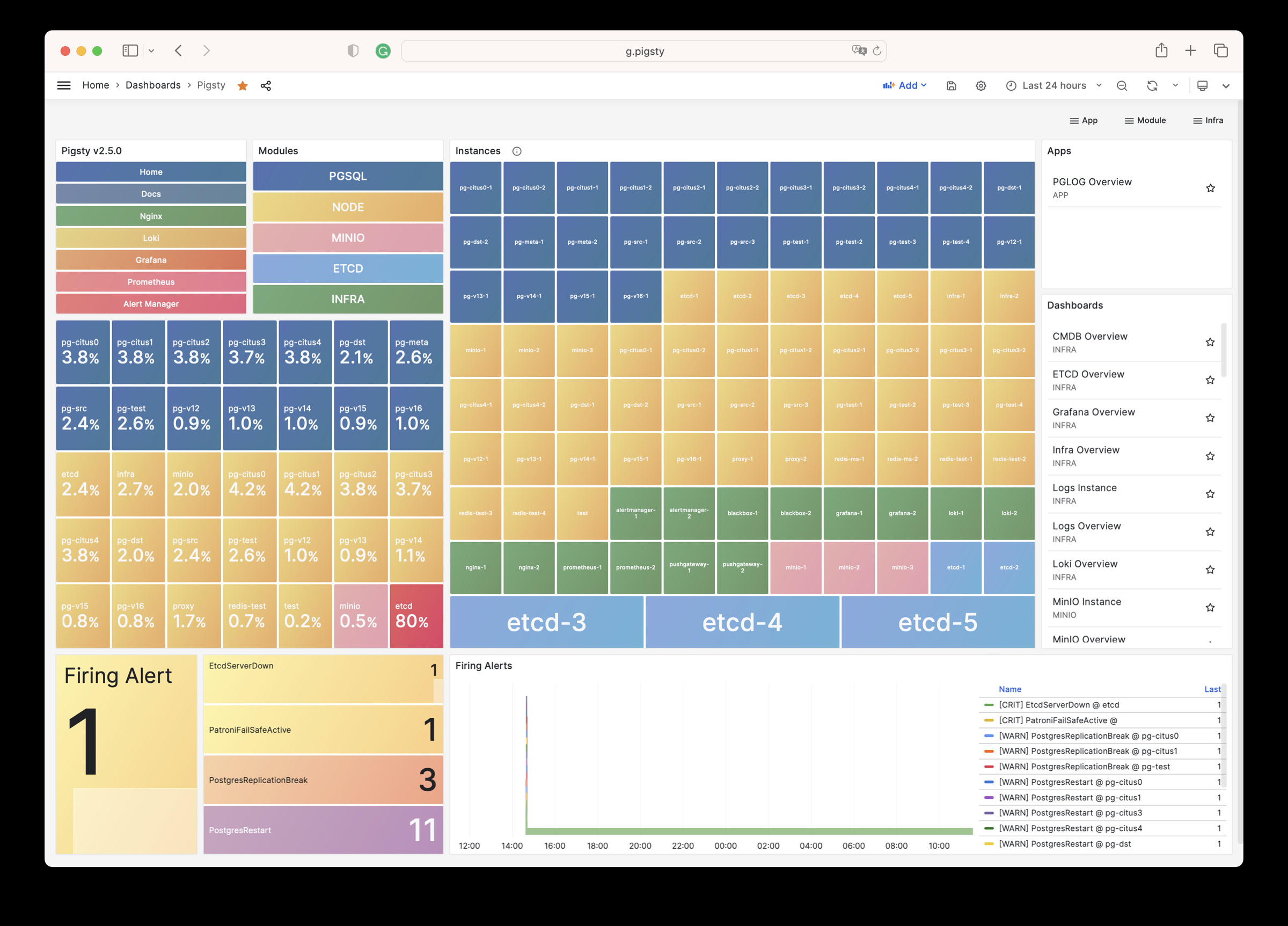
INFRA Overview : Overview of all infra components
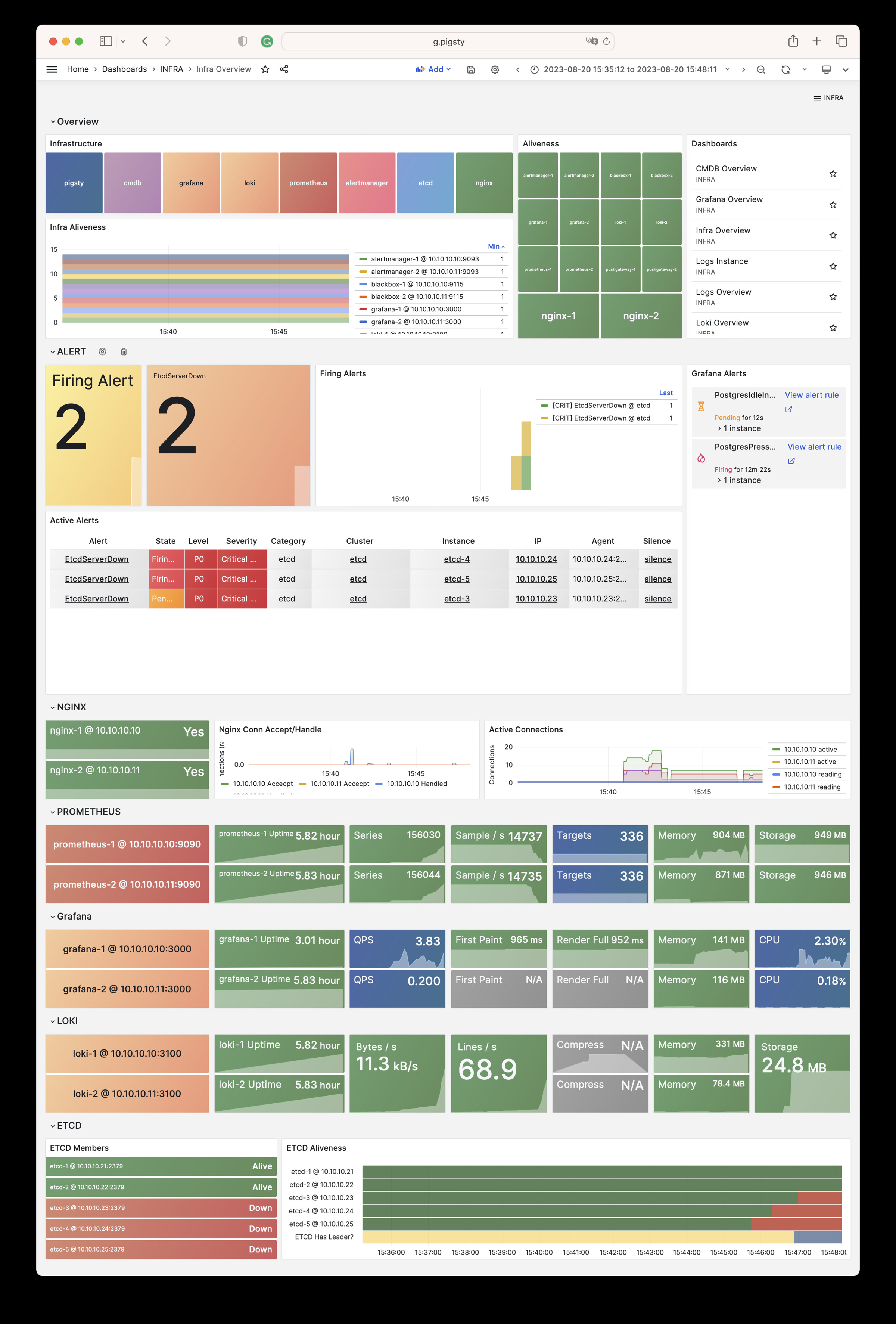
Nginx Overview : Nginx metrics & logs
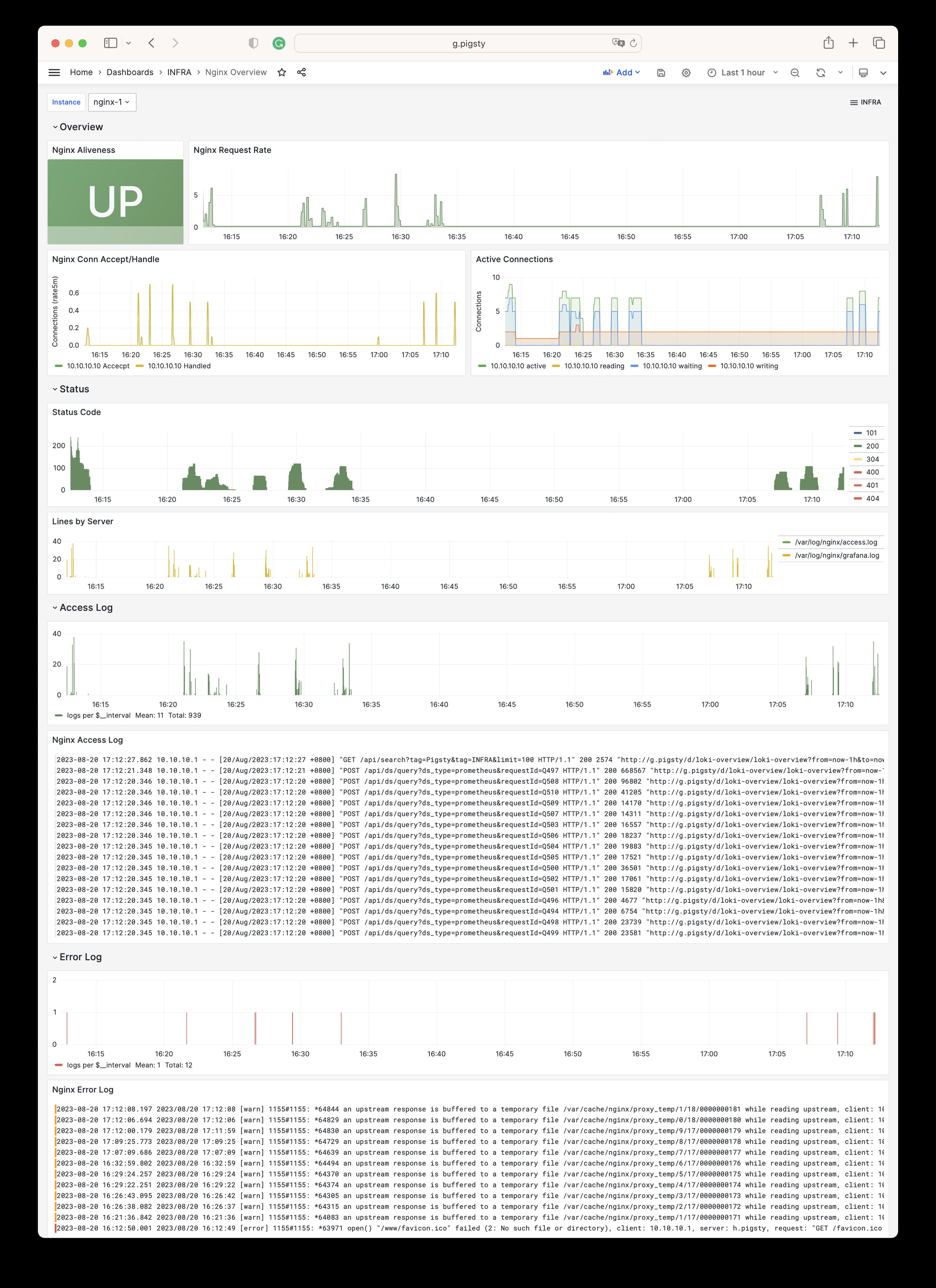
Grafana Overview: Grafana metrics & logs
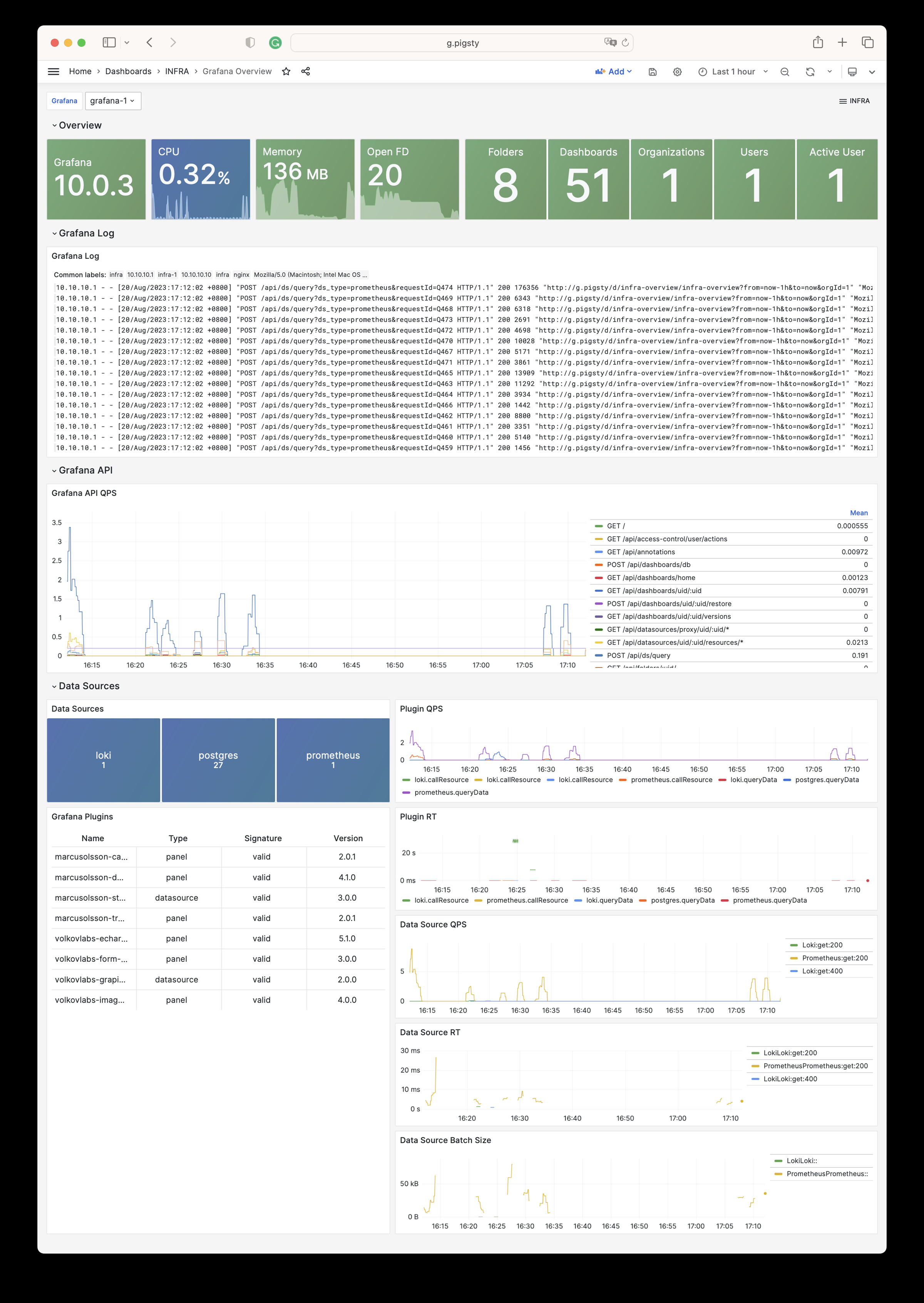
Prometheus Overview: Prometheus metrics & logs
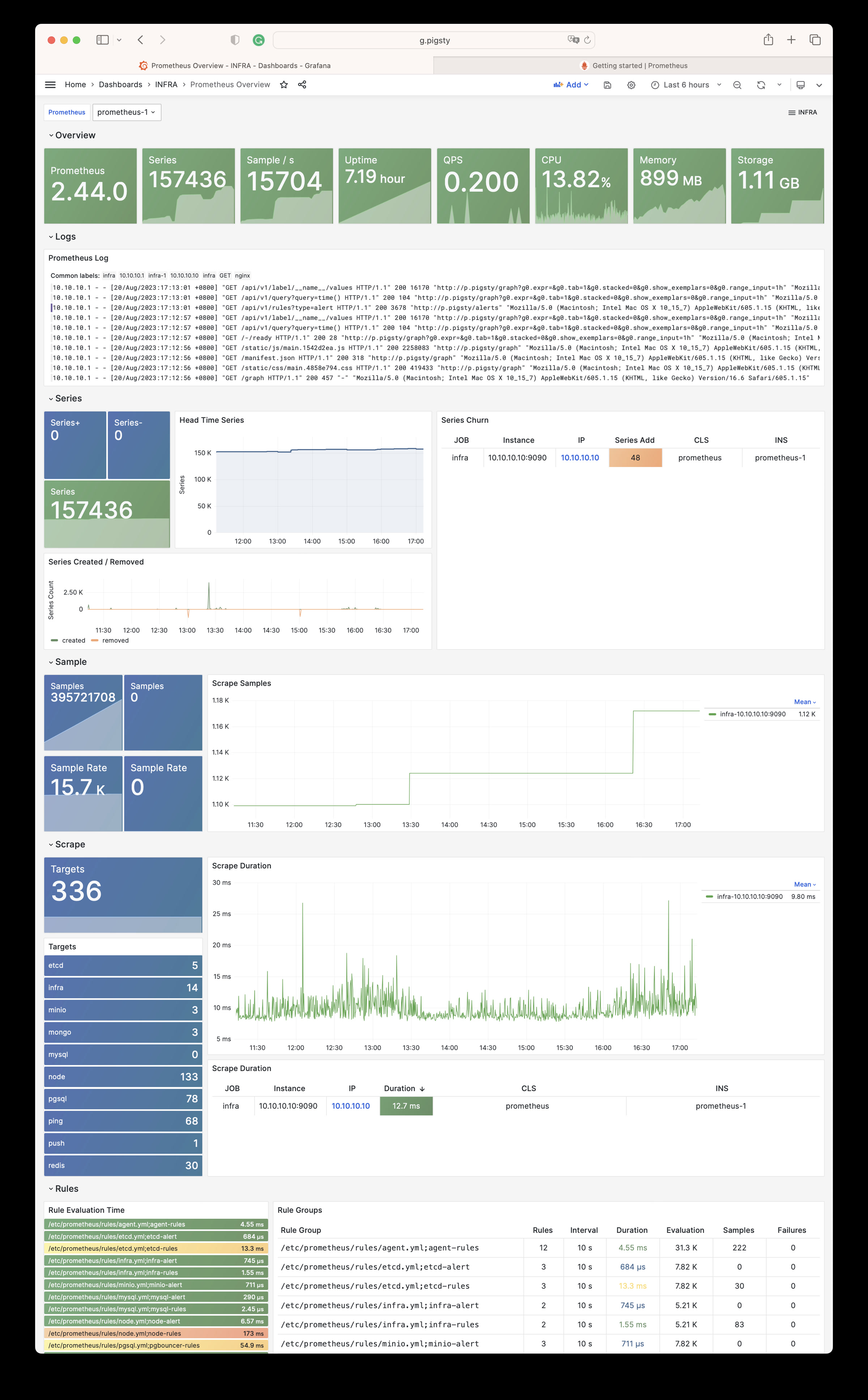
Loki Overview: Loki metrics & logs
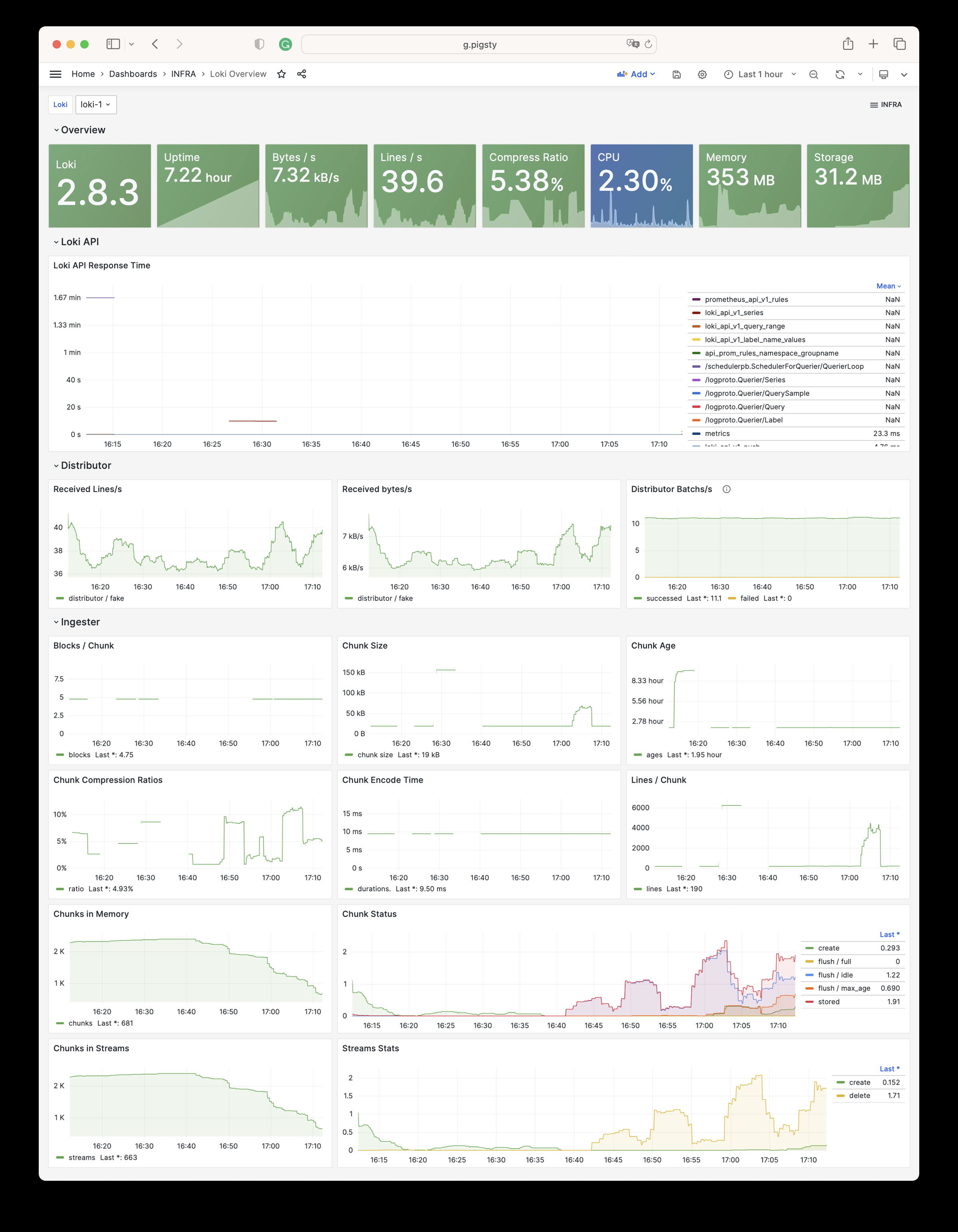
Logs Instance: Logs for a single instance
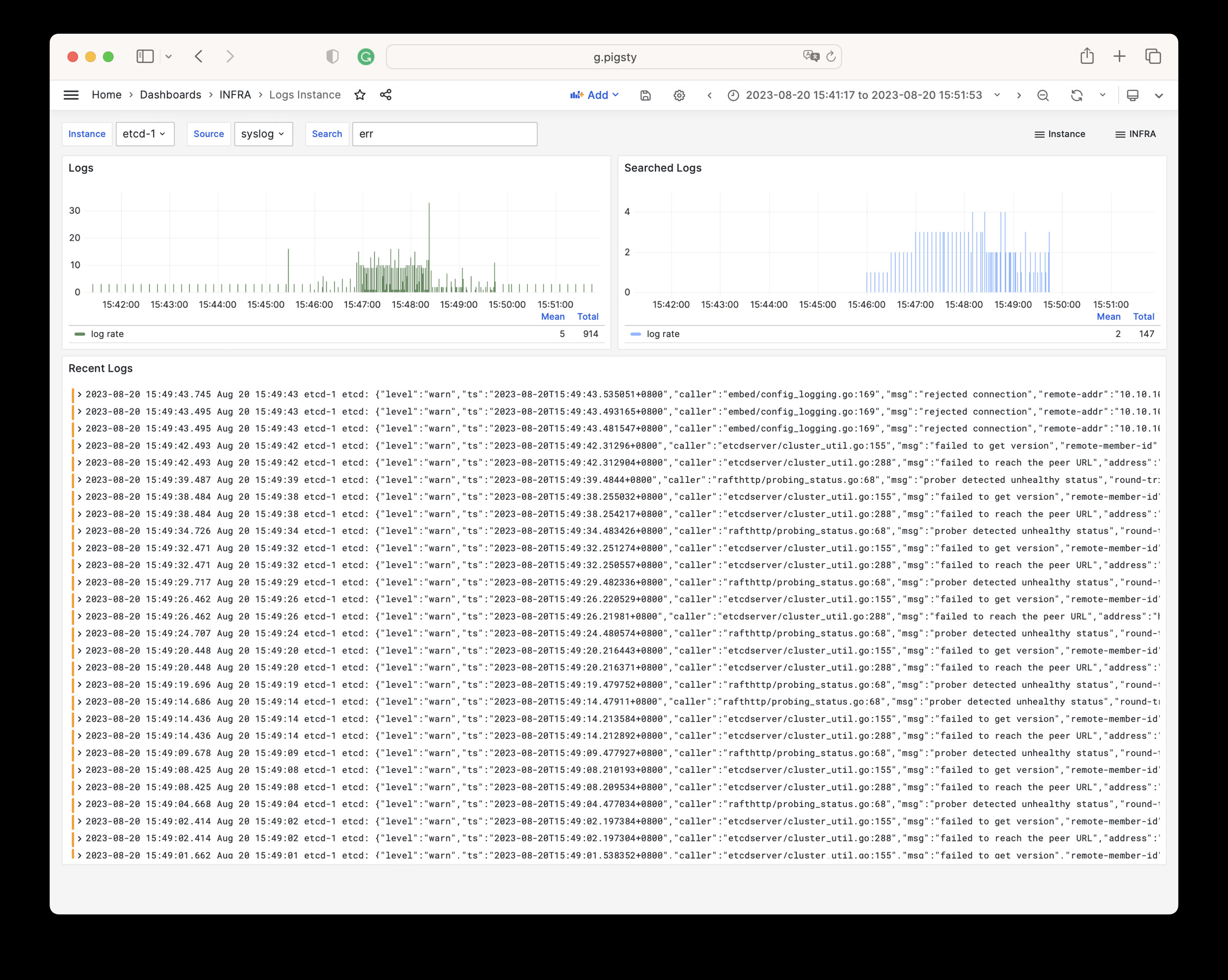
Logs Overview: Overview of all logs
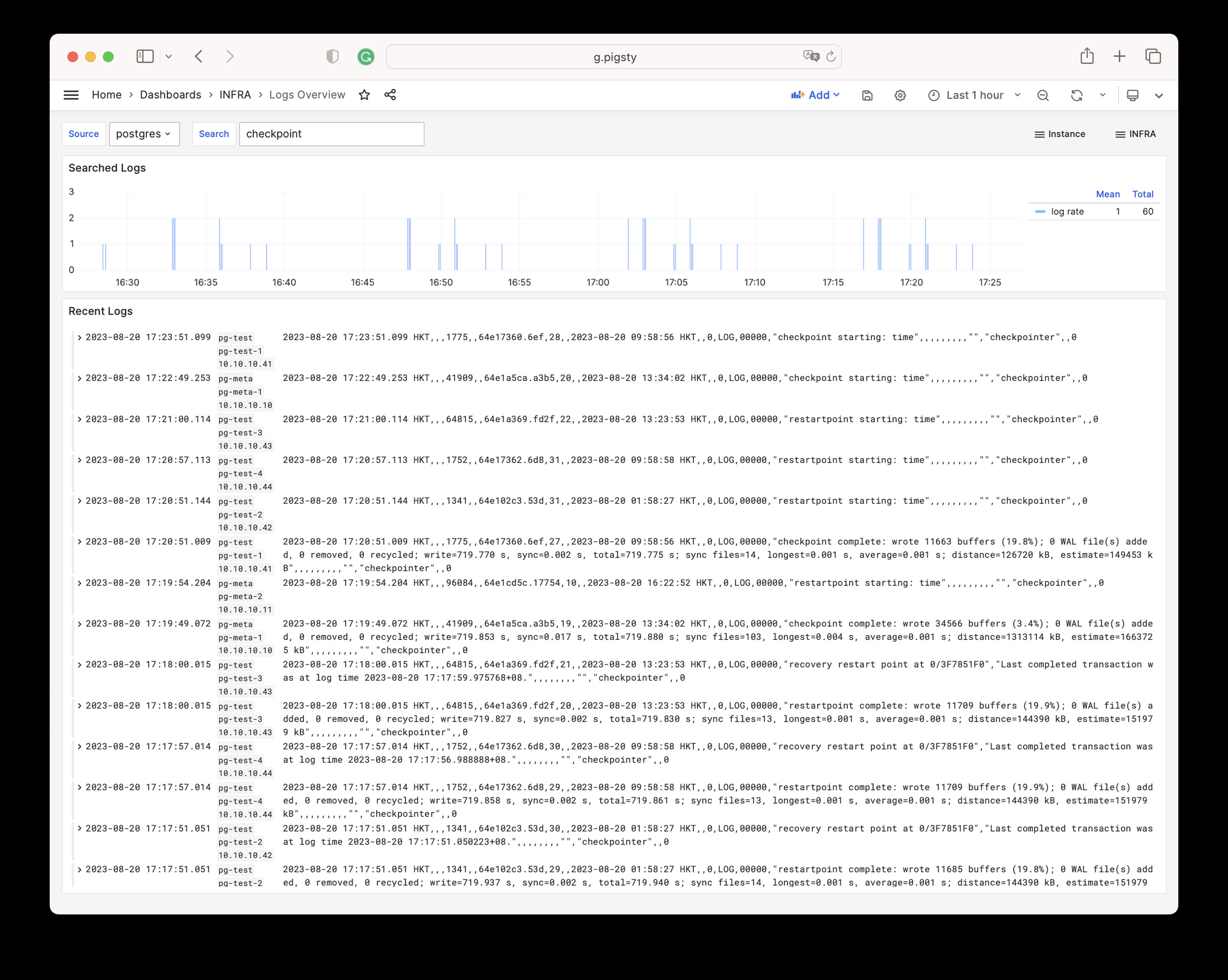
CMDB Overview: CMDB visualization
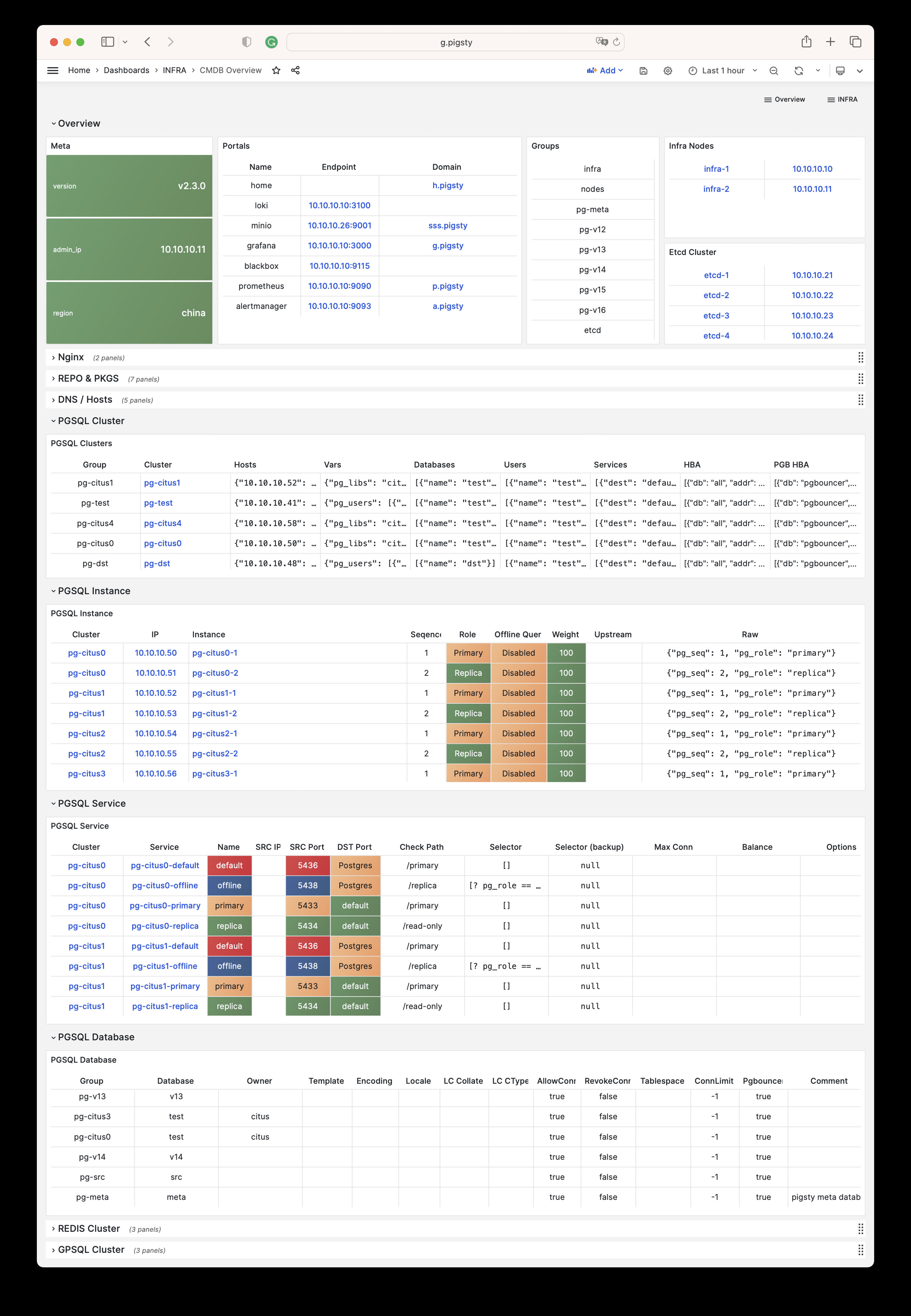
ETCD Overview: etcd metrics & logs
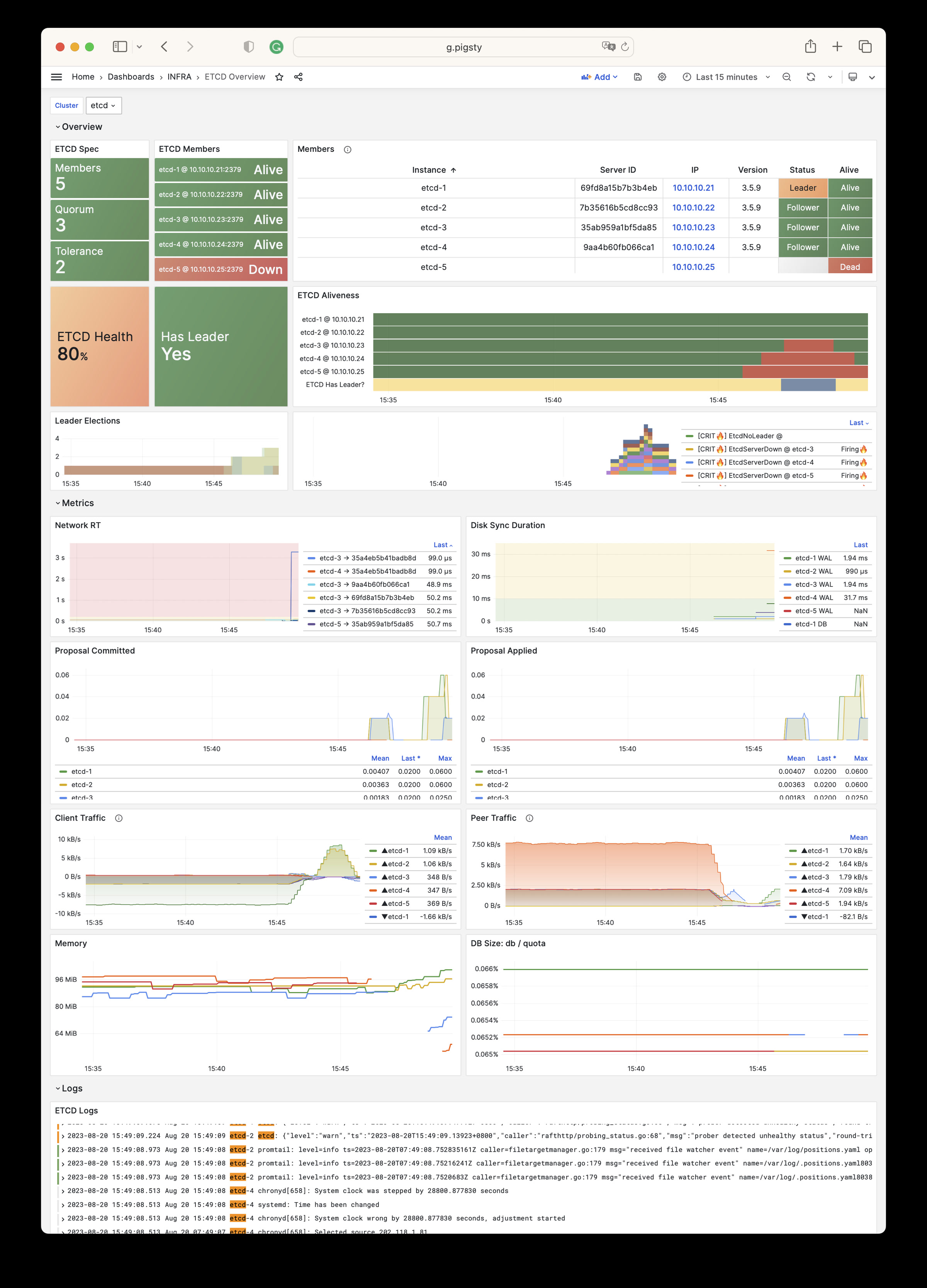
API Reference for INFRA module:
META: infra meta dataCA: self-signed CAINFRA_ID : Portals and identityREPO: local yum/atp repoINFRA_PACKAGE : packages to be installedNGINX : nginx web serverDNS: dnsmasq nameserverPROMETHEUS : prometheus, alertmanager, pushgateway & blackbox_exporterGRAFANA : Grafana, the visualization platformLOKI : Loki, the logging server| Parameter | Section | Type | Level | Comment |
|---|---|---|---|---|
version |
META |
string | G | pigsty version string |
admin_ip |
META |
ip | G | admin node ip address |
region |
META |
enum | G | upstream mirror region: default,china,europe |
proxy_env |
META |
dict | G | global proxy env when downloading packages |
ca_method |
CA |
enum | G | create,recreate,copy, create by default |
ca_cn |
CA |
string | G | ca common name, fixed as pigsty-ca |
cert_validity |
CA |
interval | G | cert validity, 20 years by default |
infra_seq |
INFRA_ID |
int | I | infra node identity, REQUIRED |
infra_portal |
INFRA_ID |
dict | G | infra services exposed via portal |
repo_enabled |
REPO |
bool | G/I | create a yum/apt repo on this infra node? |
repo_home |
REPO |
path | G | repo home dir, /www by default |
repo_name |
REPO |
string | G | repo name, pigsty by default |
repo_endpoint |
REPO |
url | G | access point to this repo by domain or ip:port |
repo_remove |
REPO |
bool | G/A | remove existing upstream repo |
repo_modules |
REPO |
string | G/A | which repo modules are installed in repo_upstream |
repo_upstream |
REPO |
upstream[] | G | where to download upstream packages |
repo_packages |
REPO |
string[] | G | which packages to be included |
repo_url_packages |
REPO |
string[] | G | extra packages from url |
infra_packages |
INFRA_PACKAGE |
string[] | G | packages to be installed on infra nodes |
infra_packages_pip |
INFRA_PACKAGE |
string | G | pip installed packages for infra nodes |
nginx_enabled |
NGINX |
bool | G/I | enable nginx on this infra node? |
nginx_exporter_enabled |
NGINX |
bool | G/I | enable nginx_exporter on this infra node? |
nginx_sslmode |
NGINX |
enum | G | nginx ssl mode? disable,enable,enforce |
nginx_home |
NGINX |
path | G | nginx content dir, /www by default |
nginx_port |
NGINX |
port | G | nginx listen port, 80 by default |
nginx_ssl_port |
NGINX |
port | G | nginx ssl listen port, 443 by default |
nginx_navbar |
NGINX |
index[] | G | nginx index page navigation links |
dns_enabled |
DNS |
bool | G/I | setup dnsmasq on this infra node? |
dns_port |
DNS |
port | G | dns server listen port, 53 by default |
dns_records |
DNS |
string[] | G | dynamic dns records resolved by dnsmasq |
prometheus_enabled |
PROMETHEUS |
bool | G/I | enable prometheus on this infra node? |
prometheus_clean |
PROMETHEUS |
bool | G/A | clean prometheus data during init? |
prometheus_data |
PROMETHEUS |
path | G | prometheus data dir, /data/prometheus by default |
prometheus_sd_dir |
PROMETHEUS |
path | G | prometheus file service discovery directory |
prometheus_sd_interval |
PROMETHEUS |
interval | G | prometheus target refresh interval, 5s by default |
prometheus_scrape_interval |
PROMETHEUS |
interval | G | prometheus scrape & eval interval, 10s by default |
prometheus_scrape_timeout |
PROMETHEUS |
interval | G | prometheus global scrape timeout, 8s by default |
prometheus_options |
PROMETHEUS |
arg | G | prometheus extra server options |
pushgateway_enabled |
PROMETHEUS |
bool | G/I | setup pushgateway on this infra node? |
pushgateway_options |
PROMETHEUS |
arg | G | pushgateway extra server options |
blackbox_enabled |
PROMETHEUS |
bool | G/I | setup blackbox_exporter on this infra node? |
blackbox_options |
PROMETHEUS |
arg | G | blackbox_exporter extra server options |
alertmanager_enabled |
PROMETHEUS |
bool | G/I | setup alertmanager on this infra node? |
alertmanager_options |
PROMETHEUS |
arg | G | alertmanager extra server options |
exporter_metrics_path |
PROMETHEUS |
path | G | exporter metric path, /metrics by default |
exporter_install |
PROMETHEUS |
enum | G | how to install exporter? none,yum,binary |
exporter_repo_url |
PROMETHEUS |
url | G | exporter repo file url if install exporter via yum |
grafana_enabled |
GRAFANA |
bool | G/I | enable grafana on this infra node? |
grafana_clean |
GRAFANA |
bool | G/A | clean grafana data during init? |
grafana_admin_username |
GRAFANA |
username | G | grafana admin username, admin by default |
grafana_admin_password |
GRAFANA |
password | G | grafana admin password, pigsty by default |
grafana_plugin_cache |
GRAFANA |
path | G | path to grafana plugins cache tarball |
grafana_plugin_list |
GRAFANA |
string[] | G | grafana plugins to be downloaded with grafana-cli |
loki_enabled |
LOKI |
bool | G/I | enable loki on this infra node? |
loki_clean |
LOKI |
bool | G/A | whether remove existing loki data? |
loki_data |
LOKI |
path | G | loki data dir, /data/loki by default |
loki_retention |
LOKI |
interval | G | loki log retention period, 15d by default |
INFRA module has 964 available metrics
| Metric Name | Type | Labels | Description |
|---|---|---|---|
| alertmanager_alerts | gauge | ins, instance, ip, job, cls, state |
How many alerts by state. |
| alertmanager_alerts_invalid_total | counter | version, ins, instance, ip, job, cls |
The total number of received alerts that were invalid. |
| alertmanager_alerts_received_total | counter | version, ins, instance, ip, status, job, cls |
The total number of received alerts. |
| alertmanager_build_info | gauge | revision, version, ins, instance, ip, tags, goarch, goversion, job, cls, branch, goos |
A metric with a constant ‘1’ value labeled by version, revision, branch, goversion from which alertmanager was built, and the goos and goarch for the build. |
| alertmanager_cluster_alive_messages_total | counter | ins, instance, ip, peer, job, cls |
Total number of received alive messages. |
| alertmanager_cluster_enabled | gauge | ins, instance, ip, job, cls |
Indicates whether the clustering is enabled or not. |
| alertmanager_cluster_failed_peers | gauge | ins, instance, ip, job, cls |
Number indicating the current number of failed peers in the cluster. |
| alertmanager_cluster_health_score | gauge | ins, instance, ip, job, cls |
Health score of the cluster. Lower values are better and zero means ’totally healthy’. |
| alertmanager_cluster_members | gauge | ins, instance, ip, job, cls |
Number indicating current number of members in cluster. |
| alertmanager_cluster_messages_pruned_total | counter | ins, instance, ip, job, cls |
Total number of cluster messages pruned. |
| alertmanager_cluster_messages_queued | gauge | ins, instance, ip, job, cls |
Number of cluster messages which are queued. |
| alertmanager_cluster_messages_received_size_total | counter | ins, instance, ip, msg_type, job, cls |
Total size of cluster messages received. |
| alertmanager_cluster_messages_received_total | counter | ins, instance, ip, msg_type, job, cls |
Total number of cluster messages received. |
| alertmanager_cluster_messages_sent_size_total | counter | ins, instance, ip, msg_type, job, cls |
Total size of cluster messages sent. |
| alertmanager_cluster_messages_sent_total | counter | ins, instance, ip, msg_type, job, cls |
Total number of cluster messages sent. |
| alertmanager_cluster_peer_info | gauge | ins, instance, ip, peer, job, cls |
A metric with a constant ‘1’ value labeled by peer name. |
| alertmanager_cluster_peers_joined_total | counter | ins, instance, ip, job, cls |
A counter of the number of peers that have joined. |
| alertmanager_cluster_peers_left_total | counter | ins, instance, ip, job, cls |
A counter of the number of peers that have left. |
| alertmanager_cluster_peers_update_total | counter | ins, instance, ip, job, cls |
A counter of the number of peers that have updated metadata. |
| alertmanager_cluster_reconnections_failed_total | counter | ins, instance, ip, job, cls |
A counter of the number of failed cluster peer reconnection attempts. |
| alertmanager_cluster_reconnections_total | counter | ins, instance, ip, job, cls |
A counter of the number of cluster peer reconnections. |
| alertmanager_cluster_refresh_join_failed_total | counter | ins, instance, ip, job, cls |
A counter of the number of failed cluster peer joined attempts via refresh. |
| alertmanager_cluster_refresh_join_total | counter | ins, instance, ip, job, cls |
A counter of the number of cluster peer joined via refresh. |
| alertmanager_config_hash | gauge | ins, instance, ip, job, cls |
Hash of the currently loaded alertmanager configuration. |
| alertmanager_config_last_reload_success_timestamp_seconds | gauge | ins, instance, ip, job, cls |
Timestamp of the last successful configuration reload. |
| alertmanager_config_last_reload_successful | gauge | ins, instance, ip, job, cls |
Whether the last configuration reload attempt was successful. |
| alertmanager_dispatcher_aggregation_groups | gauge | ins, instance, ip, job, cls |
Number of active aggregation groups |
| alertmanager_dispatcher_alert_processing_duration_seconds_count | Unknown | ins, instance, ip, job, cls |
N/A |
| alertmanager_dispatcher_alert_processing_duration_seconds_sum | Unknown | ins, instance, ip, job, cls |
N/A |
| alertmanager_http_concurrency_limit_exceeded_total | counter | ins, instance, method, ip, job, cls |
Total number of times an HTTP request failed because the concurrency limit was reached. |
| alertmanager_http_request_duration_seconds_bucket | Unknown | ins, instance, method, ip, le, job, cls, handler |
N/A |
| alertmanager_http_request_duration_seconds_count | Unknown | ins, instance, method, ip, job, cls, handler |
N/A |
| alertmanager_http_request_duration_seconds_sum | Unknown | ins, instance, method, ip, job, cls, handler |
N/A |
| alertmanager_http_requests_in_flight | gauge | ins, instance, method, ip, job, cls |
Current number of HTTP requests being processed. |
| alertmanager_http_response_size_bytes_bucket | Unknown | ins, instance, method, ip, le, job, cls, handler |
N/A |
| alertmanager_http_response_size_bytes_count | Unknown | ins, instance, method, ip, job, cls, handler |
N/A |
| alertmanager_http_response_size_bytes_sum | Unknown | ins, instance, method, ip, job, cls, handler |
N/A |
| alertmanager_integrations | gauge | ins, instance, ip, job, cls |
Number of configured integrations. |
| alertmanager_marked_alerts | gauge | ins, instance, ip, job, cls, state |
How many alerts by state are currently marked in the Alertmanager regardless of their expiry. |
| alertmanager_nflog_gc_duration_seconds_count | Unknown | ins, instance, ip, job, cls |
N/A |
| alertmanager_nflog_gc_duration_seconds_sum | Unknown | ins, instance, ip, job, cls |
N/A |
| alertmanager_nflog_gossip_messages_propagated_total | counter | ins, instance, ip, job, cls |
Number of received gossip messages that have been further gossiped. |
| alertmanager_nflog_maintenance_errors_total | counter | ins, instance, ip, job, cls |
How many maintenances were executed for the notification log that failed. |
| alertmanager_nflog_maintenance_total | counter | ins, instance, ip, job, cls |
How many maintenances were executed for the notification log. |
| alertmanager_nflog_queries_total | counter | ins, instance, ip, job, cls |
Number of notification log queries were received. |
| alertmanager_nflog_query_duration_seconds_bucket | Unknown | ins, instance, ip, le, job, cls |
N/A |
| alertmanager_nflog_query_duration_seconds_count | Unknown | ins, instance, ip, job, cls |
N/A |
| alertmanager_nflog_query_duration_seconds_sum | Unknown | ins, instance, ip, job, cls |
N/A |
| alertmanager_nflog_query_errors_total | counter | ins, instance, ip, job, cls |
Number notification log received queries that failed. |
| alertmanager_nflog_snapshot_duration_seconds_count | Unknown | ins, instance, ip, job, cls |
N/A |
| alertmanager_nflog_snapshot_duration_seconds_sum | Unknown | ins, instance, ip, job, cls |
N/A |
| alertmanager_nflog_snapshot_size_bytes | gauge | ins, instance, ip, job, cls |
Size of the last notification log snapshot in bytes. |
| alertmanager_notification_latency_seconds_bucket | Unknown | integration, ins, instance, ip, le, job, cls |
N/A |
| alertmanager_notification_latency_seconds_count | Unknown | integration, ins, instance, ip, job, cls |
N/A |
| alertmanager_notification_latency_seconds_sum | Unknown | integration, ins, instance, ip, job, cls |
N/A |
| alertmanager_notification_requests_failed_total | counter | integration, ins, instance, ip, job, cls |
The total number of failed notification requests. |
| alertmanager_notification_requests_total | counter | integration, ins, instance, ip, job, cls |
The total number of attempted notification requests. |
| alertmanager_notifications_failed_total | counter | integration, ins, instance, ip, reason, job, cls |
The total number of failed notifications. |
| alertmanager_notifications_total | counter | integration, ins, instance, ip, job, cls |
The total number of attempted notifications. |
| alertmanager_oversize_gossip_message_duration_seconds_bucket | Unknown | ins, instance, ip, le, key, job, cls |
N/A |
| alertmanager_oversize_gossip_message_duration_seconds_count | Unknown | ins, instance, ip, key, job, cls |
N/A |
| alertmanager_oversize_gossip_message_duration_seconds_sum | Unknown | ins, instance, ip, key, job, cls |
N/A |
| alertmanager_oversized_gossip_message_dropped_total | counter | ins, instance, ip, key, job, cls |
Number of oversized gossip messages that were dropped due to a full message queue. |
| alertmanager_oversized_gossip_message_failure_total | counter | ins, instance, ip, key, job, cls |
Number of oversized gossip message sends that failed. |
| alertmanager_oversized_gossip_message_sent_total | counter | ins, instance, ip, key, job, cls |
Number of oversized gossip message sent. |
| alertmanager_peer_position | gauge | ins, instance, ip, job, cls |
Position the Alertmanager instance believes it’s in. The position determines a peer’s behavior in the cluster. |
| alertmanager_receivers | gauge | ins, instance, ip, job, cls |
Number of configured receivers. |
| alertmanager_silences | gauge | ins, instance, ip, job, cls, state |
How many silences by state. |
| alertmanager_silences_gc_duration_seconds_count | Unknown | ins, instance, ip, job, cls |
N/A |
| alertmanager_silences_gc_duration_seconds_sum | Unknown | ins, instance, ip, job, cls |
N/A |
| alertmanager_silences_gossip_messages_propagated_total | counter | ins, instance, ip, job, cls |
Number of received gossip messages that have been further gossiped. |
| alertmanager_silences_maintenance_errors_total | counter | ins, instance, ip, job, cls |
How many maintenances were executed for silences that failed. |
| alertmanager_silences_maintenance_total | counter | ins, instance, ip, job, cls |
How many maintenances were executed for silences. |
| alertmanager_silences_queries_total | counter | ins, instance, ip, job, cls |
How many silence queries were received. |
| alertmanager_silences_query_duration_seconds_bucket | Unknown | ins, instance, ip, le, job, cls |
N/A |
| alertmanager_silences_query_duration_seconds_count | Unknown | ins, instance, ip, job, cls |
N/A |
| alertmanager_silences_query_duration_seconds_sum | Unknown | ins, instance, ip, job, cls |
N/A |
| alertmanager_silences_query_errors_total | counter | ins, instance, ip, job, cls |
How many silence received queries did not succeed. |
| alertmanager_silences_snapshot_duration_seconds_count | Unknown | ins, instance, ip, job, cls |
N/A |
| alertmanager_silences_snapshot_duration_seconds_sum | Unknown | ins, instance, ip, job, cls |
N/A |
| alertmanager_silences_snapshot_size_bytes | gauge | ins, instance, ip, job, cls |
Size of the last silence snapshot in bytes. |
| blackbox_exporter_build_info | gauge | revision, version, ins, instance, ip, tags, goarch, goversion, job, cls, branch, goos |
A metric with a constant ‘1’ value labeled by version, revision, branch, goversion from which blackbox_exporter was built, and the goos and goarch for the build. |
| blackbox_exporter_config_last_reload_success_timestamp_seconds | gauge | ins, instance, ip, job, cls |
Timestamp of the last successful configuration reload. |
| blackbox_exporter_config_last_reload_successful | gauge | ins, instance, ip, job, cls |
Blackbox exporter config loaded successfully. |
| blackbox_module_unknown_total | counter | ins, instance, ip, job, cls |
Count of unknown modules requested by probes |
| cortex_distributor_ingester_clients | gauge | ins, instance, ip, job, cls |
The current number of ingester clients. |
| cortex_dns_failures_total | Unknown | ins, instance, ip, job, cls |
N/A |
| cortex_dns_lookups_total | Unknown | ins, instance, ip, job, cls |
N/A |
| cortex_frontend_query_range_duration_seconds_bucket | Unknown | ins, instance, method, ip, le, job, cls, status_code |
N/A |
| cortex_frontend_query_range_duration_seconds_count | Unknown | ins, instance, method, ip, job, cls, status_code |
N/A |
| cortex_frontend_query_range_duration_seconds_sum | Unknown | ins, instance, method, ip, job, cls, status_code |
N/A |
| cortex_ingester_flush_queue_length | gauge | ins, instance, ip, job, cls |
The total number of series pending in the flush queue. |
| cortex_kv_request_duration_seconds_bucket | Unknown | ins, instance, role, ip, le, kv_name, type, operation, job, cls, status_code |
N/A |
| cortex_kv_request_duration_seconds_count | Unknown | ins, instance, role, ip, kv_name, type, operation, job, cls, status_code |
N/A |
| cortex_kv_request_duration_seconds_sum | Unknown | ins, instance, role, ip, kv_name, type, operation, job, cls, status_code |
N/A |
| cortex_member_consul_heartbeats_total | Unknown | ins, instance, ip, job, cls |
N/A |
| cortex_prometheus_notifications_alertmanagers_discovered | gauge | ins, instance, ip, user, job, cls |
The number of alertmanagers discovered and active. |
| cortex_prometheus_notifications_dropped_total | Unknown | ins, instance, ip, user, job, cls |
N/A |
| cortex_prometheus_notifications_queue_capacity | gauge | ins, instance, ip, user, job, cls |
The capacity of the alert notifications queue. |
| cortex_prometheus_notifications_queue_length | gauge | ins, instance, ip, user, job, cls |
The number of alert notifications in the queue. |
| cortex_prometheus_rule_evaluation_duration_seconds | summary | ins, instance, ip, user, job, cls, quantile |
The duration for a rule to execute. |
| cortex_prometheus_rule_evaluation_duration_seconds_count | Unknown | ins, instance, ip, user, job, cls |
N/A |
| cortex_prometheus_rule_evaluation_duration_seconds_sum | Unknown | ins, instance, ip, user, job, cls |
N/A |
| cortex_prometheus_rule_group_duration_seconds | summary | ins, instance, ip, user, job, cls, quantile |
The duration of rule group evaluations. |
| cortex_prometheus_rule_group_duration_seconds_count | Unknown | ins, instance, ip, user, job, cls |
N/A |
| cortex_prometheus_rule_group_duration_seconds_sum | Unknown | ins, instance, ip, user, job, cls |
N/A |
| cortex_query_frontend_connected_schedulers | gauge | ins, instance, ip, job, cls |
Number of schedulers this frontend is connected to. |
| cortex_query_frontend_queries_in_progress | gauge | ins, instance, ip, job, cls |
Number of queries in progress handled by this frontend. |
| cortex_query_frontend_retries_bucket | Unknown | ins, instance, ip, le, job, cls |
N/A |
| cortex_query_frontend_retries_count | Unknown | ins, instance, ip, job, cls |
N/A |
| cortex_query_frontend_retries_sum | Unknown | ins, instance, ip, job, cls |
N/A |
| cortex_query_scheduler_connected_frontend_clients | gauge | ins, instance, ip, job, cls |
Number of query-frontend worker clients currently connected to the query-scheduler. |
| cortex_query_scheduler_connected_querier_clients | gauge | ins, instance, ip, job, cls |
Number of querier worker clients currently connected to the query-scheduler. |
| cortex_query_scheduler_inflight_requests | summary | ins, instance, ip, job, cls, quantile |
Number of inflight requests (either queued or processing) sampled at a regular interval. Quantile buckets keep track of inflight requests over the last 60s. |
| cortex_query_scheduler_inflight_requests_count | Unknown | ins, instance, ip, job, cls |
N/A |
| cortex_query_scheduler_inflight_requests_sum | Unknown | ins, instance, ip, job, cls |
N/A |
| cortex_query_scheduler_queue_duration_seconds_bucket | Unknown | ins, instance, ip, le, job, cls |
N/A |
| cortex_query_scheduler_queue_duration_seconds_count | Unknown | ins, instance, ip, job, cls |
N/A |
| cortex_query_scheduler_queue_duration_seconds_sum | Unknown | ins, instance, ip, job, cls |
N/A |
| cortex_query_scheduler_queue_length | Unknown | ins, instance, ip, user, job, cls |
N/A |
| cortex_query_scheduler_running | gauge | ins, instance, ip, job, cls |
Value will be 1 if the scheduler is in the ReplicationSet and actively receiving/processing requests |
| cortex_ring_member_heartbeats_total | Unknown | ins, instance, ip, job, cls |
N/A |
| cortex_ring_member_tokens_owned | gauge | ins, instance, ip, job, cls |
The number of tokens owned in the ring. |
| cortex_ring_member_tokens_to_own | gauge | ins, instance, ip, job, cls |
The number of tokens to own in the ring. |
| cortex_ring_members | gauge | ins, instance, ip, job, cls, state |
Number of members in the ring |
| cortex_ring_oldest_member_timestamp | gauge | ins, instance, ip, job, cls, state |
Timestamp of the oldest member in the ring. |
| cortex_ring_tokens_total | gauge | ins, instance, ip, job, cls |
Number of tokens in the ring |
| cortex_ruler_clients | gauge | ins, instance, ip, job, cls |
The current number of ruler clients in the pool. |
| cortex_ruler_config_last_reload_successful | gauge | ins, instance, ip, user, job, cls |
Boolean set to 1 whenever the last configuration reload attempt was successful. |
| cortex_ruler_config_last_reload_successful_seconds | gauge | ins, instance, ip, user, job, cls |
Timestamp of the last successful configuration reload. |
| cortex_ruler_config_updates_total | Unknown | ins, instance, ip, user, job, cls |
N/A |
| cortex_ruler_managers_total | gauge | ins, instance, ip, job, cls |
Total number of managers registered and running in the ruler |
| cortex_ruler_ring_check_errors_total | Unknown | ins, instance, ip, job, cls |
N/A |
| cortex_ruler_sync_rules_total | Unknown | ins, instance, ip, reason, job, cls |
N/A |
| deprecated_flags_inuse_total | Unknown | ins, instance, ip, job, cls |
N/A |
| go_cgo_go_to_c_calls_calls_total | Unknown | ins, instance, ip, job, cls |
N/A |
| go_cpu_classes_gc_mark_assist_cpu_seconds_total | Unknown | ins, instance, ip, job, cls |
N/A |
| go_cpu_classes_gc_mark_dedicated_cpu_seconds_total | Unknown | ins, instance, ip, job, cls |
N/A |
| go_cpu_classes_gc_mark_idle_cpu_seconds_total | Unknown | ins, instance, ip, job, cls |
N/A |
| go_cpu_classes_gc_pause_cpu_seconds_total | Unknown | ins, instance, ip, job, cls |
N/A |
| go_cpu_classes_gc_total_cpu_seconds_total | Unknown | ins, instance, ip, job, cls |
N/A |
| go_cpu_classes_idle_cpu_seconds_total | Unknown | ins, instance, ip, job, cls |
N/A |
| go_cpu_classes_scavenge_assist_cpu_seconds_total | Unknown | ins, instance, ip, job, cls |
N/A |
| go_cpu_classes_scavenge_background_cpu_seconds_total | Unknown | ins, instance, ip, job, cls |
N/A |
| go_cpu_classes_scavenge_total_cpu_seconds_total | Unknown | ins, instance, ip, job, cls |
N/A |
| go_cpu_classes_total_cpu_seconds_total | Unknown | ins, instance, ip, job, cls |
N/A |
| go_cpu_classes_user_cpu_seconds_total | Unknown | ins, instance, ip, job, cls |
N/A |
| go_gc_cycles_automatic_gc_cycles_total | Unknown | ins, instance, ip, job, cls |
N/A |
| go_gc_cycles_forced_gc_cycles_total | Unknown | ins, instance, ip, job, cls |
N/A |
| go_gc_cycles_total_gc_cycles_total | Unknown | ins, instance, ip, job, cls |
N/A |
| go_gc_duration_seconds | summary | ins, instance, ip, job, cls, quantile |
A summary of the pause duration of garbage collection cycles. |
| go_gc_duration_seconds_count | Unknown | ins, instance, ip, job, cls |
N/A |
| go_gc_duration_seconds_sum | Unknown | ins, instance, ip, job, cls |
N/A |
| go_gc_gogc_percent | gauge | ins, instance, ip, job, cls |
Heap size target percentage configured by the user, otherwise 100. This value is set by the GOGC environment variable, and the runtime/debug.SetGCPercent function. |
| go_gc_gomemlimit_bytes | gauge | ins, instance, ip, job, cls |
Go runtime memory limit configured by the user, otherwise math.MaxInt64. This value is set by the GOMEMLIMIT environment variable, and the runtime/debug.SetMemoryLimit function. |
| go_gc_heap_allocs_by_size_bytes_bucket | Unknown | ins, instance, ip, le, job, cls |
N/A |
| go_gc_heap_allocs_by_size_bytes_count | Unknown | ins, instance, ip, job, cls |
N/A |
| go_gc_heap_allocs_by_size_bytes_sum | Unknown | ins, instance, ip, job, cls |
N/A |
| go_gc_heap_allocs_bytes_total | Unknown | ins, instance, ip, job, cls |
N/A |
| go_gc_heap_allocs_objects_total | Unknown | ins, instance, ip, job, cls |
N/A |
| go_gc_heap_frees_by_size_bytes_bucket | Unknown | ins, instance, ip, le, job, cls |
N/A |
| go_gc_heap_frees_by_size_bytes_count | Unknown | ins, instance, ip, job, cls |
N/A |
| go_gc_heap_frees_by_size_bytes_sum | Unknown | ins, instance, ip, job, cls |
N/A |
| go_gc_heap_frees_bytes_total | Unknown | ins, instance, ip, job, cls |
N/A |
| go_gc_heap_frees_objects_total | Unknown | ins, instance, ip, job, cls |
N/A |
| go_gc_heap_goal_bytes | gauge | ins, instance, ip, job, cls |
Heap size target for the end of the GC cycle. |
| go_gc_heap_live_bytes | gauge | ins, instance, ip, job, cls |
Heap memory occupied by live objects that were marked by the previous GC. |
| go_gc_heap_objects_objects | gauge | ins, instance, ip, job, cls |
Number of objects, live or unswept, occupying heap memory. |
| go_gc_heap_tiny_allocs_objects_total | Unknown | ins, instance, ip, job, cls |
N/A |
| go_gc_limiter_last_enabled_gc_cycle | gauge | ins, instance, ip, job, cls |
GC cycle the last time the GC CPU limiter was enabled. This metric is useful for diagnosing the root cause of an out-of-memory error, because the limiter trades memory for CPU time when the GC’s CPU time gets too high. This is most likely to occur with use of SetMemoryLimit. The first GC cycle is cycle 1, so a value of 0 indicates that it was never enabled. |
| go_gc_pauses_seconds_bucket | Unknown | ins, instance, ip, le, job, cls |
N/A |
| go_gc_pauses_seconds_count | Unknown | ins, instance, ip, job, cls |
N/A |
| go_gc_pauses_seconds_sum | Unknown | ins, instance, ip, job, cls |
N/A |
| go_gc_scan_globals_bytes | gauge | ins, instance, ip, job, cls |
The total amount of global variable space that is scannable. |
| go_gc_scan_heap_bytes | gauge | ins, instance, ip, job, cls |
The total amount of heap space that is scannable. |
| go_gc_scan_stack_bytes | gauge | ins, instance, ip, job, cls |
The number of bytes of stack that were scanned last GC cycle. |
| go_gc_scan_total_bytes | gauge | ins, instance, ip, job, cls |
The total amount space that is scannable. Sum of all metrics in /gc/scan. |
| go_gc_stack_starting_size_bytes | gauge | ins, instance, ip, job, cls |
The stack size of new goroutines. |
| go_godebug_non_default_behavior_execerrdot_events_total | Unknown | ins, instance, ip, job, cls |
N/A |
| go_godebug_non_default_behavior_gocachehash_events_total | Unknown | ins, instance, ip, job, cls |
N/A |
| go_godebug_non_default_behavior_gocachetest_events_total | Unknown | ins, instance, ip, job, cls |
N/A |
| go_godebug_non_default_behavior_gocacheverify_events_total | Unknown | ins, instance, ip, job, cls |
N/A |
| go_godebug_non_default_behavior_http2client_events_total | Unknown | ins, instance, ip, job, cls |
N/A |
| go_godebug_non_default_behavior_http2server_events_total | Unknown | ins, instance, ip, job, cls |
N/A |
| go_godebug_non_default_behavior_installgoroot_events_total | Unknown | ins, instance, ip, job, cls |
N/A |
| go_godebug_non_default_behavior_jstmpllitinterp_events_total | Unknown | ins, instance, ip, job, cls |
N/A |
| go_godebug_non_default_behavior_multipartmaxheaders_events_total | Unknown | ins, instance, ip, job, cls |
N/A |
| go_godebug_non_default_behavior_multipartmaxparts_events_total | Unknown | ins, instance, ip, job, cls |
N/A |
| go_godebug_non_default_behavior_multipathtcp_events_total | Unknown | ins, instance, ip, job, cls |
N/A |
| go_godebug_non_default_behavior_panicnil_events_total | Unknown | ins, instance, ip, job, cls |
N/A |
| go_godebug_non_default_behavior_randautoseed_events_total | Unknown | ins, instance, ip, job, cls |
N/A |
| go_godebug_non_default_behavior_tarinsecurepath_events_total | Unknown | ins, instance, ip, job, cls |
N/A |
| go_godebug_non_default_behavior_tlsmaxrsasize_events_total | Unknown | ins, instance, ip, job, cls |
N/A |
| go_godebug_non_default_behavior_x509sha1_events_total | Unknown | ins, instance, ip, job, cls |
N/A |
| go_godebug_non_default_behavior_x509usefallbackroots_events_total | Unknown | ins, instance, ip, job, cls |
N/A |
| go_godebug_non_default_behavior_zipinsecurepath_events_total | Unknown | ins, instance, ip, job, cls |
N/A |
| go_goroutines | gauge | ins, instance, ip, job, cls |
Number of goroutines that currently exist. |
| go_info | gauge | version, ins, instance, ip, job, cls |
Information about the Go environment. |
| go_memory_classes_heap_free_bytes | gauge | ins, instance, ip, job, cls |
Memory that is completely free and eligible to be returned to the underlying system, but has not been. This metric is the runtime’s estimate of free address space that is backed by physical memory. |
| go_memory_classes_heap_objects_bytes | gauge | ins, instance, ip, job, cls |
Memory occupied by live objects and dead objects that have not yet been marked free by the garbage collector. |
| go_memory_classes_heap_released_bytes | gauge | ins, instance, ip, job, cls |
Memory that is completely free and has been returned to the underlying system. This metric is the runtime’s estimate of free address space that is still mapped into the process, but is not backed by physical memory. |
| go_memory_classes_heap_stacks_bytes | gauge | ins, instance, ip, job, cls |
Memory allocated from the heap that is reserved for stack space, whether or not it is currently in-use. Currently, this represents all stack memory for goroutines. It also includes all OS thread stacks in non-cgo programs. Note that stacks may be allocated differently in the future, and this may change. |
| go_memory_classes_heap_unused_bytes | gauge | ins, instance, ip, job, cls |
Memory that is reserved for heap objects but is not currently used to hold heap objects. |
| go_memory_classes_metadata_mcache_free_bytes | gauge | ins, instance, ip, job, cls |
Memory that is reserved for runtime mcache structures, but not in-use. |
| go_memory_classes_metadata_mcache_inuse_bytes | gauge | ins, instance, ip, job, cls |
Memory that is occupied by runtime mcache structures that are currently being used. |
| go_memory_classes_metadata_mspan_free_bytes | gauge | ins, instance, ip, job, cls |
Memory that is reserved for runtime mspan structures, but not in-use. |
| go_memory_classes_metadata_mspan_inuse_bytes | gauge | ins, instance, ip, job, cls |
Memory that is occupied by runtime mspan structures that are currently being used. |
| go_memory_classes_metadata_other_bytes | gauge | ins, instance, ip, job, cls |
Memory that is reserved for or used to hold runtime metadata. |
| go_memory_classes_os_stacks_bytes | gauge | ins, instance, ip, job, cls |
Stack memory allocated by the underlying operating system. In non-cgo programs this metric is currently zero. This may change in the future.In cgo programs this metric includes OS thread stacks allocated directly from the OS. Currently, this only accounts for one stack in c-shared and c-archive build modes, and other sources of stacks from the OS are not measured. This too may change in the future. |
| go_memory_classes_other_bytes | gauge | ins, instance, ip, job, cls |
Memory used by execution trace buffers, structures for debugging the runtime, finalizer and profiler specials, and more. |
| go_memory_classes_profiling_buckets_bytes | gauge | ins, instance, ip, job, cls |
Memory that is used by the stack trace hash map used for profiling. |
| go_memory_classes_total_bytes | gauge | ins, instance, ip, job, cls |
All memory mapped by the Go runtime into the current process as read-write. Note that this does not include memory mapped by code called via cgo or via the syscall package. Sum of all metrics in /memory/classes. |
| go_memstats_alloc_bytes | counter | ins, instance, ip, job, cls |
Total number of bytes allocated, even if freed. |
| go_memstats_alloc_bytes_total | counter | ins, instance, ip, job, cls |
Total number of bytes allocated, even if freed. |
| go_memstats_buck_hash_sys_bytes | gauge | ins, instance, ip, job, cls |
Number of bytes used by the profiling bucket hash table. |
| go_memstats_frees_total | counter | ins, instance, ip, job, cls |
Total number of frees. |
| go_memstats_gc_sys_bytes | gauge | ins, instance, ip, job, cls |
Number of bytes used for garbage collection system metadata. |
| go_memstats_heap_alloc_bytes | gauge | ins, instance, ip, job, cls |
Number of heap bytes allocated and still in use. |
| go_memstats_heap_idle_bytes | gauge | ins, instance, ip, job, cls |
Number of heap bytes waiting to be used. |
| go_memstats_heap_inuse_bytes | gauge | ins, instance, ip, job, cls |
Number of heap bytes that are in use. |
| go_memstats_heap_objects | gauge | ins, instance, ip, job, cls |
Number of allocated objects. |
| go_memstats_heap_released_bytes | gauge | ins, instance, ip, job, cls |
Number of heap bytes released to OS. |
| go_memstats_heap_sys_bytes | gauge | ins, instance, ip, job, cls |
Number of heap bytes obtained from system. |
| go_memstats_last_gc_time_seconds | gauge | ins, instance, ip, job, cls |
Number of seconds since 1970 of last garbage collection. |
| go_memstats_lookups_total | counter | ins, instance, ip, job, cls |
Total number of pointer lookups. |
| go_memstats_mallocs_total | counter | ins, instance, ip, job, cls |
Total number of mallocs. |
| go_memstats_mcache_inuse_bytes | gauge | ins, instance, ip, job, cls |
Number of bytes in use by mcache structures. |
| go_memstats_mcache_sys_bytes | gauge | ins, instance, ip, job, cls |
Number of bytes used for mcache structures obtained from system. |
| go_memstats_mspan_inuse_bytes | gauge | ins, instance, ip, job, cls |
Number of bytes in use by mspan structures. |
| go_memstats_mspan_sys_bytes | gauge | ins, instance, ip, job, cls |
Number of bytes used for mspan structures obtained from system. |
| go_memstats_next_gc_bytes | gauge | ins, instance, ip, job, cls |
Number of heap bytes when next garbage collection will take place. |
| go_memstats_other_sys_bytes | gauge | ins, instance, ip, job, cls |
Number of bytes used for other system allocations. |
| go_memstats_stack_inuse_bytes | gauge | ins, instance, ip, job, cls |
Number of bytes in use by the stack allocator. |
| go_memstats_stack_sys_bytes | gauge | ins, instance, ip, job, cls |
Number of bytes obtained from system for stack allocator. |
| go_memstats_sys_bytes | gauge | ins, instance, ip, job, cls |
Number of bytes obtained from system. |
| go_sched_gomaxprocs_threads | gauge | ins, instance, ip, job, cls |
The current runtime.GOMAXPROCS setting, or the number of operating system threads that can execute user-level Go code simultaneously. |
| go_sched_goroutines_goroutines | gauge | ins, instance, ip, job, cls |
Count of live goroutines. |
| go_sched_latencies_seconds_bucket | Unknown | ins, instance, ip, le, job, cls |
N/A |
| go_sched_latencies_seconds_count | Unknown | ins, instance, ip, job, cls |
N/A |
| go_sched_latencies_seconds_sum | Unknown | ins, instance, ip, job, cls |
N/A |
| go_sql_stats_connections_blocked_seconds | unknown | ins, instance, db_name, ip, job, cls |
The total time blocked waiting for a new connection. |
| go_sql_stats_connections_closed_max_idle | unknown | ins, instance, db_name, ip, job, cls |
The total number of connections closed due to SetMaxIdleConns. |
| go_sql_stats_connections_closed_max_idle_time | unknown | ins, instance, db_name, ip, job, cls |
The total number of connections closed due to SetConnMaxIdleTime. |
| go_sql_stats_connections_closed_max_lifetime | unknown | ins, instance, db_name, ip, job, cls |
The total number of connections closed due to SetConnMaxLifetime. |
| go_sql_stats_connections_idle | gauge | ins, instance, db_name, ip, job, cls |
The number of idle connections. |
| go_sql_stats_connections_in_use | gauge | ins, instance, db_name, ip, job, cls |
The number of connections currently in use. |
| go_sql_stats_connections_max_open | gauge | ins, instance, db_name, ip, job, cls |
Maximum number of open connections to the database. |
| go_sql_stats_connections_open | gauge | ins, instance, db_name, ip, job, cls |
The number of established connections both in use and idle. |
| go_sql_stats_connections_waited_for | unknown | ins, instance, db_name, ip, job, cls |
The total number of connections waited for. |
| go_sync_mutex_wait_total_seconds_total | Unknown | ins, instance, ip, job, cls |
N/A |
| go_threads | gauge | ins, instance, ip, job, cls |
Number of OS threads created. |
| grafana_access_evaluation_count | unknown | ins, instance, ip, job, cls |
number of evaluation calls |
| grafana_access_evaluation_duration_bucket | Unknown | ins, instance, ip, le, job, cls |
N/A |
| grafana_access_evaluation_duration_count | Unknown | ins, instance, ip, job, cls |
N/A |
| grafana_access_evaluation_duration_sum | Unknown | ins, instance, ip, job, cls |
N/A |
| grafana_access_permissions_duration_bucket | Unknown | ins, instance, ip, le, job, cls |
N/A |
| grafana_access_permissions_duration_count | Unknown | ins, instance, ip, job, cls |
N/A |
| grafana_access_permissions_duration_sum | Unknown | ins, instance, ip, job, cls |
N/A |
| grafana_aggregator_discovery_aggregation_count_total | Unknown | ins, instance, ip, job, cls |
N/A |
| grafana_alerting_active_alerts | gauge | ins, instance, ip, job, cls |
amount of active alerts |
| grafana_alerting_active_configurations | gauge | ins, instance, ip, job, cls |
The number of active Alertmanager configurations. |
| grafana_alerting_alertmanager_config_match | gauge | ins, instance, ip, job, cls |
The total number of match |
| grafana_alerting_alertmanager_config_match_re | gauge | ins, instance, ip, job, cls |
The total number of matchRE |
| grafana_alerting_alertmanager_config_matchers | gauge | ins, instance, ip, job, cls |
The total number of matchers |
| grafana_alerting_alertmanager_config_object_matchers | gauge | ins, instance, ip, job, cls |
The total number of object_matchers |
| grafana_alerting_discovered_configurations | gauge | ins, instance, ip, job, cls |
The number of organizations we’ve discovered that require an Alertmanager configuration. |
| grafana_alerting_dispatcher_aggregation_groups | gauge | ins, instance, ip, job, cls |
Number of active aggregation groups |
| grafana_alerting_dispatcher_alert_processing_duration_seconds_count | Unknown | ins, instance, ip, job, cls |
N/A |
| grafana_alerting_dispatcher_alert_processing_duration_seconds_sum | Unknown | ins, instance, ip, job, cls |
N/A |
| grafana_alerting_execution_time_milliseconds | summary | ins, instance, ip, job, cls, quantile |
summary of alert execution duration |
| grafana_alerting_execution_time_milliseconds_count | Unknown | ins, instance, ip, job, cls |
N/A |
| grafana_alerting_execution_time_milliseconds_sum | Unknown | ins, instance, ip, job, cls |
N/A |
| grafana_alerting_nflog_gc_duration_seconds_count | Unknown | ins, instance, ip, job, cls |
N/A |
| grafana_alerting_nflog_gc_duration_seconds_sum | Unknown | ins, instance, ip, job, cls |
N/A |
| grafana_alerting_nflog_gossip_messages_propagated_total | Unknown | ins, instance, ip, job, cls |
N/A |
| grafana_alerting_nflog_queries_total | Unknown | ins, instance, ip, job, cls |
N/A |
| grafana_alerting_nflog_query_duration_seconds_bucket | Unknown | ins, instance, ip, le, job, cls |
N/A |
| grafana_alerting_nflog_query_duration_seconds_count | Unknown | ins, instance, ip, job, cls |
N/A |
| grafana_alerting_nflog_query_duration_seconds_sum | Unknown | ins, instance, ip, job, cls |
N/A |
| grafana_alerting_nflog_query_errors_total | Unknown | ins, instance, ip, job, cls |
N/A |
| grafana_alerting_nflog_snapshot_duration_seconds_count | Unknown | ins, instance, ip, job, cls |
N/A |
| grafana_alerting_nflog_snapshot_duration_seconds_sum | Unknown | ins, instance, ip, job, cls |
N/A |
| grafana_alerting_nflog_snapshot_size_bytes | gauge | ins, instance, ip, job, cls |
Size of the last notification log snapshot in bytes. |
| grafana_alerting_notification_latency_seconds_bucket | Unknown | ins, instance, ip, le, job, cls |
N/A |
| grafana_alerting_notification_latency_seconds_count | Unknown | ins, instance, ip, job, cls |
N/A |
| grafana_alerting_notification_latency_seconds_sum | Unknown | ins, instance, ip, job, cls |
N/A |
| grafana_alerting_schedule_alert_rules | gauge | ins, instance, ip, job, cls |
The number of alert rules that could be considered for evaluation at the next tick. |
| grafana_alerting_schedule_alert_rules_hash | gauge | ins, instance, ip, job, cls |
A hash of the alert rules that could be considered for evaluation at the next tick. |
| grafana_alerting_schedule_periodic_duration_seconds_bucket | Unknown | ins, instance, ip, le, job, cls |
N/A |
| grafana_alerting_schedule_periodic_duration_seconds_count | Unknown | ins, instance, ip, job, cls |
N/A |
| grafana_alerting_schedule_periodic_duration_seconds_sum | Unknown | ins, instance, ip, job, cls |
N/A |
| grafana_alerting_schedule_query_alert_rules_duration_seconds_bucket | Unknown | ins, instance, ip, le, job, cls |
N/A |
| grafana_alerting_schedule_query_alert_rules_duration_seconds_count | Unknown | ins, instance, ip, job, cls |
N/A |
| grafana_alerting_schedule_query_alert_rules_duration_seconds_sum | Unknown | ins, instance, ip, job, cls |
N/A |
| grafana_alerting_scheduler_behind_seconds | gauge | ins, instance, ip, job, cls |
The total number of seconds the scheduler is behind. |
| grafana_alerting_silences_gc_duration_seconds_count | Unknown | ins, instance, ip, job, cls |
N/A |
| grafana_alerting_silences_gc_duration_seconds_sum | Unknown | ins, instance, ip, job, cls |
N/A |
| grafana_alerting_silences_gossip_messages_propagated_total | Unknown | ins, instance, ip, job, cls |
N/A |
| grafana_alerting_silences_queries_total | Unknown | ins, instance, ip, job, cls |
N/A |
| grafana_alerting_silences_query_duration_seconds_bucket | Unknown | ins, instance, ip, le, job, cls |
N/A |
| grafana_alerting_silences_query_duration_seconds_count | Unknown | ins, instance, ip, job, cls |
N/A |
| grafana_alerting_silences_query_duration_seconds_sum | Unknown | ins, instance, ip, job, cls |
N/A |
| grafana_alerting_silences_query_errors_total | Unknown | ins, instance, ip, job, cls |
N/A |
| grafana_alerting_silences_snapshot_duration_seconds_count | Unknown | ins, instance, ip, job, cls |
N/A |
| grafana_alerting_silences_snapshot_duration_seconds_sum | Unknown | ins, instance, ip, job, cls |
N/A |
| grafana_alerting_silences_snapshot_size_bytes | gauge | ins, instance, ip, job, cls |
Size of the last silence snapshot in bytes. |
| grafana_alerting_state_calculation_duration_seconds_bucket | Unknown | ins, instance, ip, le, job, cls |
N/A |
| grafana_alerting_state_calculation_duration_seconds_count | Unknown | ins, instance, ip, job, cls |
N/A |
| grafana_alerting_state_calculation_duration_seconds_sum | Unknown | ins, instance, ip, job, cls |
N/A |
| grafana_alerting_state_history_writes_bytes_total | Unknown | ins, instance, ip, job, cls |
N/A |
| grafana_alerting_ticker_interval_seconds | gauge | ins, instance, ip, job, cls |
Interval at which the ticker is meant to tick. |
| grafana_alerting_ticker_last_consumed_tick_timestamp_seconds | gauge | ins, instance, ip, job, cls |
Timestamp of the last consumed tick in seconds. |
| grafana_alerting_ticker_next_tick_timestamp_seconds | gauge | ins, instance, ip, job, cls |
Timestamp of the next tick in seconds before it is consumed. |
| grafana_api_admin_user_created_total | Unknown | ins, instance, ip, job, cls |
N/A |
| grafana_api_dashboard_get_milliseconds | summary | ins, instance, ip, job, cls, quantile |
summary for dashboard get duration |
| grafana_api_dashboard_get_milliseconds_count | Unknown | ins, instance, ip, job, cls |
N/A |
| grafana_api_dashboard_get_milliseconds_sum | Unknown | ins, instance, ip, job, cls |
N/A |
| grafana_api_dashboard_save_milliseconds | summary | ins, instance, ip, job, cls, quantile |
summary for dashboard save duration |
| grafana_api_dashboard_save_milliseconds_count | Unknown | ins, instance, ip, job, cls |
N/A |
| grafana_api_dashboard_save_milliseconds_sum | Unknown | ins, instance, ip, job, cls |
N/A |
| grafana_api_dashboard_search_milliseconds | summary | ins, instance, ip, job, cls, quantile |
summary for dashboard search duration |
| grafana_api_dashboard_search_milliseconds_count | Unknown | ins, instance, ip, job, cls |
N/A |
| grafana_api_dashboard_search_milliseconds_sum | Unknown | ins, instance, ip, job, cls |
N/A |
| grafana_api_dashboard_snapshot_create_total | Unknown | ins, instance, ip, job, cls |
N/A |
| grafana_api_dashboard_snapshot_external_total | Unknown | ins, instance, ip, job, cls |
N/A |
| grafana_api_dashboard_snapshot_get_total | Unknown | ins, instance, ip, job, cls |
N/A |
| grafana_api_dataproxy_request_all_milliseconds | summary | ins, instance, ip, job, cls, quantile |
summary for dataproxy request duration |
| grafana_api_dataproxy_request_all_milliseconds_count | Unknown | ins, instance, ip, job, cls |
N/A |
| grafana_api_dataproxy_request_all_milliseconds_sum | Unknown | ins, instance, ip, job, cls |
N/A |
| grafana_api_login_oauth_total | Unknown | ins, instance, ip, job, cls |
N/A |
| grafana_api_login_post_total | Unknown | ins, instance, ip, job, cls |
N/A |
| grafana_api_login_saml_total | Unknown | ins, instance, ip, job, cls |
N/A |
| grafana_api_models_dashboard_insert_total | Unknown | ins, instance, ip, job, cls |
N/A |
| grafana_api_org_create_total | Unknown | ins, instance, ip, job, cls |
N/A |
| grafana_api_response_status_total | Unknown | ins, instance, ip, job, cls, code |
N/A |
| grafana_api_user_signup_completed_total | Unknown | ins, instance, ip, job, cls |
N/A |
| grafana_api_user_signup_invite_total | Unknown | ins, instance, ip, job, cls |
N/A |
| grafana_api_user_signup_started_total | Unknown | ins, instance, ip, job, cls |
N/A |
| grafana_apiserver_audit_event_total | Unknown | ins, instance, ip, job, cls |
N/A |
| grafana_apiserver_audit_requests_rejected_total | Unknown | ins, instance, ip, job, cls |
N/A |
| grafana_apiserver_client_certificate_expiration_seconds_bucket | Unknown | ins, instance, ip, le, job, cls |
N/A |
| grafana_apiserver_client_certificate_expiration_seconds_count | Unknown | ins, instance, ip, job, cls |
N/A |
| grafana_apiserver_client_certificate_expiration_seconds_sum | Unknown | ins, instance, ip, job, cls |
N/A |
| grafana_apiserver_envelope_encryption_dek_cache_fill_percent | gauge | ins, instance, ip, job, cls |
[ALPHA] Percent of the cache slots currently occupied by cached DEKs. |
| grafana_apiserver_flowcontrol_seat_fair_frac | gauge | ins, instance, ip, job, cls |
[ALPHA] Fair fraction of server’s concurrency to allocate to each priority level that can use it |
| grafana_apiserver_storage_data_key_generation_duration_seconds_bucket | Unknown | ins, instance, ip, le, job, cls |
N/A |
| grafana_apiserver_storage_data_key_generation_duration_seconds_count | Unknown | ins, instance, ip, job, cls |
N/A |
| grafana_apiserver_storage_data_key_generation_duration_seconds_sum | Unknown | ins, instance, ip, job, cls |
N/A |
| grafana_apiserver_storage_data_key_generation_failures_total | Unknown | ins, instance, ip, job, cls |
N/A |
| grafana_apiserver_storage_envelope_transformation_cache_misses_total | Unknown | ins, instance, ip, job, cls |
N/A |
| grafana_apiserver_tls_handshake_errors_total | Unknown | ins, instance, ip, job, cls |
N/A |
| grafana_apiserver_webhooks_x509_insecure_sha1_total | Unknown | ins, instance, ip, job, cls |
N/A |
| grafana_apiserver_webhooks_x509_missing_san_total | Unknown | ins, instance, ip, job, cls |
N/A |
| grafana_authn_authn_failed_authentication_total | Unknown | ins, instance, ip, job, cls |
N/A |
| grafana_authn_authn_successful_authentication_total | Unknown | ins, instance, ip, client, job, cls |
N/A |
| grafana_authn_authn_successful_login_total | Unknown | ins, instance, ip, client, job, cls |
N/A |
| grafana_aws_cloudwatch_get_metric_data_total | Unknown | ins, instance, ip, job, cls |
N/A |
| grafana_aws_cloudwatch_get_metric_statistics_total | Unknown | ins, instance, ip, job, cls |
N/A |
| grafana_aws_cloudwatch_list_metrics_total | Unknown | ins, instance, ip, job, cls |
N/A |
| grafana_build_info | gauge | revision, version, ins, instance, edition, ip, goversion, job, cls, branch |
A metric with a constant ‘1’ value labeled by version, revision, branch, and goversion from which Grafana was built |
| grafana_build_timestamp | gauge | revision, version, ins, instance, edition, ip, goversion, job, cls, branch |
A metric exposing when the binary was built in epoch |
| grafana_cardinality_enforcement_unexpected_categorizations_total | Unknown | ins, instance, ip, job, cls |
N/A |
| grafana_database_conn_idle | gauge | ins, instance, ip, job, cls |
The number of idle connections |
| grafana_database_conn_in_use | gauge | ins, instance, ip, job, cls |
The number of connections currently in use |
| grafana_database_conn_max_idle_closed_seconds | unknown | ins, instance, ip, job, cls |
The total number of connections closed due to SetConnMaxIdleTime |
| grafana_database_conn_max_idle_closed_total | Unknown | ins, instance, ip, job, cls |
N/A |
| grafana_database_conn_max_lifetime_closed_total | Unknown | ins, instance, ip, job, cls |
N/A |
| grafana_database_conn_max_open | gauge | ins, instance, ip, job, cls |
Maximum number of open connections to the database |
| grafana_database_conn_open | gauge | ins, instance, ip, job, cls |
The number of established connections both in use and idle |
| grafana_database_conn_wait_count_total | Unknown | ins, instance, ip, job, cls |
N/A |
| grafana_database_conn_wait_duration_seconds | unknown | ins, instance, ip, job, cls |
The total time blocked waiting for a new connection |
| grafana_datasource_request_duration_seconds_bucket | Unknown | datasource, ins, instance, method, ip, le, datasource_type, job, cls, code |
N/A |
| grafana_datasource_request_duration_seconds_count | Unknown | datasource, ins, instance, method, ip, datasource_type, job, cls, code |
N/A |
| grafana_datasource_request_duration_seconds_sum | Unknown | datasource, ins, instance, method, ip, datasource_type, job, cls, code |
N/A |
| grafana_datasource_request_in_flight | gauge | datasource, ins, instance, ip, datasource_type, job, cls |
A gauge of outgoing data source requests currently being sent by Grafana |
| grafana_datasource_request_total | Unknown | datasource, ins, instance, method, ip, datasource_type, job, cls, code |
N/A |
| grafana_datasource_response_size_bytes_bucket | Unknown | datasource, ins, instance, ip, le, datasource_type, job, cls |
N/A |
| grafana_datasource_response_size_bytes_count | Unknown | datasource, ins, instance, ip, datasource_type, job, cls |
N/A |
| grafana_datasource_response_size_bytes_sum | Unknown | datasource, ins, instance, ip, datasource_type, job, cls |
N/A |
| grafana_db_datasource_query_by_id_total | Unknown | ins, instance, ip, job, cls |
N/A |
| grafana_disabled_metrics_total | Unknown | ins, instance, ip, job, cls |
N/A |
| grafana_emails_sent_failed | unknown | ins, instance, ip, job, cls |
Number of emails Grafana failed to send |
| grafana_emails_sent_total | Unknown | ins, instance, ip, job, cls |
N/A |
| grafana_encryption_cache_reads_total | Unknown | ins, instance, method, ip, hit, job, cls |
N/A |
| grafana_encryption_ops_total | Unknown | ins, instance, ip, success, operation, job, cls |
N/A |
| grafana_environment_info | gauge | version, ins, instance, ip, job, cls, commit |
A metric with a constant ‘1’ value labeled by environment information about the running instance. |
| grafana_feature_toggles_info | gauge | ins, instance, ip, job, cls |
info metric that exposes what feature toggles are enabled or not |
| grafana_frontend_boot_css_time_seconds_bucket | Unknown | ins, instance, ip, le, job, cls |
N/A |
| grafana_frontend_boot_css_time_seconds_count | Unknown | ins, instance, ip, job, cls |
N/A |
| grafana_frontend_boot_css_time_seconds_sum | Unknown | ins, instance, ip, job, cls |
N/A |
| grafana_frontend_boot_first_contentful_paint_time_seconds_bucket | Unknown | ins, instance, ip, le, job, cls |
N/A |
| grafana_frontend_boot_first_contentful_paint_time_seconds_count | Unknown | ins, instance, ip, job, cls |
N/A |
| grafana_frontend_boot_first_contentful_paint_time_seconds_sum | Unknown | ins, instance, ip, job, cls |
N/A |
| grafana_frontend_boot_first_paint_time_seconds_bucket | Unknown | ins, instance, ip, le, job, cls |
N/A |
| grafana_frontend_boot_first_paint_time_seconds_count | Unknown | ins, instance, ip, job, cls |
N/A |
| grafana_frontend_boot_first_paint_time_seconds_sum | Unknown | ins, instance, ip, job, cls |
N/A |
| grafana_frontend_boot_js_done_time_seconds_bucket | Unknown | ins, instance, ip, le, job, cls |
N/A |
| grafana_frontend_boot_js_done_time_seconds_count | Unknown | ins, instance, ip, job, cls |
N/A |
| grafana_frontend_boot_js_done_time_seconds_sum | Unknown | ins, instance, ip, job, cls |
N/A |
| grafana_frontend_boot_load_time_seconds_bucket | Unknown | ins, instance, ip, le, job, cls |
N/A |
| grafana_frontend_boot_load_time_seconds_count | Unknown | ins, instance, ip, job, cls |
N/A |
| grafana_frontend_boot_load_time_seconds_sum | Unknown | ins, instance, ip, job, cls |
N/A |
| grafana_frontend_plugins_preload_ms_bucket | Unknown | ins, instance, ip, le, job, cls |
N/A |
| grafana_frontend_plugins_preload_ms_count | Unknown | ins, instance, ip, job, cls |
N/A |
| grafana_frontend_plugins_preload_ms_sum | Unknown | ins, instance, ip, job, cls |
N/A |
| grafana_hidden_metrics_total | Unknown | ins, instance, ip, job, cls |
N/A |
| grafana_http_request_duration_seconds_bucket | Unknown | ins, instance, method, ip, le, job, cls, status_code, handler |
N/A |
| grafana_http_request_duration_seconds_count | Unknown | ins, instance, method, ip, job, cls, status_code, handler |
N/A |
| grafana_http_request_duration_seconds_sum | Unknown | ins, instance, method, ip, job, cls, status_code, handler |
N/A |
| grafana_http_request_in_flight | gauge | ins, instance, ip, job, cls |
A gauge of requests currently being served by Grafana. |
| grafana_idforwarding_idforwarding_failed_token_signing_total | Unknown | ins, instance, ip, job, cls |
N/A |
| grafana_idforwarding_idforwarding_token_signing_duration_seconds_bucket | Unknown | ins, instance, ip, le, job, cls |
N/A |
| grafana_idforwarding_idforwarding_token_signing_duration_seconds_count | Unknown | ins, instance, ip, job, cls |
N/A |
| grafana_idforwarding_idforwarding_token_signing_duration_seconds_sum | Unknown | ins, instance, ip, job, cls |
N/A |
| grafana_idforwarding_idforwarding_token_signing_from_cache_total | Unknown | ins, instance, ip, job, cls |
N/A |
| grafana_idforwarding_idforwarding_token_signing_total | Unknown | ins, instance, ip, job, cls |
N/A |
| grafana_instance_start_total | Unknown | ins, instance, ip, job, cls |
N/A |
| grafana_ldap_users_sync_execution_time | summary | ins, instance, ip, job, cls, quantile |
summary for LDAP users sync execution duration |
| grafana_ldap_users_sync_execution_time_count | Unknown | ins, instance, ip, job, cls |
N/A |
| grafana_ldap_users_sync_execution_time_sum | Unknown | ins, instance, ip, job, cls |
N/A |
| grafana_live_client_command_duration_seconds | summary | ins, instance, method, ip, job, cls, quantile |
Client command duration summary. |
| grafana_live_client_command_duration_seconds_count | Unknown | ins, instance, method, ip, job, cls |
N/A |
| grafana_live_client_command_duration_seconds_sum | Unknown | ins, instance, method, ip, job, cls |
N/A |
| grafana_live_client_num_reply_errors | unknown | ins, instance, method, ip, job, cls, code |
Number of errors in replies sent to clients. |
| grafana_live_client_num_server_disconnects | unknown | ins, instance, ip, job, cls, code |
Number of server initiated disconnects. |
| grafana_live_client_recover | unknown | ins, instance, ip, recovered, job, cls |
Count of recover operations. |
| grafana_live_node_action_count | unknown | action, ins, instance, ip, job, cls |
Number of node actions called. |
| grafana_live_node_build | gauge | version, ins, instance, ip, job, cls |
Node build info. |
| grafana_live_node_messages_received_count | unknown | ins, instance, ip, type, job, cls |
Number of messages received. |
| grafana_live_node_messages_sent_count | unknown | ins, instance, ip, type, job, cls |
Number of messages sent. |
| grafana_live_node_num_channels | gauge | ins, instance, ip, job, cls |
Number of channels with one or more subscribers. |
| grafana_live_node_num_clients | gauge | ins, instance, ip, job, cls |
Number of clients connected. |
| grafana_live_node_num_nodes | gauge | ins, instance, ip, job, cls |
Number of nodes in cluster. |
| grafana_live_node_num_subscriptions | gauge | ins, instance, ip, job, cls |
Number of subscriptions. |
| grafana_live_node_num_users | gauge | ins, instance, ip, job, cls |
Number of unique users connected. |
| grafana_live_transport_connect_count | unknown | ins, instance, ip, transport, job, cls |
Number of connections to specific transport. |
| grafana_live_transport_messages_sent | unknown | ins, instance, ip, transport, job, cls |
Number of messages sent over specific transport. |
| grafana_loki_plugin_parse_response_duration_seconds_bucket | Unknown | endpoint, ins, instance, ip, le, status, job, cls |
N/A |
| grafana_loki_plugin_parse_response_duration_seconds_count | Unknown | endpoint, ins, instance, ip, status, job, cls |
N/A |
| grafana_loki_plugin_parse_response_duration_seconds_sum | Unknown | endpoint, ins, instance, ip, status, job, cls |
N/A |
| grafana_page_response_status_total | Unknown | ins, instance, ip, job, cls, code |
N/A |
| grafana_plugin_build_info | gauge | version, signature_status, ins, instance, plugin_type, ip, plugin_id, job, cls |
A metric with a constant ‘1’ value labeled by pluginId, pluginType and version from which Grafana plugin was built |
| grafana_plugin_request_duration_milliseconds_bucket | Unknown | endpoint, ins, instance, target, ip, le, plugin_id, job, cls |
N/A |
| grafana_plugin_request_duration_milliseconds_count | Unknown | endpoint, ins, instance, target, ip, plugin_id, job, cls |
N/A |
| grafana_plugin_request_duration_milliseconds_sum | Unknown | endpoint, ins, instance, target, ip, plugin_id, job, cls |
N/A |
| grafana_plugin_request_duration_seconds_bucket | Unknown | endpoint, ins, instance, target, ip, le, status, plugin_id, source, job, cls |
N/A |
| grafana_plugin_request_duration_seconds_count | Unknown | endpoint, ins, instance, target, ip, status, plugin_id, source, job, cls |
N/A |
| grafana_plugin_request_duration_seconds_sum | Unknown | endpoint, ins, instance, target, ip, status, plugin_id, source, job, cls |
N/A |
| grafana_plugin_request_size_bytes_bucket | Unknown | endpoint, ins, instance, target, ip, le, plugin_id, source, job, cls |
N/A |
| grafana_plugin_request_size_bytes_count | Unknown | endpoint, ins, instance, target, ip, plugin_id, source, job, cls |
N/A |
| grafana_plugin_request_size_bytes_sum | Unknown | endpoint, ins, instance, target, ip, plugin_id, source, job, cls |
N/A |
| grafana_plugin_request_total | Unknown | endpoint, ins, instance, target, ip, status, plugin_id, job, cls |
N/A |
| grafana_process_cpu_seconds_total | Unknown | ins, instance, ip, job, cls |
N/A |
| grafana_process_max_fds | gauge | ins, instance, ip, job, cls |
Maximum number of open file descriptors. |
| grafana_process_open_fds | gauge | ins, instance, ip, job, cls |
Number of open file descriptors. |
| grafana_process_resident_memory_bytes | gauge | ins, instance, ip, job, cls |
Resident memory size in bytes. |
| grafana_process_start_time_seconds | gauge | ins, instance, ip, job, cls |
Start time of the process since unix epoch in seconds. |
| grafana_process_virtual_memory_bytes | gauge | ins, instance, ip, job, cls |
Virtual memory size in bytes. |
| grafana_process_virtual_memory_max_bytes | gauge | ins, instance, ip, job, cls |
Maximum amount of virtual memory available in bytes. |
| grafana_prometheus_plugin_backend_request_count | unknown | endpoint, ins, instance, ip, status, errorSource, job, cls |
The total amount of prometheus backend plugin requests |
| grafana_proxy_response_status_total | Unknown | ins, instance, ip, job, cls, code |
N/A |
| grafana_public_dashboard_request_count | unknown | ins, instance, ip, job, cls |
counter for public dashboards requests |
| grafana_registered_metrics_total | Unknown | ins, instance, ip, stability_level, deprecated_version, job, cls |
N/A |
| grafana_rendering_queue_size | gauge | ins, instance, ip, job, cls |
size of rendering queue |
| grafana_search_dashboard_search_failures_duration_seconds_bucket | Unknown | ins, instance, ip, le, job, cls |
N/A |
| grafana_search_dashboard_search_failures_duration_seconds_count | Unknown | ins, instance, ip, job, cls |
N/A |
| grafana_search_dashboard_search_failures_duration_seconds_sum | Unknown | ins, instance, ip, job, cls |
N/A |
| grafana_search_dashboard_search_successes_duration_seconds_bucket | Unknown | ins, instance, ip, le, job, cls |
N/A |
| grafana_search_dashboard_search_successes_duration_seconds_count | Unknown | ins, instance, ip, job, cls |
N/A |
| grafana_search_dashboard_search_successes_duration_seconds_sum | Unknown | ins, instance, ip, job, cls |
N/A |
| grafana_stat_active_users | gauge | ins, instance, ip, job, cls |
number of active users |
| grafana_stat_total_orgs | gauge | ins, instance, ip, job, cls |
total amount of orgs |
| grafana_stat_total_playlists | gauge | ins, instance, ip, job, cls |
total amount of playlists |
| grafana_stat_total_service_account_tokens | gauge | ins, instance, ip, job, cls |
total amount of service account tokens |
| grafana_stat_total_service_accounts | gauge | ins, instance, ip, job, cls |
total amount of service accounts |
| grafana_stat_total_service_accounts_role_none | gauge | ins, instance, ip, job, cls |
total amount of service accounts with no role |
| grafana_stat_total_teams | gauge | ins, instance, ip, job, cls |
total amount of teams |
| grafana_stat_total_users | gauge | ins, instance, ip, job, cls |
total amount of users |
| grafana_stat_totals_active_admins | gauge | ins, instance, ip, job, cls |
total amount of active admins |
| grafana_stat_totals_active_editors | gauge | ins, instance, ip, job, cls |
total amount of active editors |
| grafana_stat_totals_active_viewers | gauge | ins, instance, ip, job, cls |
total amount of active viewers |
| grafana_stat_totals_admins | gauge | ins, instance, ip, job, cls |
total amount of admins |
| grafana_stat_totals_alert_rules | gauge | ins, instance, ip, job, cls |
total amount of alert rules in the database |
| grafana_stat_totals_annotations | gauge | ins, instance, ip, job, cls |
total amount of annotations in the database |
| grafana_stat_totals_correlations | gauge | ins, instance, ip, job, cls |
total amount of correlations |
| grafana_stat_totals_dashboard | gauge | ins, instance, ip, job, cls |
total amount of dashboards |
| grafana_stat_totals_dashboard_versions | gauge | ins, instance, ip, job, cls |
total amount of dashboard versions in the database |
| grafana_stat_totals_data_keys | gauge | ins, instance, ip, job, cls, active |
total amount of data keys in the database |
| grafana_stat_totals_datasource | gauge | ins, instance, ip, plugin_id, job, cls |
total number of defined datasources, labeled by pluginId |
| grafana_stat_totals_editors | gauge | ins, instance, ip, job, cls |
total amount of editors |
| grafana_stat_totals_folder | gauge | ins, instance, ip, job, cls |
total amount of folders |
| grafana_stat_totals_library_panels | gauge | ins, instance, ip, job, cls |
total amount of library panels in the database |
| grafana_stat_totals_library_variables | gauge | ins, instance, ip, job, cls |
total amount of library variables in the database |
| grafana_stat_totals_public_dashboard | gauge | ins, instance, ip, job, cls |
total amount of public dashboards |
| grafana_stat_totals_rule_groups | gauge | ins, instance, ip, job, cls |
total amount of alert rule groups in the database |
| grafana_stat_totals_viewers | gauge | ins, instance, ip, job, cls |
total amount of viewers |
| infra_up | Unknown | ins, instance, ip, job, cls |
N/A |
| jaeger_tracer_baggage_restrictions_updates_total | Unknown | result, ins, instance, ip, job, cls |
N/A |
| jaeger_tracer_baggage_truncations_total | Unknown | ins, instance, ip, job, cls |
N/A |
| jaeger_tracer_baggage_updates_total | Unknown | result, ins, instance, ip, job, cls |
N/A |
| jaeger_tracer_finished_spans_total | Unknown | ins, instance, ip, sampled, job, cls |
N/A |
| jaeger_tracer_reporter_queue_length | gauge | ins, instance, ip, job, cls |
Current number of spans in the reporter queue |
| jaeger_tracer_reporter_spans_total | Unknown | result, ins, instance, ip, job, cls |
N/A |
| jaeger_tracer_sampler_queries_total | Unknown | result, ins, instance, ip, job, cls |
N/A |
| jaeger_tracer_sampler_updates_total | Unknown | result, ins, instance, ip, job, cls |
N/A |
| jaeger_tracer_span_context_decoding_errors_total | Unknown | ins, instance, ip, job, cls |
N/A |
| jaeger_tracer_started_spans_total | Unknown | ins, instance, ip, sampled, job, cls |
N/A |
| jaeger_tracer_throttled_debug_spans_total | Unknown | ins, instance, ip, job, cls |
N/A |
| jaeger_tracer_throttler_updates_total | Unknown | result, ins, instance, ip, job, cls |
N/A |
| jaeger_tracer_traces_total | Unknown | ins, instance, ip, sampled, job, cls, state |
N/A |
| kv_request_duration_seconds_bucket | Unknown | ins, instance, role, ip, le, kv_name, type, operation, job, cls, status_code |
N/A |
| kv_request_duration_seconds_count | Unknown | ins, instance, role, ip, kv_name, type, operation, job, cls, status_code |
N/A |
| kv_request_duration_seconds_sum | Unknown | ins, instance, role, ip, kv_name, type, operation, job, cls, status_code |
N/A |
| legacy_grafana_alerting_ticker_interval_seconds | gauge | ins, instance, ip, job, cls |
Interval at which the ticker is meant to tick. |
| legacy_grafana_alerting_ticker_last_consumed_tick_timestamp_seconds | gauge | ins, instance, ip, job, cls |
Timestamp of the last consumed tick in seconds. |
| legacy_grafana_alerting_ticker_next_tick_timestamp_seconds | gauge | ins, instance, ip, job, cls |
Timestamp of the next tick in seconds before it is consumed. |
| logql_query_duration_seconds_bucket | Unknown | ins, instance, query_type, ip, le, job, cls |
N/A |
| logql_query_duration_seconds_count | Unknown | ins, instance, query_type, ip, job, cls |
N/A |
| logql_query_duration_seconds_sum | Unknown | ins, instance, query_type, ip, job, cls |
N/A |
| loki_azure_blob_egress_bytes_total | Unknown | ins, instance, ip, job, cls |
N/A |
| loki_boltdb_shipper_apply_retention_last_successful_run_timestamp_seconds | gauge | ins, instance, ip, job, cls |
Unix timestamp of the last successful retention run |
| loki_boltdb_shipper_compact_tables_operation_duration_seconds | gauge | ins, instance, ip, job, cls |
Time (in seconds) spent in compacting all the tables |
| loki_boltdb_shipper_compact_tables_operation_last_successful_run_timestamp_seconds | gauge | ins, instance, ip, job, cls |
Unix timestamp of the last successful compaction run |
| loki_boltdb_shipper_compact_tables_operation_total | Unknown | ins, instance, ip, status, job, cls |
N/A |
| loki_boltdb_shipper_compactor_running | gauge | ins, instance, ip, job, cls |
Value will be 1 if compactor is currently running on this instance |
| loki_boltdb_shipper_open_existing_file_failures_total | Unknown | ins, instance, ip, component, job, cls |
N/A |
| loki_boltdb_shipper_query_time_table_download_duration_seconds | unknown | ins, instance, ip, component, job, cls, table |
Time (in seconds) spent in downloading of files per table at query time |
| loki_boltdb_shipper_request_duration_seconds_bucket | Unknown | ins, instance, ip, le, component, operation, job, cls, status_code |
N/A |
| loki_boltdb_shipper_request_duration_seconds_count | Unknown | ins, instance, ip, component, operation, job, cls, status_code |
N/A |
| loki_boltdb_shipper_request_duration_seconds_sum | Unknown | ins, instance, ip, component, operation, job, cls, status_code |
N/A |
| loki_boltdb_shipper_tables_download_operation_duration_seconds | gauge | ins, instance, ip, component, job, cls |
Time (in seconds) spent in downloading updated files for all the tables |
| loki_boltdb_shipper_tables_sync_operation_total | Unknown | ins, instance, ip, status, component, job, cls |
N/A |
| loki_boltdb_shipper_tables_upload_operation_total | Unknown | ins, instance, ip, status, component, job, cls |
N/A |
| loki_build_info | gauge | revision, version, ins, instance, ip, tags, goarch, goversion, job, cls, branch, goos |
A metric with a constant ‘1’ value labeled by version, revision, branch, goversion from which loki was built, and the goos and goarch for the build. |
| loki_bytes_per_line_bucket | Unknown | ins, instance, ip, le, job, cls |
N/A |
| loki_bytes_per_line_count | Unknown | ins, instance, ip, job, cls |
N/A |
| loki_bytes_per_line_sum | Unknown | ins, instance, ip, job, cls |
N/A |
| loki_cache_corrupt_chunks_total | Unknown | ins, instance, ip, job, cls |
N/A |
| loki_cache_fetched_keys | unknown | ins, instance, ip, job, cls |
Total count of keys requested from cache. |
| loki_cache_hits | unknown | ins, instance, ip, job, cls |
Total count of keys found in cache. |
| loki_cache_request_duration_seconds_bucket | Unknown | ins, instance, method, ip, le, job, cls, status_code |
N/A |
| loki_cache_request_duration_seconds_count | Unknown | ins, instance, method, ip, job, cls, status_code |
N/A |
| loki_cache_request_duration_seconds_sum | Unknown | ins, instance, method, ip, job, cls, status_code |
N/A |
| loki_cache_value_size_bytes_bucket | Unknown | ins, instance, method, ip, le, job, cls |
N/A |
| loki_cache_value_size_bytes_count | Unknown | ins, instance, method, ip, job, cls |
N/A |
| loki_cache_value_size_bytes_sum | Unknown | ins, instance, method, ip, job, cls |
N/A |
| loki_chunk_fetcher_cache_dequeued_total | Unknown | ins, instance, ip, job, cls |
N/A |
| loki_chunk_fetcher_cache_enqueued_total | Unknown | ins, instance, ip, job, cls |
N/A |
| loki_chunk_fetcher_cache_skipped_buffer_full_total | Unknown | ins, instance, ip, job, cls |
N/A |
| loki_chunk_fetcher_fetched_size_bytes_bucket | Unknown | ins, instance, ip, le, source, job, cls |
N/A |
| loki_chunk_fetcher_fetched_size_bytes_count | Unknown | ins, instance, ip, source, job, cls |
N/A |
| loki_chunk_fetcher_fetched_size_bytes_sum | Unknown | ins, instance, ip, source, job, cls |
N/A |
| loki_chunk_store_chunks_per_query_bucket | Unknown | ins, instance, ip, le, job, cls |
N/A |
| loki_chunk_store_chunks_per_query_count | Unknown | ins, instance, ip, job, cls |
N/A |
| loki_chunk_store_chunks_per_query_sum | Unknown | ins, instance, ip, job, cls |
N/A |
| loki_chunk_store_deduped_bytes_total | Unknown | ins, instance, ip, job, cls |
N/A |
| loki_chunk_store_deduped_chunks_total | Unknown | ins, instance, ip, job, cls |
N/A |
| loki_chunk_store_fetched_chunk_bytes_total | Unknown | ins, instance, ip, user, job, cls |
N/A |
| loki_chunk_store_fetched_chunks_total | Unknown | ins, instance, ip, user, job, cls |
N/A |
| loki_chunk_store_index_entries_per_chunk_bucket | Unknown | ins, instance, ip, le, job, cls |
N/A |
| loki_chunk_store_index_entries_per_chunk_count | Unknown | ins, instance, ip, job, cls |
N/A |
| loki_chunk_store_index_entries_per_chunk_sum | Unknown | ins, instance, ip, job, cls |
N/A |
| loki_chunk_store_index_lookups_per_query_bucket | Unknown | ins, instance, ip, le, job, cls |
N/A |
| loki_chunk_store_index_lookups_per_query_count | Unknown | ins, instance, ip, job, cls |
N/A |
| loki_chunk_store_index_lookups_per_query_sum | Unknown | ins, instance, ip, job, cls |
N/A |
| loki_chunk_store_series_post_intersection_per_query_bucket | Unknown | ins, instance, ip, le, job, cls |
N/A |
| loki_chunk_store_series_post_intersection_per_query_count | Unknown | ins, instance, ip, job, cls |
N/A |
| loki_chunk_store_series_post_intersection_per_query_sum | Unknown | ins, instance, ip, job, cls |
N/A |
| loki_chunk_store_series_pre_intersection_per_query_bucket | Unknown | ins, instance, ip, le, job, cls |
N/A |
| loki_chunk_store_series_pre_intersection_per_query_count | Unknown | ins, instance, ip, job, cls |
N/A |
| loki_chunk_store_series_pre_intersection_per_query_sum | Unknown | ins, instance, ip, job, cls |
N/A |
| loki_chunk_store_stored_chunk_bytes_total | Unknown | ins, instance, ip, user, job, cls |
N/A |
| loki_chunk_store_stored_chunks_total | Unknown | ins, instance, ip, user, job, cls |
N/A |
| loki_consul_request_duration_seconds_bucket | Unknown | ins, instance, ip, le, kv_name, operation, job, cls, status_code |
N/A |
| loki_consul_request_duration_seconds_count | Unknown | ins, instance, ip, kv_name, operation, job, cls, status_code |
N/A |
| loki_consul_request_duration_seconds_sum | Unknown | ins, instance, ip, kv_name, operation, job, cls, status_code |
N/A |
| loki_delete_request_lookups_failed_total | Unknown | ins, instance, ip, job, cls |
N/A |
| loki_delete_request_lookups_total | Unknown | ins, instance, ip, job, cls |
N/A |
| loki_discarded_bytes_total | Unknown | ins, instance, ip, reason, job, cls, tenant |
N/A |
| loki_discarded_samples_total | Unknown | ins, instance, ip, reason, job, cls, tenant |
N/A |
| loki_distributor_bytes_received_total | Unknown | ins, instance, retention_hours, ip, job, cls, tenant |
N/A |
| loki_distributor_ingester_appends_total | Unknown | ins, instance, ip, ingester, job, cls |
N/A |
| loki_distributor_lines_received_total | Unknown | ins, instance, ip, job, cls, tenant |
N/A |
| loki_distributor_replication_factor | gauge | ins, instance, ip, job, cls |
The configured replication factor. |
| loki_distributor_structured_metadata_bytes_received_total | Unknown | ins, instance, retention_hours, ip, job, cls, tenant |
N/A |
| loki_experimental_features_in_use_total | Unknown | ins, instance, ip, job, cls |
N/A |
| loki_index_chunk_refs_total | Unknown | ins, instance, ip, status, job, cls |
N/A |
| loki_index_request_duration_seconds_bucket | Unknown | ins, instance, ip, le, component, operation, job, cls, status_code |
N/A |
| loki_index_request_duration_seconds_count | Unknown | ins, instance, ip, component, operation, job, cls, status_code |
N/A |
| loki_index_request_duration_seconds_sum | Unknown | ins, instance, ip, component, operation, job, cls, status_code |
N/A |
| loki_inflight_requests | gauge | ins, instance, method, ip, route, job, cls |
Current number of inflight requests. |
| loki_ingester_autoforget_unhealthy_ingesters_total | Unknown | ins, instance, ip, job, cls |
N/A |
| loki_ingester_blocks_per_chunk_bucket | Unknown | ins, instance, ip, le, job, cls |
N/A |
| loki_ingester_blocks_per_chunk_count | Unknown | ins, instance, ip, job, cls |
N/A |
| loki_ingester_blocks_per_chunk_sum | Unknown | ins, instance, ip, job, cls |
N/A |
| loki_ingester_checkpoint_creations_failed_total | Unknown | ins, instance, ip, job, cls |
N/A |
| loki_ingester_checkpoint_creations_total | Unknown | ins, instance, ip, job, cls |
N/A |
| loki_ingester_checkpoint_deletions_failed_total | Unknown | ins, instance, ip, job, cls |
N/A |
| loki_ingester_checkpoint_deletions_total | Unknown | ins, instance, ip, job, cls |
N/A |
| loki_ingester_checkpoint_duration_seconds | summary | ins, instance, ip, job, cls, quantile |
Time taken to create a checkpoint. |
| loki_ingester_checkpoint_duration_seconds_count | Unknown | ins, instance, ip, job, cls |
N/A |
| loki_ingester_checkpoint_duration_seconds_sum | Unknown | ins, instance, ip, job, cls |
N/A |
| loki_ingester_checkpoint_logged_bytes_total | Unknown | ins, instance, ip, job, cls |
N/A |
| loki_ingester_chunk_age_seconds_bucket | Unknown | ins, instance, ip, le, job, cls |
N/A |
| loki_ingester_chunk_age_seconds_count | Unknown | ins, instance, ip, job, cls |
N/A |
| loki_ingester_chunk_age_seconds_sum | Unknown | ins, instance, ip, job, cls |
N/A |
| loki_ingester_chunk_bounds_hours_bucket | Unknown | ins, instance, ip, le, job, cls |
N/A |
| loki_ingester_chunk_bounds_hours_count | Unknown | ins, instance, ip, job, cls |
N/A |
| loki_ingester_chunk_bounds_hours_sum | Unknown | ins, instance, ip, job, cls |
N/A |
| loki_ingester_chunk_compression_ratio_bucket | Unknown | ins, instance, ip, le, job, cls |
N/A |
| loki_ingester_chunk_compression_ratio_count | Unknown | ins, instance, ip, job, cls |
N/A |
| loki_ingester_chunk_compression_ratio_sum | Unknown | ins, instance, ip, job, cls |
N/A |
| loki_ingester_chunk_encode_time_seconds_bucket | Unknown | ins, instance, ip, le, job, cls |
N/A |
| loki_ingester_chunk_encode_time_seconds_count | Unknown | ins, instance, ip, job, cls |
N/A |
| loki_ingester_chunk_encode_time_seconds_sum | Unknown | ins, instance, ip, job, cls |
N/A |
| loki_ingester_chunk_entries_bucket | Unknown | ins, instance, ip, le, job, cls |
N/A |
| loki_ingester_chunk_entries_count | Unknown | ins, instance, ip, job, cls |
N/A |
| loki_ingester_chunk_entries_sum | Unknown | ins, instance, ip, job, cls |
N/A |
| loki_ingester_chunk_size_bytes_bucket | Unknown | ins, instance, ip, le, job, cls |
N/A |
| loki_ingester_chunk_size_bytes_count | Unknown | ins, instance, ip, job, cls |
N/A |
| loki_ingester_chunk_size_bytes_sum | Unknown | ins, instance, ip, job, cls |
N/A |
| loki_ingester_chunk_stored_bytes_total | Unknown | ins, instance, ip, job, cls, tenant |
N/A |
| loki_ingester_chunk_utilization_bucket | Unknown | ins, instance, ip, le, job, cls |
N/A |
| loki_ingester_chunk_utilization_count | Unknown | ins, instance, ip, job, cls |
N/A |
| loki_ingester_chunk_utilization_sum | Unknown | ins, instance, ip, job, cls |
N/A |
| loki_ingester_chunks_created_total | Unknown | ins, instance, ip, job, cls |
N/A |
| loki_ingester_chunks_flushed_total | Unknown | ins, instance, ip, reason, job, cls |
N/A |
| loki_ingester_chunks_stored_total | Unknown | ins, instance, ip, job, cls, tenant |
N/A |
| loki_ingester_client_request_duration_seconds_bucket | Unknown | ins, instance, ip, le, operation, job, cls, status_code |
N/A |
| loki_ingester_client_request_duration_seconds_count | Unknown | ins, instance, ip, operation, job, cls, status_code |
N/A |
| loki_ingester_client_request_duration_seconds_sum | Unknown | ins, instance, ip, operation, job, cls, status_code |
N/A |
| loki_ingester_limiter_enabled | gauge | ins, instance, ip, job, cls |
Whether the ingester’s limiter is enabled |
| loki_ingester_memory_chunks | gauge | ins, instance, ip, job, cls |
The total number of chunks in memory. |
| loki_ingester_memory_streams | gauge | ins, instance, ip, job, cls, tenant |
The total number of streams in memory per tenant. |
| loki_ingester_memory_streams_labels_bytes | gauge | ins, instance, ip, job, cls |
Total bytes of labels of the streams in memory. |
| loki_ingester_received_chunks | unknown | ins, instance, ip, job, cls |
The total number of chunks received by this ingester whilst joining. |
| loki_ingester_samples_per_chunk_bucket | Unknown | ins, instance, ip, le, job, cls |
N/A |
| loki_ingester_samples_per_chunk_count | Unknown | ins, instance, ip, job, cls |
N/A |
| loki_ingester_samples_per_chunk_sum | Unknown | ins, instance, ip, job, cls |
N/A |
| loki_ingester_sent_chunks | unknown | ins, instance, ip, job, cls |
The total number of chunks sent by this ingester whilst leaving. |
| loki_ingester_shutdown_marker | gauge | ins, instance, ip, job, cls |
1 if prepare shutdown has been called, 0 otherwise |
| loki_ingester_streams_created_total | Unknown | ins, instance, ip, job, cls, tenant |
N/A |
| loki_ingester_streams_removed_total | Unknown | ins, instance, ip, job, cls, tenant |
N/A |
| loki_ingester_wal_bytes_in_use | gauge | ins, instance, ip, job, cls |
Total number of bytes in use by the WAL recovery process. |
| loki_ingester_wal_disk_full_failures_total | Unknown | ins, instance, ip, job, cls |
N/A |
| loki_ingester_wal_duplicate_entries_total | Unknown | ins, instance, ip, job, cls |
N/A |
| loki_ingester_wal_logged_bytes_total | Unknown | ins, instance, ip, job, cls |
N/A |
| loki_ingester_wal_records_logged_total | Unknown | ins, instance, ip, job, cls |
N/A |
| loki_ingester_wal_recovered_bytes_total | Unknown | ins, instance, ip, job, cls |
N/A |
| loki_ingester_wal_recovered_chunks_total | Unknown | ins, instance, ip, job, cls |
N/A |
| loki_ingester_wal_recovered_entries_total | Unknown | ins, instance, ip, job, cls |
N/A |
| loki_ingester_wal_recovered_streams_total | Unknown | ins, instance, ip, job, cls |
N/A |
| loki_ingester_wal_replay_active | gauge | ins, instance, ip, job, cls |
Whether the WAL is replaying |
| loki_ingester_wal_replay_duration_seconds | gauge | ins, instance, ip, job, cls |
Time taken to replay the checkpoint and the WAL. |
| loki_ingester_wal_replay_flushing | gauge | ins, instance, ip, job, cls |
Whether the wal replay is in a flushing phase due to backpressure |
| loki_internal_log_messages_total | Unknown | ins, instance, ip, level, job, cls |
N/A |
| loki_kv_request_duration_seconds_bucket | Unknown | ins, instance, role, ip, le, kv_name, type, operation, job, cls, status_code |
N/A |
| loki_kv_request_duration_seconds_count | Unknown | ins, instance, role, ip, kv_name, type, operation, job, cls, status_code |
N/A |
| loki_kv_request_duration_seconds_sum | Unknown | ins, instance, role, ip, kv_name, type, operation, job, cls, status_code |
N/A |
| loki_log_flushes_bucket | Unknown | ins, instance, ip, le, job, cls |
N/A |
| loki_log_flushes_count | Unknown | ins, instance, ip, job, cls |
N/A |
| loki_log_flushes_sum | Unknown | ins, instance, ip, job, cls |
N/A |
| loki_log_messages_total | Unknown | ins, instance, ip, level, job, cls |
N/A |
| loki_logql_querystats_bytes_processed_per_seconds_bucket | Unknown | ins, instance, range, ip, le, sharded, type, job, cls, status_code, latency_type |
N/A |
| loki_logql_querystats_bytes_processed_per_seconds_count | Unknown | ins, instance, range, ip, sharded, type, job, cls, status_code, latency_type |
N/A |
| loki_logql_querystats_bytes_processed_per_seconds_sum | Unknown | ins, instance, range, ip, sharded, type, job, cls, status_code, latency_type |
N/A |
| loki_logql_querystats_chunk_download_latency_seconds_bucket | Unknown | ins, instance, range, ip, le, type, job, cls, status_code |
N/A |
| loki_logql_querystats_chunk_download_latency_seconds_count | Unknown | ins, instance, range, ip, type, job, cls, status_code |
N/A |
| loki_logql_querystats_chunk_download_latency_seconds_sum | Unknown | ins, instance, range, ip, type, job, cls, status_code |
N/A |
| loki_logql_querystats_downloaded_chunk_total | Unknown | ins, instance, range, ip, type, job, cls, status_code |
N/A |
| loki_logql_querystats_duplicates_total | Unknown | ins, instance, ip, job, cls |
N/A |
| loki_logql_querystats_ingester_sent_lines_total | Unknown | ins, instance, ip, job, cls |
N/A |
| loki_logql_querystats_latency_seconds_bucket | Unknown | ins, instance, range, ip, le, type, job, cls, status_code |
N/A |
| loki_logql_querystats_latency_seconds_count | Unknown | ins, instance, range, ip, type, job, cls, status_code |
N/A |
| loki_logql_querystats_latency_seconds_sum | Unknown | ins, instance, range, ip, type, job, cls, status_code |
N/A |
| loki_panic_total | Unknown | ins, instance, ip, job, cls |
N/A |
| loki_querier_index_cache_corruptions_total | Unknown | ins, instance, ip, job, cls |
N/A |
| loki_querier_index_cache_encode_errors_total | Unknown | ins, instance, ip, job, cls |
N/A |
| loki_querier_index_cache_gets_total | Unknown | ins, instance, ip, job, cls |
N/A |
| loki_querier_index_cache_hits_total | Unknown | ins, instance, ip, job, cls |
N/A |
| loki_querier_index_cache_puts_total | Unknown | ins, instance, ip, job, cls |
N/A |
| loki_querier_query_frontend_clients | gauge | ins, instance, ip, job, cls |
The current number of clients connected to query-frontend. |
| loki_querier_query_frontend_request_duration_seconds_bucket | Unknown | ins, instance, ip, le, operation, job, cls, status_code |
N/A |
| loki_querier_query_frontend_request_duration_seconds_count | Unknown | ins, instance, ip, operation, job, cls, status_code |
N/A |
| loki_querier_query_frontend_request_duration_seconds_sum | Unknown | ins, instance, ip, operation, job, cls, status_code |
N/A |
| loki_querier_tail_active | gauge | ins, instance, ip, job, cls |
Number of active tailers |
| loki_querier_tail_active_streams | gauge | ins, instance, ip, job, cls |
Number of active streams being tailed |
| loki_querier_tail_bytes_total | Unknown | ins, instance, ip, job, cls |
N/A |
| loki_querier_worker_concurrency | gauge | ins, instance, ip, job, cls |
Number of concurrent querier workers |
| loki_querier_worker_inflight_queries | gauge | ins, instance, ip, job, cls |
Number of queries being processed by the querier workers |
| loki_query_frontend_log_result_cache_hit_total | Unknown | ins, instance, ip, job, cls |
N/A |
| loki_query_frontend_log_result_cache_miss_total | Unknown | ins, instance, ip, job, cls |
N/A |
| loki_query_frontend_partitions_bucket | Unknown | ins, instance, ip, le, job, cls |
N/A |
| loki_query_frontend_partitions_count | Unknown | ins, instance, ip, job, cls |
N/A |
| loki_query_frontend_partitions_sum | Unknown | ins, instance, ip, job, cls |
N/A |
| loki_query_frontend_shard_factor_bucket | Unknown | ins, instance, ip, le, mapper, job, cls |
N/A |
| loki_query_frontend_shard_factor_count | Unknown | ins, instance, ip, mapper, job, cls |
N/A |
| loki_query_frontend_shard_factor_sum | Unknown | ins, instance, ip, mapper, job, cls |
N/A |
| loki_query_scheduler_enqueue_count | Unknown | ins, instance, ip, level, user, job, cls |
N/A |
| loki_rate_store_expired_streams_total | Unknown | ins, instance, ip, job, cls |
N/A |
| loki_rate_store_max_stream_rate_bytes | gauge | ins, instance, ip, job, cls |
The maximum stream rate for any stream reported by ingesters during a sync operation. Sharded Streams are combined. |
| loki_rate_store_max_stream_shards | gauge | ins, instance, ip, job, cls |
The number of shards for a single stream reported by ingesters during a sync operation. |
| loki_rate_store_max_unique_stream_rate_bytes | gauge | ins, instance, ip, job, cls |
The maximum stream rate for any stream reported by ingesters during a sync operation. Sharded Streams are considered separate. |
| loki_rate_store_stream_rate_bytes_bucket | Unknown | ins, instance, ip, le, job, cls |
N/A |
| loki_rate_store_stream_rate_bytes_count | Unknown | ins, instance, ip, job, cls |
N/A |
| loki_rate_store_stream_rate_bytes_sum | Unknown | ins, instance, ip, job, cls |
N/A |
| loki_rate_store_stream_shards_bucket | Unknown | ins, instance, ip, le, job, cls |
N/A |
| loki_rate_store_stream_shards_count | Unknown | ins, instance, ip, job, cls |
N/A |
| loki_rate_store_stream_shards_sum | Unknown | ins, instance, ip, job, cls |
N/A |
| loki_rate_store_streams | gauge | ins, instance, ip, job, cls |
The number of unique streams reported by all ingesters. Sharded streams are combined |
| loki_request_duration_seconds_bucket | Unknown | ins, instance, method, ip, le, ws, route, job, cls, status_code |
N/A |
| loki_request_duration_seconds_count | Unknown | ins, instance, method, ip, ws, route, job, cls, status_code |
N/A |
| loki_request_duration_seconds_sum | Unknown | ins, instance, method, ip, ws, route, job, cls, status_code |
N/A |
| loki_request_message_bytes_bucket | Unknown | ins, instance, method, ip, le, route, job, cls |
N/A |
| loki_request_message_bytes_count | Unknown | ins, instance, method, ip, route, job, cls |
N/A |
| loki_request_message_bytes_sum | Unknown | ins, instance, method, ip, route, job, cls |
N/A |
| loki_response_message_bytes_bucket | Unknown | ins, instance, method, ip, le, route, job, cls |
N/A |
| loki_response_message_bytes_count | Unknown | ins, instance, method, ip, route, job, cls |
N/A |
| loki_response_message_bytes_sum | Unknown | ins, instance, method, ip, route, job, cls |
N/A |
| loki_results_cache_version_comparisons_total | Unknown | ins, instance, ip, job, cls |
N/A |
| loki_store_chunks_downloaded_total | Unknown | ins, instance, ip, status, job, cls |
N/A |
| loki_store_chunks_per_batch_bucket | Unknown | ins, instance, ip, le, status, job, cls |
N/A |
| loki_store_chunks_per_batch_count | Unknown | ins, instance, ip, status, job, cls |
N/A |
| loki_store_chunks_per_batch_sum | Unknown | ins, instance, ip, status, job, cls |
N/A |
| loki_store_series_total | Unknown | ins, instance, ip, status, job, cls |
N/A |
| loki_stream_sharding_count | unknown | ins, instance, ip, job, cls |
Total number of times the distributor has sharded streams |
| loki_tcp_connections | gauge | ins, instance, ip, protocol, job, cls |
Current number of accepted TCP connections. |
| loki_tcp_connections_limit | gauge | ins, instance, ip, protocol, job, cls |
The max number of TCP connections that can be accepted (0 means no limit). |
| net_conntrack_dialer_conn_attempted_total | counter | ins, instance, ip, dialer_name, job, cls |
Total number of connections attempted by the given dialer a given name. |
| net_conntrack_dialer_conn_closed_total | counter | ins, instance, ip, dialer_name, job, cls |
Total number of connections closed which originated from the dialer of a given name. |
| net_conntrack_dialer_conn_established_total | counter | ins, instance, ip, dialer_name, job, cls |
Total number of connections successfully established by the given dialer a given name. |
| net_conntrack_dialer_conn_failed_total | counter | ins, instance, ip, dialer_name, reason, job, cls |
Total number of connections failed to dial by the dialer a given name. |
| net_conntrack_listener_conn_accepted_total | counter | ins, instance, ip, listener_name, job, cls |
Total number of connections opened to the listener of a given name. |
| net_conntrack_listener_conn_closed_total | counter | ins, instance, ip, listener_name, job, cls |
Total number of connections closed that were made to the listener of a given name. |
| nginx_connections_accepted | counter | ins, instance, ip, job, cls |
Accepted client connections |
| nginx_connections_active | gauge | ins, instance, ip, job, cls |
Active client connections |
| nginx_connections_handled | counter | ins, instance, ip, job, cls |
Handled client connections |
| nginx_connections_reading | gauge | ins, instance, ip, job, cls |
Connections where NGINX is reading the request header |
| nginx_connections_waiting | gauge | ins, instance, ip, job, cls |
Idle client connections |
| nginx_connections_writing | gauge | ins, instance, ip, job, cls |
Connections where NGINX is writing the response back to the client |
| nginx_exporter_build_info | gauge | revision, version, ins, instance, ip, tags, goarch, goversion, job, cls, branch, goos |
A metric with a constant ‘1’ value labeled by version, revision, branch, goversion from which nginx_exporter was built, and the goos and goarch for the build. |
| nginx_http_requests_total | counter | ins, instance, ip, job, cls |
Total http requests |
| nginx_up | gauge | ins, instance, ip, job, cls |
Status of the last metric scrape |
| plugins_active_instances | gauge | ins, instance, ip, job, cls |
The number of active plugin instances |
| plugins_datasource_instances_total | Unknown | ins, instance, ip, job, cls |
N/A |
| process_cpu_seconds_total | counter | ins, instance, ip, job, cls |
Total user and system CPU time spent in seconds. |
| process_max_fds | gauge | ins, instance, ip, job, cls |
Maximum number of open file descriptors. |
| process_open_fds | gauge | ins, instance, ip, job, cls |
Number of open file descriptors. |
| process_resident_memory_bytes | gauge | ins, instance, ip, job, cls |
Resident memory size in bytes. |
| process_start_time_seconds | gauge | ins, instance, ip, job, cls |
Start time of the process since unix epoch in seconds. |
| process_virtual_memory_bytes | gauge | ins, instance, ip, job, cls |
Virtual memory size in bytes. |
| process_virtual_memory_max_bytes | gauge | ins, instance, ip, job, cls |
Maximum amount of virtual memory available in bytes. |
| prometheus_api_remote_read_queries | gauge | ins, instance, ip, job, cls |
The current number of remote read queries being executed or waiting. |
| prometheus_build_info | gauge | revision, version, ins, instance, ip, tags, goarch, goversion, job, cls, branch, goos |
A metric with a constant ‘1’ value labeled by version, revision, branch, goversion from which prometheus was built, and the goos and goarch for the build. |
| prometheus_config_last_reload_success_timestamp_seconds | gauge | ins, instance, ip, job, cls |
Timestamp of the last successful configuration reload. |
| prometheus_config_last_reload_successful | gauge | ins, instance, ip, job, cls |
Whether the last configuration reload attempt was successful. |
| prometheus_engine_queries | gauge | ins, instance, ip, job, cls |
The current number of queries being executed or waiting. |
| prometheus_engine_queries_concurrent_max | gauge | ins, instance, ip, job, cls |
The max number of concurrent queries. |
| prometheus_engine_query_duration_seconds | summary | ins, instance, ip, job, cls, quantile, slice |
Query timings |
| prometheus_engine_query_duration_seconds_count | Unknown | ins, instance, ip, job, cls, slice |
N/A |
| prometheus_engine_query_duration_seconds_sum | Unknown | ins, instance, ip, job, cls, slice |
N/A |
| prometheus_engine_query_log_enabled | gauge | ins, instance, ip, job, cls |
State of the query log. |
| prometheus_engine_query_log_failures_total | counter | ins, instance, ip, job, cls |
The number of query log failures. |
| prometheus_engine_query_samples_total | counter | ins, instance, ip, job, cls |
The total number of samples loaded by all queries. |
| prometheus_http_request_duration_seconds_bucket | Unknown | ins, instance, ip, le, job, cls, handler |
N/A |
| prometheus_http_request_duration_seconds_count | Unknown | ins, instance, ip, job, cls, handler |
N/A |
| prometheus_http_request_duration_seconds_sum | Unknown | ins, instance, ip, job, cls, handler |
N/A |
| prometheus_http_requests_total | counter | ins, instance, ip, job, cls, code, handler |
Counter of HTTP requests. |
| prometheus_http_response_size_bytes_bucket | Unknown | ins, instance, ip, le, job, cls, handler |
N/A |
| prometheus_http_response_size_bytes_count | Unknown | ins, instance, ip, job, cls, handler |
N/A |
| prometheus_http_response_size_bytes_sum | Unknown | ins, instance, ip, job, cls, handler |
N/A |
| prometheus_notifications_alertmanagers_discovered | gauge | ins, instance, ip, job, cls |
The number of alertmanagers discovered and active. |
| prometheus_notifications_dropped_total | counter | ins, instance, ip, job, cls |
Total number of alerts dropped due to errors when sending to Alertmanager. |
| prometheus_notifications_errors_total | counter | ins, instance, ip, alertmanager, job, cls |
Total number of errors sending alert notifications. |
| prometheus_notifications_latency_seconds | summary | ins, instance, ip, alertmanager, job, cls, quantile |
Latency quantiles for sending alert notifications. |
| prometheus_notifications_latency_seconds_count | Unknown | ins, instance, ip, alertmanager, job, cls |
N/A |
| prometheus_notifications_latency_seconds_sum | Unknown | ins, instance, ip, alertmanager, job, cls |
N/A |
| prometheus_notifications_queue_capacity | gauge | ins, instance, ip, job, cls |
The capacity of the alert notifications queue. |
| prometheus_notifications_queue_length | gauge | ins, instance, ip, job, cls |
The number of alert notifications in the queue. |
| prometheus_notifications_sent_total | counter | ins, instance, ip, alertmanager, job, cls |
Total number of alerts sent. |
| prometheus_ready | gauge | ins, instance, ip, job, cls |
Whether Prometheus startup was fully completed and the server is ready for normal operation. |
| prometheus_remote_storage_exemplars_in_total | counter | ins, instance, ip, job, cls |
Exemplars in to remote storage, compare to exemplars out for queue managers. |
| prometheus_remote_storage_highest_timestamp_in_seconds | gauge | ins, instance, ip, job, cls |
Highest timestamp that has come into the remote storage via the Appender interface, in seconds since epoch. |
| prometheus_remote_storage_histograms_in_total | counter | ins, instance, ip, job, cls |
HistogramSamples in to remote storage, compare to histograms out for queue managers. |
| prometheus_remote_storage_samples_in_total | counter | ins, instance, ip, job, cls |
Samples in to remote storage, compare to samples out for queue managers. |
| prometheus_remote_storage_string_interner_zero_reference_releases_total | counter | ins, instance, ip, job, cls |
The number of times release has been called for strings that are not interned. |
| prometheus_rule_evaluation_duration_seconds | summary | ins, instance, ip, job, cls, quantile |
The duration for a rule to execute. |
| prometheus_rule_evaluation_duration_seconds_count | Unknown | ins, instance, ip, job, cls |
N/A |
| prometheus_rule_evaluation_duration_seconds_sum | Unknown | ins, instance, ip, job, cls |
N/A |
| prometheus_rule_evaluation_failures_total | counter | ins, instance, ip, job, cls, rule_group |
The total number of rule evaluation failures. |
| prometheus_rule_evaluations_total | counter | ins, instance, ip, job, cls, rule_group |
The total number of rule evaluations. |
| prometheus_rule_group_duration_seconds | summary | ins, instance, ip, job, cls, quantile |
The duration of rule group evaluations. |
| prometheus_rule_group_duration_seconds_count | Unknown | ins, instance, ip, job, cls |
N/A |
| prometheus_rule_group_duration_seconds_sum | Unknown | ins, instance, ip, job, cls |
N/A |
| prometheus_rule_group_interval_seconds | gauge | ins, instance, ip, job, cls, rule_group |
The interval of a rule group. |
| prometheus_rule_group_iterations_missed_total | counter | ins, instance, ip, job, cls, rule_group |
The total number of rule group evaluations missed due to slow rule group evaluation. |
| prometheus_rule_group_iterations_total | counter | ins, instance, ip, job, cls, rule_group |
The total number of scheduled rule group evaluations, whether executed or missed. |
| prometheus_rule_group_last_duration_seconds | gauge | ins, instance, ip, job, cls, rule_group |
The duration of the last rule group evaluation. |
| prometheus_rule_group_last_evaluation_samples | gauge | ins, instance, ip, job, cls, rule_group |
The number of samples returned during the last rule group evaluation. |
| prometheus_rule_group_last_evaluation_timestamp_seconds | gauge | ins, instance, ip, job, cls, rule_group |
The timestamp of the last rule group evaluation in seconds. |
| prometheus_rule_group_rules | gauge | ins, instance, ip, job, cls, rule_group |
The number of rules. |
| prometheus_sd_azure_cache_hit_total | counter | ins, instance, ip, job, cls |
Number of cache hit during refresh. |
| prometheus_sd_azure_failures_total | counter | ins, instance, ip, job, cls |
Number of Azure service discovery refresh failures. |
| prometheus_sd_consul_rpc_duration_seconds | summary | endpoint, ins, instance, ip, job, cls, call, quantile |
The duration of a Consul RPC call in seconds. |
| prometheus_sd_consul_rpc_duration_seconds_count | Unknown | endpoint, ins, instance, ip, job, cls, call |
N/A |
| prometheus_sd_consul_rpc_duration_seconds_sum | Unknown | endpoint, ins, instance, ip, job, cls, call |
N/A |
| prometheus_sd_consul_rpc_failures_total | counter | ins, instance, ip, job, cls |
The number of Consul RPC call failures. |
| prometheus_sd_discovered_targets | gauge | ins, instance, ip, config, job, cls |
Current number of discovered targets. |
| prometheus_sd_dns_lookup_failures_total | counter | ins, instance, ip, job, cls |
The number of DNS-SD lookup failures. |
| prometheus_sd_dns_lookups_total | counter | ins, instance, ip, job, cls |
The number of DNS-SD lookups. |
| prometheus_sd_failed_configs | gauge | ins, instance, ip, job, cls |
Current number of service discovery configurations that failed to load. |
| prometheus_sd_file_mtime_seconds | gauge | ins, instance, ip, filename, job, cls |
Timestamp (mtime) of files read by FileSD. Timestamp is set at read time. |
| prometheus_sd_file_read_errors_total | counter | ins, instance, ip, job, cls |
The number of File-SD read errors. |
| prometheus_sd_file_scan_duration_seconds | summary | ins, instance, ip, job, cls, quantile |
The duration of the File-SD scan in seconds. |
| prometheus_sd_file_scan_duration_seconds_count | Unknown | ins, instance, ip, job, cls |
N/A |
| prometheus_sd_file_scan_duration_seconds_sum | Unknown | ins, instance, ip, job, cls |
N/A |
| prometheus_sd_file_watcher_errors_total | counter | ins, instance, ip, job, cls |
The number of File-SD errors caused by filesystem watch failures. |
| prometheus_sd_http_failures_total | counter | ins, instance, ip, job, cls |
Number of HTTP service discovery refresh failures. |
| prometheus_sd_kubernetes_events_total | counter | event, ins, instance, role, ip, job, cls |
The number of Kubernetes events handled. |
| prometheus_sd_kuma_fetch_duration_seconds | summary | ins, instance, ip, job, cls, quantile |
The duration of a Kuma MADS fetch call. |
| prometheus_sd_kuma_fetch_duration_seconds_count | Unknown | ins, instance, ip, job, cls |
N/A |
| prometheus_sd_kuma_fetch_duration_seconds_sum | Unknown | ins, instance, ip, job, cls |
N/A |
| prometheus_sd_kuma_fetch_failures_total | counter | ins, instance, ip, job, cls |
The number of Kuma MADS fetch call failures. |
| prometheus_sd_kuma_fetch_skipped_updates_total | counter | ins, instance, ip, job, cls |
The number of Kuma MADS fetch calls that result in no updates to the targets. |
| prometheus_sd_linode_failures_total | counter | ins, instance, ip, job, cls |
Number of Linode service discovery refresh failures. |
| prometheus_sd_nomad_failures_total | counter | ins, instance, ip, job, cls |
Number of nomad service discovery refresh failures. |
| prometheus_sd_received_updates_total | counter | ins, instance, ip, job, cls |
Total number of update events received from the SD providers. |
| prometheus_sd_updates_total | counter | ins, instance, ip, job, cls |
Total number of update events sent to the SD consumers. |
| prometheus_target_interval_length_seconds | summary | ins, instance, interval, ip, job, cls, quantile |
Actual intervals between scrapes. |
| prometheus_target_interval_length_seconds_count | Unknown | ins, instance, interval, ip, job, cls |
N/A |
| prometheus_target_interval_length_seconds_sum | Unknown | ins, instance, interval, ip, job, cls |
N/A |
| prometheus_target_metadata_cache_bytes | gauge | ins, instance, ip, scrape_job, job, cls |
The number of bytes that are currently used for storing metric metadata in the cache |
| prometheus_target_metadata_cache_entries | gauge | ins, instance, ip, scrape_job, job, cls |
Total number of metric metadata entries in the cache |
| prometheus_target_scrape_pool_exceeded_label_limits_total | counter | ins, instance, ip, job, cls |
Total number of times scrape pools hit the label limits, during sync or config reload. |
| prometheus_target_scrape_pool_exceeded_target_limit_total | counter | ins, instance, ip, job, cls |
Total number of times scrape pools hit the target limit, during sync or config reload. |
| prometheus_target_scrape_pool_reloads_failed_total | counter | ins, instance, ip, job, cls |
Total number of failed scrape pool reloads. |
| prometheus_target_scrape_pool_reloads_total | counter | ins, instance, ip, job, cls |
Total number of scrape pool reloads. |
| prometheus_target_scrape_pool_sync_total | counter | ins, instance, ip, scrape_job, job, cls |
Total number of syncs that were executed on a scrape pool. |
| prometheus_target_scrape_pool_target_limit | gauge | ins, instance, ip, scrape_job, job, cls |
Maximum number of targets allowed in this scrape pool. |
| prometheus_target_scrape_pool_targets | gauge | ins, instance, ip, scrape_job, job, cls |
Current number of targets in this scrape pool. |
| prometheus_target_scrape_pools_failed_total | counter | ins, instance, ip, job, cls |
Total number of scrape pool creations that failed. |
| prometheus_target_scrape_pools_total | counter | ins, instance, ip, job, cls |
Total number of scrape pool creation attempts. |
| prometheus_target_scrapes_cache_flush_forced_total | counter | ins, instance, ip, job, cls |
How many times a scrape cache was flushed due to getting big while scrapes are failing. |
| prometheus_target_scrapes_exceeded_body_size_limit_total | counter | ins, instance, ip, job, cls |
Total number of scrapes that hit the body size limit |
| prometheus_target_scrapes_exceeded_native_histogram_bucket_limit_total | counter | ins, instance, ip, job, cls |
Total number of scrapes that hit the native histogram bucket limit and were rejected. |
| prometheus_target_scrapes_exceeded_sample_limit_total | counter | ins, instance, ip, job, cls |
Total number of scrapes that hit the sample limit and were rejected. |
| prometheus_target_scrapes_exemplar_out_of_order_total | counter | ins, instance, ip, job, cls |
Total number of exemplar rejected due to not being out of the expected order. |
| prometheus_target_scrapes_sample_duplicate_timestamp_total | counter | ins, instance, ip, job, cls |
Total number of samples rejected due to duplicate timestamps but different values. |
| prometheus_target_scrapes_sample_out_of_bounds_total | counter | ins, instance, ip, job, cls |
Total number of samples rejected due to timestamp falling outside of the time bounds. |
| prometheus_target_scrapes_sample_out_of_order_total | counter | ins, instance, ip, job, cls |
Total number of samples rejected due to not being out of the expected order. |
| prometheus_target_sync_failed_total | counter | ins, instance, ip, scrape_job, job, cls |
Total number of target sync failures. |
| prometheus_target_sync_length_seconds | summary | ins, instance, ip, scrape_job, job, cls, quantile |
Actual interval to sync the scrape pool. |
| prometheus_target_sync_length_seconds_count | Unknown | ins, instance, ip, scrape_job, job, cls |
N/A |
| prometheus_target_sync_length_seconds_sum | Unknown | ins, instance, ip, scrape_job, job, cls |
N/A |
| prometheus_template_text_expansion_failures_total | counter | ins, instance, ip, job, cls |
The total number of template text expansion failures. |
| prometheus_template_text_expansions_total | counter | ins, instance, ip, job, cls |
The total number of template text expansions. |
| prometheus_treecache_watcher_goroutines | gauge | ins, instance, ip, job, cls |
The current number of watcher goroutines. |
| prometheus_treecache_zookeeper_failures_total | counter | ins, instance, ip, job, cls |
The total number of ZooKeeper failures. |
| prometheus_tsdb_blocks_loaded | gauge | ins, instance, ip, job, cls |
Number of currently loaded data blocks |
| prometheus_tsdb_checkpoint_creations_failed_total | counter | ins, instance, ip, job, cls |
Total number of checkpoint creations that failed. |
| prometheus_tsdb_checkpoint_creations_total | counter | ins, instance, ip, job, cls |
Total number of checkpoint creations attempted. |
| prometheus_tsdb_checkpoint_deletions_failed_total | counter | ins, instance, ip, job, cls |
Total number of checkpoint deletions that failed. |
| prometheus_tsdb_checkpoint_deletions_total | counter | ins, instance, ip, job, cls |
Total number of checkpoint deletions attempted. |
| prometheus_tsdb_clean_start | gauge | ins, instance, ip, job, cls |
-1: lockfile is disabled. 0: a lockfile from a previous execution was replaced. 1: lockfile creation was clean |
| prometheus_tsdb_compaction_chunk_range_seconds_bucket | Unknown | ins, instance, ip, le, job, cls |
N/A |
| prometheus_tsdb_compaction_chunk_range_seconds_count | Unknown | ins, instance, ip, job, cls |
N/A |
| prometheus_tsdb_compaction_chunk_range_seconds_sum | Unknown | ins, instance, ip, job, cls |
N/A |
| prometheus_tsdb_compaction_chunk_samples_bucket | Unknown | ins, instance, ip, le, job, cls |
N/A |
| prometheus_tsdb_compaction_chunk_samples_count | Unknown | ins, instance, ip, job, cls |
N/A |
| prometheus_tsdb_compaction_chunk_samples_sum | Unknown | ins, instance, ip, job, cls |
N/A |
| prometheus_tsdb_compaction_chunk_size_bytes_bucket | Unknown | ins, instance, ip, le, job, cls |
N/A |
| prometheus_tsdb_compaction_chunk_size_bytes_count | Unknown | ins, instance, ip, job, cls |
N/A |
| prometheus_tsdb_compaction_chunk_size_bytes_sum | Unknown | ins, instance, ip, job, cls |
N/A |
| prometheus_tsdb_compaction_duration_seconds_bucket | Unknown | ins, instance, ip, le, job, cls |
N/A |
| prometheus_tsdb_compaction_duration_seconds_count | Unknown | ins, instance, ip, job, cls |
N/A |
| prometheus_tsdb_compaction_duration_seconds_sum | Unknown | ins, instance, ip, job, cls |
N/A |
| prometheus_tsdb_compaction_populating_block | gauge | ins, instance, ip, job, cls |
Set to 1 when a block is currently being written to the disk. |
| prometheus_tsdb_compactions_failed_total | counter | ins, instance, ip, job, cls |
Total number of compactions that failed for the partition. |
| prometheus_tsdb_compactions_skipped_total | counter | ins, instance, ip, job, cls |
Total number of skipped compactions due to disabled auto compaction. |
| prometheus_tsdb_compactions_total | counter | ins, instance, ip, job, cls |
Total number of compactions that were executed for the partition. |
| prometheus_tsdb_compactions_triggered_total | counter | ins, instance, ip, job, cls |
Total number of triggered compactions for the partition. |
| prometheus_tsdb_data_replay_duration_seconds | gauge | ins, instance, ip, job, cls |
Time taken to replay the data on disk. |
| prometheus_tsdb_exemplar_exemplars_appended_total | counter | ins, instance, ip, job, cls |
Total number of appended exemplars. |
| prometheus_tsdb_exemplar_exemplars_in_storage | gauge | ins, instance, ip, job, cls |
Number of exemplars currently in circular storage. |
| prometheus_tsdb_exemplar_last_exemplars_timestamp_seconds | gauge | ins, instance, ip, job, cls |
The timestamp of the oldest exemplar stored in circular storage. Useful to check for what timerange the current exemplar buffer limit allows. This usually means the last timestampfor all exemplars for a typical setup. This is not true though if one of the series timestamp is in future compared to rest series. |
| prometheus_tsdb_exemplar_max_exemplars | gauge | ins, instance, ip, job, cls |
Total number of exemplars the exemplar storage can store, resizeable. |
| prometheus_tsdb_exemplar_out_of_order_exemplars_total | counter | ins, instance, ip, job, cls |
Total number of out of order exemplar ingestion failed attempts. |
| prometheus_tsdb_exemplar_series_with_exemplars_in_storage | gauge | ins, instance, ip, job, cls |
Number of series with exemplars currently in circular storage. |
| prometheus_tsdb_head_active_appenders | gauge | ins, instance, ip, job, cls |
Number of currently active appender transactions |
| prometheus_tsdb_head_chunks | gauge | ins, instance, ip, job, cls |
Total number of chunks in the head block. |
| prometheus_tsdb_head_chunks_created_total | counter | ins, instance, ip, job, cls |
Total number of chunks created in the head |
| prometheus_tsdb_head_chunks_removed_total | counter | ins, instance, ip, job, cls |
Total number of chunks removed in the head |
| prometheus_tsdb_head_chunks_storage_size_bytes | gauge | ins, instance, ip, job, cls |
Size of the chunks_head directory. |
| prometheus_tsdb_head_gc_duration_seconds_count | Unknown | ins, instance, ip, job, cls |
N/A |
| prometheus_tsdb_head_gc_duration_seconds_sum | Unknown | ins, instance, ip, job, cls |
N/A |
| prometheus_tsdb_head_max_time | gauge | ins, instance, ip, job, cls |
Maximum timestamp of the head block. The unit is decided by the library consumer. |
| prometheus_tsdb_head_max_time_seconds | gauge | ins, instance, ip, job, cls |
Maximum timestamp of the head block. |
| prometheus_tsdb_head_min_time | gauge | ins, instance, ip, job, cls |
Minimum time bound of the head block. The unit is decided by the library consumer. |
| prometheus_tsdb_head_min_time_seconds | gauge | ins, instance, ip, job, cls |
Minimum time bound of the head block. |
| prometheus_tsdb_head_out_of_order_samples_appended_total | counter | ins, instance, ip, job, cls |
Total number of appended out of order samples. |
| prometheus_tsdb_head_samples_appended_total | counter | ins, instance, ip, type, job, cls |
Total number of appended samples. |
| prometheus_tsdb_head_series | gauge | ins, instance, ip, job, cls |
Total number of series in the head block. |
| prometheus_tsdb_head_series_created_total | counter | ins, instance, ip, job, cls |
Total number of series created in the head |
| prometheus_tsdb_head_series_not_found_total | counter | ins, instance, ip, job, cls |
Total number of requests for series that were not found. |
| prometheus_tsdb_head_series_removed_total | counter | ins, instance, ip, job, cls |
Total number of series removed in the head |
| prometheus_tsdb_head_truncations_failed_total | counter | ins, instance, ip, job, cls |
Total number of head truncations that failed. |
| prometheus_tsdb_head_truncations_total | counter | ins, instance, ip, job, cls |
Total number of head truncations attempted. |
| prometheus_tsdb_isolation_high_watermark | gauge | ins, instance, ip, job, cls |
The highest TSDB append ID that has been given out. |
| prometheus_tsdb_isolation_low_watermark | gauge | ins, instance, ip, job, cls |
The lowest TSDB append ID that is still referenced. |
| prometheus_tsdb_lowest_timestamp | gauge | ins, instance, ip, job, cls |
Lowest timestamp value stored in the database. The unit is decided by the library consumer. |
| prometheus_tsdb_lowest_timestamp_seconds | gauge | ins, instance, ip, job, cls |
Lowest timestamp value stored in the database. |
| prometheus_tsdb_mmap_chunk_corruptions_total | counter | ins, instance, ip, job, cls |
Total number of memory-mapped chunk corruptions. |
| prometheus_tsdb_mmap_chunks_total | counter | ins, instance, ip, job, cls |
Total number of chunks that were memory-mapped. |
| prometheus_tsdb_out_of_bound_samples_total | counter | ins, instance, ip, type, job, cls |
Total number of out of bound samples ingestion failed attempts with out of order support disabled. |
| prometheus_tsdb_out_of_order_samples_total | counter | ins, instance, ip, type, job, cls |
Total number of out of order samples ingestion failed attempts due to out of order being disabled. |
| prometheus_tsdb_reloads_failures_total | counter | ins, instance, ip, job, cls |
Number of times the database failed to reloadBlocks block data from disk. |
| prometheus_tsdb_reloads_total | counter | ins, instance, ip, job, cls |
Number of times the database reloaded block data from disk. |
| prometheus_tsdb_retention_limit_bytes | gauge | ins, instance, ip, job, cls |
Max number of bytes to be retained in the tsdb blocks, configured 0 means disabled |
| prometheus_tsdb_retention_limit_seconds | gauge | ins, instance, ip, job, cls |
How long to retain samples in storage. |
| prometheus_tsdb_size_retentions_total | counter | ins, instance, ip, job, cls |
The number of times that blocks were deleted because the maximum number of bytes was exceeded. |
| prometheus_tsdb_snapshot_replay_error_total | counter | ins, instance, ip, job, cls |
Total number snapshot replays that failed. |
| prometheus_tsdb_storage_blocks_bytes | gauge | ins, instance, ip, job, cls |
The number of bytes that are currently used for local storage by all blocks. |
| prometheus_tsdb_symbol_table_size_bytes | gauge | ins, instance, ip, job, cls |
Size of symbol table in memory for loaded blocks |
| prometheus_tsdb_time_retentions_total | counter | ins, instance, ip, job, cls |
The number of times that blocks were deleted because the maximum time limit was exceeded. |
| prometheus_tsdb_tombstone_cleanup_seconds_bucket | Unknown | ins, instance, ip, le, job, cls |
N/A |
| prometheus_tsdb_tombstone_cleanup_seconds_count | Unknown | ins, instance, ip, job, cls |
N/A |
| prometheus_tsdb_tombstone_cleanup_seconds_sum | Unknown | ins, instance, ip, job, cls |
N/A |
| prometheus_tsdb_too_old_samples_total | counter | ins, instance, ip, type, job, cls |
Total number of out of order samples ingestion failed attempts with out of support enabled, but sample outside of time window. |
| prometheus_tsdb_vertical_compactions_total | counter | ins, instance, ip, job, cls |
Total number of compactions done on overlapping blocks. |
| prometheus_tsdb_wal_completed_pages_total | counter | ins, instance, ip, job, cls |
Total number of completed pages. |
| prometheus_tsdb_wal_corruptions_total | counter | ins, instance, ip, job, cls |
Total number of WAL corruptions. |
| prometheus_tsdb_wal_fsync_duration_seconds | summary | ins, instance, ip, job, cls, quantile |
Duration of write log fsync. |
| prometheus_tsdb_wal_fsync_duration_seconds_count | Unknown | ins, instance, ip, job, cls |
N/A |
| prometheus_tsdb_wal_fsync_duration_seconds_sum | Unknown | ins, instance, ip, job, cls |
N/A |
| prometheus_tsdb_wal_page_flushes_total | counter | ins, instance, ip, job, cls |
Total number of page flushes. |
| prometheus_tsdb_wal_segment_current | gauge | ins, instance, ip, job, cls |
Write log segment index that TSDB is currently writing to. |
| prometheus_tsdb_wal_storage_size_bytes | gauge | ins, instance, ip, job, cls |
Size of the write log directory. |
| prometheus_tsdb_wal_truncate_duration_seconds_count | Unknown | ins, instance, ip, job, cls |
N/A |
| prometheus_tsdb_wal_truncate_duration_seconds_sum | Unknown | ins, instance, ip, job, cls |
N/A |
| prometheus_tsdb_wal_truncations_failed_total | counter | ins, instance, ip, job, cls |
Total number of write log truncations that failed. |
| prometheus_tsdb_wal_truncations_total | counter | ins, instance, ip, job, cls |
Total number of write log truncations attempted. |
| prometheus_tsdb_wal_writes_failed_total | counter | ins, instance, ip, job, cls |
Total number of write log writes that failed. |
| prometheus_web_federation_errors_total | counter | ins, instance, ip, job, cls |
Total number of errors that occurred while sending federation responses. |
| prometheus_web_federation_warnings_total | counter | ins, instance, ip, job, cls |
Total number of warnings that occurred while sending federation responses. |
| promhttp_metric_handler_requests_in_flight | gauge | ins, instance, ip, job, cls |
Current number of scrapes being served. |
| promhttp_metric_handler_requests_total | counter | ins, instance, ip, job, cls, code |
Total number of scrapes by HTTP status code. |
| pushgateway_build_info | gauge | revision, version, ins, instance, ip, tags, goarch, goversion, job, cls, branch, goos |
A metric with a constant ‘1’ value labeled by version, revision, branch, goversion from which pushgateway was built, and the goos and goarch for the build. |
| pushgateway_http_requests_total | counter | ins, instance, method, ip, job, cls, code, handler |
Total HTTP requests processed by the Pushgateway, excluding scrapes. |
| querier_cache_added_new_total | Unknown | ins, instance, ip, job, cache, cls |
N/A |
| querier_cache_added_total | Unknown | ins, instance, ip, job, cache, cls |
N/A |
| querier_cache_entries | gauge | ins, instance, ip, job, cache, cls |
The total number of entries |
| querier_cache_evicted_total | Unknown | ins, instance, ip, job, reason, cache, cls |
N/A |
| querier_cache_gets_total | Unknown | ins, instance, ip, job, cache, cls |
N/A |
| querier_cache_memory_bytes | gauge | ins, instance, ip, job, cache, cls |
The current cache size in bytes |
| querier_cache_misses_total | Unknown | ins, instance, ip, job, cache, cls |
N/A |
| querier_cache_stale_gets_total | Unknown | ins, instance, ip, job, cache, cls |
N/A |
| ring_member_heartbeats_total | Unknown | ins, instance, ip, job, cls |
N/A |
| ring_member_tokens_owned | gauge | ins, instance, ip, job, cls |
The number of tokens owned in the ring. |
| ring_member_tokens_to_own | gauge | ins, instance, ip, job, cls |
The number of tokens to own in the ring. |
| scrape_duration_seconds | Unknown | ins, instance, ip, job, cls |
N/A |
| scrape_samples_post_metric_relabeling | Unknown | ins, instance, ip, job, cls |
N/A |
| scrape_samples_scraped | Unknown | ins, instance, ip, job, cls |
N/A |
| scrape_series_added | Unknown | ins, instance, ip, job, cls |
N/A |
| up | Unknown | ins, instance, ip, job, cls |
N/A |
PING 任务包含有 54 类可用监控指标,由 blackbox_epxorter 提供。
| Metric Name | Type | Labels | Description |
|---|---|---|---|
| agent_up | Unknown | ins, ip, job, instance, cls |
N/A |
| probe_dns_lookup_time_seconds | gauge | ins, ip, job, instance, cls |
Returns the time taken for probe dns lookup in seconds |
| probe_duration_seconds | gauge | ins, ip, job, instance, cls |
Returns how long the probe took to complete in seconds |
| probe_icmp_duration_seconds | gauge | ins, ip, job, phase, instance, cls |
Duration of icmp request by phase |
| probe_icmp_reply_hop_limit | gauge | ins, ip, job, instance, cls |
Replied packet hop limit (TTL for ipv4) |
| probe_ip_addr_hash | gauge | ins, ip, job, instance, cls |
Specifies the hash of IP address. It’s useful to detect if the IP address changes. |
| probe_ip_protocol | gauge | ins, ip, job, instance, cls |
Specifies whether probe ip protocol is IP4 or IP6 |
| probe_success | gauge | ins, ip, job, instance, cls |
Displays whether or not the probe was a success |
| scrape_duration_seconds | Unknown | ins, ip, job, instance, cls |
N/A |
| scrape_samples_post_metric_relabeling | Unknown | ins, ip, job, instance, cls |
N/A |
| scrape_samples_scraped | Unknown | ins, ip, job, instance, cls |
N/A |
| scrape_series_added | Unknown | ins, ip, job, instance, cls |
N/A |
| up | Unknown | ins, ip, job, instance, cls |
N/A |
PushGateway 提供 44 类监控指标。
| Metric Name | Type | Labels | Description |
|---|---|---|---|
| agent_up | Unknown | job, cls, instance, ins, ip |
N/A |
| go_gc_duration_seconds | summary | job, cls, instance, ins, quantile, ip |
A summary of the pause duration of garbage collection cycles. |
| go_gc_duration_seconds_count | Unknown | job, cls, instance, ins, ip |
N/A |
| go_gc_duration_seconds_sum | Unknown | job, cls, instance, ins, ip |
N/A |
| go_goroutines | gauge | job, cls, instance, ins, ip |
Number of goroutines that currently exist. |
| go_info | gauge | job, cls, instance, ins, ip, version |
Information about the Go environment. |
| go_memstats_alloc_bytes | counter | job, cls, instance, ins, ip |
Total number of bytes allocated, even if freed. |
| go_memstats_alloc_bytes_total | counter | job, cls, instance, ins, ip |
Total number of bytes allocated, even if freed. |
| go_memstats_buck_hash_sys_bytes | gauge | job, cls, instance, ins, ip |
Number of bytes used by the profiling bucket hash table. |
| go_memstats_frees_total | counter | job, cls, instance, ins, ip |
Total number of frees. |
| go_memstats_gc_sys_bytes | gauge | job, cls, instance, ins, ip |
Number of bytes used for garbage collection system metadata. |
| go_memstats_heap_alloc_bytes | gauge | job, cls, instance, ins, ip |
Number of heap bytes allocated and still in use. |
| go_memstats_heap_idle_bytes | gauge | job, cls, instance, ins, ip |
Number of heap bytes waiting to be used. |
| go_memstats_heap_inuse_bytes | gauge | job, cls, instance, ins, ip |
Number of heap bytes that are in use. |
| go_memstats_heap_objects | gauge | job, cls, instance, ins, ip |
Number of allocated objects. |
| go_memstats_heap_released_bytes | gauge | job, cls, instance, ins, ip |
Number of heap bytes released to OS. |
| go_memstats_heap_sys_bytes | gauge | job, cls, instance, ins, ip |
Number of heap bytes obtained from system. |
| go_memstats_last_gc_time_seconds | gauge | job, cls, instance, ins, ip |
Number of seconds since 1970 of last garbage collection. |
| go_memstats_lookups_total | counter | job, cls, instance, ins, ip |
Total number of pointer lookups. |
| go_memstats_mallocs_total | counter | job, cls, instance, ins, ip |
Total number of mallocs. |
| go_memstats_mcache_inuse_bytes | gauge | job, cls, instance, ins, ip |
Number of bytes in use by mcache structures. |
| go_memstats_mcache_sys_bytes | gauge | job, cls, instance, ins, ip |
Number of bytes used for mcache structures obtained from system. |
| go_memstats_mspan_inuse_bytes | gauge | job, cls, instance, ins, ip |
Number of bytes in use by mspan structures. |
| go_memstats_mspan_sys_bytes | gauge | job, cls, instance, ins, ip |
Number of bytes used for mspan structures obtained from system. |
| go_memstats_next_gc_bytes | gauge | job, cls, instance, ins, ip |
Number of heap bytes when next garbage collection will take place. |
| go_memstats_other_sys_bytes | gauge | job, cls, instance, ins, ip |
Number of bytes used for other system allocations. |
| go_memstats_stack_inuse_bytes | gauge | job, cls, instance, ins, ip |
Number of bytes in use by the stack allocator. |
| go_memstats_stack_sys_bytes | gauge | job, cls, instance, ins, ip |
Number of bytes obtained from system for stack allocator. |
| go_memstats_sys_bytes | gauge | job, cls, instance, ins, ip |
Number of bytes obtained from system. |
| go_threads | gauge | job, cls, instance, ins, ip |
Number of OS threads created. |
| process_cpu_seconds_total | counter | job, cls, instance, ins, ip |
Total user and system CPU time spent in seconds. |
| process_max_fds | gauge | job, cls, instance, ins, ip |
Maximum number of open file descriptors. |
| process_open_fds | gauge | job, cls, instance, ins, ip |
Number of open file descriptors. |
| process_resident_memory_bytes | gauge | job, cls, instance, ins, ip |
Resident memory size in bytes. |
| process_start_time_seconds | gauge | job, cls, instance, ins, ip |
Start time of the process since unix epoch in seconds. |
| process_virtual_memory_bytes | gauge | job, cls, instance, ins, ip |
Virtual memory size in bytes. |
| process_virtual_memory_max_bytes | gauge | job, cls, instance, ins, ip |
Maximum amount of virtual memory available in bytes. |
| pushgateway_build_info | gauge | job, goversion, cls, branch, instance, tags, revision, goarch, ins, ip, version, goos |
A metric with a constant ‘1’ value labeled by version, revision, branch, goversion from which pushgateway was built, and the goos and goarch for the build. |
| pushgateway_http_requests_total | counter | job, cls, method, code, handler, instance, ins, ip |
Total HTTP requests processed by the Pushgateway, excluding scrapes. |
| scrape_duration_seconds | Unknown | job, cls, instance, ins, ip |
N/A |
| scrape_samples_post_metric_relabeling | Unknown | job, cls, instance, ins, ip |
N/A |
| scrape_samples_scraped | Unknown | job, cls, instance, ins, ip |
N/A |
| scrape_series_added | Unknown | job, cls, instance, ins, ip |
N/A |
| up | Unknown | job, cls, instance, ins, ip |
N/A |
If you accidentally deleted the Prometheus targets dir, you can register monitoring targets to Prometheus again with the:
PGSQL Databases in pg_databases are registered as Grafana datasource by default.
If you accidentally deleted the registered postgres datasource in Grafana, you can register them again with
The haproxy admin page is proxied by Nginx under the default server.
If you accidentally deleted the registered haproxy proxy settings in /etc/nginx/conf.d/haproxy, you can restore them again with
PGSQL cluster/instance domain names are registered to /etc/hosts.d/<name> on infra nodes by default.
You can restore them again with the following:
If you wish to expose a new WebUI service via the Nginx portal, you can add the service definition to the infra_portal parameter.
And re-run ./infra.yml -t nginx_config,nginx_launch to update & apply the Nginx configuration.
If you wish to access with HTTPS, you must remove files/pki/csr/pigsty.csr, files/pki/nginx/pigsty.{key,crt} to force re-generating the Nginx SSL/TLS certificate to include the new upstream’s domain name.
While you can directly access services via IP:Port, we still recommend consolidating access points by using domain names and uniformly accessing various web-based services through the Nginx portal. This approach helps centralize access, reduce the number of exposed ports, and facilitates access control and auditing.
If you wish to expose a new WebUI service through the Nginx portal, you can add the service definition to the infra_portal parameter.
For example, here is the config used by the public demo site, which exposes several additional web services:
After completing the Nginx upstream service definition, use the following configuration and command to register the new service with Nginx.
If you wish to access via HTTPS, you must delete files/pki/csr/pigsty.csr and files/pki/nginx/pigsty.{key,crt} to force the regeneration of the Nginx SSL/TLS certificate to include the new upstream domain names. If you prefer to use an SSL certificate issued by an authoritative organization instead of a certificate issued by Pigsty’s self-signed CA, you can place it in the /etc/nginx/conf.d/cert/ directory and modify the corresponding configuration: /etc/nginx/conf.d/<name>.conf.
Pigsty has a built-in wrap script bin/repo-add, which will invoke ansible playbook node.yml to adding repo files to corresponding nodes.
Configuration | Administration | Playbook | Dashboard | Parameter
Node is an abstraction of hardware resources, which can be bare metal, virtual machines, or even k8s pods.
There are different types of nodes in Pigsty:
INFRA module is installedThe admin node is usually overlapped with the infra node, if there’s more than one infra node, the first one is often used as the default admin node, and the rest of the infra nodes can be used as backup admin nodes.
You can manage nodes with Pigsty, and install modules on them. The node.yml playbook will adjust the node to desired state.
Some services will be added to all nodes by default:
| Component | Port | Description | Status |
|---|---|---|---|
| Node Exporter | 9100 | Node Monitoring Metrics Exporter | Enabled |
| HAProxy Admin | 9101 | HAProxy admin page | Enabled |
| Promtail | 9080 | Log collecting agent | Enabled |
| Docker Daemon | 9323 | Enable Container Service | Disabled |
| Keepalived | - | Manage Node Cluster L2 VIP | Disabled |
| Keepalived Exporter | 9650 | Monitoring Keepalived Status | Disabled |
Docker & Keepalived are optional components, enabled when required.
There is one and only one admin node in a pigsty deployment, which is specified by admin_ip. It is set to the local primary IP during configure.
The node will have ssh / sudo access to all other nodes, which is critical; ensure it’s fully secured.
A pigsty deployment may have one or more infra nodes, usually 2 ~ 3, in a large production environment.
The infra group specifies infra nodes in the inventory. And infra nodes will have INFRA module installed (DNS, Nginx, Prometheus, Grafana, etc…),
The admin node is also the default and first infra node, and infra nodes can be used as ‘backup’ admin nodes.
| Component | Port | Domain | Description |
|---|---|---|---|
| Nginx | 80 | h.pigsty |
Web Service Portal (YUM/APT Repo) |
| AlertManager | 9093 | a.pigsty |
Alert Aggregation and delivery |
| Prometheus | 9090 | p.pigsty |
Monitoring Time Series Database |
| Grafana | 3000 | g.pigsty |
Visualization Platform |
| Loki | 3100 | - | Logging Collection Server |
| PushGateway | 9091 | - | Collect One-Time Job Metrics |
| BlackboxExporter | 9115 | - | Blackbox Probing |
| Dnsmasq | 53 | - | DNS Server |
| Chronyd | 123 | - | NTP Time Server |
| PostgreSQL | 5432 | - | Pigsty CMDB & default database |
| Ansible | - | - | Run playbooks |
The node with PGSQL module installed is called a PGSQL node. The node and pg instance is 1:1 deployed. And node instance can be borrowed from corresponding pg instances with node_id_from_pg.
| Component | Port | Description | Status |
|---|---|---|---|
| Postgres | 5432 | Pigsty CMDB | Enabled |
| Pgbouncer | 6432 | Pgbouncer Connection Pooling Service | Enabled |
| Patroni | 8008 | Patroni HA Component | Enabled |
| Haproxy Primary | 5433 | Primary connection pool: Read/Write Service | Enabled |
| Haproxy Replica | 5434 | Replica connection pool: Read-only Service | Enabled |
| Haproxy Default | 5436 | Primary Direct Connect Service | Enabled |
| Haproxy Offline | 5438 | Offline Direct Connect: Offline Read Service | Enabled |
Haproxy service |
543x | Customized PostgreSQL Services | On Demand |
| Haproxy Admin | 9101 | Monitoring metrics and traffic management | Enabled |
| PG Exporter | 9630 | PG Monitoring Metrics Exporter | Enabled |
| PGBouncer Exporter | 9631 | PGBouncer Monitoring Metrics Exporter | Enabled |
| Node Exporter | 9100 | Node Monitoring Metrics Exporter | Enabled |
| Promtail | 9080 | Collect Postgres, Pgbouncer, Patroni logs | Enabled |
| Docker Daemon | 9323 | Docker Container Service (disable by default) | Disabled |
| vip-manager | - | Bind VIP to the primary | Disabled |
| keepalived | - | Node Cluster L2 VIP manager (disable by default) | Disabled |
| Keepalived Exporter | 9650 | Keepalived Metrics Exporter (disable by default) | Disabled |
Each node has identity parameters that are configured through the parameters in <cluster>.hosts and <cluster>.vars.
Pigsty uses IP as a unique identifier for database nodes. This IP must be the IP that the database instance listens to and serves externally, But it would be inappropriate to use a public IP address!
This is very important. The IP is the inventory_hostname of the host in the inventory, which is reflected as the key in the <cluster>.hosts object.
You can use ansible_* parameters to overwrite ssh behavior, e.g. connect via domain name / alias, but the primary IPv4 is still the core identity of the node.
nodename and node_cluster are not mandatory; nodename will use the node’s current hostname by default, while node_cluster will use the fixed default value: nodes.
If node_id_from_pg is enabled, the node will borrow PGSQL identity and use it as Node’s identity, i.e. node_cluster is set to pg_cluster if applicable, and nodename is set to ${pg_cluster}-${pg_seq}. If nodename_overwrite is enabled, node’s hostname will be overwritten by nodename
Pigsty labels a node with identity parameters in the monitoring system. Which maps nodename to ins, and node_cluster into cls.
| Name | Type | Level | Necessity | Comment |
|---|---|---|---|---|
inventory_hostname |
ip |
- | Required | Node IP |
nodename |
string |
I | Optional | Node Name |
node_cluster |
string |
C | Optional | Node cluster name |
The following cluster config declares a three-node node cluster:
Default values:
Here are some common administration tasks for NODE module.
To add a node into Pigsty, you need to have nopass ssh/sudo access to the node
To remove a node from Pigsty, you can use the following:
If the current user does not have nopass ssh/sudo access to the node, you can use another admin user to bootstrap the node:
You can bind an optional L2 VIP on a node cluster with vip_enabled.
There are two node playbooks node.yml and node-rm.yml
node.yml
The playbook node.yml will init node for pigsty
Subtasks of this playbook:

node-rm.yml
The playbook node-rm.yml will remove node from pigsty.playbook
Subtasks of this playbook:
There are 6 dashboards for NODE module.
NODE Overview: Overview of all nodes
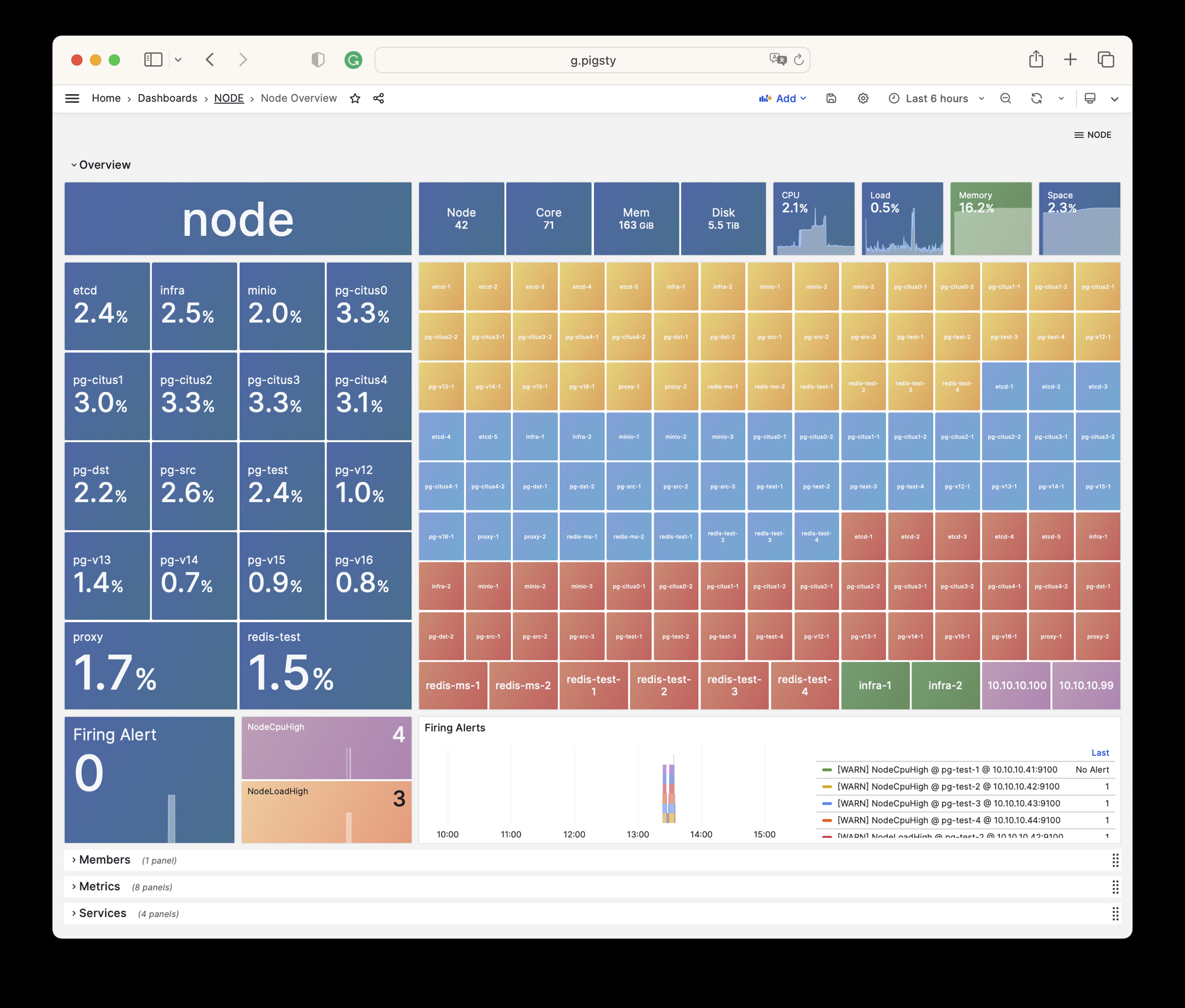
NODE Cluster: Detail information about one dedicate node cluster
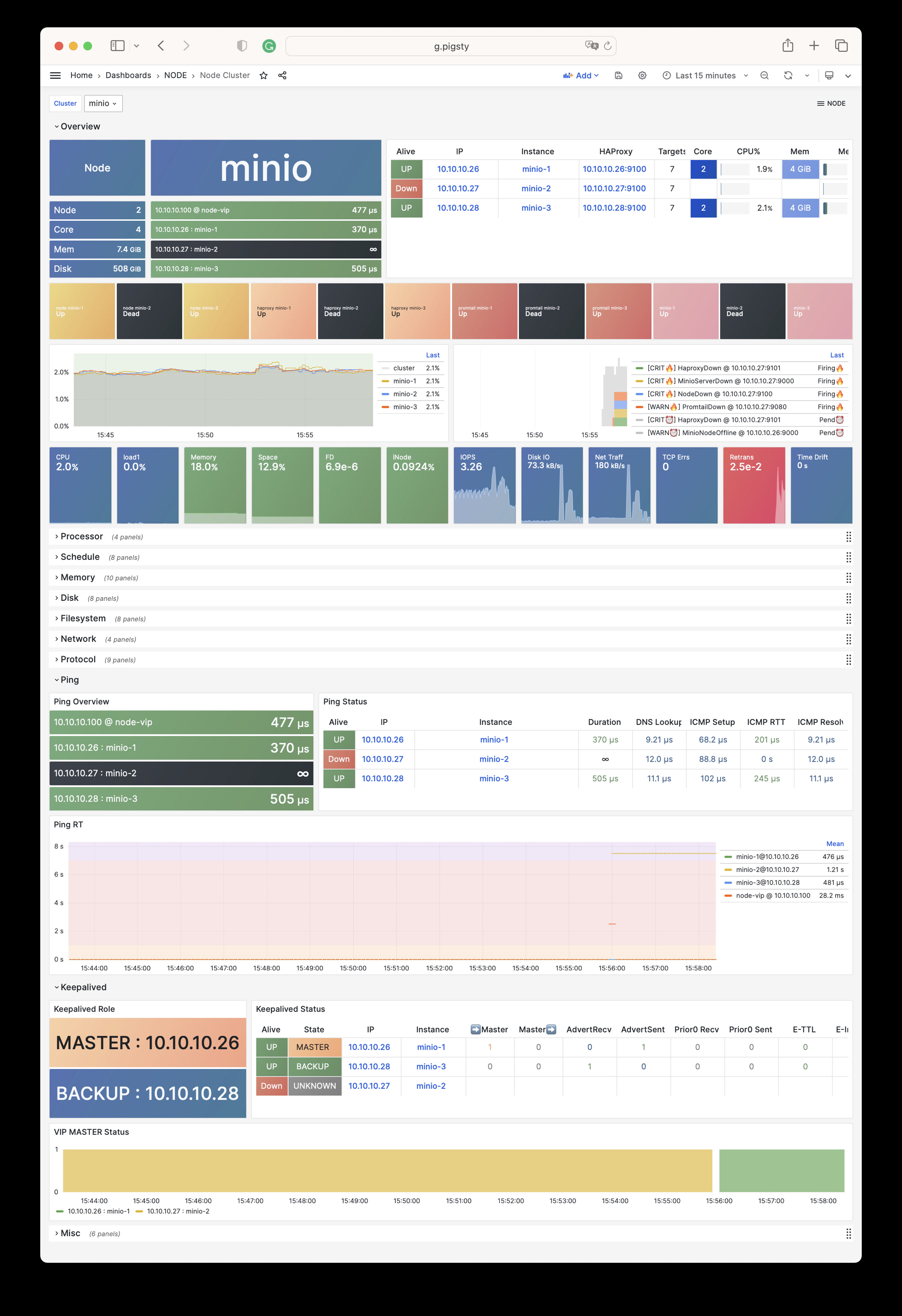
Node Instance : Detail information about one single node instance
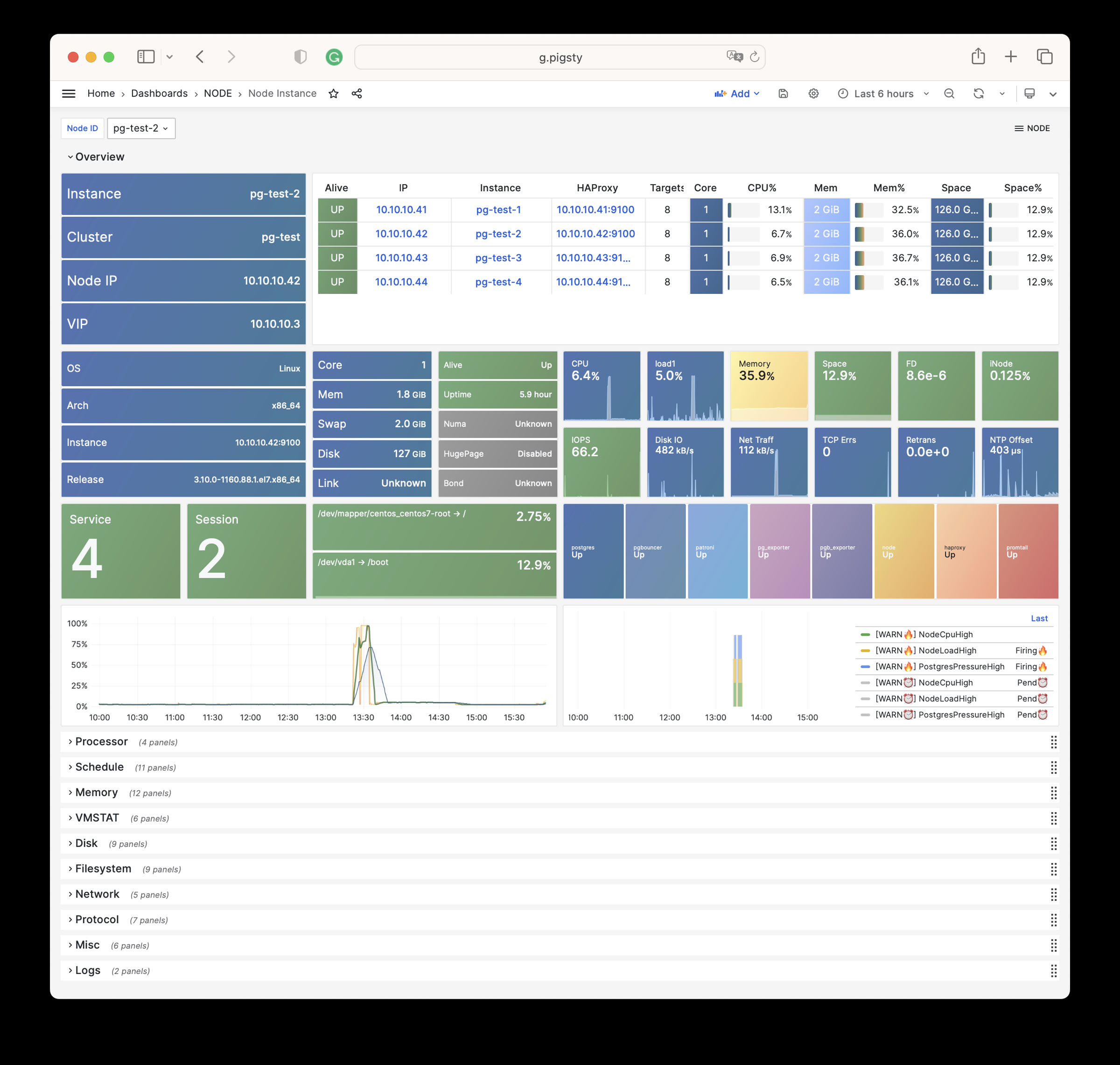
NODE Alert: Overview of key metrics of all node clusters/instances
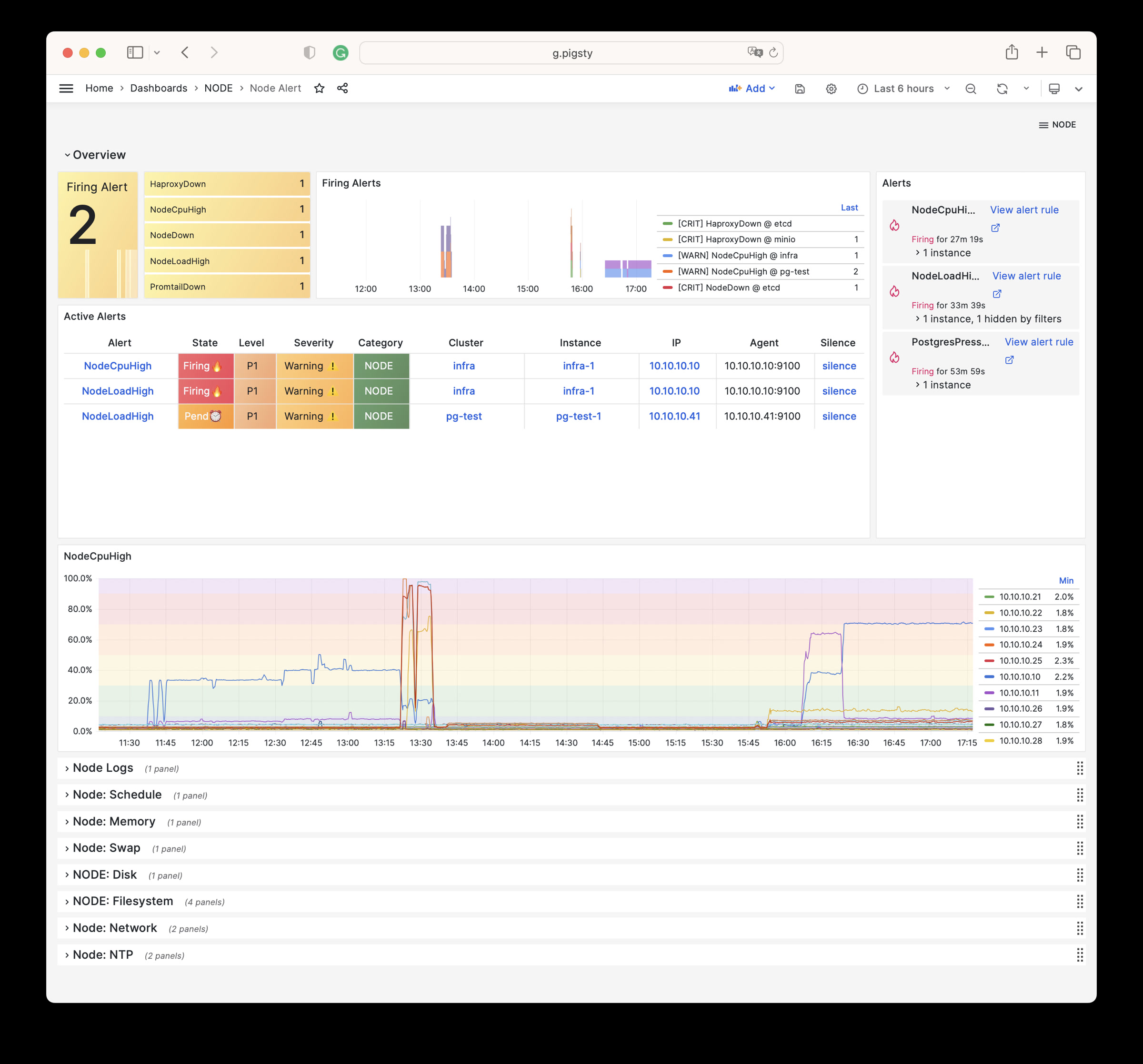
NODE VIP: Detail information about a L2 VIP on a node cluster
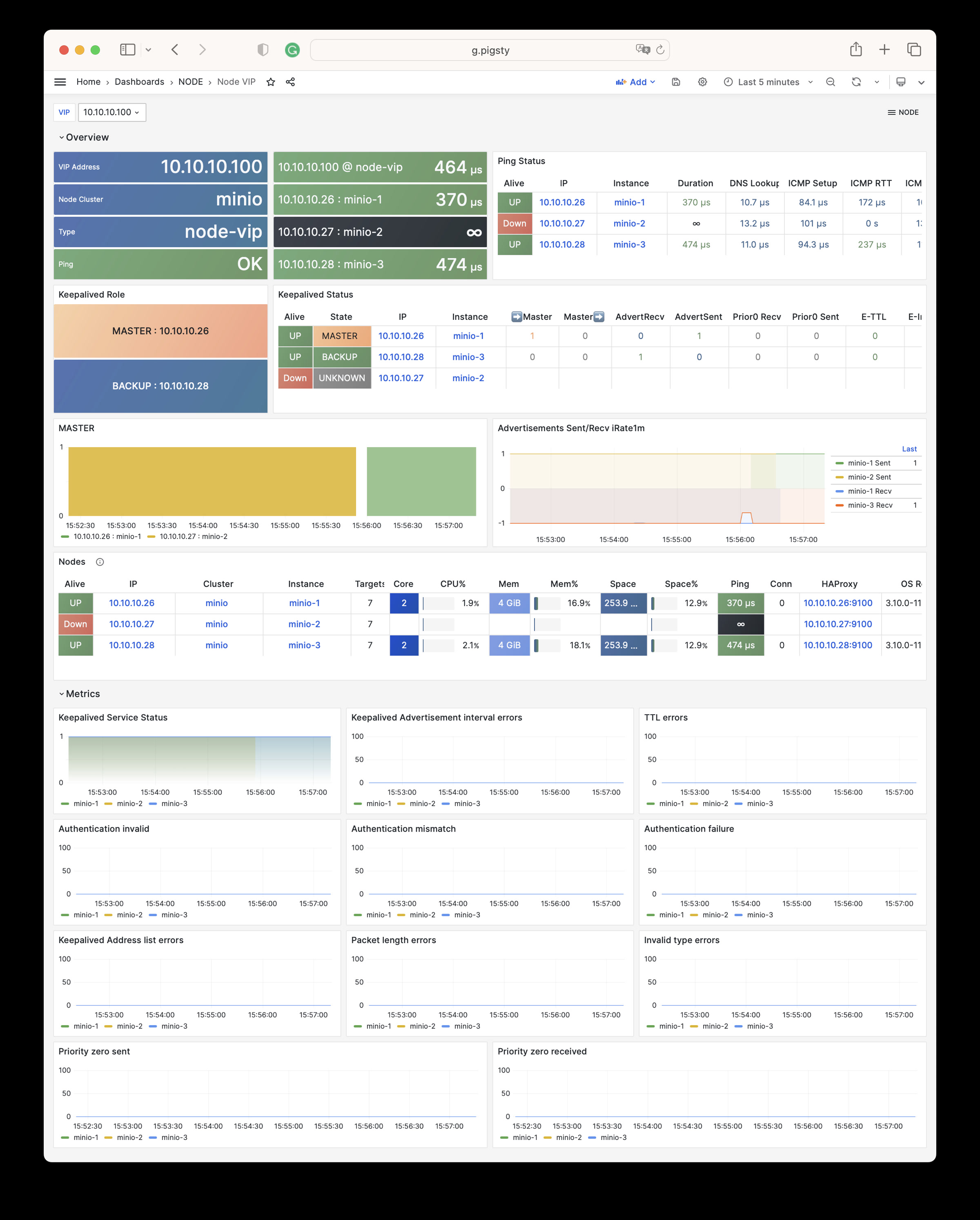
Node Haproxy : Detail information about haproxy on node instance
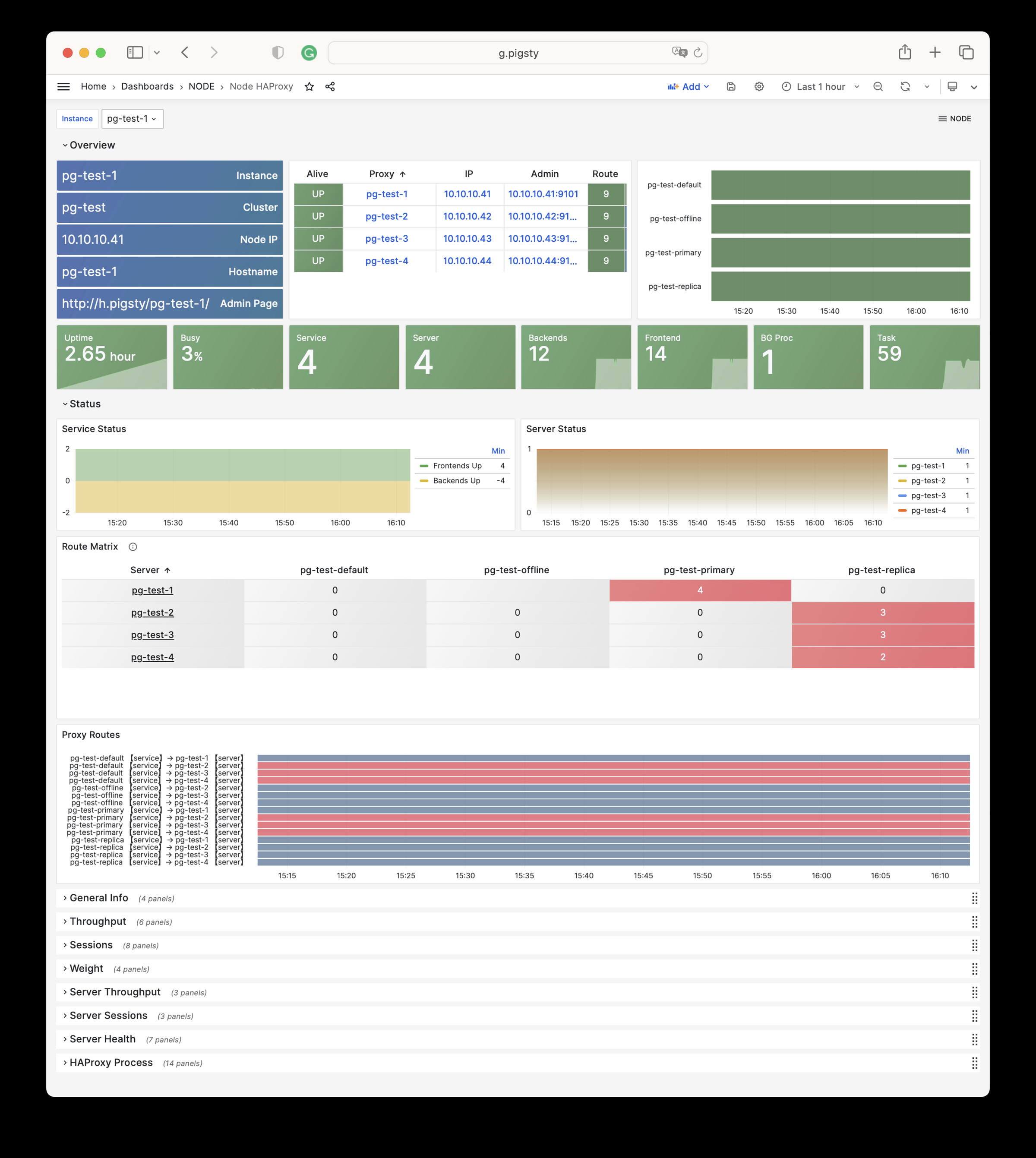
There are 11 sections, 66 parameters about NODE module.
NODE_ID : Node identity parametersNODE_DNS : Node Domain Name ResolutionNODE_PACKAGE : Upstream Repo & Install PackagesNODE_TUNE : Node Tuning & FeaturesNODE_ADMIN : Admin User & SSH KeysNODE_TIME : Timezone, NTP, CrontabNODE_VIP : Optional L2 VIP among clusterHAPROXY : Expose services with HAProxyNODE_EXPORTER : Node monitoring agentPROMTAIL : Promtail logging agentDOCKER : Docker Container Service (optional)| Parameter | Section | Type | Level | Comment |
|---|---|---|---|---|
nodename |
NODE_ID |
string | I | node instance identity, use hostname if missing, optional |
node_cluster |
NODE_ID |
string | C | node cluster identity, use ’nodes’ if missing, optional |
nodename_overwrite |
NODE_ID |
bool | C | overwrite node’s hostname with nodename? |
nodename_exchange |
NODE_ID |
bool | C | exchange nodename among play hosts? |
node_id_from_pg |
NODE_ID |
bool | C | use postgres identity as node identity if applicable? |
node_write_etc_hosts |
NODE_DNS |
bool | G/C/I | modify /etc/hosts on target node? |
node_default_etc_hosts |
NODE_DNS |
string[] | G | static dns records in /etc/hosts |
node_etc_hosts |
NODE_DNS |
string[] | C | extra static dns records in /etc/hosts |
node_dns_method |
NODE_DNS |
enum | C | how to handle dns servers: add,none,overwrite |
node_dns_servers |
NODE_DNS |
string[] | C | dynamic nameserver in /etc/resolv.conf |
node_dns_options |
NODE_DNS |
string[] | C | dns resolv options in /etc/resolv.conf |
node_repo_modules |
NODE_PACKAGE |
enum | C/A | how to setup node repo: none,local,public,both |
node_repo_remove |
NODE_PACKAGE |
bool | C/A | remove existing repo on node? |
node_packages |
NODE_PACKAGE |
string[] | C | packages to be installed current nodes |
node_default_packages |
NODE_PACKAGE |
string[] | G | default packages to be installed on all nodes |
node_disable_firewall |
NODE_TUNE |
bool | C | disable node firewall? true by default |
node_disable_selinux |
NODE_TUNE |
bool | C | disable node selinux? true by default |
node_disable_numa |
NODE_TUNE |
bool | C | disable node numa, reboot required |
node_disable_swap |
NODE_TUNE |
bool | C | disable node swap, use with caution |
node_static_network |
NODE_TUNE |
bool | C | preserve dns resolver settings after reboot |
node_disk_prefetch |
NODE_TUNE |
bool | C | setup disk prefetch on HDD to increase performance |
node_kernel_modules |
NODE_TUNE |
string[] | C | kernel modules to be enabled on this node |
node_hugepage_count |
NODE_TUNE |
int | C | number of 2MB hugepage, take precedence over ratio |
node_hugepage_ratio |
NODE_TUNE |
float | C | node mem hugepage ratio, 0 disable it by default |
node_overcommit_ratio |
NODE_TUNE |
int | C | node mem overcommit ratio (50-100), 0 disable it by default |
node_tune |
NODE_TUNE |
enum | C | node tuned profile: none,oltp,olap,crit,tiny |
node_sysctl_params |
NODE_TUNE |
dict | C | sysctl parameters in k:v format in addition to tuned |
node_data |
NODE_ADMIN |
path | C | node main data directory, /data by default |
node_admin_enabled |
NODE_ADMIN |
bool | C | create a admin user on target node? |
node_admin_uid |
NODE_ADMIN |
int | C | uid and gid for node admin user |
node_admin_username |
NODE_ADMIN |
username | C | name of node admin user, dba by default |
node_admin_ssh_exchange |
NODE_ADMIN |
bool | C | exchange admin ssh key among node cluster |
node_admin_pk_current |
NODE_ADMIN |
bool | C | add current user’s ssh pk to admin authorized_keys |
node_admin_pk_list |
NODE_ADMIN |
string[] | C | ssh public keys to be added to admin user |
node_timezone |
NODE_TIME |
string | C | setup node timezone, empty string to skip |
node_ntp_enabled |
NODE_TIME |
bool | C | enable chronyd time sync service? |
node_ntp_servers |
NODE_TIME |
string[] | C | ntp servers in /etc/chrony.conf |
node_crontab_overwrite |
NODE_TIME |
bool | C | overwrite or append to /etc/crontab? |
node_crontab |
NODE_TIME |
string[] | C | crontab entries in /etc/crontab |
vip_enabled |
NODE_VIP |
bool | C | enable vip on this node cluster? |
vip_address |
NODE_VIP |
ip | C | node vip address in ipv4 format, required if vip is enabled |
vip_vrid |
NODE_VIP |
int | C | required, integer, 1-254, should be unique among same VLAN |
vip_role |
NODE_VIP |
enum | I | optional, master/backup, backup by default, use as init role |
vip_preempt |
NODE_VIP |
bool | C/I | optional, true/false, false by default, enable vip preemption |
vip_interface |
NODE_VIP |
string | C/I | node vip network interface to listen, eth0 by default |
vip_dns_suffix |
NODE_VIP |
string | C | node vip dns name suffix, empty string by default |
vip_exporter_port |
NODE_VIP |
port | C | keepalived exporter listen port, 9650 by default |
haproxy_enabled |
HAPROXY |
bool | C | enable haproxy on this node? |
haproxy_clean |
HAPROXY |
bool | G/C/A | cleanup all existing haproxy config? |
haproxy_reload |
HAPROXY |
bool | A | reload haproxy after config? |
haproxy_auth_enabled |
HAPROXY |
bool | G | enable authentication for haproxy admin page |
haproxy_admin_username |
HAPROXY |
username | G | haproxy admin username, admin by default |
haproxy_admin_password |
HAPROXY |
password | G | haproxy admin password, pigsty by default |
haproxy_exporter_port |
HAPROXY |
port | C | haproxy admin/exporter port, 9101 by default |
haproxy_client_timeout |
HAPROXY |
interval | C | client side connection timeout, 24h by default |
haproxy_server_timeout |
HAPROXY |
interval | C | server side connection timeout, 24h by default |
haproxy_services |
HAPROXY |
service[] | C | list of haproxy service to be exposed on node |
node_exporter_enabled |
NODE_EXPORTER |
bool | C | setup node_exporter on this node? |
node_exporter_port |
NODE_EXPORTER |
port | C | node exporter listen port, 9100 by default |
node_exporter_options |
NODE_EXPORTER |
arg | C | extra server options for node_exporter |
promtail_enabled |
PROMTAIL |
bool | C | enable promtail logging collector? |
promtail_clean |
PROMTAIL |
bool | G/A | purge existing promtail status file during init? |
promtail_port |
PROMTAIL |
port | C | promtail listen port, 9080 by default |
promtail_positions |
PROMTAIL |
path | C | promtail position status file path |
NODE module has 747 available metrics.
| Metric Name | Type | Labels | Description |
|---|---|---|---|
| ALERTS | Unknown | alertname, ip, level, severity, ins, job, alertstate, category, instance, cls |
N/A |
| ALERTS_FOR_STATE | Unknown | alertname, ip, level, severity, ins, job, category, instance, cls |
N/A |
| deprecated_flags_inuse_total | Unknown | instance, ins, job, ip, cls |
N/A |
| go_gc_duration_seconds | summary | quantile, instance, ins, job, ip, cls |
A summary of the pause duration of garbage collection cycles. |
| go_gc_duration_seconds_count | Unknown | instance, ins, job, ip, cls |
N/A |
| go_gc_duration_seconds_sum | Unknown | instance, ins, job, ip, cls |
N/A |
| go_goroutines | gauge | instance, ins, job, ip, cls |
Number of goroutines that currently exist. |
| go_info | gauge | version, instance, ins, job, ip, cls |
Information about the Go environment. |
| go_memstats_alloc_bytes | gauge | instance, ins, job, ip, cls |
Number of bytes allocated and still in use. |
| go_memstats_alloc_bytes_total | counter | instance, ins, job, ip, cls |
Total number of bytes allocated, even if freed. |
| go_memstats_buck_hash_sys_bytes | gauge | instance, ins, job, ip, cls |
Number of bytes used by the profiling bucket hash table. |
| go_memstats_frees_total | counter | instance, ins, job, ip, cls |
Total number of frees. |
| go_memstats_gc_sys_bytes | gauge | instance, ins, job, ip, cls |
Number of bytes used for garbage collection system metadata. |
| go_memstats_heap_alloc_bytes | gauge | instance, ins, job, ip, cls |
Number of heap bytes allocated and still in use. |
| go_memstats_heap_idle_bytes | gauge | instance, ins, job, ip, cls |
Number of heap bytes waiting to be used. |
| go_memstats_heap_inuse_bytes | gauge | instance, ins, job, ip, cls |
Number of heap bytes that are in use. |
| go_memstats_heap_objects | gauge | instance, ins, job, ip, cls |
Number of allocated objects. |
| go_memstats_heap_released_bytes | gauge | instance, ins, job, ip, cls |
Number of heap bytes released to OS. |
| go_memstats_heap_sys_bytes | gauge | instance, ins, job, ip, cls |
Number of heap bytes obtained from system. |
| go_memstats_last_gc_time_seconds | gauge | instance, ins, job, ip, cls |
Number of seconds since 1970 of last garbage collection. |
| go_memstats_lookups_total | counter | instance, ins, job, ip, cls |
Total number of pointer lookups. |
| go_memstats_mallocs_total | counter | instance, ins, job, ip, cls |
Total number of mallocs. |
| go_memstats_mcache_inuse_bytes | gauge | instance, ins, job, ip, cls |
Number of bytes in use by mcache structures. |
| go_memstats_mcache_sys_bytes | gauge | instance, ins, job, ip, cls |
Number of bytes used for mcache structures obtained from system. |
| go_memstats_mspan_inuse_bytes | gauge | instance, ins, job, ip, cls |
Number of bytes in use by mspan structures. |
| go_memstats_mspan_sys_bytes | gauge | instance, ins, job, ip, cls |
Number of bytes used for mspan structures obtained from system. |
| go_memstats_next_gc_bytes | gauge | instance, ins, job, ip, cls |
Number of heap bytes when next garbage collection will take place. |
| go_memstats_other_sys_bytes | gauge | instance, ins, job, ip, cls |
Number of bytes used for other system allocations. |
| go_memstats_stack_inuse_bytes | gauge | instance, ins, job, ip, cls |
Number of bytes in use by the stack allocator. |
| go_memstats_stack_sys_bytes | gauge | instance, ins, job, ip, cls |
Number of bytes obtained from system for stack allocator. |
| go_memstats_sys_bytes | gauge | instance, ins, job, ip, cls |
Number of bytes obtained from system. |
| go_threads | gauge | instance, ins, job, ip, cls |
Number of OS threads created. |
| haproxy:cls:usage | Unknown | job, cls |
N/A |
| haproxy:ins:uptime | Unknown | instance, ins, job, ip, cls |
N/A |
| haproxy:ins:usage | Unknown | instance, ins, job, ip, cls |
N/A |
| haproxy_backend_active_servers | gauge | proxy, instance, ins, job, ip, cls |
Total number of active UP servers with a non-zero weight |
| haproxy_backend_agg_check_status | gauge | state, proxy, instance, ins, job, ip, cls |
Backend’s aggregated gauge of servers’ state check status |
| haproxy_backend_agg_server_check_status | gauge | state, proxy, instance, ins, job, ip, cls |
[DEPRECATED] Backend’s aggregated gauge of servers’ status |
| haproxy_backend_agg_server_status | gauge | state, proxy, instance, ins, job, ip, cls |
Backend’s aggregated gauge of servers’ status |
| haproxy_backend_backup_servers | gauge | proxy, instance, ins, job, ip, cls |
Total number of backup UP servers with a non-zero weight |
| haproxy_backend_bytes_in_total | counter | proxy, instance, ins, job, ip, cls |
Total number of request bytes since process started |
| haproxy_backend_bytes_out_total | counter | proxy, instance, ins, job, ip, cls |
Total number of response bytes since process started |
| haproxy_backend_check_last_change_seconds | gauge | proxy, instance, ins, job, ip, cls |
How long ago the last server state changed, in seconds |
| haproxy_backend_check_up_down_total | counter | proxy, instance, ins, job, ip, cls |
Total number of failed checks causing UP to DOWN server transitions, per server/backend, since the worker process started |
| haproxy_backend_client_aborts_total | counter | proxy, instance, ins, job, ip, cls |
Total number of requests or connections aborted by the client since the worker process started |
| haproxy_backend_connect_time_average_seconds | gauge | proxy, instance, ins, job, ip, cls |
Avg. connect time for last 1024 successful connections. |
| haproxy_backend_connection_attempts_total | counter | proxy, instance, ins, job, ip, cls |
Total number of outgoing connection attempts on this backend/server since the worker process started |
| haproxy_backend_connection_errors_total | counter | proxy, instance, ins, job, ip, cls |
Total number of failed connections to server since the worker process started |
| haproxy_backend_connection_reuses_total | counter | proxy, instance, ins, job, ip, cls |
Total number of reused connection on this backend/server since the worker process started |
| haproxy_backend_current_queue | gauge | proxy, instance, ins, job, ip, cls |
Number of current queued connections |
| haproxy_backend_current_sessions | gauge | proxy, instance, ins, job, ip, cls |
Number of current sessions on the frontend, backend or server |
| haproxy_backend_downtime_seconds_total | counter | proxy, instance, ins, job, ip, cls |
Total time spent in DOWN state, for server or backend |
| haproxy_backend_failed_header_rewriting_total | counter | proxy, instance, ins, job, ip, cls |
Total number of failed HTTP header rewrites since the worker process started |
| haproxy_backend_http_cache_hits_total | counter | proxy, instance, ins, job, ip, cls |
Total number of HTTP requests not found in the cache on this frontend/backend since the worker process started |
| haproxy_backend_http_cache_lookups_total | counter | proxy, instance, ins, job, ip, cls |
Total number of HTTP requests looked up in the cache on this frontend/backend since the worker process started |
| haproxy_backend_http_comp_bytes_bypassed_total | counter | proxy, instance, ins, job, ip, cls |
Total number of bytes that bypassed HTTP compression for this object since the worker process started (CPU/memory/bandwidth limitation) |
| haproxy_backend_http_comp_bytes_in_total | counter | proxy, instance, ins, job, ip, cls |
Total number of bytes submitted to the HTTP compressor for this object since the worker process started |
| haproxy_backend_http_comp_bytes_out_total | counter | proxy, instance, ins, job, ip, cls |
Total number of bytes emitted by the HTTP compressor for this object since the worker process started |
| haproxy_backend_http_comp_responses_total | counter | proxy, instance, ins, job, ip, cls |
Total number of HTTP responses that were compressed for this object since the worker process started |
| haproxy_backend_http_requests_total | counter | proxy, instance, ins, job, ip, cls |
Total number of HTTP requests processed by this object since the worker process started |
| haproxy_backend_http_responses_total | counter | ip, proxy, ins, code, job, instance, cls |
Total number of HTTP responses with status 100-199 returned by this object since the worker process started |
| haproxy_backend_internal_errors_total | counter | proxy, instance, ins, job, ip, cls |
Total number of internal errors since process started |
| haproxy_backend_last_session_seconds | gauge | proxy, instance, ins, job, ip, cls |
How long ago some traffic was seen on this object on this worker process, in seconds |
| haproxy_backend_limit_sessions | gauge | proxy, instance, ins, job, ip, cls |
Frontend/listener/server’s maxconn, backend’s fullconn |
| haproxy_backend_loadbalanced_total | counter | proxy, instance, ins, job, ip, cls |
Total number of requests routed by load balancing since the worker process started (ignores queue pop and stickiness) |
| haproxy_backend_max_connect_time_seconds | gauge | proxy, instance, ins, job, ip, cls |
Maximum observed time spent waiting for a connection to complete |
| haproxy_backend_max_queue | gauge | proxy, instance, ins, job, ip, cls |
Highest value of queued connections encountered since process started |
| haproxy_backend_max_queue_time_seconds | gauge | proxy, instance, ins, job, ip, cls |
Maximum observed time spent in the queue |
| haproxy_backend_max_response_time_seconds | gauge | proxy, instance, ins, job, ip, cls |
Maximum observed time spent waiting for a server response |
| haproxy_backend_max_session_rate | gauge | proxy, instance, ins, job, ip, cls |
Highest value of sessions per second observed since the worker process started |
| haproxy_backend_max_sessions | gauge | proxy, instance, ins, job, ip, cls |
Highest value of current sessions encountered since process started |
| haproxy_backend_max_total_time_seconds | gauge | proxy, instance, ins, job, ip, cls |
Maximum observed total request+response time (request+queue+connect+response+processing) |
| haproxy_backend_queue_time_average_seconds | gauge | proxy, instance, ins, job, ip, cls |
Avg. queue time for last 1024 successful connections. |
| haproxy_backend_redispatch_warnings_total | counter | proxy, instance, ins, job, ip, cls |
Total number of server redispatches due to connection failures since the worker process started |
| haproxy_backend_requests_denied_total | counter | proxy, instance, ins, job, ip, cls |
Total number of denied requests since process started |
| haproxy_backend_response_errors_total | counter | proxy, instance, ins, job, ip, cls |
Total number of invalid responses since the worker process started |
| haproxy_backend_response_time_average_seconds | gauge | proxy, instance, ins, job, ip, cls |
Avg. response time for last 1024 successful connections. |
| haproxy_backend_responses_denied_total | counter | proxy, instance, ins, job, ip, cls |
Total number of denied responses since process started |
| haproxy_backend_retry_warnings_total | counter | proxy, instance, ins, job, ip, cls |
Total number of server connection retries since the worker process started |
| haproxy_backend_server_aborts_total | counter | proxy, instance, ins, job, ip, cls |
Total number of requests or connections aborted by the server since the worker process started |
| haproxy_backend_sessions_total | counter | proxy, instance, ins, job, ip, cls |
Total number of sessions since process started |
| haproxy_backend_status | gauge | state, proxy, instance, ins, job, ip, cls |
Current status of the service, per state label value. |
| haproxy_backend_total_time_average_seconds | gauge | proxy, instance, ins, job, ip, cls |
Avg. total time for last 1024 successful connections. |
| haproxy_backend_uweight | gauge | proxy, instance, ins, job, ip, cls |
Server’s user weight, or sum of active servers’ user weights for a backend |
| haproxy_backend_weight | gauge | proxy, instance, ins, job, ip, cls |
Server’s effective weight, or sum of active servers’ effective weights for a backend |
| haproxy_frontend_bytes_in_total | counter | proxy, instance, ins, job, ip, cls |
Total number of request bytes since process started |
| haproxy_frontend_bytes_out_total | counter | proxy, instance, ins, job, ip, cls |
Total number of response bytes since process started |
| haproxy_frontend_connections_rate_max | gauge | proxy, instance, ins, job, ip, cls |
Highest value of connections per second observed since the worker process started |
| haproxy_frontend_connections_total | counter | proxy, instance, ins, job, ip, cls |
Total number of new connections accepted on this frontend since the worker process started |
| haproxy_frontend_current_sessions | gauge | proxy, instance, ins, job, ip, cls |
Number of current sessions on the frontend, backend or server |
| haproxy_frontend_denied_connections_total | counter | proxy, instance, ins, job, ip, cls |
Total number of incoming connections blocked on a listener/frontend by a tcp-request connection rule since the worker process started |
| haproxy_frontend_denied_sessions_total | counter | proxy, instance, ins, job, ip, cls |
Total number of incoming sessions blocked on a listener/frontend by a tcp-request connection rule since the worker process started |
| haproxy_frontend_failed_header_rewriting_total | counter | proxy, instance, ins, job, ip, cls |
Total number of failed HTTP header rewrites since the worker process started |
| haproxy_frontend_http_cache_hits_total | counter | proxy, instance, ins, job, ip, cls |
Total number of HTTP requests not found in the cache on this frontend/backend since the worker process started |
| haproxy_frontend_http_cache_lookups_total | counter | proxy, instance, ins, job, ip, cls |
Total number of HTTP requests looked up in the cache on this frontend/backend since the worker process started |
| haproxy_frontend_http_comp_bytes_bypassed_total | counter | proxy, instance, ins, job, ip, cls |
Total number of bytes that bypassed HTTP compression for this object since the worker process started (CPU/memory/bandwidth limitation) |
| haproxy_frontend_http_comp_bytes_in_total | counter | proxy, instance, ins, job, ip, cls |
Total number of bytes submitted to the HTTP compressor for this object since the worker process started |
| haproxy_frontend_http_comp_bytes_out_total | counter | proxy, instance, ins, job, ip, cls |
Total number of bytes emitted by the HTTP compressor for this object since the worker process started |
| haproxy_frontend_http_comp_responses_total | counter | proxy, instance, ins, job, ip, cls |
Total number of HTTP responses that were compressed for this object since the worker process started |
| haproxy_frontend_http_requests_rate_max | gauge | proxy, instance, ins, job, ip, cls |
Highest value of http requests observed since the worker process started |
| haproxy_frontend_http_requests_total | counter | proxy, instance, ins, job, ip, cls |
Total number of HTTP requests processed by this object since the worker process started |
| haproxy_frontend_http_responses_total | counter | ip, proxy, ins, code, job, instance, cls |
Total number of HTTP responses with status 100-199 returned by this object since the worker process started |
| haproxy_frontend_intercepted_requests_total | counter | proxy, instance, ins, job, ip, cls |
Total number of HTTP requests intercepted on the frontend (redirects/stats/services) since the worker process started |
| haproxy_frontend_internal_errors_total | counter | proxy, instance, ins, job, ip, cls |
Total number of internal errors since process started |
| haproxy_frontend_limit_session_rate | gauge | proxy, instance, ins, job, ip, cls |
Limit on the number of sessions accepted in a second (frontend only, ‘rate-limit sessions’ setting) |
| haproxy_frontend_limit_sessions | gauge | proxy, instance, ins, job, ip, cls |
Frontend/listener/server’s maxconn, backend’s fullconn |
| haproxy_frontend_max_session_rate | gauge | proxy, instance, ins, job, ip, cls |
Highest value of sessions per second observed since the worker process started |
| haproxy_frontend_max_sessions | gauge | proxy, instance, ins, job, ip, cls |
Highest value of current sessions encountered since process started |
| haproxy_frontend_request_errors_total | counter | proxy, instance, ins, job, ip, cls |
Total number of invalid requests since process started |
| haproxy_frontend_requests_denied_total | counter | proxy, instance, ins, job, ip, cls |
Total number of denied requests since process started |
| haproxy_frontend_responses_denied_total | counter | proxy, instance, ins, job, ip, cls |
Total number of denied responses since process started |
| haproxy_frontend_sessions_total | counter | proxy, instance, ins, job, ip, cls |
Total number of sessions since process started |
| haproxy_frontend_status | gauge | state, proxy, instance, ins, job, ip, cls |
Current status of the service, per state label value. |
| haproxy_process_active_peers | gauge | instance, ins, job, ip, cls |
Current number of verified active peers connections on the current worker process |
| haproxy_process_build_info | gauge | version, instance, ins, job, ip, cls |
Build info |
| haproxy_process_busy_polling_enabled | gauge | instance, ins, job, ip, cls |
1 if busy-polling is currently in use on the worker process, otherwise zero (config.busy-polling) |
| haproxy_process_bytes_out_rate | gauge | instance, ins, job, ip, cls |
Number of bytes emitted by current worker process over the last second |
| haproxy_process_bytes_out_total | counter | instance, ins, job, ip, cls |
Total number of bytes emitted by current worker process since started |
| haproxy_process_connected_peers | gauge | instance, ins, job, ip, cls |
Current number of peers having passed the connection step on the current worker process |
| haproxy_process_connections_total | counter | instance, ins, job, ip, cls |
Total number of connections on this worker process since started |
| haproxy_process_current_backend_ssl_key_rate | gauge | instance, ins, job, ip, cls |
Number of SSL keys created on backends in this worker process over the last second |
| haproxy_process_current_connection_rate | gauge | instance, ins, job, ip, cls |
Number of front connections created on this worker process over the last second |
| haproxy_process_current_connections | gauge | instance, ins, job, ip, cls |
Current number of connections on this worker process |
| haproxy_process_current_frontend_ssl_key_rate | gauge | instance, ins, job, ip, cls |
Number of SSL keys created on frontends in this worker process over the last second |
| haproxy_process_current_run_queue | gauge | instance, ins, job, ip, cls |
Total number of active tasks+tasklets in the current worker process |
| haproxy_process_current_session_rate | gauge | instance, ins, job, ip, cls |
Number of sessions created on this worker process over the last second |
| haproxy_process_current_ssl_connections | gauge | instance, ins, job, ip, cls |
Current number of SSL endpoints on this worker process (front+back) |
| haproxy_process_current_ssl_rate | gauge | instance, ins, job, ip, cls |
Number of SSL connections created on this worker process over the last second |
| haproxy_process_current_tasks | gauge | instance, ins, job, ip, cls |
Total number of tasks in the current worker process (active + sleeping) |
| haproxy_process_current_zlib_memory | gauge | instance, ins, job, ip, cls |
Amount of memory currently used by HTTP compression on the current worker process (in bytes) |
| haproxy_process_dropped_logs_total | counter | instance, ins, job, ip, cls |
Total number of dropped logs for current worker process since started |
| haproxy_process_failed_resolutions | counter | instance, ins, job, ip, cls |
Total number of failed DNS resolutions in current worker process since started |
| haproxy_process_frontend_ssl_reuse | gauge | instance, ins, job, ip, cls |
Percent of frontend SSL connections which did not require a new key |
| haproxy_process_hard_max_connections | gauge | instance, ins, job, ip, cls |
Hard limit on the number of per-process connections (imposed by Memmax_MB or Ulimit-n) |
| haproxy_process_http_comp_bytes_in_total | counter | instance, ins, job, ip, cls |
Number of bytes submitted to the HTTP compressor in this worker process over the last second |
| haproxy_process_http_comp_bytes_out_total | counter | instance, ins, job, ip, cls |
Number of bytes emitted by the HTTP compressor in this worker process over the last second |
| haproxy_process_idle_time_percent | gauge | instance, ins, job, ip, cls |
Percentage of last second spent waiting in the current worker thread |
| haproxy_process_jobs | gauge | instance, ins, job, ip, cls |
Current number of active jobs on the current worker process (frontend connections, master connections, listeners) |
| haproxy_process_limit_connection_rate | gauge | instance, ins, job, ip, cls |
Hard limit for ConnRate (global.maxconnrate) |
| haproxy_process_limit_http_comp | gauge | instance, ins, job, ip, cls |
Limit of CompressBpsOut beyond which HTTP compression is automatically disabled |
| haproxy_process_limit_session_rate | gauge | instance, ins, job, ip, cls |
Hard limit for SessRate (global.maxsessrate) |
| haproxy_process_limit_ssl_rate | gauge | instance, ins, job, ip, cls |
Hard limit for SslRate (global.maxsslrate) |
| haproxy_process_listeners | gauge | instance, ins, job, ip, cls |
Current number of active listeners on the current worker process |
| haproxy_process_max_backend_ssl_key_rate | gauge | instance, ins, job, ip, cls |
Highest SslBackendKeyRate reached on this worker process since started (in SSL keys per second) |
| haproxy_process_max_connection_rate | gauge | instance, ins, job, ip, cls |
Highest ConnRate reached on this worker process since started (in connections per second) |
| haproxy_process_max_connections | gauge | instance, ins, job, ip, cls |
Hard limit on the number of per-process connections (configured or imposed by Ulimit-n) |
| haproxy_process_max_fds | gauge | instance, ins, job, ip, cls |
Hard limit on the number of per-process file descriptors |
| haproxy_process_max_frontend_ssl_key_rate | gauge | instance, ins, job, ip, cls |
Highest SslFrontendKeyRate reached on this worker process since started (in SSL keys per second) |
| haproxy_process_max_memory_bytes | gauge | instance, ins, job, ip, cls |
Worker process’s hard limit on memory usage in byes (-m on command line) |
| haproxy_process_max_pipes | gauge | instance, ins, job, ip, cls |
Hard limit on the number of pipes for splicing, 0=unlimited |
| haproxy_process_max_session_rate | gauge | instance, ins, job, ip, cls |
Highest SessRate reached on this worker process since started (in sessions per second) |
| haproxy_process_max_sockets | gauge | instance, ins, job, ip, cls |
Hard limit on the number of per-process sockets |
| haproxy_process_max_ssl_connections | gauge | instance, ins, job, ip, cls |
Hard limit on the number of per-process SSL endpoints (front+back), 0=unlimited |
| haproxy_process_max_ssl_rate | gauge | instance, ins, job, ip, cls |
Highest SslRate reached on this worker process since started (in connections per second) |
| haproxy_process_max_zlib_memory | gauge | instance, ins, job, ip, cls |
Limit on the amount of memory used by HTTP compression above which it is automatically disabled (in bytes, see global.maxzlibmem) |
| haproxy_process_nbproc | gauge | instance, ins, job, ip, cls |
Number of started worker processes (historical, always 1) |
| haproxy_process_nbthread | gauge | instance, ins, job, ip, cls |
Number of started threads (global.nbthread) |
| haproxy_process_pipes_free_total | counter | instance, ins, job, ip, cls |
Current number of allocated and available pipes in this worker process |
| haproxy_process_pipes_used_total | counter | instance, ins, job, ip, cls |
Current number of pipes in use in this worker process |
| haproxy_process_pool_allocated_bytes | gauge | instance, ins, job, ip, cls |
Amount of memory allocated in pools (in bytes) |
| haproxy_process_pool_failures_total | counter | instance, ins, job, ip, cls |
Number of failed pool allocations since this worker was started |
| haproxy_process_pool_used_bytes | gauge | instance, ins, job, ip, cls |
Amount of pool memory currently used (in bytes) |
| haproxy_process_recv_logs_total | counter | instance, ins, job, ip, cls |
Total number of log messages received by log-forwarding listeners on this worker process since started |
| haproxy_process_relative_process_id | gauge | instance, ins, job, ip, cls |
Relative worker process number (1) |
| haproxy_process_requests_total | counter | instance, ins, job, ip, cls |
Total number of requests on this worker process since started |
| haproxy_process_spliced_bytes_out_total | counter | instance, ins, job, ip, cls |
Total number of bytes emitted by current worker process through a kernel pipe since started |
| haproxy_process_ssl_cache_lookups_total | counter | instance, ins, job, ip, cls |
Total number of SSL session ID lookups in the SSL session cache on this worker since started |
| haproxy_process_ssl_cache_misses_total | counter | instance, ins, job, ip, cls |
Total number of SSL session ID lookups that didn’t find a session in the SSL session cache on this worker since started |
| haproxy_process_ssl_connections_total | counter | instance, ins, job, ip, cls |
Total number of SSL endpoints on this worker process since started (front+back) |
| haproxy_process_start_time_seconds | gauge | instance, ins, job, ip, cls |
Start time in seconds |
| haproxy_process_stopping | gauge | instance, ins, job, ip, cls |
1 if the worker process is currently stopping, otherwise zero |
| haproxy_process_unstoppable_jobs | gauge | instance, ins, job, ip, cls |
Current number of unstoppable jobs on the current worker process (master connections) |
| haproxy_process_uptime_seconds | gauge | instance, ins, job, ip, cls |
How long ago this worker process was started (seconds) |
| haproxy_server_bytes_in_total | counter | proxy, instance, ins, job, server, ip, cls |
Total number of request bytes since process started |
| haproxy_server_bytes_out_total | counter | proxy, instance, ins, job, server, ip, cls |
Total number of response bytes since process started |
| haproxy_server_check_code | gauge | proxy, instance, ins, job, server, ip, cls |
layer5-7 code, if available of the last health check. |
| haproxy_server_check_duration_seconds | gauge | proxy, instance, ins, job, server, ip, cls |
Total duration of the latest server health check, in seconds. |
| haproxy_server_check_failures_total | counter | proxy, instance, ins, job, server, ip, cls |
Total number of failed individual health checks per server/backend, since the worker process started |
| haproxy_server_check_last_change_seconds | gauge | proxy, instance, ins, job, server, ip, cls |
How long ago the last server state changed, in seconds |
| haproxy_server_check_status | gauge | state, proxy, instance, ins, job, server, ip, cls |
Status of last health check, per state label value. |
| haproxy_server_check_up_down_total | counter | proxy, instance, ins, job, server, ip, cls |
Total number of failed checks causing UP to DOWN server transitions, per server/backend, since the worker process started |
| haproxy_server_client_aborts_total | counter | proxy, instance, ins, job, server, ip, cls |
Total number of requests or connections aborted by the client since the worker process started |
| haproxy_server_connect_time_average_seconds | gauge | proxy, instance, ins, job, server, ip, cls |
Avg. connect time for last 1024 successful connections. |
| haproxy_server_connection_attempts_total | counter | proxy, instance, ins, job, server, ip, cls |
Total number of outgoing connection attempts on this backend/server since the worker process started |
| haproxy_server_connection_errors_total | counter | proxy, instance, ins, job, server, ip, cls |
Total number of failed connections to server since the worker process started |
| haproxy_server_connection_reuses_total | counter | proxy, instance, ins, job, server, ip, cls |
Total number of reused connection on this backend/server since the worker process started |
| haproxy_server_current_queue | gauge | proxy, instance, ins, job, server, ip, cls |
Number of current queued connections |
| haproxy_server_current_sessions | gauge | proxy, instance, ins, job, server, ip, cls |
Number of current sessions on the frontend, backend or server |
| haproxy_server_current_throttle | gauge | proxy, instance, ins, job, server, ip, cls |
Throttling ratio applied to a server’s maxconn and weight during the slowstart period (0 to 100%) |
| haproxy_server_downtime_seconds_total | counter | proxy, instance, ins, job, server, ip, cls |
Total time spent in DOWN state, for server or backend |
| haproxy_server_failed_header_rewriting_total | counter | proxy, instance, ins, job, server, ip, cls |
Total number of failed HTTP header rewrites since the worker process started |
| haproxy_server_idle_connections_current | gauge | proxy, instance, ins, job, server, ip, cls |
Current number of idle connections available for reuse on this server |
| haproxy_server_idle_connections_limit | gauge | proxy, instance, ins, job, server, ip, cls |
Limit on the number of available idle connections on this server (server ‘pool_max_conn’ directive) |
| haproxy_server_internal_errors_total | counter | proxy, instance, ins, job, server, ip, cls |
Total number of internal errors since process started |
| haproxy_server_last_session_seconds | gauge | proxy, instance, ins, job, server, ip, cls |
How long ago some traffic was seen on this object on this worker process, in seconds |
| haproxy_server_limit_sessions | gauge | proxy, instance, ins, job, server, ip, cls |
Frontend/listener/server’s maxconn, backend’s fullconn |
| haproxy_server_loadbalanced_total | counter | proxy, instance, ins, job, server, ip, cls |
Total number of requests routed by load balancing since the worker process started (ignores queue pop and stickiness) |
| haproxy_server_max_connect_time_seconds | gauge | proxy, instance, ins, job, server, ip, cls |
Maximum observed time spent waiting for a connection to complete |
| haproxy_server_max_queue | gauge | proxy, instance, ins, job, server, ip, cls |
Highest value of queued connections encountered since process started |
| haproxy_server_max_queue_time_seconds | gauge | proxy, instance, ins, job, server, ip, cls |
Maximum observed time spent in the queue |
| haproxy_server_max_response_time_seconds | gauge | proxy, instance, ins, job, server, ip, cls |
Maximum observed time spent waiting for a server response |
| haproxy_server_max_session_rate | gauge | proxy, instance, ins, job, server, ip, cls |
Highest value of sessions per second observed since the worker process started |
| haproxy_server_max_sessions | gauge | proxy, instance, ins, job, server, ip, cls |
Highest value of current sessions encountered since process started |
| haproxy_server_max_total_time_seconds | gauge | proxy, instance, ins, job, server, ip, cls |
Maximum observed total request+response time (request+queue+connect+response+processing) |
| haproxy_server_need_connections_current | gauge | proxy, instance, ins, job, server, ip, cls |
Estimated needed number of connections |
| haproxy_server_queue_limit | gauge | proxy, instance, ins, job, server, ip, cls |
Limit on the number of connections in queue, for servers only (maxqueue argument) |
| haproxy_server_queue_time_average_seconds | gauge | proxy, instance, ins, job, server, ip, cls |
Avg. queue time for last 1024 successful connections. |
| haproxy_server_redispatch_warnings_total | counter | proxy, instance, ins, job, server, ip, cls |
Total number of server redispatches due to connection failures since the worker process started |
| haproxy_server_response_errors_total | counter | proxy, instance, ins, job, server, ip, cls |
Total number of invalid responses since the worker process started |
| haproxy_server_response_time_average_seconds | gauge | proxy, instance, ins, job, server, ip, cls |
Avg. response time for last 1024 successful connections. |
| haproxy_server_responses_denied_total | counter | proxy, instance, ins, job, server, ip, cls |
Total number of denied responses since process started |
| haproxy_server_retry_warnings_total | counter | proxy, instance, ins, job, server, ip, cls |
Total number of server connection retries since the worker process started |
| haproxy_server_safe_idle_connections_current | gauge | proxy, instance, ins, job, server, ip, cls |
Current number of safe idle connections |
| haproxy_server_server_aborts_total | counter | proxy, instance, ins, job, server, ip, cls |
Total number of requests or connections aborted by the server since the worker process started |
| haproxy_server_sessions_total | counter | proxy, instance, ins, job, server, ip, cls |
Total number of sessions since process started |
| haproxy_server_status | gauge | state, proxy, instance, ins, job, server, ip, cls |
Current status of the service, per state label value. |
| haproxy_server_total_time_average_seconds | gauge | proxy, instance, ins, job, server, ip, cls |
Avg. total time for last 1024 successful connections. |
| haproxy_server_unsafe_idle_connections_current | gauge | proxy, instance, ins, job, server, ip, cls |
Current number of unsafe idle connections |
| haproxy_server_used_connections_current | gauge | proxy, instance, ins, job, server, ip, cls |
Current number of connections in use |
| haproxy_server_uweight | gauge | proxy, instance, ins, job, server, ip, cls |
Server’s user weight, or sum of active servers’ user weights for a backend |
| haproxy_server_weight | gauge | proxy, instance, ins, job, server, ip, cls |
Server’s effective weight, or sum of active servers’ effective weights for a backend |
| haproxy_up | Unknown | instance, ins, job, ip, cls |
N/A |
| inflight_requests | gauge | instance, ins, job, route, ip, cls, method |
Current number of inflight requests. |
| jaeger_tracer_baggage_restrictions_updates_total | Unknown | instance, ins, job, result, ip, cls |
N/A |
| jaeger_tracer_baggage_truncations_total | Unknown | instance, ins, job, ip, cls |
N/A |
| jaeger_tracer_baggage_updates_total | Unknown | instance, ins, job, result, ip, cls |
N/A |
| jaeger_tracer_finished_spans_total | Unknown | instance, ins, job, sampled, ip, cls |
N/A |
| jaeger_tracer_reporter_queue_length | gauge | instance, ins, job, ip, cls |
Current number of spans in the reporter queue |
| jaeger_tracer_reporter_spans_total | Unknown | instance, ins, job, result, ip, cls |
N/A |
| jaeger_tracer_sampler_queries_total | Unknown | instance, ins, job, result, ip, cls |
N/A |
| jaeger_tracer_sampler_updates_total | Unknown | instance, ins, job, result, ip, cls |
N/A |
| jaeger_tracer_span_context_decoding_errors_total | Unknown | instance, ins, job, ip, cls |
N/A |
| jaeger_tracer_started_spans_total | Unknown | instance, ins, job, sampled, ip, cls |
N/A |
| jaeger_tracer_throttled_debug_spans_total | Unknown | instance, ins, job, ip, cls |
N/A |
| jaeger_tracer_throttler_updates_total | Unknown | instance, ins, job, result, ip, cls |
N/A |
| jaeger_tracer_traces_total | Unknown | state, instance, ins, job, sampled, ip, cls |
N/A |
| loki_experimental_features_in_use_total | Unknown | instance, ins, job, ip, cls |
N/A |
| loki_internal_log_messages_total | Unknown | level, instance, ins, job, ip, cls |
N/A |
| loki_log_flushes_bucket | Unknown | instance, ins, job, le, ip, cls |
N/A |
| loki_log_flushes_count | Unknown | instance, ins, job, ip, cls |
N/A |
| loki_log_flushes_sum | Unknown | instance, ins, job, ip, cls |
N/A |
| loki_log_messages_total | Unknown | level, instance, ins, job, ip, cls |
N/A |
| loki_logql_querystats_duplicates_total | Unknown | instance, ins, job, ip, cls |
N/A |
| loki_logql_querystats_ingester_sent_lines_total | Unknown | instance, ins, job, ip, cls |
N/A |
| loki_querier_index_cache_corruptions_total | Unknown | instance, ins, job, ip, cls |
N/A |
| loki_querier_index_cache_encode_errors_total | Unknown | instance, ins, job, ip, cls |
N/A |
| loki_querier_index_cache_gets_total | Unknown | instance, ins, job, ip, cls |
N/A |
| loki_querier_index_cache_hits_total | Unknown | instance, ins, job, ip, cls |
N/A |
| loki_querier_index_cache_puts_total | Unknown | instance, ins, job, ip, cls |
N/A |
| net_conntrack_dialer_conn_attempted_total | counter | ip, ins, job, instance, cls, dialer_name |
Total number of connections attempted by the given dialer a given name. |
| net_conntrack_dialer_conn_closed_total | counter | ip, ins, job, instance, cls, dialer_name |
Total number of connections closed which originated from the dialer of a given name. |
| net_conntrack_dialer_conn_established_total | counter | ip, ins, job, instance, cls, dialer_name |
Total number of connections successfully established by the given dialer a given name. |
| net_conntrack_dialer_conn_failed_total | counter | ip, ins, job, reason, instance, cls, dialer_name |
Total number of connections failed to dial by the dialer a given name. |
| node:cls:avail_bytes | Unknown | job, cls |
N/A |
| node:cls:cpu_count | Unknown | job, cls |
N/A |
| node:cls:cpu_usage | Unknown | job, cls |
N/A |
| node:cls:cpu_usage_15m | Unknown | job, cls |
N/A |
| node:cls:cpu_usage_1m | Unknown | job, cls |
N/A |
| node:cls:cpu_usage_5m | Unknown | job, cls |
N/A |
| node:cls:disk_io_bytes_rate1m | Unknown | job, cls |
N/A |
| node:cls:disk_iops_1m | Unknown | job, cls |
N/A |
| node:cls:disk_mreads_rate1m | Unknown | job, cls |
N/A |
| node:cls:disk_mreads_ratio1m | Unknown | job, cls |
N/A |
| node:cls:disk_mwrites_rate1m | Unknown | job, cls |
N/A |
| node:cls:disk_mwrites_ratio1m | Unknown | job, cls |
N/A |
| node:cls:disk_read_bytes_rate1m | Unknown | job, cls |
N/A |
| node:cls:disk_reads_rate1m | Unknown | job, cls |
N/A |
| node:cls:disk_write_bytes_rate1m | Unknown | job, cls |
N/A |
| node:cls:disk_writes_rate1m | Unknown | job, cls |
N/A |
| node:cls:free_bytes | Unknown | job, cls |
N/A |
| node:cls:mem_usage | Unknown | job, cls |
N/A |
| node:cls:network_io_bytes_rate1m | Unknown | job, cls |
N/A |
| node:cls:network_rx_bytes_rate1m | Unknown | job, cls |
N/A |
| node:cls:network_rx_pps1m | Unknown | job, cls |
N/A |
| node:cls:network_tx_bytes_rate1m | Unknown | job, cls |
N/A |
| node:cls:network_tx_pps1m | Unknown | job, cls |
N/A |
| node:cls:size_bytes | Unknown | job, cls |
N/A |
| node:cls:space_usage | Unknown | job, cls |
N/A |
| node:cls:space_usage_max | Unknown | job, cls |
N/A |
| node:cls:stdload1 | Unknown | job, cls |
N/A |
| node:cls:stdload15 | Unknown | job, cls |
N/A |
| node:cls:stdload5 | Unknown | job, cls |
N/A |
| node:cls:time_drift_max | Unknown | job, cls |
N/A |
| node:cpu:idle_time_irate1m | Unknown | ip, ins, job, cpu, instance, cls |
N/A |
| node:cpu:sched_timeslices_rate1m | Unknown | ip, ins, job, cpu, instance, cls |
N/A |
| node:cpu:sched_wait_rate1m | Unknown | ip, ins, job, cpu, instance, cls |
N/A |
| node:cpu:time_irate1m | Unknown | ip, mode, ins, job, cpu, instance, cls |
N/A |
| node:cpu:total_time_irate1m | Unknown | ip, ins, job, cpu, instance, cls |
N/A |
| node:cpu:usage | Unknown | ip, ins, job, cpu, instance, cls |
N/A |
| node:cpu:usage_avg15m | Unknown | ip, ins, job, cpu, instance, cls |
N/A |
| node:cpu:usage_avg1m | Unknown | ip, ins, job, cpu, instance, cls |
N/A |
| node:cpu:usage_avg5m | Unknown | ip, ins, job, cpu, instance, cls |
N/A |
| node:dev:disk_avg_queue_size | Unknown | ip, device, ins, job, instance, cls |
N/A |
| node:dev:disk_io_batch_1m | Unknown | ip, device, ins, job, instance, cls |
N/A |
| node:dev:disk_io_bytes_rate1m | Unknown | ip, device, ins, job, instance, cls |
N/A |
| node:dev:disk_io_rt_1m | Unknown | ip, device, ins, job, instance, cls |
N/A |
| node:dev:disk_io_time_rate1m | Unknown | ip, device, ins, job, instance, cls |
N/A |
| node:dev:disk_iops_1m | Unknown | ip, device, ins, job, instance, cls |
N/A |
| node:dev:disk_mreads_rate1m | Unknown | ip, device, ins, job, instance, cls |
N/A |
| node:dev:disk_mreads_ratio1m | Unknown | ip, device, ins, job, instance, cls |
N/A |
| node:dev:disk_mwrites_rate1m | Unknown | ip, device, ins, job, instance, cls |
N/A |
| node:dev:disk_mwrites_ratio1m | Unknown | ip, device, ins, job, instance, cls |
N/A |
| node:dev:disk_read_batch_1m | Unknown | ip, device, ins, job, instance, cls |
N/A |
| node:dev:disk_read_bytes_rate1m | Unknown | ip, device, ins, job, instance, cls |
N/A |
| node:dev:disk_read_rt_1m | Unknown | ip, device, ins, job, instance, cls |
N/A |
| node:dev:disk_read_time_rate1m | Unknown | ip, device, ins, job, instance, cls |
N/A |
| node:dev:disk_reads_rate1m | Unknown | ip, device, ins, job, instance, cls |
N/A |
| node:dev:disk_util_1m | Unknown | ip, device, ins, job, instance, cls |
N/A |
| node:dev:disk_write_batch_1m | Unknown | ip, device, ins, job, instance, cls |
N/A |
| node:dev:disk_write_bytes_rate1m | Unknown | ip, device, ins, job, instance, cls |
N/A |
| node:dev:disk_write_rt_1m | Unknown | ip, device, ins, job, instance, cls |
N/A |
| node:dev:disk_write_time_rate1m | Unknown | ip, device, ins, job, instance, cls |
N/A |
| node:dev:disk_writes_rate1m | Unknown | ip, device, ins, job, instance, cls |
N/A |
| node:dev:network_io_bytes_rate1m | Unknown | ip, device, ins, job, instance, cls |
N/A |
| node:dev:network_rx_bytes_rate1m | Unknown | ip, device, ins, job, instance, cls |
N/A |
| node:dev:network_rx_pps1m | Unknown | ip, device, ins, job, instance, cls |
N/A |
| node:dev:network_tx_bytes_rate1m | Unknown | ip, device, ins, job, instance, cls |
N/A |
| node:dev:network_tx_pps1m | Unknown | ip, device, ins, job, instance, cls |
N/A |
| node:env:avail_bytes | Unknown | job |
N/A |
| node:env:cpu_count | Unknown | job |
N/A |
| node:env:cpu_usage | Unknown | job |
N/A |
| node:env:cpu_usage_15m | Unknown | job |
N/A |
| node:env:cpu_usage_1m | Unknown | job |
N/A |
| node:env:cpu_usage_5m | Unknown | job |
N/A |
| node:env:device_space_usage_max | Unknown | device, mountpoint, job, fstype |
N/A |
| node:env:free_bytes | Unknown | job |
N/A |
| node:env:mem_avail | Unknown | job |
N/A |
| node:env:mem_total | Unknown | job |
N/A |
| node:env:mem_usage | Unknown | job |
N/A |
| node:env:size_bytes | Unknown | job |
N/A |
| node:env:space_usage | Unknown | job |
N/A |
| node:env:stdload1 | Unknown | job |
N/A |
| node:env:stdload15 | Unknown | job |
N/A |
| node:env:stdload5 | Unknown | job |
N/A |
| node:fs:avail_bytes | Unknown | ip, device, mountpoint, ins, cls, job, instance, fstype |
N/A |
| node:fs:free_bytes | Unknown | ip, device, mountpoint, ins, cls, job, instance, fstype |
N/A |
| node:fs:inode_free | Unknown | ip, device, mountpoint, ins, cls, job, instance, fstype |
N/A |
| node:fs:inode_total | Unknown | ip, device, mountpoint, ins, cls, job, instance, fstype |
N/A |
| node:fs:inode_usage | Unknown | ip, device, mountpoint, ins, cls, job, instance, fstype |
N/A |
| node:fs:inode_used | Unknown | ip, device, mountpoint, ins, cls, job, instance, fstype |
N/A |
| node:fs:size_bytes | Unknown | ip, device, mountpoint, ins, cls, job, instance, fstype |
N/A |
| node:fs:space_deriv1h | Unknown | ip, device, mountpoint, ins, cls, job, instance, fstype |
N/A |
| node:fs:space_exhaust | Unknown | ip, device, mountpoint, ins, cls, job, instance, fstype |
N/A |
| node:fs:space_predict_1d | Unknown | ip, device, mountpoint, ins, cls, job, instance, fstype |
N/A |
| node:fs:space_usage | Unknown | ip, device, mountpoint, ins, cls, job, instance, fstype |
N/A |
| node:ins | Unknown | id, ip, ins, job, nodename, instance, cls |
N/A |
| node:ins:avail_bytes | Unknown | instance, ins, job, ip, cls |
N/A |
| node:ins:cpu_count | Unknown | instance, ins, job, ip, cls |
N/A |
| node:ins:cpu_usage | Unknown | instance, ins, job, ip, cls |
N/A |
| node:ins:cpu_usage_15m | Unknown | instance, ins, job, ip, cls |
N/A |
| node:ins:cpu_usage_1m | Unknown | instance, ins, job, ip, cls |
N/A |
| node:ins:cpu_usage_5m | Unknown | instance, ins, job, ip, cls |
N/A |
| node:ins:ctx_switch_rate1m | Unknown | instance, ins, job, ip, cls |
N/A |
| node:ins:disk_io_bytes_rate1m | Unknown | instance, ins, job, ip, cls |
N/A |
| node:ins:disk_iops_1m | Unknown | instance, ins, job, ip, cls |
N/A |
| node:ins:disk_mreads_rate1m | Unknown | instance, ins, job, ip, cls |
N/A |
| node:ins:disk_mreads_ratio1m | Unknown | instance, ins, job, ip, cls |
N/A |
| node:ins:disk_mwrites_rate1m | Unknown | instance, ins, job, ip, cls |
N/A |
| node:ins:disk_mwrites_ratio1m | Unknown | instance, ins, job, ip, cls |
N/A |
| node:ins:disk_read_bytes_rate1m | Unknown | instance, ins, job, ip, cls |
N/A |
| node:ins:disk_reads_rate1m | Unknown | instance, ins, job, ip, cls |
N/A |
| node:ins:disk_write_bytes_rate1m | Unknown | instance, ins, job, ip, cls |
N/A |
| node:ins:disk_writes_rate1m | Unknown | instance, ins, job, ip, cls |
N/A |
| node:ins:fd_alloc_rate1m | Unknown | instance, ins, job, ip, cls |
N/A |
| node:ins:fd_usage | Unknown | instance, ins, job, ip, cls |
N/A |
| node:ins:forks_rate1m | Unknown | instance, ins, job, ip, cls |
N/A |
| node:ins:free_bytes | Unknown | instance, ins, job, ip, cls |
N/A |
| node:ins:inode_usage | Unknown | instance, ins, job, ip, cls |
N/A |
| node:ins:interrupt_rate1m | Unknown | instance, ins, job, ip, cls |
N/A |
| node:ins:mem_avail | Unknown | instance, ins, job, ip, cls |
N/A |
| node:ins:mem_commit_ratio | Unknown | instance, ins, job, ip, cls |
N/A |
| node:ins:mem_kernel | Unknown | instance, ins, job, ip, cls |
N/A |
| node:ins:mem_rss | Unknown | instance, ins, job, ip, cls |
N/A |
| node:ins:mem_usage | Unknown | instance, ins, job, ip, cls |
N/A |
| node:ins:network_io_bytes_rate1m | Unknown | instance, ins, job, ip, cls |
N/A |
| node:ins:network_rx_bytes_rate1m | Unknown | instance, ins, job, ip, cls |
N/A |
| node:ins:network_rx_pps1m | Unknown | instance, ins, job, ip, cls |
N/A |
| node:ins:network_tx_bytes_rate1m | Unknown | instance, ins, job, ip, cls |
N/A |
| node:ins:network_tx_pps1m | Unknown | instance, ins, job, ip, cls |
N/A |
| node:ins:pagefault_rate1m | Unknown | instance, ins, job, ip, cls |
N/A |
| node:ins:pagein_rate1m | Unknown | instance, ins, job, ip, cls |
N/A |
| node:ins:pageout_rate1m | Unknown | instance, ins, job, ip, cls |
N/A |
| node:ins:pgmajfault_rate1m | Unknown | instance, ins, job, ip, cls |
N/A |
| node:ins:sched_wait_rate1m | Unknown | instance, ins, job, ip, cls |
N/A |
| node:ins:size_bytes | Unknown | instance, ins, job, ip, cls |
N/A |
| node:ins:space_usage_max | Unknown | instance, ins, job, ip, cls |
N/A |
| node:ins:stdload1 | Unknown | instance, ins, job, ip, cls |
N/A |
| node:ins:stdload15 | Unknown | instance, ins, job, ip, cls |
N/A |
| node:ins:stdload5 | Unknown | instance, ins, job, ip, cls |
N/A |
| node:ins:swap_usage | Unknown | instance, ins, job, ip, cls |
N/A |
| node:ins:swapin_rate1m | Unknown | instance, ins, job, ip, cls |
N/A |
| node:ins:swapout_rate1m | Unknown | instance, ins, job, ip, cls |
N/A |
| node:ins:tcp_active_opens_rate1m | Unknown | instance, ins, job, ip, cls |
N/A |
| node:ins:tcp_dropped_rate1m | Unknown | instance, ins, job, ip, cls |
N/A |
| node:ins:tcp_error | Unknown | instance, ins, job, ip, cls |
N/A |
| node:ins:tcp_error_rate1m | Unknown | instance, ins, job, ip, cls |
N/A |
| node:ins:tcp_insegs_rate1m | Unknown | instance, ins, job, ip, cls |
N/A |
| node:ins:tcp_outsegs_rate1m | Unknown | instance, ins, job, ip, cls |
N/A |
| node:ins:tcp_overflow_rate1m | Unknown | instance, ins, job, ip, cls |
N/A |
| node:ins:tcp_passive_opens_rate1m | Unknown | instance, ins, job, ip, cls |
N/A |
| node:ins:tcp_retrans_ratio1m | Unknown | instance, ins, job, ip, cls |
N/A |
| node:ins:tcp_retranssegs_rate1m | Unknown | instance, ins, job, ip, cls |
N/A |
| node:ins:tcp_segs_rate1m | Unknown | instance, ins, job, ip, cls |
N/A |
| node:ins:time_drift | Unknown | instance, ins, job, ip, cls |
N/A |
| node:ins:udp_in_rate1m | Unknown | instance, ins, job, ip, cls |
N/A |
| node:ins:udp_out_rate1m | Unknown | instance, ins, job, ip, cls |
N/A |
| node:ins:uptime | Unknown | instance, ins, job, ip, cls |
N/A |
| node_arp_entries | gauge | ip, device, ins, job, instance, cls |
ARP entries by device |
| node_boot_time_seconds | gauge | instance, ins, job, ip, cls |
Node boot time, in unixtime. |
| node_context_switches_total | counter | instance, ins, job, ip, cls |
Total number of context switches. |
| node_cooling_device_cur_state | gauge | instance, ins, job, type, ip, cls |
Current throttle state of the cooling device |
| node_cooling_device_max_state | gauge | instance, ins, job, type, ip, cls |
Maximum throttle state of the cooling device |
| node_cpu_guest_seconds_total | counter | ip, mode, ins, job, cpu, instance, cls |
Seconds the CPUs spent in guests (VMs) for each mode. |
| node_cpu_seconds_total | counter | ip, mode, ins, job, cpu, instance, cls |
Seconds the CPUs spent in each mode. |
| node_disk_discard_time_seconds_total | counter | ip, device, ins, job, instance, cls |
This is the total number of seconds spent by all discards. |
| node_disk_discarded_sectors_total | counter | ip, device, ins, job, instance, cls |
The total number of sectors discarded successfully. |
| node_disk_discards_completed_total | counter | ip, device, ins, job, instance, cls |
The total number of discards completed successfully. |
| node_disk_discards_merged_total | counter | ip, device, ins, job, instance, cls |
The total number of discards merged. |
| node_disk_filesystem_info | gauge | ip, usage, version, device, uuid, ins, type, job, instance, cls |
Info about disk filesystem. |
| node_disk_info | gauge | minor, ip, major, revision, device, model, serial, path, ins, job, instance, cls |
Info of /sys/block/<block_device>. |
| node_disk_io_now | gauge | ip, device, ins, job, instance, cls |
The number of I/Os currently in progress. |
| node_disk_io_time_seconds_total | counter | ip, device, ins, job, instance, cls |
Total seconds spent doing I/Os. |
| node_disk_io_time_weighted_seconds_total | counter | ip, device, ins, job, instance, cls |
The weighted # of seconds spent doing I/Os. |
| node_disk_read_bytes_total | counter | ip, device, ins, job, instance, cls |
The total number of bytes read successfully. |
| node_disk_read_time_seconds_total | counter | ip, device, ins, job, instance, cls |
The total number of seconds spent by all reads. |
| node_disk_reads_completed_total | counter | ip, device, ins, job, instance, cls |
The total number of reads completed successfully. |
| node_disk_reads_merged_total | counter | ip, device, ins, job, instance, cls |
The total number of reads merged. |
| node_disk_write_time_seconds_total | counter | ip, device, ins, job, instance, cls |
This is the total number of seconds spent by all writes. |
| node_disk_writes_completed_total | counter | ip, device, ins, job, instance, cls |
The total number of writes completed successfully. |
| node_disk_writes_merged_total | counter | ip, device, ins, job, instance, cls |
The number of writes merged. |
| node_disk_written_bytes_total | counter | ip, device, ins, job, instance, cls |
The total number of bytes written successfully. |
| node_dmi_info | gauge | bios_vendor, ip, product_family, product_version, product_uuid, system_vendor, bios_version, ins, bios_date, cls, job, product_name, instance, chassis_version, chassis_vendor, product_serial |
A metric with a constant ‘1’ value labeled by bios_date, bios_release, bios_vendor, bios_version, board_asset_tag, board_name, board_serial, board_vendor, board_version, chassis_asset_tag, chassis_serial, chassis_vendor, chassis_version, product_family, product_name, product_serial, product_sku, product_uuid, product_version, system_vendor if provided by DMI. |
| node_entropy_available_bits | gauge | instance, ins, job, ip, cls |
Bits of available entropy. |
| node_entropy_pool_size_bits | gauge | instance, ins, job, ip, cls |
Bits of entropy pool. |
| node_exporter_build_info | gauge | ip, version, revision, goversion, branch, ins, goarch, job, tags, instance, cls, goos |
A metric with a constant ‘1’ value labeled by version, revision, branch, goversion from which node_exporter was built, and the goos and goarch for the build. |
| node_filefd_allocated | gauge | instance, ins, job, ip, cls |
File descriptor statistics: allocated. |
| node_filefd_maximum | gauge | instance, ins, job, ip, cls |
File descriptor statistics: maximum. |
| node_filesystem_avail_bytes | gauge | ip, device, mountpoint, ins, cls, job, instance, fstype |
Filesystem space available to non-root users in bytes. |
| node_filesystem_device_error | gauge | ip, device, mountpoint, ins, cls, job, instance, fstype |
Whether an error occurred while getting statistics for the given device. |
| node_filesystem_files | gauge | ip, device, mountpoint, ins, cls, job, instance, fstype |
Filesystem total file nodes. |
| node_filesystem_files_free | gauge | ip, device, mountpoint, ins, cls, job, instance, fstype |
Filesystem total free file nodes. |
| node_filesystem_free_bytes | gauge | ip, device, mountpoint, ins, cls, job, instance, fstype |
Filesystem free space in bytes. |
| node_filesystem_readonly | gauge | ip, device, mountpoint, ins, cls, job, instance, fstype |
Filesystem read-only status. |
| node_filesystem_size_bytes | gauge | ip, device, mountpoint, ins, cls, job, instance, fstype |
Filesystem size in bytes. |
| node_forks_total | counter | instance, ins, job, ip, cls |
Total number of forks. |
| node_hwmon_chip_names | gauge | chip_name, ip, ins, chip, job, instance, cls |
Annotation metric for human-readable chip names |
| node_hwmon_energy_joule_total | counter | sensor, ip, ins, chip, job, instance, cls |
Hardware monitor for joules used so far (input) |
| node_hwmon_sensor_label | gauge | sensor, ip, ins, chip, job, label, instance, cls |
Label for given chip and sensor |
| node_intr_total | counter | instance, ins, job, ip, cls |
Total number of interrupts serviced. |
| node_ipvs_connections_total | counter | instance, ins, job, ip, cls |
The total number of connections made. |
| node_ipvs_incoming_bytes_total | counter | instance, ins, job, ip, cls |
The total amount of incoming data. |
| node_ipvs_incoming_packets_total | counter | instance, ins, job, ip, cls |
The total number of incoming packets. |
| node_ipvs_outgoing_bytes_total | counter | instance, ins, job, ip, cls |
The total amount of outgoing data. |
| node_ipvs_outgoing_packets_total | counter | instance, ins, job, ip, cls |
The total number of outgoing packets. |
| node_load1 | gauge | instance, ins, job, ip, cls |
1m load average. |
| node_load15 | gauge | instance, ins, job, ip, cls |
15m load average. |
| node_load5 | gauge | instance, ins, job, ip, cls |
5m load average. |
| node_memory_Active_anon_bytes | gauge | instance, ins, job, ip, cls |
Memory information field Active_anon_bytes. |
| node_memory_Active_bytes | gauge | instance, ins, job, ip, cls |
Memory information field Active_bytes. |
| node_memory_Active_file_bytes | gauge | instance, ins, job, ip, cls |
Memory information field Active_file_bytes. |
| node_memory_AnonHugePages_bytes | gauge | instance, ins, job, ip, cls |
Memory information field AnonHugePages_bytes. |
| node_memory_AnonPages_bytes | gauge | instance, ins, job, ip, cls |
Memory information field AnonPages_bytes. |
| node_memory_Bounce_bytes | gauge | instance, ins, job, ip, cls |
Memory information field Bounce_bytes. |
| node_memory_Buffers_bytes | gauge | instance, ins, job, ip, cls |
Memory information field Buffers_bytes. |
| node_memory_Cached_bytes | gauge | instance, ins, job, ip, cls |
Memory information field Cached_bytes. |
| node_memory_CommitLimit_bytes | gauge | instance, ins, job, ip, cls |
Memory information field CommitLimit_bytes. |
| node_memory_Committed_AS_bytes | gauge | instance, ins, job, ip, cls |
Memory information field Committed_AS_bytes. |
| node_memory_DirectMap1G_bytes | gauge | instance, ins, job, ip, cls |
Memory information field DirectMap1G_bytes. |
| node_memory_DirectMap2M_bytes | gauge | instance, ins, job, ip, cls |
Memory information field DirectMap2M_bytes. |
| node_memory_DirectMap4k_bytes | gauge | instance, ins, job, ip, cls |
Memory information field DirectMap4k_bytes. |
| node_memory_Dirty_bytes | gauge | instance, ins, job, ip, cls |
Memory information field Dirty_bytes. |
| node_memory_FileHugePages_bytes | gauge | instance, ins, job, ip, cls |
Memory information field FileHugePages_bytes. |
| node_memory_FilePmdMapped_bytes | gauge | instance, ins, job, ip, cls |
Memory information field FilePmdMapped_bytes. |
| node_memory_HardwareCorrupted_bytes | gauge | instance, ins, job, ip, cls |
Memory information field HardwareCorrupted_bytes. |
| node_memory_HugePages_Free | gauge | instance, ins, job, ip, cls |
Memory information field HugePages_Free. |
| node_memory_HugePages_Rsvd | gauge | instance, ins, job, ip, cls |
Memory information field HugePages_Rsvd. |
| node_memory_HugePages_Surp | gauge | instance, ins, job, ip, cls |
Memory information field HugePages_Surp. |
| node_memory_HugePages_Total | gauge | instance, ins, job, ip, cls |
Memory information field HugePages_Total. |
| node_memory_Hugepagesize_bytes | gauge | instance, ins, job, ip, cls |
Memory information field Hugepagesize_bytes. |
| node_memory_Hugetlb_bytes | gauge | instance, ins, job, ip, cls |
Memory information field Hugetlb_bytes. |
| node_memory_Inactive_anon_bytes | gauge | instance, ins, job, ip, cls |
Memory information field Inactive_anon_bytes. |
| node_memory_Inactive_bytes | gauge | instance, ins, job, ip, cls |
Memory information field Inactive_bytes. |
| node_memory_Inactive_file_bytes | gauge | instance, ins, job, ip, cls |
Memory information field Inactive_file_bytes. |
| node_memory_KReclaimable_bytes | gauge | instance, ins, job, ip, cls |
Memory information field KReclaimable_bytes. |
| node_memory_KernelStack_bytes | gauge | instance, ins, job, ip, cls |
Memory information field KernelStack_bytes. |
| node_memory_Mapped_bytes | gauge | instance, ins, job, ip, cls |
Memory information field Mapped_bytes. |
| node_memory_MemAvailable_bytes | gauge | instance, ins, job, ip, cls |
Memory information field MemAvailable_bytes. |
| node_memory_MemFree_bytes | gauge | instance, ins, job, ip, cls |
Memory information field MemFree_bytes. |
| node_memory_MemTotal_bytes | gauge | instance, ins, job, ip, cls |
Memory information field MemTotal_bytes. |
| node_memory_Mlocked_bytes | gauge | instance, ins, job, ip, cls |
Memory information field Mlocked_bytes. |
| node_memory_NFS_Unstable_bytes | gauge | instance, ins, job, ip, cls |
Memory information field NFS_Unstable_bytes. |
| node_memory_PageTables_bytes | gauge | instance, ins, job, ip, cls |
Memory information field PageTables_bytes. |
| node_memory_Percpu_bytes | gauge | instance, ins, job, ip, cls |
Memory information field Percpu_bytes. |
| node_memory_SReclaimable_bytes | gauge | instance, ins, job, ip, cls |
Memory information field SReclaimable_bytes. |
| node_memory_SUnreclaim_bytes | gauge | instance, ins, job, ip, cls |
Memory information field SUnreclaim_bytes. |
| node_memory_ShmemHugePages_bytes | gauge | instance, ins, job, ip, cls |
Memory information field ShmemHugePages_bytes. |
| node_memory_ShmemPmdMapped_bytes | gauge | instance, ins, job, ip, cls |
Memory information field ShmemPmdMapped_bytes. |
| node_memory_Shmem_bytes | gauge | instance, ins, job, ip, cls |
Memory information field Shmem_bytes. |
| node_memory_Slab_bytes | gauge | instance, ins, job, ip, cls |
Memory information field Slab_bytes. |
| node_memory_SwapCached_bytes | gauge | instance, ins, job, ip, cls |
Memory information field SwapCached_bytes. |
| node_memory_SwapFree_bytes | gauge | instance, ins, job, ip, cls |
Memory information field SwapFree_bytes. |
| node_memory_SwapTotal_bytes | gauge | instance, ins, job, ip, cls |
Memory information field SwapTotal_bytes. |
| node_memory_Unevictable_bytes | gauge | instance, ins, job, ip, cls |
Memory information field Unevictable_bytes. |
| node_memory_VmallocChunk_bytes | gauge | instance, ins, job, ip, cls |
Memory information field VmallocChunk_bytes. |
| node_memory_VmallocTotal_bytes | gauge | instance, ins, job, ip, cls |
Memory information field VmallocTotal_bytes. |
| node_memory_VmallocUsed_bytes | gauge | instance, ins, job, ip, cls |
Memory information field VmallocUsed_bytes. |
| node_memory_WritebackTmp_bytes | gauge | instance, ins, job, ip, cls |
Memory information field WritebackTmp_bytes. |
| node_memory_Writeback_bytes | gauge | instance, ins, job, ip, cls |
Memory information field Writeback_bytes. |
| node_netstat_Icmp6_InErrors | unknown | instance, ins, job, ip, cls |
Statistic Icmp6InErrors. |
| node_netstat_Icmp6_InMsgs | unknown | instance, ins, job, ip, cls |
Statistic Icmp6InMsgs. |
| node_netstat_Icmp6_OutMsgs | unknown | instance, ins, job, ip, cls |
Statistic Icmp6OutMsgs. |
| node_netstat_Icmp_InErrors | unknown | instance, ins, job, ip, cls |
Statistic IcmpInErrors. |
| node_netstat_Icmp_InMsgs | unknown | instance, ins, job, ip, cls |
Statistic IcmpInMsgs. |
| node_netstat_Icmp_OutMsgs | unknown | instance, ins, job, ip, cls |
Statistic IcmpOutMsgs. |
| node_netstat_Ip6_InOctets | unknown | instance, ins, job, ip, cls |
Statistic Ip6InOctets. |
| node_netstat_Ip6_OutOctets | unknown | instance, ins, job, ip, cls |
Statistic Ip6OutOctets. |
| node_netstat_IpExt_InOctets | unknown | instance, ins, job, ip, cls |
Statistic IpExtInOctets. |
| node_netstat_IpExt_OutOctets | unknown | instance, ins, job, ip, cls |
Statistic IpExtOutOctets. |
| node_netstat_Ip_Forwarding | unknown | instance, ins, job, ip, cls |
Statistic IpForwarding. |
| node_netstat_TcpExt_ListenDrops | unknown | instance, ins, job, ip, cls |
Statistic TcpExtListenDrops. |
| node_netstat_TcpExt_ListenOverflows | unknown | instance, ins, job, ip, cls |
Statistic TcpExtListenOverflows. |
| node_netstat_TcpExt_SyncookiesFailed | unknown | instance, ins, job, ip, cls |
Statistic TcpExtSyncookiesFailed. |
| node_netstat_TcpExt_SyncookiesRecv | unknown | instance, ins, job, ip, cls |
Statistic TcpExtSyncookiesRecv. |
| node_netstat_TcpExt_SyncookiesSent | unknown | instance, ins, job, ip, cls |
Statistic TcpExtSyncookiesSent. |
| node_netstat_TcpExt_TCPSynRetrans | unknown | instance, ins, job, ip, cls |
Statistic TcpExtTCPSynRetrans. |
| node_netstat_TcpExt_TCPTimeouts | unknown | instance, ins, job, ip, cls |
Statistic TcpExtTCPTimeouts. |
| node_netstat_Tcp_ActiveOpens | unknown | instance, ins, job, ip, cls |
Statistic TcpActiveOpens. |
| node_netstat_Tcp_CurrEstab | unknown | instance, ins, job, ip, cls |
Statistic TcpCurrEstab. |
| node_netstat_Tcp_InErrs | unknown | instance, ins, job, ip, cls |
Statistic TcpInErrs. |
| node_netstat_Tcp_InSegs | unknown | instance, ins, job, ip, cls |
Statistic TcpInSegs. |
| node_netstat_Tcp_OutRsts | unknown | instance, ins, job, ip, cls |
Statistic TcpOutRsts. |
| node_netstat_Tcp_OutSegs | unknown | instance, ins, job, ip, cls |
Statistic TcpOutSegs. |
| node_netstat_Tcp_PassiveOpens | unknown | instance, ins, job, ip, cls |
Statistic TcpPassiveOpens. |
| node_netstat_Tcp_RetransSegs | unknown | instance, ins, job, ip, cls |
Statistic TcpRetransSegs. |
| node_netstat_Udp6_InDatagrams | unknown | instance, ins, job, ip, cls |
Statistic Udp6InDatagrams. |
| node_netstat_Udp6_InErrors | unknown | instance, ins, job, ip, cls |
Statistic Udp6InErrors. |
| node_netstat_Udp6_NoPorts | unknown | instance, ins, job, ip, cls |
Statistic Udp6NoPorts. |
| node_netstat_Udp6_OutDatagrams | unknown | instance, ins, job, ip, cls |
Statistic Udp6OutDatagrams. |
| node_netstat_Udp6_RcvbufErrors | unknown | instance, ins, job, ip, cls |
Statistic Udp6RcvbufErrors. |
| node_netstat_Udp6_SndbufErrors | unknown | instance, ins, job, ip, cls |
Statistic Udp6SndbufErrors. |
| node_netstat_UdpLite6_InErrors | unknown | instance, ins, job, ip, cls |
Statistic UdpLite6InErrors. |
| node_netstat_UdpLite_InErrors | unknown | instance, ins, job, ip, cls |
Statistic UdpLiteInErrors. |
| node_netstat_Udp_InDatagrams | unknown | instance, ins, job, ip, cls |
Statistic UdpInDatagrams. |
| node_netstat_Udp_InErrors | unknown | instance, ins, job, ip, cls |
Statistic UdpInErrors. |
| node_netstat_Udp_NoPorts | unknown | instance, ins, job, ip, cls |
Statistic UdpNoPorts. |
| node_netstat_Udp_OutDatagrams | unknown | instance, ins, job, ip, cls |
Statistic UdpOutDatagrams. |
| node_netstat_Udp_RcvbufErrors | unknown | instance, ins, job, ip, cls |
Statistic UdpRcvbufErrors. |
| node_netstat_Udp_SndbufErrors | unknown | instance, ins, job, ip, cls |
Statistic UdpSndbufErrors. |
| node_network_address_assign_type | gauge | ip, device, ins, job, instance, cls |
Network device property: address_assign_type |
| node_network_carrier | gauge | ip, device, ins, job, instance, cls |
Network device property: carrier |
| node_network_carrier_changes_total | counter | ip, device, ins, job, instance, cls |
Network device property: carrier_changes_total |
| node_network_carrier_down_changes_total | counter | ip, device, ins, job, instance, cls |
Network device property: carrier_down_changes_total |
| node_network_carrier_up_changes_total | counter | ip, device, ins, job, instance, cls |
Network device property: carrier_up_changes_total |
| node_network_device_id | gauge | ip, device, ins, job, instance, cls |
Network device property: device_id |
| node_network_dormant | gauge | ip, device, ins, job, instance, cls |
Network device property: dormant |
| node_network_flags | gauge | ip, device, ins, job, instance, cls |
Network device property: flags |
| node_network_iface_id | gauge | ip, device, ins, job, instance, cls |
Network device property: iface_id |
| node_network_iface_link | gauge | ip, device, ins, job, instance, cls |
Network device property: iface_link |
| node_network_iface_link_mode | gauge | ip, device, ins, job, instance, cls |
Network device property: iface_link_mode |
| node_network_info | gauge | broadcast, ip, device, operstate, ins, job, adminstate, duplex, address, instance, cls |
Non-numeric data from /sys/class/net/ |
| node_network_mtu_bytes | gauge | ip, device, ins, job, instance, cls |
Network device property: mtu_bytes |
| node_network_name_assign_type | gauge | ip, device, ins, job, instance, cls |
Network device property: name_assign_type |
| node_network_net_dev_group | gauge | ip, device, ins, job, instance, cls |
Network device property: net_dev_group |
| node_network_protocol_type | gauge | ip, device, ins, job, instance, cls |
Network device property: protocol_type |
| node_network_receive_bytes_total | counter | ip, device, ins, job, instance, cls |
Network device statistic receive_bytes. |
| node_network_receive_compressed_total | counter | ip, device, ins, job, instance, cls |
Network device statistic receive_compressed. |
| node_network_receive_drop_total | counter | ip, device, ins, job, instance, cls |
Network device statistic receive_drop. |
| node_network_receive_errs_total | counter | ip, device, ins, job, instance, cls |
Network device statistic receive_errs. |
| node_network_receive_fifo_total | counter | ip, device, ins, job, instance, cls |
Network device statistic receive_fifo. |
| node_network_receive_frame_total | counter | ip, device, ins, job, instance, cls |
Network device statistic receive_frame. |
| node_network_receive_multicast_total | counter | ip, device, ins, job, instance, cls |
Network device statistic receive_multicast. |
| node_network_receive_nohandler_total | counter | ip, device, ins, job, instance, cls |
Network device statistic receive_nohandler. |
| node_network_receive_packets_total | counter | ip, device, ins, job, instance, cls |
Network device statistic receive_packets. |
| node_network_speed_bytes | gauge | ip, device, ins, job, instance, cls |
Network device property: speed_bytes |
| node_network_transmit_bytes_total | counter | ip, device, ins, job, instance, cls |
Network device statistic transmit_bytes. |
| node_network_transmit_carrier_total | counter | ip, device, ins, job, instance, cls |
Network device statistic transmit_carrier. |
| node_network_transmit_colls_total | counter | ip, device, ins, job, instance, cls |
Network device statistic transmit_colls. |
| node_network_transmit_compressed_total | counter | ip, device, ins, job, instance, cls |
Network device statistic transmit_compressed. |
| node_network_transmit_drop_total | counter | ip, device, ins, job, instance, cls |
Network device statistic transmit_drop. |
| node_network_transmit_errs_total | counter | ip, device, ins, job, instance, cls |
Network device statistic transmit_errs. |
| node_network_transmit_fifo_total | counter | ip, device, ins, job, instance, cls |
Network device statistic transmit_fifo. |
| node_network_transmit_packets_total | counter | ip, device, ins, job, instance, cls |
Network device statistic transmit_packets. |
| node_network_transmit_queue_length | gauge | ip, device, ins, job, instance, cls |
Network device property: transmit_queue_length |
| node_network_up | gauge | ip, device, ins, job, instance, cls |
Value is 1 if operstate is ‘up’, 0 otherwise. |
| node_nf_conntrack_entries | gauge | instance, ins, job, ip, cls |
Number of currently allocated flow entries for connection tracking. |
| node_nf_conntrack_entries_limit | gauge | instance, ins, job, ip, cls |
Maximum size of connection tracking table. |
| node_nf_conntrack_stat_drop | gauge | instance, ins, job, ip, cls |
Number of packets dropped due to conntrack failure. |
| node_nf_conntrack_stat_early_drop | gauge | instance, ins, job, ip, cls |
Number of dropped conntrack entries to make room for new ones, if maximum table size was reached. |
| node_nf_conntrack_stat_found | gauge | instance, ins, job, ip, cls |
Number of searched entries which were successful. |
| node_nf_conntrack_stat_ignore | gauge | instance, ins, job, ip, cls |
Number of packets seen which are already connected to a conntrack entry. |
| node_nf_conntrack_stat_insert | gauge | instance, ins, job, ip, cls |
Number of entries inserted into the list. |
| node_nf_conntrack_stat_insert_failed | gauge | instance, ins, job, ip, cls |
Number of entries for which list insertion was attempted but failed. |
| node_nf_conntrack_stat_invalid | gauge | instance, ins, job, ip, cls |
Number of packets seen which can not be tracked. |
| node_nf_conntrack_stat_search_restart | gauge | instance, ins, job, ip, cls |
Number of conntrack table lookups which had to be restarted due to hashtable resizes. |
| node_os_info | gauge | id, ip, version, version_id, ins, instance, job, pretty_name, id_like, cls |
A metric with a constant ‘1’ value labeled by build_id, id, id_like, image_id, image_version, name, pretty_name, variant, variant_id, version, version_codename, version_id. |
| node_os_version | gauge | id, ip, ins, instance, job, id_like, cls |
Metric containing the major.minor part of the OS version. |
| node_processes_max_processes | gauge | instance, ins, job, ip, cls |
Number of max PIDs limit |
| node_processes_max_threads | gauge | instance, ins, job, ip, cls |
Limit of threads in the system |
| node_processes_pids | gauge | instance, ins, job, ip, cls |
Number of PIDs |
| node_processes_state | gauge | state, instance, ins, job, ip, cls |
Number of processes in each state. |
| node_processes_threads | gauge | instance, ins, job, ip, cls |
Allocated threads in system |
| node_processes_threads_state | gauge | instance, ins, job, thread_state, ip, cls |
Number of threads in each state. |
| node_procs_blocked | gauge | instance, ins, job, ip, cls |
Number of processes blocked waiting for I/O to complete. |
| node_procs_running | gauge | instance, ins, job, ip, cls |
Number of processes in runnable state. |
| node_schedstat_running_seconds_total | counter | ip, ins, job, cpu, instance, cls |
Number of seconds CPU spent running a process. |
| node_schedstat_timeslices_total | counter | ip, ins, job, cpu, instance, cls |
Number of timeslices executed by CPU. |
| node_schedstat_waiting_seconds_total | counter | ip, ins, job, cpu, instance, cls |
Number of seconds spent by processing waiting for this CPU. |
| node_scrape_collector_duration_seconds | gauge | ip, collector, ins, job, instance, cls |
node_exporter: Duration of a collector scrape. |
| node_scrape_collector_success | gauge | ip, collector, ins, job, instance, cls |
node_exporter: Whether a collector succeeded. |
| node_selinux_enabled | gauge | instance, ins, job, ip, cls |
SELinux is enabled, 1 is true, 0 is false |
| node_sockstat_FRAG6_inuse | gauge | instance, ins, job, ip, cls |
Number of FRAG6 sockets in state inuse. |
| node_sockstat_FRAG6_memory | gauge | instance, ins, job, ip, cls |
Number of FRAG6 sockets in state memory. |
| node_sockstat_FRAG_inuse | gauge | instance, ins, job, ip, cls |
Number of FRAG sockets in state inuse. |
| node_sockstat_FRAG_memory | gauge | instance, ins, job, ip, cls |
Number of FRAG sockets in state memory. |
| node_sockstat_RAW6_inuse | gauge | instance, ins, job, ip, cls |
Number of RAW6 sockets in state inuse. |
| node_sockstat_RAW_inuse | gauge | instance, ins, job, ip, cls |
Number of RAW sockets in state inuse. |
| node_sockstat_TCP6_inuse | gauge | instance, ins, job, ip, cls |
Number of TCP6 sockets in state inuse. |
| node_sockstat_TCP_alloc | gauge | instance, ins, job, ip, cls |
Number of TCP sockets in state alloc. |
| node_sockstat_TCP_inuse | gauge | instance, ins, job, ip, cls |
Number of TCP sockets in state inuse. |
| node_sockstat_TCP_mem | gauge | instance, ins, job, ip, cls |
Number of TCP sockets in state mem. |
| node_sockstat_TCP_mem_bytes | gauge | instance, ins, job, ip, cls |
Number of TCP sockets in state mem_bytes. |
| node_sockstat_TCP_orphan | gauge | instance, ins, job, ip, cls |
Number of TCP sockets in state orphan. |
| node_sockstat_TCP_tw | gauge | instance, ins, job, ip, cls |
Number of TCP sockets in state tw. |
| node_sockstat_UDP6_inuse | gauge | instance, ins, job, ip, cls |
Number of UDP6 sockets in state inuse. |
| node_sockstat_UDPLITE6_inuse | gauge | instance, ins, job, ip, cls |
Number of UDPLITE6 sockets in state inuse. |
| node_sockstat_UDPLITE_inuse | gauge | instance, ins, job, ip, cls |
Number of UDPLITE sockets in state inuse. |
| node_sockstat_UDP_inuse | gauge | instance, ins, job, ip, cls |
Number of UDP sockets in state inuse. |
| node_sockstat_UDP_mem | gauge | instance, ins, job, ip, cls |
Number of UDP sockets in state mem. |
| node_sockstat_UDP_mem_bytes | gauge | instance, ins, job, ip, cls |
Number of UDP sockets in state mem_bytes. |
| node_sockstat_sockets_used | gauge | instance, ins, job, ip, cls |
Number of IPv4 sockets in use. |
| node_tcp_connection_states | gauge | state, instance, ins, job, ip, cls |
Number of connection states. |
| node_textfile_scrape_error | gauge | instance, ins, job, ip, cls |
1 if there was an error opening or reading a file, 0 otherwise |
| node_time_clocksource_available_info | gauge | ip, device, ins, clocksource, job, instance, cls |
Available clocksources read from ‘/sys/devices/system/clocksource’. |
| node_time_clocksource_current_info | gauge | ip, device, ins, clocksource, job, instance, cls |
Current clocksource read from ‘/sys/devices/system/clocksource’. |
| node_time_seconds | gauge | instance, ins, job, ip, cls |
System time in seconds since epoch (1970). |
| node_time_zone_offset_seconds | gauge | instance, ins, job, time_zone, ip, cls |
System time zone offset in seconds. |
| node_timex_estimated_error_seconds | gauge | instance, ins, job, ip, cls |
Estimated error in seconds. |
| node_timex_frequency_adjustment_ratio | gauge | instance, ins, job, ip, cls |
Local clock frequency adjustment. |
| node_timex_loop_time_constant | gauge | instance, ins, job, ip, cls |
Phase-locked loop time constant. |
| node_timex_maxerror_seconds | gauge | instance, ins, job, ip, cls |
Maximum error in seconds. |
| node_timex_offset_seconds | gauge | instance, ins, job, ip, cls |
Time offset in between local system and reference clock. |
| node_timex_pps_calibration_total | counter | instance, ins, job, ip, cls |
Pulse per second count of calibration intervals. |
| node_timex_pps_error_total | counter | instance, ins, job, ip, cls |
Pulse per second count of calibration errors. |
| node_timex_pps_frequency_hertz | gauge | instance, ins, job, ip, cls |
Pulse per second frequency. |
| node_timex_pps_jitter_seconds | gauge | instance, ins, job, ip, cls |
Pulse per second jitter. |
| node_timex_pps_jitter_total | counter | instance, ins, job, ip, cls |
Pulse per second count of jitter limit exceeded events. |
| node_timex_pps_shift_seconds | gauge | instance, ins, job, ip, cls |
Pulse per second interval duration. |
| node_timex_pps_stability_exceeded_total | counter | instance, ins, job, ip, cls |
Pulse per second count of stability limit exceeded events. |
| node_timex_pps_stability_hertz | gauge | instance, ins, job, ip, cls |
Pulse per second stability, average of recent frequency changes. |
| node_timex_status | gauge | instance, ins, job, ip, cls |
Value of the status array bits. |
| node_timex_sync_status | gauge | instance, ins, job, ip, cls |
Is clock synchronized to a reliable server (1 = yes, 0 = no). |
| node_timex_tai_offset_seconds | gauge | instance, ins, job, ip, cls |
International Atomic Time (TAI) offset. |
| node_timex_tick_seconds | gauge | instance, ins, job, ip, cls |
Seconds between clock ticks. |
| node_udp_queues | gauge | ip, queue, ins, job, exported_ip, instance, cls |
Number of allocated memory in the kernel for UDP datagrams in bytes. |
| node_uname_info | gauge | ip, sysname, version, domainname, release, ins, job, nodename, instance, cls, machine |
Labeled system information as provided by the uname system call. |
| node_up | Unknown | instance, ins, job, ip, cls |
N/A |
| node_vmstat_oom_kill | unknown | instance, ins, job, ip, cls |
/proc/vmstat information field oom_kill. |
| node_vmstat_pgfault | unknown | instance, ins, job, ip, cls |
/proc/vmstat information field pgfault. |
| node_vmstat_pgmajfault | unknown | instance, ins, job, ip, cls |
/proc/vmstat information field pgmajfault. |
| node_vmstat_pgpgin | unknown | instance, ins, job, ip, cls |
/proc/vmstat information field pgpgin. |
| node_vmstat_pgpgout | unknown | instance, ins, job, ip, cls |
/proc/vmstat information field pgpgout. |
| node_vmstat_pswpin | unknown | instance, ins, job, ip, cls |
/proc/vmstat information field pswpin. |
| node_vmstat_pswpout | unknown | instance, ins, job, ip, cls |
/proc/vmstat information field pswpout. |
| process_cpu_seconds_total | counter | instance, ins, job, ip, cls |
Total user and system CPU time spent in seconds. |
| process_max_fds | gauge | instance, ins, job, ip, cls |
Maximum number of open file descriptors. |
| process_open_fds | gauge | instance, ins, job, ip, cls |
Number of open file descriptors. |
| process_resident_memory_bytes | gauge | instance, ins, job, ip, cls |
Resident memory size in bytes. |
| process_start_time_seconds | gauge | instance, ins, job, ip, cls |
Start time of the process since unix epoch in seconds. |
| process_virtual_memory_bytes | gauge | instance, ins, job, ip, cls |
Virtual memory size in bytes. |
| process_virtual_memory_max_bytes | gauge | instance, ins, job, ip, cls |
Maximum amount of virtual memory available in bytes. |
| prometheus_remote_storage_exemplars_in_total | counter | instance, ins, job, ip, cls |
Exemplars in to remote storage, compare to exemplars out for queue managers. |
| prometheus_remote_storage_histograms_in_total | counter | instance, ins, job, ip, cls |
HistogramSamples in to remote storage, compare to histograms out for queue managers. |
| prometheus_remote_storage_samples_in_total | counter | instance, ins, job, ip, cls |
Samples in to remote storage, compare to samples out for queue managers. |
| prometheus_remote_storage_string_interner_zero_reference_releases_total | counter | instance, ins, job, ip, cls |
The number of times release has been called for strings that are not interned. |
| prometheus_sd_azure_failures_total | counter | instance, ins, job, ip, cls |
Number of Azure service discovery refresh failures. |
| prometheus_sd_consul_rpc_duration_seconds | summary | ip, call, quantile, ins, job, instance, cls, endpoint |
The duration of a Consul RPC call in seconds. |
| prometheus_sd_consul_rpc_duration_seconds_count | Unknown | ip, call, ins, job, instance, cls, endpoint |
N/A |
| prometheus_sd_consul_rpc_duration_seconds_sum | Unknown | ip, call, ins, job, instance, cls, endpoint |
N/A |
| prometheus_sd_consul_rpc_failures_total | counter | instance, ins, job, ip, cls |
The number of Consul RPC call failures. |
| prometheus_sd_consulagent_rpc_duration_seconds | summary | ip, call, quantile, ins, job, instance, cls, endpoint |
The duration of a Consul Agent RPC call in seconds. |
| prometheus_sd_consulagent_rpc_duration_seconds_count | Unknown | ip, call, ins, job, instance, cls, endpoint |
N/A |
| prometheus_sd_consulagent_rpc_duration_seconds_sum | Unknown | ip, call, ins, job, instance, cls, endpoint |
N/A |
| prometheus_sd_consulagent_rpc_failures_total | Unknown | instance, ins, job, ip, cls |
N/A |
| prometheus_sd_dns_lookup_failures_total | counter | instance, ins, job, ip, cls |
The number of DNS-SD lookup failures. |
| prometheus_sd_dns_lookups_total | counter | instance, ins, job, ip, cls |
The number of DNS-SD lookups. |
| prometheus_sd_file_read_errors_total | counter | instance, ins, job, ip, cls |
The number of File-SD read errors. |
| prometheus_sd_file_scan_duration_seconds | summary | quantile, instance, ins, job, ip, cls |
The duration of the File-SD scan in seconds. |
| prometheus_sd_file_scan_duration_seconds_count | Unknown | instance, ins, job, ip, cls |
N/A |
| prometheus_sd_file_scan_duration_seconds_sum | Unknown | instance, ins, job, ip, cls |
N/A |
| prometheus_sd_file_watcher_errors_total | counter | instance, ins, job, ip, cls |
The number of File-SD errors caused by filesystem watch failures. |
| prometheus_sd_kubernetes_events_total | counter | ip, event, ins, job, role, instance, cls |
The number of Kubernetes events handled. |
| prometheus_target_scrape_pool_exceeded_label_limits_total | counter | instance, ins, job, ip, cls |
Total number of times scrape pools hit the label limits, during sync or config reload. |
| prometheus_target_scrape_pool_exceeded_target_limit_total | counter | instance, ins, job, ip, cls |
Total number of times scrape pools hit the target limit, during sync or config reload. |
| prometheus_target_scrape_pool_reloads_failed_total | counter | instance, ins, job, ip, cls |
Total number of failed scrape pool reloads. |
| prometheus_target_scrape_pool_reloads_total | counter | instance, ins, job, ip, cls |
Total number of scrape pool reloads. |
| prometheus_target_scrape_pools_failed_total | counter | instance, ins, job, ip, cls |
Total number of scrape pool creations that failed. |
| prometheus_target_scrape_pools_total | counter | instance, ins, job, ip, cls |
Total number of scrape pool creation attempts. |
| prometheus_target_scrapes_cache_flush_forced_total | counter | instance, ins, job, ip, cls |
How many times a scrape cache was flushed due to getting big while scrapes are failing. |
| prometheus_target_scrapes_exceeded_body_size_limit_total | counter | instance, ins, job, ip, cls |
Total number of scrapes that hit the body size limit |
| prometheus_target_scrapes_exceeded_sample_limit_total | counter | instance, ins, job, ip, cls |
Total number of scrapes that hit the sample limit and were rejected. |
| prometheus_target_scrapes_exemplar_out_of_order_total | counter | instance, ins, job, ip, cls |
Total number of exemplar rejected due to not being out of the expected order. |
| prometheus_target_scrapes_sample_duplicate_timestamp_total | counter | instance, ins, job, ip, cls |
Total number of samples rejected due to duplicate timestamps but different values. |
| prometheus_target_scrapes_sample_out_of_bounds_total | counter | instance, ins, job, ip, cls |
Total number of samples rejected due to timestamp falling outside of the time bounds. |
| prometheus_target_scrapes_sample_out_of_order_total | counter | instance, ins, job, ip, cls |
Total number of samples rejected due to not being out of the expected order. |
| prometheus_template_text_expansion_failures_total | counter | instance, ins, job, ip, cls |
The total number of template text expansion failures. |
| prometheus_template_text_expansions_total | counter | instance, ins, job, ip, cls |
The total number of template text expansions. |
| prometheus_treecache_watcher_goroutines | gauge | instance, ins, job, ip, cls |
The current number of watcher goroutines. |
| prometheus_treecache_zookeeper_failures_total | counter | instance, ins, job, ip, cls |
The total number of ZooKeeper failures. |
| promhttp_metric_handler_errors_total | counter | ip, cause, ins, job, instance, cls |
Total number of internal errors encountered by the promhttp metric handler. |
| promhttp_metric_handler_requests_in_flight | gauge | instance, ins, job, ip, cls |
Current number of scrapes being served. |
| promhttp_metric_handler_requests_total | counter | ip, ins, code, job, instance, cls |
Total number of scrapes by HTTP status code. |
| promtail_batch_retries_total | Unknown | host, ip, ins, job, instance, cls |
N/A |
| promtail_build_info | gauge | ip, version, revision, goversion, branch, ins, goarch, job, tags, instance, cls, goos |
A metric with a constant ‘1’ value labeled by version, revision, branch, goversion from which promtail was built, and the goos and goarch for the build. |
| promtail_config_reload_fail_total | Unknown | instance, ins, job, ip, cls |
N/A |
| promtail_config_reload_success_total | Unknown | instance, ins, job, ip, cls |
N/A |
| promtail_dropped_bytes_total | Unknown | host, ip, ins, job, reason, instance, cls |
N/A |
| promtail_dropped_entries_total | Unknown | host, ip, ins, job, reason, instance, cls |
N/A |
| promtail_encoded_bytes_total | Unknown | host, ip, ins, job, instance, cls |
N/A |
| promtail_file_bytes_total | gauge | path, instance, ins, job, ip, cls |
Number of bytes total. |
| promtail_files_active_total | gauge | instance, ins, job, ip, cls |
Number of active files. |
| promtail_mutated_bytes_total | Unknown | host, ip, ins, job, reason, instance, cls |
N/A |
| promtail_mutated_entries_total | Unknown | host, ip, ins, job, reason, instance, cls |
N/A |
| promtail_read_bytes_total | gauge | path, instance, ins, job, ip, cls |
Number of bytes read. |
| promtail_read_lines_total | Unknown | path, instance, ins, job, ip, cls |
N/A |
| promtail_request_duration_seconds_bucket | Unknown | host, ip, ins, job, status_code, le, instance, cls |
N/A |
| promtail_request_duration_seconds_count | Unknown | host, ip, ins, job, status_code, instance, cls |
N/A |
| promtail_request_duration_seconds_sum | Unknown | host, ip, ins, job, status_code, instance, cls |
N/A |
| promtail_sent_bytes_total | Unknown | host, ip, ins, job, instance, cls |
N/A |
| promtail_sent_entries_total | Unknown | host, ip, ins, job, instance, cls |
N/A |
| promtail_targets_active_total | gauge | instance, ins, job, ip, cls |
Number of active total. |
| promtail_up | Unknown | instance, ins, job, ip, cls |
N/A |
| request_duration_seconds_bucket | Unknown | instance, ins, job, status_code, route, ws, le, ip, cls, method |
N/A |
| request_duration_seconds_count | Unknown | instance, ins, job, status_code, route, ws, ip, cls, method |
N/A |
| request_duration_seconds_sum | Unknown | instance, ins, job, status_code, route, ws, ip, cls, method |
N/A |
| request_message_bytes_bucket | Unknown | instance, ins, job, route, le, ip, cls, method |
N/A |
| request_message_bytes_count | Unknown | instance, ins, job, route, ip, cls, method |
N/A |
| request_message_bytes_sum | Unknown | instance, ins, job, route, ip, cls, method |
N/A |
| response_message_bytes_bucket | Unknown | instance, ins, job, route, le, ip, cls, method |
N/A |
| response_message_bytes_count | Unknown | instance, ins, job, route, ip, cls, method |
N/A |
| response_message_bytes_sum | Unknown | instance, ins, job, route, ip, cls, method |
N/A |
| scrape_duration_seconds | Unknown | instance, ins, job, ip, cls |
N/A |
| scrape_samples_post_metric_relabeling | Unknown | instance, ins, job, ip, cls |
N/A |
| scrape_samples_scraped | Unknown | instance, ins, job, ip, cls |
N/A |
| scrape_series_added | Unknown | instance, ins, job, ip, cls |
N/A |
| tcp_connections | gauge | instance, ins, job, protocol, ip, cls |
Current number of accepted TCP connections. |
| tcp_connections_limit | gauge | instance, ins, job, protocol, ip, cls |
The max number of TCP connections that can be accepted (0 means no limit). |
| up | Unknown | instance, ins, job, ip, cls |
N/A |
If NTP is not configured, use a public NTP service or sync time with the admin node.
If your nodes already have NTP configured, you can leave it there by setting node_ntp_enabled to false.
Otherwise, if you have Internet access, you can use public NTP services such as pool.ntp.org.
If you don’t have Internet access, at least you can sync time with the admin node with the following:
Use chronyc to sync time. You have to configure the NTP service first.
You can replace all with any group or host IP address to limit execution scope.
Consider using Ansible connection parameters if the target machine is hidden behind an SSH springboard machine,
or if some customizations have been made that cannot be accessed directly using ssh ip.
Additional SSH ports can be specified with ansible_port or ansible_host for SSH Alias.
When performing deployments and changes, the admin user used must have ssh and sudo privileges for all nodes. Password-free is not required.
You can pass in ssh and sudo passwords via the -k|-K parameter when executing the playbook or even use another user to run the playbook via -eansible_host=<another_user>.
However, Pigsty strongly recommends configuring SSH passwordless login with passwordless sudo for the admin user.
This will create an admin user specified by node_admin_username with the existing one on that node.
You can expose service with haproxy_services in node.yml.
And here’s an example of exposing MinIO service with it: Expose MinIO Service
Pigsty will try to include all dependencies in the local yum repo on infra nodes. This repo file will be added according to node_repo_modules.
And existing repo files will be removed by default according to the default value of node_repo_remove. This will prevent the node from using the Internet repo or some stupid issues.
If you want to keep existing repo files during node init, just set node_repo_remove to false.
If you want to keep existing repo files during infra node local repo bootstrap, just set repo_remove to false.
The pigsty prompt is defined with the environment variable PS1 in /etc/profile.d/node.sh.
To restore your existing prompt, just remove that file and login again.
OpenCloudOS does not have softdog module, overwrite node_kernel_modules on global vars:
ETCD is a distributed, reliable key-value store for the most critical data of a distributed system
Configuration | Administration | Playbook | Dashboard | Parameter
Pigsty use etcd as DCS: Distributed configuration storage (or distributed consensus service). Which is critical to PostgreSQL High-Availability & Auto-Failover.
You have to install ETCD module before any PGSQL modules, since patroni & vip-manager will rely on etcd to work. Unless you are using an external etcd cluster.
You don’t need NODE module to install ETCD, but it requires a valid CA on your local files/pki/ca. Check ETCD Administration SOP for more details.
You have to define an etcd cluster before deploying it. There some parameters about etcd.
It is recommending to have at least 3 instances for a serious production environment.
Define a group etcd in the inventory, It will create a singleton etcd instance.
This is good enough for development, testing & demonstration, but not recommended in serious production environment.
You can define etcd cluster with multiple nodes.
You can use more nodes for production environment, but 3 or 5 nodes are recommended. Remember to use odd number for cluster size.
Here are some useful administration tasks for etcd:
If etcd_safeguard is true, or etcd_clean is false,
the playbook will abort if any running etcd instance exists to prevent purge etcd by accident.
To destroy an etcd cluster, just use the etcd_clean subtask of etcd.yml, do think before you type.
Here’s an example of client environment config.
Pigsty use etcd v3 API by default.
CRUD
You can do CRUD with following commands.
If etcd cluster membership changes, we need to refresh etcd endpoints references:
To refresh etcd config file /etc/etcd/etcd.conf on existing members:
To refresh etcdctl client environment variables
To update etcd endpoints reference on patroni:
To update etcd endpoints reference on vip-manager, (optional, if you are using a L2 vip)
ETCD Reference: Add a member
You can add new members to existing etcd cluster in 5 steps:
etcdctl member add command to tell existing cluster that a new member is coming (use learner mode)etcd with new instanceetcd_init=existing, to join the existing cluster rather than create a new one (VERY IMPORTANT)Short Version
Here’s the detail, let’s start from one single etcd instance.
Add a learner instance etcd-2 to cluster with etcd member add:
Check the member list with etcdctl member list (or em list), we can see an unstarted member:
Init the new etcd instance etcd-2 with etcd.yml playbook, we can see the new member is started:
Promote the new member, from leaner to follower:
The new member is added, don’t forget to reload config.
Repeat the steps above to add more members. remember to use at least 3 members for production.
To remove a member from existing etcd cluster, it usually takes 3 steps:
etcdctl member remove <server_id> command and kick it out of the clusterHere’s the detail, let’s start from a 3 instance etcd cluster:
Then, you’ll have to actually kick it from cluster with etcdctl member remove command:
Finally, you have to shutdown the instance, and purge it from node, you have to uncomment the member in inventory temporarily, then purge it with etcd.yml playbook:
After that, remove the member from inventory permanently, all clear!
There’s a built-in playbook: etcd.yml for installing etcd cluster. But you have to define it first.
Here are available sub tasks:
etcd_assert : generate etcd identityetcd_install : install etcd rpm packagesetcd_clean : cleanup existing etcd
etcd_check : check etcd instance is runningetcd_purge : remove running etcd instance & dataetcd_dir : create etcd data & conf diretcd_config : generate etcd config
etcd_conf : generate etcd main configetcd_cert : generate etcd ssl certetcd_launch : launch etcd serviceetcd_register : register etcd to prometheusIf etcd_safeguard is true, or etcd_clean is false,
the playbook will abort if any running etcd instance exists to prevent purge etcd by accident.

There is one dashboard for ETCD module:
ETCD Overview: Overview of the ETCD cluster
There are 10 parameters about ETCD module.
| Parameter | Type | Level | Comment |
|---|---|---|---|
etcd_seq |
int | I | etcd instance identifier, REQUIRED |
etcd_cluster |
string | C | etcd cluster & group name, etcd by default |
etcd_safeguard |
bool | G/C/A | prevent purging running etcd instance? |
etcd_clean |
bool | G/C/A | purging existing etcd during initialization? |
etcd_data |
path | C | etcd data directory, /data/etcd by default |
etcd_port |
port | C | etcd client port, 2379 by default |
etcd_peer_port |
port | C | etcd peer port, 2380 by default |
etcd_init |
enum | C | etcd initial cluster state, new or existing |
etcd_election_timeout |
int | C | etcd election timeout, 1000ms by default |
etcd_heartbeat_interval |
int | C | etcd heartbeat interval, 100ms by default |
ETCD module has 177 available metrics
| Metric Name | Type | Labels | Description |
|---|---|---|---|
| etcd:ins:backend_commit_rt_p99_5m | Unknown | cls, ins, instance, job, ip |
N/A |
| etcd:ins:disk_fsync_rt_p99_5m | Unknown | cls, ins, instance, job, ip |
N/A |
| etcd:ins:network_peer_rt_p99_1m | Unknown | cls, To, ins, instance, job, ip |
N/A |
| etcd_cluster_version | gauge | cls, cluster_version, ins, instance, job, ip |
Which version is running. 1 for ‘cluster_version’ label with current cluster version |
| etcd_debugging_auth_revision | gauge | cls, ins, instance, job, ip |
The current revision of auth store. |
| etcd_debugging_disk_backend_commit_rebalance_duration_seconds_bucket | Unknown | cls, ins, instance, job, le, ip |
N/A |
| etcd_debugging_disk_backend_commit_rebalance_duration_seconds_count | Unknown | cls, ins, instance, job, ip |
N/A |
| etcd_debugging_disk_backend_commit_rebalance_duration_seconds_sum | Unknown | cls, ins, instance, job, ip |
N/A |
| etcd_debugging_disk_backend_commit_spill_duration_seconds_bucket | Unknown | cls, ins, instance, job, le, ip |
N/A |
| etcd_debugging_disk_backend_commit_spill_duration_seconds_count | Unknown | cls, ins, instance, job, ip |
N/A |
| etcd_debugging_disk_backend_commit_spill_duration_seconds_sum | Unknown | cls, ins, instance, job, ip |
N/A |
| etcd_debugging_disk_backend_commit_write_duration_seconds_bucket | Unknown | cls, ins, instance, job, le, ip |
N/A |
| etcd_debugging_disk_backend_commit_write_duration_seconds_count | Unknown | cls, ins, instance, job, ip |
N/A |
| etcd_debugging_disk_backend_commit_write_duration_seconds_sum | Unknown | cls, ins, instance, job, ip |
N/A |
| etcd_debugging_lease_granted_total | counter | cls, ins, instance, job, ip |
The total number of granted leases. |
| etcd_debugging_lease_renewed_total | counter | cls, ins, instance, job, ip |
The number of renewed leases seen by the leader. |
| etcd_debugging_lease_revoked_total | counter | cls, ins, instance, job, ip |
The total number of revoked leases. |
| etcd_debugging_lease_ttl_total_bucket | Unknown | cls, ins, instance, job, le, ip |
N/A |
| etcd_debugging_lease_ttl_total_count | Unknown | cls, ins, instance, job, ip |
N/A |
| etcd_debugging_lease_ttl_total_sum | Unknown | cls, ins, instance, job, ip |
N/A |
| etcd_debugging_mvcc_compact_revision | gauge | cls, ins, instance, job, ip |
The revision of the last compaction in store. |
| etcd_debugging_mvcc_current_revision | gauge | cls, ins, instance, job, ip |
The current revision of store. |
| etcd_debugging_mvcc_db_compaction_keys_total | counter | cls, ins, instance, job, ip |
Total number of db keys compacted. |
| etcd_debugging_mvcc_db_compaction_last | gauge | cls, ins, instance, job, ip |
The unix time of the last db compaction. Resets to 0 on start. |
| etcd_debugging_mvcc_db_compaction_pause_duration_milliseconds_bucket | Unknown | cls, ins, instance, job, le, ip |
N/A |
| etcd_debugging_mvcc_db_compaction_pause_duration_milliseconds_count | Unknown | cls, ins, instance, job, ip |
N/A |
| etcd_debugging_mvcc_db_compaction_pause_duration_milliseconds_sum | Unknown | cls, ins, instance, job, ip |
N/A |
| etcd_debugging_mvcc_db_compaction_total_duration_milliseconds_bucket | Unknown | cls, ins, instance, job, le, ip |
N/A |
| etcd_debugging_mvcc_db_compaction_total_duration_milliseconds_count | Unknown | cls, ins, instance, job, ip |
N/A |
| etcd_debugging_mvcc_db_compaction_total_duration_milliseconds_sum | Unknown | cls, ins, instance, job, ip |
N/A |
| etcd_debugging_mvcc_events_total | counter | cls, ins, instance, job, ip |
Total number of events sent by this member. |
| etcd_debugging_mvcc_index_compaction_pause_duration_milliseconds_bucket | Unknown | cls, ins, instance, job, le, ip |
N/A |
| etcd_debugging_mvcc_index_compaction_pause_duration_milliseconds_count | Unknown | cls, ins, instance, job, ip |
N/A |
| etcd_debugging_mvcc_index_compaction_pause_duration_milliseconds_sum | Unknown | cls, ins, instance, job, ip |
N/A |
| etcd_debugging_mvcc_keys_total | gauge | cls, ins, instance, job, ip |
Total number of keys. |
| etcd_debugging_mvcc_pending_events_total | gauge | cls, ins, instance, job, ip |
Total number of pending events to be sent. |
| etcd_debugging_mvcc_range_total | counter | cls, ins, instance, job, ip |
Total number of ranges seen by this member. |
| etcd_debugging_mvcc_slow_watcher_total | gauge | cls, ins, instance, job, ip |
Total number of unsynced slow watchers. |
| etcd_debugging_mvcc_total_put_size_in_bytes | gauge | cls, ins, instance, job, ip |
The total size of put kv pairs seen by this member. |
| etcd_debugging_mvcc_watch_stream_total | gauge | cls, ins, instance, job, ip |
Total number of watch streams. |
| etcd_debugging_mvcc_watcher_total | gauge | cls, ins, instance, job, ip |
Total number of watchers. |
| etcd_debugging_server_lease_expired_total | counter | cls, ins, instance, job, ip |
The total number of expired leases. |
| etcd_debugging_snap_save_marshalling_duration_seconds_bucket | Unknown | cls, ins, instance, job, le, ip |
N/A |
| etcd_debugging_snap_save_marshalling_duration_seconds_count | Unknown | cls, ins, instance, job, ip |
N/A |
| etcd_debugging_snap_save_marshalling_duration_seconds_sum | Unknown | cls, ins, instance, job, ip |
N/A |
| etcd_debugging_snap_save_total_duration_seconds_bucket | Unknown | cls, ins, instance, job, le, ip |
N/A |
| etcd_debugging_snap_save_total_duration_seconds_count | Unknown | cls, ins, instance, job, ip |
N/A |
| etcd_debugging_snap_save_total_duration_seconds_sum | Unknown | cls, ins, instance, job, ip |
N/A |
| etcd_debugging_store_expires_total | counter | cls, ins, instance, job, ip |
Total number of expired keys. |
| etcd_debugging_store_reads_total | counter | cls, action, ins, instance, job, ip |
Total number of reads action by (get/getRecursive), local to this member. |
| etcd_debugging_store_watch_requests_total | counter | cls, ins, instance, job, ip |
Total number of incoming watch requests (new or reestablished). |
| etcd_debugging_store_watchers | gauge | cls, ins, instance, job, ip |
Count of currently active watchers. |
| etcd_debugging_store_writes_total | counter | cls, action, ins, instance, job, ip |
Total number of writes (e.g. set/compareAndDelete) seen by this member. |
| etcd_disk_backend_commit_duration_seconds_bucket | Unknown | cls, ins, instance, job, le, ip |
N/A |
| etcd_disk_backend_commit_duration_seconds_count | Unknown | cls, ins, instance, job, ip |
N/A |
| etcd_disk_backend_commit_duration_seconds_sum | Unknown | cls, ins, instance, job, ip |
N/A |
| etcd_disk_backend_defrag_duration_seconds_bucket | Unknown | cls, ins, instance, job, le, ip |
N/A |
| etcd_disk_backend_defrag_duration_seconds_count | Unknown | cls, ins, instance, job, ip |
N/A |
| etcd_disk_backend_defrag_duration_seconds_sum | Unknown | cls, ins, instance, job, ip |
N/A |
| etcd_disk_backend_snapshot_duration_seconds_bucket | Unknown | cls, ins, instance, job, le, ip |
N/A |
| etcd_disk_backend_snapshot_duration_seconds_count | Unknown | cls, ins, instance, job, ip |
N/A |
| etcd_disk_backend_snapshot_duration_seconds_sum | Unknown | cls, ins, instance, job, ip |
N/A |
| etcd_disk_defrag_inflight | gauge | cls, ins, instance, job, ip |
Whether or not defrag is active on the member. 1 means active, 0 means not. |
| etcd_disk_wal_fsync_duration_seconds_bucket | Unknown | cls, ins, instance, job, le, ip |
N/A |
| etcd_disk_wal_fsync_duration_seconds_count | Unknown | cls, ins, instance, job, ip |
N/A |
| etcd_disk_wal_fsync_duration_seconds_sum | Unknown | cls, ins, instance, job, ip |
N/A |
| etcd_disk_wal_write_bytes_total | gauge | cls, ins, instance, job, ip |
Total number of bytes written in WAL. |
| etcd_grpc_proxy_cache_hits_total | gauge | cls, ins, instance, job, ip |
Total number of cache hits |
| etcd_grpc_proxy_cache_keys_total | gauge | cls, ins, instance, job, ip |
Total number of keys/ranges cached |
| etcd_grpc_proxy_cache_misses_total | gauge | cls, ins, instance, job, ip |
Total number of cache misses |
| etcd_grpc_proxy_events_coalescing_total | counter | cls, ins, instance, job, ip |
Total number of events coalescing |
| etcd_grpc_proxy_watchers_coalescing_total | gauge | cls, ins, instance, job, ip |
Total number of current watchers coalescing |
| etcd_mvcc_db_open_read_transactions | gauge | cls, ins, instance, job, ip |
The number of currently open read transactions |
| etcd_mvcc_db_total_size_in_bytes | gauge | cls, ins, instance, job, ip |
Total size of the underlying database physically allocated in bytes. |
| etcd_mvcc_db_total_size_in_use_in_bytes | gauge | cls, ins, instance, job, ip |
Total size of the underlying database logically in use in bytes. |
| etcd_mvcc_delete_total | counter | cls, ins, instance, job, ip |
Total number of deletes seen by this member. |
| etcd_mvcc_hash_duration_seconds_bucket | Unknown | cls, ins, instance, job, le, ip |
N/A |
| etcd_mvcc_hash_duration_seconds_count | Unknown | cls, ins, instance, job, ip |
N/A |
| etcd_mvcc_hash_duration_seconds_sum | Unknown | cls, ins, instance, job, ip |
N/A |
| etcd_mvcc_hash_rev_duration_seconds_bucket | Unknown | cls, ins, instance, job, le, ip |
N/A |
| etcd_mvcc_hash_rev_duration_seconds_count | Unknown | cls, ins, instance, job, ip |
N/A |
| etcd_mvcc_hash_rev_duration_seconds_sum | Unknown | cls, ins, instance, job, ip |
N/A |
| etcd_mvcc_put_total | counter | cls, ins, instance, job, ip |
Total number of puts seen by this member. |
| etcd_mvcc_range_total | counter | cls, ins, instance, job, ip |
Total number of ranges seen by this member. |
| etcd_mvcc_txn_total | counter | cls, ins, instance, job, ip |
Total number of txns seen by this member. |
| etcd_network_active_peers | gauge | cls, ins, Local, instance, job, ip, Remote |
The current number of active peer connections. |
| etcd_network_client_grpc_received_bytes_total | counter | cls, ins, instance, job, ip |
The total number of bytes received from grpc clients. |
| etcd_network_client_grpc_sent_bytes_total | counter | cls, ins, instance, job, ip |
The total number of bytes sent to grpc clients. |
| etcd_network_peer_received_bytes_total | counter | cls, ins, instance, job, ip, From |
The total number of bytes received from peers. |
| etcd_network_peer_round_trip_time_seconds_bucket | Unknown | cls, To, ins, instance, job, le, ip |
N/A |
| etcd_network_peer_round_trip_time_seconds_count | Unknown | cls, To, ins, instance, job, ip |
N/A |
| etcd_network_peer_round_trip_time_seconds_sum | Unknown | cls, To, ins, instance, job, ip |
N/A |
| etcd_network_peer_sent_bytes_total | counter | cls, To, ins, instance, job, ip |
The total number of bytes sent to peers. |
| etcd_server_apply_duration_seconds_bucket | Unknown | cls, version, ins, instance, job, le, success, ip, op |
N/A |
| etcd_server_apply_duration_seconds_count | Unknown | cls, version, ins, instance, job, success, ip, op |
N/A |
| etcd_server_apply_duration_seconds_sum | Unknown | cls, version, ins, instance, job, success, ip, op |
N/A |
| etcd_server_client_requests_total | counter | client_api_version, cls, ins, instance, type, job, ip |
The total number of client requests per client version. |
| etcd_server_go_version | gauge | cls, ins, instance, job, server_go_version, ip |
Which Go version server is running with. 1 for ‘server_go_version’ label with current version. |
| etcd_server_has_leader | gauge | cls, ins, instance, job, ip |
Whether or not a leader exists. 1 is existence, 0 is not. |
| etcd_server_health_failures | counter | cls, ins, instance, job, ip |
The total number of failed health checks |
| etcd_server_health_success | counter | cls, ins, instance, job, ip |
The total number of successful health checks |
| etcd_server_heartbeat_send_failures_total | counter | cls, ins, instance, job, ip |
The total number of leader heartbeat send failures (likely overloaded from slow disk). |
| etcd_server_id | gauge | cls, ins, instance, job, server_id, ip |
Server or member ID in hexadecimal format. 1 for ‘server_id’ label with current ID. |
| etcd_server_is_leader | gauge | cls, ins, instance, job, ip |
Whether or not this member is a leader. 1 if is, 0 otherwise. |
| etcd_server_is_learner | gauge | cls, ins, instance, job, ip |
Whether or not this member is a learner. 1 if is, 0 otherwise. |
| etcd_server_leader_changes_seen_total | counter | cls, ins, instance, job, ip |
The number of leader changes seen. |
| etcd_server_learner_promote_successes | counter | cls, ins, instance, job, ip |
The total number of successful learner promotions while this member is leader. |
| etcd_server_proposals_applied_total | gauge | cls, ins, instance, job, ip |
The total number of consensus proposals applied. |
| etcd_server_proposals_committed_total | gauge | cls, ins, instance, job, ip |
The total number of consensus proposals committed. |
| etcd_server_proposals_failed_total | counter | cls, ins, instance, job, ip |
The total number of failed proposals seen. |
| etcd_server_proposals_pending | gauge | cls, ins, instance, job, ip |
The current number of pending proposals to commit. |
| etcd_server_quota_backend_bytes | gauge | cls, ins, instance, job, ip |
Current backend storage quota size in bytes. |
| etcd_server_read_indexes_failed_total | counter | cls, ins, instance, job, ip |
The total number of failed read indexes seen. |
| etcd_server_slow_apply_total | counter | cls, ins, instance, job, ip |
The total number of slow apply requests (likely overloaded from slow disk). |
| etcd_server_slow_read_indexes_total | counter | cls, ins, instance, job, ip |
The total number of pending read indexes not in sync with leader’s or timed out read index requests. |
| etcd_server_snapshot_apply_in_progress_total | gauge | cls, ins, instance, job, ip |
1 if the server is applying the incoming snapshot. 0 if none. |
| etcd_server_version | gauge | cls, server_version, ins, instance, job, ip |
Which version is running. 1 for ‘server_version’ label with current version. |
| etcd_snap_db_fsync_duration_seconds_bucket | Unknown | cls, ins, instance, job, le, ip |
N/A |
| etcd_snap_db_fsync_duration_seconds_count | Unknown | cls, ins, instance, job, ip |
N/A |
| etcd_snap_db_fsync_duration_seconds_sum | Unknown | cls, ins, instance, job, ip |
N/A |
| etcd_snap_db_save_total_duration_seconds_bucket | Unknown | cls, ins, instance, job, le, ip |
N/A |
| etcd_snap_db_save_total_duration_seconds_count | Unknown | cls, ins, instance, job, ip |
N/A |
| etcd_snap_db_save_total_duration_seconds_sum | Unknown | cls, ins, instance, job, ip |
N/A |
| etcd_snap_fsync_duration_seconds_bucket | Unknown | cls, ins, instance, job, le, ip |
N/A |
| etcd_snap_fsync_duration_seconds_count | Unknown | cls, ins, instance, job, ip |
N/A |
| etcd_snap_fsync_duration_seconds_sum | Unknown | cls, ins, instance, job, ip |
N/A |
| etcd_up | Unknown | cls, ins, instance, job, ip |
N/A |
| go_gc_duration_seconds | summary | cls, ins, instance, quantile, job, ip |
A summary of the pause duration of garbage collection cycles. |
| go_gc_duration_seconds_count | Unknown | cls, ins, instance, job, ip |
N/A |
| go_gc_duration_seconds_sum | Unknown | cls, ins, instance, job, ip |
N/A |
| go_goroutines | gauge | cls, ins, instance, job, ip |
Number of goroutines that currently exist. |
| go_info | gauge | cls, version, ins, instance, job, ip |
Information about the Go environment. |
| go_memstats_alloc_bytes | gauge | cls, ins, instance, job, ip |
Number of bytes allocated and still in use. |
| go_memstats_alloc_bytes_total | counter | cls, ins, instance, job, ip |
Total number of bytes allocated, even if freed. |
| go_memstats_buck_hash_sys_bytes | gauge | cls, ins, instance, job, ip |
Number of bytes used by the profiling bucket hash table. |
| go_memstats_frees_total | counter | cls, ins, instance, job, ip |
Total number of frees. |
| go_memstats_gc_cpu_fraction | gauge | cls, ins, instance, job, ip |
The fraction of this program’s available CPU time used by the GC since the program started. |
| go_memstats_gc_sys_bytes | gauge | cls, ins, instance, job, ip |
Number of bytes used for garbage collection system metadata. |
| go_memstats_heap_alloc_bytes | gauge | cls, ins, instance, job, ip |
Number of heap bytes allocated and still in use. |
| go_memstats_heap_idle_bytes | gauge | cls, ins, instance, job, ip |
Number of heap bytes waiting to be used. |
| go_memstats_heap_inuse_bytes | gauge | cls, ins, instance, job, ip |
Number of heap bytes that are in use. |
| go_memstats_heap_objects | gauge | cls, ins, instance, job, ip |
Number of allocated objects. |
| go_memstats_heap_released_bytes | gauge | cls, ins, instance, job, ip |
Number of heap bytes released to OS. |
| go_memstats_heap_sys_bytes | gauge | cls, ins, instance, job, ip |
Number of heap bytes obtained from system. |
| go_memstats_last_gc_time_seconds | gauge | cls, ins, instance, job, ip |
Number of seconds since 1970 of last garbage collection. |
| go_memstats_lookups_total | counter | cls, ins, instance, job, ip |
Total number of pointer lookups. |
| go_memstats_mallocs_total | counter | cls, ins, instance, job, ip |
Total number of mallocs. |
| go_memstats_mcache_inuse_bytes | gauge | cls, ins, instance, job, ip |
Number of bytes in use by mcache structures. |
| go_memstats_mcache_sys_bytes | gauge | cls, ins, instance, job, ip |
Number of bytes used for mcache structures obtained from system. |
| go_memstats_mspan_inuse_bytes | gauge | cls, ins, instance, job, ip |
Number of bytes in use by mspan structures. |
| go_memstats_mspan_sys_bytes | gauge | cls, ins, instance, job, ip |
Number of bytes used for mspan structures obtained from system. |
| go_memstats_next_gc_bytes | gauge | cls, ins, instance, job, ip |
Number of heap bytes when next garbage collection will take place. |
| go_memstats_other_sys_bytes | gauge | cls, ins, instance, job, ip |
Number of bytes used for other system allocations. |
| go_memstats_stack_inuse_bytes | gauge | cls, ins, instance, job, ip |
Number of bytes in use by the stack allocator. |
| go_memstats_stack_sys_bytes | gauge | cls, ins, instance, job, ip |
Number of bytes obtained from system for stack allocator. |
| go_memstats_sys_bytes | gauge | cls, ins, instance, job, ip |
Number of bytes obtained from system. |
| go_threads | gauge | cls, ins, instance, job, ip |
Number of OS threads created. |
| grpc_server_handled_total | counter | cls, ins, instance, grpc_code, job, grpc_method, grpc_type, ip, grpc_service |
Total number of RPCs completed on the server, regardless of success or failure. |
| grpc_server_msg_received_total | counter | cls, ins, instance, job, grpc_type, grpc_method, ip, grpc_service |
Total number of RPC stream messages received on the server. |
| grpc_server_msg_sent_total | counter | cls, ins, instance, job, grpc_type, grpc_method, ip, grpc_service |
Total number of gRPC stream messages sent by the server. |
| grpc_server_started_total | counter | cls, ins, instance, job, grpc_type, grpc_method, ip, grpc_service |
Total number of RPCs started on the server. |
| os_fd_limit | gauge | cls, ins, instance, job, ip |
The file descriptor limit. |
| os_fd_used | gauge | cls, ins, instance, job, ip |
The number of used file descriptors. |
| process_cpu_seconds_total | counter | cls, ins, instance, job, ip |
Total user and system CPU time spent in seconds. |
| process_max_fds | gauge | cls, ins, instance, job, ip |
Maximum number of open file descriptors. |
| process_open_fds | gauge | cls, ins, instance, job, ip |
Number of open file descriptors. |
| process_resident_memory_bytes | gauge | cls, ins, instance, job, ip |
Resident memory size in bytes. |
| process_start_time_seconds | gauge | cls, ins, instance, job, ip |
Start time of the process since unix epoch in seconds. |
| process_virtual_memory_bytes | gauge | cls, ins, instance, job, ip |
Virtual memory size in bytes. |
| process_virtual_memory_max_bytes | gauge | cls, ins, instance, job, ip |
Maximum amount of virtual memory available in bytes. |
| promhttp_metric_handler_requests_in_flight | gauge | cls, ins, instance, job, ip |
Current number of scrapes being served. |
| promhttp_metric_handler_requests_total | counter | cls, ins, instance, job, ip, code |
Total number of scrapes by HTTP status code. |
| scrape_duration_seconds | Unknown | cls, ins, instance, job, ip |
N/A |
| scrape_samples_post_metric_relabeling | Unknown | cls, ins, instance, job, ip |
N/A |
| scrape_samples_scraped | Unknown | cls, ins, instance, job, ip |
N/A |
| scrape_series_added | Unknown | cls, ins, instance, job, ip |
N/A |
| up | Unknown | cls, ins, instance, job, ip |
N/A |
ETCD availability is critical for the PGSQL cluster’s HA, which is guaranteed by using multiple nodes. With a 3-node ETCD cluster, if one node is down, the other two nodes can still function normally; and with a 5-node ETCD cluster, two-node failure can still be tolerated. If more than half of the ETCD nodes are down, the ETCD cluster and its service will be unavailable. Before Patroni 3.0, this could lead to a global PGSQL outage; all primary will be demoted and reject write requests.
Since pigsty 2.0, the patroni 3.0 DCS failsafe mode is enabled by default, which will LOCK the PGSQL cluster status if the ETCD cluster is unavailable and all PGSQL members are still known to the primary.
The PGSQL cluster can still function normally, but you must recover the ETCD cluster ASAP. (you can’t configure the PGSQL cluster through patroni if etcd is down)
The hard-coded group, etcd, will be used as DCS servers for PGSQL. You can initialize them with etcd.yml or assume it is an existing external etcd cluster.
To use an existing external etcd cluster, define them as usual and make sure your current etcd cluster certificate is signed by the same CA as your self-signed CA for PGSQL.
Check Add a member to etcd cluster
Check Remove member from etcd cluster
Min.IO: S3-Compatible Open-Source Multi-Cloud Object Storage
Configuration | Administration | Playbook | Dashboard | Parameter
MinIO is an S3-compatible object storage server. It’s designed to be scalable, secure, and easy to use. It has native multi-node multi-driver HA support and can store documents, pictures, videos, and backups.
Pigsty uses MinIO as an optional PostgreSQL backup storage repo, in addition to the default local posix FS repo.
If the MinIO repo is used, the MINIO module should be installed before any PGSQL modules.
MinIO requires a trusted CA to work, so you have to install it in addition to NODE module.
Beware than MinIO mandates HTTPS access, so please ensure that the MinIO service domain (default to sss.pigsty) correctly points to the MinIO server node:
dns_recordsnode_etc_hostsExample:
prod.yml
You have to define a MinIO cluster before deploying it. There are some parameters for MinIO.
Reference: deploy-minio-single-node-single-drive
To define a singleton MinIO instance, it’s straightforward:
The only required params are minio_seq and minio_cluster, which generate a unique identity for each MinIO instance.
Single-Node Single-Driver mode is for development purposes, so you can use a common dir as the data dir, which is /data/minio by default.
Beware that in multi-driver or multi-node mode, MinIO will refuse to start if using a common dir as the data dir rather than a mount point.
Reference: deploy-minio-single-node-multi-drive
To use multiple disks on a single node, you have to specify the minio_data in the format of {{ prefix }}{x...y}, which defines a series of disk mount points.
This example defines a single-node MinIO cluster with 4 drivers: /data1, /data2, /data3, /data4. You have to mount them properly before launching MinIO:
Reference: deploy-minio-multi-node-multi-drive
The extra minio_node param will be used for a multi-node deployment:
The ${minio_cluster} and ${minio_seq} will be replaced with the value of minio_cluster and minio_seq respectively and used as MinIO nodename.
MinIO will serve on port 9000 by default. If a multi-node MinIO cluster is deployed, you can access its service via any node.
It would be better to expose MinIO service via a load balancer, such as the default haproxy on NODE, or use the L2 vip.
To expose MinIO service with haproxy, you have to define an extra service with haproxy_services:
To use the exposed service, you have to update/append the MinIO credential in the pgbackrest_repo section:
MinIO will serve an admin web portal on port 9001 by default.
It’s not wise to expose the admin portal to the public, but if you wish to do so, add MinIO to the infra_portal and refresh the nginx server:
Check the MinIO demo config and special Vagrantfile for more details.
Here are some common MinIO mcli commands for reference, check MinIO Client for more details.
To create a defined minio cluster, run the minio.yml playbook on minio group:
To access MinIO servers, you have to configure client mcli alias first:
You can manage business users with mcli as well:
You can CRUD minio bucket with mcli:
Or perform object CRUD:
There’s a built-in playbook: minio.yml for installing the MinIO cluster. But you have to define it first.
minio.yml
minio-id : generate minio identityminio_os_user : create os user miniominio_install : install minio/mcli rpmminio_clean : remove minio data (not default)minio_dir : create minio directoriesminio_config : generate minio config
minio_conf : minio main configminio_cert : minio ssl certminio_dns : write minio dns recordsminio_launch : launch minio serviceminio_register : register minio to prometheusminio_provision : create minio aliases/buckets/users
minio_alias : create minio client aliasminio_bucket : create minio bucketsminio_user : create minio biz usersTrusted ca file: /etc/pki/ca.crt should exist on all nodes already. which is generated in role: ca and loaded & trusted by default in role: node.
You should install MINIO module on Pigsty-managed nodes (i.e., Install NODE first)

There are two dashboards for MINIO module.
MinIO Overview: Overview of one single MinIO cluster
MinIO Instance: Detail information about one single MinIO instance
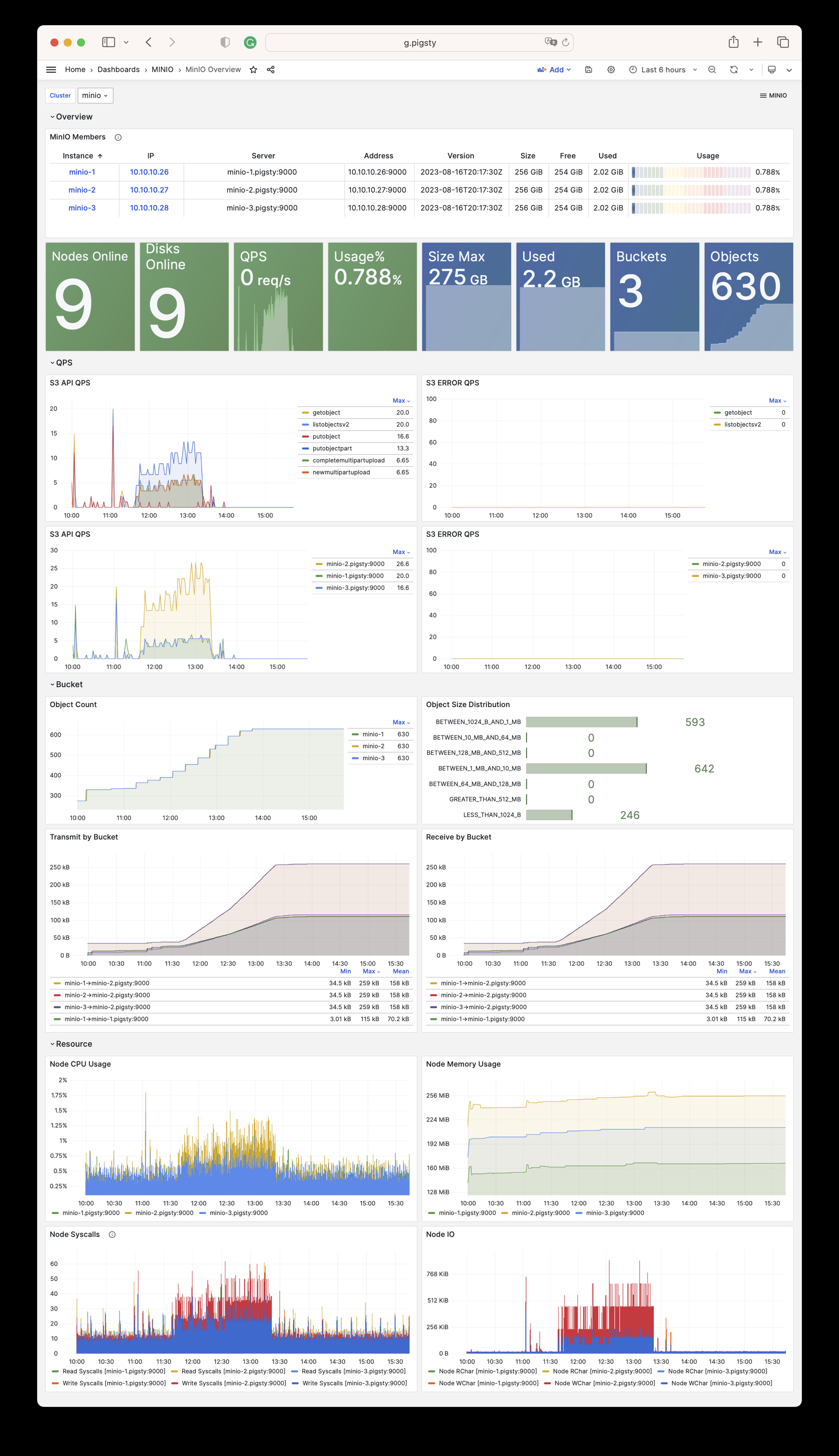
There are 15 parameters in MINIO module.
| Parameter | Type | Level | Comment |
|---|---|---|---|
minio_seq |
int | I | minio instance identifier, REQUIRED |
minio_cluster |
string | C | minio cluster name, minio by default |
minio_clean |
bool | G/C/A | cleanup minio during init?, false by default |
minio_user |
username | C | minio os user, minio by default |
minio_node |
string | C | minio node name pattern |
minio_data |
path | C | minio data dir(s), use {x…y} to specify multi drivers |
minio_domain |
string | G | minio external domain name, sss.pigsty by default |
minio_port |
port | C | minio service port, 9000 by default |
minio_admin_port |
port | C | minio console port, 9001 by default |
minio_access_key |
username | C | root access key, minioadmin by default |
minio_secret_key |
password | C | root secret key, minioadmin by default |
minio_extra_vars |
string | C | extra environment variables for minio server |
minio_alias |
string | G | alias name for local minio deployment |
minio_buckets |
bucket[] | C | list of minio bucket to be created |
minio_users |
user[] | C | list of minio user to be created |
MINIO module has 79 available metrics
| Metric Name | Type | Labels | Description |
|---|---|---|---|
| minio_audit_failed_messages | counter | ip, job, target_id, cls, instance, server, ins |
Total number of messages that failed to send since start |
| minio_audit_target_queue_length | gauge | ip, job, target_id, cls, instance, server, ins |
Number of unsent messages in queue for target |
| minio_audit_total_messages | counter | ip, job, target_id, cls, instance, server, ins |
Total number of messages sent since start |
| minio_cluster_bucket_total | gauge | ip, job, cls, instance, server, ins |
Total number of buckets in the cluster |
| minio_cluster_capacity_raw_free_bytes | gauge | ip, job, cls, instance, server, ins |
Total free capacity online in the cluster |
| minio_cluster_capacity_raw_total_bytes | gauge | ip, job, cls, instance, server, ins |
Total capacity online in the cluster |
| minio_cluster_capacity_usable_free_bytes | gauge | ip, job, cls, instance, server, ins |
Total free usable capacity online in the cluster |
| minio_cluster_capacity_usable_total_bytes | gauge | ip, job, cls, instance, server, ins |
Total usable capacity online in the cluster |
| minio_cluster_drive_offline_total | gauge | ip, job, cls, instance, server, ins |
Total drives offline in this cluster |
| minio_cluster_drive_online_total | gauge | ip, job, cls, instance, server, ins |
Total drives online in this cluster |
| minio_cluster_drive_total | gauge | ip, job, cls, instance, server, ins |
Total drives in this cluster |
| minio_cluster_health_erasure_set_healing_drives | gauge | pool, ip, job, cls, set, instance, server, ins |
Get the count of healing drives of this erasure set |
| minio_cluster_health_erasure_set_online_drives | gauge | pool, ip, job, cls, set, instance, server, ins |
Get the count of the online drives in this erasure set |
| minio_cluster_health_erasure_set_read_quorum | gauge | pool, ip, job, cls, set, instance, server, ins |
Get the read quorum for this erasure set |
| minio_cluster_health_erasure_set_status | gauge | pool, ip, job, cls, set, instance, server, ins |
Get current health status for this erasure set |
| minio_cluster_health_erasure_set_write_quorum | gauge | pool, ip, job, cls, set, instance, server, ins |
Get the write quorum for this erasure set |
| minio_cluster_health_status | gauge | ip, job, cls, instance, server, ins |
Get current cluster health status |
| minio_cluster_nodes_offline_total | gauge | ip, job, cls, instance, server, ins |
Total number of MinIO nodes offline |
| minio_cluster_nodes_online_total | gauge | ip, job, cls, instance, server, ins |
Total number of MinIO nodes online |
| minio_cluster_objects_size_distribution | gauge | ip, range, job, cls, instance, server, ins |
Distribution of object sizes across a cluster |
| minio_cluster_objects_version_distribution | gauge | ip, range, job, cls, instance, server, ins |
Distribution of object versions across a cluster |
| minio_cluster_usage_deletemarker_total | gauge | ip, job, cls, instance, server, ins |
Total number of delete markers in a cluster |
| minio_cluster_usage_object_total | gauge | ip, job, cls, instance, server, ins |
Total number of objects in a cluster |
| minio_cluster_usage_total_bytes | gauge | ip, job, cls, instance, server, ins |
Total cluster usage in bytes |
| minio_cluster_usage_version_total | gauge | ip, job, cls, instance, server, ins |
Total number of versions (includes delete marker) in a cluster |
| minio_cluster_webhook_failed_messages | counter | ip, job, cls, instance, server, ins |
Number of messages that failed to send |
| minio_cluster_webhook_online | gauge | ip, job, cls, instance, server, ins |
Is the webhook online? |
| minio_cluster_webhook_queue_length | counter | ip, job, cls, instance, server, ins |
Webhook queue length |
| minio_cluster_webhook_total_messages | counter | ip, job, cls, instance, server, ins |
Total number of messages sent to this target |
| minio_cluster_write_quorum | gauge | ip, job, cls, instance, server, ins |
Maximum write quorum across all pools and sets |
| minio_node_file_descriptor_limit_total | gauge | ip, job, cls, instance, server, ins |
Limit on total number of open file descriptors for the MinIO Server process |
| minio_node_file_descriptor_open_total | gauge | ip, job, cls, instance, server, ins |
Total number of open file descriptors by the MinIO Server process |
| minio_node_go_routine_total | gauge | ip, job, cls, instance, server, ins |
Total number of go routines running |
| minio_node_ilm_expiry_pending_tasks | gauge | ip, job, cls, instance, server, ins |
Number of pending ILM expiry tasks in the queue |
| minio_node_ilm_transition_active_tasks | gauge | ip, job, cls, instance, server, ins |
Number of active ILM transition tasks |
| minio_node_ilm_transition_missed_immediate_tasks | gauge | ip, job, cls, instance, server, ins |
Number of missed immediate ILM transition tasks |
| minio_node_ilm_transition_pending_tasks | gauge | ip, job, cls, instance, server, ins |
Number of pending ILM transition tasks in the queue |
| minio_node_ilm_versions_scanned | counter | ip, job, cls, instance, server, ins |
Total number of object versions checked for ilm actions since server start |
| minio_node_io_rchar_bytes | counter | ip, job, cls, instance, server, ins |
Total bytes read by the process from the underlying storage system including cache, /proc/[pid]/io rchar |
| minio_node_io_read_bytes | counter | ip, job, cls, instance, server, ins |
Total bytes read by the process from the underlying storage system, /proc/[pid]/io read_bytes |
| minio_node_io_wchar_bytes | counter | ip, job, cls, instance, server, ins |
Total bytes written by the process to the underlying storage system including page cache, /proc/[pid]/io wchar |
| minio_node_io_write_bytes | counter | ip, job, cls, instance, server, ins |
Total bytes written by the process to the underlying storage system, /proc/[pid]/io write_bytes |
| minio_node_process_cpu_total_seconds | counter | ip, job, cls, instance, server, ins |
Total user and system CPU time spent in seconds |
| minio_node_process_resident_memory_bytes | gauge | ip, job, cls, instance, server, ins |
Resident memory size in bytes |
| minio_node_process_starttime_seconds | gauge | ip, job, cls, instance, server, ins |
Start time for MinIO process per node, time in seconds since Unix epoc |
| minio_node_process_uptime_seconds | gauge | ip, job, cls, instance, server, ins |
Uptime for MinIO process per node in seconds |
| minio_node_scanner_bucket_scans_finished | counter | ip, job, cls, instance, server, ins |
Total number of bucket scans finished since server start |
| minio_node_scanner_bucket_scans_started | counter | ip, job, cls, instance, server, ins |
Total number of bucket scans started since server start |
| minio_node_scanner_directories_scanned | counter | ip, job, cls, instance, server, ins |
Total number of directories scanned since server start |
| minio_node_scanner_objects_scanned | counter | ip, job, cls, instance, server, ins |
Total number of unique objects scanned since server start |
| minio_node_scanner_versions_scanned | counter | ip, job, cls, instance, server, ins |
Total number of object versions scanned since server start |
| minio_node_syscall_read_total | counter | ip, job, cls, instance, server, ins |
Total read SysCalls to the kernel. /proc/[pid]/io syscr |
| minio_node_syscall_write_total | counter | ip, job, cls, instance, server, ins |
Total write SysCalls to the kernel. /proc/[pid]/io syscw |
| minio_notify_current_send_in_progress | gauge | ip, job, cls, instance, server, ins |
Number of concurrent async Send calls active to all targets (deprecated, please use ‘minio_notify_target_current_send_in_progress’ instead) |
| minio_notify_events_errors_total | counter | ip, job, cls, instance, server, ins |
Events that were failed to be sent to the targets (deprecated, please use ‘minio_notify_target_failed_events’ instead) |
| minio_notify_events_sent_total | counter | ip, job, cls, instance, server, ins |
Total number of events sent to the targets (deprecated, please use ‘minio_notify_target_total_events’ instead) |
| minio_notify_events_skipped_total | counter | ip, job, cls, instance, server, ins |
Events that were skipped to be sent to the targets due to the in-memory queue being full |
| minio_s3_requests_4xx_errors_total | counter | ip, job, cls, instance, server, ins, api |
Total number of S3 requests with (4xx) errors |
| minio_s3_requests_errors_total | counter | ip, job, cls, instance, server, ins, api |
Total number of S3 requests with (4xx and 5xx) errors |
| minio_s3_requests_incoming_total | gauge | ip, job, cls, instance, server, ins |
Total number of incoming S3 requests |
| minio_s3_requests_inflight_total | gauge | ip, job, cls, instance, server, ins, api |
Total number of S3 requests currently in flight |
| minio_s3_requests_rejected_auth_total | counter | ip, job, cls, instance, server, ins |
Total number of S3 requests rejected for auth failure |
| minio_s3_requests_rejected_header_total | counter | ip, job, cls, instance, server, ins |
Total number of S3 requests rejected for invalid header |
| minio_s3_requests_rejected_invalid_total | counter | ip, job, cls, instance, server, ins |
Total number of invalid S3 requests |
| minio_s3_requests_rejected_timestamp_total | counter | ip, job, cls, instance, server, ins |
Total number of S3 requests rejected for invalid timestamp |
| minio_s3_requests_total | counter | ip, job, cls, instance, server, ins, api |
Total number of S3 requests |
| minio_s3_requests_ttfb_seconds_distribution | gauge | ip, job, cls, le, instance, server, ins, api |
Distribution of time to first byte across API calls |
| minio_s3_requests_waiting_total | gauge | ip, job, cls, instance, server, ins |
Total number of S3 requests in the waiting queue |
| minio_s3_traffic_received_bytes | counter | ip, job, cls, instance, server, ins |
Total number of s3 bytes received |
| minio_s3_traffic_sent_bytes | counter | ip, job, cls, instance, server, ins |
Total number of s3 bytes sent |
| minio_software_commit_info | gauge | ip, job, cls, instance, commit, server, ins |
Git commit hash for the MinIO release |
| minio_software_version_info | gauge | ip, job, cls, instance, version, server, ins |
MinIO Release tag for the server |
| minio_up | Unknown | ip, job, cls, instance, ins |
N/A |
| minio_usage_last_activity_nano_seconds | gauge | ip, job, cls, instance, server, ins |
Time elapsed (in nano seconds) since last scan activity. |
| scrape_duration_seconds | Unknown | ip, job, cls, instance, ins |
N/A |
| scrape_samples_post_metric_relabeling | Unknown | ip, job, cls, instance, ins |
N/A |
| scrape_samples_scraped | Unknown | ip, job, cls, instance, ins |
N/A |
| scrape_series_added | Unknown | ip, job, cls, instance, ins |
N/A |
| up | Unknown | ip, job, cls, instance, ins |
N/A |
In Multi-Driver or Multi-Node mode, MinIO will refuse to start if the data dir is not a valid mount point.
Use mounted disks for MinIO data dir rather than some regular directory. You can use the regular directory only in the single node, single drive mode.
You’d better plan the MinIO cluster before deployment… Since this requires a global restart
Check this: Expand MinIO Deployment
Access the HA MinIO cluster with an optional load balancer and different ports.
Here is an example: Access MinIO Service
The entity model of Redis is almost the same as that of PostgreSQL, which also includes the concepts of Cluster and Instance. The Cluster here does not refer to the native Redis Cluster mode.
The core difference between the REDIS module and the PGSQL module is that Redis uses a single-node multi-instance deployment rather than the 1:1 deployment: multiple Redis instances are typically deployed on a physical/virtual machine node to utilize multi-core CPUs fully. Therefore, the ways to configure and administer Redis instances are slightly different from PGSQL.
In Redis managed by Pigsty, nodes are entirely subordinate to the cluster, which means that currently, it is not allowed to deploy Redis instances of two different clusters on one node. However, this does not affect deploying multiple independent Redis primary replica instances on one node.
Redis Identity
Redis identity parameters are required parameters when defining a Redis cluster.
| Name | Attribute | Description | Example |
|---|---|---|---|
redis_cluster |
REQUIRED, cluster level | cluster name | redis-test |
redis_node |
REQUIRED, node level | Node Sequence Number | 1,2 |
redis_instances |
REQUIRED, node level | Instance Definition | { 6001 : {} ,6002 : {}} |
redis_cluster: Redis cluster name, top-level namespace for cluster sources.redis_node: Redis node identity, integer, and node number in the cluster.redis_instances: A Dict with the Key as redis port and the value as an instance level parameter.Redis Mode
There are three redis_mode available in Pigsty:
standalone: setup Redis in standalone (master-slave) modecluster: setup this Redis cluster as a Redis native clustersentinel: setup Redis as a sentinel for standalone Redis HARedis Definition
Here are three examples:
redis-msredis-sentinelredis-clusterLimitation
Here are some common administration tasks for Redis. Check FAQ: Redis for more details.
Init Cluster/Node/Instance
You can also use wrapper script:
Remove Cluster/Node/Instance
You can also use wrapper script:
You can partially run redis.yml tasks to re-configure redis.
Beware that redis can not be reload online, you have to restart redis to make config effective.
Access redis instance with redis-cli:
Redis also has a redis-benchmark which can be used for benchmark and generate load on redis server:
https://redis.io/commands/replicaof/
You have to enable HA for redis standalone m-s cluster manually with your redis sentinel.
Take the 4-node sandbox as an example, a redis sentinel cluster redis-meta is used manage the redis-ms standalone cluster.
If you wish to remove a redis master from sentinel, use SENTINEL REMOVE <name>.
You can configure multiple redis master on sentinel cluster with redis_sentinel_monitor.
And refresh master list on sentinel cluster with:
There are two playbooks for redis:
redis.yml: create redis cluster / node / instanceredis-rm.yml: remove redis cluster /node /instanceredis.yml
The playbook redis.yml will init redis cluster/node/instance:

redis-rm.yml
The playbook redis-rm.yml will remove redis cluster/node/instance:
There are three dashboards for REDIS module.
Redis Overview: Overview of all Redis Instances
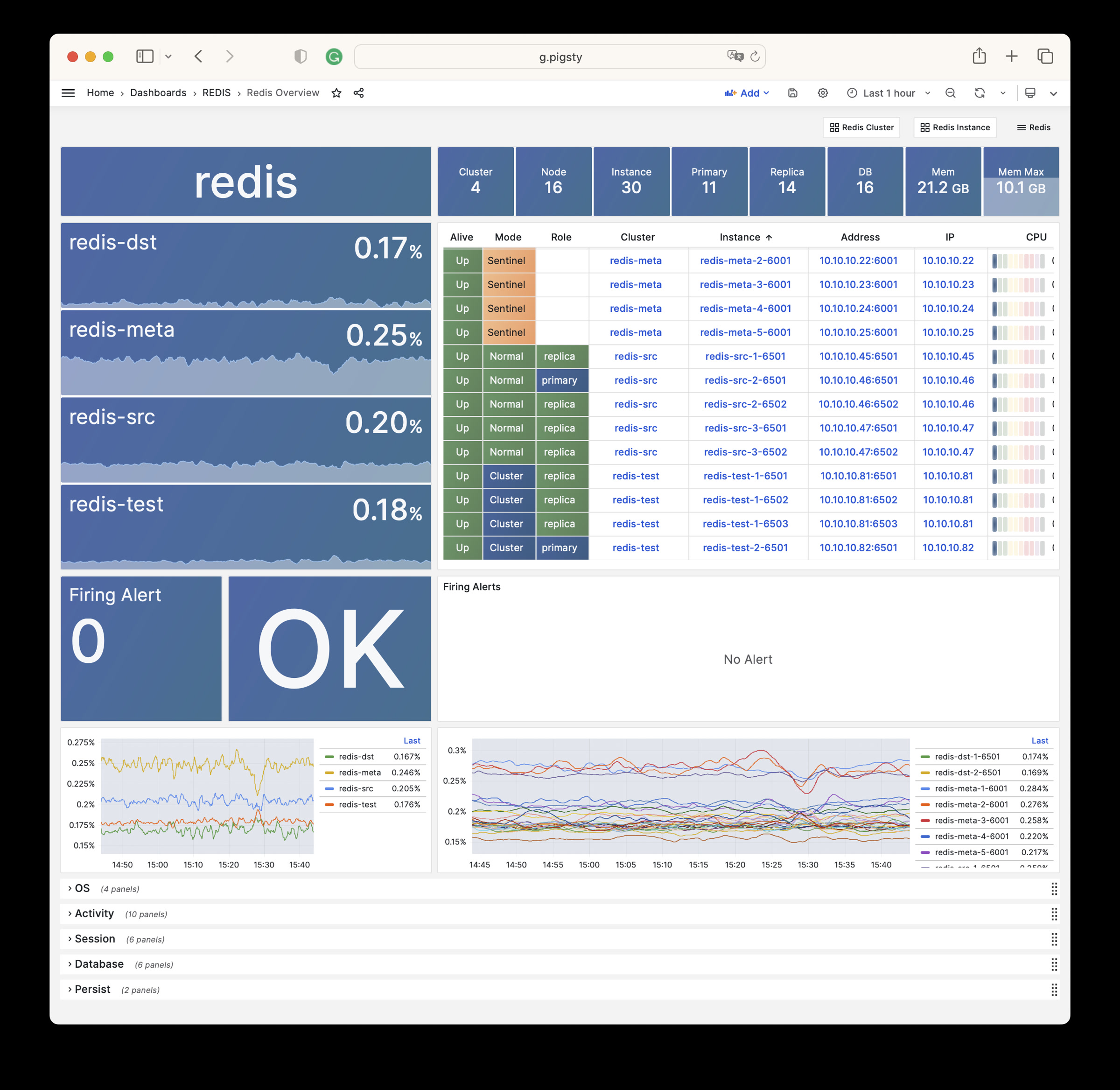
Redis Cluster : Overview of one single redis cluster
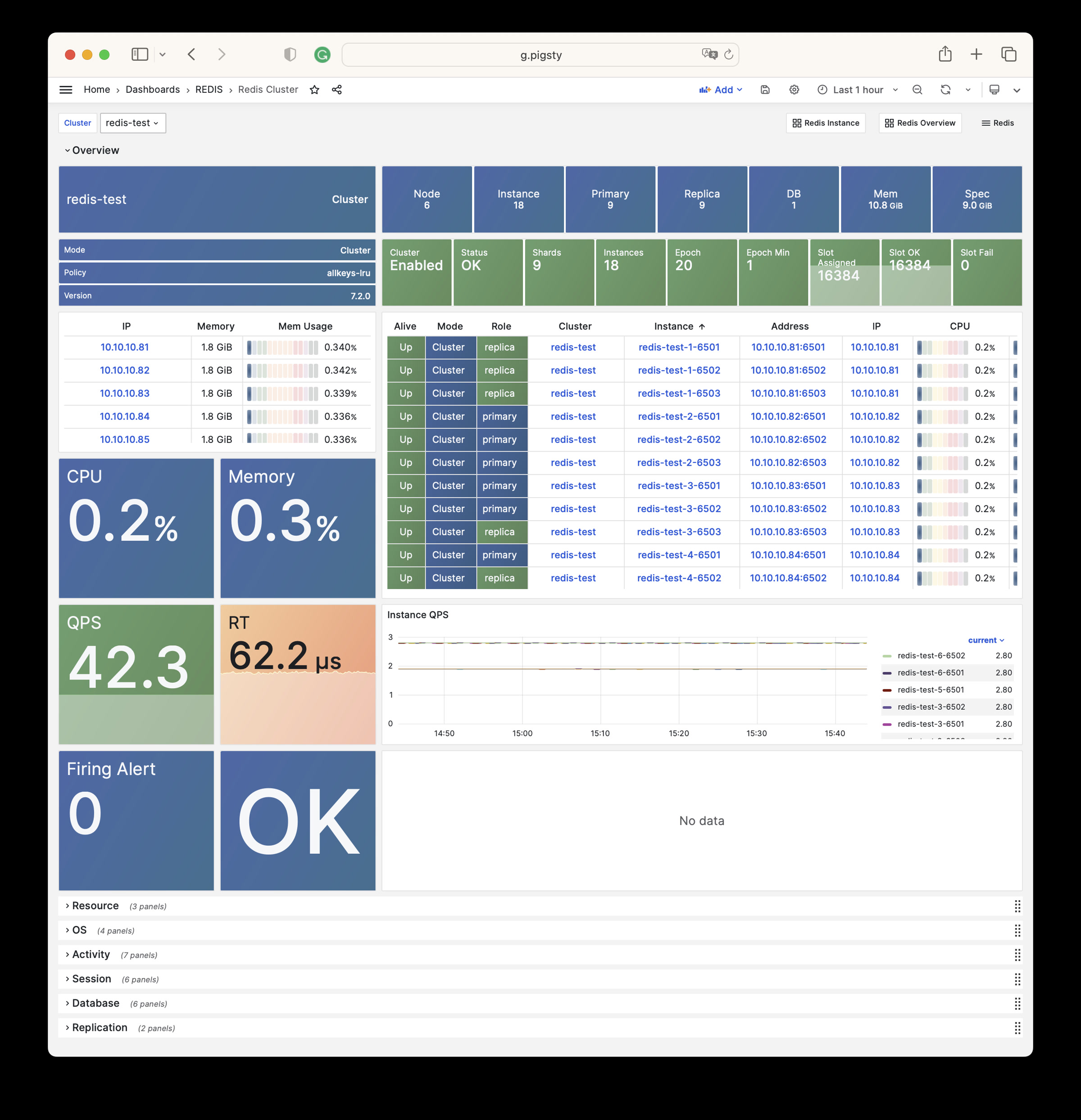
Redis Instance : Overview of one single redis cluster
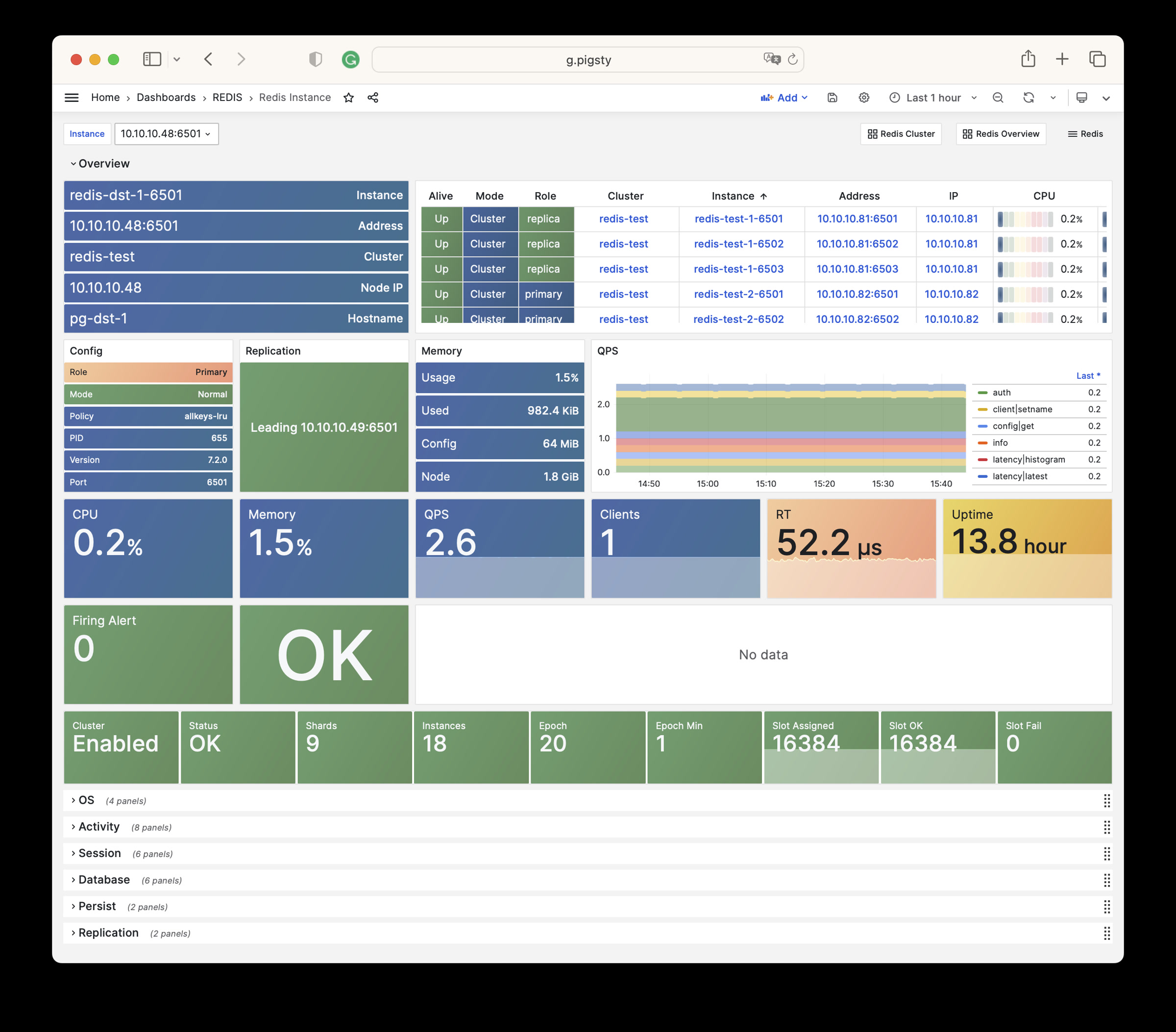
There 20 parameters in the redis module.
| Parameter | Type | Level | Comment |
|---|---|---|---|
redis_cluster |
string | C | redis cluster name, required identity parameter |
redis_instances |
dict | I | redis instances definition on this redis node |
redis_node |
int | I | redis node sequence number, node int id required |
redis_fs_main |
path | C | redis main data mountpoint, /data by default |
redis_exporter_enabled |
bool | C | install redis exporter on redis nodes? |
redis_exporter_port |
port | C | redis exporter listen port, 9121 by default |
redis_exporter_options |
string | C/I | cli args and extra options for redis exporter |
redis_safeguard |
bool | G/C/A | prevent purging running redis instance? |
redis_clean |
bool | G/C/A | purging existing redis during init? |
redis_rmdata |
bool | G/C/A | remove redis data when purging redis server? |
redis_mode |
enum | C | redis mode: standalone,cluster,sentinel |
redis_conf |
string | C | redis config template path, except sentinel |
redis_bind_address |
ip | C | redis bind address, empty string will use host ip |
redis_max_memory |
size | C/I | max memory used by each redis instance |
redis_mem_policy |
enum | C | redis memory eviction policy |
redis_password |
password | C | redis password, empty string will disable password |
redis_rdb_save |
string[] | C | redis rdb save directives, disable with empty list |
redis_aof_enabled |
bool | C | enable redis append only file? |
redis_rename_commands |
dict | C | rename redis dangerous commands |
redis_cluster_replicas |
int | C | replica number for one master in redis cluster |
redis_sentinel_monitor |
master[] | C | sentinel master list, sentinel cluster only |
REDIS module has 275 available metrics
| Metric Name | Type | Labels | Description |
|---|---|---|---|
| ALERTS | Unknown | cls, ip, level, severity, instance, category, ins, alertname, job, alertstate |
N/A |
| ALERTS_FOR_STATE | Unknown | cls, ip, level, severity, instance, category, ins, alertname, job |
N/A |
| redis:cls:aof_rewrite_time | Unknown | cls, job |
N/A |
| redis:cls:blocked_clients | Unknown | cls, job |
N/A |
| redis:cls:clients | Unknown | cls, job |
N/A |
| redis:cls:cmd_qps | Unknown | cls, cmd, job |
N/A |
| redis:cls:cmd_rt | Unknown | cls, cmd, job |
N/A |
| redis:cls:cmd_time | Unknown | cls, cmd, job |
N/A |
| redis:cls:conn_rate | Unknown | cls, job |
N/A |
| redis:cls:conn_reject | Unknown | cls, job |
N/A |
| redis:cls:cpu_sys | Unknown | cls, job |
N/A |
| redis:cls:cpu_sys_child | Unknown | cls, job |
N/A |
| redis:cls:cpu_usage | Unknown | cls, job |
N/A |
| redis:cls:cpu_usage_child | Unknown | cls, job |
N/A |
| redis:cls:cpu_user | Unknown | cls, job |
N/A |
| redis:cls:cpu_user_child | Unknown | cls, job |
N/A |
| redis:cls:fork_time | Unknown | cls, job |
N/A |
| redis:cls:key_evict | Unknown | cls, job |
N/A |
| redis:cls:key_expire | Unknown | cls, job |
N/A |
| redis:cls:key_hit | Unknown | cls, job |
N/A |
| redis:cls:key_hit_rate | Unknown | cls, job |
N/A |
| redis:cls:key_miss | Unknown | cls, job |
N/A |
| redis:cls:mem_max | Unknown | cls, job |
N/A |
| redis:cls:mem_usage | Unknown | cls, job |
N/A |
| redis:cls:mem_usage_max | Unknown | cls, job |
N/A |
| redis:cls:mem_used | Unknown | cls, job |
N/A |
| redis:cls:net_traffic | Unknown | cls, job |
N/A |
| redis:cls:qps | Unknown | cls, job |
N/A |
| redis:cls:qps_mu | Unknown | cls, job |
N/A |
| redis:cls:qps_realtime | Unknown | cls, job |
N/A |
| redis:cls:qps_sigma | Unknown | cls, job |
N/A |
| redis:cls:rt | Unknown | cls, job |
N/A |
| redis:cls:rt_mu | Unknown | cls, job |
N/A |
| redis:cls:rt_sigma | Unknown | cls, job |
N/A |
| redis:cls:rx | Unknown | cls, job |
N/A |
| redis:cls:size | Unknown | cls, job |
N/A |
| redis:cls:tx | Unknown | cls, job |
N/A |
| redis:env:blocked_clients | Unknown | job |
N/A |
| redis:env:clients | Unknown | job |
N/A |
| redis:env:cmd_qps | Unknown | cmd, job |
N/A |
| redis:env:cmd_rt | Unknown | cmd, job |
N/A |
| redis:env:cmd_time | Unknown | cmd, job |
N/A |
| redis:env:conn_rate | Unknown | job |
N/A |
| redis:env:conn_reject | Unknown | job |
N/A |
| redis:env:cpu_usage | Unknown | job |
N/A |
| redis:env:cpu_usage_child | Unknown | job |
N/A |
| redis:env:key_evict | Unknown | job |
N/A |
| redis:env:key_expire | Unknown | job |
N/A |
| redis:env:key_hit | Unknown | job |
N/A |
| redis:env:key_hit_rate | Unknown | job |
N/A |
| redis:env:key_miss | Unknown | job |
N/A |
| redis:env:mem_usage | Unknown | job |
N/A |
| redis:env:net_traffic | Unknown | job |
N/A |
| redis:env:qps | Unknown | job |
N/A |
| redis:env:qps_mu | Unknown | job |
N/A |
| redis:env:qps_realtime | Unknown | job |
N/A |
| redis:env:qps_sigma | Unknown | job |
N/A |
| redis:env:rt | Unknown | job |
N/A |
| redis:env:rt_mu | Unknown | job |
N/A |
| redis:env:rt_sigma | Unknown | job |
N/A |
| redis:env:rx | Unknown | job |
N/A |
| redis:env:tx | Unknown | job |
N/A |
| redis:ins | Unknown | cls, id, instance, ins, job |
N/A |
| redis:ins:blocked_clients | Unknown | cls, ip, instance, ins, job |
N/A |
| redis:ins:clients | Unknown | cls, ip, instance, ins, job |
N/A |
| redis:ins:cmd_qps | Unknown | cls, cmd, ip, instance, ins, job |
N/A |
| redis:ins:cmd_rt | Unknown | cls, cmd, ip, instance, ins, job |
N/A |
| redis:ins:cmd_time | Unknown | cls, cmd, ip, instance, ins, job |
N/A |
| redis:ins:conn_rate | Unknown | cls, ip, instance, ins, job |
N/A |
| redis:ins:conn_reject | Unknown | cls, ip, instance, ins, job |
N/A |
| redis:ins:cpu_sys | Unknown | cls, ip, instance, ins, job |
N/A |
| redis:ins:cpu_sys_child | Unknown | cls, ip, instance, ins, job |
N/A |
| redis:ins:cpu_usage | Unknown | cls, ip, instance, ins, job |
N/A |
| redis:ins:cpu_usage_child | Unknown | cls, ip, instance, ins, job |
N/A |
| redis:ins:cpu_user | Unknown | cls, ip, instance, ins, job |
N/A |
| redis:ins:cpu_user_child | Unknown | cls, ip, instance, ins, job |
N/A |
| redis:ins:key_evict | Unknown | cls, ip, instance, ins, job |
N/A |
| redis:ins:key_expire | Unknown | cls, ip, instance, ins, job |
N/A |
| redis:ins:key_hit | Unknown | cls, ip, instance, ins, job |
N/A |
| redis:ins:key_hit_rate | Unknown | cls, ip, instance, ins, job |
N/A |
| redis:ins:key_miss | Unknown | cls, ip, instance, ins, job |
N/A |
| redis:ins:lsn_rate | Unknown | cls, ip, instance, ins, job |
N/A |
| redis:ins:mem_usage | Unknown | cls, ip, instance, ins, job |
N/A |
| redis:ins:net_traffic | Unknown | cls, ip, instance, ins, job |
N/A |
| redis:ins:qps | Unknown | cls, ip, instance, ins, job |
N/A |
| redis:ins:qps_mu | Unknown | cls, ip, instance, ins, job |
N/A |
| redis:ins:qps_realtime | Unknown | cls, ip, instance, ins, job |
N/A |
| redis:ins:qps_sigma | Unknown | cls, ip, instance, ins, job |
N/A |
| redis:ins:rt | Unknown | cls, ip, instance, ins, job |
N/A |
| redis:ins:rt_mu | Unknown | cls, ip, instance, ins, job |
N/A |
| redis:ins:rt_sigma | Unknown | cls, ip, instance, ins, job |
N/A |
| redis:ins:rx | Unknown | cls, ip, instance, ins, job |
N/A |
| redis:ins:tx | Unknown | cls, ip, instance, ins, job |
N/A |
| redis:node:ip | Unknown | cls, ip, instance, ins, job |
N/A |
| redis:node:mem_alloc | Unknown | cls, ip, job |
N/A |
| redis:node:mem_total | Unknown | cls, ip, job |
N/A |
| redis:node:mem_used | Unknown | cls, ip, job |
N/A |
| redis:node:qps | Unknown | cls, ip, job |
N/A |
| redis_active_defrag_running | gauge | cls, ip, instance, ins, job |
active_defrag_running metric |
| redis_allocator_active_bytes | gauge | cls, ip, instance, ins, job |
allocator_active_bytes metric |
| redis_allocator_allocated_bytes | gauge | cls, ip, instance, ins, job |
allocator_allocated_bytes metric |
| redis_allocator_frag_bytes | gauge | cls, ip, instance, ins, job |
allocator_frag_bytes metric |
| redis_allocator_frag_ratio | gauge | cls, ip, instance, ins, job |
allocator_frag_ratio metric |
| redis_allocator_resident_bytes | gauge | cls, ip, instance, ins, job |
allocator_resident_bytes metric |
| redis_allocator_rss_bytes | gauge | cls, ip, instance, ins, job |
allocator_rss_bytes metric |
| redis_allocator_rss_ratio | gauge | cls, ip, instance, ins, job |
allocator_rss_ratio metric |
| redis_aof_current_rewrite_duration_sec | gauge | cls, ip, instance, ins, job |
aof_current_rewrite_duration_sec metric |
| redis_aof_enabled | gauge | cls, ip, instance, ins, job |
aof_enabled metric |
| redis_aof_last_bgrewrite_status | gauge | cls, ip, instance, ins, job |
aof_last_bgrewrite_status metric |
| redis_aof_last_cow_size_bytes | gauge | cls, ip, instance, ins, job |
aof_last_cow_size_bytes metric |
| redis_aof_last_rewrite_duration_sec | gauge | cls, ip, instance, ins, job |
aof_last_rewrite_duration_sec metric |
| redis_aof_last_write_status | gauge | cls, ip, instance, ins, job |
aof_last_write_status metric |
| redis_aof_rewrite_in_progress | gauge | cls, ip, instance, ins, job |
aof_rewrite_in_progress metric |
| redis_aof_rewrite_scheduled | gauge | cls, ip, instance, ins, job |
aof_rewrite_scheduled metric |
| redis_blocked_clients | gauge | cls, ip, instance, ins, job |
blocked_clients metric |
| redis_client_recent_max_input_buffer_bytes | gauge | cls, ip, instance, ins, job |
client_recent_max_input_buffer_bytes metric |
| redis_client_recent_max_output_buffer_bytes | gauge | cls, ip, instance, ins, job |
client_recent_max_output_buffer_bytes metric |
| redis_clients_in_timeout_table | gauge | cls, ip, instance, ins, job |
clients_in_timeout_table metric |
| redis_cluster_connections | gauge | cls, ip, instance, ins, job |
cluster_connections metric |
| redis_cluster_current_epoch | gauge | cls, ip, instance, ins, job |
cluster_current_epoch metric |
| redis_cluster_enabled | gauge | cls, ip, instance, ins, job |
cluster_enabled metric |
| redis_cluster_known_nodes | gauge | cls, ip, instance, ins, job |
cluster_known_nodes metric |
| redis_cluster_messages_received_total | gauge | cls, ip, instance, ins, job |
cluster_messages_received_total metric |
| redis_cluster_messages_sent_total | gauge | cls, ip, instance, ins, job |
cluster_messages_sent_total metric |
| redis_cluster_my_epoch | gauge | cls, ip, instance, ins, job |
cluster_my_epoch metric |
| redis_cluster_size | gauge | cls, ip, instance, ins, job |
cluster_size metric |
| redis_cluster_slots_assigned | gauge | cls, ip, instance, ins, job |
cluster_slots_assigned metric |
| redis_cluster_slots_fail | gauge | cls, ip, instance, ins, job |
cluster_slots_fail metric |
| redis_cluster_slots_ok | gauge | cls, ip, instance, ins, job |
cluster_slots_ok metric |
| redis_cluster_slots_pfail | gauge | cls, ip, instance, ins, job |
cluster_slots_pfail metric |
| redis_cluster_state | gauge | cls, ip, instance, ins, job |
cluster_state metric |
| redis_cluster_stats_messages_meet_received | gauge | cls, ip, instance, ins, job |
cluster_stats_messages_meet_received metric |
| redis_cluster_stats_messages_meet_sent | gauge | cls, ip, instance, ins, job |
cluster_stats_messages_meet_sent metric |
| redis_cluster_stats_messages_ping_received | gauge | cls, ip, instance, ins, job |
cluster_stats_messages_ping_received metric |
| redis_cluster_stats_messages_ping_sent | gauge | cls, ip, instance, ins, job |
cluster_stats_messages_ping_sent metric |
| redis_cluster_stats_messages_pong_received | gauge | cls, ip, instance, ins, job |
cluster_stats_messages_pong_received metric |
| redis_cluster_stats_messages_pong_sent | gauge | cls, ip, instance, ins, job |
cluster_stats_messages_pong_sent metric |
| redis_commands_duration_seconds_total | counter | cls, cmd, ip, instance, ins, job |
Total amount of time in seconds spent per command |
| redis_commands_failed_calls_total | counter | cls, cmd, ip, instance, ins, job |
Total number of errors prior command execution per command |
| redis_commands_latencies_usec_bucket | Unknown | cls, cmd, ip, le, instance, ins, job |
N/A |
| redis_commands_latencies_usec_count | Unknown | cls, cmd, ip, instance, ins, job |
N/A |
| redis_commands_latencies_usec_sum | Unknown | cls, cmd, ip, instance, ins, job |
N/A |
| redis_commands_processed_total | counter | cls, ip, instance, ins, job |
commands_processed_total metric |
| redis_commands_rejected_calls_total | counter | cls, cmd, ip, instance, ins, job |
Total number of errors within command execution per command |
| redis_commands_total | counter | cls, cmd, ip, instance, ins, job |
Total number of calls per command |
| redis_config_io_threads | gauge | cls, ip, instance, ins, job |
config_io_threads metric |
| redis_config_maxclients | gauge | cls, ip, instance, ins, job |
config_maxclients metric |
| redis_config_maxmemory | gauge | cls, ip, instance, ins, job |
config_maxmemory metric |
| redis_connected_clients | gauge | cls, ip, instance, ins, job |
connected_clients metric |
| redis_connected_slave_lag_seconds | gauge | cls, ip, slave_ip, instance, slave_state, ins, slave_port, job |
Lag of connected slave |
| redis_connected_slave_offset_bytes | gauge | cls, ip, slave_ip, instance, slave_state, ins, slave_port, job |
Offset of connected slave |
| redis_connected_slaves | gauge | cls, ip, instance, ins, job |
connected_slaves metric |
| redis_connections_received_total | counter | cls, ip, instance, ins, job |
connections_received_total metric |
| redis_cpu_sys_children_seconds_total | counter | cls, ip, instance, ins, job |
cpu_sys_children_seconds_total metric |
| redis_cpu_sys_main_thread_seconds_total | counter | cls, ip, instance, ins, job |
cpu_sys_main_thread_seconds_total metric |
| redis_cpu_sys_seconds_total | counter | cls, ip, instance, ins, job |
cpu_sys_seconds_total metric |
| redis_cpu_user_children_seconds_total | counter | cls, ip, instance, ins, job |
cpu_user_children_seconds_total metric |
| redis_cpu_user_main_thread_seconds_total | counter | cls, ip, instance, ins, job |
cpu_user_main_thread_seconds_total metric |
| redis_cpu_user_seconds_total | counter | cls, ip, instance, ins, job |
cpu_user_seconds_total metric |
| redis_db_keys | gauge | cls, ip, instance, ins, db, job |
Total number of keys by DB |
| redis_db_keys_expiring | gauge | cls, ip, instance, ins, db, job |
Total number of expiring keys by DB |
| redis_defrag_hits | gauge | cls, ip, instance, ins, job |
defrag_hits metric |
| redis_defrag_key_hits | gauge | cls, ip, instance, ins, job |
defrag_key_hits metric |
| redis_defrag_key_misses | gauge | cls, ip, instance, ins, job |
defrag_key_misses metric |
| redis_defrag_misses | gauge | cls, ip, instance, ins, job |
defrag_misses metric |
| redis_dump_payload_sanitizations | counter | cls, ip, instance, ins, job |
dump_payload_sanitizations metric |
| redis_errors_total | counter | cls, ip, err, instance, ins, job |
Total number of errors per error type |
| redis_evicted_keys_total | counter | cls, ip, instance, ins, job |
evicted_keys_total metric |
| redis_expired_keys_total | counter | cls, ip, instance, ins, job |
expired_keys_total metric |
| redis_expired_stale_percentage | gauge | cls, ip, instance, ins, job |
expired_stale_percentage metric |
| redis_expired_time_cap_reached_total | gauge | cls, ip, instance, ins, job |
expired_time_cap_reached_total metric |
| redis_exporter_build_info | gauge | cls, golang_version, ip, commit_sha, instance, version, ins, job, build_date |
redis exporter build_info |
| redis_exporter_last_scrape_connect_time_seconds | gauge | cls, ip, instance, ins, job |
exporter_last_scrape_connect_time_seconds metric |
| redis_exporter_last_scrape_duration_seconds | gauge | cls, ip, instance, ins, job |
exporter_last_scrape_duration_seconds metric |
| redis_exporter_last_scrape_error | gauge | cls, ip, instance, ins, job |
The last scrape error status. |
| redis_exporter_scrape_duration_seconds_count | Unknown | cls, ip, instance, ins, job |
N/A |
| redis_exporter_scrape_duration_seconds_sum | Unknown | cls, ip, instance, ins, job |
N/A |
| redis_exporter_scrapes_total | counter | cls, ip, instance, ins, job |
Current total redis scrapes. |
| redis_instance_info | gauge | cls, ip, os, role, instance, run_id, redis_version, tcp_port, process_id, ins, redis_mode, maxmemory_policy, redis_build_id, job |
Information about the Redis instance |
| redis_io_threaded_reads_processed | counter | cls, ip, instance, ins, job |
io_threaded_reads_processed metric |
| redis_io_threaded_writes_processed | counter | cls, ip, instance, ins, job |
io_threaded_writes_processed metric |
| redis_io_threads_active | gauge | cls, ip, instance, ins, job |
io_threads_active metric |
| redis_keyspace_hits_total | counter | cls, ip, instance, ins, job |
keyspace_hits_total metric |
| redis_keyspace_misses_total | counter | cls, ip, instance, ins, job |
keyspace_misses_total metric |
| redis_last_key_groups_scrape_duration_milliseconds | gauge | cls, ip, instance, ins, job |
Duration of the last key group metrics scrape in milliseconds |
| redis_last_slow_execution_duration_seconds | gauge | cls, ip, instance, ins, job |
The amount of time needed for last slow execution, in seconds |
| redis_latency_percentiles_usec | summary | cls, cmd, ip, instance, quantile, ins, job |
A summary of latency percentile distribution per command |
| redis_latency_percentiles_usec_count | Unknown | cls, cmd, ip, instance, ins, job |
N/A |
| redis_latency_percentiles_usec_sum | Unknown | cls, cmd, ip, instance, ins, job |
N/A |
| redis_latest_fork_seconds | gauge | cls, ip, instance, ins, job |
latest_fork_seconds metric |
| redis_lazyfree_pending_objects | gauge | cls, ip, instance, ins, job |
lazyfree_pending_objects metric |
| redis_loading_dump_file | gauge | cls, ip, instance, ins, job |
loading_dump_file metric |
| redis_master_last_io_seconds_ago | gauge | cls, ip, master_host, instance, ins, job, master_port |
Master last io seconds ago |
| redis_master_link_up | gauge | cls, ip, master_host, instance, ins, job, master_port |
Master link status on Redis slave |
| redis_master_repl_offset | gauge | cls, ip, instance, ins, job |
master_repl_offset metric |
| redis_master_sync_in_progress | gauge | cls, ip, master_host, instance, ins, job, master_port |
Master sync in progress |
| redis_mem_clients_normal | gauge | cls, ip, instance, ins, job |
mem_clients_normal metric |
| redis_mem_clients_slaves | gauge | cls, ip, instance, ins, job |
mem_clients_slaves metric |
| redis_mem_fragmentation_bytes | gauge | cls, ip, instance, ins, job |
mem_fragmentation_bytes metric |
| redis_mem_fragmentation_ratio | gauge | cls, ip, instance, ins, job |
mem_fragmentation_ratio metric |
| redis_mem_not_counted_for_eviction_bytes | gauge | cls, ip, instance, ins, job |
mem_not_counted_for_eviction_bytes metric |
| redis_memory_max_bytes | gauge | cls, ip, instance, ins, job |
memory_max_bytes metric |
| redis_memory_used_bytes | gauge | cls, ip, instance, ins, job |
memory_used_bytes metric |
| redis_memory_used_dataset_bytes | gauge | cls, ip, instance, ins, job |
memory_used_dataset_bytes metric |
| redis_memory_used_lua_bytes | gauge | cls, ip, instance, ins, job |
memory_used_lua_bytes metric |
| redis_memory_used_overhead_bytes | gauge | cls, ip, instance, ins, job |
memory_used_overhead_bytes metric |
| redis_memory_used_peak_bytes | gauge | cls, ip, instance, ins, job |
memory_used_peak_bytes metric |
| redis_memory_used_rss_bytes | gauge | cls, ip, instance, ins, job |
memory_used_rss_bytes metric |
| redis_memory_used_scripts_bytes | gauge | cls, ip, instance, ins, job |
memory_used_scripts_bytes metric |
| redis_memory_used_startup_bytes | gauge | cls, ip, instance, ins, job |
memory_used_startup_bytes metric |
| redis_migrate_cached_sockets_total | gauge | cls, ip, instance, ins, job |
migrate_cached_sockets_total metric |
| redis_module_fork_in_progress | gauge | cls, ip, instance, ins, job |
module_fork_in_progress metric |
| redis_module_fork_last_cow_size | gauge | cls, ip, instance, ins, job |
module_fork_last_cow_size metric |
| redis_net_input_bytes_total | counter | cls, ip, instance, ins, job |
net_input_bytes_total metric |
| redis_net_output_bytes_total | counter | cls, ip, instance, ins, job |
net_output_bytes_total metric |
| redis_number_of_cached_scripts | gauge | cls, ip, instance, ins, job |
number_of_cached_scripts metric |
| redis_process_id | gauge | cls, ip, instance, ins, job |
process_id metric |
| redis_pubsub_channels | gauge | cls, ip, instance, ins, job |
pubsub_channels metric |
| redis_pubsub_patterns | gauge | cls, ip, instance, ins, job |
pubsub_patterns metric |
| redis_pubsubshard_channels | gauge | cls, ip, instance, ins, job |
pubsubshard_channels metric |
| redis_rdb_bgsave_in_progress | gauge | cls, ip, instance, ins, job |
rdb_bgsave_in_progress metric |
| redis_rdb_changes_since_last_save | gauge | cls, ip, instance, ins, job |
rdb_changes_since_last_save metric |
| redis_rdb_current_bgsave_duration_sec | gauge | cls, ip, instance, ins, job |
rdb_current_bgsave_duration_sec metric |
| redis_rdb_last_bgsave_duration_sec | gauge | cls, ip, instance, ins, job |
rdb_last_bgsave_duration_sec metric |
| redis_rdb_last_bgsave_status | gauge | cls, ip, instance, ins, job |
rdb_last_bgsave_status metric |
| redis_rdb_last_cow_size_bytes | gauge | cls, ip, instance, ins, job |
rdb_last_cow_size_bytes metric |
| redis_rdb_last_save_timestamp_seconds | gauge | cls, ip, instance, ins, job |
rdb_last_save_timestamp_seconds metric |
| redis_rejected_connections_total | counter | cls, ip, instance, ins, job |
rejected_connections_total metric |
| redis_repl_backlog_first_byte_offset | gauge | cls, ip, instance, ins, job |
repl_backlog_first_byte_offset metric |
| redis_repl_backlog_history_bytes | gauge | cls, ip, instance, ins, job |
repl_backlog_history_bytes metric |
| redis_repl_backlog_is_active | gauge | cls, ip, instance, ins, job |
repl_backlog_is_active metric |
| redis_replica_partial_resync_accepted | gauge | cls, ip, instance, ins, job |
replica_partial_resync_accepted metric |
| redis_replica_partial_resync_denied | gauge | cls, ip, instance, ins, job |
replica_partial_resync_denied metric |
| redis_replica_resyncs_full | gauge | cls, ip, instance, ins, job |
replica_resyncs_full metric |
| redis_replication_backlog_bytes | gauge | cls, ip, instance, ins, job |
replication_backlog_bytes metric |
| redis_second_repl_offset | gauge | cls, ip, instance, ins, job |
second_repl_offset metric |
| redis_sentinel_master_ckquorum_status | gauge | cls, ip, message, instance, ins, master_name, job |
Master ckquorum status |
| redis_sentinel_master_ok_sentinels | gauge | cls, ip, instance, ins, master_address, master_name, job |
The number of okay sentinels monitoring this master |
| redis_sentinel_master_ok_slaves | gauge | cls, ip, instance, ins, master_address, master_name, job |
The number of okay slaves of the master |
| redis_sentinel_master_sentinels | gauge | cls, ip, instance, ins, master_address, master_name, job |
The number of sentinels monitoring this master |
| redis_sentinel_master_setting_ckquorum | gauge | cls, ip, instance, ins, master_address, master_name, job |
Show the current ckquorum config for each master |
| redis_sentinel_master_setting_down_after_milliseconds | gauge | cls, ip, instance, ins, master_address, master_name, job |
Show the current down-after-milliseconds config for each master |
| redis_sentinel_master_setting_failover_timeout | gauge | cls, ip, instance, ins, master_address, master_name, job |
Show the current failover-timeout config for each master |
| redis_sentinel_master_setting_parallel_syncs | gauge | cls, ip, instance, ins, master_address, master_name, job |
Show the current parallel-syncs config for each master |
| redis_sentinel_master_slaves | gauge | cls, ip, instance, ins, master_address, master_name, job |
The number of slaves of the master |
| redis_sentinel_master_status | gauge | cls, ip, master_status, instance, ins, master_address, master_name, job |
Master status on Sentinel |
| redis_sentinel_masters | gauge | cls, ip, instance, ins, job |
The number of masters this sentinel is watching |
| redis_sentinel_running_scripts | gauge | cls, ip, instance, ins, job |
Number of scripts in execution right now |
| redis_sentinel_scripts_queue_length | gauge | cls, ip, instance, ins, job |
Queue of user scripts to execute |
| redis_sentinel_simulate_failure_flags | gauge | cls, ip, instance, ins, job |
Failures simulations |
| redis_sentinel_tilt | gauge | cls, ip, instance, ins, job |
Sentinel is in TILT mode |
| redis_slave_expires_tracked_keys | gauge | cls, ip, instance, ins, job |
slave_expires_tracked_keys metric |
| redis_slave_info | gauge | cls, ip, master_host, instance, read_only, ins, job, master_port |
Information about the Redis slave |
| redis_slave_priority | gauge | cls, ip, instance, ins, job |
slave_priority metric |
| redis_slave_repl_offset | gauge | cls, ip, master_host, instance, ins, job, master_port |
Slave replication offset |
| redis_slowlog_last_id | gauge | cls, ip, instance, ins, job |
Last id of slowlog |
| redis_slowlog_length | gauge | cls, ip, instance, ins, job |
Total slowlog |
| redis_start_time_seconds | gauge | cls, ip, instance, ins, job |
Start time of the Redis instance since unix epoch in seconds. |
| redis_target_scrape_request_errors_total | counter | cls, ip, instance, ins, job |
Errors in requests to the exporter |
| redis_total_error_replies | counter | cls, ip, instance, ins, job |
total_error_replies metric |
| redis_total_reads_processed | counter | cls, ip, instance, ins, job |
total_reads_processed metric |
| redis_total_system_memory_bytes | gauge | cls, ip, instance, ins, job |
total_system_memory_bytes metric |
| redis_total_writes_processed | counter | cls, ip, instance, ins, job |
total_writes_processed metric |
| redis_tracking_clients | gauge | cls, ip, instance, ins, job |
tracking_clients metric |
| redis_tracking_total_items | gauge | cls, ip, instance, ins, job |
tracking_total_items metric |
| redis_tracking_total_keys | gauge | cls, ip, instance, ins, job |
tracking_total_keys metric |
| redis_tracking_total_prefixes | gauge | cls, ip, instance, ins, job |
tracking_total_prefixes metric |
| redis_unexpected_error_replies | counter | cls, ip, instance, ins, job |
unexpected_error_replies metric |
| redis_up | gauge | cls, ip, instance, ins, job |
Information about the Redis instance |
| redis_uptime_in_seconds | gauge | cls, ip, instance, ins, job |
uptime_in_seconds metric |
| scrape_duration_seconds | Unknown | cls, ip, instance, ins, job |
N/A |
| scrape_samples_post_metric_relabeling | Unknown | cls, ip, instance, ins, job |
N/A |
| scrape_samples_scraped | Unknown | cls, ip, instance, ins, job |
N/A |
| scrape_series_added | Unknown | cls, ip, instance, ins, job |
N/A |
| up | Unknown | cls, ip, instance, ins, job |
N/A |
use
redis_clean = trueandredis_safeguard = falseto force clean redis data
This happens when you run redis.yml to init a redis instance that is already running, and redis_clean is set to false.
If redis_clean is set to true (and the redis_safeguard is set to false, too), the redis.yml playbook will remove the existing redis instance and re-init it as a new one, which makes the redis.yml playbook fully idempotent.
This happens when removing a redis instance with
redis_safeguardset totrue.
You can disable redis_safeguard to remove the Redis instance. This is redis_safeguard is what it is for.
Use
bin/redis-add <ip> <port>to deploy a new redis instance on node.
bin/redis-rm <ip> <port>to remove a single redis instance from node
Configuration | Administration | Playbook | Dashboard | Parameter
MongoDB was once a stunning technology, allowing developers to cast aside the “schema constraints” of relational databases and quickly build applications. However, over time, MongoDB abandoned its open-source nature, changing its license to SSPL, which made it unusable for many open-source projects and early commercial projects. Most MongoDB users actually do not need the advanced features provided by MongoDB, but they do need an easy-to-use open-source document database solution. To fill this gap, FerretDB was born.
PostgreSQL’s JSON functionality is already well-rounded: binary storage JSONB, GIN arbitrary field indexing, various JSON processing functions, JSON PATH, and JSON Schema, it has long been a fully-featured, high-performance document database. However, providing alternative functionality and direct emulation are not the same. FerretDB can provide a smooth transition to PostgreSQL for applications driven by MongoDB drivers.
Pigsty provided a Docker-Compose support for FerretDB in 1.x, and native deployment support since v2.3. As an optional feature, it greatly benefits the enrichment of the PostgreSQL ecosystem. The Pigsty community has already become a partner with the FerretDB community, and we shall find more opportunities to work together in the future.
You have to define a Mongo (FerretDB) cluster before deploying it. There are some parameters for it:
Here’s an example to utilize the default single-node pg-meta cluster as MongoDB:
The mongo_cluster and mongo_seq are required identity parameters, you also need mongo_pgurl to specify the underlying PostgreSQL URL for FerretDB.
You can also setup multiple replicas and bind an L2 VIP to them, utilize the underlying HA Postgres cluster through Services
To create a defined mongo/ferretdb cluster, run the mongo.yml playbook:
Since FerretDB saves all data in underlying PostgreSQL, it is safe to run the playbook multiple times.
To remove a mongo/ferretdb cluster, run the mongo.yml playbook with mongo_purge subtask and mongo_purge flag.
You can connect to FerretDB with any MongoDB driver using the MongoDB connection string, here we use the mongosh command line tool installed above as an example:
Since Pigsty uses the scram-sha-256 as the default auth method, you must use the PLAIN auth mechanism to connect to FerretDB. Check FerretDB: authentication for details.
You can also use other PostgreSQL users to connect to FerretDB, just specify them in the connection string:
You can connect to FerretDB, and pretend it is a MongoDB cluster.
The MongoDB commands will be translated into SQL commands and run in underlying PostgreSQL:
If you are not familiar with MongoDB, here is a quick start: Perform CRUD Operations with MongoDB Shell
To generate some load, you can run a simple benchmark with mongosh:
You can check supported Mongo commands on ferretdb: supported commands, and there may be some differences between MongoDB and FerretDB. Check ferretdb: differences for details, it’s not a big deal for sane usage.
There’s a built-in playbook mongo.yml for installing the FerretDB cluster. But you have to define it first.
mongo.yml
mongo.yml: Install MongoDB/FerretDB on the target host.
This playbook consists of the following sub-tasks:
mongo_check : check mongo identitymongo_dbsu : create os user mongodmongo_install : install mongo/ferretdb rpmmongo_purge : purge mongo/ferretdbmongo_config : config mongo/ferretdb
mongo_cert : issue mongo/ferretdb ssl certsmongo_launch : launch mongo/ferretdb servicemongo_register : register mongo/ferretdb to prometheusThere is one dashboard for MONGO module for now.
Mongo Overview: Overview of a Mongo/FerretDB cluster
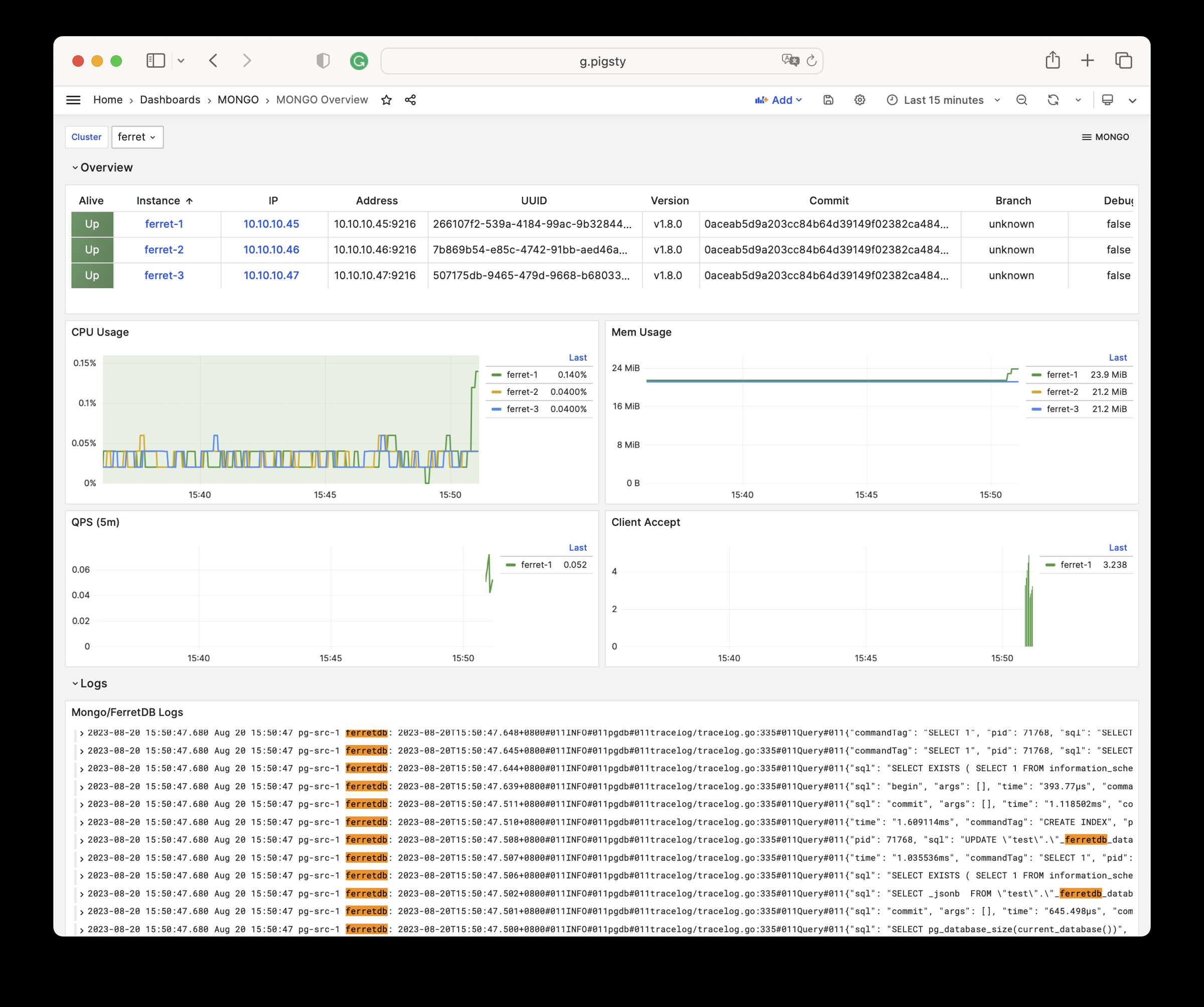
There are 9 parameters in MONGO module.
| Parameter | Type | Level | Comment |
|---|---|---|---|
mongo_seq |
int | I | mongo instance identifier, REQUIRED |
mongo_cluster |
string | C | mongo cluster name, MONGO by default |
mongo_pgurl |
pgurl | C/I | underlying postgres URL for ferretdb |
mongo_ssl_enabled |
bool | C | mongo/ferretdb ssl enabled, false by default |
mongo_listen |
ip | C | mongo listen address, empty for all addr |
mongo_port |
port | C | mongo service port, 27017 by default |
mongo_ssl_port |
port | C | mongo tls listen port, 27018 by default |
mongo_exporter_port |
port | C | mongo exporter port, 9216 by default |
mongo_extra_vars |
string | C | extra environment variables for MONGO server |
MONGO module has 54 available metrics
| Metric Name | Type | Labels | Description |
|---|---|---|---|
| ferretdb_client_accepts_total | Unknown | error, cls, ip, ins, instance, job |
N/A |
| ferretdb_client_duration_seconds_bucket | Unknown | error, le, cls, ip, ins, instance, job |
N/A |
| ferretdb_client_duration_seconds_count | Unknown | error, cls, ip, ins, instance, job |
N/A |
| ferretdb_client_duration_seconds_sum | Unknown | error, cls, ip, ins, instance, job |
N/A |
| ferretdb_client_requests_total | Unknown | cls, ip, ins, opcode, instance, command, job |
N/A |
| ferretdb_client_responses_total | Unknown | result, argument, cls, ip, ins, opcode, instance, command, job |
N/A |
| ferretdb_postgresql_metadata_databases | gauge | cls, ip, ins, instance, job |
The current number of database in the registry. |
| ferretdb_postgresql_pool_size | gauge | cls, ip, ins, instance, job |
The current number of pools. |
| ferretdb_up | gauge | cls, version, commit, ip, ins, dirty, telemetry, package, update_available, uuid, instance, job, branch, debug |
FerretDB instance state. |
| go_gc_duration_seconds | summary | cls, ip, ins, instance, quantile, job |
A summary of the pause duration of garbage collection cycles. |
| go_gc_duration_seconds_count | Unknown | cls, ip, ins, instance, job |
N/A |
| go_gc_duration_seconds_sum | Unknown | cls, ip, ins, instance, job |
N/A |
| go_goroutines | gauge | cls, ip, ins, instance, job |
Number of goroutines that currently exist. |
| go_info | gauge | cls, version, ip, ins, instance, job |
Information about the Go environment. |
| go_memstats_alloc_bytes | gauge | cls, ip, ins, instance, job |
Number of bytes allocated and still in use. |
| go_memstats_alloc_bytes_total | counter | cls, ip, ins, instance, job |
Total number of bytes allocated, even if freed. |
| go_memstats_buck_hash_sys_bytes | gauge | cls, ip, ins, instance, job |
Number of bytes used by the profiling bucket hash table. |
| go_memstats_frees_total | counter | cls, ip, ins, instance, job |
Total number of frees. |
| go_memstats_gc_sys_bytes | gauge | cls, ip, ins, instance, job |
Number of bytes used for garbage collection system metadata. |
| go_memstats_heap_alloc_bytes | gauge | cls, ip, ins, instance, job |
Number of heap bytes allocated and still in use. |
| go_memstats_heap_idle_bytes | gauge | cls, ip, ins, instance, job |
Number of heap bytes waiting to be used. |
| go_memstats_heap_inuse_bytes | gauge | cls, ip, ins, instance, job |
Number of heap bytes that are in use. |
| go_memstats_heap_objects | gauge | cls, ip, ins, instance, job |
Number of allocated objects. |
| go_memstats_heap_released_bytes | gauge | cls, ip, ins, instance, job |
Number of heap bytes released to OS. |
| go_memstats_heap_sys_bytes | gauge | cls, ip, ins, instance, job |
Number of heap bytes obtained from system. |
| go_memstats_last_gc_time_seconds | gauge | cls, ip, ins, instance, job |
Number of seconds since 1970 of last garbage collection. |
| go_memstats_lookups_total | counter | cls, ip, ins, instance, job |
Total number of pointer lookups. |
| go_memstats_mallocs_total | counter | cls, ip, ins, instance, job |
Total number of mallocs. |
| go_memstats_mcache_inuse_bytes | gauge | cls, ip, ins, instance, job |
Number of bytes in use by mcache structures. |
| go_memstats_mcache_sys_bytes | gauge | cls, ip, ins, instance, job |
Number of bytes used for mcache structures obtained from system. |
| go_memstats_mspan_inuse_bytes | gauge | cls, ip, ins, instance, job |
Number of bytes in use by mspan structures. |
| go_memstats_mspan_sys_bytes | gauge | cls, ip, ins, instance, job |
Number of bytes used for mspan structures obtained from system. |
| go_memstats_next_gc_bytes | gauge | cls, ip, ins, instance, job |
Number of heap bytes when next garbage collection will take place. |
| go_memstats_other_sys_bytes | gauge | cls, ip, ins, instance, job |
Number of bytes used for other system allocations. |
| go_memstats_stack_inuse_bytes | gauge | cls, ip, ins, instance, job |
Number of bytes in use by the stack allocator. |
| go_memstats_stack_sys_bytes | gauge | cls, ip, ins, instance, job |
Number of bytes obtained from system for stack allocator. |
| go_memstats_sys_bytes | gauge | cls, ip, ins, instance, job |
Number of bytes obtained from system. |
| go_threads | gauge | cls, ip, ins, instance, job |
Number of OS threads created. |
| mongo_up | Unknown | cls, ip, ins, instance, job |
N/A |
| process_cpu_seconds_total | counter | cls, ip, ins, instance, job |
Total user and system CPU time spent in seconds. |
| process_max_fds | gauge | cls, ip, ins, instance, job |
Maximum number of open file descriptors. |
| process_open_fds | gauge | cls, ip, ins, instance, job |
Number of open file descriptors. |
| process_resident_memory_bytes | gauge | cls, ip, ins, instance, job |
Resident memory size in bytes. |
| process_start_time_seconds | gauge | cls, ip, ins, instance, job |
Start time of the process since unix epoch in seconds. |
| process_virtual_memory_bytes | gauge | cls, ip, ins, instance, job |
Virtual memory size in bytes. |
| process_virtual_memory_max_bytes | gauge | cls, ip, ins, instance, job |
Maximum amount of virtual memory available in bytes. |
| promhttp_metric_handler_errors_total | counter | job, cls, ip, ins, instance, cause |
Total number of internal errors encountered by the promhttp metric handler. |
| promhttp_metric_handler_requests_in_flight | gauge | cls, ip, ins, instance, job |
Current number of scrapes being served. |
| promhttp_metric_handler_requests_total | counter | job, cls, ip, ins, instance, code |
Total number of scrapes by HTTP status code. |
| scrape_duration_seconds | Unknown | cls, ip, ins, instance, job |
N/A |
| scrape_samples_post_metric_relabeling | Unknown | cls, ip, ins, instance, job |
N/A |
| scrape_samples_scraped | Unknown | cls, ip, ins, instance, job |
N/A |
| scrape_series_added | Unknown | cls, ip, ins, instance, job |
N/A |
| up | Unknown | cls, ip, ins, instance, job |
N/A |
Deploy docker on Pigsty managed nodes: Configuration | Administration | Playbook | Dashboard | Parameter
Docker is a popular container service which provides standardize software deliver solution.
Docker module is different from other modules, which does not require pre-configuration to install & enable.
Just run the docker.yml playbook on any Pigsty managed node.
But if you wish to add docker daemon as prometheus monitoring target, you have to specify the docker_enabled parameters on those nodes.
Consider using docker mirror registry, log in with:
Docker monitoring is part ot NODE module’s responsibility, to register docker target to prometheus.
You have to define docker_enabled on nodes, then re-register them with:
Pigsty has a series of built-in docker compose templates.
There’s one playbook to install docker on designated node:
docker.yml: install docker daemon.docker.yml
The playbook docker.yml will install docker for the given node.
Subtasks of this playbook:
There are 4 parameters about DOCKER module.
| Parameter | Section | Type | Level | Comment |
|---|---|---|---|---|
docker_enabled |
DOCKER |
bool | C | enable docker on this node? |
docker_cgroups_driver |
DOCKER |
enum | C | docker cgroup fs driver: cgroupfs,systemd |
docker_registry_mirrors |
DOCKER |
string[] | C | docker registry mirror list |
docker_image_cache |
DOCKER |
path | C | docker image cache dir, /tmp/docker by default |
DOCKER module has 123 available metrics
| Metric Name | Type | Labels | Description |
|---|---|---|---|
| builder_builds_failed_total | counter | ip, cls, reason, ins, job, instance |
Number of failed image builds |
| builder_builds_triggered_total | counter | ip, cls, ins, job, instance |
Number of triggered image builds |
| docker_up | Unknown | ip, cls, ins, job, instance |
N/A |
| engine_daemon_container_actions_seconds_bucket | Unknown | ip, cls, ins, job, instance, le, action |
N/A |
| engine_daemon_container_actions_seconds_count | Unknown | ip, cls, ins, job, instance, action |
N/A |
| engine_daemon_container_actions_seconds_sum | Unknown | ip, cls, ins, job, instance, action |
N/A |
| engine_daemon_container_states_containers | gauge | ip, cls, ins, job, instance, state |
The count of containers in various states |
| engine_daemon_engine_cpus_cpus | gauge | ip, cls, ins, job, instance |
The number of cpus that the host system of the engine has |
| engine_daemon_engine_info | gauge | ip, cls, architecture, ins, job, instance, os_version, kernel, version, graphdriver, os, daemon_id, commit, os_type |
The information related to the engine and the OS it is running on |
| engine_daemon_engine_memory_bytes | gauge | ip, cls, ins, job, instance |
The number of bytes of memory that the host system of the engine has |
| engine_daemon_events_subscribers_total | gauge | ip, cls, ins, job, instance |
The number of current subscribers to events |
| engine_daemon_events_total | counter | ip, cls, ins, job, instance |
The number of events logged |
| engine_daemon_health_checks_failed_total | counter | ip, cls, ins, job, instance |
The total number of failed health checks |
| engine_daemon_health_check_start_duration_seconds_bucket | Unknown | ip, cls, ins, job, instance, le |
N/A |
| engine_daemon_health_check_start_duration_seconds_count | Unknown | ip, cls, ins, job, instance |
N/A |
| engine_daemon_health_check_start_duration_seconds_sum | Unknown | ip, cls, ins, job, instance |
N/A |
| engine_daemon_health_checks_total | counter | ip, cls, ins, job, instance |
The total number of health checks |
| engine_daemon_host_info_functions_seconds_bucket | Unknown | ip, cls, ins, job, instance, le, function |
N/A |
| engine_daemon_host_info_functions_seconds_count | Unknown | ip, cls, ins, job, instance, function |
N/A |
| engine_daemon_host_info_functions_seconds_sum | Unknown | ip, cls, ins, job, instance, function |
N/A |
| engine_daemon_image_actions_seconds_bucket | Unknown | ip, cls, ins, job, instance, le, action |
N/A |
| engine_daemon_image_actions_seconds_count | Unknown | ip, cls, ins, job, instance, action |
N/A |
| engine_daemon_image_actions_seconds_sum | Unknown | ip, cls, ins, job, instance, action |
N/A |
| engine_daemon_network_actions_seconds_bucket | Unknown | ip, cls, ins, job, instance, le, action |
N/A |
| engine_daemon_network_actions_seconds_count | Unknown | ip, cls, ins, job, instance, action |
N/A |
| engine_daemon_network_actions_seconds_sum | Unknown | ip, cls, ins, job, instance, action |
N/A |
| etcd_debugging_snap_save_marshalling_duration_seconds_bucket | Unknown | ip, cls, ins, job, instance, le |
N/A |
| etcd_debugging_snap_save_marshalling_duration_seconds_count | Unknown | ip, cls, ins, job, instance |
N/A |
| etcd_debugging_snap_save_marshalling_duration_seconds_sum | Unknown | ip, cls, ins, job, instance |
N/A |
| etcd_debugging_snap_save_total_duration_seconds_bucket | Unknown | ip, cls, ins, job, instance, le |
N/A |
| etcd_debugging_snap_save_total_duration_seconds_count | Unknown | ip, cls, ins, job, instance |
N/A |
| etcd_debugging_snap_save_total_duration_seconds_sum | Unknown | ip, cls, ins, job, instance |
N/A |
| etcd_disk_wal_fsync_duration_seconds_bucket | Unknown | ip, cls, ins, job, instance, le |
N/A |
| etcd_disk_wal_fsync_duration_seconds_count | Unknown | ip, cls, ins, job, instance |
N/A |
| etcd_disk_wal_fsync_duration_seconds_sum | Unknown | ip, cls, ins, job, instance |
N/A |
| etcd_disk_wal_write_bytes_total | gauge | ip, cls, ins, job, instance |
Total number of bytes written in WAL. |
| etcd_snap_db_fsync_duration_seconds_bucket | Unknown | ip, cls, ins, job, instance, le |
N/A |
| etcd_snap_db_fsync_duration_seconds_count | Unknown | ip, cls, ins, job, instance |
N/A |
| etcd_snap_db_fsync_duration_seconds_sum | Unknown | ip, cls, ins, job, instance |
N/A |
| etcd_snap_db_save_total_duration_seconds_bucket | Unknown | ip, cls, ins, job, instance, le |
N/A |
| etcd_snap_db_save_total_duration_seconds_count | Unknown | ip, cls, ins, job, instance |
N/A |
| etcd_snap_db_save_total_duration_seconds_sum | Unknown | ip, cls, ins, job, instance |
N/A |
| etcd_snap_fsync_duration_seconds_bucket | Unknown | ip, cls, ins, job, instance, le |
N/A |
| etcd_snap_fsync_duration_seconds_count | Unknown | ip, cls, ins, job, instance |
N/A |
| etcd_snap_fsync_duration_seconds_sum | Unknown | ip, cls, ins, job, instance |
N/A |
| go_gc_duration_seconds | summary | ip, cls, ins, job, instance, quantile |
A summary of the pause duration of garbage collection cycles. |
| go_gc_duration_seconds_count | Unknown | ip, cls, ins, job, instance |
N/A |
| go_gc_duration_seconds_sum | Unknown | ip, cls, ins, job, instance |
N/A |
| go_goroutines | gauge | ip, cls, ins, job, instance |
Number of goroutines that currently exist. |
| go_info | gauge | ip, cls, ins, job, version, instance |
Information about the Go environment. |
| go_memstats_alloc_bytes | counter | ip, cls, ins, job, instance |
Total number of bytes allocated, even if freed. |
| go_memstats_alloc_bytes_total | counter | ip, cls, ins, job, instance |
Total number of bytes allocated, even if freed. |
| go_memstats_buck_hash_sys_bytes | gauge | ip, cls, ins, job, instance |
Number of bytes used by the profiling bucket hash table. |
| go_memstats_frees_total | counter | ip, cls, ins, job, instance |
Total number of frees. |
| go_memstats_gc_sys_bytes | gauge | ip, cls, ins, job, instance |
Number of bytes used for garbage collection system metadata. |
| go_memstats_heap_alloc_bytes | gauge | ip, cls, ins, job, instance |
Number of heap bytes allocated and still in use. |
| go_memstats_heap_idle_bytes | gauge | ip, cls, ins, job, instance |
Number of heap bytes waiting to be used. |
| go_memstats_heap_inuse_bytes | gauge | ip, cls, ins, job, instance |
Number of heap bytes that are in use. |
| go_memstats_heap_objects | gauge | ip, cls, ins, job, instance |
Number of allocated objects. |
| go_memstats_heap_released_bytes | gauge | ip, cls, ins, job, instance |
Number of heap bytes released to OS. |
| go_memstats_heap_sys_bytes | gauge | ip, cls, ins, job, instance |
Number of heap bytes obtained from system. |
| go_memstats_last_gc_time_seconds | gauge | ip, cls, ins, job, instance |
Number of seconds since 1970 of last garbage collection. |
| go_memstats_lookups_total | counter | ip, cls, ins, job, instance |
Total number of pointer lookups. |
| go_memstats_mallocs_total | counter | ip, cls, ins, job, instance |
Total number of mallocs. |
| go_memstats_mcache_inuse_bytes | gauge | ip, cls, ins, job, instance |
Number of bytes in use by mcache structures. |
| go_memstats_mcache_sys_bytes | gauge | ip, cls, ins, job, instance |
Number of bytes used for mcache structures obtained from system. |
| go_memstats_mspan_inuse_bytes | gauge | ip, cls, ins, job, instance |
Number of bytes in use by mspan structures. |
| go_memstats_mspan_sys_bytes | gauge | ip, cls, ins, job, instance |
Number of bytes used for mspan structures obtained from system. |
| go_memstats_next_gc_bytes | gauge | ip, cls, ins, job, instance |
Number of heap bytes when next garbage collection will take place. |
| go_memstats_other_sys_bytes | gauge | ip, cls, ins, job, instance |
Number of bytes used for other system allocations. |
| go_memstats_stack_inuse_bytes | gauge | ip, cls, ins, job, instance |
Number of bytes in use by the stack allocator. |
| go_memstats_stack_sys_bytes | gauge | ip, cls, ins, job, instance |
Number of bytes obtained from system for stack allocator. |
| go_memstats_sys_bytes | gauge | ip, cls, ins, job, instance |
Number of bytes obtained from system. |
| go_threads | gauge | ip, cls, ins, job, instance |
Number of OS threads created. |
| logger_log_entries_size_greater_than_buffer_total | counter | ip, cls, ins, job, instance |
Number of log entries which are larger than the log buffer |
| logger_log_read_operations_failed_total | counter | ip, cls, ins, job, instance |
Number of log reads from container stdio that failed |
| logger_log_write_operations_failed_total | counter | ip, cls, ins, job, instance |
Number of log write operations that failed |
| process_cpu_seconds_total | counter | ip, cls, ins, job, instance |
Total user and system CPU time spent in seconds. |
| process_max_fds | gauge | ip, cls, ins, job, instance |
Maximum number of open file descriptors. |
| process_open_fds | gauge | ip, cls, ins, job, instance |
Number of open file descriptors. |
| process_resident_memory_bytes | gauge | ip, cls, ins, job, instance |
Resident memory size in bytes. |
| process_start_time_seconds | gauge | ip, cls, ins, job, instance |
Start time of the process since unix epoch in seconds. |
| process_virtual_memory_bytes | gauge | ip, cls, ins, job, instance |
Virtual memory size in bytes. |
| process_virtual_memory_max_bytes | gauge | ip, cls, ins, job, instance |
Maximum amount of virtual memory available in bytes. |
| promhttp_metric_handler_requests_in_flight | gauge | ip, cls, ins, job, instance |
Current number of scrapes being served. |
| promhttp_metric_handler_requests_total | counter | ip, cls, ins, job, instance, code |
Total number of scrapes by HTTP status code. |
| scrape_duration_seconds | Unknown | ip, cls, ins, job, instance |
N/A |
| scrape_samples_post_metric_relabeling | Unknown | ip, cls, ins, job, instance |
N/A |
| scrape_samples_scraped | Unknown | ip, cls, ins, job, instance |
N/A |
| scrape_series_added | Unknown | ip, cls, ins, job, instance |
N/A |
| swarm_dispatcher_scheduling_delay_seconds_bucket | Unknown | ip, cls, ins, job, instance, le |
N/A |
| swarm_dispatcher_scheduling_delay_seconds_count | Unknown | ip, cls, ins, job, instance |
N/A |
| swarm_dispatcher_scheduling_delay_seconds_sum | Unknown | ip, cls, ins, job, instance |
N/A |
| swarm_manager_configs_total | gauge | ip, cls, ins, job, instance |
The number of configs in the cluster object store |
| swarm_manager_leader | gauge | ip, cls, ins, job, instance |
Indicates if this manager node is a leader |
| swarm_manager_networks_total | gauge | ip, cls, ins, job, instance |
The number of networks in the cluster object store |
| swarm_manager_nodes | gauge | ip, cls, ins, job, instance, state |
The number of nodes |
| swarm_manager_secrets_total | gauge | ip, cls, ins, job, instance |
The number of secrets in the cluster object store |
| swarm_manager_services_total | gauge | ip, cls, ins, job, instance |
The number of services in the cluster object store |
| swarm_manager_tasks_total | gauge | ip, cls, ins, job, instance, state |
The number of tasks in the cluster object store |
| swarm_node_manager | gauge | ip, cls, ins, job, instance |
Whether this node is a manager or not |
| swarm_raft_snapshot_latency_seconds_bucket | Unknown | ip, cls, ins, job, instance, le |
N/A |
| swarm_raft_snapshot_latency_seconds_count | Unknown | ip, cls, ins, job, instance |
N/A |
| swarm_raft_snapshot_latency_seconds_sum | Unknown | ip, cls, ins, job, instance |
N/A |
| swarm_raft_transaction_latency_seconds_bucket | Unknown | ip, cls, ins, job, instance, le |
N/A |
| swarm_raft_transaction_latency_seconds_count | Unknown | ip, cls, ins, job, instance |
N/A |
| swarm_raft_transaction_latency_seconds_sum | Unknown | ip, cls, ins, job, instance |
N/A |
| swarm_store_batch_latency_seconds_bucket | Unknown | ip, cls, ins, job, instance, le |
N/A |
| swarm_store_batch_latency_seconds_count | Unknown | ip, cls, ins, job, instance |
N/A |
| swarm_store_batch_latency_seconds_sum | Unknown | ip, cls, ins, job, instance |
N/A |
| swarm_store_lookup_latency_seconds_bucket | Unknown | ip, cls, ins, job, instance, le |
N/A |
| swarm_store_lookup_latency_seconds_count | Unknown | ip, cls, ins, job, instance |
N/A |
| swarm_store_lookup_latency_seconds_sum | Unknown | ip, cls, ins, job, instance |
N/A |
| swarm_store_memory_store_lock_duration_seconds_bucket | Unknown | ip, cls, ins, job, instance, le |
N/A |
| swarm_store_memory_store_lock_duration_seconds_count | Unknown | ip, cls, ins, job, instance |
N/A |
| swarm_store_memory_store_lock_duration_seconds_sum | Unknown | ip, cls, ins, job, instance |
N/A |
| swarm_store_read_tx_latency_seconds_bucket | Unknown | ip, cls, ins, job, instance, le |
N/A |
| swarm_store_read_tx_latency_seconds_count | Unknown | ip, cls, ins, job, instance |
N/A |
| swarm_store_read_tx_latency_seconds_sum | Unknown | ip, cls, ins, job, instance |
N/A |
| swarm_store_write_tx_latency_seconds_bucket | Unknown | ip, cls, ins, job, instance, le |
N/A |
| swarm_store_write_tx_latency_seconds_count | Unknown | ip, cls, ins, job, instance |
N/A |
| swarm_store_write_tx_latency_seconds_sum | Unknown | ip, cls, ins, job, instance |
N/A |
| up | Unknown | ip, cls, ins, job, instance |
N/A |
Install with the docker.yml playbook, targeting at any node managed by Pigsty.
Pigsty will install Nginx on INFRA Node, as a Web service proxy.
Nginx is the access entry for all WebUI services of Pigsty, and it defaults to the use the 80/443 port on INFRA nodes.
Pigsty provides a global parameter infra_portal to configure Nginx proxy rules and corresponding upstream services.
If you access Nginx directly through the ip:port, it will route to h.pigsty, which is the Pigsty homepage (/www/ directory, served as software repo).
Because Nginx provides multiple services through the same port, it must be distinguished by the domain name (HOST header by the browser). Therefore, by default, Nginx only exposes services with the domain parameter.
And Pigsty will expose grafana, prometheus, and alertmanager services by default in addition to the home server.
Pigsty has a built-in configuration template demo.yml, could be used as a reference, and also exposes some Web services in addition to the default services.
Each record in infra_portal is a key-value pair, where the key is the name of the service, and the value is a dictionary.
Currently, there are four available configuration items in the configuration dictionary:
endpoint: REQUIRED, specifies the address of the upstream service, which can be IP:PORT or DOMAIN:PORT.
${admin_ip}, and Pigsty will fill in the value of admin_ip.domain: OPTIONAL, specifies the domain name of the proxy. If not filled in, Nginx will not expose this service.
domain blank.scheme: OPTIONAL, specifies the protocol (http/https) when forwarding, leave it blank to default to http.
scheme: https.websocket: OPTIONAL, specifies whether to enable WebSocket, leave it blank to default to off.
true to work properly.If you need to add a new Web service exposed by Nginx, you need to add the corresponding record in the infra_portal parameter in the pigsty.yml file, and then execute the playbook to take effect:
To avoid service interruption, you can also execute the following tasks separately:
Or the simple way:
Nginx related configuration parameters are located at: Parameters: INFRA - NGINX
Nginx distinguishes between different services using the domain name in the HOST header set by the browser. Thus, by default, except for the software repository, you need to access services via domain name.
You can directly access these services via IP address + port, but we recommend accessing all components through Nginx on ports 80/443 using domain names.
When accessing the Pigsty WebUI via domain name, you need to configure DNS resolution or modify the local /etc/hosts file for static resolution. There are several typical methods:
infra_portalparameter, as the default *.pigsty is not suitable for public use./etc/hosts file (requires sudo permissions) or C:\Windows\System32\drivers\etc\hosts (Windows) file.We recommend ordinary single-machine users use the third method, adding the following resolution records on the machine used to access the web system via a browser:
The IP address here is the public IP address where the Pigsty service is installed, and then you can access Pigsty subsystems in the browser via a domain like: http://g.pigsty.
Other web services and custom domains can be added similarly. For example, the following are possible domain resolution records for the Pigsty sandbox demo:
If nginx_sslmode is set to enabled or enforced, you can trust self-signed ca: files/pki/ca/ca.crt to use https in your browser.
Pigsty will generate self-signed certs for Nginx, if you wish to access via HTTPS without “Warning”, here are some options:
thisisunsafe in Chrome will supress the warningYou can access these web UI directly via IP + port. While the common best practice would be access them through Nginx and distinguish via domain names. You’ll need configure DNS records, or use the local static records (/etc/hosts) for that.
There are several options:
/etc/hosts file to add static resolution records. (For Windows, it’s located at:)We recommend the third method for common users. On the machine (which runs the browser), add the following record into /etc/hosts (sudo required) or C:\Windows\System32\drivers\etc\hosts in Windows:
You have to use the external IP address of the node here.
The server-side domain name is configured with Nginx. If you want to replace the default domain name, simply enter the domain you wish to use in the parameter infra_portal. When you access the Grafana monitoring homepage via http://g.pigsty, it is actually accessed through the Nginx proxy to Grafana’s WebUI:
Pigsty has a DOCKER module, which provides a set of playbooks to install and manage Docker on the target nodes.
This document will guide you through how to enable Docker support in Pigsty, and how to configure a proxy server for DockerHub.
To install docker on specified nodes, you can use the docker.yml playbook:
That’s it.
Assuming you have a working HTTP(s) proxy server, if you wish to connect to docker hub or other registry sites via the proxy server:
You proxy service should provide you with something like
http://<ip|domain>:<port> | https://[user]:[pass]@<ip|domain>:<port>For example, if you have a proxy server configuring like this:
You can check the proxy server by using the curl command, for example:
If you wish to use a proxy server when Docker pulls images, you should specify the proxy_env parameter in the global variables of the pigsty.yml configuration file:
And when the Docker playbook is executed, these configurations will be rendered as proxy configurations in /etc/docker/daemon.json:
Please note that Docker Daemon does not use the
all_proxyparameter
If you wish to manually specify a proxy server, you can directly modify the proxies configuration in /etc/docker/daemon.json;
Or you can modify the service definition in /lib/systemd/system/docker.service (Debian/Ubuntu) and /usr/lib/systemd/system/docker.service to add environment variable declarations in the [Service] section
And restart dockerd service to take effect:
You can specify other registry sites in the docker_registry_mirrors parameter.
It may look like this:
You can also log in to other mirror sites, such as quay.io, by executing:
Grafana uses SQLite for its metadata by default. Pigsty v2.7 can provision a PostgreSQL user and database for Grafana, after which Grafana can be pointed at that database manually.
The old grafana_database and grafana_pgurl Pigsty parameters were already
obsolete in v2.7.0. The release’s
grafana.ini.j2
does not manage a PostgreSQL backend URL, so re-running the grafana_config
task can overwrite a manual edit. Keep the change under your own configuration
management.
Add the user and database to a PGSQL cluster definition:
For an existing pg-meta cluster, create them with the v2.7 helper scripts:
For a new dedicated cluster, define the same objects in its inventory and run:
The helpers correspond to
pgsql-user.yml,
pgsql-db.yml, and
pgsql.yml.
Back up the existing Grafana metadata before changing backends. Then edit the
[database] section of /etc/grafana/grafana.ini:
Restart Grafana after the connection has been verified:
Grafana performs its own metadata migrations when it starts. Pointing it at a new empty database does not copy dashboards or data sources from the previous SQLite database.
Pigsty v2.7 keeps dashboard definitions and the loader in
files/grafana:
The loader reads GRAFANA_ENDPOINT, GRAFANA_USERNAME, and
GRAFANA_PASSWORD when non-default credentials are required.
Register the databases declared in pg_databases as Grafana PostgreSQL data
sources with the v2.7 task:
This calls
roles/pgsql/tasks/register_grafana.yml,
which uses the monitor user and skips a database only when its
register_datasource flag is false.
Pigsty v2.7 normally reads its Ansible inventory from pigsty.yml. The release
also ships three scripts that can load that inventory into the pigsty schema
of the meta database and switch Ansible to a generated dynamic inventory.
The implementation in this page is tied to the v2.7.0 objects
bin/inventory_load,
bin/inventory_cmdb,
and bin/inventory_conf.
The CMDB schema is created from
files/cmdb.sql
when the default pg-meta cluster is provisioned. Complete infra.yml and the
pg-meta database initialization first, then verify that the meta service is
reachable.
By default, ansible.cfg
contains:
bin/inventory_load reads a YAML inventory and replaces the rows in
pigsty.group, pigsty.host, pigsty.group_var, pigsty.host_var, and
pigsty.global_var. Back up or review the target CMDB before loading a new
inventory.
The script accepts -p|--path for the YAML file and -d|--data for the
PostgreSQL connection string. Its defaults come from PIGSTY_HOME and
METADB_URL.
Switch Ansible to the CMDB-backed inventory.sh:
bin/inventory_cmdb writes inventory.sh, makes it executable, and changes
the inventory entry in ansible.cfg. The generated script queries
pigsty.inventory through the meta PostgreSQL service.
Switch back to the static pigsty.yml inventory with:
These scripts only change the inventory source. Continue to edit and validate the source configuration deliberately; loading a new YAML file is not an automatic two-way synchronization mechanism.
It is not recommended to use PostgreSQL as a backend for Prometheus, but it is a good opportunity to understand the Pigsty deployment system.
Create the database and user:
Check the connection string:
Install promscale package:
If the package is not available in the default repository, you can download it directly:
Edit the promscale configuration file /etc/sysconfig/promscale.conf
Launch promscale service, it will create schema in prometheus database.
Prometheus can use Remote Write/ Remote Read to store metrics in Postgres via Promscale.
Edit the Prometheus configuration file:
Add the following configuration to the remote_write and remote_read sections:
Metrics are loaded into Postgres after Prometheus is restarted.
You can bind an optional L2 VIP on a node cluster with vip_enabled.
You can define an OPTIONAL L2 VIP on a PostgreSQL cluster, provided that all nodes in the cluster are in the same L2 network.
This VIP works on Master-Backup mode and always points to the node where the primary instance of the database cluster is located.
This VIP is managed by the VIP-Manager, which reads the Leader Key written by Patroni from DCS (etcd) to determine whether it is the master.
Define pg_vip_enabled parameter as true in the cluster level:
Beware that pg_vip_address must be a valid IP address with subnet and available in the current L2 network.
Beware that pg_vip_interface must be a valid network interface name and should be the same as the one using IPv4 address in the inventory.
If the network interface name is different among cluster members, users should explicitly specify the pg_vip_interface parameter for each instance, for example:
To refresh the VIP configuration and restart the VIP-Manager, use the following command:
PostgreSQL is the most popular database in the world, and countless software is built on PostgreSQL, around PostgreSQL, or serves PostgreSQL itself, such as
And Pigsty just have a series of Docker Compose templates for these software, application and databases:
| Name | Website | Type | State | Port | Domain | Description |
|---|---|---|---|---|---|---|
| Supabase | Supabase | DB | GA | 8000 | supa.pigsty | OSS Firebase Alternative, Backend as Platform |
| PolarDB | PolarDB | DB | GA | 5532 | OSS RAC for PostgreSQL | |
| FerretDB | FerretDB | DB | GA | 27017 | OSS Mongo Alternative base on PostgreSQL | |
| MinIO | MinIO | DB | GA | 9000 | sss.pigsty | OSS AWS S3 Alternative, Simple Storage Service |
| EdgeDB | EdgeDB | DB | Planned | OSS Graph Database base on PostgreSQL | ||
| NocoDB | NocoDB | APP | GA | 8080 | noco.pigsty | OSS Airtable Alternative over PostgreSQL |
| Odoo | Odoo | APP | GA | 8069 | odoo.pigsty | OSS ERP Software base on PostgreSQL |
| Jupyter | Jupyter | APP | GA | 8888 | lab.pigsty | OSS AI Python Notebook & Data Analysis IDE |
| Gitea | Gitea | APP | GA | 8889 | git.pigsty | OSS DevOps Git Service |
| Wiki | Wiki.js | APP | GA | 9002 | wiki.pigsty | OSS Wiki Software |
| GitLab | GitLab | APP | Planned | OSS GitHub Alternative, Code Management Platform | ||
| Mastodon | Mastodon | APP | Planned | OSS Decentralized Social Network | ||
| Keycloak | Keycloak | APP | Planned | OSS Identity & Access Management Component | ||
| Harbour | Harbour | APP | Planned | OSS Docker/K8S Image Repository | ||
| Confluence | Confluence | APP | Planned | Enterprise Knowledge Management System | ||
| Jira | Jira | APP | Planned | Enterprise Project Management Tools | ||
| Zabbix | Zabbix 7 | APP | Planned | OSS Monitoring Platform for Enterprise | ||
| Grafana | Grafana | APP | Planned | Dashboard, Data Visualization & Monitoring Platform | ||
| Metabase | Metabase | APP | GA | 9004 | mtbs.pigsty | Fast analysis of data from multiple data sources |
| ByteBase | ByteBase | APP | GA | 8887 | ddl.pigsty | Database Migration Tool for PostgreSQL |
| Kong | Kong | TOOL | GA | 8000 | api.pigsty | OSS API Gateway based on Nginx/OpenResty |
| PostgREST | PostgREST | TOOL | GA | 8884 | api.pigsty | Generate RESTAPI from PostgreSQL Schemas |
| pgAdmin4 | pgAdmin4 | TOOL | GA | 8885 | adm.pigsty | PostgreSQL GUI Admin Tools |
| pgWeb | pgWeb | TOOL | GA | 8886 | cli.pigsty | PostgreSQL Web GUI Client |
| SchemaSpy | SchemaSpy | TOOL | Planned | Dump & Visualize PostgreSQL Schema | ||
| pgBadger | pgBadger | TOOL | Planned | PostgreSQL Log Analysis | ||
| pg_exporter | pg_exporter | TOOL | GA | 9630 | Expose PostgreSQL & Pgbouncer Metrics for Prometheus |
Odoo is an open-source enterprise resource planning (ERP) software that provides a full suite of business applications, including CRM, sales, purchasing, inventory, production, accounting, and other management functions. Odoo is a typical web application that uses PostgreSQL as the underlying database.
All your business on one platform, Simple, efficient, yet affordable
Check .env file for configurable environment variables:
Then launch odoo with:
Visit http://odoo.pigsty or http://10.10.10.10:8069
You can use external PostgreSQL for Odoo. Odoo will create its own database during setup, so you don’t need to do that
And create business user & database with:
Check connectivity:
Expose odoo seb service via nginx portal:
There are lots of Odoo modules available in the community, you can install them by downloading and placing them in the addons folder.
You can mount the ./addons dir to the /mnt/extra-addons in the container, then download and unzip to the addons folder,
To enable addon module, first entering the Developer mode
Settings -> Generic Settings -> Developer Tools -> Activate the developer Mode
Then goes to the > Apps -> Update Apps List, then you can find the extra addons and install from the panel.
Frequently used free addons: Accounting Kit
Check public demo: http://odoo.pigsty.cc, username: [email protected], password: pigsty
If you want to access odoo through SSL, you have to trust files/pki/ca/ca.crt on your browser (or use the dirty hack thisisunsafe in chrome)
Supabase, The open-source Firebase alternative based on PostgreSQL.
Pigsty allow you to self-host supabase with existing managed HA postgres cluster, and launch the stateless part of supabase with docker-compose.
Notice: Supabase is GA since 2024.04.15
To run supabase with existing postgres instance, prepare the database with supabase.yml
then launch the stateless part with the docker-compose.yml file:
Then you can access the supabase studio dashboard via http://<admin_ip>:8000 by default, the default dashboard username is supabase and password is pigsty.
You can also configure the infra_portal to expose the WebUI to the public through Nginx and SSL.
Supabase require certain PostgreSQL extensions, schemas, and roles to work, which can be pre-configured by Pigsty: supabase.yml.
The following example will configure the default pg-meta cluster as underlying postgres for supabase:
Beware that baseline: supa.sql parameter will use the files/supa.sql as database baseline schema, which is gathered from here.
You also have to run the migration script: migration.sql after the cluster provisioning, which is gathered from supabase/postgres/migrations/db/migrations in chronological order and slightly modified to fit Pigsty.
You can check the latest migration files and add them to migration.sql, the current script is synced with 20231013070755.
You can run migration on provisioned postgres cluster pg-meta with simple psql command:
Known issue: “ERROR: unrecognized configuration parameter “pgsodium.enable_event_trigger”: https://github.com/Vonng/pigsty/issues/350 , fix with:
The database is now ready for supabase!
Optional: setup pg_cron extension
Supabase stateless part is managed by docker-compose, the docker-compose.yml file we use here is a simplified version of github.com/supabase/docker/docker-compose.yml.
Everything you need to care about is in the .env file, which contains important settings for supabase. It is already configured to use the pg-meta.supa database by default, You have to change that according to your actual deployment.
Usually you’ll have to change these parameters accordingly. Here we’ll use fixed username, password and IP:Port database connstr for simplicity.
The postgres username is fixed as supabase_admin and the password is DBUser.Supa, change that according to your supabase.yml
And the supabase studio WebUI credential is managed by DASHBOARD_USERNAME and DASHBOARD_PASSWORD, which is supabase and pigsty by default.
The official tutorial: Self-Hosting with Docker just have all the details you need.
Hint
You can use the Primary Service of that cluster through DNS/VIP and other service ports, or whatever access method you like.
You can also configure
supabase.storageservice to use the MinIO service managed by pigsty, too
Once configured, you can launch the stateless part with docker-compose or make up shortcut:
The supabase studio dashboard is exposed on port 8000 by default, you can add this service to the infra_portal to expose it to the public through Nginx and SSL.
To expose the service, you can run the infra.yml playbook with the nginx tag:
Make suare supa.pigsty or your own domain is resolvable to the infra_portal server, and you can access the supabase studio dashboard via https://supa.pigsty.
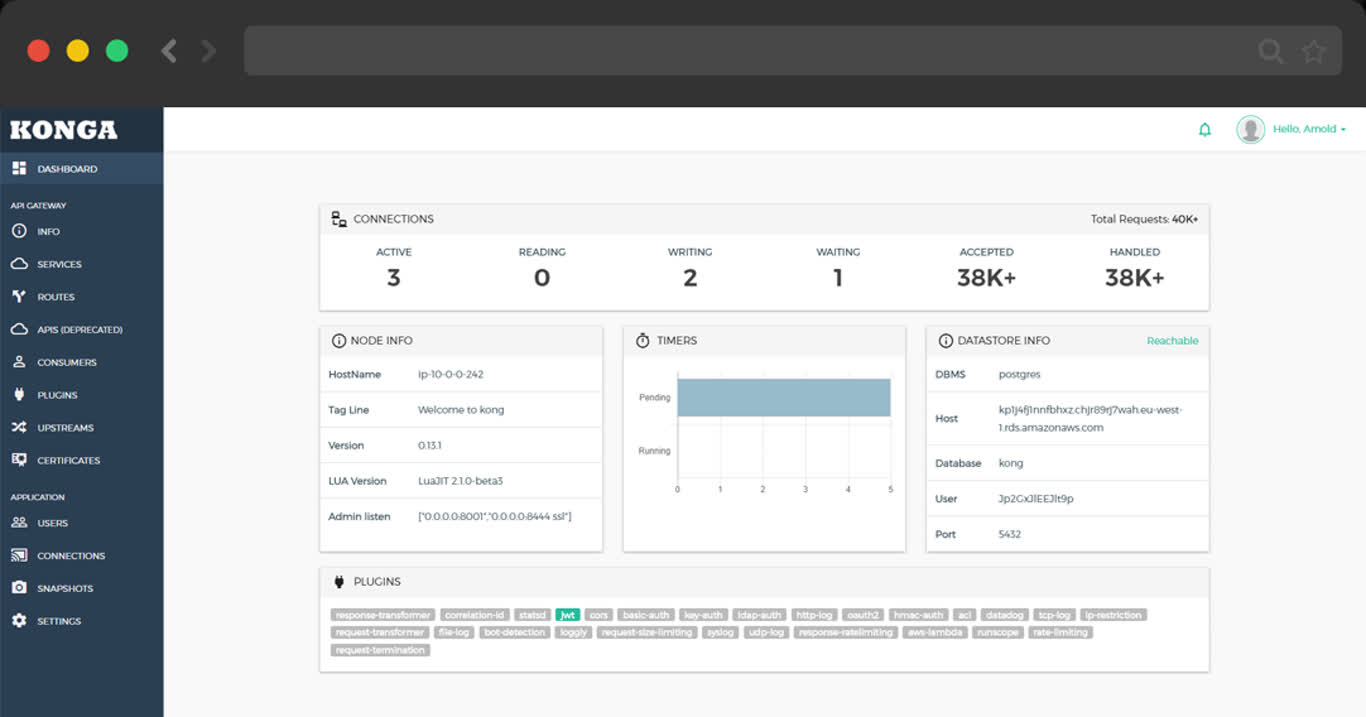
postgres://dbuser_kong:[email protected]:5432/kongRun jupyter notebook with docker, you have to:
.env: JUPYTER_TOKENmake dir, owned by 1000:100make up to pull up jupyter with docker composeVisit http://lab.pigsty or http://10.10.10.10:8888, the default password is pigsty
Create a data directory /data/jupyter, with the default uid & gid 1000:100:
Use the jupyter terminal to install psycopg2-binary & psycopg2 package.
Or installation with conda:
then use the driver in your notebook
Public Demo: http://git.pigsty.cc
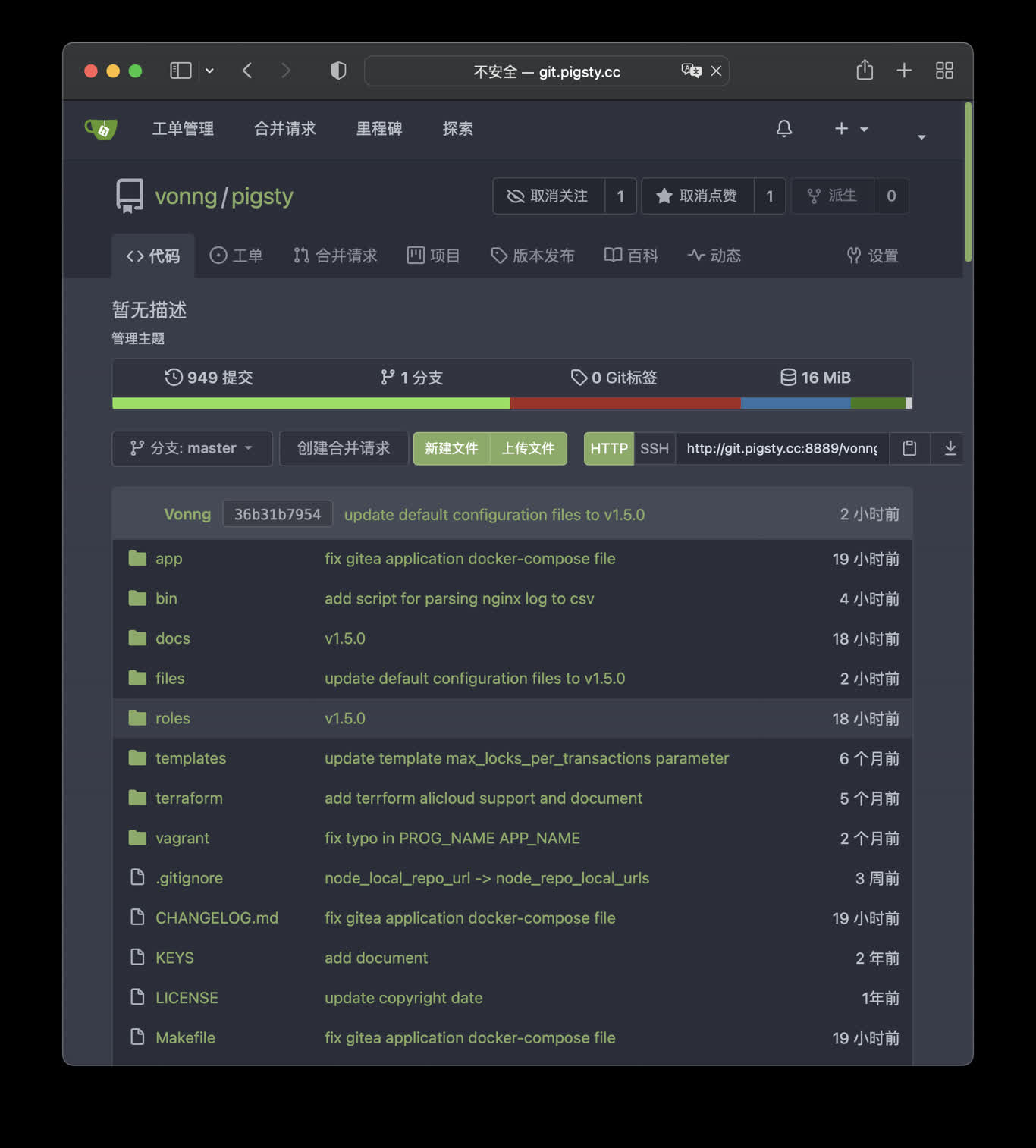
Pigsty use 8889 port for gitea by default
http://git.pigsty or http://10.10.10.10:8889
Gitea use built-in SQLite as default metadata storage, you can let Gitea use external PostgreSQL by setting connection string environment variable
Public Demo: http://wiki.pigsty.cc
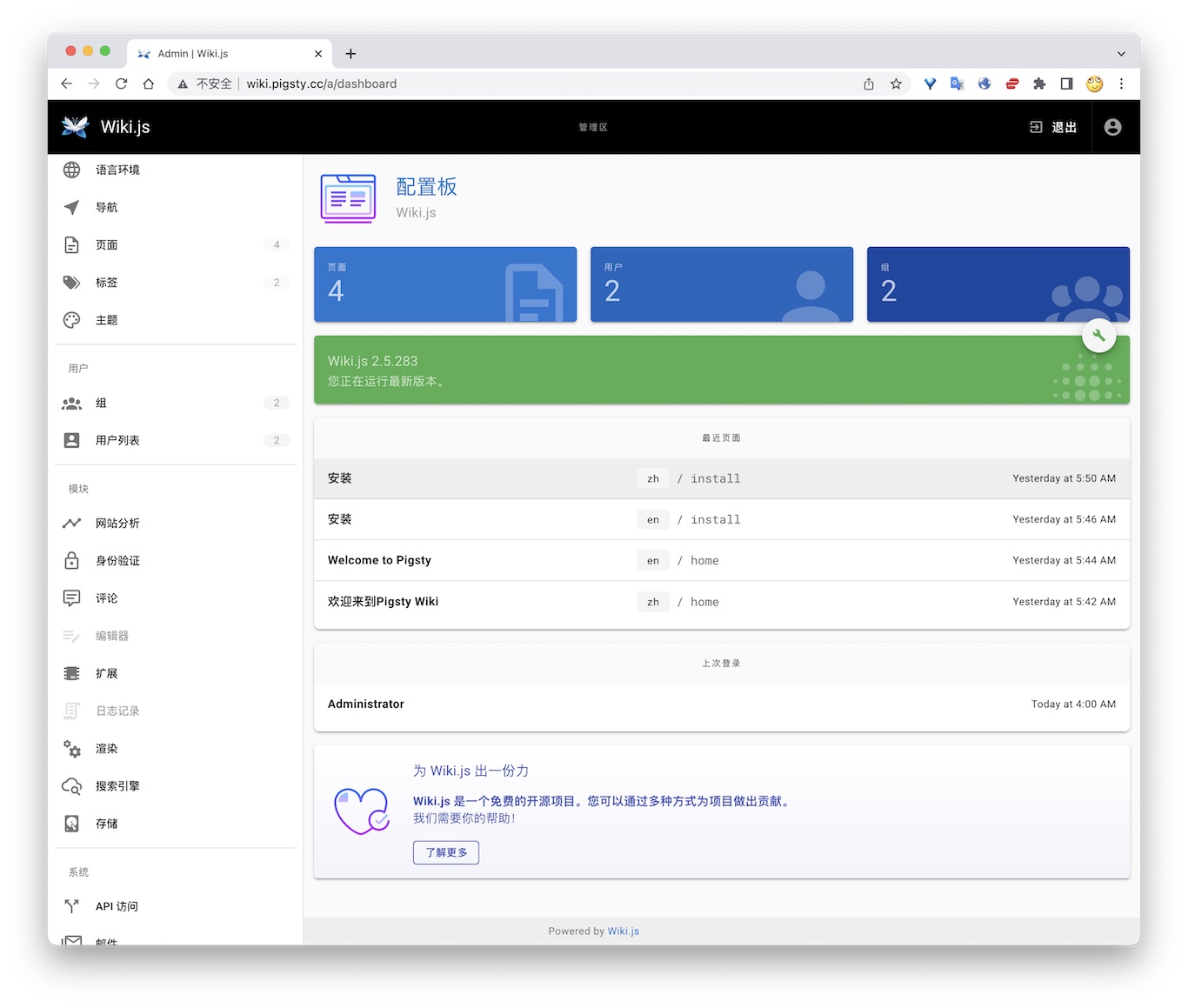
Public Demo: http://sss.pigsty.cc
Compose template credential: minioadmin / minioadmin. The standalone command below uses admin / pigsty.minio.
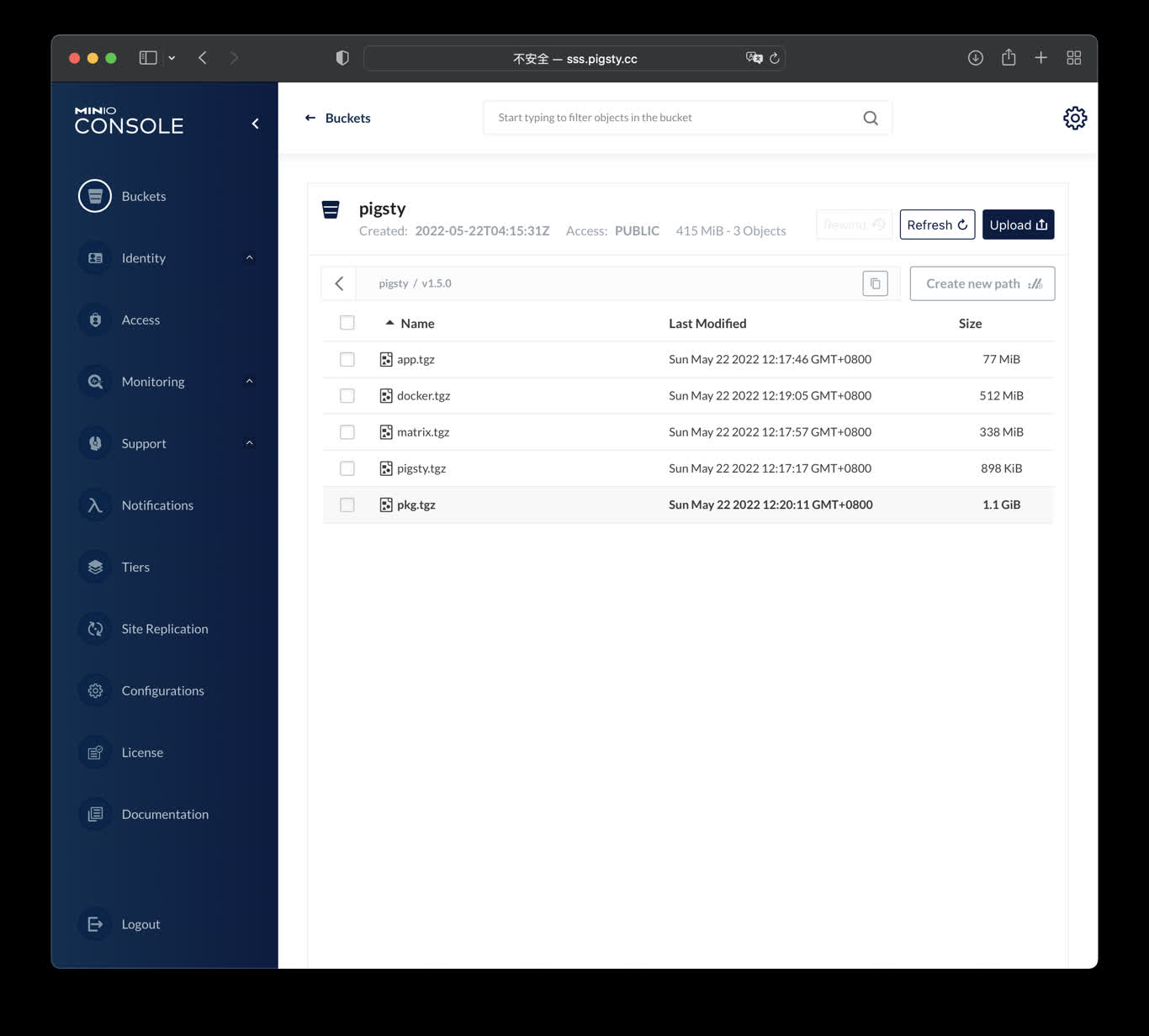
Launch minio (s3) service on 9000 & 9001
The standalone docker run example is available at http://10.10.10.10:9000 with user admin and password pigsty.minio.
ByteBase is a database schema change management tool, which is a tool for database schema changes. The following command will start a ByteBase on the meta node 8887 port by default.
访问 http://10.10.10.10:8887/ 或 http://ddl.pigsty 即可使用 ByteBase,您需要依次创建项目、环境、实例、数据库,即可开始进行模式变更。 公开Demo地址: http://ddl.pigsty.cc
Public Demo: http://ddl.pigsty.cc
Default username & password: admin / pigsty
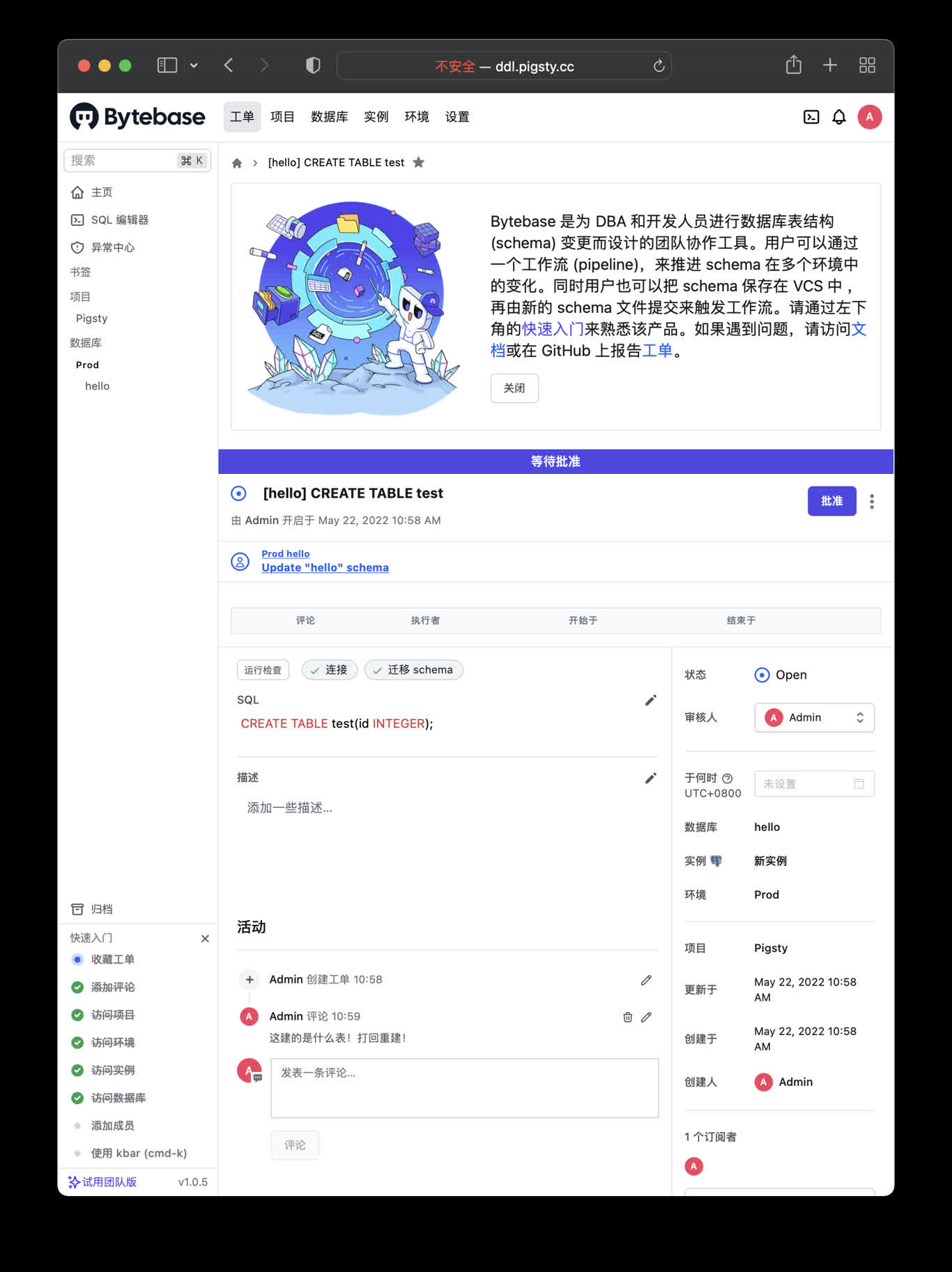
Schema Migrator for PostgreSQL
Visit http://ddl.pigsty or http://10.10.10.10:8887
Bytebase use its internal PostgreSQL database by default, You can use external PostgreSQL for higher durability.
if you wish to user an external PostgreSQL, drop monitor extensions and views & pg_repack
After bytebase initialized, you can create them back with /pg/tmp/pg-init-template.sql
pgAdmin4 is a useful PostgreSQL management tool. Execute the following command to launch the pgadmin service on the admin node:
The default port for pgadmin is 8885, and you can access it through the following address:
Public Demo:http://adm.pigsty.cc。
Credentials: [email protected] / pigsty。
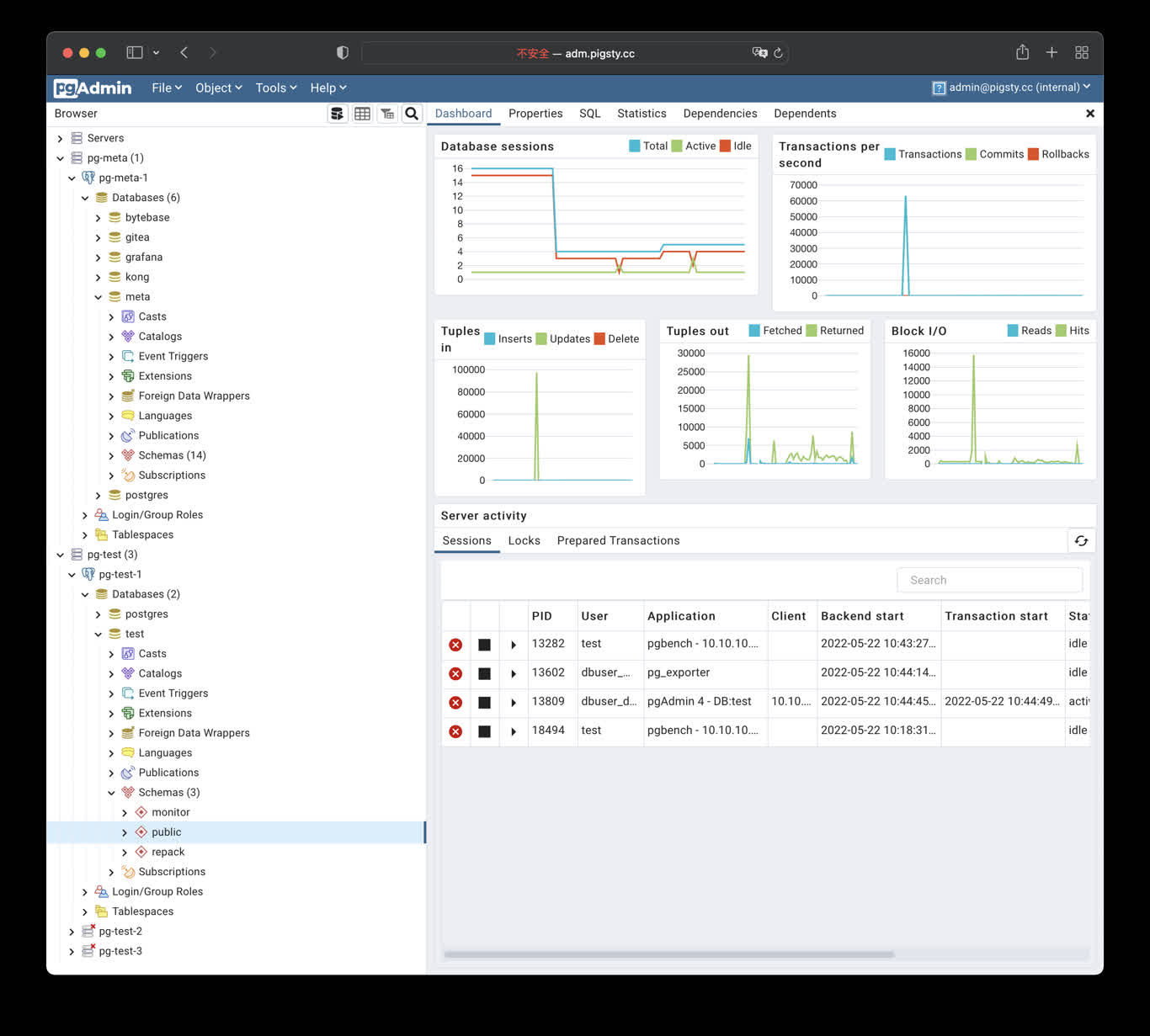
Shortcuts:
PostgREST is a binary component that automatically generates a REST API based on the PostgreSQL database schema.
For example, the following command will launch postgrest with docker (local port 8884, using default admin user, and expose Pigsty CMDB schema):
Visit http://10.10.10.10:8884 will show all auto-generated API definitions and automatically expose API documentation using Swagger Editor.
If you wish to perform CRUD operations and design more fine-grained permission control, please refer to Tutorial 1 - The Golden Key to generate a signed JWT.
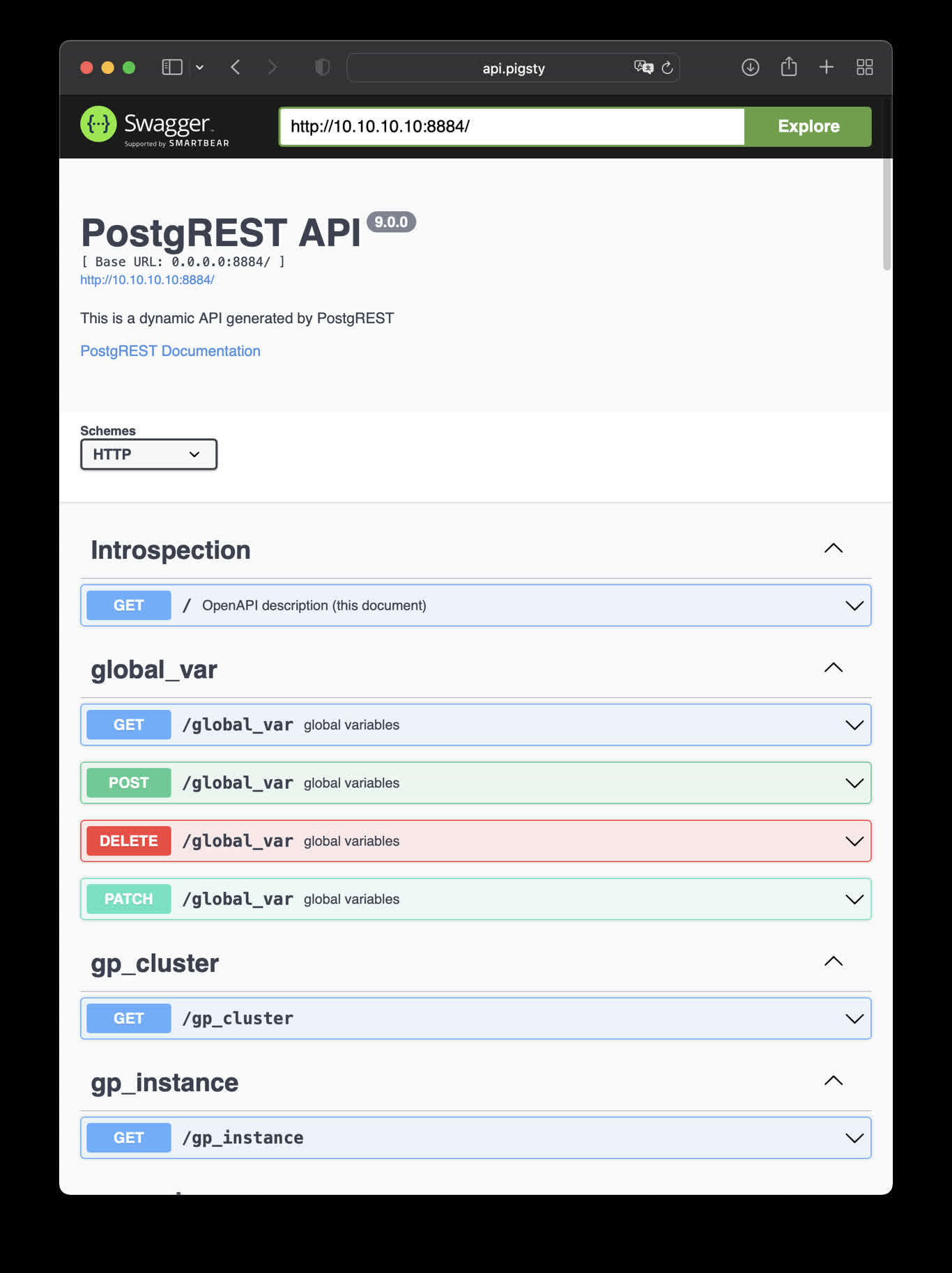
This is an example of creating pigsty cmdb API with PostgREST
http://10.10.10.10:8884 is the default endpoint for PostgREST
http://10.10.10.10:8883 is the default api docs for PostgREST
Launch a swagger OpenAPI UI and visualize PostgREST API on 8883 with:
Check http://10.10.10.10:8883/
Use the following docker command to generate a database schema report, using CMDB as an example:
Then visit http://h.pigsty/schema/pg-meta/meta/pigsty to access the schema report.
PGWEB: https://github.com/sosedoff/pgweb
Simple web-based and cross-platform PostgreSQL database explorer.
Public Demo: http://cli.pigsty.cc
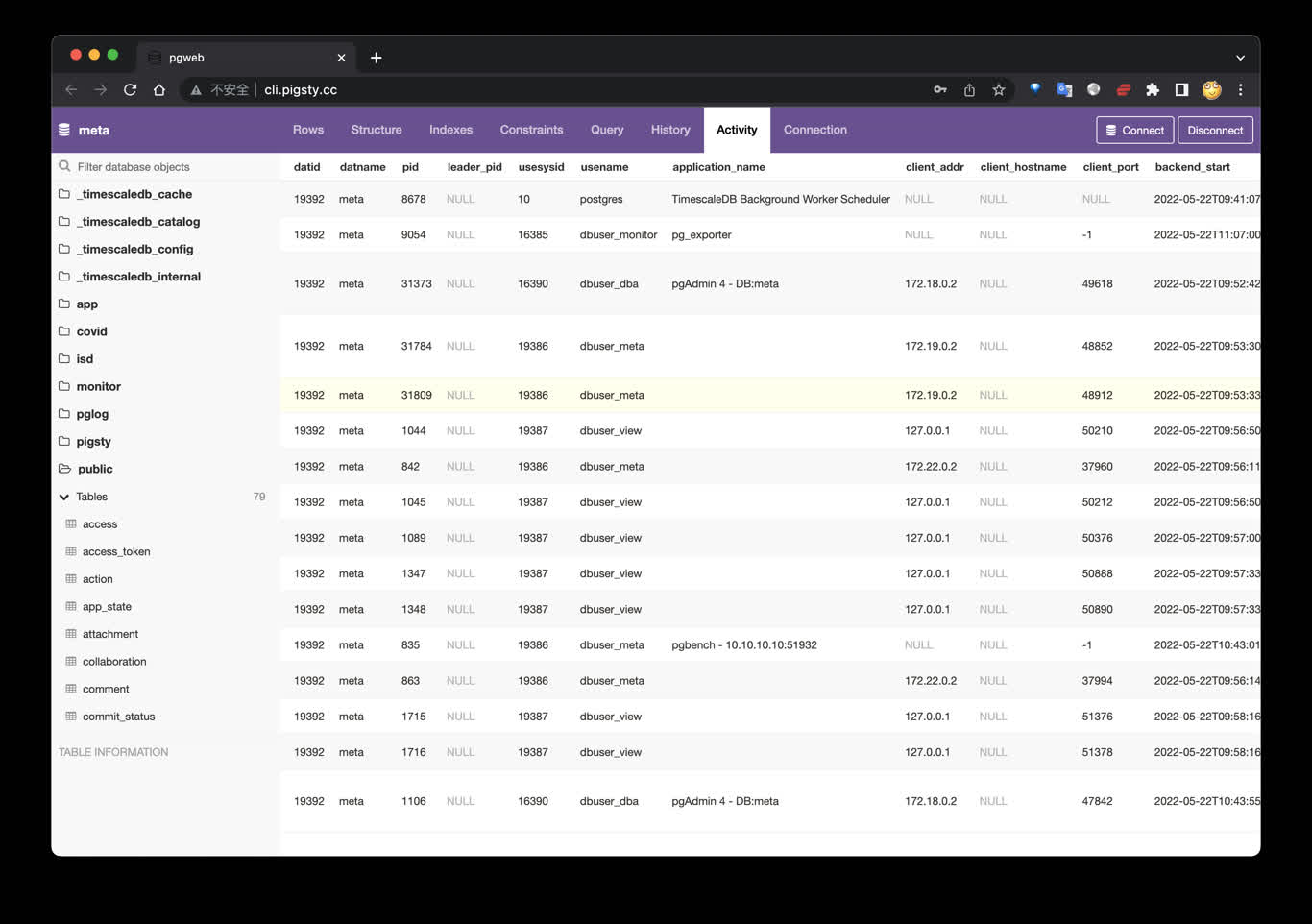
Visit http://cli.pigsty or http://10.10.10.10:8886
Try connecting with example URLs:
To setup an open-source forum Discourse, you need to adjust the default app.yml config, focusing on the SMTP part of the configuration.
Then launch Discourse with the following command:
Check Gitlab Docker Deployment to finish docker deployment.
Then change the connection string to the Pigsty managed PostgreSQL clusters.
An Applet is a self-contained, data-driven mini-application that runs within the Pigsty infrastructure.
A typical Pigsty application includes at least one or all of the following components:
ui directorysql directorydata directorybin directoryPigsty comes with several sample applications by default:
pglog: Analyzes PostgreSQL CSV log samples.covid: Visualizes WHO COVID-19 data and allows you to check pandemic data by country.isd: NOAA ISD, which provides access to meteorological observation records from 30,000 surface weather stations worldwide since 1901.A Pigsty applet provides an installation script in its root directory: install or a related shortcut. You need to run this script as an admin user on the admin node to execute the installation. The installation script will detect the current environment (fetching METADB_URL, PIGSTY_HOME, GRAFANA_ENDPOINT, etc.) to complete the installation.
Typically, dashboards with the APP tag will be listed in the Pigsty Grafana homepage navigation under the Apps dropdown menu, and dashboards with both APP and OVERVIEW tags will be listed in the homepage panel navigation.
PGLOG is a sample application included with Pigsty that uses the pglog.sample table in MetaDB as the data source.
Simply populate this table with logs and access the corresponding Dashboard.
Pigsty provides some handy commands to fetch CSV logs and load them into the sample table. The following shortcut commands are available on the master node by default:
Next, you can visit the following links to view sample log analysis dashboards:
The catlog command fetches CSV database logs from a specific node for a specific date and writes them to stdout.
By default, catlog fetches logs of the current node for today, but you can specify the node and date via parameters.
By combining pglog and catlog, you can quickly fetch and analyze database CSV logs.
Including 30000 meteorology station, daily, sub-hourly observation records, from 1900-2023. https://github.com/Vonng/isd
It is recommended to use with Pigsty, the battery-included PostgreSQL distribution with Grafana & echarts for visualization. It will setup everything for your with make all;
Otherwise, you’ll have to provide your own PostgreSQL instance, and setup grafana dashboards manually.
Clone this repo
Prepare a PostgreSQL Instance
Export PGURL in your environment to specify the target postgres database:
then init database schema with:
Get isd station metadata
The basic station metadata can be downloaded and loaded with:
Fetch and load isd.daily
To load isd.daily dataset, which is organized by yearly tarball files.
You can download the raw data from noaa and parse with isd parser
Load Parsed Stable CSV Data
Or just load the pre-parsed stable part from GitHub. Which is well-formatted CSV that does not require an isd parser.
There are two parts of isd datasets needs to be regularly updated: station metadata & isd.daily of the latest year, you can reload them with:
You can download and load isd.daily in a specific year with:
You can also download and load isd.hourly in a specific year with:
There are four official datasets
| Dataset | Sample | Document | Comments |
|---|---|---|---|
| ISD Hourly | isd-hourly-sample.csv | isd-hourly-document.pdf | (Sub)Hour observation records |
| ISD Daily | isd-daily-sample.csv | isd-daily-format.txt | Daily summary |
| ISD Monthly | N/A | isd-gsom-document.pdf | Not used, Generate from isd.daily |
| ISD Yearly | N/A | isd-gsoy-document.pdf | Not used, Generate from isd.daily |
Daily Dataset
Hourly dataset
There are two parsers: isdd and isdh, which takes noaa original yearly tarball as input, generate CSV as output (which could be directly consumed by PostgreSQL COPY command).
ISD Overview
Show all stations on a world map.
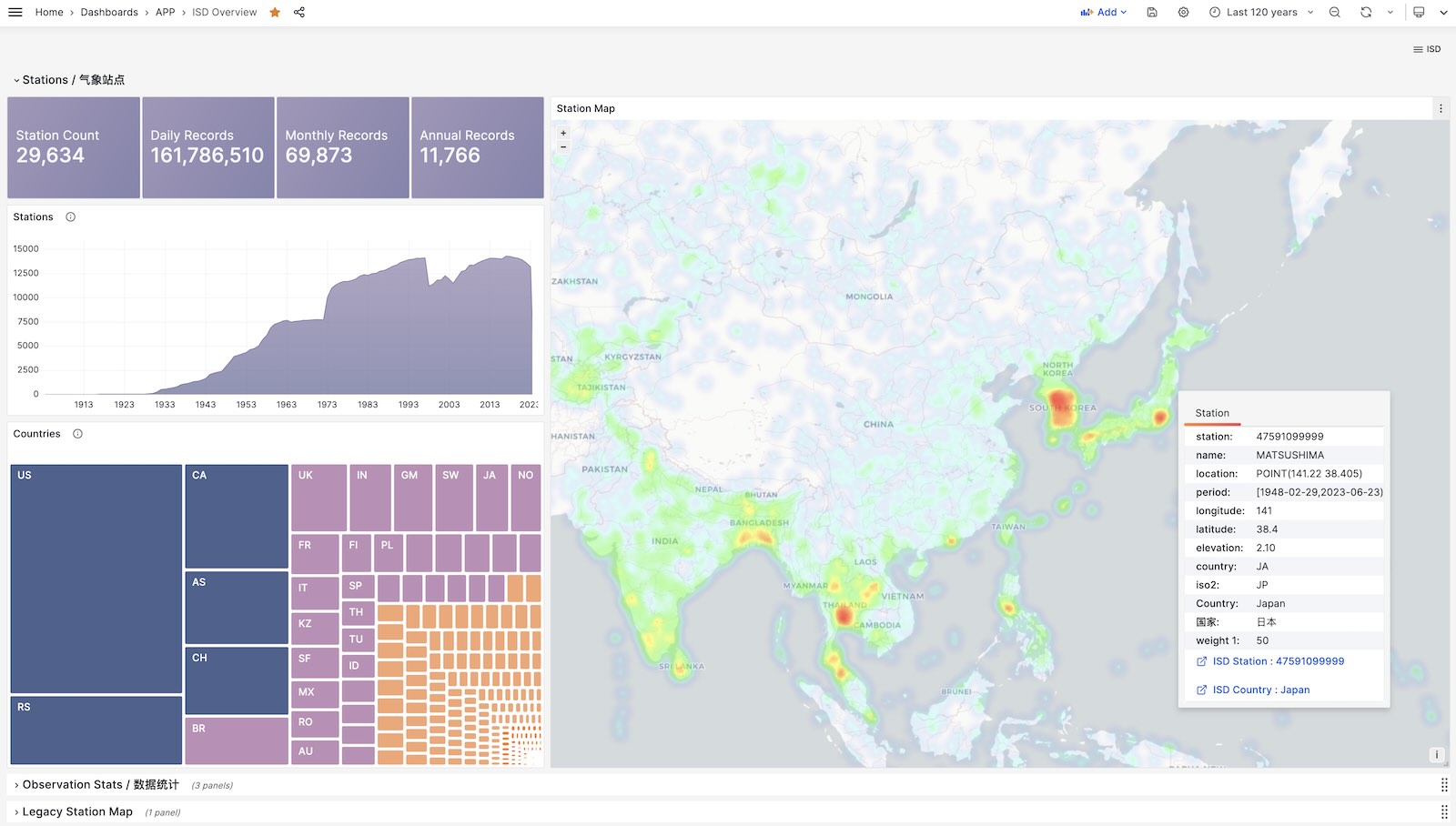
ISD Country
Show all stations among a country.
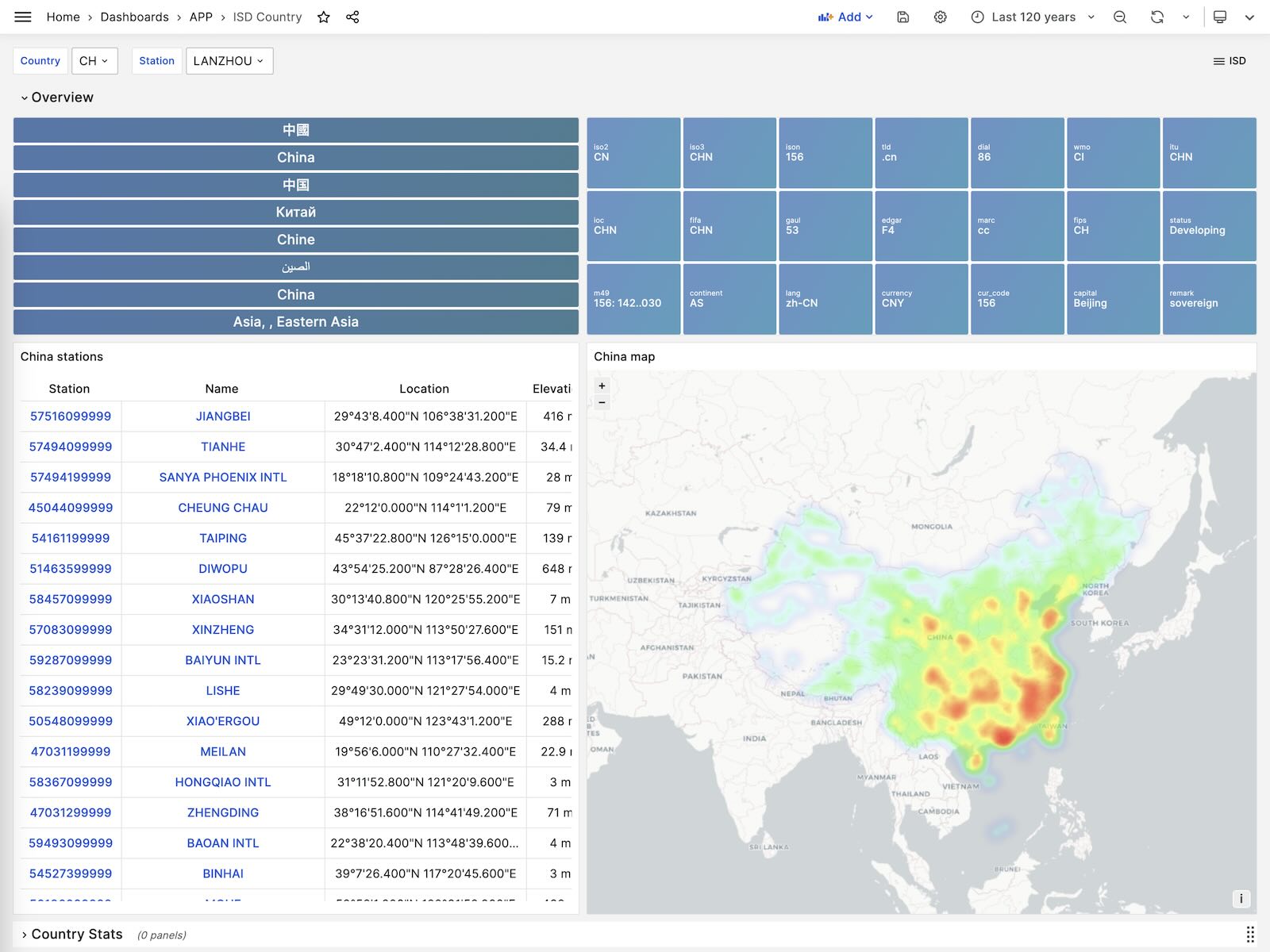
ISD Station
Visualize station metadata and daily/monthly/yearly summary
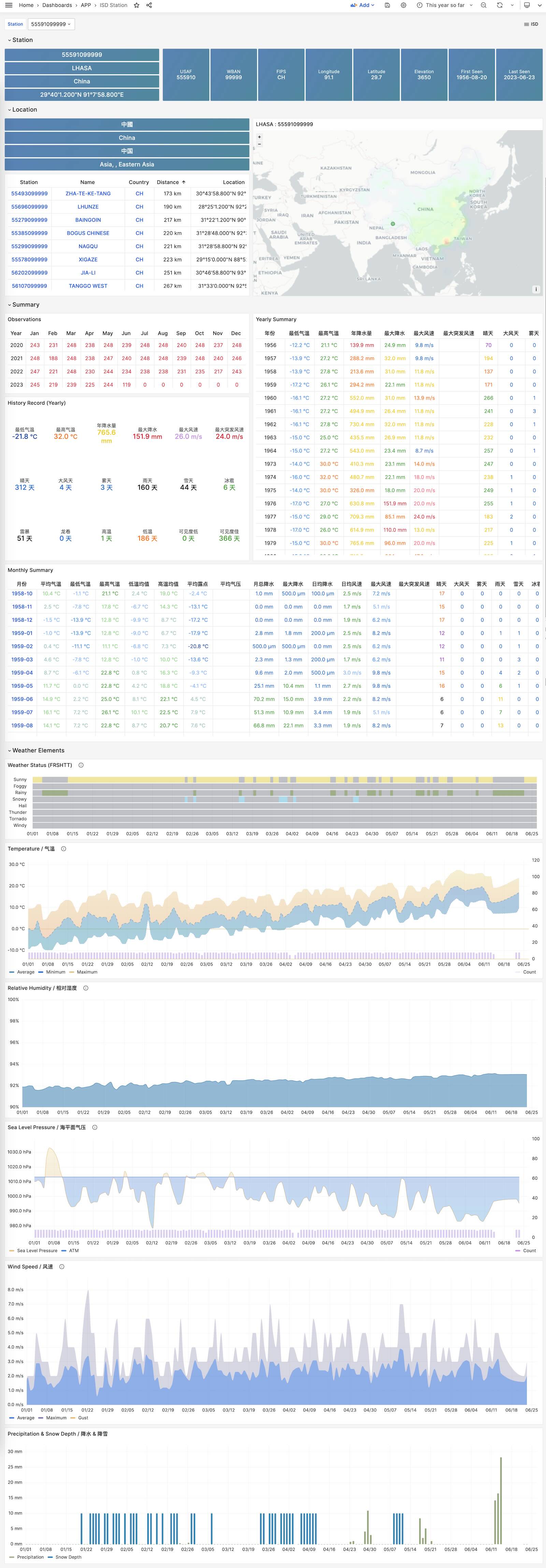
ISD Detail
Visualize hourly observation raw metrics.
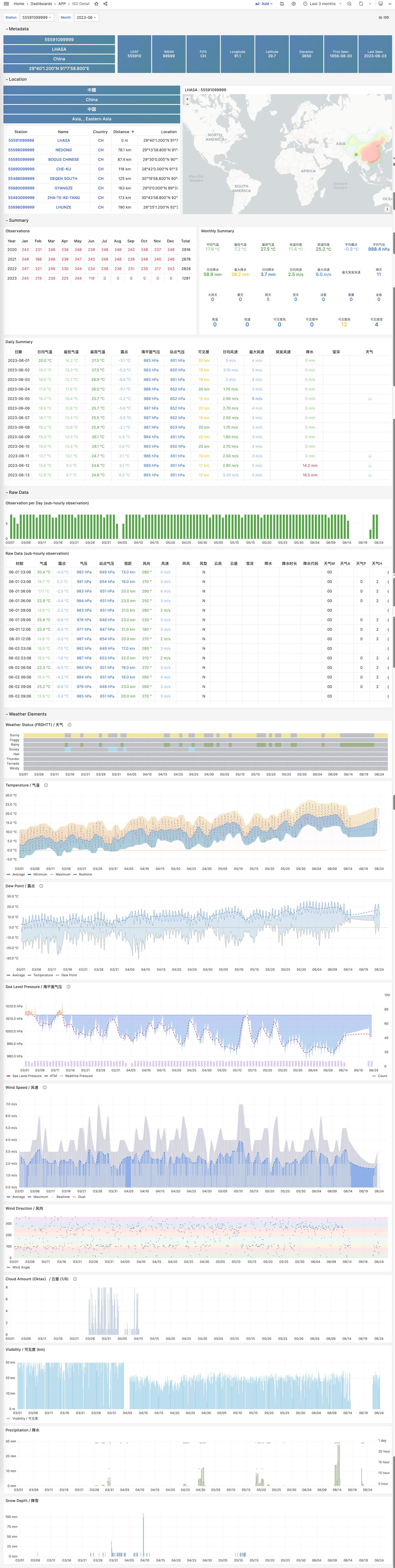
The on-line demo:https://demo.pigsty.cc/d/covid-overview
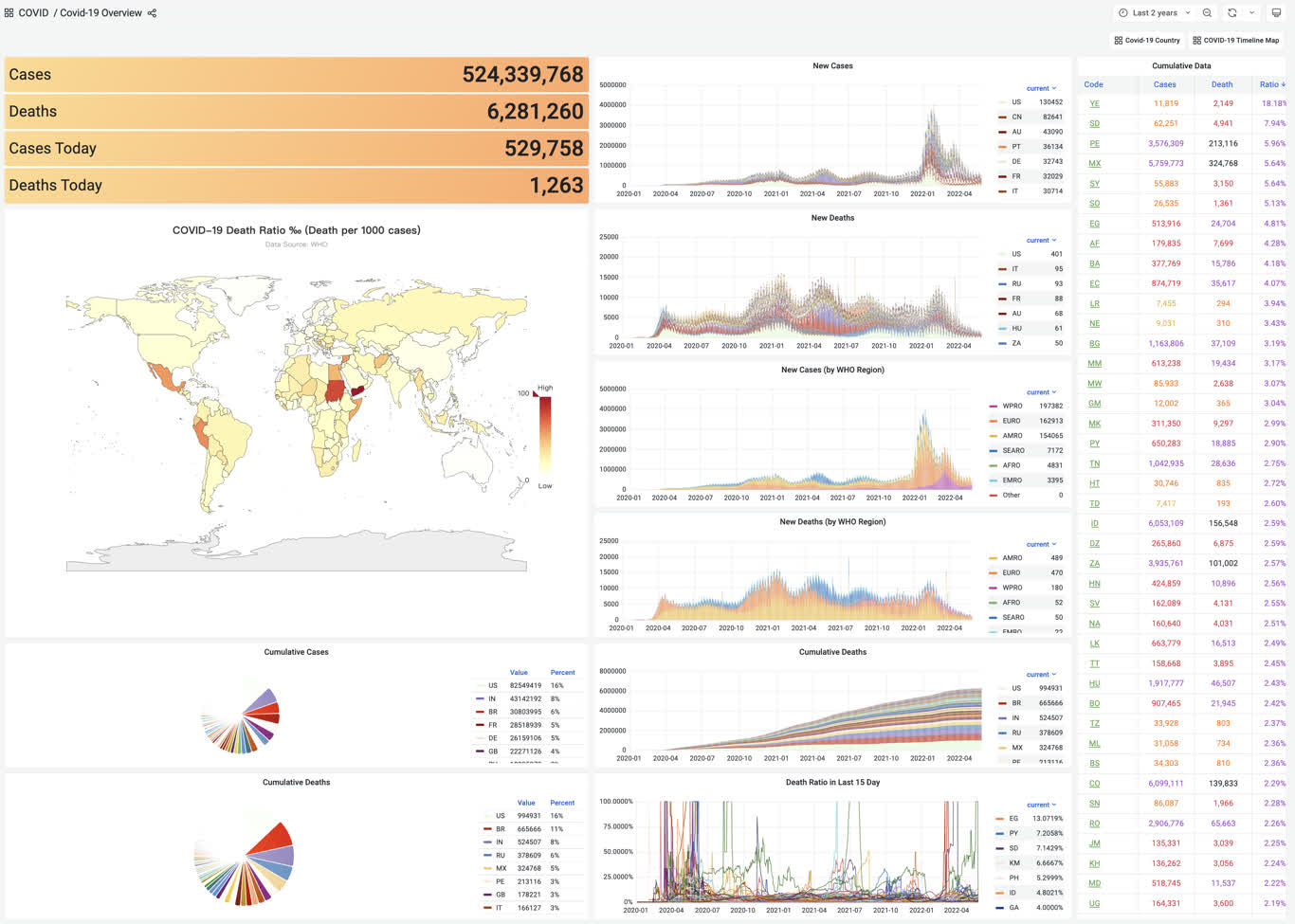
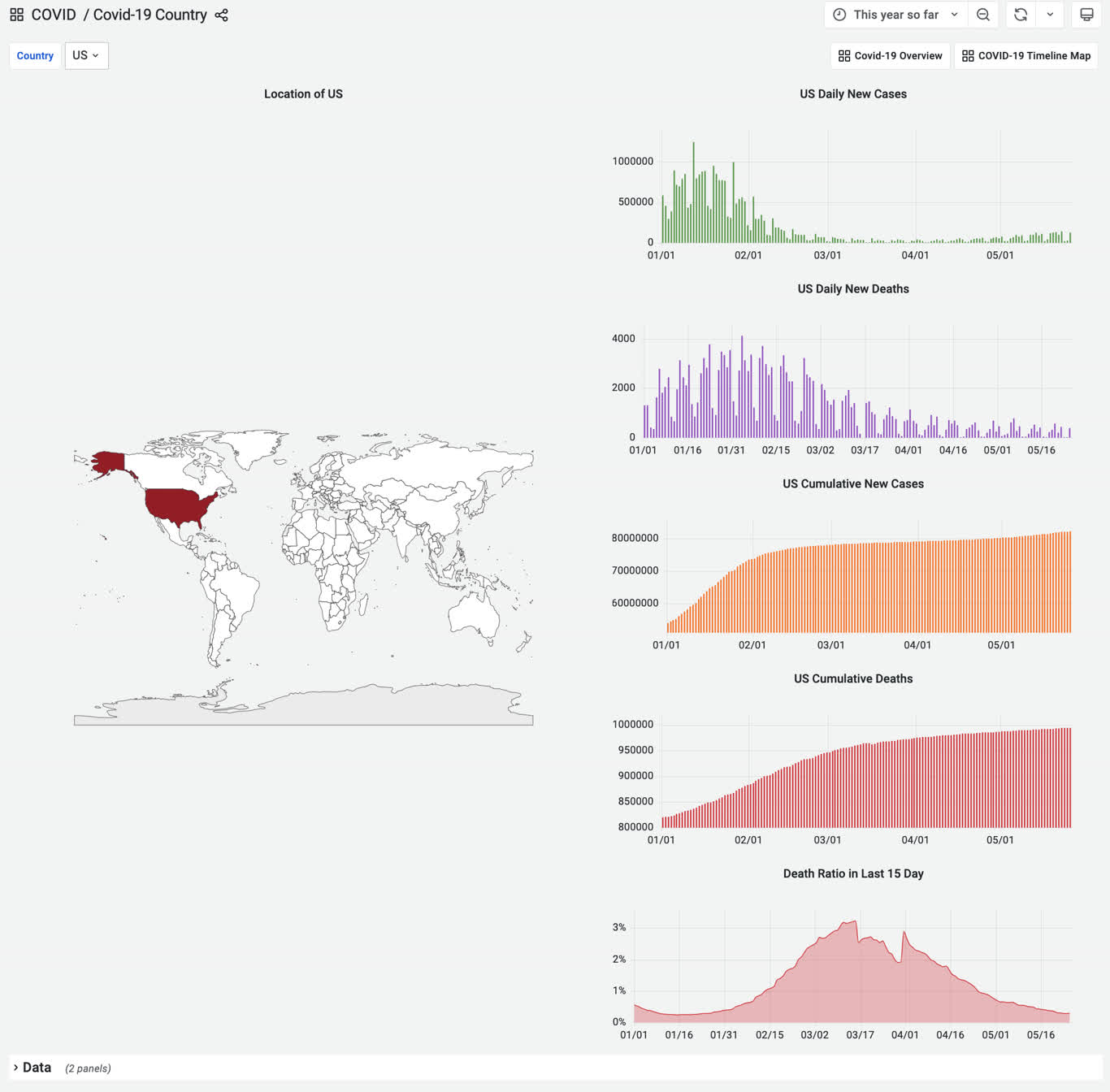
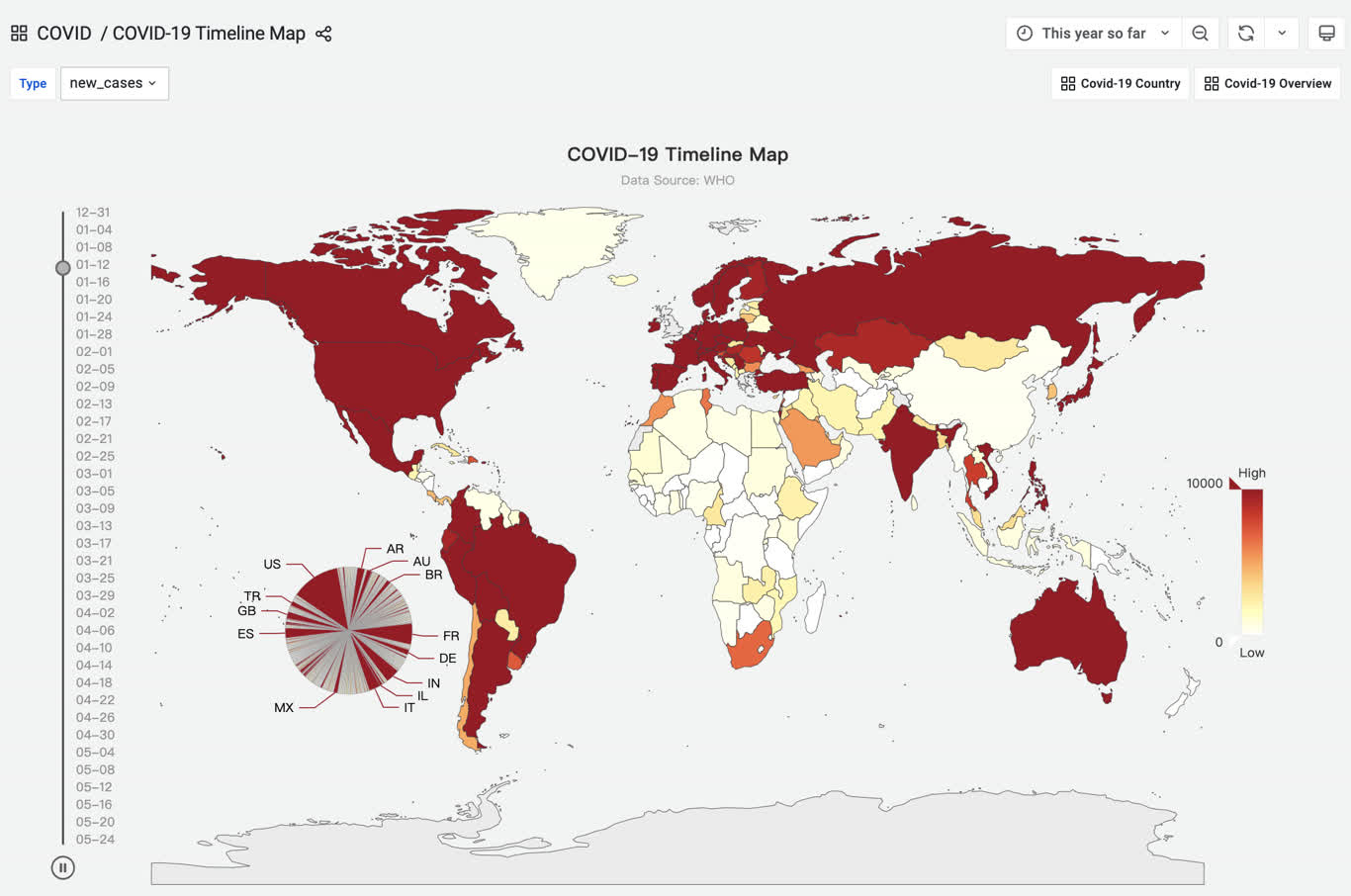
在管理节点上进入应用目录,执行make以完成安装。
其他一些子任务:
The challenge is described in Database Programming Contest: Calculate 24 with One SQL Statement.
A cards table has an auto-incrementing id and four columns, c1 through c4; each card is a random integer from 1 to 10. One SQL statement must return a valid arithmetic expression whose result is 24, or NULL when no solution exists.
The rules allow only addition, subtraction, multiplication, division, and parentheses. Every input number must be used exactly once. Built-in database functions are allowed, but stored procedures, user-defined functions, and code blocks are not. The submitted SQL must be smaller than 10 KB and was evaluated on a 4-core, 32 GB server.
Prime-number lookup is the fastest general approach, but the complete lookup text is slightly larger than 10 KB. MySQL provides built-in COMPRESS and UNCOMPRESS; PostgreSQL uses the pgsql-gzip extension for the compressed variant. The following is the PostgreSQL solution.
The core idea assigns each card value a prime number. The product of four primes is an order-independent key, so every solvable multiset can be joined to one precomputed expression in constant time.
The uncompressed SQL is 10,896 characters. Converting repeated logic into an inline function or using hexadecimal keys can reduce it, but the contest rules disallow stored procedures, so the large lookup string is the main compression target.
Pigsty provides the pgsql-gzip extension used by this historical solution:
Compressing the lookup table reduces its 10,018 characters to 7,796 and the complete statement to 8,796 characters, within the contest limit:
On a local M1 MacBook Pro, single-core execution took about 0.58 seconds, slightly faster than the winning 0.67-second result. The contest PostgreSQL instance did not provide the gzip extension, so this compressed form was not submitted there.
This demonstrates a one-statement PostgreSQL solution to the 24-point card game. Parallel execution could improve it further; a PostgreSQL-specific alternative would be a C extension exposing the lookup as a function, although that would fall outside the contest rules.
GitHub Repository: https://github.com/Vonng/pigsty-app/tree/11fbbc03031b0a060cf4da0f87f3f12a4ec2f126/db
Online Demo: https://demo.pigsty.io/d/sf-survey
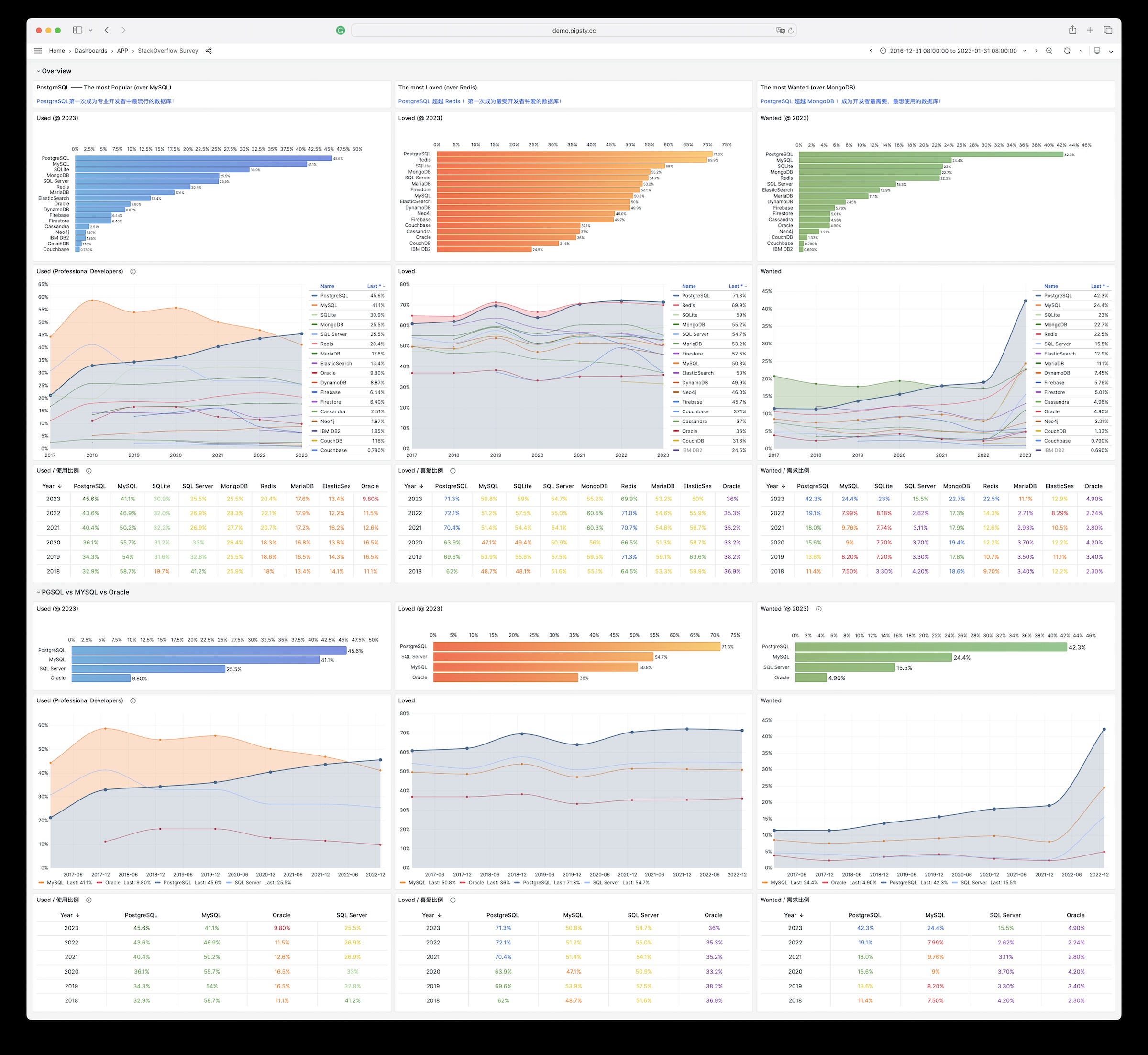
GitHub Repository: https://github.com/Vonng/pigsty-app/tree/11fbbc03031b0a060cf4da0f87f3f12a4ec2f126/db
Online Demo: https://demo.pigsty.io/d/db-engine
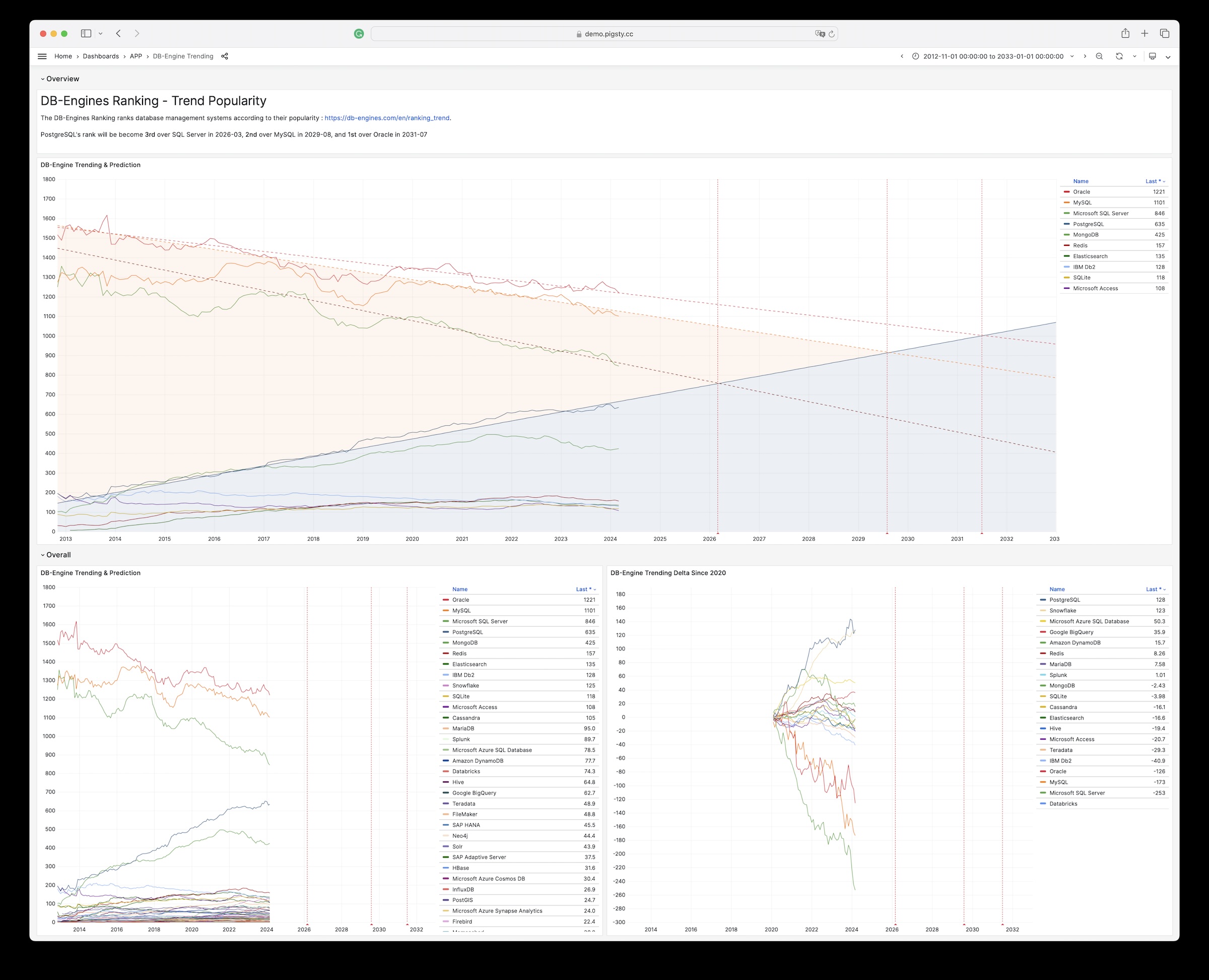
Historical source note: the advertised pigsty-app/cloud directory was not present in the last immutable app repository snapshot before v2.7.0; the SQL and recovered images below come from the frozen documentation repository.
Online Demo: https://demo.pigsty.io/d/ecs
Article: Analyzing Computing Costs: Has Aliyun Really Reduced Prices?
Aliyun ECS pricing can be obtained as raw CSV data from Price Calculator - Pricing Details - Price Download.
Download Aliyun pricing details and import for analysis
Similarly for AWS EC2, you can download the price list from Vantage:
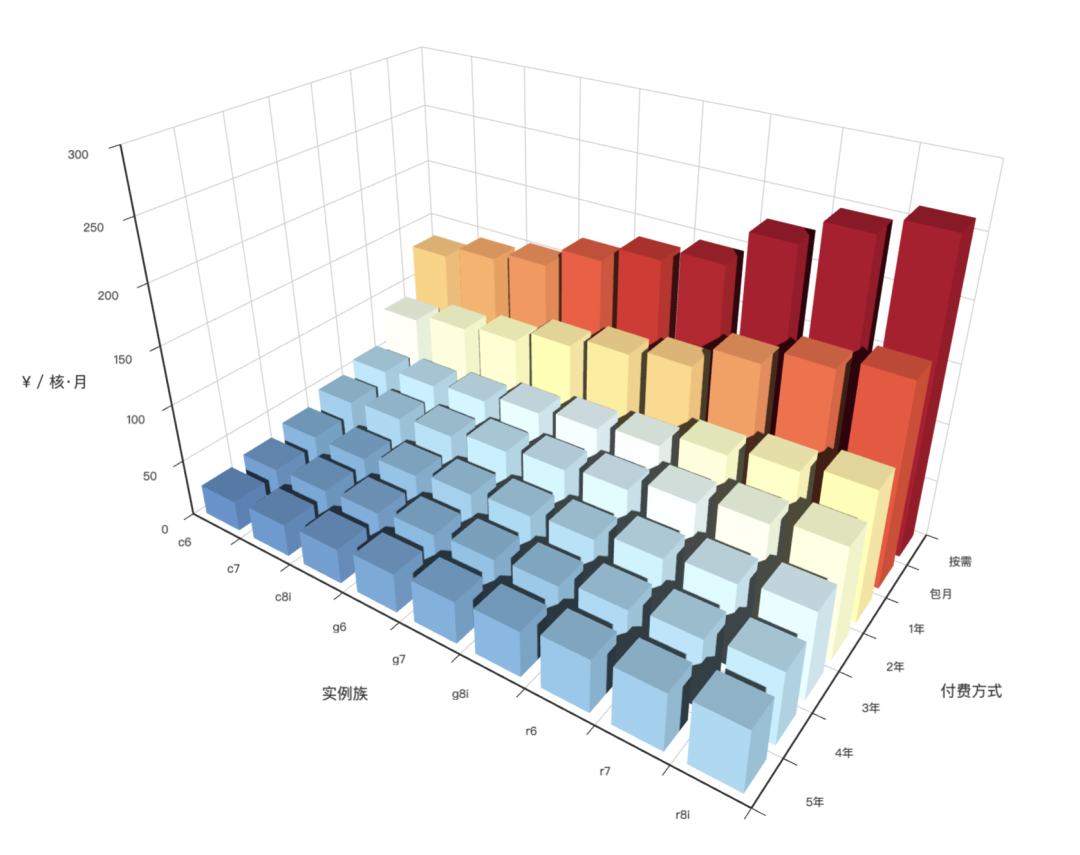
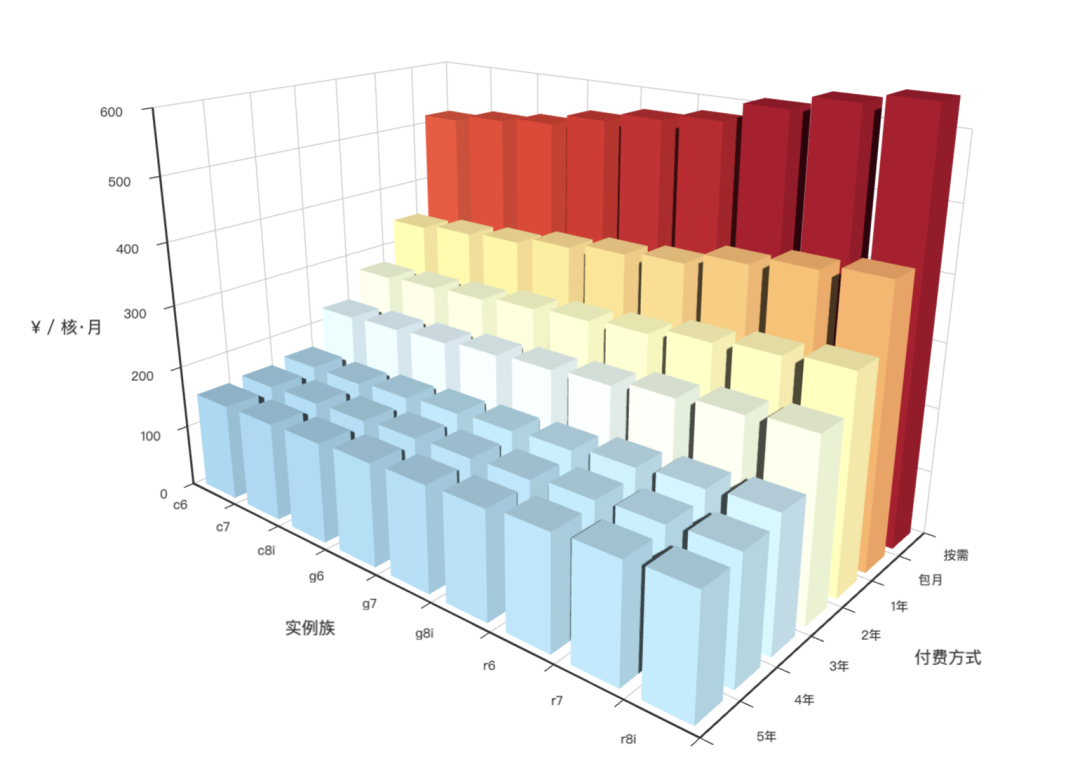
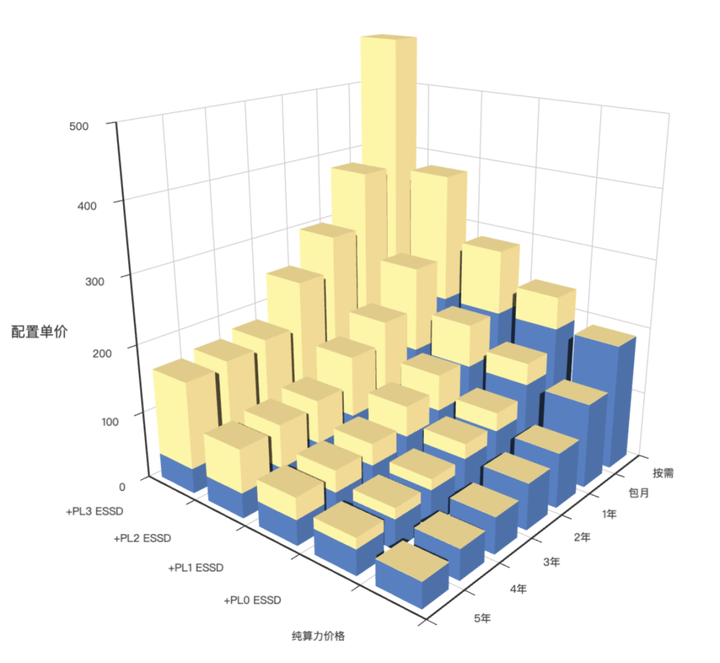
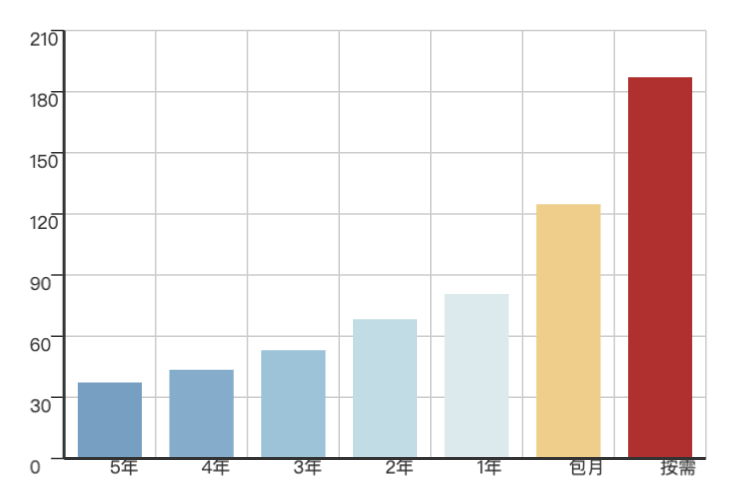
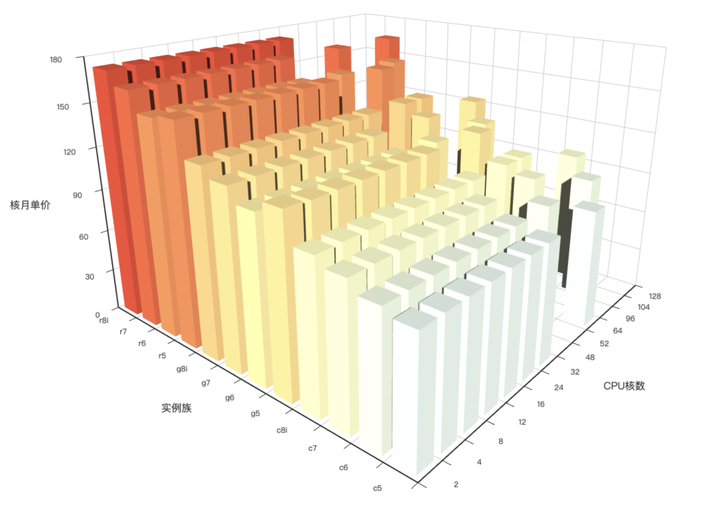
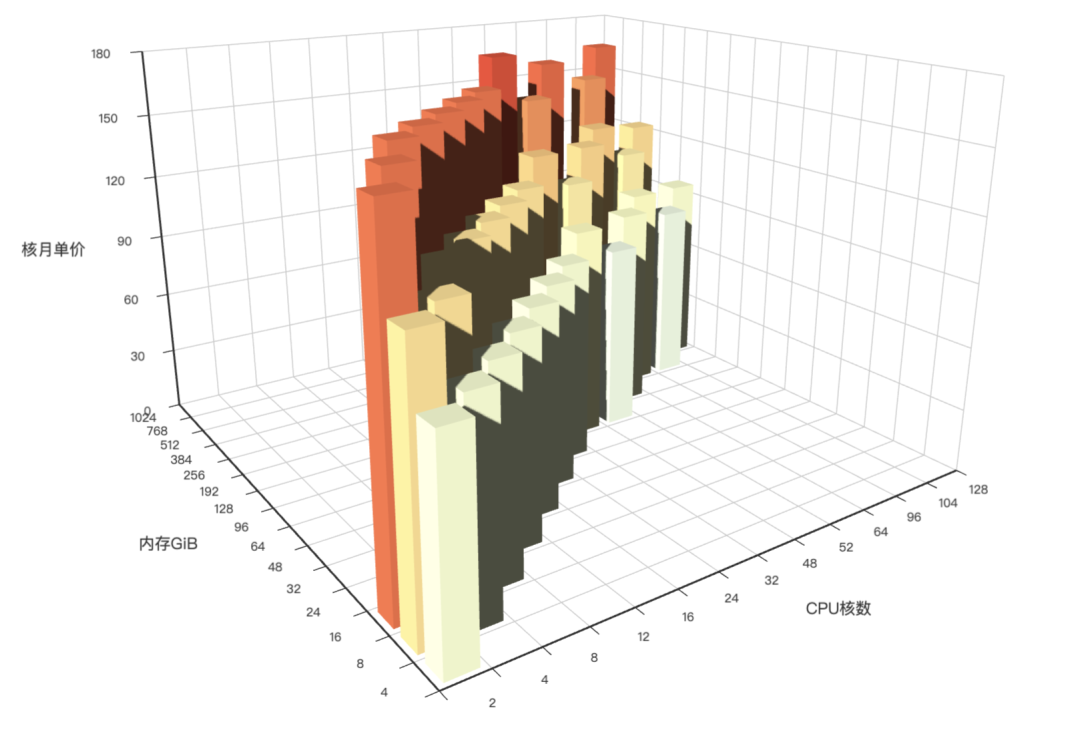
| Version | Time | Description | Release |
|---|---|---|---|
| v2.7.0 | 2024-05-20 | Extension Overwhelming, new docker apps | v2.7.0 |
| v2.6.0 | 2024-02-28 | PG 16 as default version, ParadeDB & DuckDB | v2.6.0 |
| v2.5.1 | 2023-12-01 | Routine update, pg16 major extensions | v2.5.1 |
| v2.5.0 | 2023-10-24 | Ubuntu/Debian Support: bullseye, bookworm, jammy, focal | v2.5.0 |
| v2.4.1 | 2023-09-24 | Supabase/PostgresML support, graphql, jwt, pg_net, vault | v2.4.1 |
| v2.4.0 | 2023-09-14 | PG16, RDS Monitor, New Extensions | v2.4.0 |
| v2.3.1 | 2023-09-01 | PGVector with HNSW, PG16 RC1, Chinese Docs, Bug Fix | v2.3.1 |
| v2.3.0 | 2023-08-20 | PGSQL/REDIS Update, NODE VIP, Mongo/FerretDB, MYSQL Stub | v2.3.0 |
| v2.2.0 | 2023-08-04 | Dashboard & Provision overhaul, UOS compatibility | v2.2.0 |
| v2.1.0 | 2023-06-10 | PostgreSQL 12 ~ 16beta support | v2.1.0 |
| v2.0.2 | 2023-03-31 | Add pgvector support and fix MinIO CVE | v2.0.2 |
| v2.0.1 | 2023-03-21 | v2 Bug Fix, security enhance and bump grafana version | v2.0.1 |
| v2.0.0 | 2023-02-28 | Compatibility Security Maintainability Enhancement | v2.0.0 |
| v1.5.1 | 2022-06-18 | Grafana Security Hotfix | v1.5.1 |
| v1.5.0 | 2022-05-31 | Docker Applications | v1.5.0 |
| v1.4.1 | 2022-04-20 | Bug fix & Full translation of English documents. | v1.4.1 |
| v1.4.0 | 2022-03-31 | MatrixDB Support, Separated INFRA, NODES, PGSQL, REDIS | v1.4.0 |
| v1.3.0 | 2021-11-30 | PGCAT Overhaul & PGSQL Enhancement & Redis Support Beta | v1.3.0 |
| v1.2.0 | 2021-11-03 | Upgrade default Postgres to 14, monitoring existing pg | v1.2.0 |
| v1.1.0 | 2021-10-12 | HomePage, JupyterLab, PGWEB, Pev2 & Pgbadger | v1.1.0 |
| v1.0.0 | 2021-07-26 | v1 GA, Monitoring System Overhaul | v1.0.0 |
| v0.9.0 | 2021-04-04 | Pigsty GUI, CLI, Logging Integration | v0.9.0 |
| v0.8.0 | 2021-03-28 | Service Provision | v0.8.0 |
| v0.7.0 | 2021-03-01 | Monitor only deployment | v0.7.0 |
| v0.6.0 | 2021-02-19 | Architecture Enhancement | v0.6.0 |
| v0.5.0 | 2021-01-07 | Database Customize Template | v0.5.0 |
| v0.4.0 | 2020-12-14 | PostgreSQL 13 Support, Official Documentation | v0.4.0 |
| v0.3.0 | 2020-10-22 | Provisioning Solution GA | v0.3.0 |
| v0.2.0 | 2020-07-10 | PGSQL Monitoring v6 GA | v0.2.0 |
| v0.1.0 | 2020-06-20 | Validation on Testing Environment | v0.1.0 |
| v0.0.5 | 2020-08-19 | Offline Installation Mode | v0.0.5 |
| v0.0.4 | 2020-07-27 | Refactor playbooks into ansible roles | v0.0.4 |
| v0.0.3 | 2020-06-22 | Interface enhancement | v0.0.3 |
| v0.0.2 | 2020-04-30 | First Commit | v0.0.2 |
| v0.0.1 | 2019-05-15 | POC | v0.0.1 |
Highlight
Extension Overwhelming, adding numerous new extensions written in rust & pgrx:
And some new extensions in plain C & C++
pg_roaringbitmap, pgfaceting, mobilitydb, pgsql-http, pg_hint_plan, pg_statviz, pg_rrulepg_profile, pg_show_plans, use PGDG’s pgsql_http, pgsql_gzip, pg_net, pg_bigm instead of Pigsty RPM.New Features
docker containers.Software Upgrade
Docker Application
latest tag instead of ad hoc version.Bug Fix
minio_cluster not commented in global variablespostgis34 in el7 config templatepython3.11-cryptography deps to python3-cryptography according to upstream/pg/bin/pg-role can not get OS user name from environ in non-interact mode/pg/bin/pg-pitr can not hint -X -P flag properlyAPI Change
node_write_etc_hosts to control whether to write /etc/hosts file on target nodes.prometheus_sd_dir.-x|--proxy flag to enable and use value of global proxy env by @waitingsong in https://github.com/Vonng/pigsty/pull/405/pg/cert/ca.crt instead of /etc/pki/ca.crt in pgsql roles.New Contributors
Package Checksums
Highlight
pg_analytics, pg_bm25, and pg_sparseduckdb_fdwConfiguration
node_repo_modules to add upstream repos (including local one) to nodenode_local_repo_urls, replaced by node_repo_modules & repo_upstream.node_repo_method, replaced by node_repo_modules.local repo into repo_upstream instead of node_local_repo_urlschrony into node_default_packagesrepo_upstream.baseurl $releasever for pgdg el8/el9 with major.minor instead of major versionSoftware Upgrade
PostgreSQL x Pigsty Extensions
Routine update with v16.1, v15.5, 14.10, 13.13, 12.17, 11.22
Now PostgreSQL 16 has all the core extensions available (pg_repack & timescaledb added)
monitor schema prefix from PGCAT dashboard querieswool.yml for Aliyun free ECS singletonpython3-jmespath in addition to python3.11-jmespath for el9Highlights
Dedicate yum/apt repo on repo.pigsty.cc and mirror on packagecloud.io
Anolis OS Support (EL 8.8 Compatible)
PG Major Candidate: Use PostgreSQL 16 instead of PostgreSQL 14.
New Dashboard PGSQL Exporter, PGSQL Patroni, rework on PGSQL Query
Extensions Update:
pg_embedding because it is no longer maintained, use pgvector instead.pointcloud with LIDAR data type support.imgsmlr, pg_similarity,pg_bigm 扩展。hydra and remove citus from default installed extension list.pg_filedump as PG major version independent package.Software Version Upgrade:
20231013070755Ubuntu Support
Pigsty has two ubuntu LTS support: 22.04 (jammy) and 20.04 (focal), and ship corresponding offline packages for them.
Some parameters need to be specified explicitly when deploying on Ubuntu, please refer to ubuntu.yml
repo_upstream: Adjust according to ubuntu / debian repo.repo_packages: Adjust according to ubuntu / debian naming conventionnode_repo_local_urls: use the default value: ['deb [trusted=yes] http://${admin_ip}/pigsty ./']node_default_packages :
zlib -> zlib1g, readline -> libreadline-devvim-minimal -> vim-tiny, bind-utils -> dnsutils, perf -> linux-tools-generic,acl to ensure ansible tmp file privileges are set correctlyinfra_packages: replace all _ with - in names, and replace postgresql16 with postgresql-client-16pg_packages: replace all _ with - in names, patroni-etcd not needed on ubuntupg_extensions: different naming convention, no passwordcheck_cracklib on ubuntu.pg_dbsu_uid: You have to manually specify pg_dbsu_uid on ubuntu, because PGDG deb package does not specify pg dbsu uid.API Changes
default values of following parameters have changed:
repo_modules: infra,node,pgsql,redis,minio
repo_upstream: Now add Pigsty Infra/MinIO/Redis/PGSQL modular upstream repo.
repo_packages: remove unused karma,mtail,dellhw_exporter and pg 14 extra extensions, adding pg 16 extra extensions.
node_default_packages now add python3-pip as default packages.
pg_libs: timescaledb is remove from shared_preload_libraries by default.
pg_extensions: citus is nolonger installed by default, and passwordcheck_cracklib is installed by default
Highlights
pg_graphql reflects a GraphQL schema from the existing SQL schema.pg_net enables asynchronous (non-blocking) HTTP/HTTPS requests with SQLpgjwt is the PostgreSQL implementation of JWT (JSON Web Tokens)vault can store encrypted secrets in the Vaultpg_filedump for pg 14 & 15, low-level data recovery tool for PostgreSQLhydra the columnar available for PG 13 - 15.proj-data*Get started with bash -c "$(curl -fsSL https://get.pigsty.cc/latest)".
Highlights
API Change
REDIS.redis_sentinel_monitor: specify masters monitor by redis sentinel clusterBug Fix
ins.datnameGet started with bash -c "$(curl -fsSL https://get.pigsty.cc/latest)".
Highlights
Bug Fix
infra.repo.repo_pkg task when downloading rpm with * in their names in repo_packages.
/www/pigsty already have package name match that pattern, some rpm will be skipped.vip_dns_suffix to '' empty string rather than .vippg_dbsu_sudo = limit and patroni_watchdog_mode = required
/usr/bin/sudo /sbin/modprobe softdog: enable watchdog module before launching patroni/usr/bin/sudo /bin/chown {{ pg_dbsu }} /dev/watchdog: chown watchdog before launching patroniDocumentation Update
Software Upgrade
Get started with bash -c "$(curl -fsSL https://get.pigsty.cc/latest)"
Highlight
node_vip to node cluster with keepalivedget.pigsty.cc and demo.pigsty.ccapp/bytebase to v2.6.0, app/ferretdb version to v1.8, new application nocodbAPI Change
Add 1 new section NODE.NODE_VIP with 8 new parameter
NODE.VIP.vip_enabled : enable vip on this node cluster?NODE.VIP.vip_address : node vip address in ipv4 format, required if vip is enabledNODE.VIP.vip_vrid : required, integer, 1-255 should be unique among same VLANNODE.VIP.vip_role : master/backup, backup by default, use as init roleNODE.VIP.vip_preempt : optional, true/false, false by default, enable vip preemptionNODE.VIP.vip_interface : node vip network interface to listen, eth0 by defaultNODE.VIP.vip_dns_suffix : node vip dns name suffix, .vip by defaultNODE.VIP.vip_exporter_port : keepalived exporter listen port, 9650 by defaultGet started with bash -c "$(curl -fsSL http://get.pigsty.cc/latest)"
Highlight
Software Upgrade
Bug Fix
bootstrap & configure if /etc/redhat-release not existspglog schemaAPI Change
Add 1 new parameter
INFRA.NGINX.nginx_exporter_enabled : now you can disable nginx_exporter with this parameterDefault value changes:
repo_modules: node,pgsql,infra : redis is removed from itrepo_upstream:
pigsty-el: distribution independent rpms: such as grafana, minio, pg_exporter, etc…pigsty-misc: misc rpms: such as redis, minio, pg_exporter, etc…citus repo since pgdg now have full official citus support (on el7)remi , since redis is now included in pigsty-miscgrafana in build config for accelerationrepo_packages:
repo_url_packages:
node_default_packages:
infra_packages
PGSERVICE in .pigsty is removed, replaced with PGDATABASE=postgres.FHS Changes:
bin/dns and bin/ssh now moved to vagrant/Highlight
bin/profile to profile remote process and generate flamegraphbin/validate to validate pigsty.yml configuration filebin/repo-add to add upstream repo files to /etc/yum.repos.dpg_stat_io and corresponding dashboardsSoftware Upgrade
Enhancement
id*.pub when installing local user’s public keyHighlight
Store OpenAI embedding and search similar vectors with pgvector
pgvectorChanges
pgvector for storing OpenAI embedding and searching similar vectors.Bug fix for v2.0.0 and security improvement.
Enhancement
copy instead of rsync to copy grafana dashboards.dual.yml for two-node deployment.log_connections and log_disconnections in crit.yml template.$lib/passwordcheck in pg_libs in crit.yml template.pg_monitor role.dbrole_readonly from dbuser_monitor to limit monitor user privilege{{ inventory_hostname }} instead of 0.0.0.0pg_listen${ip}, ${lo}, ${vip} in pg_listenBug Fixes
pg_mode error when adding postgres user with bin/pgsql-user-a password to redis-join task @ redis.ymlinfra-rm.yml.remove infra dataprometheusCaveats
Official EL8 pgdg upstream is broken now, DO use it with caution!
Affected packages: postgis33_15, pgloader, postgresql_anonymizer_15*, postgresql_faker_15
How to Upgrade
Checksums
Special thanks to @cocoonkid for his feedback.
“PIGSTY” is now the abbr of “PostgreSQL in Great STYle”
or “PostgreSQL & Infrastructure & Governance System allTogether for You”.
Get pigsty v2.0.0 via the following command:
Highlights
scram-sha-256 pwd encryption, and more.pgbackrest, local or S3/minio.ETCD which can be easily deployed and scaled in/out. Used as DCS instead of Consul.MINIO, local S3 alternative for the optional central backup repo for PGSQL PITR.Compatibility
node itself, haproxy, docker, node_exporter, and promtail
chronyd is used as default NTP client instead of ntpdNODE instead of PGSQL, which can be used for exposing servicesdnsmasq, nginx, prometheus, grafana, loki
Security
thisisunsafe to dismiss warning)scram-sha-256 auth for postgres password encryption by @alemacciAES-256-CBC for pgbackrest encryption by @alemacciMaintainability
10.10.10.10 with ${admin_ip} that can be referencedregion & arch.meta, full, el7 el8, el9, build, minio, citus, etc…pgsql-monitor.yml for monitoring existing pg instance or RDS PG.pgsql-migration.yml for migrating existing pg instance to pigsty manged pg.bin/ to simplify the daily administration tasks.API Changes
69 parameters added, 16 parameters removed, rename 14 parameters
INFRA.META.admin_ip : primary meta node ip addressINFRA.META.region : upstream mirror region: default|china|europeINFRA.META.os_version : enterprise linux release version: 7,8,9INFRA.CA.ca_cn : ca common name, pigsty-ca by defaultINFRA.CA.cert_validity : cert validity, 20 years by defaultINFRA.REPO.repo_enabled : build a local yum repo on infra node?INFRA.REPO.repo_upstream : list of upstream yum repo definitionINFRA.REPO.repo_home : home dir of local yum repo, usually same as nginx_home ‘/www’INFRA.NGINX.nginx_ssl_port : https listen portINFRA.NGINX.nginx_ssl_enabled : nginx https enabled?INFRA.PROMTETHEUS.alertmanager_endpoint : altermanager endpoint in (ip|domain):port formatNODE.NODE_TUNE.node_hugepage_count : number of 2MB hugepage, take precedence over node_hugepage_ratioNODE.NODE_TUNE.node_hugepage_ratio : mem hugepage ratio, 0 disable it by defaultNODE.NODE_TUNE.node_overcommit_ratio : node mem overcommit ratio, 0 disable it by defaultNODE.HAPROXY.haproxy_service : list of haproxy service to be exposedPGSQL.PG_ID.pg_mode : pgsql cluster mode: pgsql,citus,gpsqlPGSQL.PG_BUSINESS.pg_dbsu_password : dbsu password, empty string means no dbsu password by defaultPGSQL.PG_INSTALL.pg_log_dir : postgres log dir, /pg/data/log by defaultPGSQL.PG_BOOTSTRAP.pg_storage_type : SSD|HDD, SSD by defaultPGSQL.PG_BOOTSTRAP.patroni_log_dir : patroni log dir, /pg/log by defaultPGSQL.PG_BOOTSTRAP.patroni_ssl_enabled : secure patroni RestAPI communications with SSL?PGSQL.PG_BOOTSTRAP.patroni_username : patroni rest api usernamePGSQL.PG_BOOTSTRAP.patroni_password : patroni rest api password (IMPORTANT: CHANGE THIS)PGSQL.PG_BOOTSTRAP.patroni_citus_db : citus database managed by patroni, postgres by defaultPGSQL.PG_BOOTSTRAP.pg_max_conn : postgres max connections, auto will use recommended valuePGSQL.PG_BOOTSTRAP.pg_shared_buffer_ratio : postgres shared buffer memory ratio, 0.25 by default, 0.1~0.4PGSQL.PG_BOOTSTRAP.pg_rto : recovery time objective, ttl to failover, 30s by defaultPGSQL.PG_BOOTSTRAP.pg_rpo : recovery point objective, 1MB data loss at most by defaultPGSQL.PG_BOOTSTRAP.pg_pwd_enc : algorithm for encrypting passwords: md5|scram-sha-256PGSQL.PG_BOOTSTRAP.pgbouncer_log_dir : pgbouncer log dir, /var/log/pgbouncer by defaultPGSQL.PG_BOOTSTRAP.pgbouncer_auth_query : if enabled, query pg_authid table to retrieve biz users instead of populating userlistPGSQL.PG_BOOTSTRAP.pgbouncer_sslmode : SSL for pgbouncer client: disable|allow|prefer|require|verify-ca|verify-fullPGSQL.PG_BACKUP.pgbackrest_enabled : pgbackrest enabled?PGSQL.PG_BACKUP.pgbackrest_clean : remove pgbackrest data during init ?PGSQL.PG_BACKUP.pgbackrest_log_dir : pgbackrest log dir, /pg/log by defaultPGSQL.PG_BACKUP.pgbackrest_method : pgbackrest backup repo method, local or minioPGSQL.PG_BACKUP.pgbackrest_repo : pgbackrest backup repo configPGSQL.PG_SERVICE.pg_service_provider : dedicate haproxy node group name, or empty string for local nodes by defaultPGSQL.PG_SERVICE.pg_default_service_dest : default service destination if svc.dest=‘default’PGSQL.PG_SERVICE.pg_vip_enabled : enable a l2 vip for pgsql primary? false by defaultPGSQL.PG_SERVICE.pg_vip_address : vip address in <ipv4>/<mask> format, require if vip is enabledPGSQL.PG_SERVICE.pg_vip_interface : vip network interface to listen, eth0 by defaultPGSQL.PG_SERVICE.pg_dns_suffix : pgsql cluster dns name suffix, ’’ by defaultPGSQL.PG_SERVICE.pg_dns_target : auto, primary, vip, none, or ad hoc ipETCD.etcd_seq : etcd instance identifier, REQUIREDETCD.etcd_cluster : etcd cluster & group name, etcd by defaultETCD.etcd_safeguard : prevent purging running etcd instance?ETCD.etcd_clean : purging existing etcd during initialization?ETCD.etcd_data : etcd data directory, /data/etcd by defaultETCD.etcd_port : etcd client port, 2379 by defaultETCD.etcd_peer_port : etcd peer port, 2380 by defaultETCD.etcd_init : etcd initial cluster state, new or existingETCD.etcd_election_timeout : etcd election timeout, 1000ms by defaultETCD.etcd_heartbeat_interval : etcd heartbeat interval, 100ms by defaultMINIO.minio_seq : minio instance identifier, REQUIREDMINIO.minio_cluster : minio cluster name, minio by defaultMINIO.minio_clean : cleanup minio during init?, false by defaultMINIO.minio_user : minio os user, minio by defaultMINIO.minio_node : minio node name patternMINIO.minio_data : minio data dir(s), use {x…y} to specify multi driversMINIO.minio_domain : minio external domain name, sss.pigsty by defaultMINIO.minio_port : minio service port, 9000 by defaultMINIO.minio_admin_port : minio console port, 9001 by defaultMINIO.minio_access_key : root access key, minioadmin by defaultMINIO.minio_secret_key : root secret key, minioadmin by defaultMINIO.minio_extra_vars : extra environment variables for minio serverMINIO.minio_alias : alias name for local minio deploymentMINIO.minio_buckets : list of minio bucket to be createdMINIO.minio_users : list of minio user to be createdRemoved Parameters
INFRA.CA.ca_homedir: ca home dir, now fixed as /etc/pki/INFRA.CA.ca_cert: ca cert filename, now fixed as ca.keyINFRA.CA.ca_key: ca key filename, now fixed as ca.keyINFRA.REPO.repo_upstreams: replaced by repo_upstreamPGSQL.PG_INSTALL.pgdg_repo: now taken care by node playbooksPGSQL.PG_INSTALL.pg_add_repo: now taken care by node playbooksPGSQL.PG_IDENTITY.pg_backup: not used and conflict with section namePGSQL.PG_IDENTITY.pg_preflight_skip: not used anymore, replace by pg_idDCS.dcs_name : removed due to using etcdDCS.dcs_servers : replaced by using ad hoc group etcdDCS.dcs_registry : removed due to using etcdDCS.dcs_safeguard : replaced by etcd_safeguardDCS.dcs_clean : replaced by etcd_cleanPGSQL.PG_VIP.vip_mode : replaced by pg_vip_enabledPGSQL.PG_VIP.vip_address : replaced by pg_vip_addressPGSQL.PG_VIP.vip_interface : replaced by pg_vip_interfaceRenamed Parameters
nginx_upstream -> infra_portalrepo_address -> repo_endpointpg_hostname -> node_id_from_pgpg_sindex -> pg_grouppg_services -> pg_default_servicespg_services_extra -> pg_servicespg_hba_rules_extra -> pg_hba_rulespg_hba_rules -> pg_default_hba_rulespgbouncer_hba_rules_extra -> pgb_hba_rulespgbouncer_hba_rules -> pgb_default_hba_rulesnode_packages_default -> node_default_packagesnode_packages_meta -> infra_packagesnode_packages_meta_pip -> infra_packages_pipnode_data_dir -> node_dataChecksums
Special thanks to @alemacci for his great contribution!
WARNING: CREATE INDEX|REINDEX CONCURRENTLY PostgreSQL 14.0 - 14.3 may lead to index data corruption!
Please upgrade postgres to 14.4 ASAP.
Software Upgrade
Bug fix
pgsql-migration.ymlAPI Changes
grafana_database and grafana_pgurl as obsoleteNew Apps
Highlights
redis_port option.pg_delayMonitoring
Dashboards
Architecture
targets/infrainfra_registerscale and default support
pg_bgwriter, pg_wal, pg_query, pg_db, pgbouncer_stat now use seconds instead of ms and µspg_table counters now have default value 0 instead of NaNpg_class is replaced by pg_table and pg_indexpg_table_size is now enabled with 300s ttlProvisioning
docker.tgz contains: Pgadmin, Pgweb, Postgrest, ByteBase, Kong, Minio, etc.etcd to deploy & monitor etcd dcs servicepg_dcs_type (etcd now available)pg_checksum option to enable data checksumpg_delay option to setup delayed standby leadersnode_crontab and node_crontab_overwrite to create routine jobs such as cold backup*_enable options to control componentsfrpm.Software Updates
pg_probackupNew software / application based on docker:
Bug Fix
/etc/default config file name issuenode_data_dir (/data) is created before consul init if not exists/var/log/messages with inappropriate rsyslog dependencyAPI Change
New Variable
node_data_dir : major data mount path, will be created if not exist.node_crontab_overwrite : overwrite /etc/crontab instead of appendnode_crontab: node crontab to be appended or overwrittennameserver_enabled: enable nameserver on this meta node?prometheus_enabled: enable prometheus on this meta node?grafana_enabled: enable grafana on this meta node?loki_enabled: enable loki on this meta node?docker_enable: enable docker on this node?consul_enable: enable consul server/agent?etcd_enable: enable etcd server/clients?pg_checksum: enable pg cluster data-checksum?pg_delay: recovery min apply delay for standby leadergrafana_customize_logo: customize grafana iconReforge
Now *_clean are boolean flags to clean up existing instance during init.
And *_safeguard are boolean flags to avoid purging running instance when executing any playbook.
pg_exists_action -> pg_cleanpg_disable_purge -> pg_safeguarddcs_exists_action -> dcs_cleandcs_disable_purge -> dcs_safeguardRename
node_ntp_config -> node_ntp_enablednode_admin_setup -> node_admin_enablednode_admin_pks -> node_admin_pk_listnode_dns_hosts -> node_etc_hosts_defaultnode_dns_hosts_extra -> node_etc_hostsnode_dns_server -> node_dns_methodnode_local_repo_url -> node_repo_local_urlsnode_packages -> node_packages_defaultnode_extra_packages -> node_packagesnode_meta_pip_install -> node_packages_meta_pipnode_sysctl_params -> node_tune_paramsapp_list -> nginx_indexesgrafana_plugin -> grafana_plugin_methodgrafana_cache -> grafana_plugin_cachegrafana_plugins -> grafana_plugin_listgrafana_git_plugin_git -> grafana_plugin_githaproxy_admin_auth_enabled -> haproxy_auth_enabledpg_shared_libraries -> pg_libsdcs_type -> pg_dcs_typeRoutine bug fix / Docker Support / English Docs
Now docker is enabled on meta node by default. You can launch ton’s of SaaS with it
English document is available now.
Bug Fix
Architecture
INFRA, NODES, PGSQL, REDIS, which makes pigsty far more clear and more extensible.INFRA + NODES + PGSQLNODES + PGSQLNODES + REDISNODES + xxx (e.g MONGO, KAFKA, … planned)Accessibility
bash -c "$(curl -fsSL http://get.pigsty.cc/latest)"download script.Monitor Enhancement
INFRA, NODES, REDIS, PGSQL, APPloki and promtail are enabled by default. with prebuilt loki-rpmds prometheus datasource variable is added for all dashboards, so you can easily switch different datasource simply by select a new one rather than modifying Grafana Datasources & Dashboardsip label is added for all metrics, and will be used as join key between database metrics & nodes metricsnode_cluster and nodenamepg_hostname now means set hostname same as postgres instance name to keep backward-compatiblenodename_overwrite control whether overwrite node’s hostname with nodenamenodename_exchange will write nodename to each other’s /etc/hostsip/etc/prometheus/targets/nodesMatrixDB Support
pigsty-matrix.yml playbookpigsty-mxdb.ymlProvisioning Enhancement
Now pigsty work flow works as this:
nodes.yml to setup & prepare nodes for pigsty
node-remove.yml are used for node de-registerpgsql.yml now only works on prepared nodes
pgsql-remove now only responsible for postgres itself. (dcs and node monitor are taken by node.yml)postgres role in greenplum/matrixdbredis.yml now works on prepared nodes
redis-remove.yml now remove redis from nodes.pgsql-matrix.yml now install matrixdb (Greenplum 7) on prepared nodes.Software Upgrade
Bug Fix
/export/prometheus to /data/prometheusAPI Changes
New Variable
node_cluster: Identity variable for node clusternodename_overwrite: If set, nodename will be set to node’s hostnamenodename_exchange : exchange node hostname (in /etc/hosts) among play hostsnode_dns_hosts_extra : extra static dns records which can be easily overwritten by single instance/clusterpatroni_enabled: if disabled, postgres & patroni bootstrap will not be performed during role postgrespgbouncer_enabled : if disabled, pgbouncer will not be launched during role postgrespg_exporter_params: extra url parameters for pg_exporter when generating monitor target url.pg_provision: bool var to indicate whether perform provision part of role postgres (template, db,user)no_cmdb: cli args for infra.yml and infra-demo.yml playbook which will not create cmdb on meta node.[Monitor]
[Deploy]
infra-demo.yml playbook for one-pass bootstrapinfra-jupyter.yml playbook to deploy optional jupyter lab serverinfra-pgweb.yml playbook to deploy optional pgweb serverpg alias on meta node, can initiate postgres cluster from admin user (in addition to postgres)max_locks_per_transactions according to timescaledb-tune ’s advisecitus.node_conninfo: 'sslmode=prefer' to conf templates in order to use citus without SSL[BugFix]
pg_instance & pg_service in register role when start from middle of playbookpg_cluster variable exists[ENHANCEMENT] Redis Deployment (cluster,sentinel,standalone)
[ENHANCEMENT] Redis Monitor
[ENHANCEMENT] monitor: PGCAT Overhaul
[ENHANCEMENT] monitor: PGSQL Enhancement
[ENHANCEMENT] monitor deploy
[ENHANCEMENT] software upgrade
node_tune and pg_conf templatespgsql-audit.yml to create audit report.REINDEX TABLE CONCURRENTLYpub4, pg14, demo4, tiny, oltp )
pigsty-demo is configured if vagrant is the default user, otherwise pigsty-auto is used.How to upgrade from v1.1.1
There’s no API change in 1.2.0 You can still use old pigsty.yml configuration files (PG13).
For the infrastructure part. Re-execution of repo will do most of the parts
As for the database. You can still use the existing PG13 instances. In-place upgrade is quite tricky especially when involving extensions such as PostGIS & Timescale. I would highly recommend performing a database migration with logical replication.
The new playbook pgsql-migration.yml will make this a lot easier. It will create a series of
scripts which will help you to migrate your cluster with near-zero downtime.
apache version with timescale versionHow to upgrade from v1.1.0
The major change in this release is timescaledb. Which replace old apache license version with timescale license version
pg_dummy_filesize to create fs space placeholderAPI Changes
nginx_upstream now holds different structures. (incompatible)
new config entries: app_list, render into home page’s nav entries
new config entries: docs_enabled, setup local docs on default server.
new config entries: pev2_enabled, setup local pev2 utils.
new config entries: pgbadger_enabled, create log summary/report dir
new config entries: jupyter_enabled, enable jupyter lab server on meta node
new config entries: jupyter_username, specify which user to run jupyter lab
new config entries: jupyter_password, specify jupyter lab default password
new config entries: pgweb_enabled, enable pgweb server on meta node
new config entries: pgweb_username, specify which user to run pgweb
rename internal flag repo_exist into repo_exists
now default value for repo_address is pigsty instead of yum.pigsty
now haproxy access point is http://pigsty instead of http://h.pigsty
pgsql-remove does not remove primary instance.configure:
ssh -t sudo -n ls is used for privilege checkingpg-backup script typov1 GA, Monitoring System Overhaul
Highlights
Monitoring System Overhaul
Architecture Changes
registerloki and promtail for loggingenviron for setting up environment for admin user on admin nodestatic service-discovery for prometheus by default (instead of consul)remove to gracefully remove cluster & instanceregister, change consul service tagsApplication Framework
pgsqlpgcatpglogcovid for visualizing covid-19 data.isd for visualizing isd data.Misc
vonng-echarts-panel to bring Echarts support back.createpg , createdb, createuserload_conf.py, inventory_cmdb, inventory_confpgsql-monitor, pgsql-service, node-remove, etc….API Change
node_meta_pip_installgrafana_url to grafana_endpointgrafana_admin_usernamegrafana_databasegrafana_pgurlpg_shared_librariespg_exporter_auto_discoverypg_exporter_exclude_databasepg_exporter_include_databaseBug Fix
pgbouncerPigsty GUI, CLI, Logging Intergration
Features
One-Line Installation
Run this on meta node /bin/bash -c "$(curl -fsSL https://pigsty.cc/install)"
MetaDB provisioning
Now you can use pgsql database on meta node as inventory instead of static yaml file affter bootstrap.
Add Loki & Prometail as optinal logging collector
Now you can view, query, search postgres|pgbouncer|patroni logs with Grafana UI (PG Instance Log)
Pigsty CLI/GUI (beta)
Mange you pigsty deployment with much more human-friendly command line interface.
Bug Fix
connection reset by peer entries in postgres log caused by Haproxy health check.Connect Reset Exception in patroni logs caused by haproxy health checklog_min_duration_statement=1s for dbuser_monitor to get ride of monitor logs.pgbouncer-create-user does not handle md5 password properlyMakefile entriesAPI Change
node_disable_swap to falsenode_sysctl_params.grafana_plugin default install will now download from CDN if plugins not existsrepo_url_packages now download rpm via pigsty CDN to accelerate.proxy_env.no_proxy now add pigsty CDN to noproxy sites。grafana_customize set to false by default,enable it means install pigsty pro UI.node_admin_pk_current add current user’s ~/.ssh/id_rsa.pub to admin pksloki_clean whether to cleanup existing loki data during initloki_data_dir set default data dir for loki logging servicepromtail_enabled enabling promtail logging agent service?promtail_clean remove existing promtail status during init?promtail_port default port used by promtail, 9080 by defaultpromtail_status_file location of promtail status filepromtail_send_url endpoint of loki service which receives log dataService Provisioning support is added in this release
New Features
API Changes
Role vip and haproxy are merged into service.
New Options
Remove Options
Service
pg_services and pg_services_extra Defines the services in cluster:
A service has some mandatory fields:
name: service’s namesrc_port: which port to listen and expose service?selector: which instances belonging to this service?Database
Add additional locale support: lc_ctype and lc_collate.
It’s mainly because of pg_trgm ’s weird behavior on i18n characters.
Monitor only deployment support
Overview
Monitor Only Deployment
Database/User Management
pgsql-createdb.yml and pgsql-user.yml to mange user/db on running clusters.Features
Bug Fix
API Changes
New Options
Remove Options
Structure Changes
Rename Options
Enhancement
Monitoring Provisioning Enhancement
Haproxy Enhancement
Security Enhancement
Software Update
Prometheus 2.25 / Grafana 7.4 / Consul 1.9.3 / Node Exporter 1.1 / PG Exporter 0.3.2
API Change
New Config Entries
Obsolete Config Entries
Database Definition
Database provisioning interface enhancement #33
Old Schema
New Schema
Changes
template , encoding, locale, allowconn, tablespace, connlimitrevokeconn, which revoke connect privileges from public for this databasecomment field for databaseApply Changes
You can create new database on running postgres clusters with pgsql-createdb.yml playbook.
pg_database to playbook.User Definition
User provisioning interface enhancement #34
Old Schema
New Schema
Changes
username field rename to namegroups field rename to rolesoptions now split into separated configration entries:
login, superuser, createdb, createrole, inherit, replication,bypassrls,connlimitexpire_at and expire_in optionspgbouncer option for user is now false by defaultApply Changes
You can create new users on running postgres clusters with pgsql-createuser.yml playbook.
pg_users)pg_user to playbook.Architecture Enhancement
Bug Fix
pg-test-1 of cluster pg-test in sandbox environmentMonitoring Provisioning Enhancement
Haproxy Enhancement
Security Enhancement
Software Update
Prometheus 2.25 / Grafana 7.4 / Consul 1.9.3 / Node Exporter 1.1 / PG Exporter 0.3.2
API Change
New Config Entries
Obsolete Config Entries
Pigsty now have an Official Site 🎉 !
New Features
pg-cluster-replication to default dashboardsDatabase Provision Template
Now you can customize your database content with pigsty !
pg-init-template.sql wil be used as default template1 database init script pg-init-business.sql will be used as default business database init script
you can customize default role system, schemas, extensions, privileges with variables now:
The second public beta (v0.4.0) of pigsty is available now ! 🎉
Monitoring System
Skim version of monitoring system consist of 10 essential dashboards:
Software upgrade
pg_exporter 0.3.1Misc
Offline Installation
The first public beta (v0.3.0) of pigsty is available now ! 🎉
Monitoring System
Skim version of monitoring system consist of 8 essential dashboards:
Database Cluster Provision
conf/all.yml by defaultinfra.yml to provision meta node(s) and infrastructureinitdb.yml to provision database clustersins-add.yml to add new instance to database clusterins-del.yml to remove instance from database clusterOffline Installation