Analyse CSVLOG Sample with the built-in PGLOG
Analyse CSVLOG Sample with the built-in PGLOG
Analyse CSVLOG Sample with the built-in PGLOG
PGLOG is a sample application included with Pigsty that uses the pglog.sample table in MetaDB as the data source.
Simply populate this table with logs and access the corresponding Dashboard.
Pigsty provides some handy commands to fetch CSV logs and load them into the sample table. The following shortcut commands are available on the master node by default:
Next, you can visit the following links to view sample log analysis dashboards:
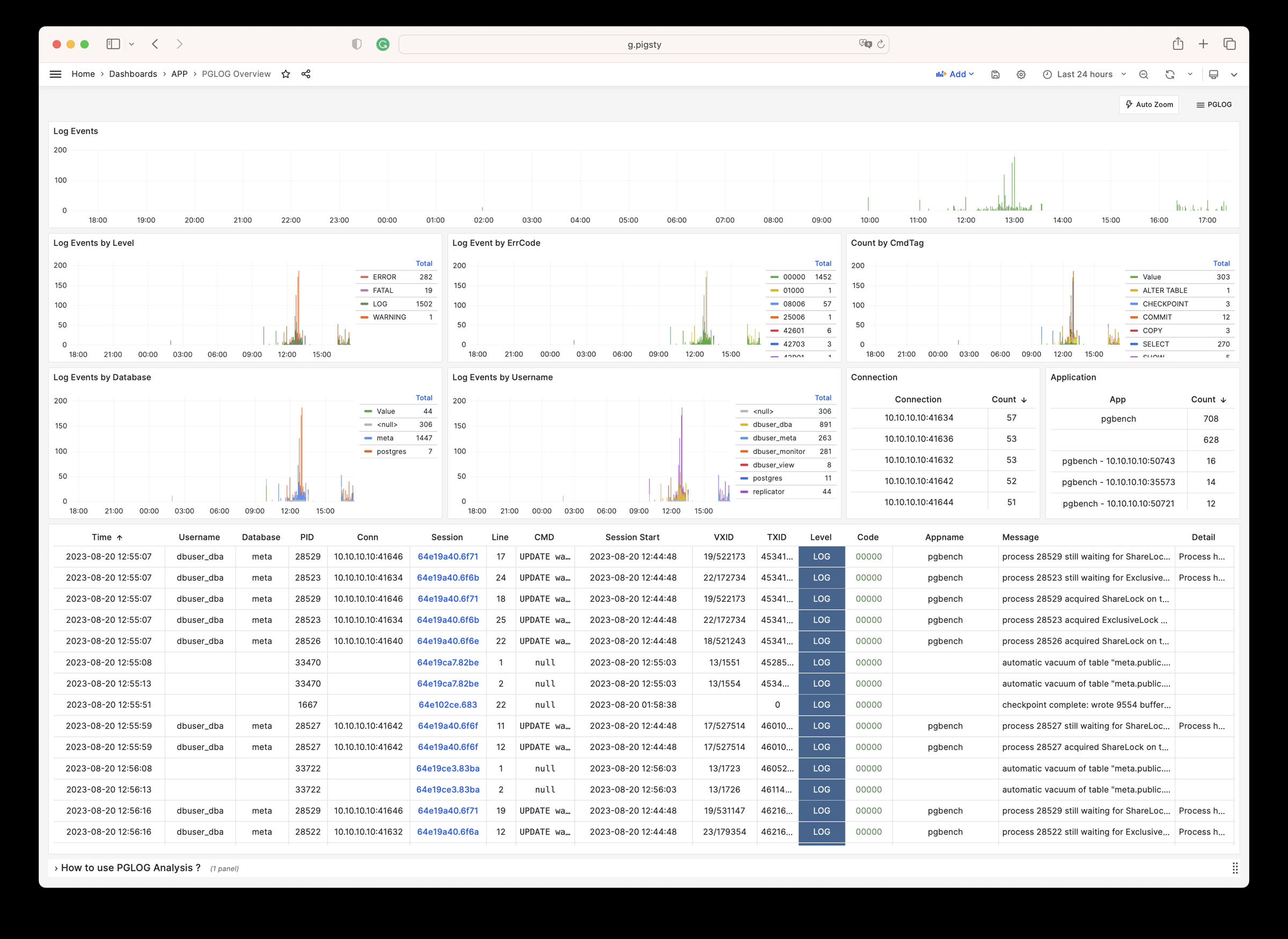
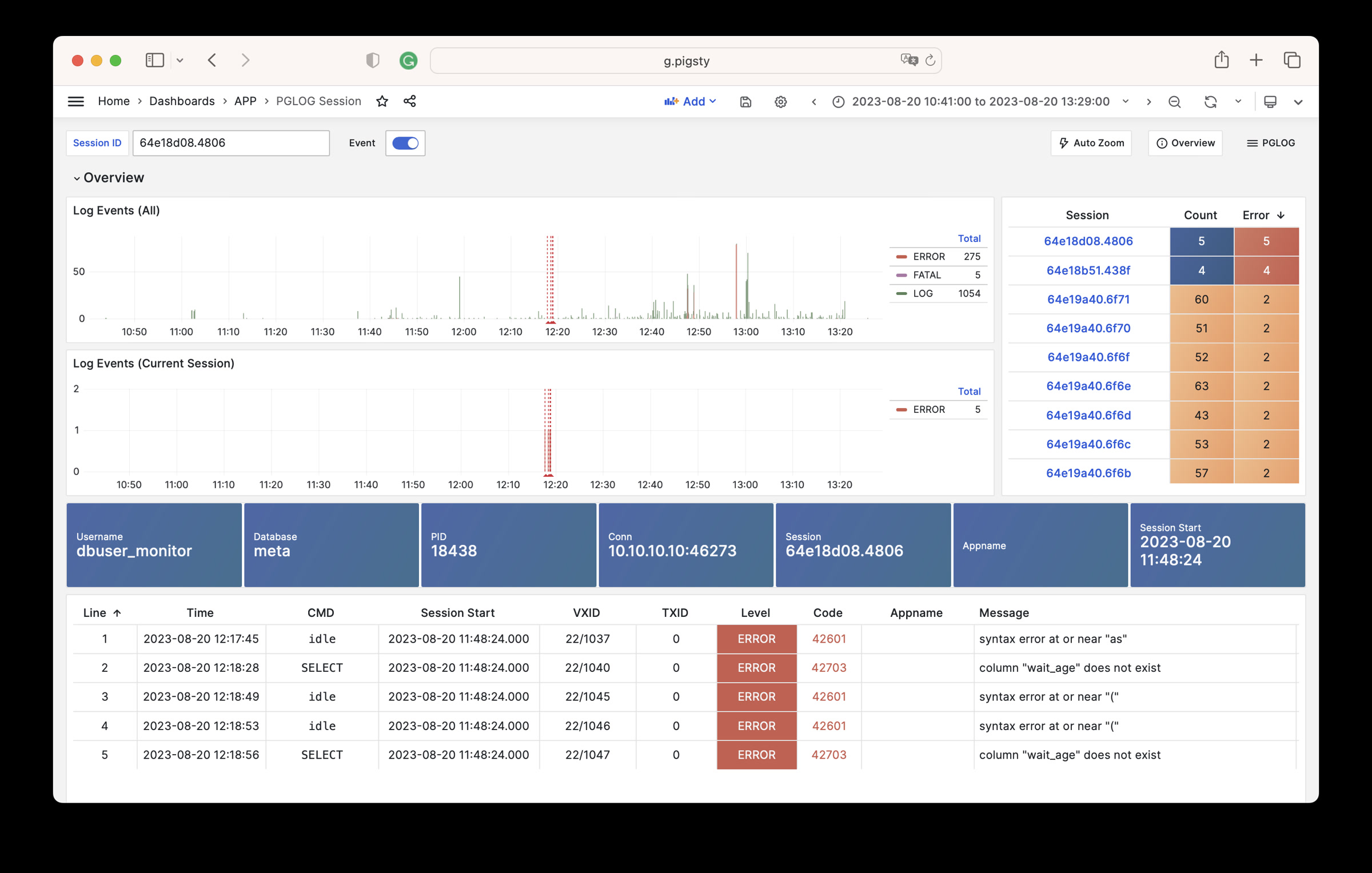
The catlog command fetches CSV database logs from a specific node for a specific date and writes them to stdout.
By default, catlog fetches logs of the current node for today, but you can specify the node and date via parameters.
By combining pglog and catlog, you can quickly fetch and analyze database CSV logs.